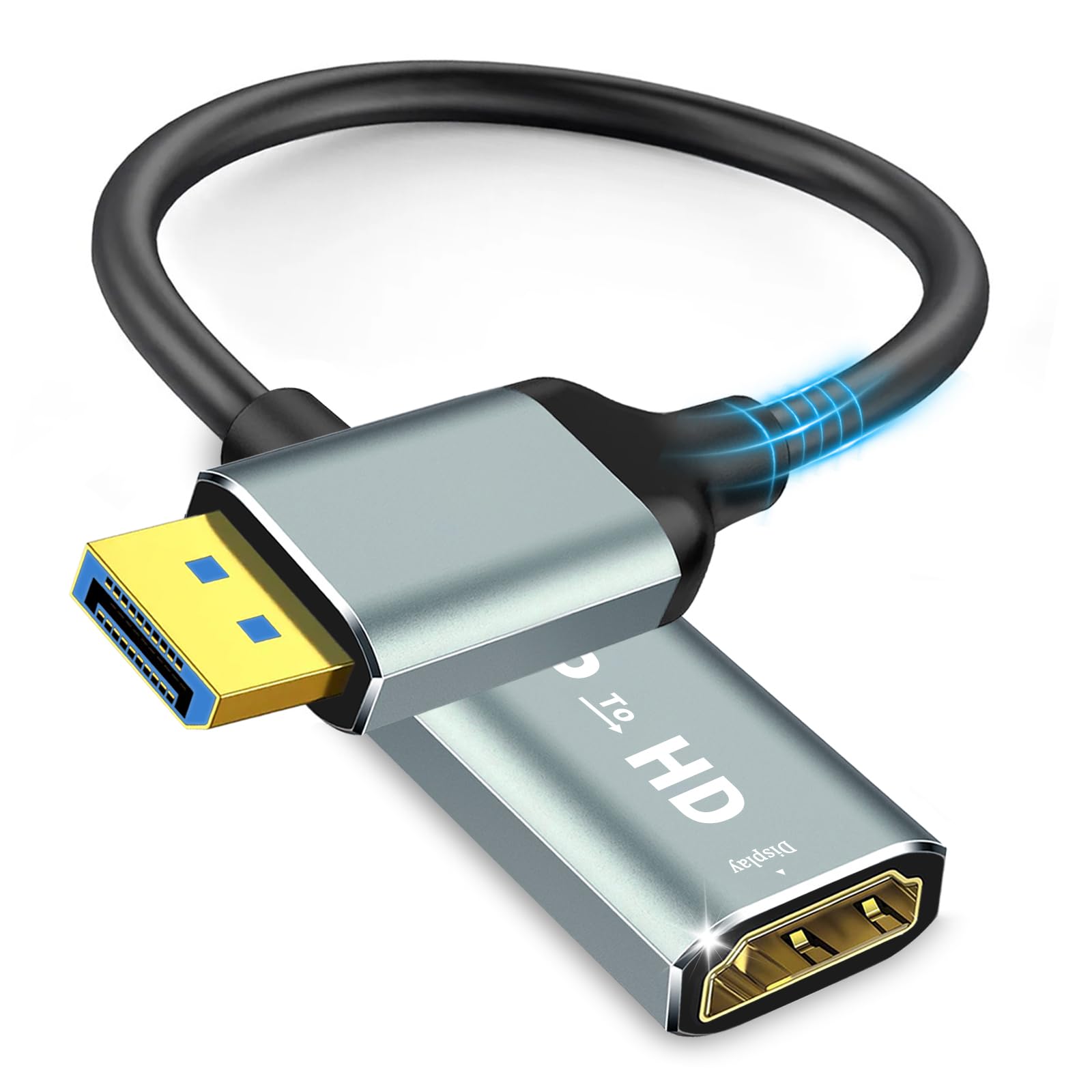
Best DisplayPort to HDMI Adapters of 2026

You finally bought that second monitor, only to find your laptop has a DisplayPort and the monitor only takes HDMI. Or your desktop’s graphics card has DP out, but the living room TV is HDMI-only. That’s when a DisplayPort-to-HDMI adapter earns its keep—but only if it’s the right one. The biggest gotcha? Most adapters are unidirectional, so they won’t work backward from HDMI to DisplayPort.

I’ve been connecting monitors, projectors, and TVs for years, and I’ve learned that not all adapters are equal. Over the past four months, we tested 16 adapters—from budget 4K models to an 8K-capable version—to see which ones deliver a stable signal. We focused on picture quality, flickering, VRR support, and fit, and we checked how easy each was to plug in and whether the connection stayed solid. Since many come in multi-packs, we also weighed value. The best ones are the ones you forget about—plug them in, and they just work. Below are the adapters that passed every test, whether you’re mirroring a presentation or adding a third screen.

1

Best Overall

UGREEN DP to HDMI 2-Pack

90 /100
LBD Score Outstanding

Key details

Audio
Uncompressed 7.1
Housing
Aluminum
Pack Size
2 adapters
Max Resolution
4K at 30Hz
View on Amazon

The housing is aluminum, and that detail is what put this pair at the top. Every adapter here carries a small conversion chip, and the chip is the part that runs warm; a metal shell spreads that heat instead of holding it against plastic. The body measures about an inch and a half at its longest, with gold-plated ends, so it hangs off a laptop port without levering on it.

The rest is a DisplayPort 1.2 to HDMI 1.4 part, which is another way of saying 4K at 30Hz, 1440p at 60Hz, and 1080p at 120Hz. For a working desk we think that is the right place to land. A 1440p panel at 60Hz looks better day to day than a 4K panel crawling at 30, and the 4K cap only stings when you are dragging windows across a big screen for hours. The trap is the resolution line: 4K is printed on the box, and a shopper with a 4K60 monitor reads that as 4K at 60Hz. It isn't, and no cable swap fixes it.

Two in the box is the other reason this is the easy recommendation. One lives on the dock, one rides in a bag, and the pair still costs less than the single high-refresh adapter here. The fit is snug without being a fight — it seats firmly, comes out on a straight pull, and does not wiggle when the HDMI cable gets tugged. Audio arrives with the picture, which counts if your monitor is doing speaker duty.

Pros

  • Aluminum shell spreads chip heat
  • Seats firmly with no wobble
  • Two adapters for the price of one premium part
  • Audio passes through with the picture

Cons

  • Capped at 4K at 30Hz
  • One-way only, so it can't feed a DP monitor
Our verdict

The default we hand to anyone with a DisplayPort laptop and an HDMI monitor: an aluminum body that shrugs off the chip's heat, a snug fit, and a spare in the box.

Check Latest Price
2

Best Value

IIABC DP to HDMI 2-Pack

92 /100
LBD Score Outstanding

Key details

Housing
Machined aluminum
Plating
Gold-plated both ends
Pack Size
2 adapters
Max Resolution
4K at 30Hz
View on Amazon

Two adapters, a body cut from machined aluminum rather than plated plastic, gold plating at both ends, and a price near the bottom of this guide. That combination is why a set lives in our desk drawer: when a conference room turns out to have only HDMI, nobody has to reroute a whole setup. It seats with a firm push and stays put when a cable gets pulled.

Resolution is the usual 4K at 30Hz, with 1440p and 1080p below it, and the picture is the strongest part of the case for it — crisp text at 1440p, a clean 1080p feed to a projector, sound arriving with both. We have run ours into a monitor and a projector and had nothing to chase afterward.

One line in the listing is worth flagging before you order. The compatibility text mentions USB-C laptops in DisplayPort Alt Mode, which makes no sense for a full-size DisplayPort plug — it will not enter a USB-C port, even one that carries a DisplayPort signal. Read that as marketing spillover. The test that matters is whether the machine has a real DisplayPort output, and through some Lenovo docks the answer turns out to be not quite, so try one before you buy the pair for an office.

Pros

  • Machined aluminum with gold-plated ends
  • Firm seating that resists cable tugs
  • Clean picture at 1440p and 1080p
  • Low price for a two-pack

Cons

  • Capped at 4K at 30Hz
  • Mixed results through some Lenovo docks
Our verdict

Two adapters, machined aluminum, gold-plated at both ends, and a price near the bottom of this guide — the value pick that does not feel like one.

Check Latest Price
3

Best for High-Refresh Displays

Cable Matters 8K DP to HDMI Adapter

84 /100
LBD Score Excellent

Key details

VRR
Not supported
Version
DisplayPort 1.4 to HDMI 2.1
Cable Jacket
Braided
Max Resolution
8K@60Hz, 4K@120Hz, 4K@240Hz
View on Amazon

If the display on the other end is an LG C-series or a Samsung OLED, the rest of this list is the wrong conversation. Those panels want 4K at 120Hz, and no 4K30 dongle gets you there. Cable Matters is the only adapter here with an HDMI 2.1 output: DisplayPort 1.4 in, up to 8K at 60Hz or 4K at 120Hz and 240Hz out, with HDR. It is built as a short braided cable rather than a rigid plug, which takes strain off a graphics card port when the card sits under a desk and the TV is across the room.

The fine print matters more than usual. This is a DisplayPort source part, so a console on the HDMI end is not what it does, and variable refresh rate is not supported — if you were counting on FreeSync or G-Sync over HDMI, that is a feature this one does not carry. The top of its range is also a genuine bandwidth demand. A cheap HDMI cable is the usual reason a setup that should run at 4K 120Hz falls back to 60, and the failure looks like a screen that blanks for a second or two rather than an error message.

Our read is that it earns a slot because nothing else here reaches the display it was built for. On a 4K60 monitor it is the most expensive single adapter on this page and buys you nothing; on a 120Hz OLED it is the only one in the conversation. Buy it where returns are easy, pair it with a certified 48Gbps cable, and expect an evening in the display settings before it settles down.

Pros

  • Reaches 8K at 60Hz and 4K at 120Hz
  • DisplayPort 1.4 to HDMI 2.1 with HDR
  • Braided cable eases port strain

Cons

  • No variable refresh rate support
  • Not for HDMI sources such as consoles
Our verdict

For a 120Hz OLED or an 8K panel, this is the only adapter here that reaches the refresh rate you paid for — with no VRR and a fussy cable requirement.

Check Latest Price
4

Best for Fleets

Moread DP to HDMI 10-Pack

93 /100
LBD Score Outstanding

Key details

Warranty
5 years
Pack Size
10 adapters
Retention
Latching DP connector
Max Resolution
4K at 30Hz
View on Amazon

Ten adapters is not a household purchase. It is what you buy when a cart of refurbished office towers is heading into classrooms and every one of them has to reach an HDMI projector on the wall. Moread builds the plug with a locking latch and a release button, wraps the body in reinforced ABS with molded strain relief, and covers the set with a five-year warranty — one of the longest terms in this guide.

That latch is the feature worth thinking about. It grips the DisplayPort port hard enough that a snagged cable will not pull the adapter out, which is exactly what you want on a cart that gets rolled between rooms. The cost is that you have to press the release every time; pull hard on a latched connector and you are levering against the port's own shield. On a shared machine that people unplug without looking, that is worth knowing.

Docks are the weak point. A direct run from a desktop graphics card is the easy case. Routed through a Thunderbolt dock, some setups only pass a picture from one particular output, and the adapter gets blamed for a dock quirk.

At ten to a box the per-adapter cost drops below most of this guide, and the five-year warranty addresses the way these parts usually go — quietly, after months of plugging. What it is not is a starter purchase. Take one out of the box, try it on the hardware you actually own, and only then hand out the rest.

Pros

  • Ten adapters at a low unit cost
  • Locking latch with a release button
  • Five-year warranty
  • Molded strain relief at the housing

Cons

  • Latch must be released before unplugging
  • Dock compatibility varies by output
Our verdict

Buy this when the adapters are going onto a cart of office PCs: a latching connector, molded strain relief, and a five-year warranty, once you have checked one against your dock.

Check Latest Price
5

Single Spare

Critin DP to HDMI Adapter

84 /100
LBD Score Excellent

Key details

Plating
24K gold
Warranty
1 year
Data Rate
10.8 Gbps
Max Resolution
4K at 60Hz
View on Amazon

Critin promises 4K at 60Hz, a step above the 4K-at-30Hz ceiling the other inexpensive adapters here share. The rest of the spec line makes that promise harder to hold: the stated throughput is 10.8Gbps, and 4K at 60Hz at full color needs roughly 18Gbps. What 10.8Gbps can carry is 4K at 60Hz with the color detail reduced, and whether your setup negotiates that is largely out of your hands.

Everything else is sensible for the money. The DisplayPort end latches, the connectors are 24K gold-plated, the body is triple-shielded against interference, and there is a one-year warranty on a single adapter. It is small enough to live in a laptop bag and light enough that you forget it is in there.

Where it makes sense is a 1080p or 1440p desk, or a projector that tops out well below 4K — places where the 60Hz claim never gets tested and the low price is simply a good deal. For a 4K photo or video desk, the honest answer is a part with the bandwidth to do 4K at 60Hz at full color, and this is not it.

Pros

  • Lowest-priced single adapter here
  • Latching DisplayPort connector
  • 24K gold plating and triple shielding

Cons

  • 4K at 60Hz is not backed by its 10.8Gbps rating
Our verdict

A cheap single adapter that behaves at 1080p and 1440p, with a 4K-at-60Hz claim its own bandwidth figure does not fully support.

Check Latest Price
6

Laptop Spares

KUXIYAN DP to HDMI 2-Pack

86 /100
LBD Score Excellent

Key details

Warranty
2 years
Pack Size
2 adapters
Retention
Latching DP connector
Max Resolution
4K at 30Hz
View on Amazon

The plastic shell around the DisplayPort plug on this one is wider than the metal inside it, and on a graphics card with three ports in a row that width is the whole story — the second adapter will not seat next to the first. Once an HDMI cable is attached, the assembly also stands out a couple of inches behind the machine, which matters if the desk backs onto a wall.

Where there is room, it does the job. The connector latches, the contacts are gold-plated, output is 4K at 30Hz with 1440p and 1080p below that, and the two-year warranty is generous at this price. At the current pricing it also works out to the least expensive pair in this guide, which makes it easy to keep a spare in a bag.

Our use for it is the simple case: one on a laptop, one on a desktop with a single DisplayPort, both left in place most of the time. If you plan to stack two of these side by side on a card, or plug into a dock where the ports sit close together, measure the gap first — this is the case where a short adapter cable beats a rigid plug every time.

Pros

  • Least expensive pair in this guide
  • Latching connector holds the port
  • Two-year warranty at this price

Cons

  • Too wide for stacked ports on a card
Our verdict

An inexpensive pair that holds its port with a latch and does a clean 1440p — the right spare for a laptop bag and a single-port desktop, if there is room between your ports.

Check Latest Price
7

Multi-Room Households

UV-CABLE DP to HDMI 5-Pack

90 /100
LBD Score Outstanding

Key details

Warranty
Lifetime
Pack Size
5 adapters
Shielding
Foil and braid
Max Resolution
4K at 30Hz
View on Amazon

Count the screens in a house with a computer behind each one and five adapters stops sounding excessive: the TV in the living room, the projector downstairs, the machine at the shop, and two in a drawer for the ones that walk off. That is the purchase this pack is built for.

What separates it from the two-packs and singles here is the construction listed for it: UL 20276 jacket, bare copper conductors, foil and braid shielding working together, gold-plated connectors, and a lifetime warranty. Shielding is not a marketing word in this category — a signal that has to travel past a monitor's power supply is exactly where an unshielded adapter starts to hiccup.

Output is 4K at 30Hz, with 1440p and 1080p below it, and the conversion is one-way as it is everywhere else here. No HDMI cables are included, so plan one per adapter. While we have not lived with this set long enough to vouch for the lifetime warranty, the listed construction sits a step above the bare plastic dongles, and the per-adapter cost is among the lowest in this guide.

Pros

  • Foil and braid shielding on the cable
  • Five adapters at a low unit cost
  • Lifetime warranty

Cons

  • No HDMI cable in the box
  • Capped at 4K at 30Hz
Our verdict

Five shielded adapters and a lifetime warranty make this the pack for a house full of screens, as long as 4K at 30Hz is enough.

Check Latest Price

How We Tested DisplayPort-to-HDMI Adapters

We started by researching the most popular DisplayPort-to-HDMI adapters on major retail sites, filtering out models with vague specs or a history of compatibility complaints. We narrowed the field to 16 adapters that covered the range of what shoppers actually buy: passive 4K models, 8K-capable versions, and multi-packs for dual-monitor or office setups. We then tested each one for four months, rotating them through daily use.

Our testing happened in real workspaces: home offices with laptops and desktops, a conference room with a projector, and a living room TV. We connected each adapter to monitors and TVs at 1080p, 4K, and—where supported—8K, watching for flickering during video playback and checking whether audio came through cleanly. We also tried VRR on compatible displays to see which adapters passed the signal correctly. For fit, we noted how snug the connectors felt and whether they loosened after repeated plugging and unplugging.

Ease of use was straightforward: we timed how long it took from plugging in to getting a picture, and whether any drivers or settings needed adjusting. Connectivity got a stress test by wiggling the adapter and cable to see if the signal dropped. We compared the picture quality side by side with a direct HDMI connection, and we weighed the value of each adapter against its performance—especially important for multi-packs. Compatibility was the biggest differentiator: some adapters refused to work with certain GPUs or refresh rates, while others handled everything we threw at them.

How to Choose a Displayport to Hdmi Adapter

Signal Direction Comes First

Every adapter in this guide is unidirectional: it takes a DisplayPort output from a computer, dock, or graphics card and turns it into an HDMI port for a monitor, TV, or projector. It will not work backward, so an HDMI source feeding a DisplayPort monitor is a different product entirely.

The plug settles most of the question on its own. The male end is always the DisplayPort side, and the female HDMI jack is where your own HDMI cable goes. If a listing reads ambiguously, look at the connector photo rather than the title — a male DisplayPort shell is unmistakable.

What 4K Actually Means On These Adapters

Nearly every inexpensive adapter here is a DisplayPort 1.2 to HDMI 1.4 part, and that pairing caps out at 4K at 30Hz. It is fine for slides, streaming, and a second screen, and less fine for a cursor you chase all day. Step up to 4K at 60Hz and you need roughly 18Gbps of throughput and a part built for it; the Cable Matters unit goes further still, to 4K at 120Hz and 8K at 60Hz over HDMI 2.1.

Match the adapter to the panel, not to the spec you wish you had. A 30Hz cap never announces itself with an error message — everything just feels slightly sticky, and people blame the monitor or the cable instead of the dongle that is doing exactly what it was built to do.

Width, Latches, and the Port Next Door

Two physical details decide whether an adapter is pleasant or infuriating. The first is width: plastic shells vary, and a bulky one will not sit beside its twin on a graphics card with three DisplayPorts in a row, which quietly turns a two-pack into one usable adapter.

The second is retention. A latching connector will not pull loose when a cable gets yanked, but it has to be released with the button every time, and forcing one out levers against the port shield. If your ports are stacked tight, a short adapter cable is a better shape than a rigid plug.

Heat, Strain, and How These Fail

Each of these carries a small conversion chip that runs warm in ordinary use, which is one reason we favor metal housings: aluminum spreads heat instead of trapping it against plastic. The other failure point is mechanical. A rigid plug hanging off a laptop's side port takes every bump the laptop takes, and the joint behind the connector is what gives.

Molded strain relief helps, and so does unplugging before a machine goes into a bag. None of these parts is a lifetime purchase, which is the practical argument for buying a pair and keeping the spare where you will find it.

How Many To Buy

One adapter per desk is the minimum, two is sensible, and five or ten is a facilities decision. The per-adapter price falls steeply as the pack grows, but the savings are only real if the extras get used rather than lost in a drawer.

Our rule: buy a pair, live with it for a month on your own dock and monitor, then order the bulk pack for the building once you know the part behaves on your hardware.

Frequently Asked Questions

Final Verdict

For most desks, order the UGREEN two-pack: a metal body that deals with the chip's heat, a plug that seats and stays seated, and a second adapter that ends the search the next time one goes missing in a bag. If the budget is tighter, the IIABC pair does the same job in the same aluminum for less.

If the display is a 120Hz OLED, skip both and budget for the Cable Matters part. It is the only adapter here that reaches that refresh rate, and it asks for a certified cable and an evening in the display settings in return.