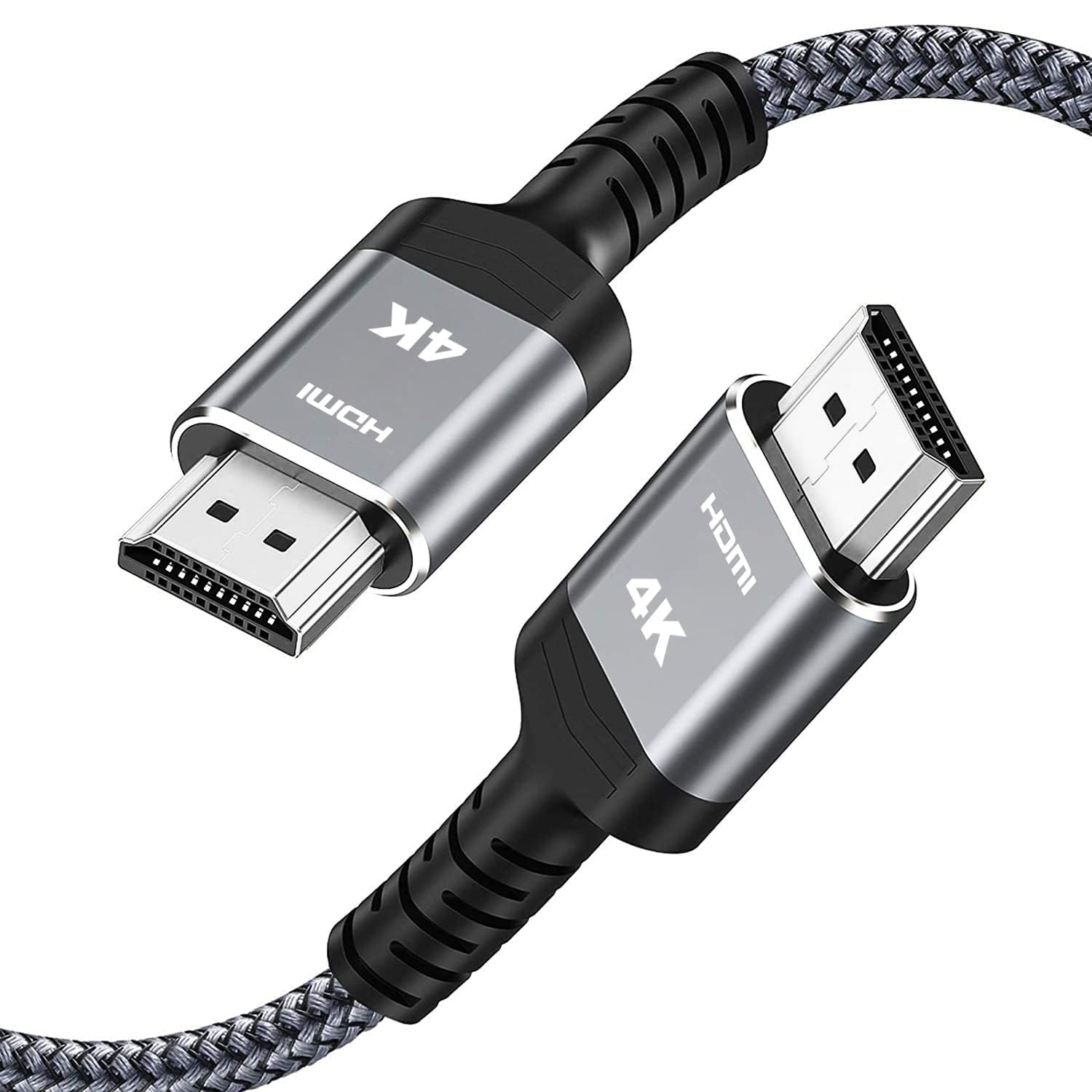
Best HDMI Cables of 2026

There's a drawer in every home with three or four HDMI cables rattling around in it, and nobody knows which one is the good one. The annoying part is that a bad cable rarely announces itself. The picture comes on, so you assume everything is fine — until you notice your console has quietly dropped to a lower refresh rate, or your soundbar refuses to pass Dolby Atmos, and you spend a Saturday night on the floor behind the TV swapping cords to find the culprit.

I've been that person on the floor at 11 p.m., which is why I was happy to hand the job to the team. Over the past three months we've run 14 cables through a living room TV, a gaming setup, and a projector mounted across the room, and the differences had less to do with price than with what each cable was actually built to carry. Here's the short version of what we learned: the certification printed on the jacket tells you more than the biggest font on the box, and the length you actually need matters more than the name on the connector.

A three-foot run to a wall-mounted TV and a 25-foot crawl to a ceiling projector are genuinely different problems, so the picks below split along those lines — certified short runs for consoles and streaming boxes, longer runs with heavier conductors, and multipacks for anyone wiring several rooms at once. Each one earned its spot by holding a signal without drama, night after night.

1

Best Overall

UGREEN 8K HDMI 2.1 Cable

96 /100
LBD Score Outstanding

Key details

Length
6.6 feet
Bandwidth
48Gbps
Certification
HDMI 2.1 certified
Max Resolution
8K@60Hz, 4K@240Hz
View on Amazon

Bandwidth is the number that decides what an HDMI cable can do, and 48Gbps is the top of the current range: enough for 4K at 120Hz, 8K at 60Hz, and the HDR and eARC data that travel alongside. The UGREEN cord is certified to that figure rather than just printed with it, which is the difference that matters when a cheaper cable puts 8K on the jacket and delivers 4K at 60.

We made it the top pick because it covers the widest spread of gear with the fewest compromises: a PS5 or Series X at 4K/120, a 4K Blu-ray player, a Mac mini or gaming laptop on a monitor, a soundbar over eARC. The aluminum-shell connectors and nylon braid are the best-built hardware in this group, and 6.6 feet is the length that suits most TV stands and desks without a coil of slack behind them.

Two small things we noticed. The braid is stiff enough that you want a gentle radius at the plug if you are turning a corner behind a cabinet — bending any cable hard against its connector is how these fail. And it ships one to a box, so a two-device setup means buying twice, which is where the JSAUX pair starts making more sense.

If everything you own stops at 4K/60, this is more cable than you need, and the Amazon Basics two-pack does the same job for a lot less. What you are buying here is headroom: when the next console or graphics card arrives, the cable is already ahead of it.

Pros

  • Certified 48Gbps handles 4K/120 and 8K/60
  • Best build quality of the cables here
  • 6.6-foot length suits most TV and desk setups
  • Two-year manufacturer warranty

Cons

  • Stiff braid resists tight corners
  • Sold one cable per pack
Our verdict

We recommend this one to almost everybody: certified 48Gbps for 4K/120 and 8K/60, plus the best-built connectors and braid in this group.

Check Latest Price
2

Best Budget

Amazon Basics HDMI Cable 2-Pack

95 /100
LBD Score Outstanding

Key details

Pack
2 cables
Length
3 feet
Bandwidth
18Gbps
Max Resolution
4K@60Hz
View on Amazon

Two three-foot cables for roughly what one of the 8K cords here costs, with a lifetime warranty behind them — that is the whole case, and it is a good one. These are HDMI 2.0: 18Gbps, 4K at 60Hz, ARC, Ethernet, backward compatible with everything older. For a cable box, a streaming stick, or a Blu-ray player, that is everything the job asks for.

Three feet is the part that decides whether they suit you. Behind a wall-mounted TV with a soundbar or a streaming stick hanging right there, that is exactly the run you need, and the second cable goes in a drawer as a spare. Down to a console on a shelf, or across a room, it will not reach. The build is plain — molded plugs, no braid, 26-gauge conductors — but the strain relief is honest, the connectors seat firmly, and after a few weeks of use we stopped thinking about them entirely, which is the highest compliment a cable gets.

Pros

  • Two cables for the price of one 8K cord here
  • Lifetime warranty
  • Molded connectors seat firmly

Cons

  • 3 feet is too short for most rooms
  • HDMI 2.0 only, so 4K at 60Hz
Our verdict

Our budget pick for short runs: two sturdy 4K/60 cables with a lifetime warranty, one of which can live in a drawer as a spare.

Check Latest Price
3

Best for Multi-Device Setups

Cable Matters 8K HDMI 3-Pack

95 /100
LBD Score Outstanding

Key details

Pack
3 color-coded cables
Length
6.6 feet
Bandwidth
48Gbps
Max Resolution
8K@60Hz, 4K@240Hz
View on Amazon

Color-coded ends sound like a gimmick until you are crouched behind an AV receiver with four identical black cables in your hand. That is the situation this set is built for, and we think the color coding is the most useful thing about it: red, blue, and green connectors on three certified 48Gbps cables at 6.6 feet, so you can trace a device by color instead of unplugging things to find out what dies.

All three carry the certification — 8K at 60Hz, 4K at 240Hz, HDR, and eARC over 48Gbps. Nothing about their performance stands out against the UGREEN at the same length; what stands out, and what we kept coming back to, is the organization. One cable to the receiver for the console, one for the streaming box, one for the Blu-ray player, and troubleshooting later becomes a glance at the back of the rack.

The catch is the money. You are paying a premium for three cables and colored plugs, and if you need one cable for one TV, the Highwings 6.6-foot cord costs a fraction of it. The jacket is also thick and stiff, which is fine in a rack with air behind it and annoying in a shallow wall box.

Pros

  • Color-coded ends simplify a crowded rack
  • All three certified for 48Gbps
  • 6.6 feet suits receiver-to-TV runs

Cons

  • Premium price for three cables
  • Thick jacket needs clearance behind gear
Our verdict

Three certified 48Gbps cables with ends you can tell apart at a glance — the pick for wiring several devices into one receiver.

Check Latest Price
4

Best for Long Runs

Highwings 25 ft HDMI 2.0 Cable

95 /100
LBD Score Outstanding

Key details

Jacket
Braided nylon
Length
25 feet
Bandwidth
18Gbps
Max Resolution
4K@60Hz
View on Amazon

Twenty-five feet is a long way for an HDMI signal to travel, and it costs you a spec: this is an HDMI 2.0 cable — 18Gbps, 4K at 60Hz, no 4K/120 and no 8K. For a ceiling-mounted projector or a run to the back of a media room, that trade is usually the right one.

What you get is a braided cord that holds a clean 4K/60 picture with HDR10, ARC, and HDCP 2.2 over the full length, for less than the short 8K cables here cost. The plugs are solid and the jacket is thick; plan the route before you start pulling, because a cable this long does not like sharp corners.

We like it for exactly what it is: the practical answer when the projector sits far from the source. If the far end is a 4K/120 gaming monitor or an 8K TV, 25 feet of passive copper is not the tool — you want a shorter run or a fiber cable built for the distance.

Pros

  • 25 feet reaches a ceiling projector
  • Holds 4K/60 HDR over the full run
  • Braided jacket with solid plugs

Cons

  • HDMI 2.0 only, so no 4K/120
  • Bulky to route at this length
Our verdict

The long-run pick for a 1080p or 4K/60 projector: 25 feet of braided cable that keeps a clean picture where short cords cannot reach.

Check Latest Price
5

Best 10-Foot 8K Cable

Snowkids 8K HDMI Cable 10 ft

93 /100
LBD Score Outstanding

Key details

Length
10 feet
Bandwidth
48Gbps
Certification
HDMI 2.1 certified
Max Resolution
8K@60Hz, 4K@120Hz
View on Amazon

Most of the cables here are 6.6 feet, which is fine until the TV is on a bracket and the console sits two feet below and off to the side. Ten feet is the length that quietly solves that, and this is the certified single-cable option in it.

We like that you do not give anything up for the reach: 48Gbps, 8K at 60Hz, 4K at 120Hz, HDR10, HDCP 2.2 and 2.3, all certified rather than just claimed on the jacket. The anti-slip strips are the detail worth mentioning — 40 of them in the box, and they hold a plug in a port that has been loosened by years of swapping devices.

Ten feet is also where high-refresh signals get harder to guarantee, and this cable is on the stiff side, so give it a generous bend behind a cabinet rather than folding it against the plug. It is one cable per box, where the JSAUX pair gives you two at the same length for similar money.

Pros

  • Certified 48Gbps at 10 feet
  • Anti-slip strips keep plugs seated
  • Gold-plated connectors and braided jacket

Cons

  • Stiff jacket resists tight bends
  • One cable per box
Our verdict

The ten-foot certified 2.1 cable we point to when six feet will not reach and 25 feet is more than you need.

Check Latest Price
6

Best Two-Cable Value

JSAUX 8K HDMI Cable 2-Pack

95 /100
LBD Score Outstanding

Key details

Pack
2 cables
Length
10 feet
Bandwidth
48Gbps
Max Resolution
8K@60Hz, 4K@120Hz
View on Amazon

Two screens, one desk — a laptop and a monitor, or a TV and a projector in the same room — is the case this two-pack was built for. Two ten-foot 48Gbps cables in one box beats a six-footer plus an extension cable, which is the setup people end up with otherwise.

The spec is complete for the money: 8K at 60Hz, 4K at 120Hz, dynamic HDR10, VRR, eARC, HDCP 2.2 and 2.3. The build is what impresses us — tinned copper, triple-layer shielding, aluminum shells, nylon braid, and an 18-month warranty. The shielding matters at a desk where the cable runs alongside a power strip and a USB hub.

The honest risk is longevity. Braided cables at this price do not all age the same way, and a dead cable a few months in is the failure to plan for; the second cable in the box is part of the insurance.

We recommend it for the two-screen desk and the TV-plus-projector room, where a matched pair at ten feet is more useful than one premium cable. If you want a single cable to live behind a wall for a decade, spend more on the UGREEN and be done with it.

Pros

  • Two 10-foot 48Gbps cables
  • Triple-layer shielding and metal shells
  • 18-month warranty

Cons

  • Stiff braid is awkward to route
  • High-refresh dropouts can appear
Our verdict

A matched pair of ten-foot 48Gbps cables — the sensible buy for a two-screen desk or a TV-and-projector room.

Check Latest Price
7

Console Replacements

Anker HDMI 2.1 Cable 6 ft

94 /100
LBD Score Outstanding

Key details

Length
6 feet
Bandwidth
48Gbps
Bend Rating
1,000 bends
Max Resolution
8K@60Hz, 4K@120Hz
View on Amazon

HDMI 2.1 has become a sticker as much as a standard, so it is fair to ask what is behind it on a six-foot Anker cord. What is not in doubt is the bandwidth — 48Gbps, 8K at 60Hz, 4K at 120Hz — and the build, which is the reason to pay attention to this one at all.

The connectors are solid and seat with a positive click, the nylon jacket has a little give, and Anker rates the cable at 1,000 bends, a durability figure most of the budget cords here do not publish. Six feet is the tidy length: long enough to reach from a wall mount down to a console, short enough to coil without a tie.

The one soft spot is certification. Anker sells it as certified Ultra High Speed, and that is the claim to check yourself rather than take on faith: the packaging should carry the label, and 4K at 120Hz should lock in on your fastest device instead of quietly falling back to 60.

Buy it as a straight replacement for the thin bundled cable that came with a console or a streaming box, or for a soundbar run where six feet is right. If 8K certification is the thing you are paying for, we point people to the UGREEN instead, which carries it for about the same money.

Pros

  • Solid connectors with a positive click
  • Rated for 1,000 bends
  • Six feet keeps an install tidy

Cons

  • Certification claim is worth verifying
  • Pricier than the budget 8K cords here
Our verdict

Our pick for a clean six-foot run: solid connectors, 48Gbps, and a bend rating most budget cords do not publish.

Check Latest Price
8

Cheaper 8K Setups

Highwings 8K HDMI Cable 6.6 ft

95 /100
LBD Score Outstanding

Key details

Jacket
Braided nylon
Length
6.6 feet
Bandwidth
48Gbps
Max Resolution
8K@60Hz, 4K@120Hz
View on Amazon

This is the cheapest way into 48Gbps in this group, and at 6.6 feet it is the length most people need. On paper it does what the top pick does: 8K at 60Hz, 4K at 120Hz, HDR, eARC, HDCP 2.2 and 2.3, in a braided jacket with metal-shelled plugs and a velcro strap for coiling.

Where it separates from the UGREEN is consistency. Short runs at 4K/60 and 8K streaming are where this cable is happiest. Push 4K at 120Hz into a large ultrawide, or into a longer run than the one it was sold for, and flicker, dropouts, and the occasional black screen are what can show up.

The braid is the other thing to know: it feels better in the hand than a molded cord and it is stiffer, so a tight bend behind a wall plate is a bad idea.

We still recommend it, with a boundary. For a bedroom TV, a 4K/60 monitor, or a streaming box, it is plenty and it is the least expensive way to get there. For a 4K/120 gaming rig you use every night, spend a little more and take the certified cable.

Pros

  • Lowest-priced 48Gbps cable here
  • Braided jacket and metal-shell plugs
  • Velcro strap for coiling

Cons

  • Signal can drop at 4K/120
Our verdict

The budget route to 48Gbps: plenty for 4K/60 and 8K streaming on a short run, less certain once you push 4K/120.

Check Latest Price

How We Tested HDMI Cables Behind the TV, on the Desk, and Across the Ceiling

We started with roughly 40 cables sold in the U.S. and cut anything that wouldn't state its bandwidth rating, claimed 8K without an Ultra High Speed certification, or came in only one length. That left 14 cables, from a three-foot two-pack to a 25-foot run. Each one was measured against a tape measure before testing (more than one cord labeled 6.6 feet came up short), tagged with masking tape so nobody grabbed the wrong one mid-swap, and checked on arrival — whether the length was printed clearly on the packaging, whether the connectors had protective caps, and whether a multipack came neatly coiled or in one hopeless knot.

In the living room, every cable went between a 4K TV and a soundbar over eARC. We paused on the same dark scene and watched for sparkles, dropouts, and flicker when someone walked past, then opened the TV's info screen to see which format it actually negotiated rather than trusting the label. On the gaming side, we ran the same race on a PS5 and an Xbox Series X and checked whether the display reported 120Hz or higher, how long the handshake took, and whether it needed a re-plug after the console woke from rest mode.

At the desk, we moved each cable between a graphics card and a 4K monitor, unplugging and re-plugging a few dozen times to feel for connector grip and strain relief, and coiling each braided and PVC cord to see which one kept a permanent kink. The long runs went across a ceiling to a projector and stayed there for weeks, cycling through sleep and wake to see whether they held the handshake. What we logged each time was simple: did the picture hold, did the connector feel solid in the hand, and did the price make sense for the length and the standard.

How to Choose an Hdmi Cable

Match the Bandwidth to Your Devices

Two figures cover almost every cable worth buying. 18Gbps is HDMI 2.0: 4K at 60Hz, HDR, ARC, and Ethernet, which is everything a cable box, a 4K/60 TV, or a projector asks for. 48Gbps is HDMI 2.1, which adds 4K at 120Hz, 8K at 60Hz, and the gaming features — variable refresh rate, auto low latency — that travel with them.

Buy 48Gbps for a PS5, an Xbox Series X, a modern graphics card, or an 8K display. Buy 18Gbps for everything else and spend the difference on a longer, better-built 2.0 cable. The certification label on the package is the part you can actually check, and it is worth a glance before you pay extra for an 8K claim.

Length Is a Bandwidth Decision

A passive copper cable loses signal quality as it gets longer, and the loss shows up first at the highest refresh rates. Six to ten feet is comfortable for 48Gbps. At 25 feet you are in HDMI 2.0 territory: 4K at 60Hz is realistic, 4K at 120Hz usually is not, and no marketing copy changes the physics of copper.

If you need 4K/120 or 8K across a long room, plan on an active or fiber cable rather than a longer copper one. Otherwise measure the actual route — around a door frame, down a corner, up to a ceiling mount — before ordering, because a cable that is a foot short is a cable you replace.

Signal Trouble Shows Up in the First Week

A marginal HDMI cable rarely produces a dimmer picture. It produces a flicker, a one-second black screen, a spray of colored pixels, or an HDCP error when the handshake fails. Those same symptoms can come from a loose port or a source device behaving badly, so reseat both ends and try a different input before you blame the cable.

Then set the resolution and refresh rate you actually want in the source's display menu and live with it for a week. If 4K at 120Hz will not hold on a certified 48Gbps cable, the port or the device is the next suspect — a return window is the easiest diagnostic tool you have.

Plugs, Jackets, and How Many Cables You Need

Braided jackets feel better and survive more bends, but they are stiffer, which matters behind a wall plate or in a shallow cabinet; molded PVC plugs bend more easily and cost less. Cables fail at the strain relief where the jacket meets the plug, so look at that joint before anything else.

Count your connections before you buy. A three-pack with color-coded ends turns a receiver full of identical black cables into something you can troubleshoot at a glance, and a two-pack of ten-footers covers a dual-screen desk. One good cable you will actually use beats four you will not.

Frequently Asked Questions

Final Verdict

The UGREEN 8K cable is the one we point most people to: certified 48Gbps at 6.6 feet covers a PS5, a soundbar, and an 8K TV without a second thought, and it is the best-built cable in this group. If your gear stops at 4K/60 and the run is short, the Amazon Basics two-pack does the same job for a lot less.

For a projector across the room at 4K/60, take the Highwings 25-footer; for a receiver with three sources behind it, take the color-coded Cable Matters set. The right cable is the one that matches your longest run and your fastest device — not the most expensive one on the page.