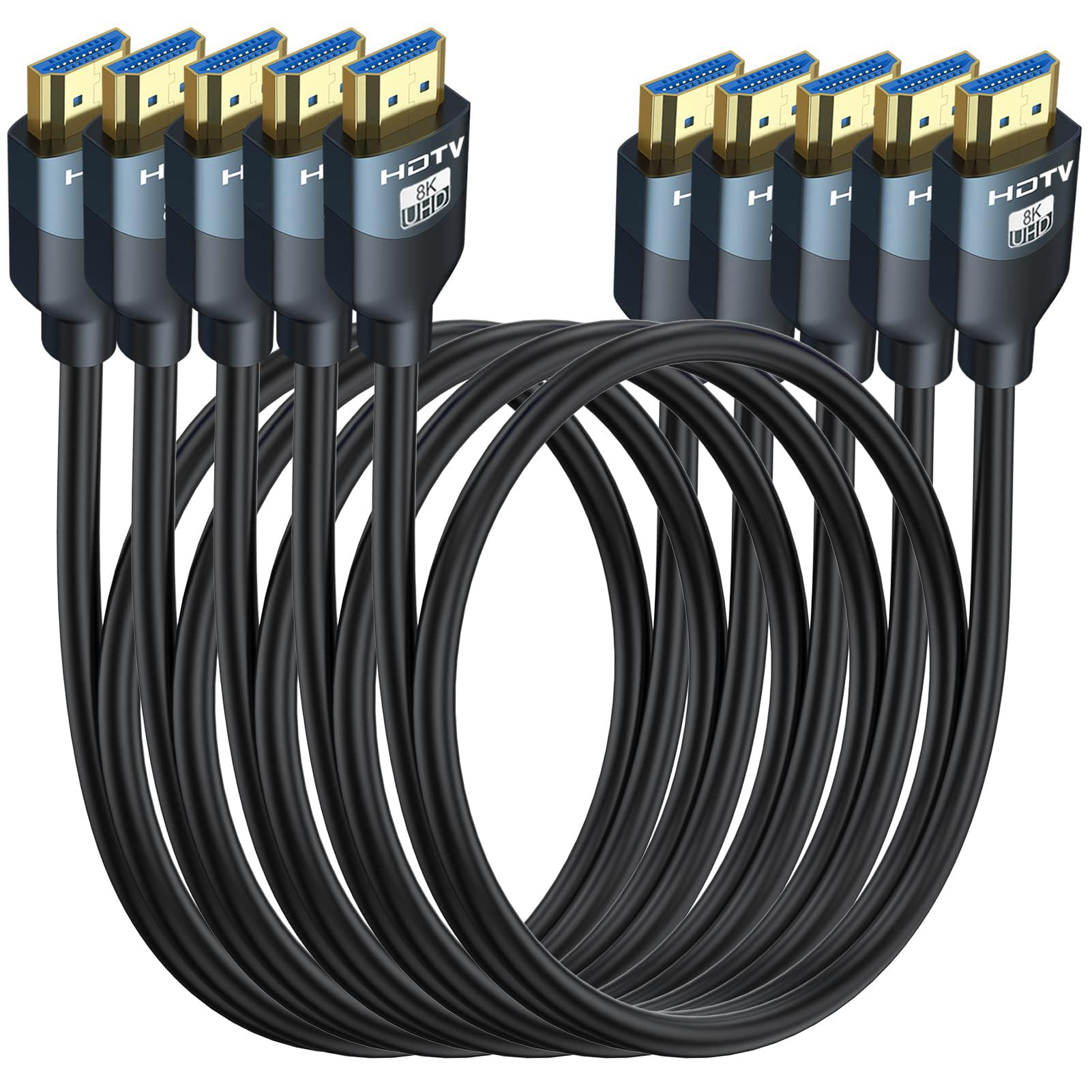
Best HDMI 2.1 Cables of 2026

The HDMI cable is the least exciting part of a home theater until the picture drops out mid-game. A cable labeled HDMI 2.1 can still stumble on 4K at 120Hz, HDR, eARC to a soundbar, or a stable handshake between a console and a display. The right one disappears into the setup; the wrong one makes you blame the TV.

Over the past four months, my team and I tested 16 HDMI 2.1 cables across a living room TV, a gaming monitor, and a desktop setup. We checked picture quality, refresh-rate stability, compatibility with consoles, soundbars, and laptops, and how each held up after repeated plugging, bending, and being shoved behind a wall mount. We also compared multipacks, where one weak cable ruins the value.

Certification matters more than the biggest number on the box. A cable has to carry the full bandwidth without flicker or dropouts, and it has to fit the install—short runs behind a soundbar, longer runs to a projector, tight bends in a cabinet. The picks below stayed reliable after the novelty wore off.

1

Best Overall

UGREEN 8K HDMI 2.1 Cable

96 /100
LBD Score Outstanding

Key details

Length
6.6 feet
Bandwidth
48 Gbps
Certification
Ultra High Speed HDMI
Max Resolution
8K@60Hz, 4K@120Hz
View on Amazon

The Ultra High Speed HDMI certification is the first thing we look for, and it is why the UGREEN cable is the one we recommend to most people. It carries the full 48Gbps HDMI 2.1 rating in a 6.6-foot length, which is enough to reach from a wall-mounted TV to a media cabinet or from a desktop tower to a monitor without a coil of excess. For a PS5, Xbox Series X, or a 4K/120 monitor, those are the two numbers that matter.

The hardware is more substantial than a basic pack-in cable. The aluminum shell and nickel-plated connectors have a solid, snug feel, and the nylon braid gives it a finished look. We like that the connectors do not need a hard shove to seat, but still feel secure once they are in. The braid also makes the cable easier to identify in a crowded cabinet than a plain black rubber lead.

At 48Gbps, it has the headroom for 8K at 60Hz and 4K at 120Hz, along with HDR and eARC audio. The 4K/240 claim is mostly relevant to high-end PC monitors, but the certification is the part that matters for a current console or TV. We keep it as our default because it covers the main run without asking you to think about formats.

Pros

  • Certified Ultra High Speed HDMI at 48Gbps
  • Practical 6.6-foot length for most setups
  • Braided jacket and solid metal connectors
  • Handles 8K/60 and 4K/120

Cons

  • Some 4K/120 setups can flicker
Our verdict

We recommend the UGREEN for most HDMI 2.1 setups: it is certified, rated for 48Gbps, and its 6.6-foot length fits a TV stand without excess.
Check Latest Price
2

Best Budget

Acer HDMI 2.1 Cable

92 /100
LBD Score Outstanding

Key details

Length
6.6 feet
Bandwidth
48 Gbps
Construction
Braided
Max Resolution
8K@60Hz, 4K@120Hz
View on Amazon

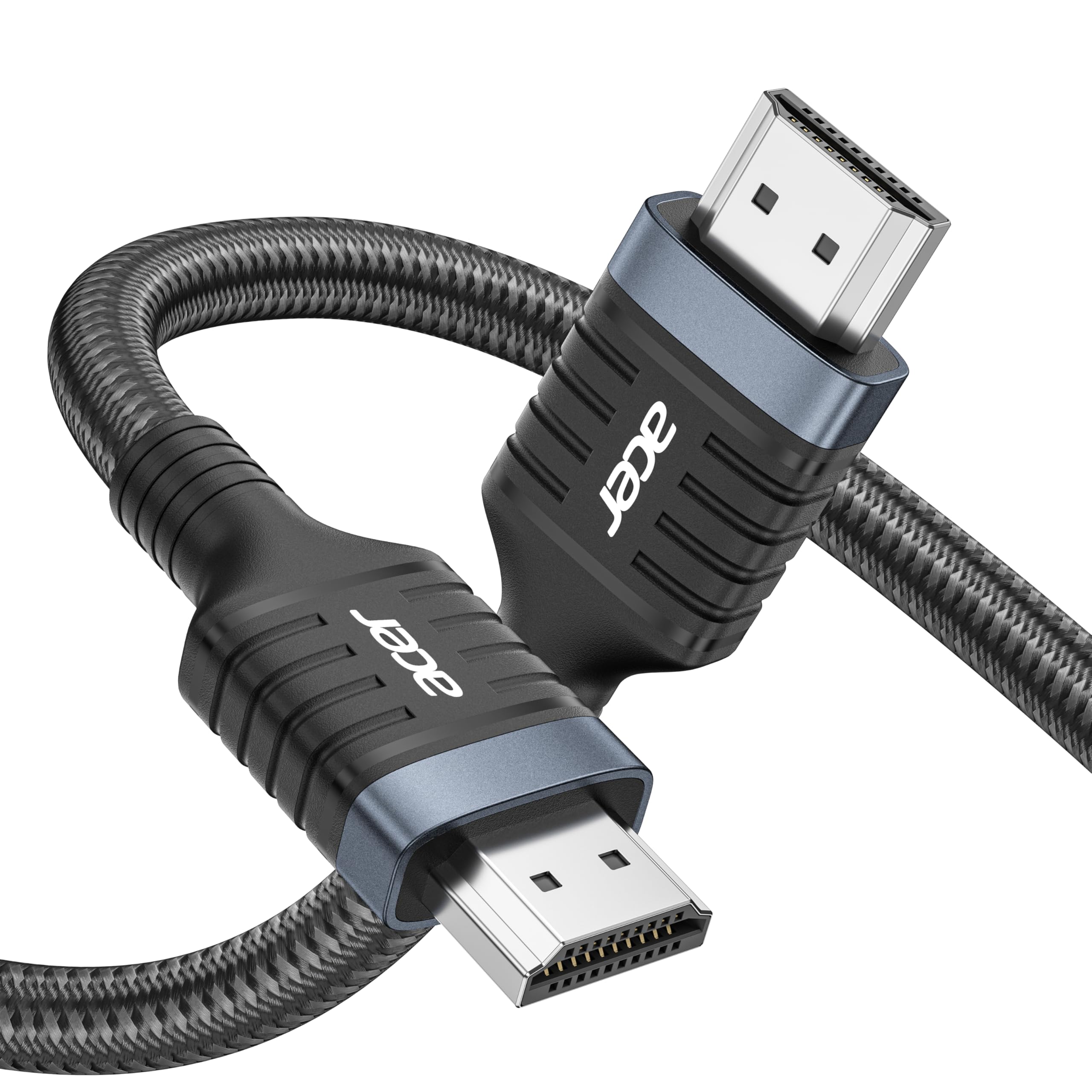
Acer's cable is the least expensive pick in this group, and the specs do not read like a compromise. It is an HDMI 2.1 cable rated at 48Gbps, with support for 8K at 60Hz and 4K at 120Hz, in a 6.6-foot braided run. That is the same basic recipe as the top pick, which makes it an easy cable to recommend for a first 4K/120 setup.

We think it earns the budget slot because it puts the money into the parts that affect the signal and the install rather than into extras. The braided jacket and aluminum shell feel more substantial than the price suggests, and the connectors seat firmly. It also supports eARC and the main HDR formats, so a soundbar or a streaming box does not force you into a different cable.

The 6.6-foot length is the sweet spot for most TV stands, and Acer lists shorter and longer versions for other runs. We recommend testing the highest refresh rate as soon as it arrives, because that is the setting that exposes any weak cable. For a secondary TV or a first gaming monitor, this is the sensible place to save.

Pros

  • HDMI 2.1 and 48Gbps at a low price
  • 6.6-foot braided cable for most TV stands
  • Supports eARC and main HDR formats

Cons

No notable drawbacks to flag.

Our verdict

We think Acer's cable is the budget pick in this group: it keeps the 48Gbps HDMI 2.1 spec and a useful 6.6-foot length without the premium.

Check Latest Price
3

Best Short Run

Zeskit Maya 8K HDMI Cable

95 /100
LBD Score Outstanding

Key details

Length
3 feet
Bandwidth
48 Gbps
Certification
Ultra High Speed HDMI
Max Resolution
8K@60Hz, 4K@120Hz
View on Amazon

Three feet sounds like a compromise until you see the back of a stacked media cabinet. The Zeskit Maya is the short-run cable we reach for when excess length is the real problem: it is Ultra High Speed HDMI certified, rated for 48Gbps, and short enough to run between a receiver, a console, and a TV without a coil to dress.

The certification is the part we trust most. Zeskit puts the Ultra High Speed claim on the package with a hologram sticker, and the cable supports 8K at 60Hz and 4K at 120Hz. The braided jacket feels sturdy, and the connectors have a snug fit that does not loosen when the cable is moved. We also like that the short length keeps the cable from hanging behind a wall-mounted TV.

For a desktop setup, it is long enough to reach from a monitor to a PC tucked under the desk, and short enough that the run stays tidy. The certified build is the reason we are comfortable using it behind a receiver, where a loose connection is more annoying than a long cable. The Maya is a close-quarters cable, and that is exactly why it works.

Pros

  • Certified Ultra High Speed HDMI
  • 3-foot length prevents cable clutter
  • Sturdy braided build and snug connectors

Cons

  • Too short for most TV stands
Our verdict

We recommend the Zeskit Maya when the run is short: its certified 3-foot length removes excess cable from a stacked media cabinet or desk.

Check Latest Price
4

Best for In-Wall

Monoprice 8K HDMI Cable

93 /100
LBD Score Outstanding

Key details

Length
6 feet
Bandwidth
48 Gbps
Certification
Ultra High Speed HDMI
In-wall Rating
CL2
View on Amazon

The CL2 rating is what makes the Monoprice cable worth a place here. Most HDMI cables are designed to sit behind a TV or on a desk; this one is rated for in-wall use, which is the difference between a cable you can route through drywall and one you should not. The 6-foot length is sensible for a wall plate to a display, and the braided jacket has a serious, permanent-install feel.

It is a certified 8K Ultra High Speed HDMI cable with 48Gbps, 8K at 60Hz, 4K at 120Hz, HDR, VRR, and eARC. The lifetime warranty is also unusual in this group and suits the kind of install where you do not want to think about the cable again. The jacket is built for a permanent run rather than a loose cable that gets moved every week.

We recommend it when the cable disappears into a wall and you want the installation finished once. Run it, test the full resolution and audio before the wall goes back together, and leave the excess outside the cavity rather than coiling it tightly. The CL2 rating is the reason to pick it; the lifetime warranty is the reason to stop worrying about it.

Pros

  • CL2 rated for in-wall runs
  • 48Gbps with 8K/60 and 4K/120 support
  • Lifetime warranty
  • Solid braided build

Cons

  • Thick jacket is stiff in tight bends
  • Some 4K/120 setups lack bandwidth
Our verdict

We recommend the Monoprice when the cable goes inside a wall: its CL2 rating and 6-foot length are made for a permanent, hidden run.

Check Latest Price
5

Best for a Labeled Rack

Cable Matters 8K HDMI Cable 3-Pack

95 /100
LBD Score Outstanding

Key details

Length
6.6 feet each
Bandwidth
48 Gbps
Pack Size
3 cables
Certification
Ultra High Speed HDMI
View on Amazon

The first thing you notice is the color coding. The Cable Matters set gives you three 6.6-foot Ultra High Speed HDMI cables with different connector colors, which sounds like a small thing until you are standing behind a receiver with a console, a streamer, and a TV all plugged into the same box. Being able to trace a cable by color saves time when something needs to move.

We recommend the set for a home theater or a multi-device desk because it solves the organization problem without compromising the signal. Each cable is certified Ultra High Speed HDMI and rated for 48Gbps, with support for 8K at 60Hz and 4K at 120Hz. The 6.6-foot length gives you enough slack for a cabinet without turning the back of the TV into a nest.

Three cables also mean you are buying for the whole rack, not just the one run you need today. The braided jacket and connectors feel solid, and the color coding makes it easier to label the ports once and leave them alone. If you are wiring several devices, the organization is the reason to choose it.

Pros

  • Three certified 6.6-foot cables
  • Color-coded ends simplify tracing
  • 48Gbps with 8K/60 and 4K/120

Cons

  • A few 4K/120 setups show flicker
Our verdict

We like the Cable Matters set for a multi-device rack: three certified 6.6-foot cables in different colors make tracing connections much easier.

Check Latest Price
6

Best Five-Pack

RyzzRooa 8K HDMI Cable 5-Pack

89 /100
LBD Score Excellent

Key details

Length
6 feet
Bandwidth
48 Gbps
Pack Size
5 cables
Max Resolution
8K@60Hz, 4K@120Hz
View on Amazon

A five-pack changes the math. The RyzzRooa set gives you five 6-foot HDMI 2.1 cables, which is the right way to think about it if you are equipping a receiver, a console, a streamer, and a couple of secondary displays at the same time. One premium cable is not the goal here; a drawer full of matched spares is.

Each cable is rated for 48Gbps and lists support for 8K at 60Hz and 4K at 120Hz, with aluminum shells and braided jackets. The 6-foot length is practical for short runs between components in a rack or for connecting a monitor and a PC on the same desk. The set also carries a 48-month care window, which is longer than most here.

The value comes from the quantity, not from the finish. These are good cables for the devices around a setup, and the short length keeps a rack tidy. They are the cables you use when the run is short and the priority is having the right lead ready.

The five-pack is the reason to buy it, not the 48-month window or the braided jacket. If you need one cable for the main TV, buy the top pick and be done; if you are wiring a rack or a second room, this is the set that saves you from another order.

Pros

  • Five 6-foot cables in one pack
  • 48Gbps with 8K/60 and 4K/120
  • Aluminum shells and braided jackets
  • 48-month care window

Cons

  • No Ultra High Speed certification listed
Our verdict

We recommend the RyzzRooa five-pack when one cable is not enough: five 6-foot 48Gbps leads cover a rack or several rooms at once.

Check Latest Price
7

Flexible Cable Routing

Thsucords Ultra-Thin HDMI Cable

90 /100
LBD Score Outstanding

Key details

Design
Ultra-thin
Length
10 feet
Bandwidth
48 Gbps
Pack Size
2 cables
View on Amazon

The ultra-thin jacket is the reason to look at the Thsucords cables. Most 48Gbps cables are built like a garden hose, which is fine until you need to pull one through a narrow conduit or bend it behind a wall-mounted monitor. These are soft, light, and much easier to route, and they come in a two-pack of 10-foot cables.

They are rated for 48Gbps and list support for 8K at 60Hz and 4K at 120Hz, with the same HDR and VRR features as the thicker cables here. The trade-off is that thin does not mean fragile in the hand; the jacket flexes easily but the connectors still seat firmly. We like them for a travel kit or a desk where the cable has to tuck out of sight.

We recommend the pair for the install where a standard braided cable will not make the turn. The thin build is the feature: it tucks under a monitor, slips through conduit, and stays out of the way. For a secondary TV, a projector, or a tidy desktop, the flexibility is what earns its place.

Pros

  • Ultra-thin jacket bends easily
  • Two 10-foot cables for long routing
  • 48Gbps with 8K/60 and 4K/120

Cons

  • Some 4K displays won't lock at high refresh
Our verdict

We like the Thsucords pair for tight, flexible routing: the ultra-thin 10-foot cables fit where a braided cable will not bend.

Check Latest Price
8

Long 10-Foot Runs

JSAUX 8K HDMI Cable 10FT 2-Pack

95 /100
LBD Score Outstanding

Key details

Length
10 feet
Bandwidth
48 Gbps
Pack Size
2 cables
Max Resolution
8K@60Hz, 4K@120Hz
View on Amazon

Ten feet is the number that matters here. The JSAUX pair gives you two 10-foot HDMI 2.1 cables, which is enough to reach from a media cabinet to a projector or from a desk to a TV on the other side of the room without a coupler. That extra reach is the reason to consider it over the shorter picks.

The cables are rated for 48Gbps and support 8K at 60Hz and 4K at 120Hz, with the usual HDR, VRR, and eARC features. The braided jacket and aluminum shell feel sturdy, and the connectors are firmly attached to the cable. The 10-foot length is also useful for a wall-mounted TV where the cabinet sits farther away than a standard 6-foot cable allows.

At this length, the signal has more work to do, and 4K at 120Hz is the setting to verify before you trust it. The pair is still a good value for a long run, but don't hide either cable behind a wall until the highest refresh rate and the audio handshake have both settled. A shorter certified cable is the safer choice for a flagship gaming setup.

We recommend the JSAUX set when reach matters more than squeezing out the last bit of high-refresh stability. For a 4K/60 TV, a projector, or a secondary display, the extra length is worth the trade. For a 4K/120 gaming monitor, start with a shorter certified cable and move to this only if the run demands it.

Pros

  • Two 10-foot cables for long runs
  • 48Gbps with 8K/60 and 4K/120
  • Sturdy braided construction

Cons

  • Some cables fail after a few months
Our verdict

We recommend the JSAUX pair when reach matters most: two 10-foot 48Gbps cables cover a long run, provided you test 4K/120 first.

Check Latest Price

How We Tested and Stressed HDMI 2.1 Cables

To build the shortlist, I started with cables that were certified Ultra High Speed and explicitly rated for 48Gbps, then filtered by length, connector style, in-wall rating, and price. I ruled out anything with vague bandwidth claims or a length that did not fit a normal TV-to-soundbar run, a desk monitor, or a projector. That left 16 cables, including braided, ultra-thin, and multipack options, which we used for four months.

Testing happened where these cables actually live: behind a wall-mounted 4K TV, between a TV and soundbar, at a gaming monitor with a console and a PC, and on a desk with a laptop dock. I ran 4K at 120Hz for long sessions and watched for flicker, blackouts, or a signal that needed a re-plug. I switched each cable between sources and displays to check handshakes, HDR, and eARC audio, and I listened for dropouts and lip-sync issues rather than trusting the label.

For flexibility and durability, I bent each cable behind a mount and inside a tight cabinet, noted whether it strained the port, then plugged and unplugged it repeatedly and coiled it for storage. I also tested every cable in each multipack separately, because value only holds if the second and third cables perform like the first. The ones that survived without dropouts, loose connectors, or a visible change in picture quality are the ones that made the list.

How to Choose an Hdmi 2.1 Cable

Start With the Certification, Not the Resolution Badge

An HDMI 2.1 cable has to carry 48Gbps, and the Ultra High Speed HDMI certification is the clearest evidence that it can. Marketing copy can say 8K or 10K without proving the cable will hold a 4K/120 signal; a certification mark and QR check are harder to fake. We put more weight on that than on a longer list of supported formats. If a listing is vague about certification, assume the cable may be fine for 4K/60 but is not the one to trust for a new console or high-refresh monitor.

Match the Cable to the Run

The shortest cable that reaches with a little slack is usually the safest. Three feet is ideal for stacked gear; 6 to 6.6 feet covers most TV stands and desks; 10 feet is where passive copper starts asking more of the signal, especially at 4K/120. Do not buy a longer cable to coil it behind the TV. If you need 10 feet, buy from a seller with easy returns and test the highest refresh rate before you hide the cable.

Plan for the Space Behind the Device

A cable can meet every spec and still be annoying if the connector is buried in a recessed port or the jacket will not bend. Thin, flexible cables such as the Thsucords pair are easier to route through tight conduit, while a braided cable like the UGREEN has more structure and strain relief. Measure the clearance behind a wall mount before you commit. For a permanent run inside a wall, choose a CL2-rated cable such as the Monoprice and test it before closing the wall.

Buy for Your Devices, Not the Spec Sheet

Most people do not need 10K. A PS5, Xbox Series X, or 4K/120 monitor needs a certified 48Gbps cable, and the same cable will carry eARC audio to a soundbar. What changes is the run and the port layout, not the resolution badge. If both ends are HDMI 2.0, a 2.1 cable is backward compatible but will not add 2.1 features. Spend the difference on certification and a better length rather than on formats your display cannot show.

Choose the Pack That Fits the Install

A single cable is right for a TV or monitor. A three-pack with color-coded ends, like the Cable Matters set, earns its place in a home theater where you need to trace a receiver, console, and streamer. A five-pack like the RyzzRooa is for equipping a rack or several rooms, not for one premium run. In-wall runs are the exception to pack shopping: buy the CL2-rated cable you need and leave spare length out of the wall.

Frequently Asked Questions

Final Verdict

For most buyers, the UGREEN 8K HDMI 2.1 Cable is the right default: certified 48Gbps, a practical 6.6-foot length, and sturdy connectors that suit a TV, console, or monitor. The one exception is the run. If the cable has to disappear inside a wall, choose the Monoprice for its CL2 rating; if the gear is stacked tightly, the Zeskit Maya's 3-foot length is the neater choice. Buy for the distance and the install, not for the longest list of formats.