Best DAC Amplifiers of 2026

A DAC and headphone amp does two jobs your laptop's jack does indifferently: it turns digital files into an analog signal, then amplifies it with enough current to move real drivers. The payoff is a black background where there used to be hiss, bass that holds together on a dense track, and volume you can actually use. If your headphones sound thin, the box is usually the bottleneck.

I've cycled through desktop stacks and pocket dongles for years, and we've just spent six months living with 11 of them, from USB-C adapters small enough to lose in a bag to desktop units with balanced outputs and tone controls. Spec sheets mislead here: wattage is quoted at impedances your headphones may not have, and a balanced jack matters far more for hard-to-drive planars than for sensitive in-ears.

What separated the good ones wasn't raw power. It was an even volume taper down low, controls you'd actually use, and no audible hiss with sensitive in-ears. Past a certain price you're paying for inputs, not sound quality. The ones that stayed plugged in are below.

1

Best Overall

FiiO K11

90 /100
LBD Score Outstanding

Key details

Power Output
1400mW
DAC Resolution
384kHz/24-bit, DSD256
Digital Inputs
USB, optical, coaxial
Headphone Outputs
4.4mm balanced, 6.35mm
View on Amazon

At 1400mW and with both 4.4mm balanced and 6.35mm single-ended jacks, the K11 has more headphone output than most desks need. The aluminum case is compact enough to sit beside a monitor, and the VA display shows the current input and sample-rate status without a pile of blinking lights. We also appreciate the RCA line output: it lets the same box feed powered speakers when you switch away from headphones.

The K11 is the one we recommend first because it gets the balance right. It has enough power for the full-size headphones we reach for, the 4.4mm output gives planars and high-impedance models a cleaner path, and the USB, optical, and coaxial inputs cover a PC, TV, and console without a switcher. We compared it with the FiiO K7, which costs more and adds dual DACs and more power; the K11 is the easier default for most desks because it gives up little and takes up less space.

Where the K11 earns its keep is as a hub. The volume control is easy to find by feel, the display is the kind of detail you notice when you switch sources often, and the line out means you can leave speakers connected. If you mostly listen from a phone, a dongle makes more sense; for a desk with more than one source, this is the unit we point to first.

Pros

  • Balanced 4.4mm and 6.35mm outputs
  • 1400mW for full-size headphones
  • USB, optical, and coaxial inputs
  • RCA line out for powered speakers

Cons

  • On-screen menu takes some learning
Our verdict

The K11 is the desktop DAC/amp we recommend first: balanced power, clean conversion, and enough inputs for a PC, TV, or console make it the easiest default here.

Check Latest Price
2

Best for Gaming

Fosi Audio K7

91 /100
LBD Score Outstanding

Key details

DAC Chip
AK4493S
Mic Input
3.5mm
Power Output
2100mW
Digital Inputs
USB-C, optical, coaxial, Bluetooth
View on Amazon

The K7 is the gaming DAC/amp here that actually looks like one: a 4.4mm balanced headphone jack, a 3.5mm mic input, Bluetooth aptX HD/LL, and shortcut buttons for EQ and input switching. We like that combination because it solves the whole desk at once—headphones, a boom mic, and a phone or console—without a stack of separate boxes. The display and dual knobs also make it easy to see what input and EQ mode you are in.

The AK4493S DAC and 2100mW output give it more headroom than the budget units, and the aluminum chassis has the solid, planted feel we want from a desktop hub. The gaming EQ is useful without being a gimmick: you can add a little bass for single-player games or bypass it for music, and the 4.4mm output gives efficient planars and IEMs plenty of clean headroom.

For music, the K7 is not just a gaming toy. It has the inputs and power to serve as a main desktop DAC/amp, and the Bluetooth input is handy when you want to send audio from a phone without reaching for a cable. We still point a pure music listener to the K11 or FiiO K7, but if you want one box for game chat, streaming, and headphones, this is the most complete option here.

Pros

  • Mic input for gaming headsets
  • Bluetooth aptX HD/LL
  • 2100mW balanced output
  • Gaming EQ with bypass

Cons

  • Shortcut buttons take practice
Our verdict

If your desk is built around a gaming headset, the Fosi K7 is the one we reach for: mic input, Bluetooth, and a 4.4mm balanced output make it a complete PC and console hub.

Check Latest Price
3

Best for Power-Hungry Headphones

FiiO K7

88 /100
LBD Score Excellent

Key details

Inputs
USB, optical, coaxial, AUX
DAC Chips
Dual AK4493SEQ
Power Output
2000mW balanced
Headphone Outputs
4.4mm balanced, 6.35mm, 3.5mm
View on Amazon

Two AK4493SEQ DACs and dual THX AAA 788+ amps are the headline, but the useful part is the 2000mW balanced output. That is the kind of headroom that makes a pair of high-impedance dynamic headphones or less efficient planars sound open rather than strained. The 4.4mm, 6.35mm, and 3.5mm outputs also make it easy to move between IEMs and full-size cans without an adapter.

We rank the K7 just behind the K11 for most buyers, not because it lacks performance but because it is a more specialized tool. If your headphones are the hard part of the system, the K7's balanced output and gain settings are worth the extra size. The dual DACs and THX amps give it a composed, dynamic sound that holds up when the music gets busy, and the three output levels let you match sensitive IEMs without living at the bottom of the dial.

USB, optical, coaxial, and AUX inputs cover a PC, TV, and a separate source; the RGB indicators show input and sample rate. The aluminum case is heavier than the dongles and budget boxes here, which we do not mind on a desk. This is a focused headphone amp first, not a home-theater hub, so treat the input switching as a bonus rather than the reason to buy.

Pros

  • 2000mW balanced output
  • Dual AK4493SEQ DACs
  • THX AAA 788+ amps
  • Multiple digital inputs

Cons

  • Volume knob is uneven near the top
Our verdict

The FiiO K7 is the pick for headphones that need real current: dual AK4493SEQ DACs, a 2000mW balanced output, and a sturdy desktop case.

Check Latest Price
4

Best Budget Desktop

Fosi Audio Q4

89 /100
LBD Score Excellent

Key details

Inputs
USB, optical, coaxial
Outputs
3.5mm headphone, RCA
Tone Controls
Bass and treble
DAC Resolution
24-bit/192kHz
View on Amazon

The Q4 is one of the least expensive ways into a proper desktop DAC/amp here, and it does not feel like a throwaway. The metal case is about the size of a deck of cards, the front panel gives you volume, bass, and treble knobs, and USB, optical, and coaxial inputs cover a PC or TV. We recommend it for a first desktop setup because it adds real headphone control without taking over the desk.

With 24-bit/192kHz support and enough output for the modest headphones most people pair with a budget setup, the Q4 is an easy upgrade from a noisy PC jack. The analog tone controls are more useful than a menu, and the RCA output lets it double as a source for powered speakers. It is not the unit for hard-to-drive planars, but for a headset, IEMs, or a pair of easy-to-moderate full-size headphones, it does the job.

The small footprint is the quiet advantage: it leaves room for a microphone or a second monitor, and the metal case has a solid feel. If you want a screen, Bluetooth, or balanced output, this is not that unit; if you want a clean, simple desktop upgrade, it is the value pick here.

Pros

  • Analog bass and treble knobs
  • USB, optical, and coaxial inputs
  • RCA output for powered speakers
  • Compact metal chassis

Cons

  • Can pick up ticking noise on some USB sources
Our verdict

The Q4 is the budget desktop pick we recommend when you want a real DAC/amp without spending much: analog bass and treble, a tiny metal case, and simple plug-and-play USB.

Check Latest Price
5

Best Portable Balanced Dongle

Moondrop Dawn Pro 2

84 /100
LBD Score Excellent

Key details

Outputs
3.5mm, 4.4mm balanced
DAC Chips
Dual CS43198
Resolution
32-bit/384kHz, DSD256
Power Output
124mW
View on Amazon

A 4.4mm balanced output on something this small is the detail that makes the Dawn Pro 2 stand out. The aluminum body is compact enough to hang from a phone, and the 100-step volume control is separated from the phone's own slider, so you can fine-tune IEMs without jumping from quiet to loud in one press. Both 3.5mm and 4.4mm jacks are on board, which gives you a balanced option without a desktop box.

We like it best as a travel companion for IEMs and efficient full-size headphones. The dual CS43198 DACs and 4Vrms output give it a clean, composed sound, and the app's parametric EQ is genuinely useful if you want to tame a peak or add a little bass. It is not a desktop replacement, but for a phone or laptop bag it covers the basics well.

The metal housing feels substantial, and the controls are small but positive. The 100-step volume is the feature we come back to: it makes sensitive IEMs easier to live with than a dongle that goes from silent to loud in a few clicks. The app EQ is optional, so it still works as a plug-and-play dongle. If you want a desktop hub with a screen and line outputs, look to the K11; for everything else in a pocket, this is the portable pick.

Pros

  • 4.4mm balanced and 3.5mm outputs
  • Dual CS43198 DACs
  • App-based parametric EQ
  • 100-step volume control

Cons

  • 124mW output limits hard-to-drive planars
Our verdict

The Dawn Pro 2 is the portable pick for IEMs and efficient headphones: a 4.4mm balanced jack, dual CS43198 DACs, and app EQ in a metal dongle that disappears in a pocket.

Check Latest Price
6

Best Budget Dongle

BZINK USB-C DAC

87 /100
LBD Score Excellent

Key details

Cable
8-strand silver-plated copper
Connector
USB-C to 3.5mm
DAC Chips
CX31993 + MAX97220
USB-A Adapter
Included
View on Amazon

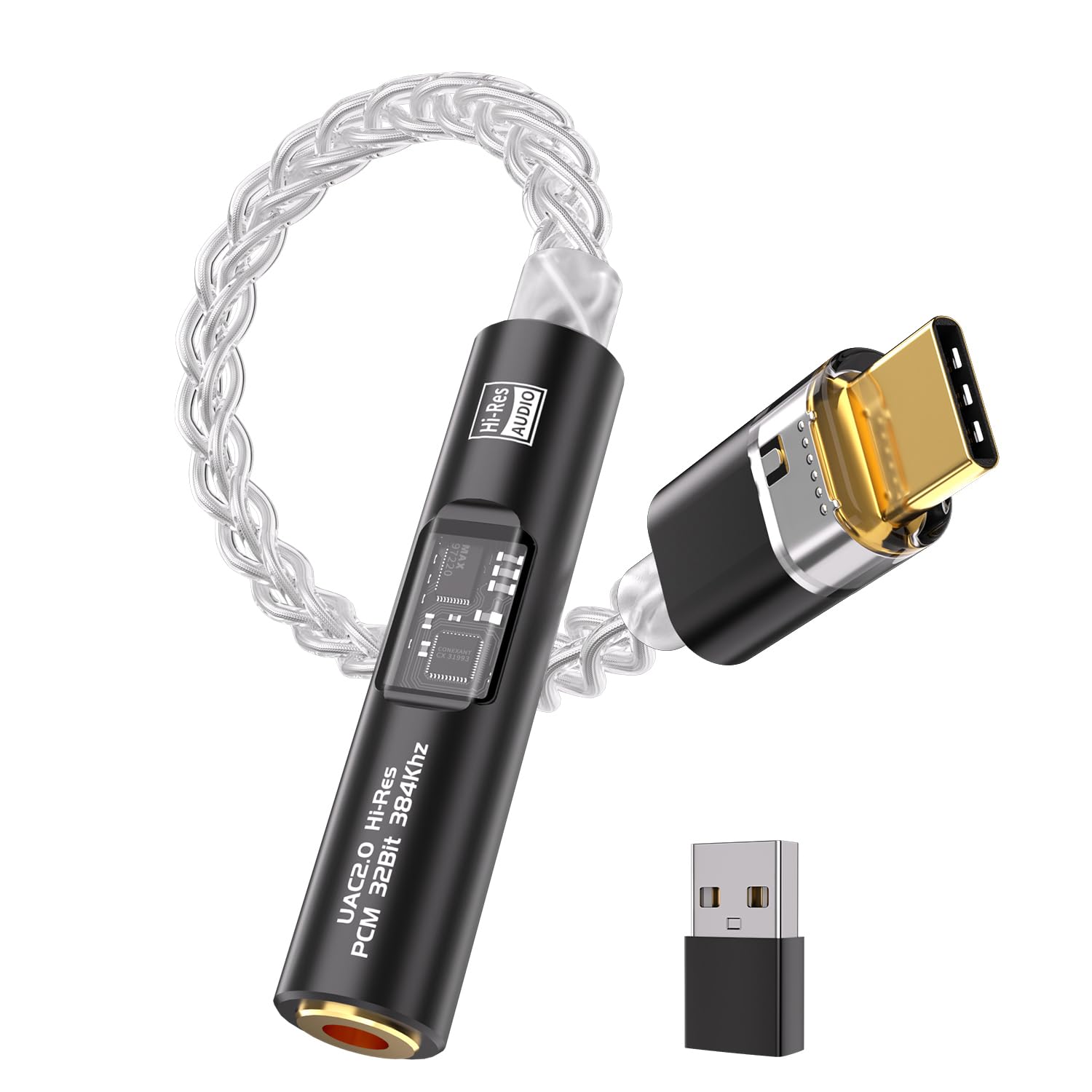
The CX31993 DAC and MAX97220 amp are the reason this low-cost adapter is worth a look. We recommend it for anyone who wants a wired headphone or IEM to sound cleaner and play louder from a phone or laptop, without carrying a desktop box. It is a simple dongle, but the chip pair is a step above the no-name adapters that only pass signal through. The metal housing and short cable also make it feel less disposable than the price suggests.

The 8-strand silver-plated cable and aluminum shell give it a more substantial feel than the price suggests, and the included USB-A adapter means it can move between a phone, tablet, and computer. It handles everyday wired listening well, and the 3.5mm jack is tight enough that cables stay put. We keep it in a laptop bag because it is the least fussy way to get better sound from a wired headset on a video call. For a second dongle or a travel backup, that combination is hard to beat.

Pros

  • CX31993 and MAX97220 chips
  • USB-C and USB-A compatibility
  • Metal housing and braided cable
  • Adds clarity and volume to wired headphones

Cons

  • Power output is modest for full-size headphones
Our verdict

The BZINK dongle is the budget pick for a phone or laptop: the CX31993 and MAX97220 chips add clarity and volume for very little money, and the metal housing holds up.

Check Latest Price
7

Input Variety

Aveek DAC-200

84 /100
LBD Score Excellent

Key details

EQ
3-band bass, mid, treble
Inputs
Bluetooth, USB, optical, coaxial, RCA
Mic Input
Front-panel
Headphone Load
16–100Ω
View on Amazon

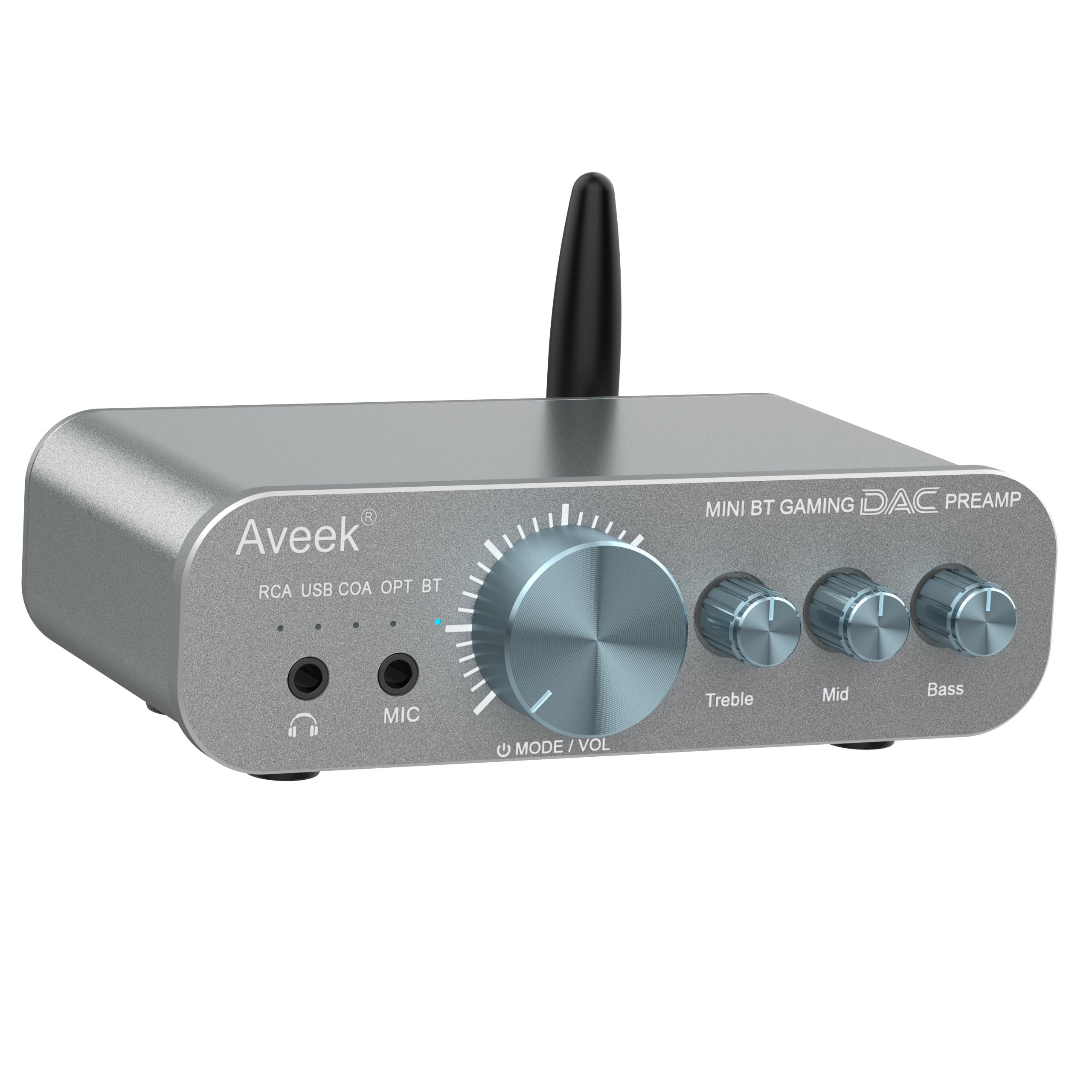
Five inputs, a 3-band EQ, and a front-panel mic jack are a lot of connectivity for a small desktop box. The DAC-200 covers Bluetooth, USB, optical, coaxial, and RCA, so you can leave a PC, console, TV, and phone connected and switch between them from the front panel. The 3-band EQ is the other useful part: bass, mid, and treble controls give you more shaping than the usual bass-and-treble pair.

We see it as a useful second desk system: the EQ gives you more control than a plain two-knob DAC, and the mic input makes it a natural fit for a gaming headset. The compact chassis fits under a monitor, and the front-panel controls are easy to reach. If you need a single box for several sources, it is a smart alternative to a plain two-input DAC.

Pros

  • Five inputs including Bluetooth
  • 3-band bass, mid, treble EQ
  • Front mic input for headsets
  • Compact desktop preamp

Cons

  • Headphone amp tops out at 100Ω
Our verdict

The Aveek DAC-200 is the input-heavy pick: five sources, a 3-band EQ, and a front mic input make it a flexible desktop hub for gaming and music.

Check Latest Price
8

Ultra-Budget Desktop

AIYIMA DAC-A2

81 /100
LBD Score Excellent

Key details

Inputs
USB, optical, coaxial
Outputs
3.5mm headphone, RCA
Power Output
160mW at 32Ω
DAC Resolution
24-bit/192kHz
View on Amazon

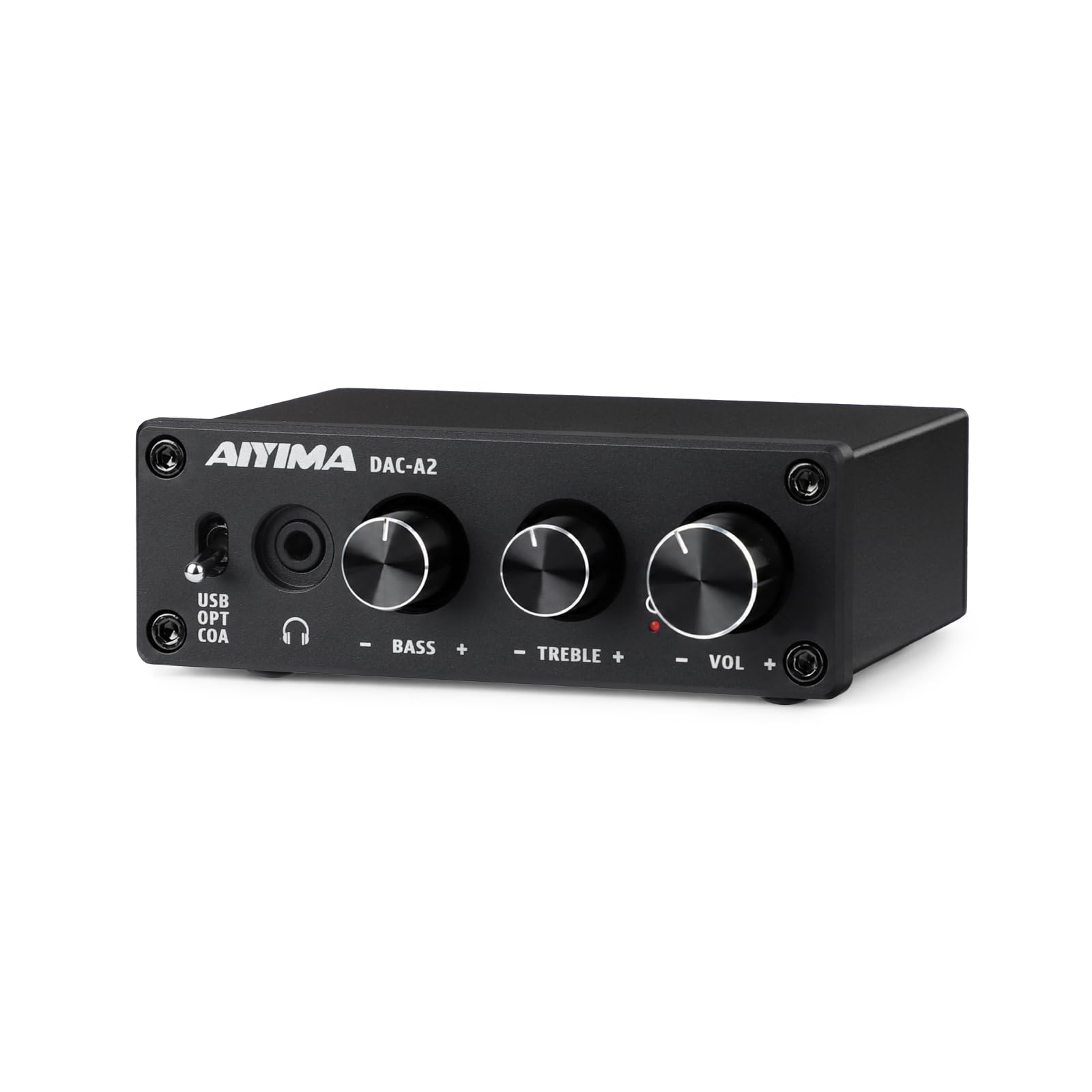
The DAC-A2 is the ultra-budget desktop option here, and it keeps the front panel to three knobs: volume, bass, and treble. It takes USB, optical, and coaxial inputs and puts out both RCA and 3.5mm, so it can sit between a PC and a pair of powered speakers or a headset without a software setup. The aluminum chassis is a step up from the plastic boxes that usually show up at this end of the lineup, and the small size leaves room on a crowded desk.

We recommend it when the budget is tight and the headphones are easy to drive. The 24-bit/192kHz conversion and metal chassis are more than you expect for the money, and the analog tone controls are easier to live with than a menu. It is not the quietest or most powerful unit here, but as a first step away from a PC's built-in jack, it makes sense. The RCA output also means it can stay connected to speakers when you switch to headphones.

Pros

  • Simple volume, bass, and treble knobs
  • USB, optical, and coaxial inputs
  • RCA and 3.5mm outputs
  • Metal chassis at a low price

Cons

  • Reliability is mixed; some units stop powering up
Our verdict

The AIYIMA DAC-A2 is the ultra-budget desktop pick: simple analog controls, 24-bit/192kHz conversion, and a metal case for very little outlay.

Check Latest Price

How We Chose and Tested the Best DAC Amps

We started with roughly 30 DAC/amps pulled from spec sheets, hobbyist forums, and the input and output combinations people actually ask for, then cut it to 11 units across three price bands so every contender had a rival at its own price. Anything that dropped a headphone output, or charged more without adding an input we'd use, came off early. Each of the 11 then lived on a desk for six months, not on a bench for an afternoon.

Where they ran: USB from a Windows PC and a Mac, optical from a television, and a game console in the living room, with powered speakers on the RCA outs for a few of them. The pocket-sized units went into a laptop bag and a coat pocket and got used on trains and in hotel rooms. Every unit drove two very different loads, a pair of sensitive in-ears and a pair of hard-to-drive planars, because that's where spec sheets stop being useful.

With the in-ears in, we paused playback and ran the volume from zero to full to hear what the amp added: hiss, a click, a hum, or nothing. We crept up the bottom of the volume range in small steps to see whether one channel arrived before the other. On the planars we pushed to roughly 80 percent and listened for bass losing shape. Every gain switch, filter, and tone knob got flipped, and we noted whether a bass boost muddied the midrange or the input selector took one press instead of a menu walk.

Reliability was mostly patience: everything stayed plugged in and powered for weeks, inputs got hot-swapped daily, and USB cables were yanked and reseated more times than they deserved. We also handled each unit daily and noted knobs that wobbled and jacks that gripped loosely. Some ran warm; none dropped out. Value, finally, came down to how much of that behavior survived at half the price.

How to Choose a Dac/headphone Amp

Match power to the headphones you own

A DAC/amp can only help if it has enough clean output for your headphones. Low-impedance IEMs and gaming headsets are easy loads; high-impedance dynamics and planar magnetics need more voltage and current. Look for a balanced 4.4mm or XLR output if you are buying hard-to-drive headphones, and treat a single 3.5mm jack as a sign to check the power figure. The FiiO K7 and K11 are the two here with the most headroom; the dongles are better for efficient gear. If you listen at low volume, extra power still buys you cleaner transients, not just more loudness.

Choose a desktop hub or a dongle

A desktop unit earns its space with multiple inputs, a real volume knob, line outputs, and a display. A dongle earns its place by disappearing into a pocket, but it depends on your phone or laptop for power, so heat and cable strain matter more. We keep the K11 on a desk and the Dawn Pro 2 in a bag; that split is the useful one. If you mostly listen at a computer and own more than one source, start desktop. If you listen from a phone and want one pair of IEMs to sound better, start with a dongle.

Check inputs and outputs before the chipset

The DAC chip is less important than whether the box connects to your gear. Count your sources first: USB from a PC, optical from a TV, coaxial from a CD player, Bluetooth from a phone, and a mic if you use a gaming headset. Then count your outputs: 3.5mm for IEMs, 6.35mm for full-size headphones, 4.4mm or XLR for balanced, and RCA or XLR line out for speakers. The Aveek DAC-200 is the input-heavy example here; the Fosi K7 is the gaming one with a mic input. Buying more inputs than you need just adds switching you will not use.

Treat controls and noise as part of the sound

A noisy USB port or a volume knob that jumps can make a good DAC feel broken. Bus-powered dongles are more exposed to computer noise, and analog volume controls are not always linear. We prefer a unit with a clean, usable range over one with a higher power number and a twitchy knob. Look for analog bass and treble if you adjust often, and a display or clear input buttons if you switch sources daily. If you hear hiss at normal listening levels, return the unit; that is not a characteristic you should learn to live with.

Frequently Asked Questions

Final Verdict

Start with the FiiO K11 if you want one desktop box that handles a PC, TV, and a pair of full-size headphones without fuss. It has the balanced output and power most people need, and it keeps the important parts in one compact case. If game chat is the priority, the Fosi K7's mic input and Bluetooth make it the more natural hub. If your headphones are genuinely hard to drive, the FiiO K7's extra balanced power is the better call. For a phone or laptop bag, the Moondrop Dawn Pro 2 is the portable pick we reach for.