Best 3D Printers for Beginners of 2026

A 3D printer is one of the few purchases that makes you feel like a genius and a fool in the same afternoon. The first print off the bed is thrilling; a first layer that won't stick or a nozzle that clogs at hour six can swallow the weekend. A good beginner machine closes the gap between those moments — it levels itself, arrives assembled, and hands you a library of ready-to-print models so you're not hunting for a file on day one.

My team and I spent six months with 11 of them, printing toys, brackets, and a lot of failed cubes. Nearly every one advertises a top speed north of 500mm/s, but that number means nothing until the first layer sticks. The machines we kept going back to got out of their own way — a leveling routine you trust beats another 100mm/s, and app control and a real model library matter more than most first-timers expect. The picks below survived assembly, bed adhesion, and a first clog without drama.

1

Best Overall

Bambu Lab A1

90 /100
LBD Score Outstanding

Key details

Noise
≤48 dB
Calibration
Full-auto
Multi-color
AMS lite compatible
Acceleration
10,000 mm/s²
View on Amazon

The Bambu Lab A1 earns our top spot because it removes the two chores that sink a first printer: bed leveling and flow guessing. Full-auto calibration and active flow-rate compensation are not marketing extras here; they are the reason a beginner can go from unboxing to a recognizable print without learning a slicer's advanced menu first. The 10,000 mm/s² acceleration also means small parts appear quickly enough to keep a new user interested.

We also appreciate how quiet it is. The ≤48 dB rating is one of the few numbers a manufacturer puts on noise that actually changes where you can put the machine; a bedroom or shared office is less of a compromise. The touchscreen and MakerWorld library make the first week feel guided rather than exploratory. We like the A1 as a long-term pick because the ecosystem grows with you: you can start with single-color prints and move into multicolor later if the hobby sticks.

What we keep coming back to is the balance. The A1 is fast enough for a weekend project, quiet enough for a living room, and supported by a model library that gives a beginner something to print on day one. It is not the cheapest machine here, and a first-time buyer who only wants tiny toys can spend less. For most people, though, the extra polish is the difference between a printer that gets used and one that becomes a shelf decoration.

Pros

  • Full-auto calibration removes bed-leveling fuss
  • Quiet ≤48 dB operation suits a home office
  • MakerWorld and touchscreen guide the first week
  • Multicolor can be added later with AMS lite

Cons

  • Reliability can vary between units
Our verdict

We recommend the A1 to most first-time buyers because automatic calibration, quiet operation, and a deep model library make the first month feel guided rather than experimental.
Check Latest Price
2

Best for Small Spaces

Bambu Lab A1 mini + LED Kit

86 /100
LBD Score Excellent

Key details

Noise
≤48 dB
Weight
12.1 lb
Included
LED Lamp Kit
Footprint
15.21 x 16.77 x 17.94 in
View on Amazon

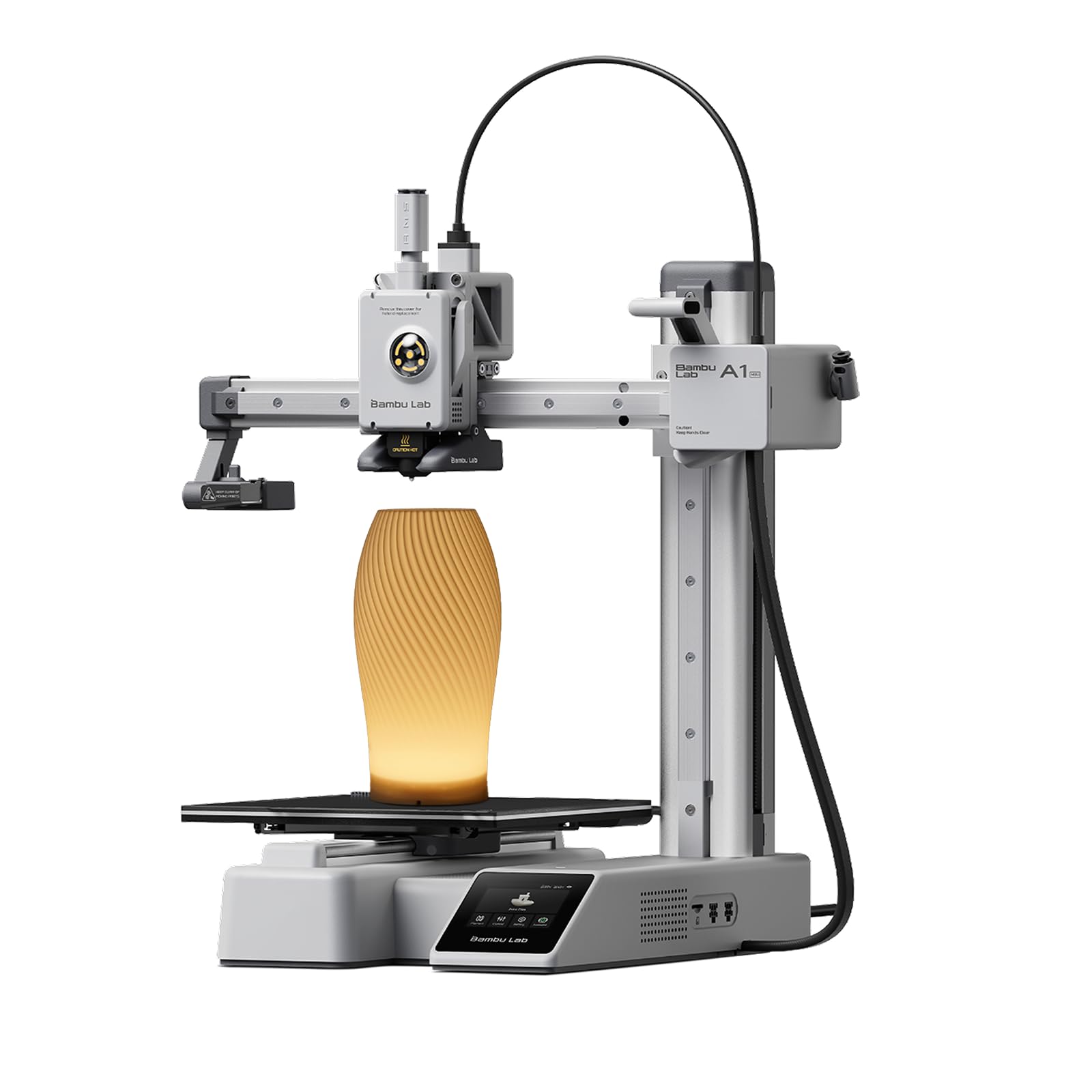
A 12.1-pound printer that fits a 15-inch-wide slice of desk is a different proposition from a full-size machine, and that is exactly why the A1 mini earns a place. It keeps Bambu's full-auto calibration and ≤48 dB noise rating in a package you can move without clearing a workbench. For an apartment, a dorm desk, or a kitchen counter that has to double as something else, that matters more than a bigger bed you rarely fill.

Setup is genuinely beginner-shaped: the printer arrives ready to use, the touchscreen walks you through the first job, and MakerWorld gives you a library of tested models rather than a blank slicer. The included LED Lamp Kit is a nice first project because it produces something visible without requiring you to design a part. We also like that the mini uses the same Bambu Handy workflow as the larger A1, so moving up later doesn't mean learning a new ecosystem.

We found the mini is at its best when the job is a bracket, a cookie cutter, a small toy, or a replacement knob. It is the printer we move to the kitchen table when we want to watch a print rather than retreat to a workshop. The LED kit is a smart first project because it gives a beginner a finished object with a bit of glow, not just a calibration cube.

Pros

  • Compact 12.1-pound frame fits small desks
  • Same full-auto calibration as the larger A1
  • Quiet ≤48 dB operation
  • LED Lamp Kit gives a first finished project

Cons

  • Small build area limits large prints
  • Pre-print calibration can be loud
Our verdict

Your desk, not your ambition, is the reason to choose the A1 mini; it keeps the A1's easy calibration and quiet workflow in a package you can move.

Check Latest Price
3

Best for Speed

FlashForge Adventurer 5M

85 /100
LBD Score Excellent

Key details

Weight
23.8 lb
Max Speed
600 mm/s
Acceleration
20,000 mm/s²
Build Volume
220 x 220 x 220 mm
View on Amazon

600 mm/s is the headline, but the number that matters for a beginner is the one-click auto leveling. The Adventurer 5M pairs a fast CoreXY motion system with a full-auto first layer, so you can chase quick PLA parts without starting every session with a feeler gauge. The 220 x 220 x 220 mm build area is a sensible middle ground: big enough for most beginner projects, small enough to fit a shelf.

We like the direct extruder and quick-detachable nozzle for maintenance. A clogged nozzle is one of the first things that can stop a new user, and being able to swap the nozzle without rebuilding the hotend is a real convenience. The PEI-coated plate is another practical detail: parts pop off when it cools, and you can flip it if the surface gets worn. Power-loss recovery and a filament run-out sensor are the kind of quiet backups that matter more after the first failed spool than before.

What we keep coming back to is the maintenance access. The quick-detachable nozzle and PEI plate make the unglamorous parts of ownership less intimidating. For a beginner who wants fast, good-looking PLA parts and can give it a stable shelf, this is the speed pick.

Pros

  • 600 mm/s CoreXY speed for quick PLA parts
  • One-click auto leveling simplifies first layer
  • Quick-detachable nozzle makes clogs easier to fix
  • PEI plate and run-out sensor add convenience

Cons

  • Noisy during operation
  • Open frame has no enclosure
Our verdict

Speed is the reason we keep the Adventurer 5M on this list, and it makes sense for a beginner who wants fast PLA parts without an enclosure.

Check Latest Price
4

Best Multicolor Value

Anycubic Kobra X

84 /100
LBD Score Excellent

Key details

Noise
45 dB
Camera
AI monitoring
Colors
4 built-in, up to 19
Max Speed
600 mm/s
View on Amazon

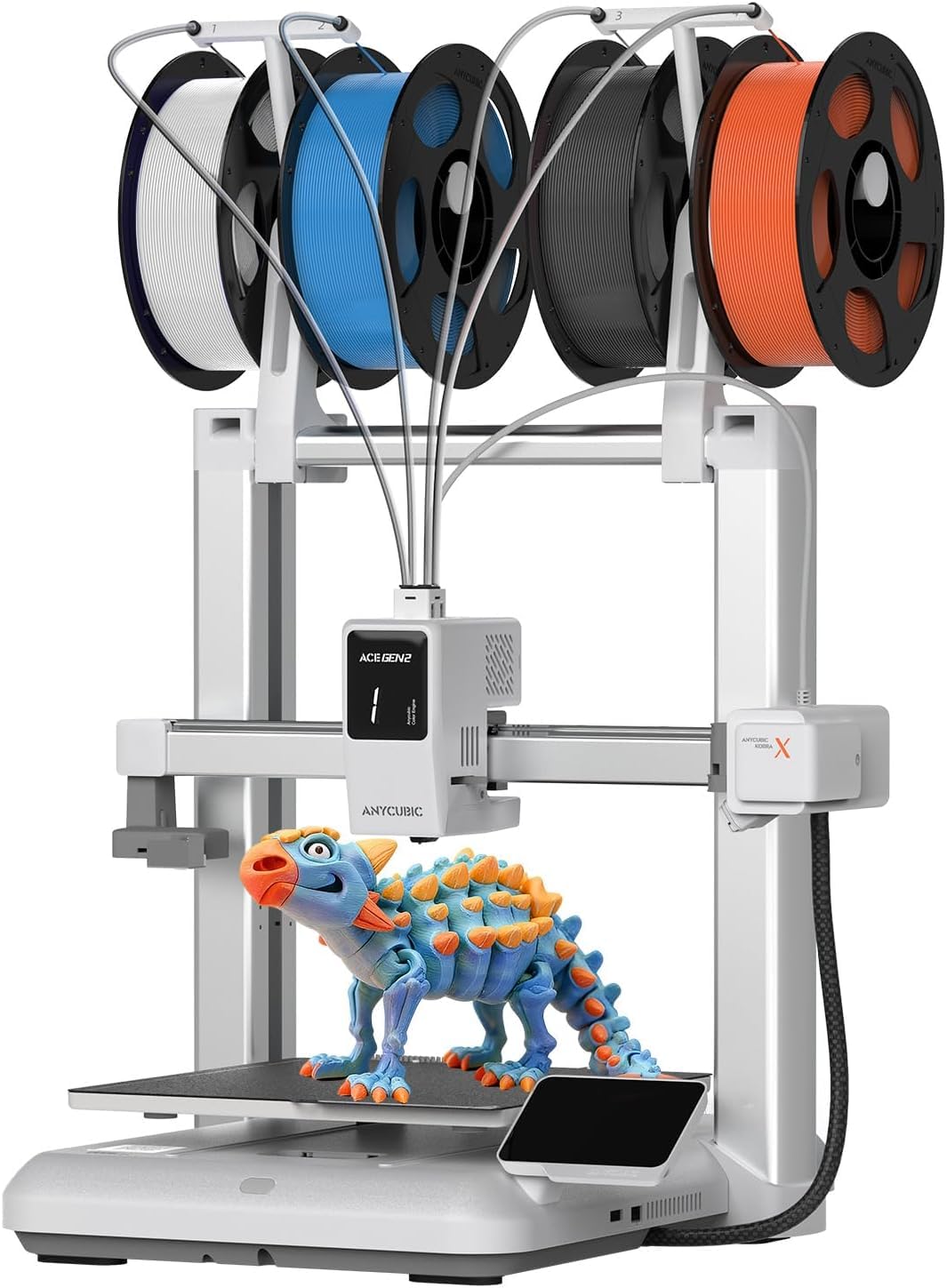
Four colors out of the box is the reason to look at the Kobra X. Most beginner printers treat multicolor as an add-on; this one ships with a built-in four-color system and can expand to nineteen with additional ACE units. That changes the first project list: you can print a two-tone sign or a small figurine without buying a separate hub, and the 600 mm/s motion system keeps the job from turning into an afternoon.

The 49-point LeviQ 3.0 calibration and AI camera are beginner-friendly in the way that matters: the machine checks the bed and watches for obvious failures, so you are not the only line of defense. We like the top-mounted spool holder because it frees desk space, and the 45 dB rating is low enough for a living room. The hardened steel nozzle is a practical upgrade if you later want abrasive filament.

The four-color system is best for a beginner who knows they want colorful models and is willing to learn the cleaning routine. If you mostly print single-color parts, the simpler A1 is the easier buy. For the right project list, though, the Kobra X does something no other printer here does without extra hardware: it makes multicolor the default rather than a project.

Pros

  • Four-color printing is built in
  • 49-point auto calibration checks the bed
  • Quiet 45 dB operation for a shared room
  • AI camera watches for failed prints

Cons

  • Clogging can interrupt multicolor runs
  • Reliability can vary between units
Our verdict

Multicolor is the whole point of the Kobra X, so we recommend it to a beginner whose project list is already full of colorful models.

Check Latest Price
5

Best Budget Mini

TINA2S Mini 3D Printer

88 /100
LBD Score Excellent

Key details

Weight
6.4 lb
Assembly
Fully assembled
Connectivity
Wi-Fi, microSD
Included Filament
10 m PLA
View on Amazon

The TINA2S arrives as a complete starter kit: printer, 10 meters of PLA, a microSD card with preloaded projects, and a guided setup. That might sound like small stuff, but for a first printer it removes the two most common stalls: no filament to test with and no idea what to print first.

We appreciate that it is fully assembled and genuinely small. At 6.4 pounds, it can live on a shelf and come out for a weekend project, which makes it a better fit for a kid's room or a shared family table than a 20-pound open-frame machine. Auto leveling and one-touch filament loading keep the routine simple, and the dual Z-axis rails help the small frame stay stable. The print quality is surprisingly good for the size, especially on small toys and parts.

The open-source approach is a plus if you like to tinker, but the friendly app and preloaded card are what make it a beginner machine. We like it most for families who want a low-cost way to try 3D printing without committing a whole desk to it. It is the one we reach for when the project is a keychain, a figure, or a small replacement part.

Pros

  • Fully assembled and ready to print
  • Includes 10 m PLA and a preloaded card
  • Quiet 6.4-pound mini frame
  • Auto leveling and one-touch filament loading

Cons

  • Small build area limits larger projects
Our verdict

A complete, assembled mini kit with filament in the box is what makes the TINA2S our budget family pick.

Check Latest Price
6

Best for Young Kids

AOSEED X-MAKER JOY AI+

82 /100
LBD Score Excellent

Key details

Enclosure
Enclosed
Print Speed
220–250 mm/s, 400 mm/s peak
Model Library
20,000+
Included Filament
8 PLA spools
View on Amazon

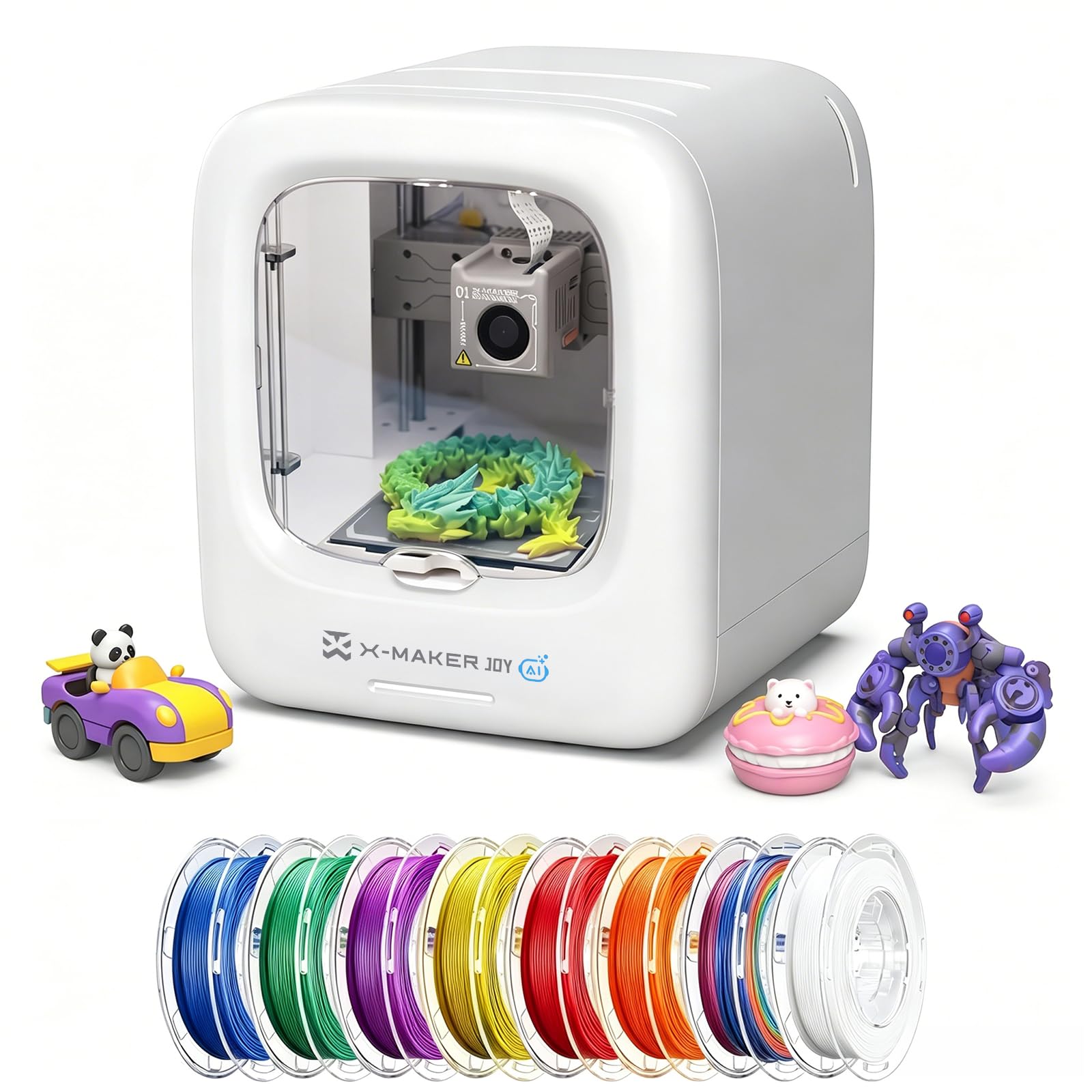
An enclosed printer with eight spools of PLA is a different kind of beginner package. The AOSEED X-MAKER JOY AI+ is built around the family room rather than the workshop: the enclosure puts a physical barrier around the moving parts, the app offers one-tap printing, and the box includes enough filament to keep a kid printing through the first few weeks.

We like the model library here. Twenty thousand ready-to-print designs, plus AI Doodle prompts that turn a drawing or a sentence into a model, lower the blank-page problem that stops a lot of young makers. The 220–250 mm/s print speed is quick enough for small toys, and the 0.05 mm layer precision is fine for the decorative parts this printer is aimed at. Setup is leveling-free and app-driven, which is the right call for a parent who does not want to learn a slicer before the first print.

The focus is clearly on kids, so an adult who wants functional parts or large prints will outgrow it. For a family that wants a more guided, enclosed first experience, it is the most parent-friendly machine here. The eight spools are more than a gimmick: they let a child try several colors and projects before anyone has to order supplies.

Pros

  • Enclosed body adds a barrier around moving parts
  • Eight PLA spools included
  • 20,000+ model library and AI Doodle
  • One-tap app printing and leveling-free setup

Cons

  • Single-color printing only
  • Small build area limits bigger projects
Our verdict

When a parent wants an enclosed, app-guided machine for a younger maker, the AOSEED is the one we point to.

Check Latest Price
7

App-Guided Starters

Entina Tina2C

86 /100
LBD Score Excellent

Key details

Weight
5.28 lb
Footprint
8 x 6.5 x 10 in
Calibration
Auto leveling
Connectivity
2.4G Wi-Fi, TF card
View on Amazon

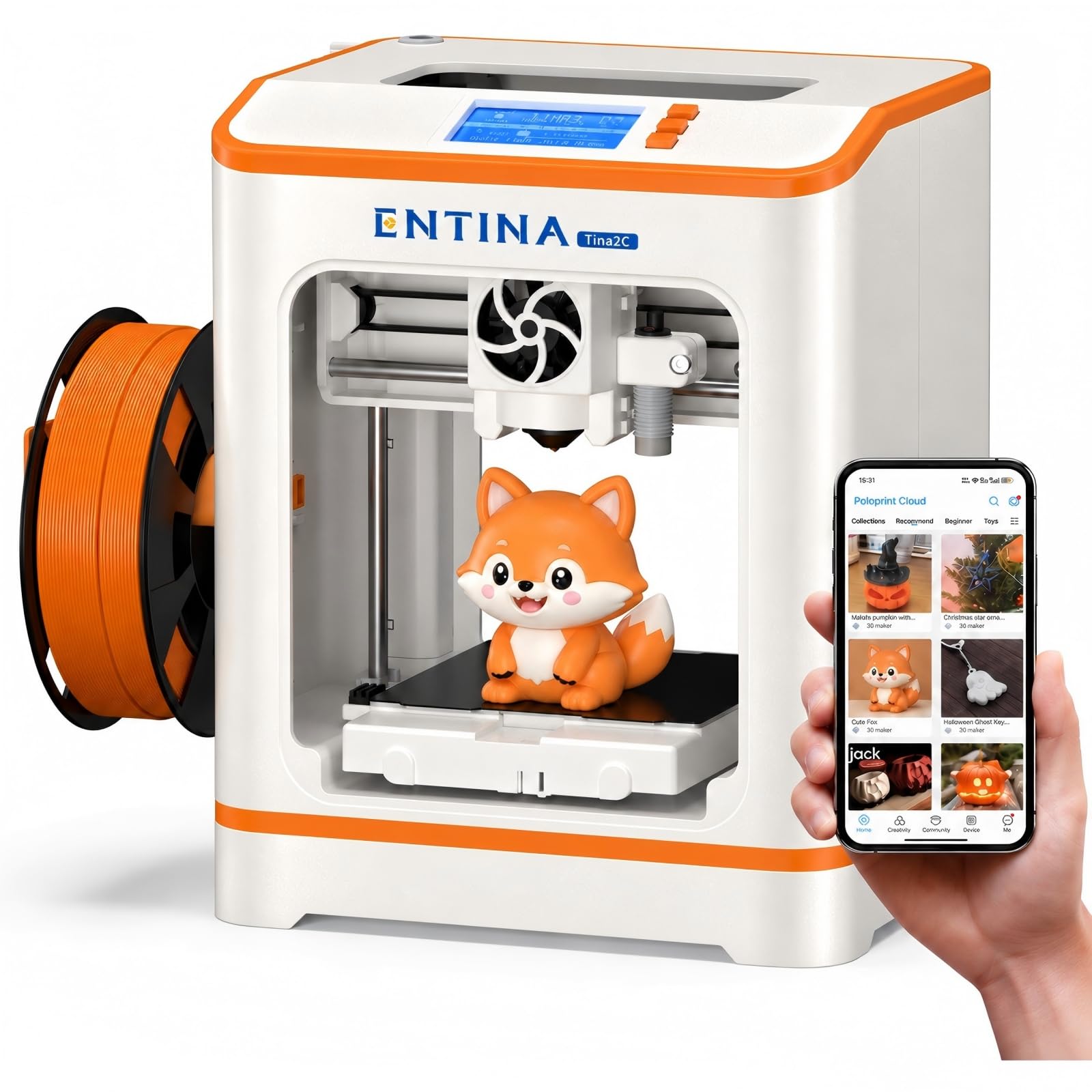
The Tina2C is the most app-forward printer in this group. Entina says setup can take about eight minutes, and the Poloprint Cloud app is built to guide a first-timer through assembly, leveling, and the first model. If you want a printer that behaves like a smart appliance rather than a hobby machine, that is the appeal.

We like the creative modules more than the raw specs. Photo-to-print and AI search let a kid turn a drawing or a photo into a printable idea, and the 3,500+ model library means there is always a next project. The 5.28-pound frame is easy to move, and the magnetic build plate makes finished parts simple to remove.

Auto leveling and power-loss recovery are useful safety nets for a first machine. The 2.4G Wi-Fi connection and TF card slot give you two ways to get a file onto the printer, which matters when a child wants to print without waiting for an adult's laptop. We also appreciate the guided modules because they give a beginner a reason to keep going beyond the first calibration print.

The tiny build is the catch. This is a mini printer for small figures, keychains, and decorative parts; it is not the one for a full-size organizer or a helmet. For a guided, app-first start and a low desk footprint, it is a good alternative to the TINA2S.

Pros

  • App-guided setup aimed at first-timers
  • 3,500+ model library and creative modules
  • Photo-to-print and AI search for custom ideas
  • Light 5.28-pound frame with magnetic plate

Cons

  • Print results can be inconsistent
Our verdict

A creative beginner who wants an app-guided start and a large model library will get more from the Tina2C than its tiny size suggests.

Check Latest Price

How We Chose and Tested 11 Beginner 3D Printers

We started by rounding up every printer marketed to beginners that arrived at least mostly assembled and claimed auto leveling or a full-auto calibration routine, then cut the list by reading owner reviews for the complaints that repeated — jams, warped beds, apps that wouldn't connect. That left 11 machines, which lived on a desk in a spare bedroom and, for the smallest ones, a kitchen counter, through six months of near-daily printing. Along the way we kept a running note of what each one actually gives you for the money.

Every machine got the same first day. I timed setup with a stopwatch, from cutting the tape to the first movement, and noted how many steps needed the manual. Then we printed whatever model came preloaded, before touching a slicer, followed by the same small test piece on all of them so we could line up wall gaps, top surfaces, and stringing side by side.

Bed adhesion got its own log: whether the first layer went down glossy and even or lifted at the corners, how often the plate needed a wipe of isopropyl, and whether a finished print released without a scraper. We also loaded a spool of cheap PLA that had sat open to the air and counted the prints each machine finished before a clog or a tangle — a few never clogged, and a few gave up around three.

Speed claims we timed rather than trusted, running the same model on the same settings across the group. Because these are for people who've never printed, we handed the smallest ones to a friend's 12-year-old and a colleague who'd never sliced a file, then watched without helping — how fast they found something in the model library and got it printing told us more than any spec sheet. Build quality showed up in the small stuff: a frame that shifted when we nudged the bed, a spool holder that flexed. Noise we judged by whether we could sit at the same desk through a two-hour print.

How to Choose a Beginner-Friendly 3D Printer

Put First-Layer Success Ahead of Speed

Automatic bed leveling is the feature we care about most for a beginner. Manual leveling is learnable, but it turns every failed print into a guessing game, and a new user cannot yet tell a bed problem from a slicer problem. Full-auto calibration on the Bambu A1, one-click leveling on the Adventurer 5M, and the 49-point system on the Kobra X all shorten that loop.

A removable PEI-coated plate matters almost as much. It gives you a clean, replaceable surface and lets a finished part pop off without scraping. If a listing forces you to choose between a higher top speed and reliable first-layer help, take the first-layer help; you will use it on every print.

Match Build Volume to the Projects You Actually Want

A 220 x 220 x 220 mm build area, like the Adventurer 5M, is a comfortable first size for brackets, toys, cookie cutters, and most beginner projects. Mini printers such as the A1 mini and TINA2S trade that room for a smaller footprint, lower weight, and a lower commitment of desk space.

Be honest about the largest object you expect to print and add a margin. If your list includes helmets, full-size organizers, or large cosplay parts, skip the mini class. If it is keychains, figures, and small replacement parts, a mini is easier to live with and easier to move.

Decide How Much Multicolor You Need

Multicolor is the feature most likely to add cost and complexity without changing whether you enjoy the hobby. The Kobra X makes four colors native, while the Bambu A1 can add color through the AMS lite later. Both approaches add filament changes, extra tuning, and more to clean if something clogs.

We recommend starting single-color unless colorful models are the main reason you are buying. A one-color print teaches you adhesion, supports, and removal with fewer variables. Add multicolor once you know the printer is reliable and you actually have a project that needs it.

Plan for Noise, Space, and Young Users

A quiet printer is easier to keep in the room where you use it. The Bambu A1 and A1 mini are rated at ≤48 dB, and the Kobra X at 45 dB; that is low enough to share a living room, though fast printing can still be audible. The FlashForge is a faster open-frame machine, so give it a stable shelf away from a shared bedroom.

For younger users, an enclosure such as the AOSEED adds a physical barrier around moving parts. That does not remove the need for supervision around the hot nozzle, and no printer belongs in a closed closet. Put it on a stable, heat-safe surface with some ventilation, and keep the first projects small.

Frequently Asked Questions

Final Verdict

The Bambu Lab A1 is the beginner printer we recommend to most people because it makes calibration and quiet operation automatic, then gives you a model library deep enough to keep going. If space is the constraint, the A1 mini keeps the same workflow in a smaller footprint.

If you want a kid-friendly enclosed machine, choose the AOSEED; if multicolor is the point, the Kobra X is the one to weigh against the A1. Buy the A1 unless one of those specific needs clearly applies.