Best 2-Bay NAS of 2026

Two drives in a box plugged into your router sounds like modest hardware — until you realize the box is quietly doing the job that three cloud subscriptions have been billing you for. A 2-bay NAS is the smallest setup that still gives you redundancy: one drive can fail and your photos, tax returns, and movie library survive. What it fixes is simple. Your files live at home, on hardware you own, and you can still reach them from your phone in a parking lot three states away.

The trouble is that the difference between a good enclosure and a frustrating one rarely shows up on the spec sheet. It shows up in month three, when a firmware update lands or a drive starts clicking at 2 a.m. My team and I spent eight months setting up and living with nine of these, from beginner-friendly boxes to units built for Docker and virtual machines, and the patterns got obvious fast.

One thing first-time buyers get wrong: the drives cost as much as the enclosure, and a modest processor paired with a single gigabit port will make every large transfer feel like dial-up. Budget for both halves of the purchase, and don't pay extra for horsepower you'll never use. The picks below cover the whole range, from plug-it-in-and-forget-it to a proper tinkerer's playground.

1

Best Overall

UGREEN DXP2800

91 /100
LBD Score Outstanding

Key details

Bays
2
Memory
8GB DDR5
Network
2.5GbE
Max Storage
80 TB
View on Amazon

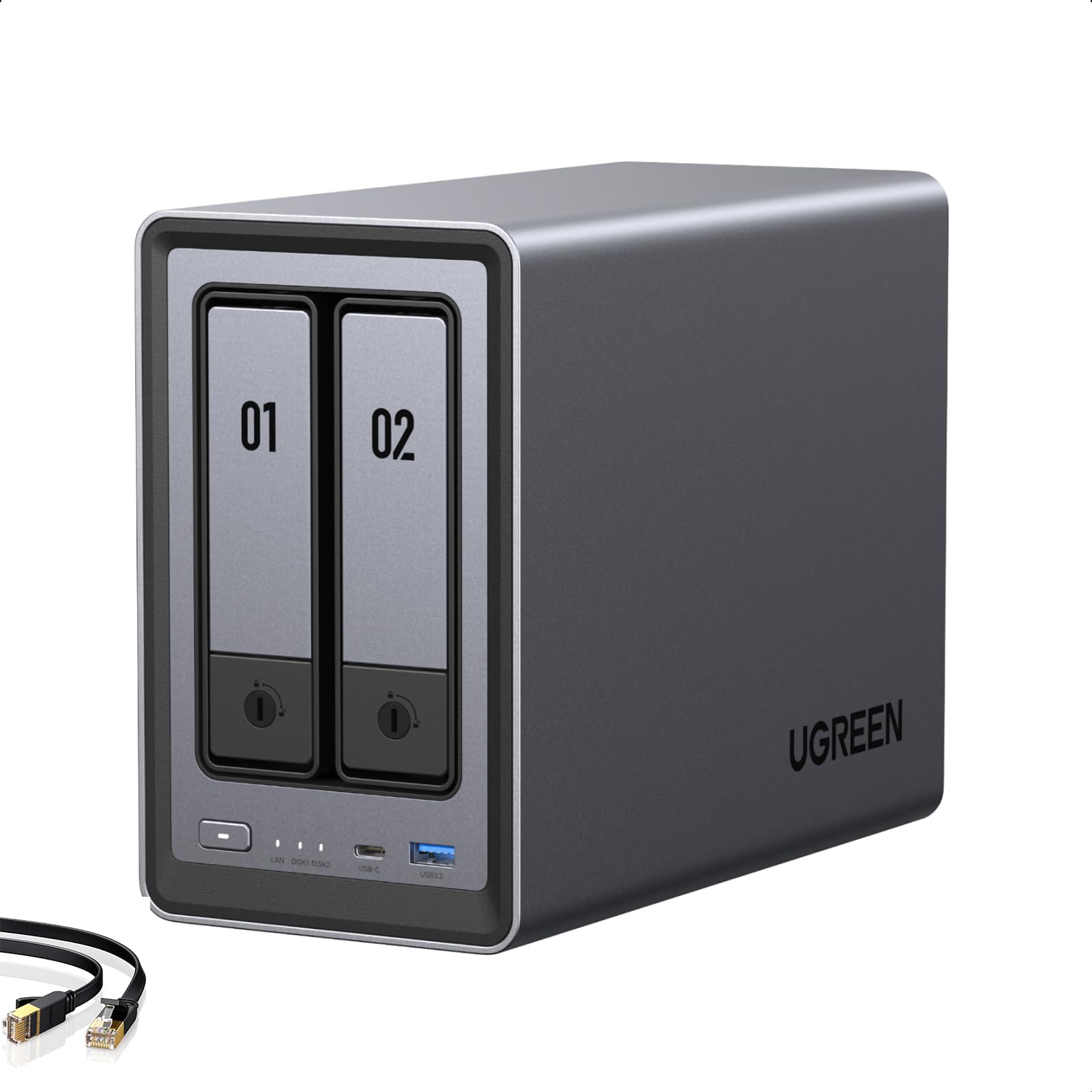
The reason this one is our default is a pairing nothing else here matches: a 2.5GbE port and two M.2 NVMe slots sitting beside the two 3.5-inch bays. The extra network headroom shows up the first time you push a folder of 4K footage across, and the M.2 drives can act as cache or as a separate fast pool for whatever you're working on this week. One caveat before you order: 2.5GbE only pays off if the router or switch on the other end has a 2.5GbE port too. On plain gigabit you're capped around 125 MB/s, same as any other box here.

Setup was the least fiddly of this group for us. The browser installer walks you through drives, RAID, and user accounts, and the management interface stays responsive while a backup runs — an Intel N100 and 8GB of DDR5 are more headroom than the budget picks have. Docker containers, a Plex library, and camera recording all run at once without the machine feeling like it's holding its breath.

Storage is the real argument. Two hard drives plus two M.2 drives gets you to 80TB in something the size of a hardback book, and there's a 4K HDMI output for plugging straight into a TV, which the Synology picks here don't offer. If your library is going to grow for a decade, this is the box that won't need replacing at the five-year mark.

The software is the honest trade. It's younger than DSM, and the rough edges show up in permissions and remote access rather than in the basics — you'll spend longer getting the mobile app to behave than you will installing drives. Keep an independent backup of anything you can't retype, because RAID protects against a dead disk, not a dead enclosure. For the money, though, we haven't used a two-bay box here that does more.

Pros

  • 2.5GbE and dual M.2 slots beside two HDD bays
  • Least fiddly setup in this group
  • Intel N100 and 8GB DDR5 stay responsive
  • 4K HDMI output for direct display

Cons

  • Software ecosystem is younger than Synology's
  • Some units have power-cycled and gone unstable
Our verdict

The two-bay NAS we recommend first: 2.5GbE, two M.2 slots, and a setup that doesn't fight you, for anyone who wants more than a shared folder.

Check Latest Price
2

Best for Media Servers

Synology DS225+

89 /100
LBD Score Excellent

Key details

Bays
2
Warranty
3 years
Max Storage
40 TB
Transfer Speed
282 MB/s
View on Amazon

Before you order this one, open the drive compatibility list. Synology's recent software has been strict about which disks can build a storage pool, and NAS-rated drives from other brands have been refused outright, which turns an affordable enclosure into an expensive project once you're buying Synology's own disks. Check the exact drive you plan to use against the list for this model first; it's a five-minute job that decides the total cost.

Clear that hurdle and this is the best media machine in the group. The Intel chip does hardware transcoding, so Plex and Jellyfin can convert a 4K stream for a phone or an older TV without choking, and the listed 282 MB/s is the highest transfer figure here — you won't see it on a gigabit network, but it tells you the hardware isn't the bottleneck. DSM is still the software everything else gets measured against, and the three-year warranty is the longest of any pick.

The ceiling is 40TB and there's no second life planned beyond it, which is fine for three laptops and a film library and less fine for a decade of camera footage. Buy it for the software and the transcoding rather than the numbers on the box — that's what you're paying for, and it's still worth it.

Pros

  • Hardware transcoding for Plex and Jellyfin
  • DSM remains the most polished NAS software
  • 282 MB/s claimed transfer speed
  • Three-year warranty, longest here

Cons

  • 40TB volume ceiling limits long-term growth
Our verdict

Buy this for DSM and hardware transcoding, not for a spec sheet — and only after you've checked which drives it will let you use.

Check Latest Price
3

Best for Tinkerers

QNAP TS-264-8G

86 /100
LBD Score Excellent

Key details

Bays
2
Memory
8GB DDR4
Network
Dual 2.5GbE
M.2 Slots
2
View on Amazon

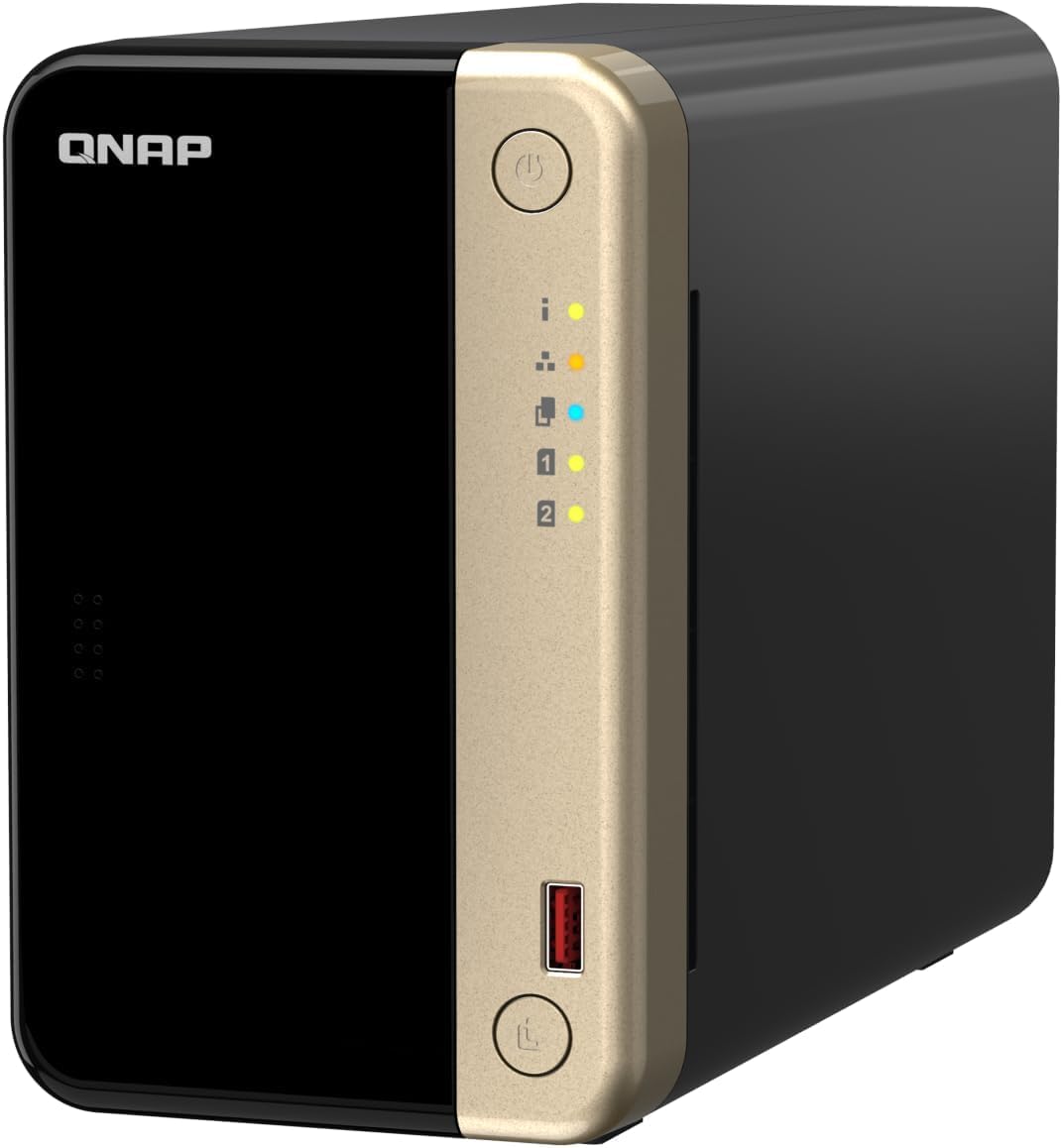
If you want a box you can add to rather than replace, this is the pick. There's a free PCIe Gen3 x2 slot that takes a 10GbE network card or an M.2 expansion card, two M.2 NVMe slots for cache, two 2.5GbE ports, and 8GB of DDR4 doing the work. No other prebuilt here gives you an open expansion slot like that.

The Intel N5105 and 8GB of RAM are why it runs a Plex library and a couple of containers at once without complaint, and the two network ports can be aggregated if your switch supports it. Building a mirror takes time on any two-bay box — start it before you need the space, not the night before a deadline.

QNAP's QTS is the cost. It's busier than DSM, the app store is uneven, and the interface takes an afternoon to learn; the first setup also assumes more networking knowledge than Synology's wizard does. What that afternoon buys you is genuine upgrade paths and more memory out of the box than most of this group. Pair it with a 2.5GbE switch or you're paying for ports you can't fill.

Pros

  • Free PCIe slot for a 10GbE card later
  • 8GB of RAM out of the box
  • Dual 2.5GbE ports
  • Runs a Plex library without strain

Cons

  • QTS takes longer to learn than DSM
Our verdict

The NAS for someone who wants to add a 10GbE card in two years rather than buy a new box — if they'll put up with QTS.

Check Latest Price
4

Best for Creators

Asustor AS5402T

84 /100
LBD Score Excellent

Key details

Bays
2
Memory
4GB DDR4 (16GB max)
Network
Dual 2.5GbE
M.2 Slots
4
View on Amazon

Four M.2 NVMe slots on a two-bay NAS is unusual, and it is the entire reason to look at this one. Fill them with NVMe drives for an all-flash pool you can edit from, or use them as cache so the hard drives feel quicker for everyone on the network. For an editor cutting from the NAS instead of a local scratch disk, that's the difference between workable and miserable.

The rest of the hardware supports the idea: an Intel N5105, 4GB of DDR4 that takes up to 16GB, dual 2.5GbE ports, HDMI 2.0b for direct output, and USB 3.2 Gen2. Drives and M.2 sticks go in without dismantling anything, and a Plex install ran through without the fiddling we expected.

The chassis is where the budget went elsewhere. It's light, and with both bays working it picks up a vibration hum you'll notice in a quiet room, so plan on a solid shelf rather than a bookcase next to the sofa.

Our verdict is that this is the most capable two-bay NAS here for anyone storing and editing large media, and the four NVMe slots give it a job no other pick can do. For a household that wants shared folders and phone backups, it's more machine than the job asks for — the DS223j or the DH2300 will handle that for a lot less.

Pros

  • Four M.2 NVMe slots for flash or cache
  • Dual 2.5GbE and HDMI 2.0b output
  • Memory expandable to 16GB
  • Straightforward drive and M.2 installation

Cons

  • Chassis picks up vibration noise from both bays
Our verdict

The most capable two-bay NAS here for editing from network storage, thanks to four NVMe slots no other pick offers.

Check Latest Price
5

Best Budget

Synology DS223j

89 /100
LBD Score Excellent

Key details

Bays
2
Weight
1.92 lb
Warranty
2 years
Dimensions (D X W X H)
6.5 x 3.94 x 8.9 in
View on Amazon

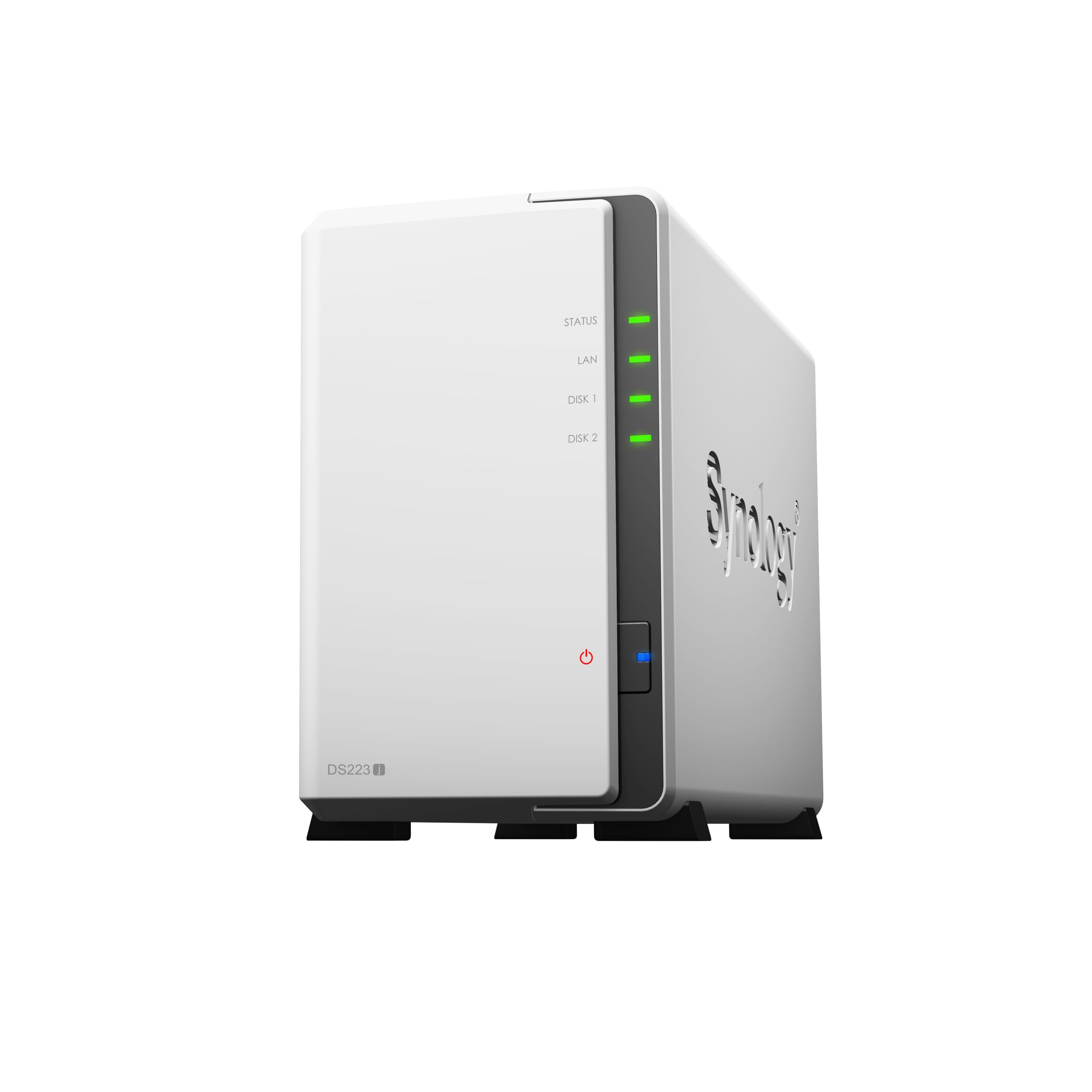
This is the least expensive way into a two-bay NAS here, and for plenty of households it's enough. It's a small white box — 8.9 inches tall, under a kilo — running the same DSM software as Synology's expensive units, which is the real reason to buy it rather than the hardware. Two bays, a mirror if you want one, a two-year warranty, and a wizard that assumes you've never done this before.

The trade is speed. The processor here is the modest one in this group, so the interface takes a beat longer, transfers settle at whatever your network allows, and transcoding is not something to count on — it will stream a file the player can already decode, which is a different job from converting one.

Setup still isn't plug and play, whatever the listing suggests. Expect an evening with the drive compatibility list and the shared-folder permissions before it behaves. After that it disappears onto a shelf and stays quiet — one of the least intrusive boxes here. Buy it for backups and shared documents, not for a media server.

Pros

  • Cheapest route into Synology's DSM software
  • Small, light, and quiet on a shelf
  • Two-year warranty and ongoing software updates

Cons

  • Weakest processor in this group
Our verdict

The budget pick for backups and shared folders: the cheapest way into DSM, as long as you don't expect it to be fast.

Check Latest Price
6

Best for Beginners

UGREEN DH2300

88 /100
LBD Score Excellent

Key details

Bays
2
Memory
4GB
Network
1GbE
Max Storage
64 TB
View on Amazon

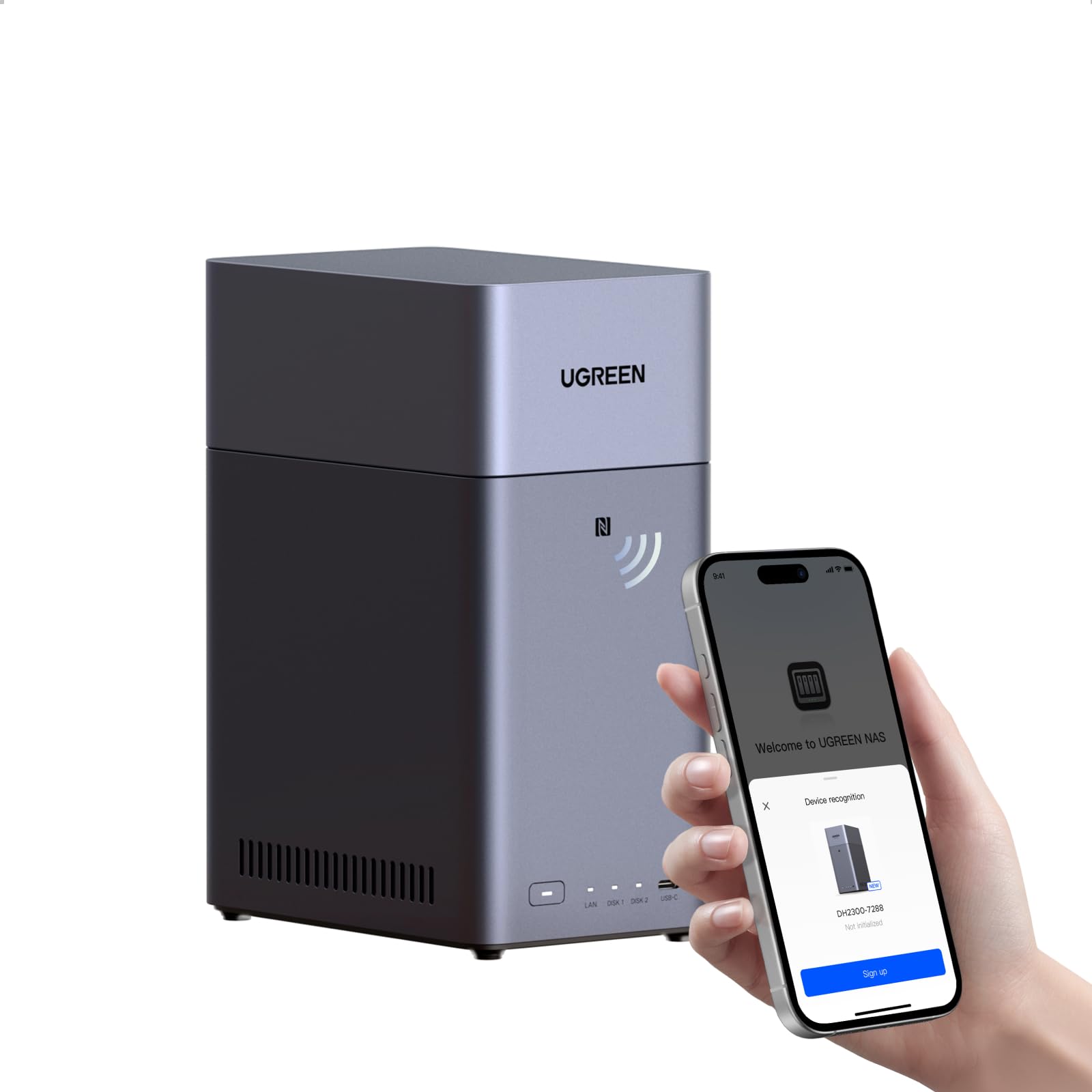
The pitch here is the phone in your pocket, and it's a good pitch. The AI album tags faces, places, text, and objects, so you can search for a name or a beach instead of scrolling back through years of camera roll, and scheduled backups from phones and computers run once you've set them up. Two bays hold up to 64TB, there's 4GB of RAM and an HDMI port, and drives go in and the thing is running in a handful of clicks.

Where it runs out is speed and media. The single gigabit port means transfers top out around 125 MB/s, and this isn't the box to buy if Plex or Jellyfin is the plan — the HDMI output mirrors a screen rather than driving a proper player. As a first NAS for a family that wants photos and documents in one place, we think it's the easiest recommendation here. As a media server, it isn't one.

Pros

  • AI tagging makes a photo library searchable
  • Drives in and running in a few clicks
  • Up to 64TB across two bays
  • Quiet enough for a living room

Cons

  • Single gigabit port tops out around 125 MB/s
Our verdict

The easiest first NAS for a family with a phone full of photos, provided nobody in the house wants a Plex server.

Check Latest Price
7

Quiet File Serving

TERRAMASTER F2-425

77 /100
LBD Score Very Good

Key details

Bays
2
Memory
4GB
Network
2.5GbE
Max Storage
60 TB
View on Amazon

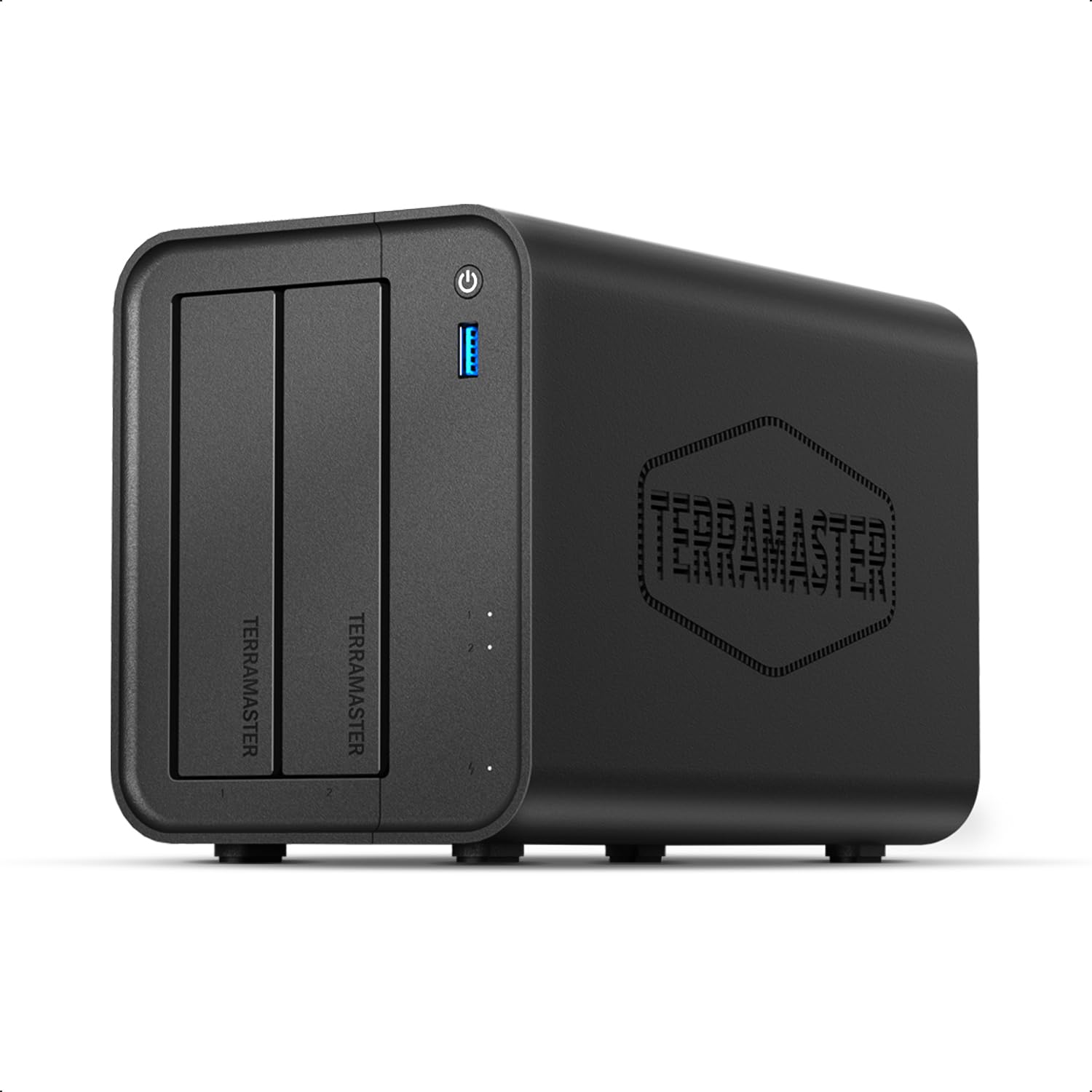
The number that caught our eye is 19 dB(A), a claimed noise figure that would make this the quietest box here by a distance. Read it as a claim about the fan, not the whole experience: the drives are what you'll hear in practice, and two 3.5-inch disks will beat a quiet fan every time. What the figure does tell you is that TerraMaster built this for a shelf near people rather than a cupboard.

The hardware is more than the position suggests: an Intel quad-core, 4GB of RAM, 2.5GbE, tool-free drive trays, and a 60TB ceiling. The software is the compromise — TNAS is functional, and the mobile app can handle the initial setup without a PC, but it's the least polished operating system in this group, and this isn't the fast one when it's mirroring two large drives.

We see it as the value alternative to the QNAP for straight file serving: x86, 2.5GbE, and a quiet fan for less money, without the ecosystem. Go in expecting to configure things by hand and to leave the media-server job to a box with a stronger chip, and it earns its place.

Pros

  • 2.5GbE and an x86 chip at the value end
  • Tool-free trays and phone-based setup
  • 19 dB(A) fan rating, quietest claim here

Cons

  • Plastic enclosure feels less solid than the metal picks
Our verdict

A quiet, 2.5GbE file server for someone who will trade software polish for a lower price and doesn't mind configuring things by hand.

Check Latest Price
8

DIY Builders

ZimaBlade 2-Bay DIY NAS Kit

83 /100
LBD Score Excellent

Key details

Bays
2
Memory
16GB
Platform
x86
Expansion
PCIe x4
View on Amazon

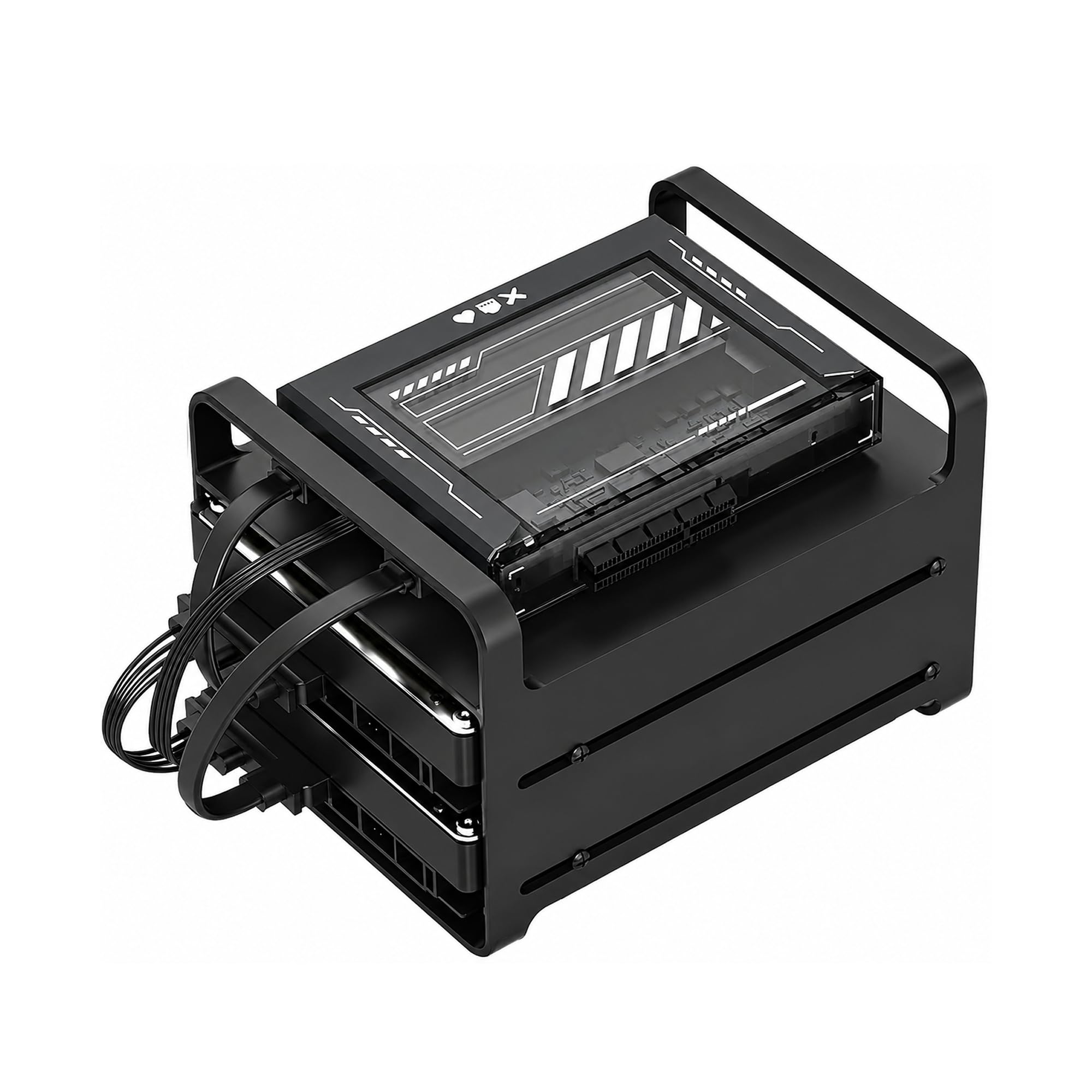
What arrives is a kit: an x86 board, 16GB of RAM, a metal cage for two drives, dual SATA cables, and a power supply. What doesn't arrive is an operating system, drives, or anything resembling a setup wizard. If that last sentence made you more interested rather than less, this one is aimed at you.

The appeal is the platform. Sixteen gigabytes is more memory than any prebuilt here ships with, there's a PCIe x4 slot for a network card or more storage, and because it's x86 you can put TrueNAS, Unraid, Proxmox, or plain Linux on it and run Docker containers and Home Assistant alongside your files. For a homelab that starts as a NAS and turns into something else, that freedom is the whole point.

The cost is your evening. You assemble it, install the OS, configure the shares, and troubleshoot the parts yourself, with no support line to call when an array won't rebuild and no vendor software doing the boring parts. Check what your chosen operating system supports before you buy drives.

We think it suits exactly one reader: the person who enjoys this and wants two bays of storage inside a machine they control. Everyone else should buy an appliance — a DS223j or a DH2300 will be serving files before you've finished writing a USB stick, and neither will ask you to know what a pool is.

Pros

  • 16GB of RAM, more than any prebuilt here
  • PCIe x4 slot and dual SATA expansion
  • Free choice of OS, Docker, and containers

Cons

  • No operating system, drives, or wizard included
  • Two SATA drives only, no M.2 cache bays
Our verdict

A kit for the reader who wants to build and run their own server, and the wrong buy for anyone who wants storage that just appears on the network.

Check Latest Price

How We Tested 2-Bay NAS Enclosures in a Real Home

We started with roughly 40 two-bay enclosures from the major NAS makers, then cut the list by processor, drive compatibility, network ports, memory ceiling, and price. Nine of them made the final cut, and each ran 24/7 for at least six weeks across an eight-month stretch. Every unit sat on a shelf beside a home router doing real work: nightly phone photo backups, a shared family folder, Plex streaming to the living-room TV, and in a couple of cases a small stack of Docker containers.

For setup, I timed each box from unboxing to the first completed backup, installing drives without opening the manual first and writing down every point where I got stuck. Then I handed the same unit to my least technical relative and asked her to create a shared folder and add a file from her phone — a better read on ease of use than any menu tour. We also filled the bays with drives from different brands in mismatched capacities to see whether the system flagged the problem in plain language or just beeped at us.

Speed got measured rather than guessed: the same 40-gigabyte folder of raw photos copied once over a 2.5GbE link and once over gigabit, stopwatch in hand, plus 4K playback on two screens at the same time to see whether a modest processor choked. For stability and durability, we pulled the power cord mid-backup and watched whether the unit came back on its own and rebuilt the volume without hand-holding, then checked remote access from outside the house on a phone. Throughout, we logged drive temperatures, fan noise from ten feet away, and uptime, and we added up enclosure, drives, and any memory upgrade — because value here is never the sticker price alone.

How to Choose a 2-Bay Nas

Start with your network, not the box

Gigabit Ethernet tops out around 125 MB/s, and most home routers still only offer gigabit ports. Paying for a 2.5GbE NAS is wasted until there's a 2.5GbE switch or router port at the other end — the drive array will happily saturate a gigabit link and go no further. If you already have 2.5GbE, the UGREEN DXP2800, the QNAP TS-264, and the TerraMaster F2-425 all put that port to use. If you don't, put the difference into bigger drives instead.

Decide how much setup you want to own

Every box here needs an evening: drives in, an array built, users and shared folders created, permissions set. The difference is what comes after. Synology's DSM is the most forgiving, QNAP's QTS is more capable and busier, and a DIY kit leaves the entire operating system to you. Be honest about whether you want a project or an appliance — a cheaper box with a good wizard suits most households better than a faster kit that needs a weekend.

Check the drive list before you buy disks

Drive compatibility is the trap in this category. Synology's recent software has refused third-party drives for storage pools on some models, so a cheaper enclosure can end up costing more once you price the approved disks. Buy NAS-rated drives rather than desktop ones, check the vendor's compatibility list for the exact model before ordering, and buy two of the same capacity if you plan to mirror.

Transcoding only matters if you'll stream

Hardware transcoding is what lets a NAS convert a 4K film for a phone or an older TV on the fly. Intel chips handle it; the cheaper Realtek-based boxes mostly don't, and their HDMI ports may only mirror a display. If every player in the house can decode your files directly, skip the premium and buy capacity instead. If someone watches on a tablet over hotel Wi-Fi, the Intel pick earns its keep.

Plan where it sits

Two spinning disks are the loudest part of any NAS, and a quiet fan doesn't change that. Vibration travels through thin shelves, so a solid surface away from a bedroom does more for the noise than any specification. Keep the vents clear — a closed cabinet runs drives hotter — and start the first big copy, mirror build included, while you're awake to notice a problem.

Frequently Asked Questions

Final Verdict

The UGREEN DXP2800 is the two-bay NAS we point most people to. It has the fastest network port and the most flexible storage here — two hard drives plus two NVMe slots — and the least painful setup in the group. Compare it with a Synology of similar hardware and the choice is easy.

If DSM's software and hardware transcoding matter more than raw specs, the Synology DS225+ is the better media box, provided its drive list works for you. And if budget is the hard limit, the DS223j runs the same software for a lot less and asks only that you not expect it to be fast.