Best 2.5GbE Routers of 2026

A 2.5-gig router is easy to talk yourself into and harder to shop for. The port only helps if your modem and devices can feed it, and the Wi-Fi number on the box says little about how a router behaves in a house full of phones, a work laptop, a TV, and a game console. What you want is a stable, room-to-room signal without a networking console.

I've set up more routers than I care to admit, and the ones that last are rarely the loudest. We brought in 12 routers and lived with them for eight months, watching how quickly they recovered from a reboot and whether the app made sense without a support call. Speed is the headline; the 2.5-gig ports are where the real differences show up.

The best ones faded into the background: fast enough for a 4K stream and a video call at once, patient with older gear, and clear about what their coverage claims mean through walls. They also made basic settings easy to find.

1

Best Overall

ASUS RT-BE82U

82 /100
LBD Score Excellent

Key details

Wi-Fi
BE6500, dual-band
Security
AiProtection Pro, no subscription
Warranty
3 years
2.5G Ports
5
View on Amazon

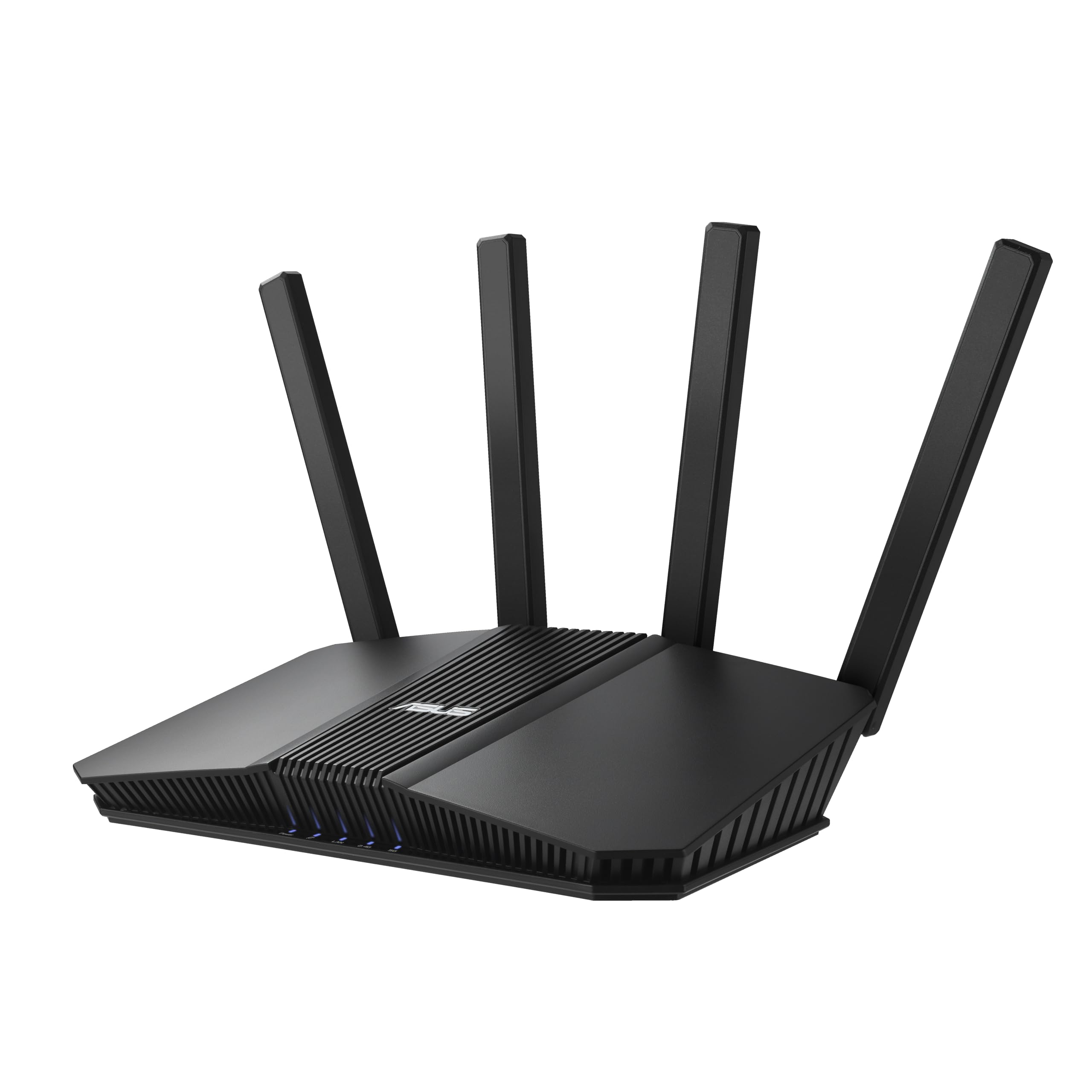
Five 2.5-gigabit ports is the number that decides this router. Most of the picks here hand you one or two, so the moment a second multi-gig device shows up you're also shopping for a switch. Here the modem, a 2.5G NAS and a desktop can all run at full wired speed with ports left over, and the radio is Wi-Fi 7 dual-band rated to 6,500 Mbps. We think that combination is the most useful thing in this group for the money.

The parts that don't renew every year matter too. AiProtection Pro, the Trend Micro security layer, is included without a subscription, and parental controls come with it rather than sitting behind a paid tier. ASUS covers this model for three years, where NETGEAR gives one on the Nighthawks here — the kind of difference you notice in month fourteen, when the cheaper choice is already out of warranty.

What we couldn't do is line up a coverage figure, because ASUS doesn't publish square footage for this model while TP-Link states 2,400 square feet for the BE400. That isn't evidence it reaches less far; it just means you're choosing on ports and warranty instead of a number. The other gap is the radio: dual-band only, so there's no 6 GHz lane for the newest devices.

Pros

  • Five 2.5G ports, enough for modem plus two fast devices
  • AiProtection Pro with no subscription
  • Three-year warranty
  • Wi-Fi 7 dual-band rated to 6,500 Mbps

Cons

  • Dual-band only, with no 6 GHz radio
  • Fixed antennas can't be angled
Our verdict

We think this is the one for most buyers: five 2.5-gigabit ports, security that doesn't bill monthly, and a three-year warranty.

Check Latest Price
2

Best for Easy Setup

TP-Link Archer BE400

86 /100
LBD Score Excellent

Key details

USB
USB 3.0
Wi-Fi
BE6500, dual-band
Coverage
2,400 sq. ft.
2.5G Ports
2
View on Amazon

Two 2.5-gigabit ports read as thin next to the ASUS's five, and for a house full of wired gear they are. The rest of the box is where the BE400 makes its case: TP-Link's app setup is the least fiddly of anything here, the box states 2,400 square feet and 90 devices, and there's a USB 3.0 port on the back for a drive.

Setup is where this one wins. The app walks you through in a handful of screens, and the whole thing feels designed for someone who doesn't want to think about networking at all. For a family swapping out an ISP box, that's worth more than a third Ethernet port. The stated 2,400 square feet and 90-device load put it in the same bracket as the NETGEAR BE9300 on paper, though the BE400 is dual-band and the Nighthawk isn't.

The port layout is the catch: one 2.5G WAN/LAN port, one 2.5G LAN port and three gigabit LAN ports. That's a multi-gig modem plus one fast wired device, which covers a lot of homes and not a small office. Six antennas, a quad-core processor and HomeShield are the supporting cast; the point of this router is blanketing a house simply, not feeding a rack.

Pros

  • Setup is the simplest of these
  • Stated 2,400 sq. ft. and 90 devices
  • USB 3.0 port for a drive

Cons

  • Drops can interrupt a connection mid-session
Our verdict

Two 2.5G ports are enough for most homes, and we like it best as the router you hand a family that wants setup done in five minutes.

Check Latest Price
3

Best for Gamers

ASUS ROG Strix GS-BE12000

79 /100
LBD Score Very Good

Key details

Wi-Fi
BE12000, tri-band
Coverage
3,000 sq. ft.
Warranty
3 years
2.5G Ports
8 (1 WAN, 7 LAN)
View on Amazon

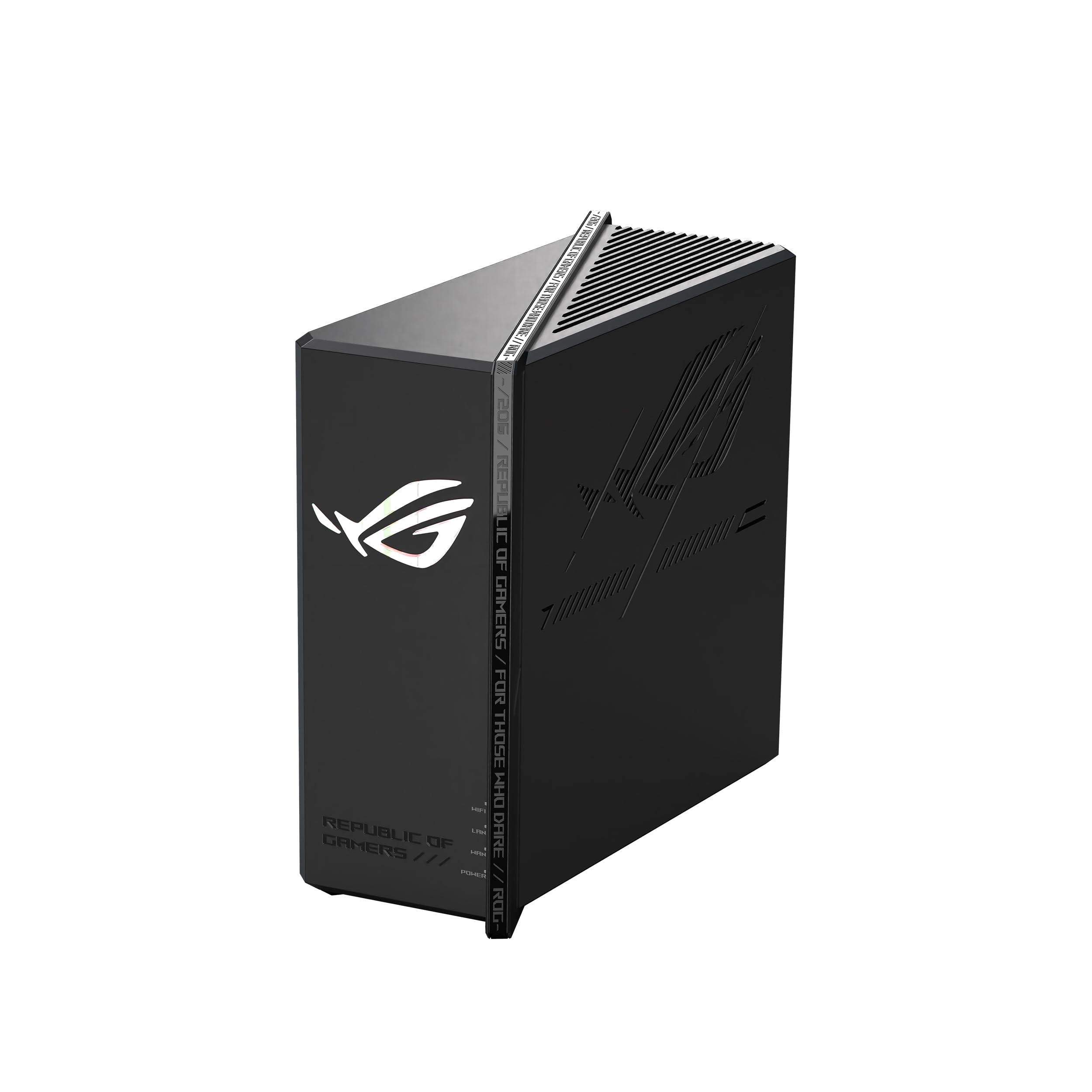
Picture the desk: a console, a gaming PC and a NAS, all wanting wire, all capable of more than a gigabit. That's who the GS-BE12000 is built for, and it answers with one 2.5-gigabit WAN port and seven 2.5-gigabit LAN ports — the deepest wired lineup in this group. Nothing else here lets you plug in that many multi-gig devices without adding a switch.

The wireless side is loaded too: tri-band Wi-Fi 7 rated to 12,000 Mbps, a 320 MHz channel on 6 GHz, a quad-core 2.0 GHz processor and 2 GB of RAM. What we appreciate is that ASUS didn't make you trade gaming features against port count. Game Boost and the triple-level acceleration sit alongside the eight ports rather than replacing them, so the router is a fast switch and a fast access point at the same time.

Physically it's the biggest thing in this group — eight internal antennas and a footprint that wants a shelf, not a corner. The stated 3,000 square feet assumes you give it that much, and a closet will waste it. Setup runs through the ASUS app, and the VLAN and QoS menus are there for anyone who wants to go deeper than the app.

Pros

  • Eight 2.5G ports, one WAN and seven LAN
  • Tri-band Wi-Fi 7 rated to 12,000 Mbps
  • Quad-core CPU and 2 GB RAM
  • Three-year warranty

Cons

  • 2.4 GHz band is the weak spot at distance
Our verdict

We keep this one in mind for the gamer with a console, a PC and a NAS all wanting wire — eight 2.5-gigabit ports is the most here.

Check Latest Price
4

Best for Crowded Homes

NETGEAR Nighthawk BE9300

86 /100
LBD Score Excellent

Key details

Wi-Fi
BE9300, tri-band
Coverage
2,500 sq. ft.
2.5G Ports
2
Connected Devices
100
View on Amazon

The third radio is what you're paying for. Tri-band Wi-Fi 7 rated to 9.3 Gbps puts your newest laptops and phones on a 6 GHz band of their own, while older gear stays on 2.4 and 5 GHz and stops competing with them. In a house where someone is gaming, someone else is on a video call and a dozen smart plugs are chattering, that separation is worth more than raw speed.

Around that radio NETGEAR has built a sensible box: two 2.5-gigabit ports, two gigabit ports, a stated 2,500 square feet for up to 100 devices, 2 GB of RAM and four antennas. One 2.5G port takes a multi-gig modem and the other takes a fast wired device. The Nighthawk app handles guided setup plus the usual controls — speed tests, pausing devices, a guest network.

Where we land on it: this is the tri-band router for someone who wants the 6 GHz lane without paying the gaming-router premium, and the Nighthawk app makes it easy to live with. If your wired ambitions go past one fast device, the ASUS RT-BE82U gives you five 2.5G ports for less. If you want the third band and all those ports together, you're into ROG territory.

Pros

  • Tri-band Wi-Fi 7 with a dedicated 6 GHz band
  • Stated 2,500 sq. ft. for 100 devices
  • Two 2.5G plus two gigabit ports
  • 2 GB of RAM

Cons

  • One-year limited warranty, the shortest here
Our verdict

We recommend it to anyone who wants a 6 GHz lane for the newest devices and a stated 2,500 square feet, as long as two 2.5G ports are enough.

Check Latest Price
5

Best for Small Homes

NETGEAR Nighthawk RS90

86 /100
LBD Score Excellent

Key details

Wi-Fi
BE3600, dual-band
Coverage
2,000 sq. ft.
2.5G Ports
1
Connected Devices
50
View on Amazon

Most homes don't need five multi-gig ports. They need one fast way in and Wi-Fi that reaches the back bedroom. The RS90 is built for exactly that: a single 2.5-gigabit port for a multi-gig modem, three gigabit LAN ports, dual-band Wi-Fi 7 rated to 3.6 Gbps, and a stated 2,000 square feet for up to 50 devices.

We think that's the right shape for a smaller house or an apartment. The 2.5G port means moving to a faster internet tier doesn't force a new router, and the rest of the box stays simple: no 6 GHz band to wonder about, no advanced menus unless you go looking for them. Speed and range are what this one does well, and the four antennas and 1.9-pound body are easy to tuck onto a shelf.

It isn't the router for a NAS and a desktop both wanting multi-gig, since there's one 2.5G port; the ASUS RT-BE82U is the pick for that. For a household whose heaviest demand is three streams at once, this is more router than the plan needs — which is exactly the point.

Pros

  • Single 2.5G port for a multi-gig modem
  • Stated 2,000 sq. ft. for 50 devices
  • Dual-band Wi-Fi 7 rated to 3.6 Gbps

Cons

  • Some units fail to hold a connection
Our verdict

Our pick for a smaller home: one 2.5-gigabit WAN port and dual-band Wi-Fi 7 rated to 3.6 Gbps, with nothing in the box you won't use.

Check Latest Price
6

Wired Networks

TP-Link Omada ER707-M2

86 /100
LBD Score Excellent

Key details

Clients
1,000+
Warranty
5 years
2.5G Ports
2
Gigabit Ports
4 RJ45 + 1 SFP
View on Amazon

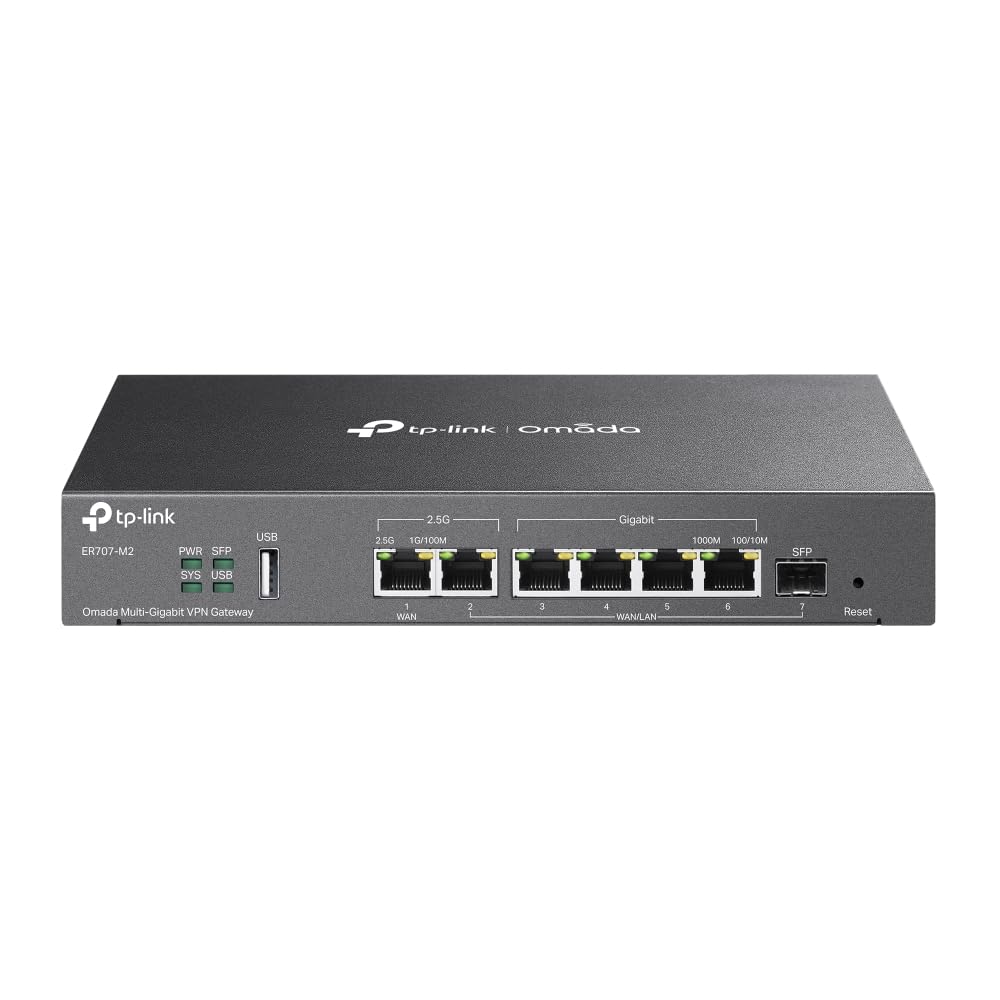
The ER707-M2 is a wired router you bolt access points onto. Two 2.5-gigabit WAN ports, four gigabit LAN ports, a gigabit SFP slot and a USB 2.0 port, with Omada's software managing the whole thing from a browser or the app. It only makes sense if you already own access points, or you're about to buy them alongside it.

The reason to bother is what those two WAN ports can do. You can bring in two internet connections and load-balance or fail them over, which almost nothing else in this group offers, and the hardware is rated for 1,000-plus clients and 500,000 concurrent sessions. VPN support covers IPsec, OpenVPN, L2TP and PPTP in the numbers a small office needs, and the warranty runs five years.

We think it earns its place for a wired network with a closet full of gear, as long as you're honest about the learning curve. The Omada interface is not the phone-app experience the Wi-Fi picks offer, and turning on deep packet inspection and IPS costs throughput. Two 2.5G ports also go quickly once a NAS, a switch and a server want in, so plan the switch into the budget from the start.

Pros

  • Two 2.5G WAN ports with load balancing
  • Five-year warranty
  • Rated for 1,000-plus clients
  • Omada management across sites

Cons

  • No built-in Wi-Fi; access points required
  • Deeper setup than the app-driven picks
Our verdict

Our advice: buy this only if your network is already wired — two 2.5G WAN ports, load balancing and a five-year warranty, with no Wi-Fi at all.

Check Latest Price

How We Chose and Tested the Best 2.5-Gig Routers

We started by narrowing the field to routers with at least one 2.5-gig port, then filtered by Wi-Fi 7 support, mesh and VPN options, port count, and whether the manufacturer's app looked usable without a paid subscription. That left 12 units, which we ran for eight months.

Each router took a turn as the only router in my home network, handling video calls, 4K streaming, console gaming, smart plugs, and large file transfers between a laptop and a NAS. I set each one up alone, timed the process, and noted where the app or web dashboard hid the settings I actually needed—port forwarding, guest network, parental controls, and VPN.

For range, I walked the same path through the house and measured signal and speed in close, middle, and far rooms, including through one stubborn wall; where mesh was supported, I added a second node and walked between coverage zones on a call. I also plugged wired devices into every 2.5-gig port, moved a large backup across the LAN, and watched whether throughput held while several people streamed and downloaded at once.

Reliability got the longest look: I logged dropped connections and reboots, checked how warm each unit ran, and made sure older Wi-Fi 6 phones and laptops stayed connected as I moved from room to room. We also compared what came in the box against what required a subscription, since security and parental controls can change the value of an otherwise capable router.

How to Choose a 2.5Gbe Router

Put the Multi-Gig Port Where the Traffic Is

A 2.5G port on the WAN side raises the ceiling on your internet connection. A 2.5G port on the LAN side raises it for wired devices. Those are different problems, and a router can solve one without touching the other.

The trap is buying for a 2-gigabit fiber plan and discovering the only multi-gig port faces your desk, or buying to feed a 2.5G NAS and finding every LAN port is gigabit. Decide first whether your multi-gig link is the internet or the equipment, then check which side of the router the fast port sits on.

Count the Ports You'll Actually Fill

The arithmetic is simple: one 2.5G port for the modem, one for each device that can use it. Two multi-gig ports cover the modem and a single fast device, and an external 2.5G switch handles the rest. Five, as on the ASUS RT-BE82U, takes the switch off the shopping list entirely.

The trap here is assuming a 2.5G router runs every port at 2.5G. Most of these have a couple of multi-gig ports and fill the remainder with gigabit, which is fine as long as you know which is which before the NAS goes in.

Dual-Band or Tri-Band

Tri-band adds a 6 GHz radio, and that band is fast and comparatively empty, which is why a tri-band model like the NETGEAR BE9300 can hold a busy house together. It also reaches less far than 5 GHz, so the device at the far end of the house may still land on 5 GHz. Dual-band routers such as the Nighthawk RS90 skip it, which keeps things simple and keeps older gear on bands it understands.

Buy the third band if you have several Wi-Fi 7 or 6E devices near the router. If your devices are a few years old, spend the difference on wired ports instead.

Coverage Claims, Expansion and Support

Square footage on a box assumes open space. Walls, floors and a microwave in the way all cut it down, so treat the figure as a comparison between models rather than a promise about your house. A single router handles a normal one-story home and struggles in a long, thick-walled or multi-story one. Mesh support is the escape hatch, whether that is AiMesh on the ASUS picks or EasyMesh and Omada on the TP-Link ones.

The paperwork is worth five minutes too. Warranties here run from one year on the NETGEAR Nighthawks to three on the ASUS models and five on the Omada ER707-M2. Setup ranges from a phone app that finishes in minutes to an admin interface that expects you to know what a VLAN is.

Frequently Asked Questions

Final Verdict

Five 2.5-gigabit ports is what keeps us coming back to the ASUS RT-BE82U. It covers the modem, a couple of fast wired devices and a spare, and it does that without a security subscription or a one-year warranty.

If your wiring is heavier, the ROG Strix GS-BE12000 doubles the port count and adds a 6 GHz radio for the gaming desk. And if the access points are already on the wall, the Omada ER707-M2 handles the multi-gig routing without paying for radios you won't use.