Best 10 Gigabit Routers of 2026

Fiber installers will happily sell you a connection faster than the hardware in your hallway. A 2-gig or 5-gig plan hits a wall the moment it reaches a router with gigabit-only ports, and the number on the box won't warn you — that figure is Wi-Fi throughput, not what the Ethernet ports can pass. A 10Gb router clears the logjam at both ends, taking the fast line coming in and handing it to wired gear and modern laptops without choking.

We've spent eight months with eight of them, through work calls, 4K uploads, and a house full of phones and consoles. Setup separates the field faster than raw speed does, and value tracks port count more than the giant Wi-Fi number — two 10G ports disappear once a NAS and a desktop claim them. The coverage claims, meanwhile, are optimistic in a way you only notice two rooms away.

What you're paying for is headroom, and the right pick hinges on how many multi-gig devices you actually own and how much patience you have for a clumsy app. Both are sorted out below.

1

Best Overall

ASUS RT-BE88U

84 /100
LBD Score Excellent

Key details

Wi-Fi
Wi-Fi 7, dual-band, up to 7,200 Mbps
Coverage
Up to 3,000 sq. ft.
10G Ports
1× 10G SFP+, 1× 10G WAN/LAN
2.5GbE Ports
4
View on Amazon

Two 10-gigabit ports and four 2.5-gigabit ports are what put this ASUS at the top of our list, and it costs less than most of the routers here. One of those 10G ports is an SFP+ cage and the other is ordinary RJ45, which is the combination we want: a fiber or direct-attach link to a NAS on one side, a multi-gig modem or a 10G switch on the other, and four 2.5G copper ports left over for desktops and access points. If your reason for reading this is a new multi-gig line or a NAS that can saturate it, this is the router that gets out of the way.

The wired half is where we spent our time. We put a NAS on the SFP+ cage and left the 2.5G ports for the machines that only negotiate at 2.5, and what stuck with us is how little there is to configure — the ports come up without fuss. Add the four 1G ports and most houses can skip a small switch entirely, which is not something the cheaper picks here can say.

The wireless side is the compromise, and we're at peace with it. This is a dual-band Wi-Fi 7 router, so there's no 6 GHz radio, and the rated coverage of about 3,000 square feet is a normal-house figure rather than a big-house one. What you get is quick 5 GHz throughput and an app that walks you through setup without hiding the deeper menus. Buy it for the wire and treat the Wi-Fi as good enough.

Two details worth knowing before you order. AiMesh pairs it with other ASUS routers rather than demanding a matching model, so adding a second unit later is cheap and simple. And the warranty runs three years, against two from TP-Link and one from NETGEAR — a real difference on a box that sits in a cupboard for years.

Pros

  • Two 10G ports, one SFP+ and one RJ45
  • Four 2.5GbE ports for everyday gear
  • Three-year warranty
  • Straightforward app setup

Cons

  • Some units need a reboot to restore a dropped connection
Our verdict

Two 10-gig ports, four at 2.5, and a price under most of this group make the RT-BE88U the router we hand to most people.
Check Latest Price
2

Best Mesh System

eero Max 7

85 /100
LBD Score Excellent

Key details

Wi-Fi
Wi-Fi 7, up to 4.3 Gbps wireless
Coverage
Up to 2,500 sq. ft.
10GbE Ports
2
Wired Speed
Up to 9.4 Gbps
View on Amazon

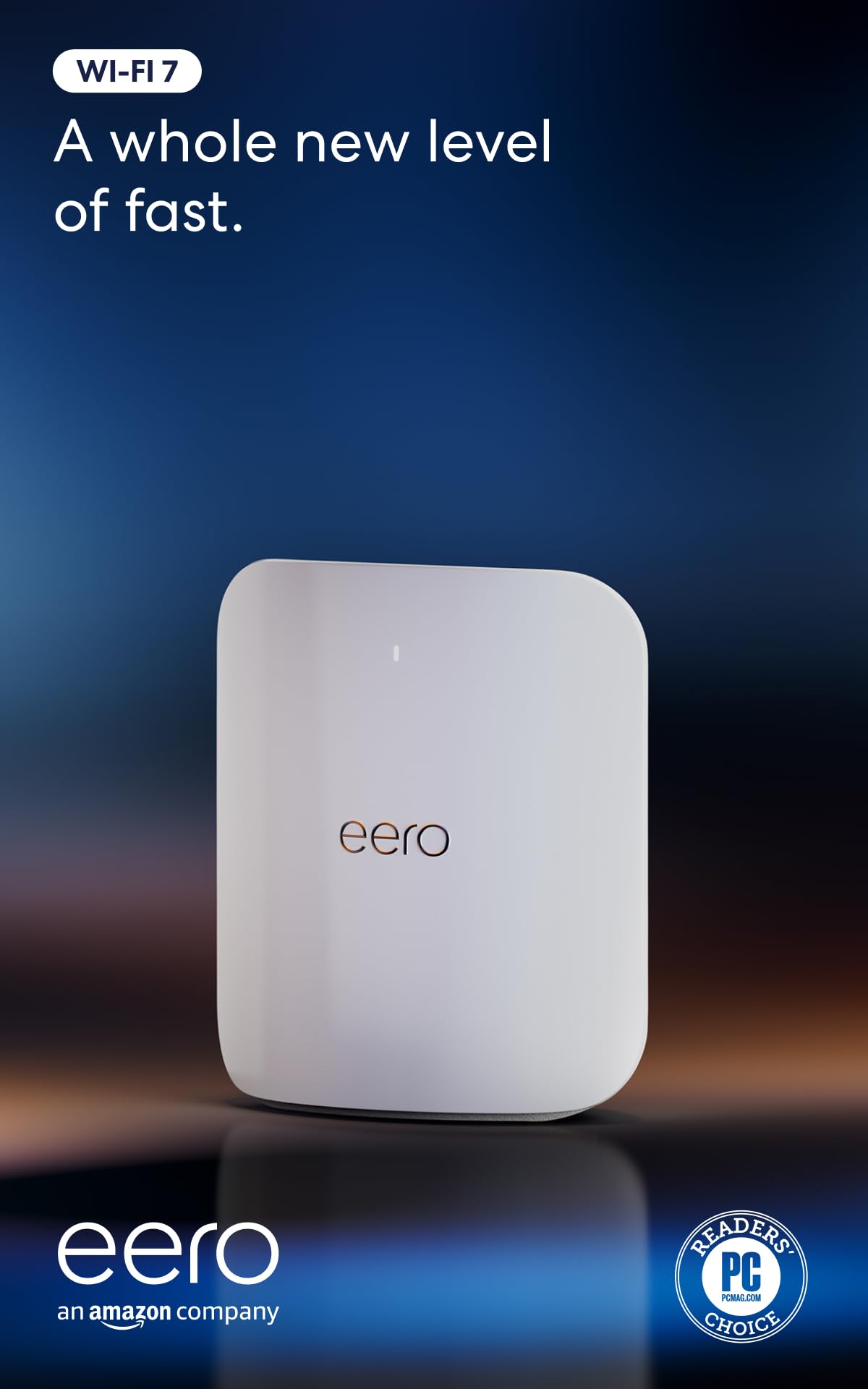
The eero Max 7 is for the person who wants the network to stop being a hobby. There's no browser page full of tabs to negotiate: the app finds the node, names the network, and then stays out of the way, and every eero in the house appears in the same place. We think that's worth real money if you've spent evenings on router firmware, and worth considerably less if you enjoyed those evenings.

Two 10GbE ports are the reason it's on this list. One takes the multi-gig feed, the other feeds a switch or a NAS, and eero rates the pair for wired throughput up to 9.4 Gbps. Around the house you get Wi-Fi 7 with a 6 GHz band and a rated 2,500 square feet per unit. What we like most is how the two halves work together: nodes talk to each other over their own fast path, so a second node doesn't quietly cost you the speed you paid for.

What we didn't love is the arithmetic. At 2,500 square feet per unit, a large or awkward house needs two of them, and this is already one of the priciest units here. Costs continue after that: advanced security and parental controls sit behind an eero Plus subscription, where ASUS includes its equivalents. Stability is the other thing to watch — a device can drop and rejoin, and a wired backhaul between nodes is the fix when it does.

Pros

  • Two 10GbE ports, rated to 9.4 Gbps wired
  • The easiest setup of anything here
  • Wi-Fi 7 with a 6 GHz band
  • Mesh nodes share one network name and app

Cons

  • Security and parental features need eero Plus
  • A large house needs two units
Our verdict

We recommend the eero Max 7 to anyone who wants two 10GbE ports and mesh Wi-Fi without ever opening a settings page — just price in a second node and the subscription.

Check Latest Price
3

Best for Large Homes

NETGEAR Nighthawk RS700S

87 /100
LBD Score Excellent

Key details

Wi-Fi
Wi-Fi 7 tri-band, up to 19 Gbps
Devices
Up to 200
Coverage
Up to 3,500 sq. ft.
10G Ports
1× 10G + 3× Gigabit
View on Amazon

One 10-gigabit port and three gigabit ports. That's the entire wired story on the RS700S, and it's the first thing to understand about it: this is a very fast Wi-Fi router that happens to have a 10G on-ramp, not a 10G hub with radios attached. One multi-gig feed or one NAS is served perfectly well. Two 10-gigabit devices are not, and the ASUS above is the pick for that job.

Where it does earn its place is range and capacity. The tri-band design includes a 6 GHz radio, NETGEAR rates it for up to 3,500 square feet and 200 devices, and only the ROG matches that coverage figure in this roundup. Twelve streams do the work for a house full of phones, consoles and 4K streams, and the Nighthawk app handles setup, speed tests and pausing devices without sending you to a browser.

What you're paying for is the radio side, and it shows: this is one of the two most expensive Wi-Fi routers we're recommending, and the money goes into bands and streams rather than ports. For a household where the 10-gig line feeds one device and everything else is on Wi-Fi, that's a fair trade. For a wired-heavy setup, the ASUS does more with less.

Pros

  • Tri-band Wi-Fi 7 with a 6 GHz radio
  • Rated for 3,500 sq. ft. and 200 devices
  • One 10G port for a modem or NAS
  • Guided setup in the Nighthawk app

Cons

  • No 2.5GbE ports between 10G and gigabit
  • One-year warranty
Our verdict

Buy the RS700S when the house is large and only one device needs 10 gigabit — it pairs the widest coverage here with serious tri-band capacity.

Check Latest Price
4

Best for Gaming

ASUS ROG Rapture GT-BE98 Pro

83 /100
LBD Score Excellent

Key details

Wi-Fi
Wi-Fi 7 quad-band, up to 30 Gbps
Coverage
Up to 3,500 sq. ft.
10G Ports
2
2.5GbE Ports
4
View on Amazon

At roughly 13.7 inches across and 4.4 pounds, the GT-BE98 Pro is the largest router in this roundup, and it doesn't tuck behind a monitor. Give it a shelf with air around it, because this is a box people notice. What you get for the footprint is the same wired layout as the RT-BE88U — two 10-gigabit ports and four 2.5-gigabit ports — wrapped around a much bigger set of radios.

Where the extra money goes is the wireless side. Quad-band, rated to 30 Gbps, with the capacity aimed at a house running 4K streams, VR and consoles at once; you'll only feel the difference when several devices pull hard together. Game acceleration prioritizes a gaming PC from its port all the way to the server, which is a genuine convenience rather than a sticker, and it's the reason to pick this over the cheaper ASUS when that PC is the point of the network.

The honest recommendation is narrow. This is the router for a gaming setup or a small office that shares a house with everything else, and it's overqualified for a family that just streams. It carries the same three-year ASUS warranty and the same app as the cheaper model, so what you're paying for is wireless headroom and a bigger footprint, nothing else.

Pros

  • Two 10G and four 2.5G ports
  • Quad-band Wi-Fi 7 rated to 30 Gbps
  • Game acceleration prioritizes gaming traffic
  • Three-year warranty

Cons

  • Premium price for capacity most homes won't use
Our verdict

Worth it for a gaming household that will use the quad-band headroom and both 10-gig ports; everyone else gets the same wired layout for far less from the RT-BE88U.

Check Latest Price
5

Best Budget

TP-Link Archer BE700

85 /100
LBD Score Excellent

Key details

Wi-Fi
Wi-Fi 7 tri-band, up to 15 Gbps
10G Port
1× 10G WAN
Coverage
Up to 2,200 sq. ft.
LAN Ports
1× 2.5G, 3× 1G
View on Amazon

The Archer BE700 is the cheapest way here to put a 10-gigabit feed into a Wi-Fi 7 network, and for a lot of houses that is the whole job. It's the budget pick, and we mean that precisely: you get the fast WAN port and tri-band radios, and you give up the second 10-gigabit port and the deep port count the expensive routers carry. If the multi-gig line comes into the house and the NAS can live at 2.5, this is the sensible spend.

On the wired side there's one 10 Gbps WAN port, one 2.5 Gbps LAN port and three 1 Gbps LAN ports. That's an internet-side router: it will drink from a multi-gig fiber line and hand 2.5 gigabit to one fast device, and the rest of the copper is gigabit. Nothing 10-gigabit on the LAN side is the trade, so plan the NAS around 2.5G or park it behind a separate switch.

Wireless is better than the price suggests: tri-band with a 6 GHz radio where the RT-BE88U is dual-band, plus a USB 3.0 port for a drive. Setup through the Tether app is quick, EasyMesh lets you add a node later without replacing the router, and stability is the part that holds up best — this is the one router in the group with no recurring pattern of drops to work around.

Pros

  • Cheapest route to a 10G WAN here
  • Tri-band Wi-Fi 7 with a 6 GHz radio
  • Quick setup in the Tether app
  • Steady in daily use, with no drop pattern

Cons

  • Rated for 2,200 sq. ft., the smallest coverage here
Our verdict

We keep it as the budget pick because it's the least expensive route to a 10-gig WAN here, provided one 2.5-gig LAN device is enough.

Check Latest Price
6

Wired-Only Networks

Alta Labs Route10

79 /100
LBD Score Very Good

Key details

Wi-Fi
None — wired router
10G Ports
2× 10G SFP+
PoE Budget
40W
2.5GbE Ports
4, with PoE+
View on Amazon

Two 10-gigabit SFP+ cages, four 2.5-gigabit copper ports with PoE+, and a pound and a half of hardware that hangs on a wall. The Route10 has no radios at all, which makes it the odd one out here and is also the reason it costs what it does: you're buying routing and power, not antennas.

If the house already has ceiling access points, the PoE+ is the useful part. The router powers them itself, so the switch you were about to buy is optional, and both cages take a module or a DAC — one to the modem, one to a NAS or a core switch, with the 2.5G ports handling everything else. A quad-core Qualcomm chip does the routing in hardware, and VPN throughput is what Alta is selling, which matters if you actually run a tunnel rather than just having one configured.

What we didn't get is a browser page on the box itself: management runs through Alta's control platform, which is quick once you know your way around and slower on the first evening. Set that against the price and it's the best wired value in this group — nothing else here gives you two 10G cages plus PoE+ for anything close. Pair it with two or three access points and you have a network that behaves like commercial gear.

Pros

  • Two 10G SFP+ cages
  • Four 2.5G ports with PoE+
  • Hardware-accelerated VPN routing
  • Wall mount and hardware in the box

Cons

  • 40W PoE budget limits how many access points it powers
Our verdict

For a wired core feeding access points you already own, the Route10 is the best-value box here; it does nothing wirelessly, so don't buy it expecting Wi-Fi.

Check Latest Price
7

Eero PoE Installs

eero PoE Gateway

86 /100
LBD Score Excellent

Key details

Wi-Fi
None — wired router
PoE Budget
100W pooled
10GbE Ports
2
2.5GbE Ports
8, PoE-capable
View on Amazon

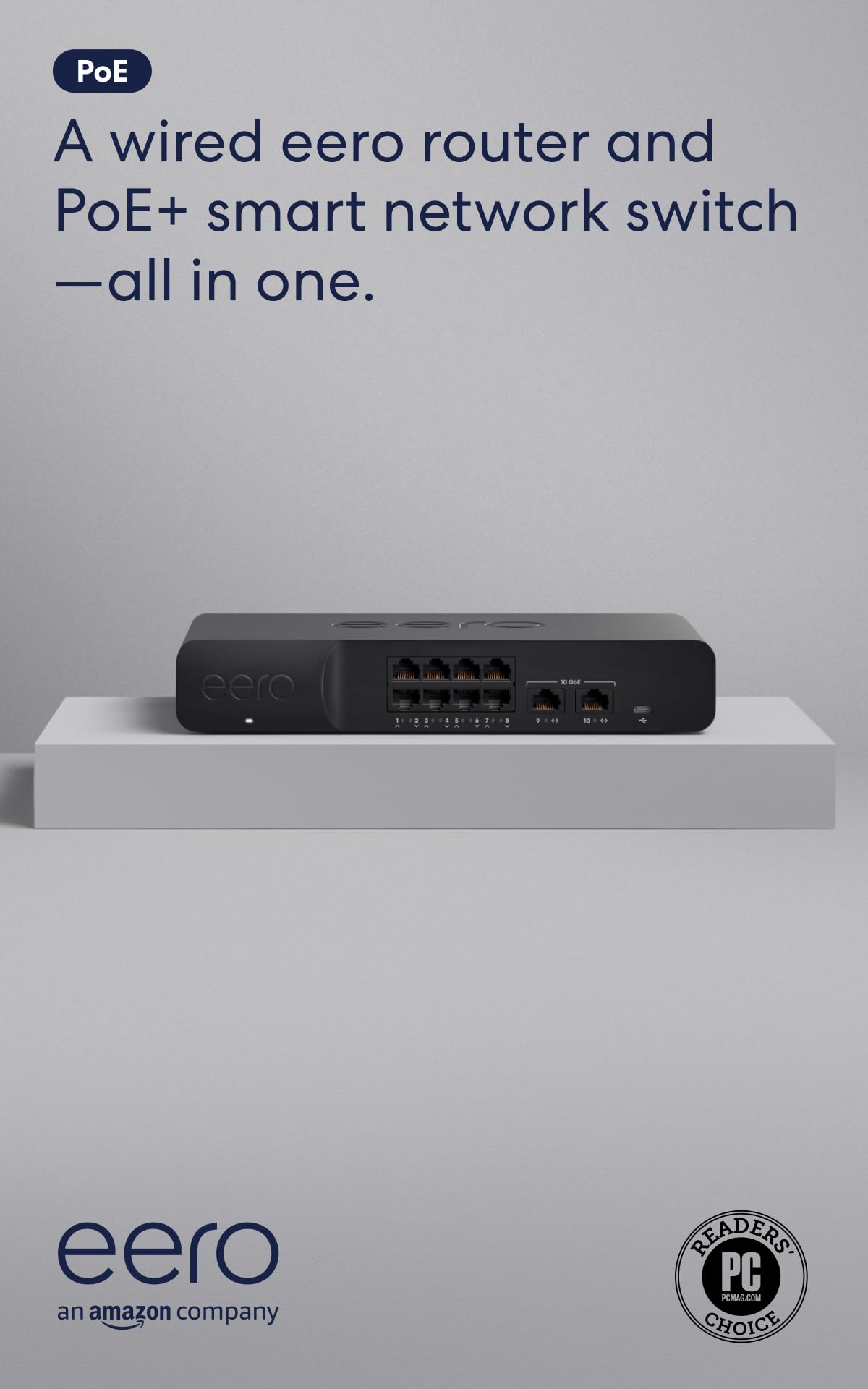
Ten ports, two of them 10-gigabit and eight of them 2.5-gigabit with PoE, in one box that also does the routing. If the house is already cabled for ceiling access points and you're inside eero's world, this replaces the router and the PoE switch at once, and the closet gets simpler.

The power number is the one that matters: 100W pooled across the eight PoE ports from an included 140W supply, enough for a handful of access points or cameras on 802.3bt class 5. The two 10GbE ports are rated for wired speeds up to 9.4 Gbps, which is where the multi-gig feed and the NAS or backbone link go.

Management runs through the eero app — the same app that makes the Max 7 so easy to live with, and the same app that hides most of the knobs ASUS, TP-Link and Alta leave in reach. If your idea of a good network is one you never open, that's a feature rather than a limitation.

Our verdict is narrow but firm. As the head end of an eero PoE installation it's the neatest box in this roundup; as a general-purpose 10-gig router it's an expensive way to buy ten ports, and the money only makes sense when it's replacing two devices you were going to buy anyway.

Pros

  • Two 10GbE and eight 2.5GbE PoE ports
  • 100W of pooled PoE power
  • Replaces a router and a PoE switch
  • Managed in the same eero app

Cons

  • Needs eero access points before anything gets Wi-Fi
  • Security extras sit behind eero Plus
Our verdict

The right hub for an eero PoE system — two 10GbE ports, eight powered 2.5GbE ports and one app — and a poor fit for anyone not already committed to eero.

Check Latest Price
8

Multi-WAN Failover

TP-Link Omada ER8411

86 /100
LBD Score Excellent

Key details

Warranty
5 years
10G Ports
2× 10G SFP+
WAN Ports
Up to 10
Copper LAN
8× gigabit RJ45
View on Amazon

Ten WAN ports, load balancing and a five-year warranty. The ER8411 is what you buy when the internet can't go down and there's already a rack in the basement. It's a security gateway rather than a Wi-Fi router, and it's the most specialized product in this roundup.

The wired layout suits that one job well: two 10G SFP+ cages for a fiber feed and a core switch, a gigabit SFP, and eight gigabit RJ45 ports that can be reassigned between WAN and LAN. With two providers plugged in it fails over between them without anyone in the house noticing, and it's rated for 1,000-plus clients and 2.3 million concurrent sessions — figures that matter to a small office and are simply headroom at home.

Configuration is Omada's, which means a controller, a cloud account and a management model closer to a small business than a living room. The rack-mount kit is in the box, VLANs and firewall rules are all there, and pairing it with Omada access points puts the gateway, switch and radios in one interface. Nothing here is plug-and-play.

We recommend it to exactly one reader: someone building a wired core with a second internet line and somewhere to rack it. For that person, no other pick offers the same failover and the same warranty. For everyone else, the living-room router with two 10-gigabit ports is the better buy.

Pros

  • Two 10G SFP+ cages
  • Up to 10 WAN ports with load balancing
  • Five-year warranty
  • Rack-mount kit included

Cons

  • Copper LAN ports top out at 1 Gbps
  • Omada controller and access points needed for Wi-Fi
Our verdict

For a rack, a second internet line and a five-year horizon, the ER8411 is the right gateway; if you want Wi-Fi from one box, it is emphatically not.

Check Latest Price

How We Tested 10-Gigabit Routers at Home

We started by rounding up every current router advertising at least one 10-gigabit port, then read the spec sheets closely enough to drop the ones where that port was WAN-only or shared with a slower link. Eight models made the cut, including mesh kits, a quad-band gaming unit, and wired boxes with SFP+ cages, and we bought each one rather than accepting loaners so that what we lived with is what you'd unbox.

Each took a turn as the only router in my house for at least three weeks, on a multi-gig fiber line with roughly 40 devices attached, and the full run spanned eight months. I timed setup with a stopwatch, solo, from unplugging the old router to a working network, using only the app or web interface, and wrote down where I got stuck. Speed and signal strength got measured at 5, 15, and 30 feet in the open, then behind two walls and up a floor, at the same hour each day so the neighbors' traffic didn't skew the readings.

Port capacity was a mapping exercise: 10G to a NAS, 2.5G to a desktop, the rest to consoles and a printer, followed by a check of which links actually negotiated at the higher rate and which quietly fell back. A wired file transfer between two machines told me more about real throughput than any Wi-Fi figure on the box. Reliability meant leaving each one running and reading the log after firmware updates and a couple of power cuts. I also counted taps in the app to pause a device's internet, ran the VPN client for an evening, and noted whether the dashboard explained an error or just showed a red dot.

How to Choose a 10-Gig Router

Count the 10-gig ports you need

One 10GbE port is enough for a modem and nothing else. Two let you take 10G in from the internet and hand 10G out to a NAS or a switch at the same time, which is the arrangement most people shopping at this level actually want. The ASUS RT-BE88U pairs an SFP+ cage with an RJ45 10G port; the NETGEAR RS700S has a single 10G port, which makes it a one-lane on-ramp.

SFP+ takes a transceiver module or a direct-attach copper cable, not an RJ45 plug, so add the cost of one to the router and match it to whatever sits at the far end. Few people regret buying the second 10-gig port; plenty regret not buying it.

The 2.5GbE ports decide more of your day

A single 10-gigabit link rarely feeds everything. Desktops, access points and small switches mostly run at 2.5GbE, and the number of 2.5G ports is what you'll actually plug into. Four, as on the RT-BE88U and the ROG, is generous. One or none, as on both NETGEARs, means buying a switch sooner.

If you already own a 2.5G switch, one port to uplink it is plenty. If you don't, extra 2.5G ports save you the purchase, and that's worth more day to day than a slightly higher Wi-Fi rating.

Wi-Fi router or wired gateway?

Three of our picks broadcast nothing at all. A wired gateway plus two or three access points gives better coverage than any single router and puts the radio where the people are, but it needs cabling, access points and an evening of configuration. Buy a Wi-Fi router if you want one box and one app.

Buy a gateway like the Alta Labs Route10 or the Omada ER8411 when the house is already wired, when you want PoE to ceiling access points, or when the space runs well past 3,000 square feet and one router's coverage claim stops being believable.

Read coverage ratings optimistically

Coverage figures are measured in open space, and NETGEAR says as much: walls, floors and interference cut range. A 3,500-square-foot rating in a two-story house with plaster walls behaves like a much smaller router. We treat anything past 3,000 square feet as a mesh or access-point job rather than a reason to spend more on one unit.

Mesh only keeps its speed when the nodes have a wired backhaul, which is where the 2.5G and 10G ports earn their keep a second time.

Warranty and the cost after checkout

Warranty runs from one year on the NETGEAR routers to five on the ER8411, with ASUS at three and TP-Link at two. On a device that lives in a warm cupboard for years, that spread is worth weighing before the spec sheet.

Then there's software. ASUS includes its security and parental controls; eero puts the advanced ones behind an eero Plus subscription. Work out what's free before comparing hardware, because a router that costs less on day one can cost more by year three.

Frequently Asked Questions

Final Verdict

The ASUS RT-BE88U is the router we point most people to. Two 10-gigabit ports, four at 2.5-gigabit and a three-year warranty, for less than most of this group, is the right shape for a house with a multi-gig line and a NAS. Its Wi-Fi is the compromise: dual-band, with no 6 GHz radio.

If wireless capacity is what you're short of instead, the NETGEAR RS700S and the ROG GT-BE98 Pro put the money on the radio side. Buy the ASUS for the wire; buy those for the air.