Best Wi-Fi 6 USB Adapters of 2026

The Wi-Fi card in my desktop died on a Tuesday, and replacing it meant opening the case and waiting on a part. A thumb-sized adapter did the same job in four minutes. That's the case for a Wi-Fi 6 USB adapter: it gives a desktop, or a laptop with a tired internal card, a current-generation radio without a screwdriver. The catch is that they don't all behave the same once a wall gets in the way.

We've spent the past three months with 14 of them, from stubby nano dongles to models with antennas the length of a pen. The AX number on the box tells you surprisingly little on its own — an external antenna and a USB 3.0 port usually matter more, especially with the router on the far side of the house. A couple also bundle Bluetooth, which only earns its place if the two radios can coexist.

The picks below installed without a fight, held their speed in the back bedroom, and were still connected a month later.

1

Best Overall

TP-Link Archer TX20U Plus

84 /100
LBD Score Excellent

Key details

Antenna
5dBi high-gain antenna
OS Support
Windows 11/10 only
Wi-Fi Speed
AX1800 (up to 1201 Mbps on 5GHz and up to 574 Mbps on 2.4GHz)
USB Interface
USB 3.0 with 1-meter cable
View on Amazon

A USB adapter is only as useful as the spot you can put it, and the Archer TX20U Plus gives you more placement freedom than most: a 5dBi antenna, a 1-meter USB 3.0 cable, and a small cradle that can sit on a desk instead of hanging off the back of a metal case. That placement freedom is why it is our top pick. The AX1800 rating covers 1201 Mbps on 5 GHz and 574 Mbps on 2.4 GHz, with WPA3 and MU-MIMO, so it has the modern Wi-Fi 6 feature set without a premium price.

We used the cable to move the radio away from the chassis, and the adjustable antenna lets you aim it toward the router rather than accepting whatever angle the rear ports allow. The adapter is USB 3.0, which matters because a USB 2.0 port caps the throughput well below the AX1800 ceiling. The cradle also keeps the antenna upright instead of letting it flop against the case.

Stability is the one question to test in the first week. Drops can happen under heavy use, and a wired connection is still the safer choice for competitive gaming. For a desktop that needs a stronger, more flexible link to the router, though, this is the adapter we reach for first. The cable and cradle are meant to stay on a desk, not disappear into a laptop bag.

Pros

  • Adjustable 5dBi antenna improves placement
  • 1-meter USB 3.0 cable moves it off the case
  • AX1800 dual-band speeds with WPA3
  • Midrange price for the feature set

Cons

  • Windows 10/11 only; no macOS or Linux support
Our verdict

We recommend the Archer TX20U Plus as the best all-around Wi-Fi 6 USB adapter for a desktop, thanks to its adjustable antenna, USB 3.0 cable, and sensible price.

Check Latest Price
2

Best Premium Pick

NETGEAR Nighthawk A7500

86 /100
LBD Score Excellent

Key details

Antenna
Flippable high-gain external antenna
OS Support
Windows 10 and 11
Wi-Fi Speed
AX1800, up to 1.8 Gbps
USB Interface
USB 3.0
View on Amazon

The Nighthawk A7500 is the adapter to look at if you want the antenna built into the body. A flippable high-gain antenna, USB 3.0, and AX1800 dual-band speeds are the core of the package, with WPA3 and support for any router or mesh system. The design is neater than a separate cradle, and the antenna folds flat when you want it out of the way.

We think the flip-up antenna is the detail that makes the A7500 easy to live with. You can angle it by hand without adding a cable or a separate cradle, which is handy when the PC sits low or the router is off to one side. Setup is straightforward on Windows 10/11, and the adapter is designed to connect without a lot of fiddling. That combination of easy aiming and simple setup is why it earns a runner-up spot.

The catch is the price: you are paying a premium for the same AX1800 speed class as the top pick. Reliability is also not perfect, with some units failing early or dropping connections, so keep the return window in mind. If you want the neatest antenna to aim and do not mind paying for it, this is the premium alternative. The flip-up design is also easier to fit on a crowded desk than a separate antenna base.

Pros

  • Flippable high-gain antenna aims by hand
  • USB 3.0 and AX1800 dual-band speeds
  • Works with any router or mesh system
  • Straightforward Windows 10/11 setup

Cons

  • Windows 10/11 only
Our verdict

We recommend the Nighthawk A7500 for a Windows desktop where easy antenna aiming and clean setup are worth a premium over the value picks.

Check Latest Price
3

Best Budget

Tenda U11

87 /100
LBD Score Excellent

Key details

OS Support
Windows 7/10/11
Wi-Fi Speed
AX900 (600 Mbps on 5GHz and 286 Mbps on 2.4GHz)
Driver Setup
Built-in drivers for Windows 7/10/11
USB Interface
USB 2.0
View on Amazon

The Tenda U11 is the budget pick, and it earns that spot by doing the basics without a driver hunt: built-in drivers for Windows 7, 10, and 11, a compact body, and Wi-Fi 6 speeds up to 600 Mbps on 5 GHz and 286 Mbps on 2.4 GHz. We like that you can plug it into a PC that has no internet yet and still get the driver installed from the adapter itself. It is the one we suggest when the goal is simply to get a desktop online for less.

The USB 2.0 interface is the real limit. It is fine for browsing, video calls, and streaming, but it will not saturate a fast fiber plan or make large local transfers feel quick. The AX900 rating is honest about what this is: a modest Wi-Fi 6 upgrade, not a high-throughput adapter. For a secondary PC or a parent's desktop, that trade-off makes sense, and the built-in driver means you can set it up before the PC is online.

We leave it on a rear port and forget about it, which is exactly what a budget adapter should allow. The compact body is small enough not to crowd a desktop, and the setup is about as simple as this category gets. If you need more range through walls, the external-antenna picks are worth the step up; if you just need a reliable everyday link, the U11 is enough.

Pros

  • Built-in drivers for Windows 7/10/11
  • Compact AX900 body at a budget price
  • Good everyday speed for browsing and streaming

Cons

  • No WPA3 support
  • Windows only; no Mac support
Our verdict

We recommend the Tenda U11 as the budget choice for a Windows desktop that needs simple everyday Wi-Fi 6 and can live without USB 3.0 speeds.

Check Latest Price
4

Best Long Range

BrosTrend AX1800

84 /100
LBD Score Excellent

Key details

Antenna
2 x 5dBi high-gain antennas
OS Support
Windows 11/10
Wi-Fi Speed
AX1800 (1201 Mbps on 5GHz + 574 Mbps on 2.4GHz)
USB Interface
USB 3.0 with 3.3-foot extension cable
View on Amazon

The BrosTrend AX1800 comes with a desktop base and a 3.3-foot USB 3.0 extension cable, so it is designed to sit where the signal is rather than where the PC is. Two 5dBi high-gain antennas, dual-band speeds of 1201 Mbps on 5 GHz and 574 Mbps on 2.4 GHz, and WPA3 round out the package. It is a bigger piece of hardware than a nano dongle, and it is meant to stay put.

We think the extension cable is the most useful part. A metal case, a desk against an outside wall, or a router on the other side of the room can all weaken a rear-port dongle; moving the adapter a few feet can make the difference. The twin antennas let you aim the signal as well, and the AX1800 class is the same as our top pick. That range-first design is why it earns a runner-up spot for far rooms.

The driver install is the friction point. It can require a manual step, and Windows updates can complicate it, so download the driver before you swap it in or keep the installer on a USB stick. The unit is also bulky enough that it wants a permanent spot on a desk. If your PC is in a basement or back bedroom, that is a fair trade; if you need something for a laptop bag, it is not the one.

Pros

  • Twin 5dBi antennas for stronger reception
  • 3.3-foot USB 3.0 extension cable for placement
  • AX1800 dual-band speeds and WPA3

Cons

  • Windows 10/11 only
Our verdict

We recommend the BrosTrend AX1800 for a desktop in a far room, where the extension cable and twin antennas can rescue a weak signal.

Check Latest Price
5

Best Compact

TP-Link Archer TX20U Nano

85 /100
LBD Score Excellent

Key details

Design
Nano body, 1.06 inches long
OS Support
Windows 11/10
Wi-Fi Speed
AX1800
USB Interface
USB 3.0
View on Amazon

The Archer TX20U Nano is barely an inch long, so it is the adapter you can leave in a laptop or a rear desktop port without noticing it. It still uses USB 3.0 and the AX1800 speed class, with WPA3, OFDMA, and MU-MIMO, so the small body is not a step down in features. The tiny body is meant to stay plugged in and out of the way.

The trade-off is antenna space. A nano adapter cannot pull in a weak signal the way an external antenna can, so do not expect the same through-wall range as the TX20U Plus or the BrosTrend. It can also run warm in a cramped port; a short USB extension cable solves both the heat and the placement problem. For a laptop that moves between rooms, the small body is the point.

We recommend it for a tight desk or a laptop where a low-profile adapter matters more than maximum range. The USB 3.0 interface keeps it ahead of the AX900 budget picks, and the AX1800 rating gives it some headroom for fast home connections. If the PC stays in one far room, spend the extra space on an external antenna instead; the Nano is for when the adapter itself should disappear.

Pros

  • Nano body stays out of the way
  • USB 3.0 and AX1800 speed class
  • WPA3, OFDMA, and MU-MIMO support

Cons

  • Windows 10/11 only
Our verdict

We recommend the Archer TX20U Nano for a laptop or tight desk where a low-profile USB 3.0 adapter matters more than maximum range.

Check Latest Price
6

Bluetooth Combo

UGREEN 2-in-1 AX900

84 /100
LBD Score Excellent

Key details

Antenna
6dBi adjustable high-gain antenna
Bluetooth
Bluetooth 5.4
OS Support
Windows 10/11 only
Wi-Fi Speed
AX900 (600 Mbps on 5GHz + 287 Mbps on 2.4GHz)
View on Amazon

The UGREEN 2-in-1 is for the desktop that needs both Wi-Fi 6 and Bluetooth, not just a faster Wi-Fi link. It combines an AX900 Wi-Fi 6 radio with Bluetooth 5.4 and a 6dBi adjustable high-gain antenna, and it uses a built-in driver for Windows 10/11. The antenna is the part that makes it more than a tiny combo dongle.

The external antenna is the detail we appreciate most. A combo dongle can be a weak compromise, but the 6dBi antenna gives this one a better chance of holding a signal through a wall or across a room. The Wi-Fi side is rated at 600 Mbps on 5 GHz and 287 Mbps on 2.4 GHz, so it is a convenience adapter rather than a speed upgrade. Bluetooth handles headsets, keyboards, and controllers without a second adapter.

Setup is not quite driverless. The adapter carries its installer, which is handy when the PC has no internet, but you still have to run it. Bluetooth is the part to test first: a controller or headphone pair can need re-pairing after a reboot, so try your devices in the first week. The Wi-Fi side is the simpler half of the package.

We recommend it for a Windows desktop that needs Bluetooth as much as Wi-Fi 6 and values one adapter over two. It is a better fit for a home office with a keyboard, mouse, and headset than for a gaming PC that needs maximum throughput. If you only need Wi-Fi, a dedicated adapter is the cleaner choice; if you need both, this one earns its place.

Pros

  • Combines Wi-Fi 6 and Bluetooth 5.4
  • 6dBi adjustable antenna improves placement
  • Built-in driver for offline setup

Cons

  • Windows 10/11 only
Our verdict

We recommend the UGREEN 2-in-1 for a Windows desktop that needs Bluetooth as much as Wi-Fi 6 and can live with AX900 speeds.

Check Latest Price
7

Travel Bluetooth

Auscoumer AX900

84 /100
LBD Score Excellent

Key details

Design
Nano plug-and-play
Bluetooth
Bluetooth 5.3, up to 7 devices
OS Support
Windows 10/11
Wi-Fi Speed
AX900 (600 Mbps on 5GHz + 287 Mbps on 2.4GHz)
View on Amazon

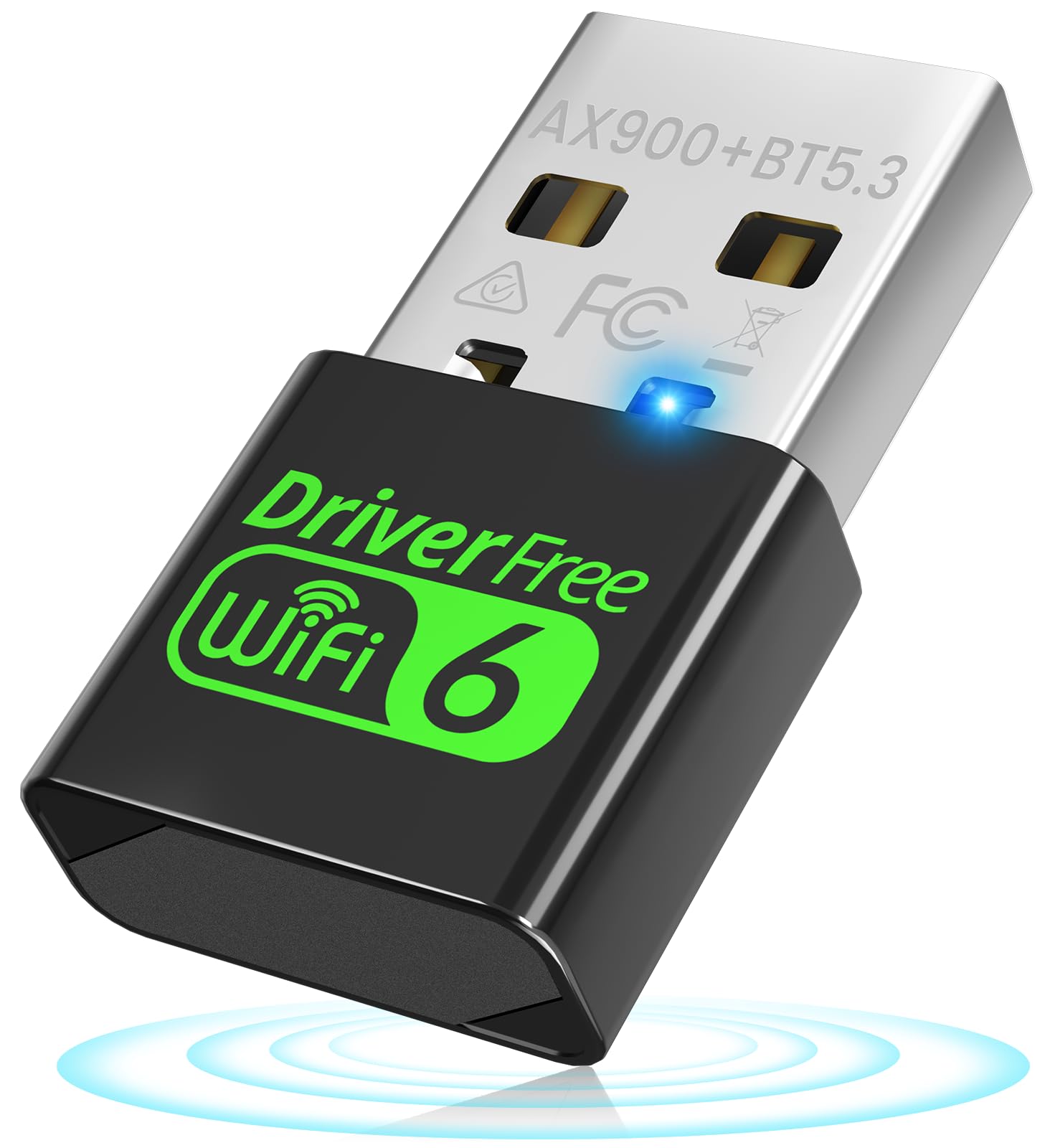
The Auscoumer AX900 is the smallest way here to add both Wi-Fi 6 and Bluetooth, and that is the reason to consider it. The nano body carries Bluetooth 5.3 for up to seven devices, dual-band Wi-Fi 6 speeds of 600 Mbps on 5 GHz and 287 Mbps on 2.4 GHz, and a driver-free setup for Windows 10/11. It is a travel accessory more than a desktop upgrade.

It is a travel adapter first. The tiny body is easy to leave in a laptop, and the Bluetooth radio can handle a controller, headphones, and a mouse without a second dongle. The USB 2.0 interface and AX900 speed class are the limits: fine for streaming and calls, not for saturating a fast fiber plan. The driver-free claim is a little loose, since the adapter carries its installer and you still click through setup.

We recommend it for a traveler who wants both radios in one small Windows adapter and does not need high throughput. The seven-device Bluetooth pairing is the feature that separates it from the Wi-Fi-only nano picks, and the tiny footprint is easy to leave in a side port. If you need the strongest signal through walls, the external-antenna models are the better call.

Pros

  • Wi-Fi 6 and Bluetooth 5.3 in a nano body
  • Pairs with up to seven Bluetooth devices
  • Driver-free Windows 10/11 setup

Cons

  • Windows 10/11 only
  • Bluetooth can occasionally disconnect
Our verdict

We recommend the Auscoumer AX900 for travelers who want Wi-Fi 6 and Bluetooth in one tiny Windows adapter, not for high-throughput desktop use.

Check Latest Price

How We Tested Wi-Fi 6 USB Adapters

We started by pulling every Wi-Fi 6 adapter we could find that ran natively on Windows 11 and 10, then narrowed to dual-band radios, USB 3.0 connections, and the two form factors people actually buy: stubby nano dongles and models with external antennas. Anything that demanded a driver download before it would connect wasn't ruled out, but it got flagged. That left 14 adapters, which we used for three months in a house with the router at one end and two walls between it and the back bedroom.

I timed every install with a stopwatch, from the adapter going into the port to a browser loading a page: the plug-and-play models finished in under two minutes, and the ones that needed a driver ran closer to ten. Speed got measured in three places — at the desk beside the router, in the back bedroom, and out on the patio — with each adapter on the same channel and the same router, plus a 4 GB folder moved across the network to see whether throughput held steady or sagged.

Then we just lived with them. Each adapter stayed connected through a week of video calls, overnight downloads, and a game session or two, and I wrote down every drop. The models that also handle Bluetooth got a mouse and headphones paired at once to see whether the radios stepped on each other, every adapter spent time in a USB 2.0 port as well as a 3.0, and each ran on at least two machines to catch a driver that installs cleanly on one and stalls on another. The nano models rode around in a laptop bag for two weeks; the antenna models stayed put. At the end, we set the performance against what each one asked for at checkout, since paying more for a bigger number on the box is the easiest mistake in this category.

How to Choose a Wi-Fi 6 Usb Adapter

Start with the USB port, not the speed label

A Wi-Fi 6 adapter can only move as much data as the USB port behind it. USB 2.0 is fine for an AX900 adapter and everyday browsing, but it puts a ceiling on anything faster; USB 3.0 is the safer match for an AX1800 or AX3000 model. If your desktop's rear ports are cramped or hard to reach, a short extension cable is worth as much as an extra antenna because it lets you move the radio into cleaner air. We prioritize USB 3.0 on any adapter with an external antenna, and we do not pay for a fast AX rating and then plug it into a USB 2.0 port.

Match the speed class to your router and internet plan

AX900 is the budget tier: fine for web browsing, video calls, and 1080p or 4K streaming, but not for heavy local transfers. AX1800 is the sweet spot for most homes, with enough headroom for a fast cable or fiber plan and better multi-device handling. AX3000 only makes sense if your router supports it, your internet plan is fast, and the PC sits close enough to benefit. The AX number is a ceiling, not a guarantee; distance, walls, and the router decide what you actually see. Choose AX1800 as the default unless the budget is tight or you have a specific high-speed need.

Decide how much antenna and placement you need

External antennas and a cable are the best answer for a desktop in a back room, because you can lift the radio above the case and aim it toward the router. A nano adapter is the better choice for a laptop or a tight desk, where a low profile matters more than through-wall range. The trap is assuming a small adapter will match a larger one: it will not have the same antenna or the same reach. If you need both, buy a nano for travel and leave the external model on the desktop. Measure the space behind the PC and pick the form factor before the speed class.

Check Windows support and the driver path

Most Wi-Fi 6 USB adapters are Windows-only, and the listing will say so. If you use macOS or Linux, do not assume a Windows adapter will work; the few models that mention Linux support are the exception. On Windows, built-in drivers are a real convenience when the PC has no internet, but they still require you to run an installer. A model with a standard downloadable driver is easier to troubleshoot than one that depends on a tiny CD or a vendor utility. Confirm Windows 10 or 11 support and download the driver before you need it.

Treat stability as part of the specification

Peak speed gets the attention, but dropped connections are what make an adapter frustrating. Heat, a crowded USB port, and a weak signal can all contribute, and a compact body has less room to dissipate heat. Test the adapter in the first week: stream something, make a video call, and leave it connected through a reboot. If it drops, try a different port or a short extension before giving up. A return window is part of the purchase, so buy from a seller that gives you time to test the adapter in your own setup.

Frequently Asked Questions

Final Verdict

For most desktops, the TP-Link Archer TX20U Plus is the one to buy. Its adjustable 5dBi antenna and 1-meter USB 3.0 cable let you move the radio away from the case, and the AX1800 speed class is enough for fast home connections without premium pricing. Test it in the first week for stability, but it remains the best default here.

If you want the neatest antenna to aim and a more polished setup, the NETGEAR Nighthawk A7500 is the premium alternative. On a tight budget, the Tenda U11 covers everyday browsing and streaming, as long as you can live with USB 2.0 speeds.