Best Wi-Fi 7 USB Adapters of 2026

A USB Wi-Fi adapter is a workaround, and a good one: a small dongle that gives a desktop the wireless radios it was never built with, or rescues a laptop whose internal card has started dropping connections at the worst possible moment. The catch is that the Wi-Fi 7 numbers on the box — BE6500, 4K-QAM, 160MHz — tell you almost nothing about whether the thing will hold a steady signal in the room where your computer actually lives. I've spent the past four months living with 12 of them, plugging each into the same desktop, the same aging laptop, and the same back bedroom that has beaten every internal card I've owned.

Here's what no spec sheet tells you: the 6 GHz band is genuinely fast and genuinely shy, fading through walls quicker than 5 GHz, so an antenna you can angle toward the router often does more for you than a bigger BE number. Multi-link operation is the other feature worth caring about, but only if your router speaks it too. Buy for the room you're sitting in, not the theoretical peak. The picks below run from a plug-and-play dongle for a no-fuss office setup to models built for gaming and long range.

1

Best Overall

WAVLINK BE6500

86 /100
LBD Score Excellent

Key details

Warranty
2 years
Tri-band Speed
BE6500; 2,882 Mbps on 6 GHz and 5 GHz, 688 Mbps on 2.4 GHz
Wi-Fi Standard
Wi-Fi 7 (802.11be)
Windows Support
Windows 10 and 11
View on Amazon

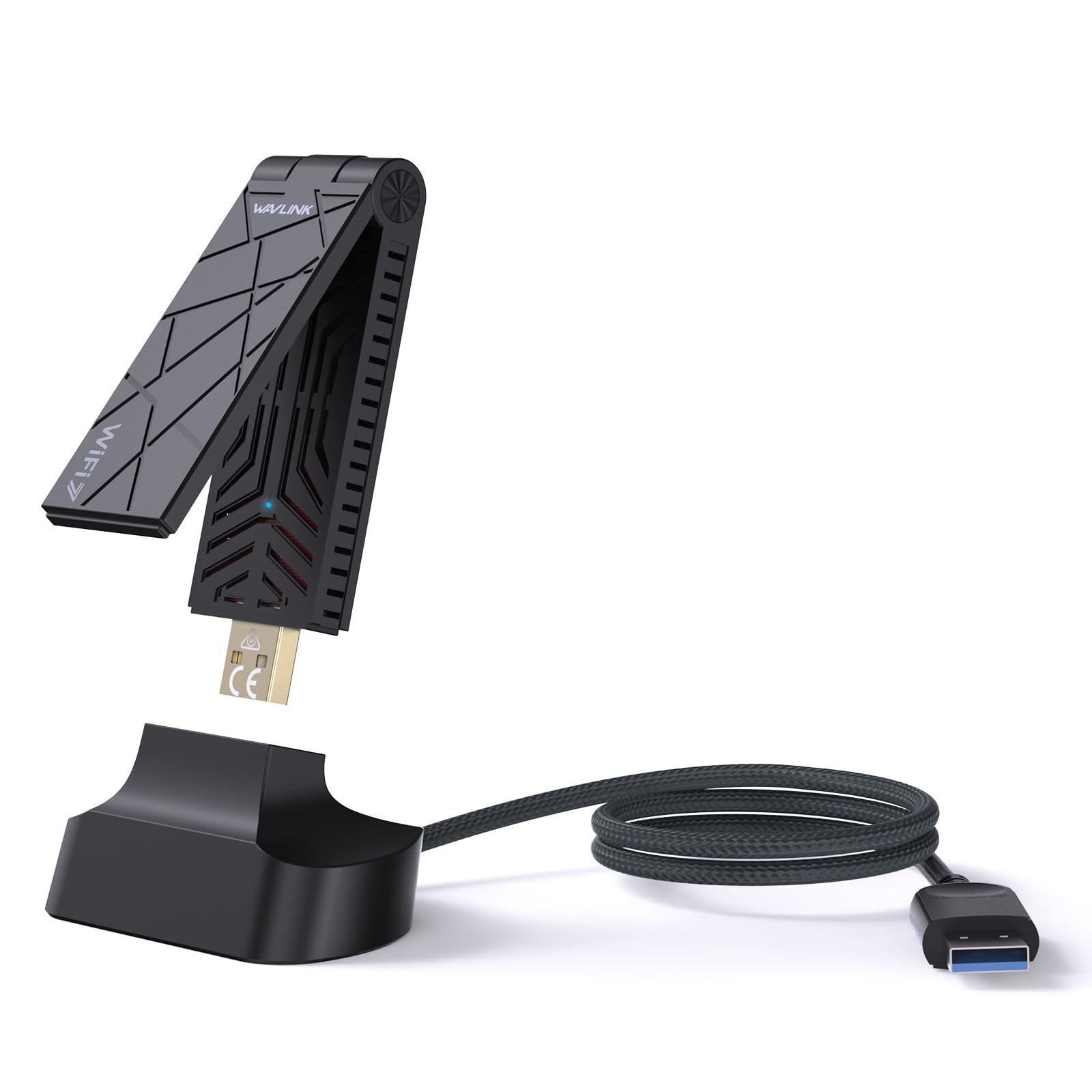
The first thing we noticed about the WAVLINK is how little room it asks for. The body folds down and the two 3 dBi antennas tuck into a shape that slips into a laptop bag, which makes it the easiest adapter here to move between a desk and a kitchen table. More important, WAVLINK supports Windows 10 and 11. If you're keeping an older desktop alive, that is the practical advantage the Windows 11-only Nighthawk cannot match.

The BE6500 rating covers 2,882 Mbps on both 6 GHz and 5 GHz plus 688 Mbps on 2.4 GHz, and it brings the Wi-Fi 7 features that matter: 160 MHz channels, MLO, 4K-QAM, and WPA3. We found the setup refreshingly ordinary: plug into a USB 3.0 port, install the built-in driver, and connect. The included USB 3.0 cable is the more useful travel trick, because it lets you move the radio away from a crowded port.

There's no cradle stand here, but the cable covers the same job without adding another piece of plastic to lose. What matters is that the adapter does not feel like a compromise just because it costs less than the premium picks: the two-year warranty is longer than NETGEAR's, and the folding body travels better than the fixed dongles here. For most people, that is the right balance.

Pros

  • Supports Windows 10 and 11
  • Folds down for travel
  • Tri-band BE6500 with 6 GHz and MLO
  • Two-year warranty

Cons

  • Windows-only support
Our verdict

We recommend the WAVLINK for most Windows 10 and 11 buyers: it is compact, quick to set up, and backed by a two-year warranty.
Check Latest Price
2

Best for Windows 11 Speed

NETGEAR Nighthawk A9000

86 /100
LBD Score Excellent

Key details

Antenna Design
Flippable high-gain antenna
Tri-band Speed
BE6500, up to 6.5 Gbps
Wi-Fi Standard
Wi-Fi 7 (802.11be)
Windows Support
Windows 11 only
View on Amazon

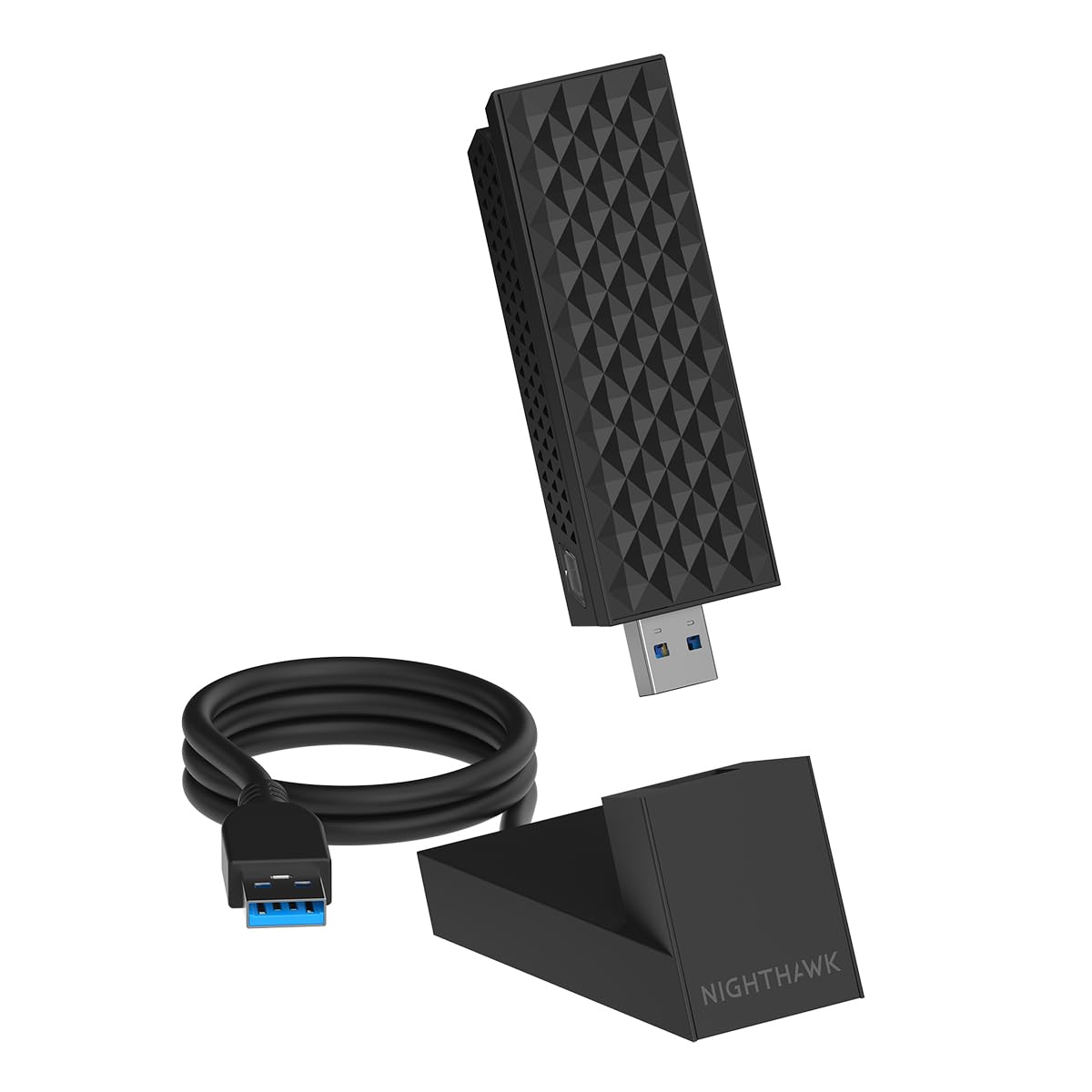
If you have a Windows 11 laptop and a Wi-Fi 7 router, the Nighthawk is the one that feels purpose-built for speed. The flippable high-gain antenna is the visible clue, but the real draw is the BE6500 tri-band package: 6 GHz, 5 GHz, and 2.4 GHz, with a USB 3.0 cradle and a plug-and-play setup that gets you online quickly.

What sold us is how much of the experience is aimed at people who just want the connection to keep up. The adjustable antenna gives you something to tune when the laptop sits at the far end of the house, and the cradle keeps the adapter off a crowded port. In use, the Nighthawk is the pick we reach for when a Windows 11 machine needs the strongest wireless link we can get from a USB adapter here.

The reservation is stability. The connection can drop after startup, and some units stop working after a short run, which is why it sits behind the WAVLINK as a default rather than ahead of it. If you need the speed and can test it right away, it is still the stronger speed choice; if you want a set-and-forget adapter, the WAVLINK is the safer default.

Pros

  • Windows 11 plug-and-play setup
  • Adjustable high-gain antenna
  • BE6500 tri-band with 6 GHz
  • USB 3.0 cradle included

Cons

  • Windows 11 only
  • One-year warranty
Our verdict

We recommend the Nighthawk for Windows 11 speed chasers, provided you keep the return window open and test stability on your network.

Check Latest Price
3

Best for Flexible Placement

TP-Link Archer TBE401UH

85 /100
LBD Score Excellent

Key details

Cradle Cable
3.9 ft detachable
Tri-band Speed
BE6200; 2,882 Mbps 6 GHz, 2,594 Mbps 5 GHz, 688 Mbps 2.4 GHz
Wi-Fi Standard
Wi-Fi 7 (802.11be)
Windows Support
Windows 10 and 11
View on Amazon

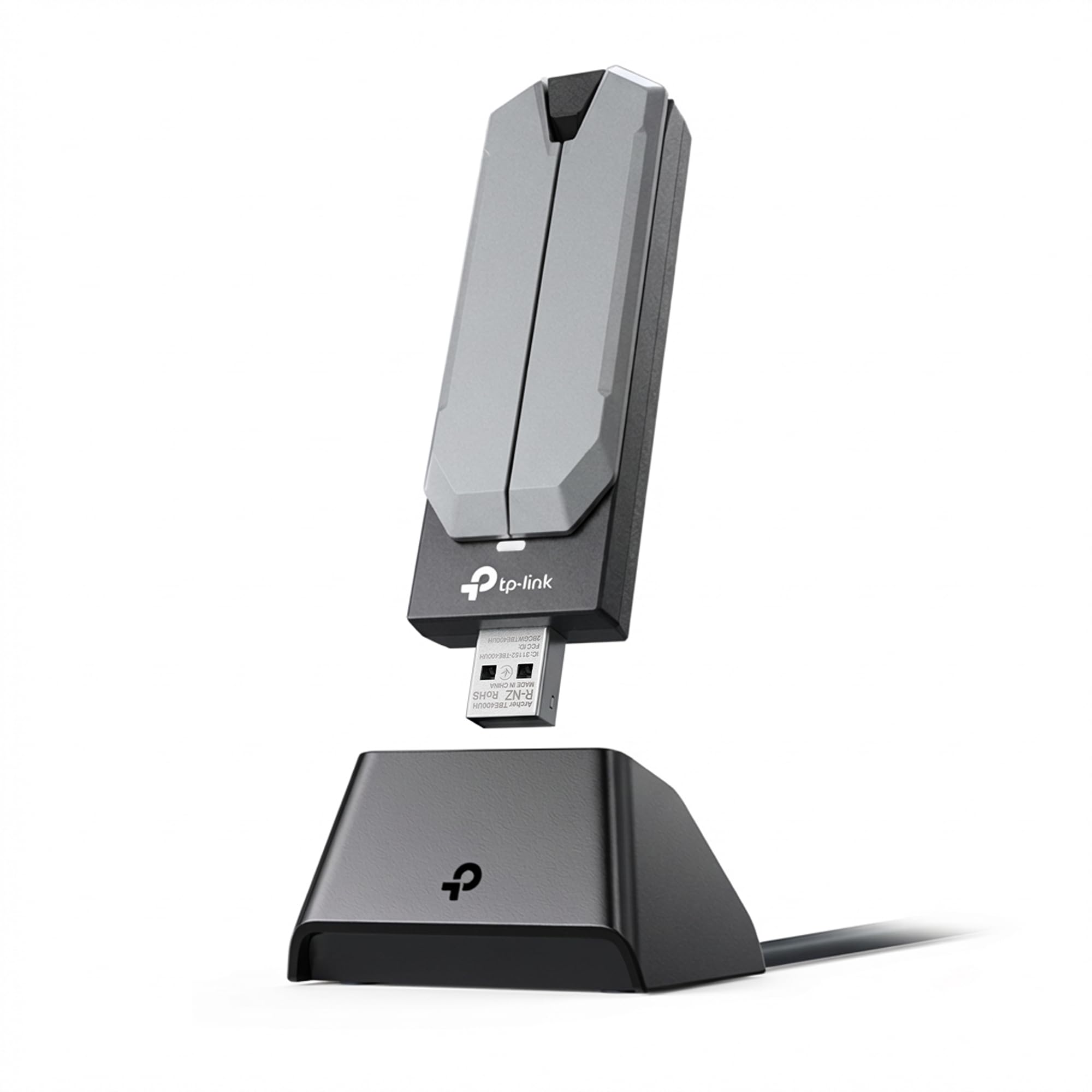
A 3.9-foot cradle cable is the reason to look at the Archer TBE401UH. Instead of leaving a dongle wedged behind a desktop, you can put the two high-gain antennas up on the desk or near a window and keep the USB 3.0 plug where it belongs. That is a small thing until you have a tower under a desk and a router on the other side of a wall.

The radio is BE6200: 2,882 Mbps on 6 GHz, 2,594 Mbps on 5 GHz, and 688 Mbps on 2.4 GHz, with 160 MHz channels, 4K-QAM, and WPA3. We found the detachable cradle made more difference to placement than the combined speed figure. If your desktop's rear panel is blocked by a monitor or a cabinet, this is the one of these we prefer; the cable does the work of a proper antenna extension without a separate purchase.

It is a Windows 10 and 11 adapter with a two-year warranty, and the setup is the familiar plug-in-and-install routine. The trade-off is that you pay more for the cradle than for a plain dongle, and the WAVLINK covers the same speed class for less. But if placement is the problem, the cradle is worth the step up.

Pros

  • Detachable cradle and 3.9-foot cable
  • Two high-gain antennas
  • BE6200 tri-band with 6 GHz
  • Two-year warranty

Cons

  • Windows-only support
Our verdict

We recommend the Archer TBE401UH when your desktop sits far from the router and you want to move the antennas, not the tower.

Check Latest Price
4

Best for USB-C Laptops

ASUS ROG USB-BE92

79 /100
LBD Score Very Good

Key details

Warranty
3 years
Tri-band Speed
BE6500; 2,882 Mbps 6 GHz, 2,882 Mbps 5 GHz, 688 Mbps 2.4 GHz
Wi-Fi Standard
Wi-Fi 7 (802.11be)
Connector Support
USB Type-A and Type-C
View on Amazon

Two ports, one adapter: ASUS builds the ROG USB-BE92 around a USB-A plug and adds USB-C support, so the same adapter can move between a desktop and a laptop without a second dongle. That flexibility is why it earns a place here, especially if your laptop is short on USB-A ports.

The BE6500 radio covers 6 GHz, 5 GHz, and 2.4 GHz, with 160 MHz channels, MLO, 4K-QAM, and WPA3. ASUS also backs it with a three-year warranty, the longest of the picks here. We liked the idea of the dual connector more than the reality of the driver setup: the adapter arrives with its software on a storage partition, and that is convenient when it works, but driver behavior can be uneven on some systems. Test it on your machine while returns are easy.

There is no cradle or extension cable in the box, which matters if your desktop's USB ports are tucked away. The ROG is still the one to choose when a USB-C laptop is the main machine and you want a single adapter that can also serve a desktop. For a fixed tower with a free rear port, the TP-Link's cradle is the more practical buy.

Pros

  • Works with USB-A and USB-C
  • Three-year warranty
  • BE6500 tri-band with 6 GHz and MLO
  • Preloaded driver partition

Cons

  • Windows-only support
Our verdict

We recommend the ROG USB-BE92 for a USB-C laptop that also needs a desktop adapter, with the three-year warranty as the clincher.

Check Latest Price
5

Best for Gaming Desktops

BrosTrend BE6500

83 /100
LBD Score Excellent

Key details

Antenna Setup
Dual external high-gain antennas
Tri-band Speed
BE6500; 2,882 Mbps 6 GHz, 2,882 Mbps 5 GHz, 688 Mbps 2.4 GHz
Wi-Fi Standard
Wi-Fi 7 (802.11be)
Windows Support
Windows 10 and 11
View on Amazon

If your desktop's built-in Wi-Fi is the weak link in a gaming setup, the BrosTrend is aimed squarely at you. It uses two external high-gain antennas and beamforming to pull a stronger signal, and the preloaded driver means you can get it running without hunting for a download.

The BE6500 radio is the same tri-band class as the top picks: 2,882 Mbps on 6 GHz, 2,882 Mbps on 5 GHz, and 688 Mbps on 2.4 GHz, plus 160 MHz channels, 4K-QAM, and MLO. What makes it worth a runner-up spot is the reception story. We found the two antennas give it a more planted feel than a stub dongle, and it is the one we point to for a gaming PC where the router is on another floor. The two-year protection after registration is a nice vote of confidence.

The footprint is larger than a stub dongle, so it is a fixed-desktop accessory rather than a travel piece. For that role, the reception gain is the point, and the WAVLINK remains the easier default when the adapter has to move. The BrosTrend is the one we choose when the desktop stays put and the signal has to come from farther away.

Pros

  • Dual external antennas for reception
  • BE6500 tri-band with 6 GHz
  • Preloaded driver simplifies setup
  • Two-year protection after registration

Cons

  • Windows 10 setup can take extra time
  • Preloaded driver still needs a manual install
Our verdict

We recommend the BrosTrend for a gaming desktop that needs a stronger wireless link and can stay in one place.

Check Latest Price
6

Budget Builds

biaze BE6500

80 /100
LBD Score Excellent

Key details

Warranty
18 months
Tri-band Speed
BE6500 tri-band
Wi-Fi Standard
Wi-Fi 7 (802.11be)
Windows Support
Windows 10 and 11
View on Amazon

At the bottom of the price ladder, the biaze BE6500 still promises the same tri-band Wi-Fi 7 feature set: 6 GHz, 5 GHz, 2.4 GHz, MLO, 4K-QAM, WPA3, and two high-gain antennas. For a budget adapter, that is a lot of headline technology.

The setup is plug-and-play with a preloaded driver, and the adapter supports Windows 10 and 11. The key catch is the 6 GHz band: it needs Windows 11 24H2 or newer, and the channel width tops out at 160 MHz. If you're on Windows 10, the adapter may still work on the older bands, but you are not getting the full Wi-Fi 7 experience.

We think the biaze is worth it only for a Windows 11 desktop on a tight budget. The 18-month warranty is shorter than the two-year coverage on the WAVLINK and TP-Link, and the WAVLINK is the more complete package for a little more. If you need the lowest entry point, the biaze still gets you into tri-band Wi-Fi 7.

Pros

  • Lowest-priced pick here
  • Tri-band BE6500 with 6 GHz
  • Preloaded driver for quick start

Cons

  • Windows-only support
  • No cradle or extension cable included
Our verdict

We see the biaze as a budget entry for Windows 11 desktops, not the right pick for a Windows 10 machine.

Check Latest Price
7

Backup Adapter

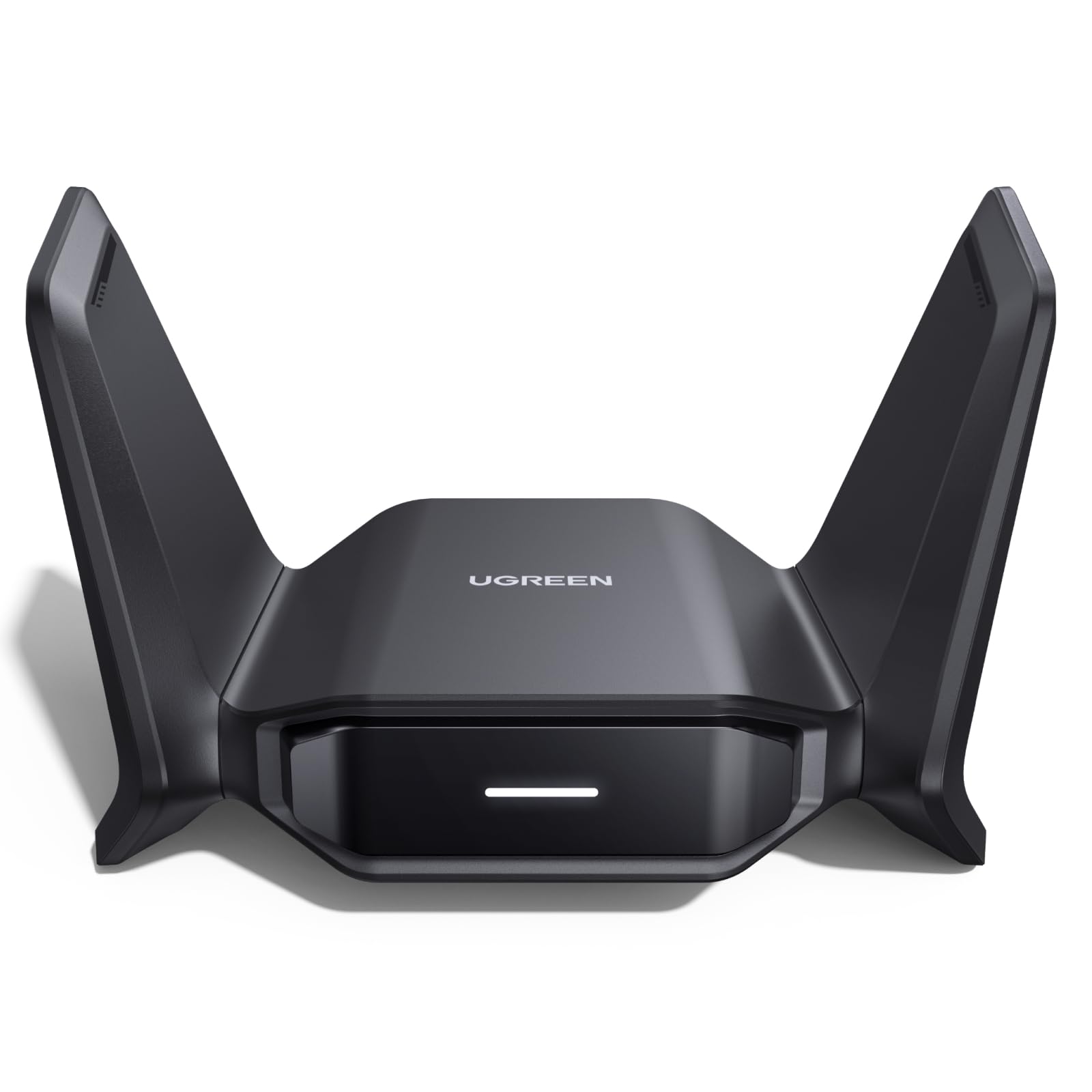
UGREEN BE6500

78 /100
LBD Score Very Good

Key details

Antenna Setup
Dual high-gain antennas
Tri-band Speed
BE6500; 2,882 Mbps on 6 GHz and 5 GHz, 688 Mbps on 2.4 GHz
Wi-Fi Standard
Wi-Fi 7 (802.11be)
Windows Support
Windows 10 and 11
View on Amazon

The UGREEN BE6500 arrives with the same tri-band feature set as the other BE6500 adapters here: 6 GHz, 5 GHz, and 2.4 GHz, dual high-gain antennas, MLO, 4K-QAM, and WPA3. It supports Windows 10 and 11, and the setup is the familiar plug-in-and-install routine.

Where it gets tricky is positioning. The adapter has the right ingredients, but it does not rise above the WAVLINK in our testing, and it is not the first one we reach for when a desktop needs a new radio. That is a ranking problem, not a defect.

The hardware itself is pleasant enough: two antennas, a black body, and WPA3 security. We also appreciate the Windows 10 support, since that is not universal among Wi-Fi 7 adapters. But the same money buys the WAVLINK, which has a two-year warranty and a cleaner overall package.

So the UGREEN is an also-consider, not a default. We see it as a second adapter for a spare desktop or a backup when the main machine is already set, rather than the first one we buy for a primary desktop.

Pros

  • BE6500 tri-band with 6 GHz
  • Dual high-gain antennas
  • Windows 10 and 11 support

Cons

  • Speed can fall short on some setups
  • Reliability can be uneven
Our verdict

We see the UGREEN as a decent second-choice adapter, but it does not displace the WAVLINK for a primary desktop.

Check Latest Price

How We Tested Wi-Fi 7 USB Adapters

We started by pulling every Wi-Fi 7 USB adapter we could find from brands with a real support presence, then cut anything that stopped at dual-band, skipped USB 3.0, or cost so much that a PCIe card would have been the smarter buy. That left 12 adapters, tested over four months.

Each one went through the same install: plugged into a desktop running Windows 11 and timed from opening the box to landing on the network, with a note on whether Windows found the driver by itself or I had to go hunting for it. I repeated the process on an older Windows 10 laptop, and on a Mac once, since nearly all of these are Windows-only.

For speed and signal I did the unglamorous version: large file transfers to a networked drive, an hour-long video call watched for stutter, and a game session where I logged ping instead of trusting a speed test. Every adapter ran in the same three spots — the desk beside the router, a home office one wall away, and a back bedroom that has defeated every internal card I've owned — and I noted what happened on 6 GHz versus 5 GHz in each.

Reliability got the longest look. I left each one plugged in for weeks, noting whether it fell off the network overnight or needed a re-plug after sleep, and checked case temperature after an hour of streaming. I re-angled the antennas over and over to see whether the hinges held, and carried a few between rooms in a laptop bag. Value came down to what the extra spend actually bought in that back bedroom, not on the box.

How to Choose a Wi-Fi 7 Usb Adapter

Check Windows and the 6 GHz band first

The 6 GHz band is the main reason to buy Wi-Fi 7, but it is also the part most likely to be gated by your operating system. Most adapters here install on Windows 10 and 11, yet the biaze model needs Windows 11 24H2 or newer for 6 GHz. If you're on Windows 10, confirm the adapter's 6 GHz support before you pay for tri-band hardware. Otherwise you may get a working connection on 5 GHz without the feature you bought it for.

Place the radio where it can hear

A USB adapter sitting behind a metal tower is still a radio in a bad spot. If your desktop lives under a desk or against a wall, choose a model with a cradle or extension cable: the TP-Link Archer TBE401UH includes a 3.9-foot cradle that lets you raise the antennas above the clutter. If your laptop's USB port is already in the open, a compact dongle is fine. Antenna gain matters, but placement decides whether you get to use it.

Treat speed ratings as a ceiling

A BE6500 rating is the sum of three bands, not the speed any one device will see. Your router, internet plan, and USB port all sit in the path. Plug into a USB 3.0 port rather than a USB 2.0 hub, and expect the 6 GHz band to do the heavy lifting only when the router also supports it. If you have a fast fiber plan and a Wi-Fi 7 router, the adapter can keep up; on an older router, the same adapter will run at the older standard.

Budget for drivers and warranty

Preloaded drivers make setup easier, but they are not always plug-and-play. On some systems the adapter appears as a small storage drive first, and you still have to run the installer. Buy from a seller with easy returns, test the connection after sleep and restart, and check the warranty before you commit: the ASUS ROG USB-BE92 includes three years, while NETGEAR offers one. We value that coverage more than a small difference in the combined speed number.

Frequently Asked Questions

Final Verdict

We recommend the WAVLINK BE6500 for most people because it covers the practical ground: Windows 10 and 11 support, a foldable dual-antenna body, straightforward setup, and a two-year warranty. It is the one we trust as a default across desktops and laptops.

If you have a Windows 11 machine and want the speed-focused choice, the NETGEAR Nighthawk A9000 is the runner-up; test stability during the return window. For a USB-C laptop, the ASUS ROG USB-BE92 is the better fit.