Best Webcams for Video Conferencing of 2026

You don't think about your webcam until the moment it counts — a final-round interview, a client pitch, a call with the one person whose opinion actually matters. Then you open the laptop, see a grainy gray version of yourself lit from below, and start rearranging desk lamps. A dedicated webcam fixes that: a bigger sensor, an actual lens, and a microphone that doesn't sound like it's at the bottom of a coffee mug.

I'm on video calls most of the day, and my team and I spent the last eight months testing 12 webcams through real meetings rather than test charts. Resolution is the most oversold number on the box, since most platforms compress your feed anyway — a well-lit 1080p camera routinely beat a dim 4K one, and sensor size, low-light handling, and mic quality decided far more calls.

What people notice instantly is a camera that keeps losing their face, an autofocus that hunts whenever they reach for a notebook, or a mount that slides down a thin laptop lid mid-sentence. We watched for all three. The picks below range from plug-in-and-forget-it to worth configuring properly before your next big call.

1

Best Overall

Anker PowerConf C200

89 /100
LBD Score Excellent

Key details

Privacy
Integrated slide cover
Microphone
Dual mics with AI noise cancellation
Resolution
2K
Field Of View
65°, 78°, or 95°
View on Amazon

The switchable field of view is what makes the PowerConf C200 our default. The lens can be set to 65, 78, or 95 degrees in Anker's software, and in our testing the widest setting was the easiest way to keep a second person in frame without moving the camera. The tightest setting is better for a solo call in a small room, where a wide lens would show the whole kitchen.

The 2K sensor and low-light correction produce a clean image without a ring light, and the dual mics with AI noise cancellation kept our voices ahead of a nearby fan. The integrated privacy cover is a simple slide, and the camera clips onto a monitor without drama. We did notice the color leaning warm under mixed indoor light, which is easy enough to correct in the app if you care.

The software is where you fix framing and exposure, so budget a few minutes for setup; the reward is a frame that fits your room rather than the other way around. Even with that, this is the camera we point most people to first, because it covers the common meeting without asking for a premium budget.

Pros

  • Switchable 65, 78, or 95 degree framing
  • 2K image with low-light correction
  • Dual mics with AI noise cancellation
  • Integrated privacy slide cover

Cons

  • Autofocus can hunt in low-contrast light
Our verdict

We recommend the PowerConf C200 as the default desk webcam because its switchable framing, 2K image, and dual mics cover most meetings without fuss.

Check Latest Price
2

Best 1080P Workhorse

Logitech C920x

93 /100
LBD Score Outstanding

Key details

Audio
Stereo
Focus
Autofocus
Resolution
1080p at 30 fps
Field Of View
78°
View on Amazon

Stereo mics are the detail that keeps the C920x relevant. Most webcams here use a single mic or a compact array, but the C920x records stereo, and in our testing voices had a little more natural separation than the mono picks. The 78-degree autofocus lens is a sensible middle ground: wide enough for a desk, tight enough that your face is not a dot in the corner.

Video is 1080p at 30 fps, which is still fine for Teams, Zoom, and Meet. The image holds up in normal office light, and the autofocus locked quickly in our calls. Compatibility is the quiet strength: it works with the major meeting apps without a driver hunt, and the monitor clip is sturdy enough to stay put.

What you give up is the latest image processing. The C920x does not chase 2K or 4K, and it is the better choice for someone who wants a familiar camera rather than a project. Otherwise, this is the least fussy 1080p camera in the group, and the one we reach for when we do not want to think about settings.

Pros

  • Stereo audio for more natural voice separation
  • 78-degree autofocus lens
  • Broad meeting-app compatibility
  • 1080p at 30 fps

Cons

  • No built-in privacy shutter
  • 1080p image trails 2K and 4K picks in low light
Our verdict

We still recommend the C920x for anyone who wants a familiar 1080p workhorse with stereo audio and broad app compatibility.

Check Latest Price
3

Best for Presenters

Insta360 Link 2

91 /100
LBD Score Outstanding

Key details

Sensor
1/2-inch with HDR
Tracking
AI pan and tilt
Microphone
AI noise-canceling
Resolution
4K
View on Amazon

The Link 2 does something no fixed webcam here does: it physically pans and tilts to follow you. We stood up in the middle of a call and the camera moved with us, keeping our face in frame instead of turning us into a distant speck. The movement is smooth enough that it reads as camera work, not surveillance.

The 1/2-inch sensor and HDR are the bigger reason to pay for it. In a room with a bright window behind us, the Link 2 held onto face detail that cheaper cameras turned into a silhouette. The 4K image is sharp, and PDAF autofocus snaps into place quickly. This is the one we choose for presenting, teaching, or any call where we move around.

The camera parks facedown when idle, which is a neat privacy move but makes the start of a call feel a little mechanical. The magnetic mount is easy to reposition, and the privacy posture is more reassuring than a slide cover.

The 4K feed is demanding on older laptops, so drop to 1080p if your call stutters. If you mostly sit still, the Anker PowerConf C200 does the job for less. If your calls involve a whiteboard, a demo table, or standing up, the Link 2 earns the premium.

Pros

  • Physical AI pan and tilt tracking
  • 4K HDR image from a 1/2-inch sensor
  • PDAF autofocus
  • AI noise-canceling microphone

Cons

  • AI tracking can feel busy if you fidget
Our verdict

We recommend the Link 2 for presenters and teachers who move around, because its physical tracking and 4K HDR image keep them framed.

Check Latest Price
4

Best Premium 4K

Logitech MX Brio

88 /100
LBD Score Excellent

Key details

Sensor
70% larger pixels
Microphone
Dual beamforming mics
Resolution
4K at 30 fps / 1080p at 60 fps
Image Controls
ISO, shutter, tint, vibrance
View on Amazon

The MX Brio's appeal is the control panel. ISO, shutter speed, tint, vibrance, and white balance are all adjustable, and the camera can also run in auto mode. We spent more time in the software than we expected, mostly because the manual controls let us match a warm desk lamp without turning the whole frame orange.

The 4K sensor with larger pixels is genuinely better in difficult light than the cheaper 1080p cameras here. In a dim home office, faces kept detail that the C920x smoothed away, and the 1080p/60 mode is a useful option for motion. The dual beamforming mics are fine for a solo call, though they will not rescue you from a noisy kitchen.

Show Mode is the feature we did not expect to use: tilt the camera down and it becomes a document camera for a sketch or a product on the desk. That small trick is more useful than another resolution bump. This is the premium pick for people who care about image and are willing to tinker.

The MX Brio is also heavier than the 1080p picks, so it is not the one to toss in a bag for travel. It is a desk camera, and it rewards being set up once and left alone.

Pros

  • Fine manual image controls
  • 4K sensor with 70% larger pixels
  • Show Mode for documents and products
  • Dual beamforming noise-reducing mics

Cons

  • Mount can slump on thin monitors
Our verdict

We recommend the MX Brio for image-conscious callers who want 4K, low-light detail, and fine controls in a single camera.

Check Latest Price
5

Best Budget Wide-Angle

NexiGo N60

88 /100
LBD Score Excellent

Key details

Privacy
Privacy cover
Microphone
Noise-canceling
Resolution
1080p at 30 fps
Field Of View
110°
View on Amazon

The 110-degree lens is the reason to consider the N60. It pulls a whole desk into frame, and in our testing it was the easiest way to include a second person without moving the camera. For a tight budget or a shared desk, that width is the selling point.

The 1080p image is clear in good light, but faces get smaller as the lens widens. The mic is fine for a solo call; in a shared room it picks up more of the room than the dual-mic picks here. Setup is plug-and-play, and the privacy cover is a welcome inclusion at this end of the market.

The wide view is not adjustable, so you will crop in software if you want a tighter frame. That is the trade-off for the price: the N60 gives you the widest frame here and asks you to manage the consequences. If you mostly meet alone in a quiet room, it is an easy budget choice, but it is not the camera for a polished interview setup.

Pros

  • 110-degree wide field of view
  • Built-in privacy cover
  • Plug-and-play USB setup
  • 1080p at 30 fps

Cons

  • Fixed focus softens close-ups
Our verdict

We recommend the N60 for tight budgets and shared desks, where its 110-degree view and privacy cover matter more than polish.

Check Latest Price
6

Best 4K Value

EMEET NOVA 4K

90 /100
LBD Score Outstanding

Key details

Focus
PDAF, 7.9–118 in
Mount
360° rotation, 180° stand
Resolution
4K at 30 fps
Field Of View
73°
View on Amazon

The NOVA puts PDAF autofocus and 4K in the budget aisle. The focus range is listed as 7.9 to 118 inches, and manual focus is not supported, so the camera wants you to sit at a desk rather than lean into the lens.

The 4K image is sharp when you are in focus, and the 73-degree view is a sensible middle ground for a solo call. The dual mics cover a normal speaking voice; they will not flatter a noisy room. The privacy cover is built in, and the mount is more flexible than most, with 360-degree rotation, 15-degree vertical adjustment, and a 180-degree stand.

That flexible mount is the detail we appreciated most. It lets you angle the camera on a monitor or stand it on a shelf without hunting for a tripod. The picture is not as clean in low light as the premium picks, but it is respectable for the price.

For a first 4K camera or a backup for travel, the NOVA is a strong value. If you need rock-solid focus or a mic for a noisy shared office, spend more.

Pros

  • 4K at 30 fps
  • PDAF autofocus within a stated range
  • Flexible 360-degree mount
  • Built-in privacy cover

Cons

  • Autofocus can hunt near its range limits
Our verdict

We recommend the NOVA 4K for budget-minded buyers who want 4K resolution, PDAF autofocus, and a flexible mount.

Check Latest Price
7

Best Simple Budget

Acer A610

88 /100
LBD Score Excellent

Key details

Connection
USB-A with USB-C adapter
Microphone
Dual noise-reduction mics
Resolution
1080p
Field Of View
83°
View on Amazon

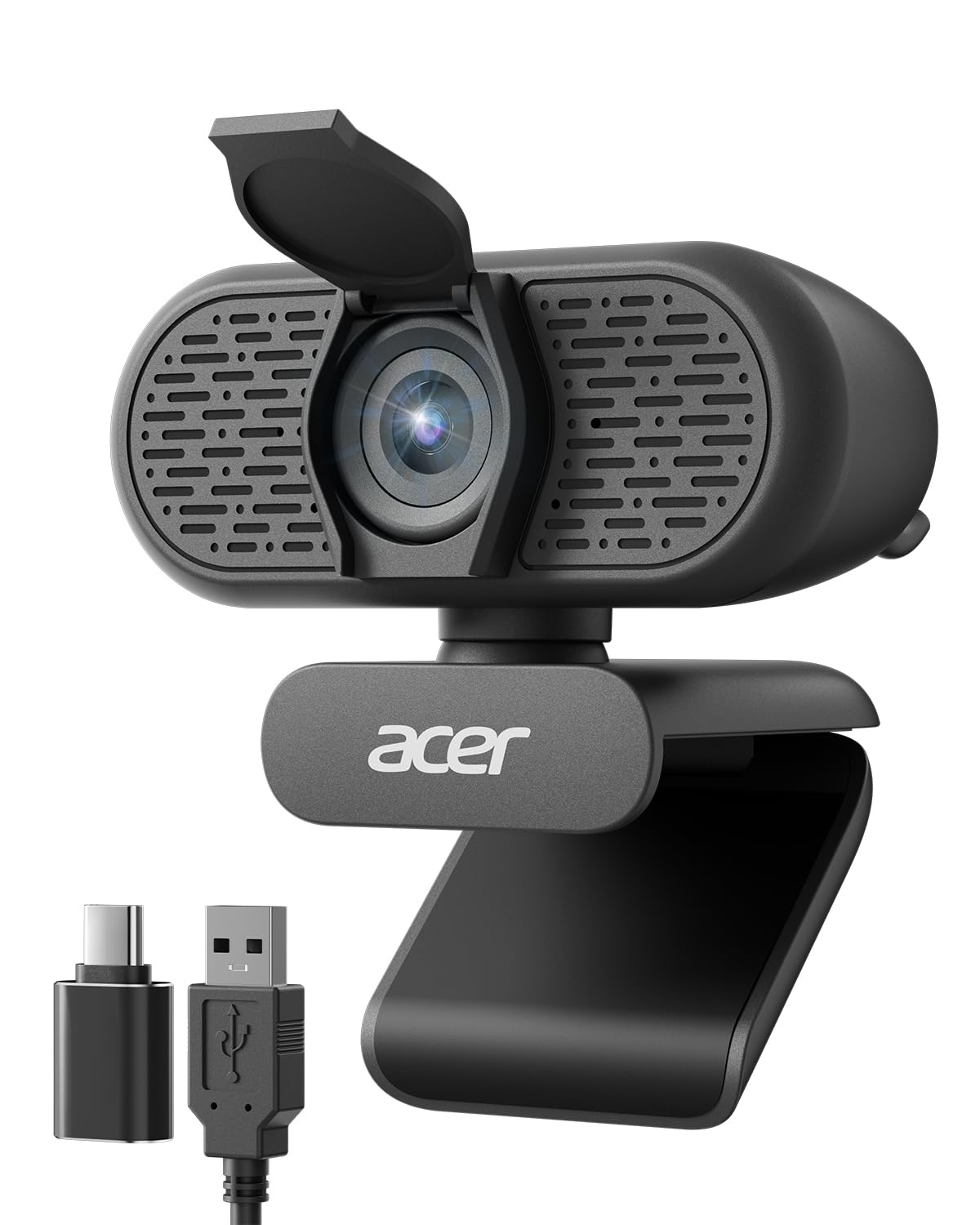
The A610's best trick is in the box: a USB-A cable plus a USB-C adapter, so it works with a desktop tower and a laptop without a dongle hunt. The 83-degree lens is a natural solo-call frame, and the 1080p image is clear in normal light. At this size, it is easy to forget the camera is on the monitor.

Setup is plug-and-play, and the privacy cover is built in. The dual noise-reduction mics are fine for a quiet room; in a noisy kitchen they pick up more background than the Anker PowerConf C200. The mount rotates 360 degrees, which helps on a monitor with a curved top, and the clip has enough grip to stay put once you set the angle.

Fixed focus keeps the price down, and it is the main compromise: text on a whiteboard or a product held close to the lens can look soft. For a straightforward desk camera that just works, the A610 is the simplest budget pick here, and the one we hand to someone who does not want to open a settings menu.

Pros

  • USB-A cable and USB-C adapter included
  • 1080p image with 83-degree view
  • Dual noise-reduction mics
  • Built-in privacy cover

Cons

  • Fixed 83-degree field of view
Our verdict

We recommend the A610 for a simple, low-cost 1080p setup, especially if you need both USB-A and USB-C connections.

Check Latest Price
8

Budget 4K

Philips 4K Webcam

85 /100
LBD Score Excellent

Key details

Focus
Autofocus
Privacy
Physical privacy shutter
Resolution
4K
Field Of View
90°
View on Amazon

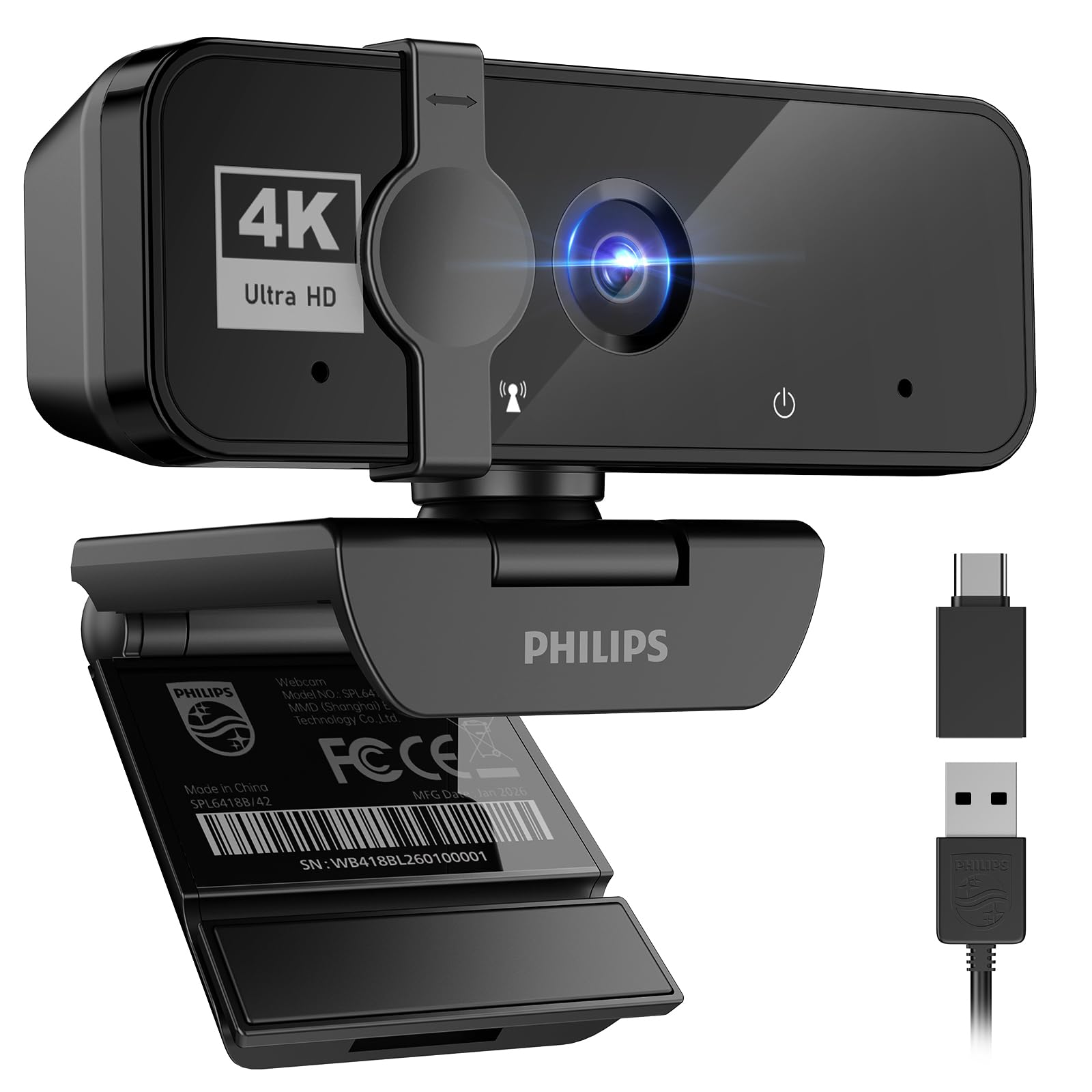
The Philips 4K webcam is the budget 4K outlier: a 90-degree autofocus lens, a physical privacy shutter, and a plug-and-play USB connection. On paper, it looks like a lot of camera for the money.

In our testing, the 4K image was crisp enough for meetings, and the autofocus settled quickly in a normally lit room. The privacy shutter is a proper slide, not a clip-on cover, which we prefer. It is a simple camera to live with.

The rest of the package is basic. The built-in mic is clear for a solo call but not as polished as the dual-mic picks here. The mount is a simple clip, and the body feels lighter than the premium cameras. Those are fair compromises at this end of the market.

If 4K is the priority and you mostly sit still in good light, the Philips is a value buy. If you need a more proven workhorse or a better mic, the Anker PowerConf C200 is the safer choice.

Pros

  • 4K resolution
  • 90-degree autofocus lens
  • Physical privacy shutter
  • Plug-and-play USB setup

Cons

  • Fixed 90-degree field of view
Our verdict

We recommend the Philips 4K for budget shoppers who want a crisp 4K image and a real privacy shutter without paying premium.

Check Latest Price

How We Tested 12 Webcams Through Eight Months of Meetings

We started with a list of roughly 40 webcams and narrowed it by reading spec sheets and one-star reviews — filtering for connection type, mounting options, and whether a camera could sit on a desktop monitor as comfortably as on a thin laptop lid. Twelve made the cut and lived on my desk for eight months, clipped in turn to an external display, a laptop lid, and a curved screen.

Each camera got the same week of real work: a 20-minute morning standup, a client call, a family video chat, and one deliberately punishing session with a bright window behind me in the afternoon and a single desk lamp after dark. I timed how long each took from opening the box to being live on a call, and noted whether my computer installed anything on its own or sent me hunting for a driver.

On the other end, three coworkers rated short clips blind — first on picture alone, then on audio alone through headphones. I also logged the things you only catch after a few weeks: a mount that crept down a bezel, a camera that needed unplugging after the laptop woke from sleep, autofocus that hunted every time I reached for a notebook, a privacy cover that took two hands to slide.

Every model ran through Zoom, Teams, Google Meet, and Webex on both a Mac and a Windows laptop, and I recorded the microphone in a room with a hard floor and no curtains — the space most of us actually work in.

How to Choose a Webcam for Video Conferencing

Resolution: 1080p, 2K, or 4K

For most meetings, 1080p at 30 fps is still enough; the person on the other end sees a compressed stream, not the full sensor output. 2K is the sweet spot in this group because it gives you a little crop room without demanding a fast laptop. 4K earns its keep if you present detailed work, record locally, or want to crop into the frame. Check your meeting app's output resolution before paying for pixels it will discard.

The trap is assuming 4K fixes a dim room. A larger sensor and good processing matter more, and the Anker PowerConf C200 handles low light better than some 4K cameras here.

Field of view and framing

Field of view is the spec that changes how you look on every call. A 60- to 70-degree lens frames one person closely; 78 to 90 degrees is the usual desk range; 95 to 110 degrees pulls in a second person or a messy room. Fixed lenses are the trap: a wide camera that cannot be narrowed makes you small in the frame. Adjustable software framing, like the Anker PowerConf C200's three presets, is worth more than a few extra degrees. If you move around, a PTZ camera like the Insta360 Link 2 follows you instead of asking you to stay put.

Light, focus, and image processing

Resolution gets the headlines, but light and focus decide whether you look good. A camera with low-light correction and a decent sensor keeps skin tones and detail when your desk lamp is behind you. Autofocus helps at close range and on whiteboards; fixed focus is fine for a solo desk but softens when you hold something up. The Logitech MX Brio's larger pixels and the Insta360 Link 2's HDR sensor are the strongest low-light performers here. If your room is dim, fix the light before you upgrade to 4K.

Microphone and room noise

Built-in mics are convenient, not magical. A single mic is fine in a quiet office; dual mics with noise cancellation, like those on the Anker PowerConf C200 and EMEET NOVA 4K, do better when a fan or a keyboard is nearby. If you take calls all day, a headset or a dedicated speakerphone still beats any webcam mic in a noisy room. Test your setup by recording a minute and listening back; that tells you more than a spec sheet.

Mounting, privacy, and connection

The mount is the part you live with. A clip that fits your monitor bezel and a tripod thread give you options; a weak clip lets the camera slump. A privacy shutter is worth having, but check that it does not block the top of your screen. On connection, USB-A is still the safe default; a USB-C adapter helps with newer laptops. Check the clip's thickness range before you buy if your monitor has a thick bezel.

Frequently Asked Questions

Final Verdict

Start with the Anker PowerConf C200. Its switchable 65/78/95-degree framing is the most useful feature here for a typical desk, and the 2K image and dual noise-canceling mics cover everyday meetings without asking you to become a lighting technician. If you present while standing or teaching from a whiteboard, the Insta360 Link 2's physical tracking is worth the premium. If you just want a familiar 1080p camera and do not need a privacy shutter, the Logitech C920x remains the low-drama choice.