Best Ultrawide Monitors of 2026

A few years ago I replaced two cramped 24-inch monitors with one wide curved panel and have never been tempted to go back. The appeal isn't just extra inches; it's one uninterrupted workspace where a spreadsheet, a browser, and a video call sit side by side without a bezel in the middle. What I didn't expect was how much the experience depends on things you can't judge in a store: even backlighting across a dark document, crisp text near the curve's edges, and a stand that lifts the panel to eye level. A good ultrawide clears the clutter; a bad one adds a dongle and a dull picture.

We have spent eight months with 12 ultrawide monitors, using them for spreadsheets, video calls, movies, and games, and weighing what reviews rarely capture: brightness in a sunlit room, power draw, USB-C charging, stand durability, and whether the money felt earned. One lesson: an HDR badge here often means the monitor accepts the signal, not that it displays a truly bright image. The picks below are the ones that held up.

1

Best Overall

Dell S3425DW

86 /100
LBD Score Excellent

Key details

Resolution
3440 x 1440
Screen Size
34 inches
USB-C Power
65W
Refresh Rate
120 Hz
View on Amazon

The Dell S3425DW is the ultrawide we recommend to most people, because it gets the everyday balance right: a 34-inch 3440 x 1440 panel that fits a normal desk, a 120Hz refresh rate, and USB-C with 65W power delivery. We like that combination because it turns a laptop into a one-cable desktop without asking you to give up sharp text or a smooth mouse pointer. The 95% DCI-P3 coverage and 3,000:1 contrast are the other reasons it lands here: spreadsheets, photos, and video all look more considered than on a basic office panel.

We spent most of our time switching between documents and games, which is where this Dell makes its case. The 120Hz refresh is not a gaming-only extra; it makes scrolling and window dragging feel calmer, and the 34-inch width gives you two useful windows without the head-turning of a 49-inch screen. The built-in 10W speakers are clear enough for meetings, though we still reach for headphones for music. The 65W USB-C is enough to charge a typical ultraportable while the display runs.

The stand adjusts for height and tilt, and the 20.7-pound body feels planted once it is in place. We also appreciate the anti-glare finish in a bright room; it keeps reflections from washing out the picture. This is a monitor that looks tidy on a desk rather than shouting about itself, which is part of why it stays our default.

Pros

  • 120Hz makes scrolling and motion smoother
  • USB-C carries display and 65W charging
  • 3440 x 1440 stays sharp at 34 inches
  • 95% DCI-P3 color and 3,000:1 contrast

Cons

  • 65W USB-C may be tight for large laptops
  • 31.8-inch width needs desk space
Our verdict

The S3425DW is the ultrawide we recommend to most people: sharp 34-inch 1440p, smooth 120Hz, and one-cable USB-C in a package that fits a normal desk.
Check Latest Price
2

Best Value

LG 34WR55QK-B

90 /100
LBD Score Outstanding

Key details

Panel Type
VA
Resolution
3440 x 1440
Screen Size
34 inches
Refresh Rate
100 Hz
View on Amazon

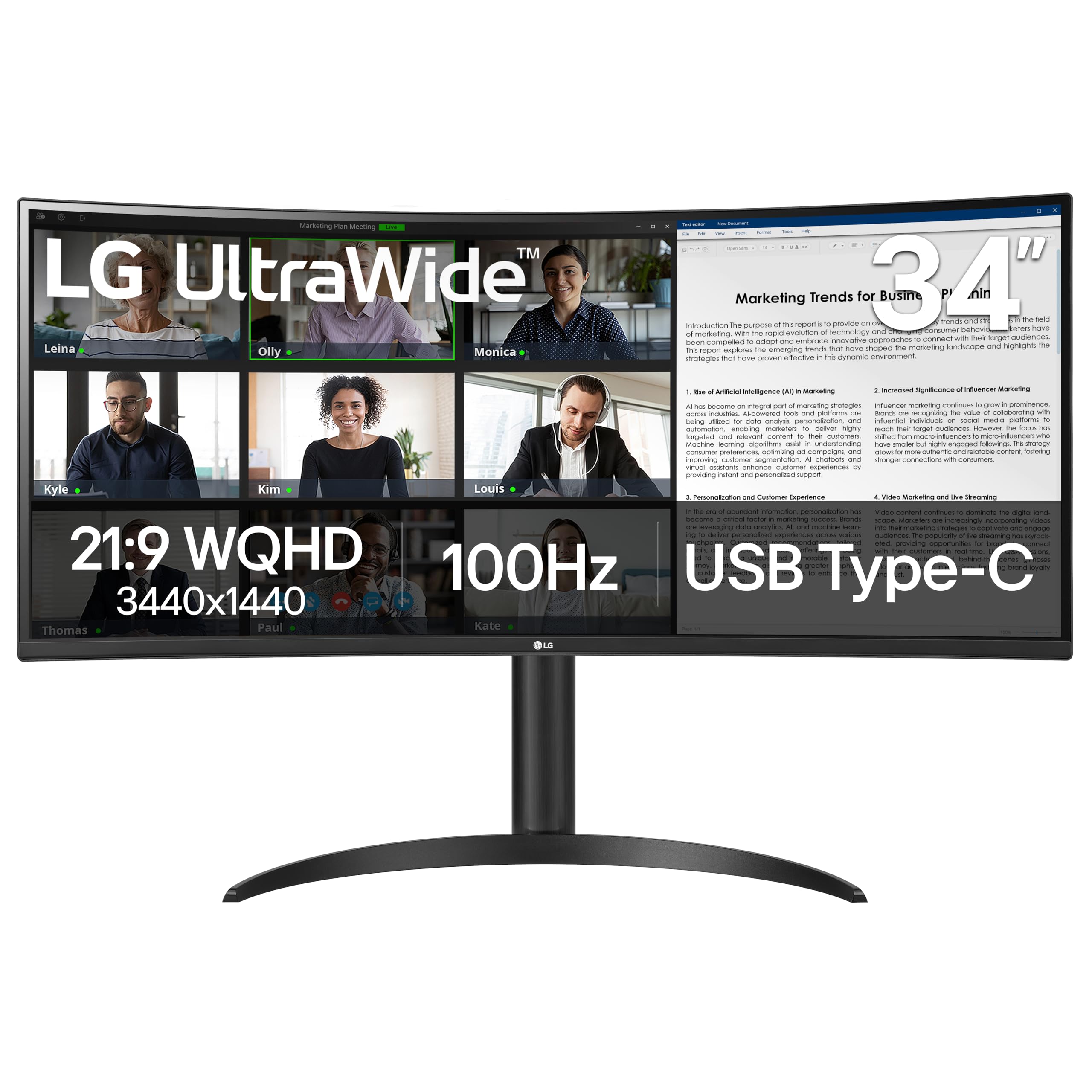
The LG 34WR55QK-B is the value case in this group: a curved 34-inch 3440 x 1440 panel, 100Hz refresh, and USB-C with 65W power delivery for a one-cable desk. Compared with the Dell, it gives up some color coverage and 20Hz of refresh, but it also asks less of your budget. That trade is easy to live with if your day is mostly email, documents, and a browser full of tabs.

We recommend it most for a second desk or a first ultrawide where the Dell is more than you want to spend. The VA panel's 3,000:1 contrast gives dark scenes real depth, and the 100Hz refresh is a clear step up from a 60Hz office screen. In fine print at the edges, though, the VA panel is not as crisp as the Dell's, and the 100Hz ceiling is the main reason we do not call it the gaming pick. The height-adjustable stand and 99% sRGB coverage are welcome at this end of the range.

Ports are sensible: two HDMI inputs, DisplayPort, and USB-C with 65W charging for an ultraportable, plus a small USB hub. We also like the gentle curve for a 34-inch screen; it keeps the edges in view without making spreadsheets feel warped. For a work-first ultrawide that leaves money for a better chair, this is the one we point to.

Pros

  • Curved 3440 x 1440 panel at a value price
  • 65W USB-C for display and laptop charging
  • Height-adjustable stand with a small USB hub

Cons

  • 65W USB-C may be tight for larger laptops
Our verdict

The LG 34WR55QK-B is our value pick: a curved 34-inch 1440p work screen with 65W USB-C and a height-adjustable stand.

Check Latest Price
3

Best Super-Ultrawide

Samsung Odyssey G9 G91F

81 /100
LBD Score Excellent

Key details

Curvature
1000R
Resolution
5120 x 1440
Screen Size
49 inches
Refresh Rate
144 Hz
View on Amazon

A 49-inch 32:9 screen is less a monitor than a desk surface: the Samsung Odyssey G9 G91F measures 45.2 inches wide, and its 1000R curve wraps the ends toward you so you are not turning your head as far as a flat panel would demand. That is the appeal. You get 5120 x 1440 pixels, which is effectively two 27-inch 1440p windows side by side, and a 144Hz refresh for games.

Set it up and the first thing you notice is how much more natural two full-size documents feel than on a 34-inch ultrawide. The 1000R curve is aggressive enough to keep the corners in view, but it also makes the screen feel more like a cockpit than a window; we liked it for games and timelines, less so for a single full-screen video. The 144Hz panel and FreeSync Premium Pro keep fast motion smooth, and DisplayHDR 600 gives highlights more punch than the basic HDR400 panels here.

This is the pick for someone who has the desk and wants one screen to replace two. The G91F is not the most color-accurate choice for print work, and 5120 x 1440 still leaves black bars around standard 16:9 video. What it does better than anything else here is immersion: games, trading charts, and video timelines fill your view in a way a 34-inch cannot. If that is the goal, the G91F is the super-ultrawide we recommend first.

Pros

  • 5120 x 1440 gives two full-size 1440p windows
  • 144Hz refresh with FreeSync Premium Pro
  • 1000R curve keeps the wide edges in view
  • DisplayHDR 600 adds contrast and highlight punch

Cons

  • 45.2-inch width and 34.4-pound body need a big desk
  • MacBook support at 5120 x 1440 needs checking
Our verdict

The G91F is the super-ultrawide we recommend when you want two full-size windows and a 144Hz gaming screen in one 49-inch panel.

Check Latest Price
4

Best 1080P Ultrawide

LG 34U530A-W

84 /100
LBD Score Excellent

Key details

Ports
HDMI, DisplayPort, USB-C
Resolution
2560 x 1080
Screen Size
34 inches
Refresh Rate
100 Hz
View on Amazon

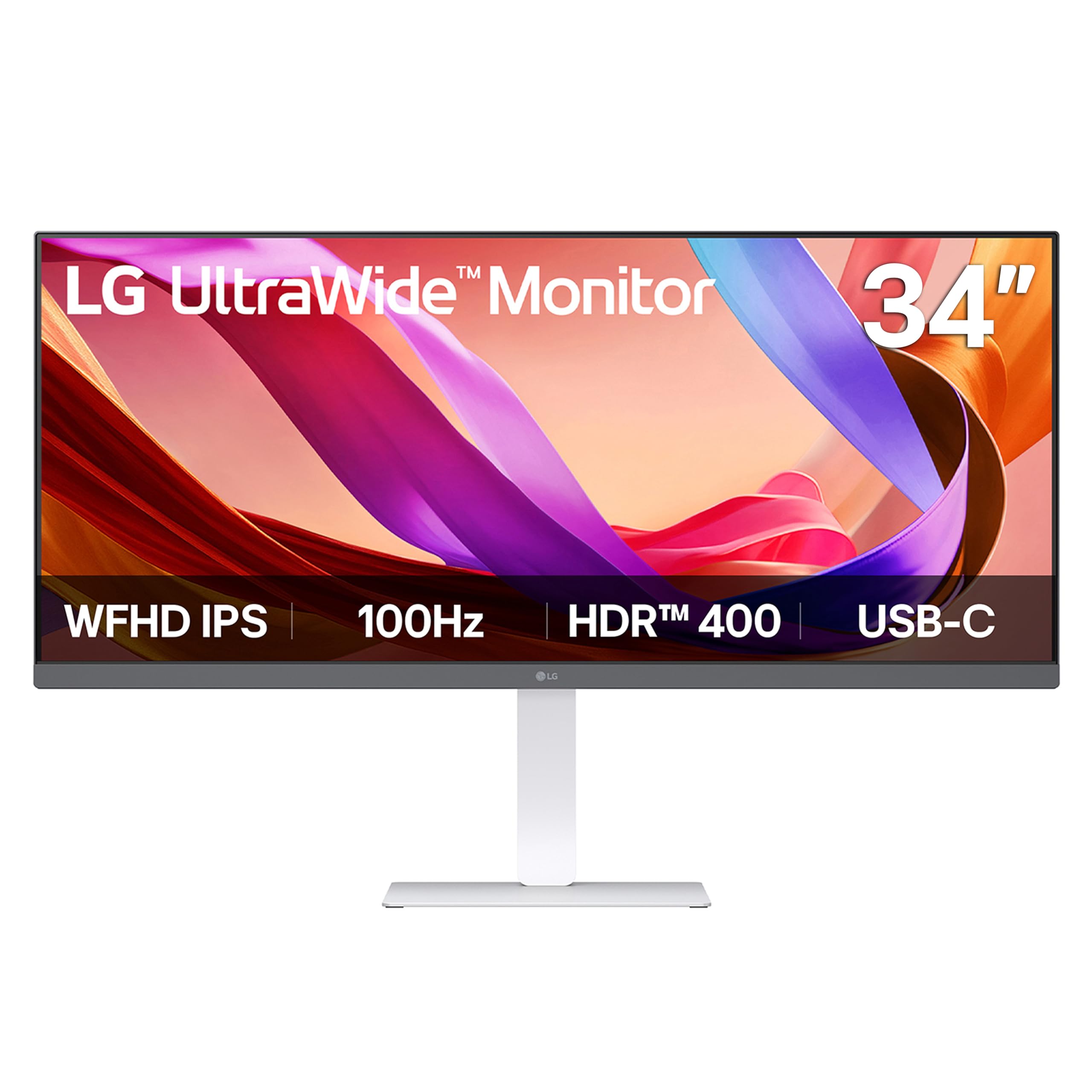
The white LG 34U530A-W is the ultrawide for someone who wants the desk to look lighter, not just the workload. It is a 34-inch 21:9 IPS screen with a 2560 x 1080 resolution, 100Hz refresh, built-in speakers, and a height/tilt/swivel stand, all in a white cabinet that stands apart from the black rectangles here. We recommend it for everyday windows, video, and a bit of gaming, not for fine print at the edges of a spreadsheet.

The 34-inch 2560 x 1080 panel is built around bigger text and a comfortable viewing distance, not squeezing two dense spreadsheets into one view. The IPS panel keeps colors stable from an angle, and the built-in speakers are genuinely useful for meetings and YouTube. The 100Hz refresh is smooth for everyday motion without pretending to be a competitive gaming screen.

USB-C is the other detail to understand: the port is listed for display and data, not laptop power, so this is not a one-cable charging solution for a laptop. HDMI and DisplayPort are there, and the white stand is easy to live with. If you want a bright, comfortable 34-inch screen for browsing and video and you have a laptop charger already on the desk, this LG makes a cheerful case for itself.

Pros

  • White IPS cabinet stands out on a light desk
  • Built-in speakers are useful for meetings
  • 100Hz refresh is smooth for everyday use

Cons

  • Text is less sharp than 1440p at 34 inches
Our verdict

The 34U530A-W is the ultrawide we recommend for a bright, white desk setup where everyday documents and video matter more than 1440p text sharpness.

Check Latest Price
5

Best Budget Gaming

Acer Nitro ED300C X1

80 /100
LBD Score Excellent

Key details

Curvature
1800R
Resolution
2560 x 1080
Screen Size
29.5 inches
Refresh Rate
200 Hz
View on Amazon

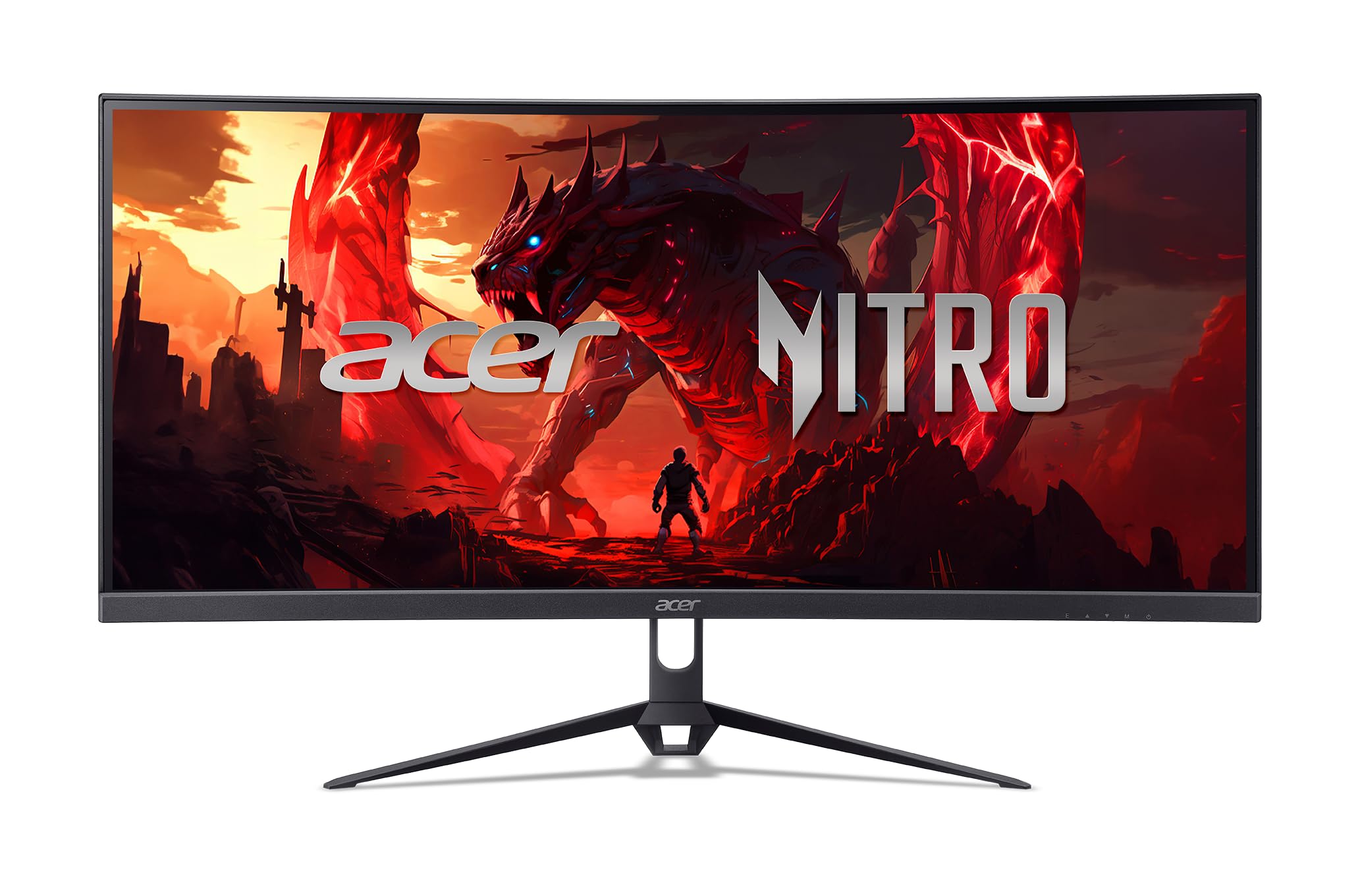
The Acer Nitro ED300C X1 is the budget gaming pick, and it gets there by spending on speed instead of pixels. You get a 29.5-inch 2560 x 1080 curved panel at up to 200Hz, with 1ms response time and AMD FreeSync Premium, for less than the 34-inch work screens here. The 1800R curve is gentler than the 1000R Samsung, so it wraps less but also feels less aggressive on a smaller desk.

We recommend it for a first gaming ultrawide where a high frame rate matters more than text clarity. The 200Hz refresh is the headline, and FreeSync Premium kept quick pans smooth in our testing; the 1ms response time is the spec that supports it. The 2560 x 1080 resolution is the compromise: at 29.5 inches it is acceptable for games, but small text and fine UI elements look coarser than on a 3440 x 1440 panel. The 1800R curve is a good match for the smaller screen.

Acer backs it with a three-year parts-and-labor warranty, which is a meaningful vote of confidence at this end of the market. For competitive games on a budget, the speed is the point; for a do-everything desktop, spend up to the Dell.

Pros

  • 200Hz refresh with FreeSync Premium
  • 1ms response time suits fast games
  • Three-year parts-and-labor warranty

Cons

  • Tilt-only stand lacks height adjustment
Our verdict

The Nitro ED300C X1 is the budget gaming ultrawide we recommend when a 200Hz refresh matters more than pixel density and desk adjustability.

Check Latest Price
6

One-Cable Productivity

Samsung 49 Business Ultrawide

87 /100
LBD Score Excellent

Key details

Resolution
5120 x 1440
Screen Size
49 inches
USB-C Power
90W
Refresh Rate
120 Hz
View on Amazon

The Samsung 49-inch Business Ultrawide is a different proposition from the G91F: it is a 49-inch 5120 x 1440 curved screen with a built-in USB-C dock, 90W laptop charging, DisplayPort, two HDMI inputs, USB downstream ports, and built-in speakers. That makes it a one-cable workstation first and a gaming monitor second.

Plug a laptop into the USB-C port and the screen carries the display, charges the laptop at up to 90W, and gives you USB ports for a keyboard and drive; we like that it removes a separate dock from the desk. The 120Hz refresh is smoother than a typical office panel, and the height-adjustable stand and built-in speakers mean you can start using it without adding much. The 1000R curve keeps the ends of the 49-inch panel within view, though the screen is still happiest with two full-size windows rather than one stretched app.

We recommend it for the person who wants a 49-inch 5120 x 1440 desk and a clean laptop setup, not for someone chasing the fastest gaming panel. The 90W USB-C, built-in speakers, and three-year warranty are what make the premium worth considering. If you need the fastest response for games, choose the G91F; if you want the dock built in, this is the one.

Pros

  • 90W USB-C dock charges a laptop and carries video
  • 5120 x 1440 gives two full-size work windows
  • Built-in speakers reduce desktop clutter
  • Three-year manufacturer warranty

Cons

  • 120Hz refresh trails the 144Hz G91F
  • 32.2-pound body needs a sturdy desk or mount
Our verdict

Choose the Samsung 49 Business Ultrawide if you want a 49-inch 5120 x 1440 workstation with a 90W USB-C dock and do not need the G91F's 144Hz gaming focus.

Check Latest Price

How We Tested Ultrawide Monitors

We began by surveying the current field, from 34-inch widescreens to much wider curved panels, and narrowed it by resolution, panel type, port selection, stand adjustability, and the features shoppers actually compare, including USB-C video and charging, high refresh rates, HDR claims, and what each one gave back for its cost. That left 12 monitors, which we set up on real desks and used for eight months. Each one spent at least three weeks as a primary display, alongside a laptop and, in some cases, a game console.

Our testing scenes were ordinary ones: a full workday of documents, spreadsheets, and video calls; an evening of games; a weekend movie; and the morning scramble when sunlight hits the screen. We held a brightness meter against a white window and a dark scene with the blinds open, noted where the backlight looked uneven or colors shifted off-axis, and read small text at the far edges to see whether the curve made it harder to focus. We also measured how much desk depth each stand consumed and whether height and tilt adjustments held their position.

For performance, we ran motion tests at each monitor's top refresh rate and watched for smearing in fast scenes, then checked whether adaptive sync actually engaged. A wall meter recorded power draw at idle and with a full white screen, and we noted how quickly each panel woke from sleep. Compatibility got its own pass: we connected Windows laptops, a Mac, and a console over the available ports, confirming whether USB-C carried video and charged the laptop at the same time. Durability came down to weeks of use, including stand wobble, cable strain, creaks when raising the panel, and any scuffs around the ports.

How to Choose an Ultrawide Monitor

Match the Screen to Your Desk

The first choice is 21:9 or 32:9, and it is really a desk-width decision. A 34-inch 21:9 monitor is about 32 inches wide and remains the easy default for a normal desk; a 49-inch 32:9 panel runs about 45 inches across and replaces two 27-inch screens, but it also takes over the surface. A 49-inch does not belong on a narrow desk, and the curve will not fix that. Measure the width and viewing distance; the bigger the screen, the farther back you want to sit.

Resolution Is the Upgrade You Notice

Pixel density decides whether an ultrawide feels crisp or merely big. At 34 inches, 3440 x 1440 is the sweet spot for documents, spreadsheets, and mixed work; 2560 x 1080 gives you bigger text but visibly coarser detail. At 49 inches, 5120 x 1440 is effectively two 2560 x 1440 windows and is the reason to move up from 34 inches. If you mostly read text, prioritize 3440 x 1440 or 5120 x 1440; if you mostly game and sit a little farther back, a 2560 x 1080 panel can be enough.

Choose a Panel and Refresh Rate for Your Day

VA panels give deep contrast and are common in curved ultrawides, but they can lose color and sharpness off-angle; IPS holds color better across the screen; OLED gives the deepest blacks but adds burn-in care. Refresh rate is separate: 100Hz is plenty for office work and casual games, 120Hz to 144Hz is the better gaming target, and 200Hz suits competitive play. Do not buy a fast panel with poor text rendering if you stare at code all day. Pick the panel for the work first, then the refresh rate for the games.

Treat USB-C as a Cable, Not a Promise

USB-C on a monitor can carry video, data, and laptop charging, but it does not always do all three. The Dell S3425DW delivers 65W, which is enough for most ultraportables; the Samsung 49 Business Ultrawide goes to 90W for larger laptops. The LG 34U530A-W lists USB-C for display and data, not charging, so it will not replace your laptop's power brick. Match the monitor's wattage to your laptop's adapter, and if you need more than the monitor provides, keep the original charger on the desk.

Plan for the Stand, Mount, and Warranty

Height adjustment matters more on an ultrawide than on a small monitor because the screen is wide enough to reveal a bad viewing angle. Check for height, tilt, and swivel if you share the desk; a tilt-only stand is fine only if the screen already sits at eye level. For a 49-inch panel, check the VESA pattern and the arm's load rating before you buy, because these screens can weigh over 30 pounds. Also compare warranty length and panel coverage; a three-year term is a real advantage on a large panel.

Frequently Asked Questions

Final Verdict

The Dell S3425DW is the ultrawide we recommend first because it makes the fewest compromises for a normal desk: sharp 34-inch 1440p, smooth 120Hz, strong color, and 65W USB-C in one package.

If you want to spend less, the LG 34WR55QK-B is the value alternative; if you want a 49-inch screen, the Samsung G91F is the immersive gaming choice, while the Samsung 49 Business Ultrawide is the one to pick when a built-in 90W USB-C dock matters more than refresh rate.