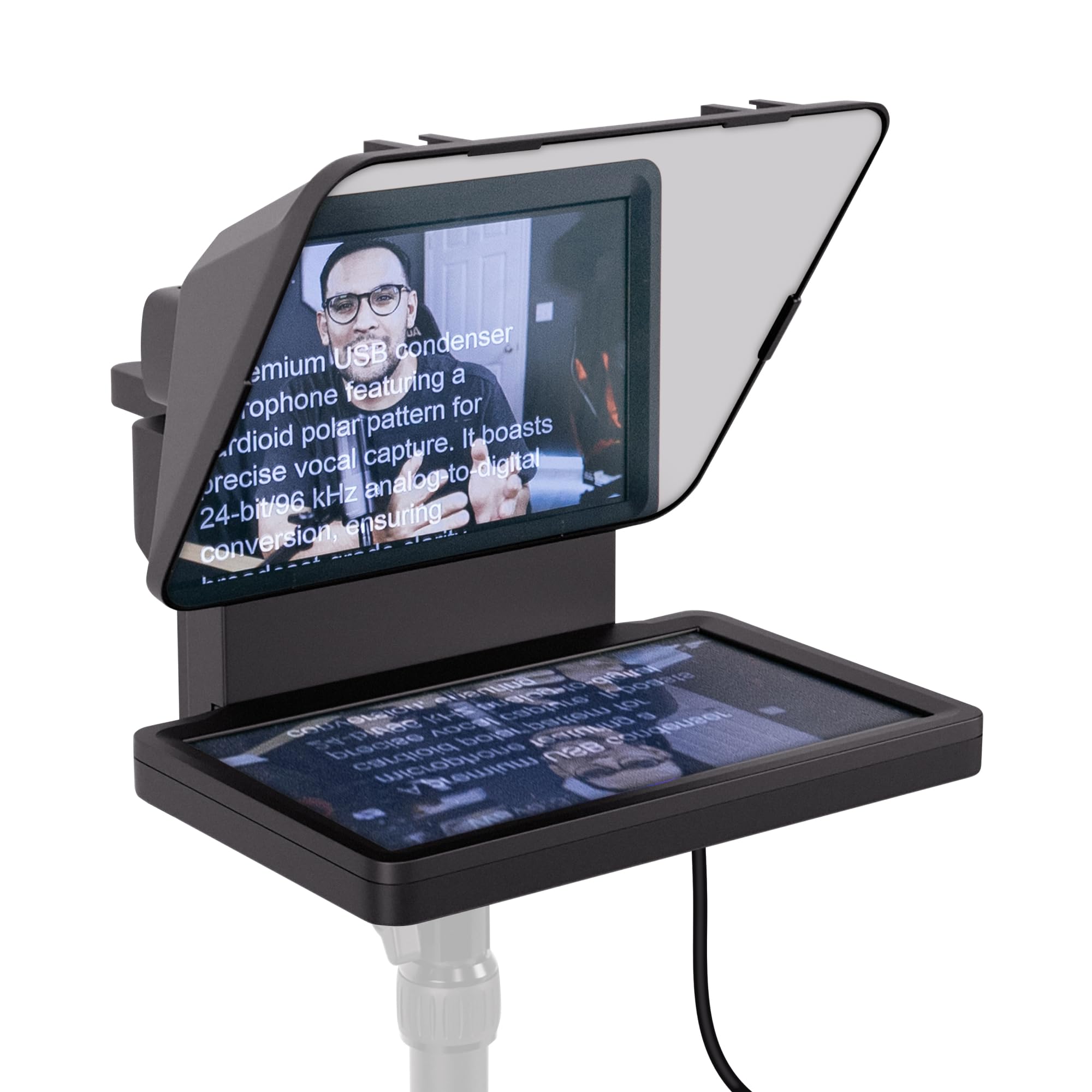
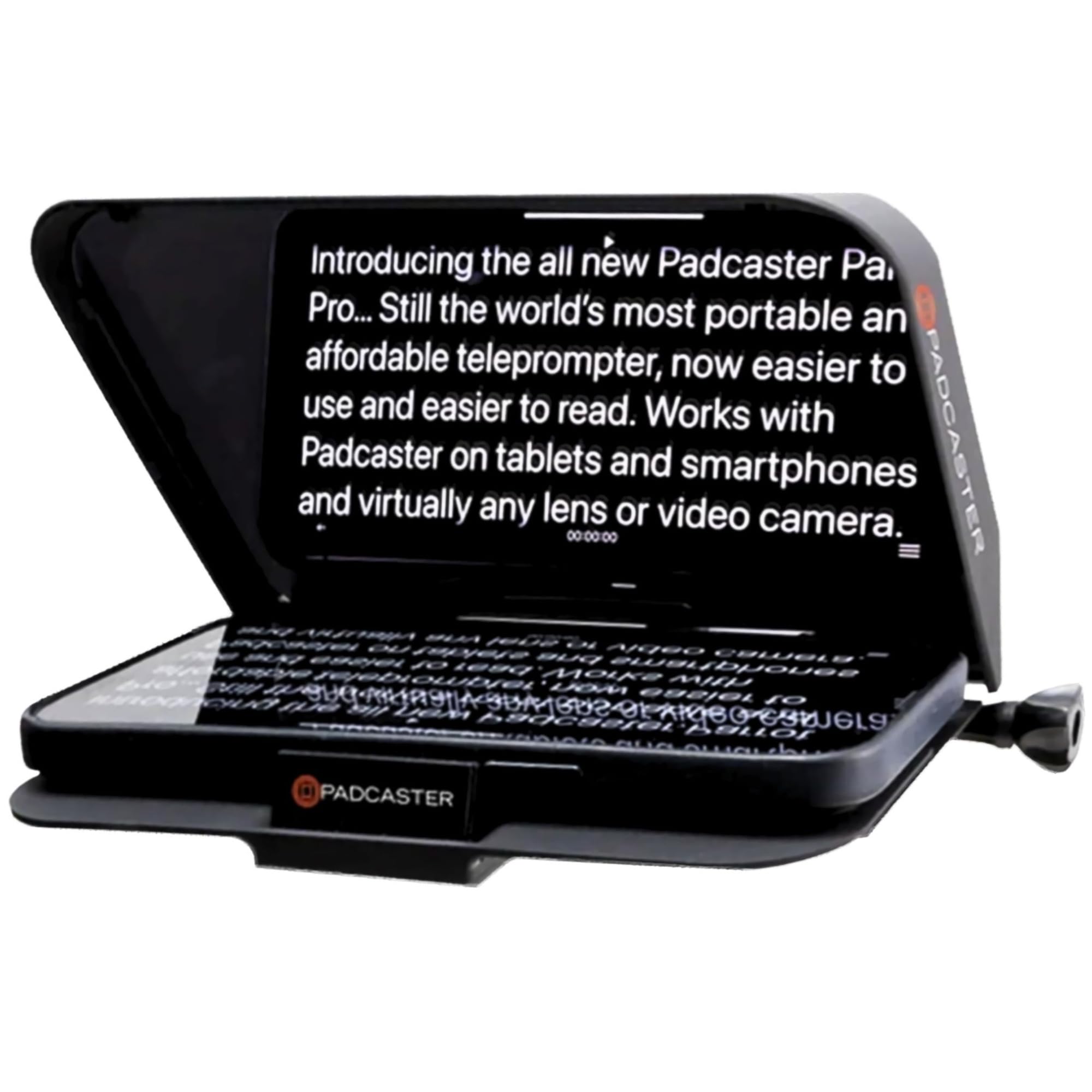
Best Teleprompters for iPhone of 2026

A teleprompter is a piece of glass doing a magic trick: it sits at an angle in front of your lens, so the camera looks straight through it while you read mirrored text off the surface. The trick is identical on every model. What changes is the glass, how level your phone sits, and whether you can get the whole thing assembled before your coffee goes cold.

I film scripted videos alone most weeks, and setup is what kills a take — the remote won't pair, the app wants an account, the phone sits an inch too low. We've spent six months with 10 teleprompters, from desktop rigs to full beamsplitter kits that accept a tablet or a DSLR, and the good ones assemble fast and are honest about what phone they actually fit. One tip before you buy: run a full script through the app before you judge the hardware.

A couple of these build the screen into the prompter itself and skip your phone altogether, while others fold flat into a case for a client's office. Here's what survived the reshoots.

1

Best Overall

Neewer X14 III

89 /100
LBD Score Excellent

Key details

Frame
All metal, no assembly
Weight
5.2 lb
Device Fit
Phones and tablets up to 8.7 in wide
Beamsplitter
14 in
View on Amazon

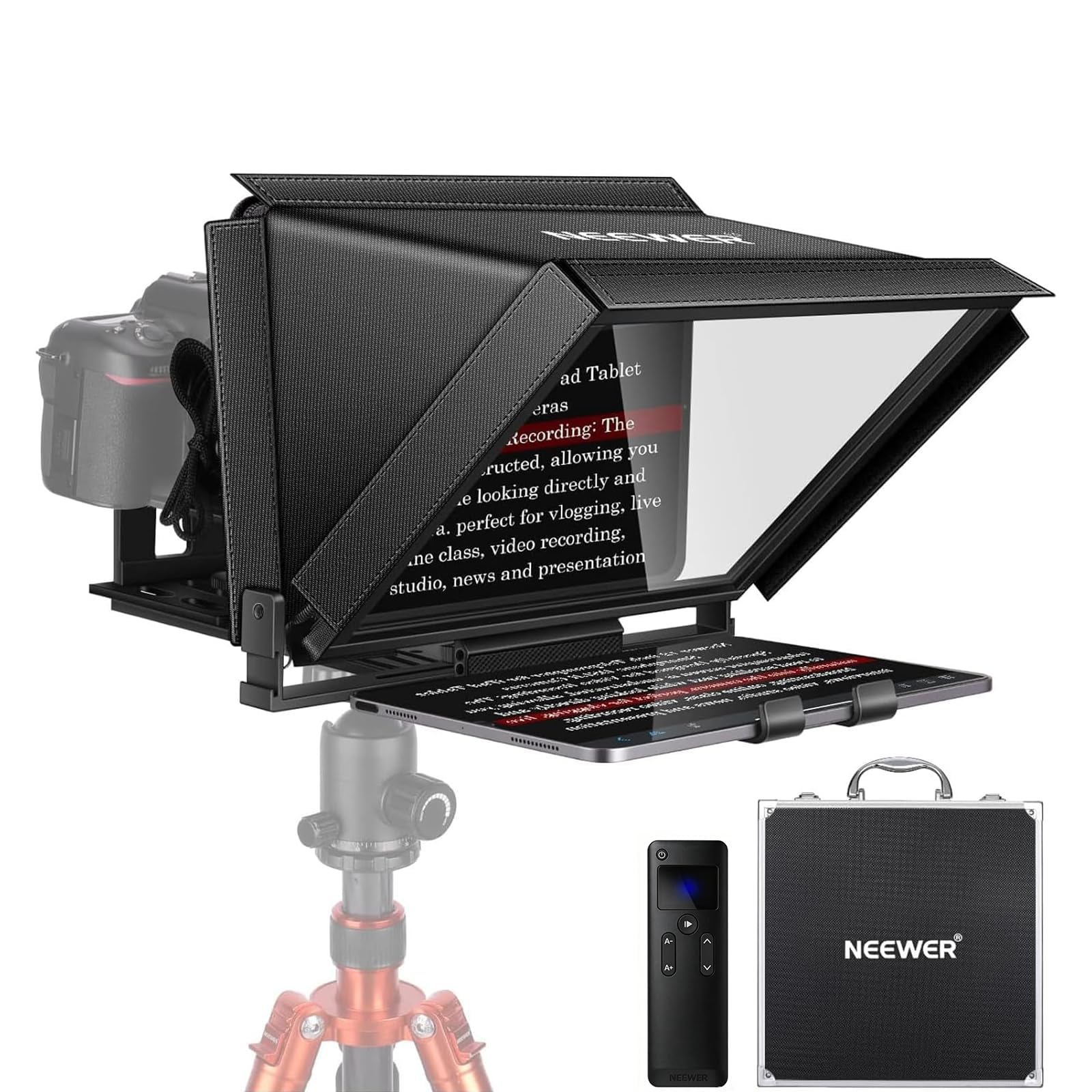
The Neewer X14 III is the only rig here that comes out of the case ready to shoot. No hood to fit, no glass to align — the all-metal frame is already square, and the tray takes a phone or a tablet at whatever width you own. That is the reason it is our top pick for iPhone work: the thing you actually do with a teleprompter is set it up and put it away, over and over, and this one does not punish you for it.

The tray holds devices up to 8.7 inches wide, which covers an iPhone and a 12.9-inch iPad Pro without a fight. Behind it sits a 14-inch beamsplitter rated at 71% light transmission, and at the standing distance we shoot from, the script stayed readable without leaning in. The U-bracket tilts to 45 degrees so you can sit or stand, and the camera plate is a quick-release type that takes a Manfrotto 501PL-style plate — one clip and the rig is off the tripod. If the iPhone is also your camera, budget for a small phone clamp to sit on that plate, because it is shaped around a camera body.

Two things to know before you commit. The RT113 remote and the Neewer app are the least dependable parts of the package — the glass and the frame are what you are paying for, so learn the on-screen controls as a fallback. And at 5.2 pounds with a folded footprint close to 19 inches long, it lives on one desk rather than travelling. Neither is a dealbreaker in the spot where a teleprompter earns its keep anyway.

Pros

  • Arrives assembled; no hood or glass to fit
  • 14-inch beamsplitter at 71% light transmission
  • Holds phones and tablets up to 8.7 in wide
  • Quick-release plate swaps between rig and tripod

Cons

  • Remote is the least dependable part of the kit
  • 5.2 lb frame stays on one desk
Our verdict

If you shoot scripted iPhone video at a desk, this is the teleprompter we point you to first: it arrives assembled, holds a phone or an iPad, and the glass is genuinely readable.
Check Latest Price
2

Best Value

Neewer X12

87 /100
LBD Score Excellent

Key details

Included
Remote and carry case
Device Fit
Up to 9.84 x 8.68 in
Beamsplitter
14 in
Light Transmittance
75%
View on Amazon

If the top pick's price is a step too far, the Neewer X12 gives you the same 14 inches of glass for noticeably less, plus a carry case and a remote. The beamsplitter is rated a little brighter at 75% light transmission, and the adjustable hood does real work when you are shooting near a window. The tray is more generous than the X14 III's, taking phones and tablets up to 9.84 by 8.68 inches, which swallows an 11-inch iPad Pro comfortably.

The savings show up in the details around the glass. The phone clamp is stiff enough that loading a handset takes two hands, and the side panels that block stray light can creep into a wide phone shot if you frame loosely. The bigger irritation is the RT-110 remote and the Neewer app, which work but are the part of the kit most likely to cost you a minute mid-session.

Set against the smaller rigs here, the X12 is the better buy: the extra glass is what makes prompting feel natural instead of cramped, and the case means it travels. Set against our top pick, it is the same picture for less money and a bit more fiddling. That is a trade most first-time buyers should take.

Pros

  • 14-inch glass for less than the top pick
  • Tray fits tablets up to 9.84 by 8.68 in
  • 75% light transmittance with an adjustable hood
  • Remote and carry case included

Cons

  • Stiff phone clamp is fiddly to load
  • App and remote need patience
  • Hood sides can show in wide phone shots
Our verdict

We think the savings are worth the fiddling: full-size glass, a hood and a case, if you can live with a stiff phone clamp and an app that needs patience.

Check Latest Price
3

Best Compact

Ambitful Mini Teleprompter

79 /100
LBD Score Very Good

Key details

Weight
12.3 oz
Included
Desktop tripod and remote
Beamsplitter
7.5 in
Adapter Rings
49 to 77mm
View on Amazon

Seven and a half inches of glass sounds like a compromise, and across a room it is. At arm's length from your face it is exactly enough screen, which is the whole idea behind the Ambitful mini. It is a 350-gram box with a phone clip on the back, a desktop tripod underneath, and coated glass that keeps text sharp without ghosting.

What we appreciate most is what it does not need: no tablet, no second phone, no separate stand. It sits beside a laptop the way a speaker does, and the included tripod puts a phone at seated eye level without a full-size tripod in the room. At that distance one screen of script holds a comfortable paragraph, and the 49 to 77mm adapter rings mean it can screw onto a camera lens if you later move up to one.

Step back and it runs out of road, because the text shrinks fast. This is a desk tool, not a presenter's rig: the tripod is a desktop piece and the whole thing is happiest at sitting height. For talking-head videos, product demos and anything shot from a chair, that is plenty — and it is the least expensive glass rig here.

Pros

  • 350 g, so it stays set up on a desk
  • Coated glass reads clearly at close range
  • Includes tripod, remote and 49 to 77mm rings

Cons

  • Too small for standing-distance prompting
Our verdict

We keep this one on the desk: small enough to leave set up beside a laptop, clear at arm's length, and light enough to move aside when you need the space.

Check Latest Price
4

Best for Phone-Only Setups

PaiPaiGo Dual Phone Kit

77 /100
LBD Score Very Good

Key details

Height
3 to 17 in
Weight
11.2 oz
Storage
Storage bag included
Phone Clamps
Two
View on Amazon

If your whole studio is two iPhones, this is the kit that makes sense. The PaiPaiGo uses a second handset as the prompt screen: one clamp holds the phone that is recording, the other holds the spare showing your script, and the pair sits on a small ball-head tripod that collapses into a bag. For someone who shoots everything on a phone and has an old one in a drawer, that is a complete teleprompter for less than anything else here.

What you give up is glass and reach. There is no beamsplitter, so the script phone mounts alongside the lens rather than in front of it and you read slightly off-axis instead of straight down the barrel. The tripod extends from 3 to 17 inches and is rated for light loads only, which makes it a tabletop tool — do not hang a tablet off it. It is also the least sturdy thing in this guide, and the payoff is that the whole kit folds down and disappears into a backpack.

Pros

  • Uses a spare phone as the prompt screen
  • Folds small and weighs 11.2 oz
  • Two clamps hold camera and script phone
  • Lowest-cost kit in this set

Cons

  • No beamsplitter, so you read off-axis
  • Plastic tripod is for phone-weight loads only
Our verdict

We recommend it for phone-only setups: a spare handset becomes the script screen and the kit folds into a bag, as long as you do not need glass or a big script pane.

Check Latest Price
5

No-Tablet Workflows

Elgato Prompter

86 /100
LBD Score Excellent

Key details

Host
Mac or PC
Weight
1.52 lb
Display
Built-in 9 in, 1080p
Camera Support
Phone, webcam, or DSLR
View on Amazon

The Elgato Prompter removes two things every other rig here needs: a tablet and a teleprompter app. There is a 9-inch 1080p display built into the hood, and you drag any window onto it as if it were a third monitor — a script in a browser tab, a notes app, or the chat from a livestream.

That changes an iPhone shoot more than it sounds. The phone sits behind the glass as the camera, and the screen in front of it is fed by your Mac or PC over USB rather than by an app on the phone. Because it is a real monitor it also earns its desk space between shoots, and it makes a genuinely useful second screen for calls. Without a computer attached it displays nothing, so a phone-only workflow is the setting it does not serve.

We rate the hardware and distrust the software. Setup is a few minutes, the glass is bright, the hood kills reflections, and drag-and-drop is the least fiddly control scheme in this group. The Camera Hub app, though, is the least reliable piece of the package and Mac users have the roughest time of it — we ended up putting the script straight onto the display rather than leaning on the app's own prompting tools.

It is also a desk object: 0.69 kg of plastic that wants permanent real estate, and the housing feels lighter than the rest of the kit deserves. What you get for the space is the most capable prompter here — script and chat on one screen, no tablet to charge, no second phone to prop up.

Pros

  • 9-inch built-in screen; no tablet or second phone
  • Drag any window onto it like a monitor
  • Doubles as a second display between shoots
  • Works with phone, webcam or DSLR

Cons

  • Software is the least reliable part
  • Plastic housing feels light for the kit
Our verdict

We recommend it to anyone with a Mac or PC at the desk: the built-in screen replaces the tablet and the second phone, and it doubles as a monitor when you are not filming.

Check Latest Price
6

Lens-Mounted Travel

Padcaster Parrot

81 /100
LBD Score Excellent

Key details

Glass
30R/70T beamsplitter
Weight
10.7 oz
Included
Bluetooth remote and cleaning kit
Adapter Rings
37 to 82mm
View on Amazon

If there is already a camera in your setup — a DSLR, a mirrorless body, anything with a filter thread — the Padcaster Parrot is the smallest way to add prompting to it. It screws onto the front of a lens using one of 13 adapter rings covering 37 to 82mm, and the phone showing your script drops into a tray behind the glass.

At 10.72 ounces it goes in a camera bag the way a filter does, and the 30R/70T beamsplitter reads clearly with the hood and covers doing their job on stray light. Setup is a screw-on and a push-down, which is why this is the one that ends up living on the camera rather than in a cupboard.

The weak point is the tray. It is a push-down holder, and handsets can slip out of position in it — a plus-sized phone is worse than a small one, and a case makes the grip less sure. The Bluetooth remote works when it works and the free Parrot app is basic, so treat both as conveniences rather than controls you lean on.

So the Parrot earns its place for one kind of shooter: someone with a lens in front of them who wants prompting that lives in a bag rather than on a desk. If the iPhone is the camera, this is the wrong shape of kit — there is no thread to screw it onto and you would be paying for a lens system you cannot use.

Pros

  • Screws onto a lens thread with 13 adapter rings
  • Under 11 oz, so it lives in a camera bag
  • 30R/70T beamsplitter reads clearly
  • Bluetooth remote and free app included

Cons

  • Phone tray can let a handset slip
  • Remote and app are basic
Our verdict

We recommend it for lens-based shooters who want prompting in a camera bag, provided you can live with a tray that lets a handset shift and a remote you cannot count on.

Check Latest Price
7

Phone-To-Tablet Switching

Desview T5

79 /100
LBD Score Very Good

Key details

App
Desview, iOS and Android
Glass
Coated beamsplitter
Weight
1.15 lb
Adapter Rings
49 to 82mm
View on Amazon

The Desview T5 is the middle of this set: a coated-glass rig that takes a phone, a tablet or a DSLR, with a Bluetooth remote and a free app in the box. Nothing about it is specialized, which is the appeal — one kit covers a phone shoot today and a tablet shoot next month.

The holder pulls and presses to rotate for vertical phone shooting, and that turned out to be the feature we used most. Most iPhone content is vertical, and switching should not need a screwdriver. The 49 to 82mm adapter rings cover the common lens sizes, the foam cushion keeps a phone from rattling, and at 0.52 kg it is light for something with glass in it.

Two things keep it off the top of the list. The glass is fine in a controlled room but picks up reflections when you shoot toward a window, and the Desview app is the least polished of the free apps here, so keep a second prompting app on the phone as a fallback. What is left is a genuinely useful first rig: phone, tablet and camera in one box, well under the money of the big glass, and small enough to pack down.

Pros

  • Takes a phone, tablet or DSLR
  • Rotates to vertical phone shooting
  • Light at 0.52 kg for a glass rig
  • Remote and app included

Cons

  • Glass reflects in bright rooms
  • App is the least polished of the free apps
Our verdict

We think it is the right first rig if you switch between phone and tablet, as long as you shoot away from bright windows and keep a backup prompting app handy.

Check Latest Price

How We Tested iPhone Teleprompters

We built the shortlist by reading listings closely instead of skimming photos. Every candidate had to hold an iPhone, state which tablet and camera sizes it accepts, and ship with the mounting hardware needed to attach one. From there we filtered by price band, mount style, and whether the frame collapsed or bolted together, then brought in 10 units and used them for six months.

Each one went through the same sequence. Assembly first, timed out of the box and again a week later, since the second setup is what tells you whether a design makes sense. Then a script test: a 300-word read at arm's length and again from across the room, with a lamp behind the camera to see how much light ghosted off the glass and whether the text stayed sharp at the edges. We paired every remote and walked to the far wall to check range, and mounted each phone bare and in a case to see if it sat level with the lens.

The apps got equal scrutiny. We loaded the same script into each free app, checked mirroring and scroll speed, and noted which ones demanded an account, a subscription, or a Mac workaround before the first word appeared. The unit with its own built-in screen got read in daylight and after dark to see whether chat and scripts were legible without a phone mounted at all.

After the formal testing we kept using the ones we liked for regular shoots, which is where reliability showed up: a clamp that loosened, a case that stopped zipping, a remote that ate batteries. Value came down to the glass and the mounts, not the feature list.

How to Choose a Teleprompter for an Iphone

Decide What Shows the Script

Four options exist: an iPad or Android tablet behind the glass, a second phone, a built-in screen, or your computer monitor. Most rigs are designed around a tablet, so if you don't own one the pool shrinks quickly — to the second-phone kits and the built-in-screen units.

Be honest about what you already have before you compare glass sizes. A rig that assumes a tablet you plan to buy later is a rig that sits in a closet, while a phone already in a drawer is a display you can use tonight.

Match the Glass to Your Shooting Distance

Glass here runs from 7.5 to 17 inches, and bigger is not automatically better. What matters is how far your face is from the pane when you read: a small screen at arm's length shows about as much text as a large one across a desk.

Larger glass buys standing distance and a wider reading window, and charges you in weight, footprint and price. Shoot seated and the small rig is the smarter buy; present standing and you want 12 inches or more.

Check How the iPhone Attaches

Three mounting styles do three different jobs. A tray behind the glass holds the phone as the display. A lens-thread ring with adapter sizes clips the rig to a camera lens — and the iPhone has no thread to screw into, so that style belongs to lens shooters only. A tripod plate holds a camera body, which means a bare iPhone needs a clamp sitting on it.

Decide which role the phone plays first, then check the tray or clamp width against your device before you order.

Plan Around the App and the Remote

Across this category the free app and the Bluetooth remote are the weakest links, not the glass. The pattern is consistent enough that we plan for it: pair and test the remote before a session, learn where the on-screen controls live, and keep a second prompting app installed in case the bundled one misbehaves.

If importing a .docx script matters to you, test that before the shoot too. A remote that will not connect costs more takes than a slightly dimmer pane ever will.

Decide Where It Lives

Two designs, two habits. Assembly-free metal rigs come out of the case square and take seconds to set up, but they weigh around five pounds and want permanent desk space. Collapsible and lens-mount kits pack away and travel, at the cost of some fiddling each time.

If your setup shares a room with your life, weight and folded size matter as much as glass. A five-pound rig that has to be packed into its case every night is a rig that stays in the case.

Frequently Asked Questions

Final Verdict

The Neewer X14 III is the one we point most people to. It arrives assembled, holds an iPhone or an iPad with equal ease, and puts 14 inches of clear glass between you and a script you can read from standing distance — the two things that make prompting feel natural instead of like a chore.

If the budget is tighter, the X12 delivers the same size of glass with a flimsier case and a fussier app. And for anyone who shoots entirely on a phone, the PaiPaiGo kit turns a spare handset into a prompter and folds into a bag.