Best Sticker Paper for Printers of 2026

The first sheet of sticker paper I fed through my own printer came out with a smudged corner, curled up like a dead leaf, and lifted off my laptop within a week. That's the whole problem with this category in miniature: the printing is easy, the living with it is not. A sheet has to travel through the rollers without jamming, hold ink instead of drinking it, dry before you touch it, and still be stuck to something a month later.

My team and I have spent the past four months printing, cutting, sticking, and peeling our way through 14 packs of full-sheet sticker paper, and the gaps between them are not subtle. One thing worth knowing before you buy: the finish does as much work as the paper itself. Matte takes pen, hides fingerprints, and forgives a slightly heavy hand, which is why it's my default for shipping labels and kids' projects; glossy makes photos pop but needs longer to dry before you stack the sheets.

The picks below came out flat, stayed stuck, and didn't smear under my thumb, and each one earns its spot for a different job.

1

Best Overall

LLIKED 100 Matte Sticker Paper

92 /100
LBD Score Outstanding

Key details

Finish
Matte
Sheet Size
8.5 x 11 in
Sheet Count
100
Printer Compatibility
Laser, inkjet, color copier
View on Amazon

If you want one pack to handle planner stickers, shipping labels, and a weekend craft table, start here. The LLIKED sheets are the closest thing here to a no-drama default: 100 full sheets, one label per sheet, and a matte face that takes both inkjet and laser output. We printed type-heavy designs and simple color art, and the results looked crisp rather than washed out. The matte surface also means a pen or marker sits on top instead of skating across a glossy film.

What we appreciate most is how little ceremony the paper requires. It is ordinary enough for a school project and consistent enough for product labels, and the online templates save you from building a layout from scratch. Because it is a full sheet, you can trim one design out of the middle and keep the rest for another job; nothing is wasted to a fixed die-cut shape.

This is not the paper we reach for when the sticker needs a glossy photo face; the matte surface is for readable labels, journal stickers, and crafts you finish by hand.

The 100-sheet count is generous without being a lifetime supply, so you can make a mistake or two and still finish the project.

Pros

  • Prints cleanly on inkjet and laser
  • 100 full sheets with templates
  • Matte face takes pen and marker
  • Permanent adhesive for flat surfaces

Cons

  • Adhesion can fail on cardboard or damp surfaces
Our verdict

We recommend this as the default full-sheet matte pack for labels, planner stickers, and everyday crafts; it prints cleanly in both inkjet and laser printers.
Check Latest Price
2

Best for Cutting Machines

OnlineLabels Full-Sheet Sticker Paper

91 /100
LBD Score Outstanding

Key details

Finish
Matte
Sheet Size
8.5 x 11 in
Sheet Count
100
Printer Compatibility
Inkjet and laser
View on Amazon

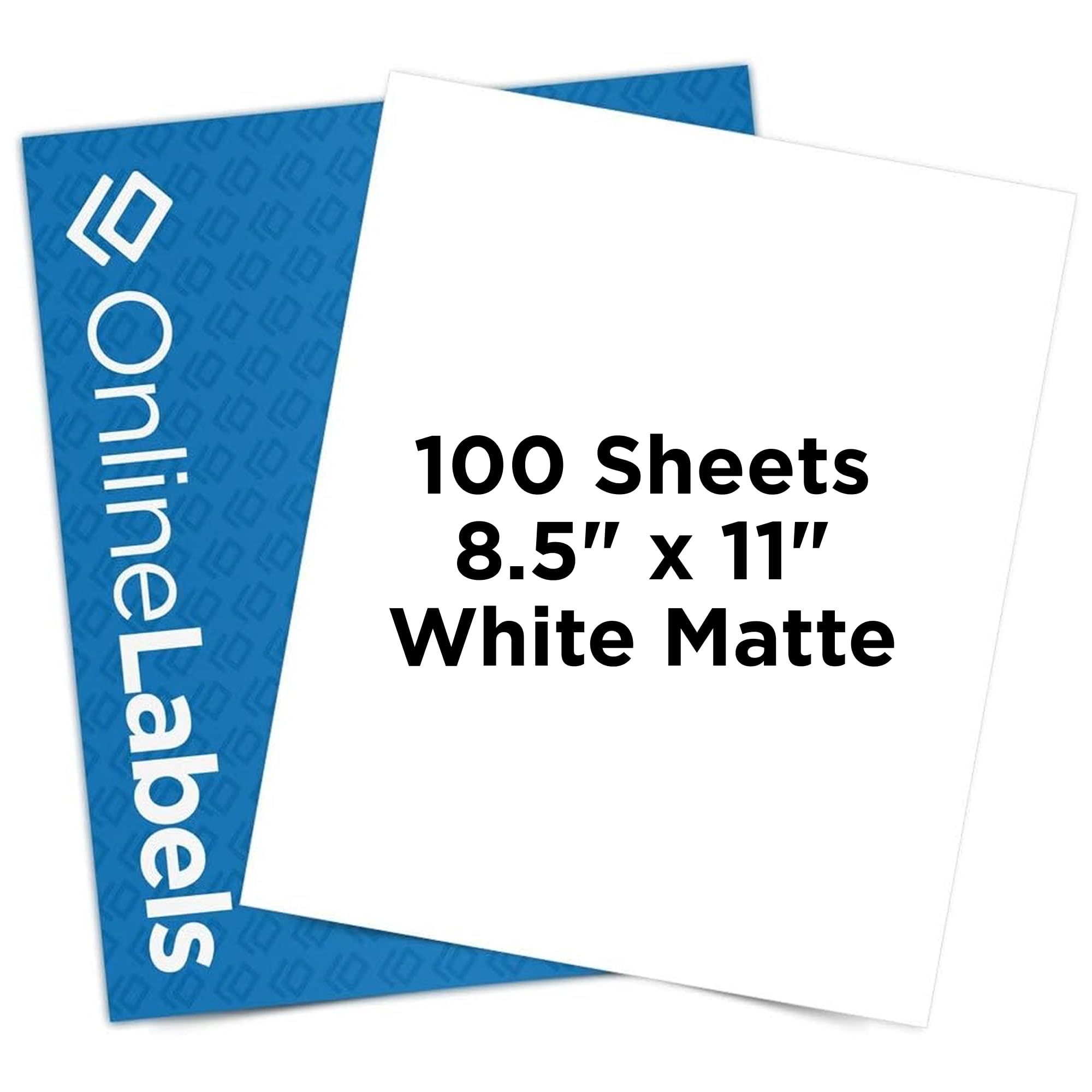
The activation code for OnlineLabels' design tool is the detail that makes this pack feel more like a small sticker studio than a stack of blank sheets. You get 100 full-sheet labels, permanent adhesive, and layouts in common formats, so you can start with a template instead of guessing at margins.

For print-then-cut work, that combination is the reason to choose it. We like that the sheet has no cuts or slits breaking up the printable area, which gives a cutting machine a clean, flat surface to read and slice. The matte face prints smoothly, and the permanent adhesive is the right choice for planner stickers, product labels, and anything meant to stay put.

We reached for these when a design needed to fill the page and then be cut into several shapes; the full-sheet format makes that straightforward. The results have a clean, low-glare look that suits labels better than a glossy sheet does, and the sheets stay flat enough to load without fuss.

The 100-sheet pack gives you enough attempts to dial in a cut setting without feeling like you are burning through a sampler; that is the kind of room a new cutting-machine owner needs.

Pros

  • Includes design-tool templates
  • 100 full-sheet labels
  • Works with cutting machines

Cons

  • Backing can be hard to peel
  • Printable side is easy to confuse
Our verdict

We recommend this for Cricut and Silhouette users who want a permanent full-sheet label and can work around a stubborn backing.

Check Latest Price
3

Best Bulk for Labels

BETCKEY Full-Sheet Label Paper

93 /100
LBD Score Outstanding

Key details

Finish
Matte
Sheet Size
8.5 x 11 in
Sheet Count
200
Printer Compatibility
Laser and inkjet
View on Amazon

Two hundred full sheets is a lot of sticker paper, and that is exactly the point of this BETCKEY pack. It is built for volume: one label per sheet, a matte face, and peel-friendly slits along both edges so you can get under the liner without digging with a fingernail.

The branded backing is a small thing that turns out to matter when you are feeding sheet after sheet: it tells you which side is printable without peeling a corner. The liner has no slits, which keeps it flat for cutting mats and cutting machines. We also appreciate that the sheets arrive with a straightforward template path for common label designs.

We think this is the right pack for a small shop or a busy home office that goes through address labels and package stickers. It is not the sheet we choose for photo stickers or for anything that needs a soft, thick hand; the point here is volume and easy peeling, not display quality.

The 200-sheet count means storage matters. Keep the box flat and dry, because a warped sheet is more likely to feed badly than a flat one; we kept ours in the original box between projects for that reason.

Pros

  • 200-sheet bulk pack
  • Edge slits make peeling easier
  • Branded backing marks print side

Cons

  • Thin paper can tear or lift at edges
Our verdict

We recommend this as the bulk label pack for shipping, address, and office jobs, where 200 sheets and peel slits matter more than photo-quality finish.

Check Latest Price
4

Best Glossy Photo Stickers

Koala Glossy Sticker Paper

93 /100
LBD Score Outstanding

Key details

Finish
Glossy
Sheet Size
8.5 x 11 in
Sheet Count
120
Printer Compatibility
Inkjet with dye ink
View on Amazon

Glossy sticker paper lives or dies by the first print, and Koala's sheets delivered the kind of saturated color that makes a photo sticker look finished. The 120-sheet pack is generous, and the white glossy face gives images a bright, reflective lift without the heavy plastic feel of vinyl.

What we like most is how well the gloss handles color: blues stay blue, and skin tones don't go muddy the way they can on a thin matte sheet. It makes photo-heavy designs look richer without extra saturation in the file. The sheets are aimed at inkjet printers with dye ink, so check your setup before ordering; a laser printer is not the target here.

For scrapbook pages, party favors, and product labels, the gloss adds a professional look that matte paper cannot match. We also appreciate that the sheets are full-size, so a single design can be cut into several sticker shapes, with room left for a test print.

The gloss is the point here: if you need a matte writing surface, this is not the one. For a scrapbook page or a party favor, the shine earns its place.

Pros

  • Vivid glossy photo color
  • 120 full sheets
  • Works with dye-ink inkjet printers

Cons

  • Prints can smudge before they dry
  • Adhesion can lift on curved surfaces
Our verdict

We recommend this for dye-ink inkjet owners making photo stickers and glossy labels, provided you give prints time to dry before handling.

Check Latest Price
5

Best Splash-Resistant Vinyl

HTVRONT Printable Vinyl

93 /100
LBD Score Outstanding

Key details

Finish
Glossy
Sheet Size
8.5 x 11 in
Sheet Count
100
Printer Compatibility
Inkjet
View on Amazon

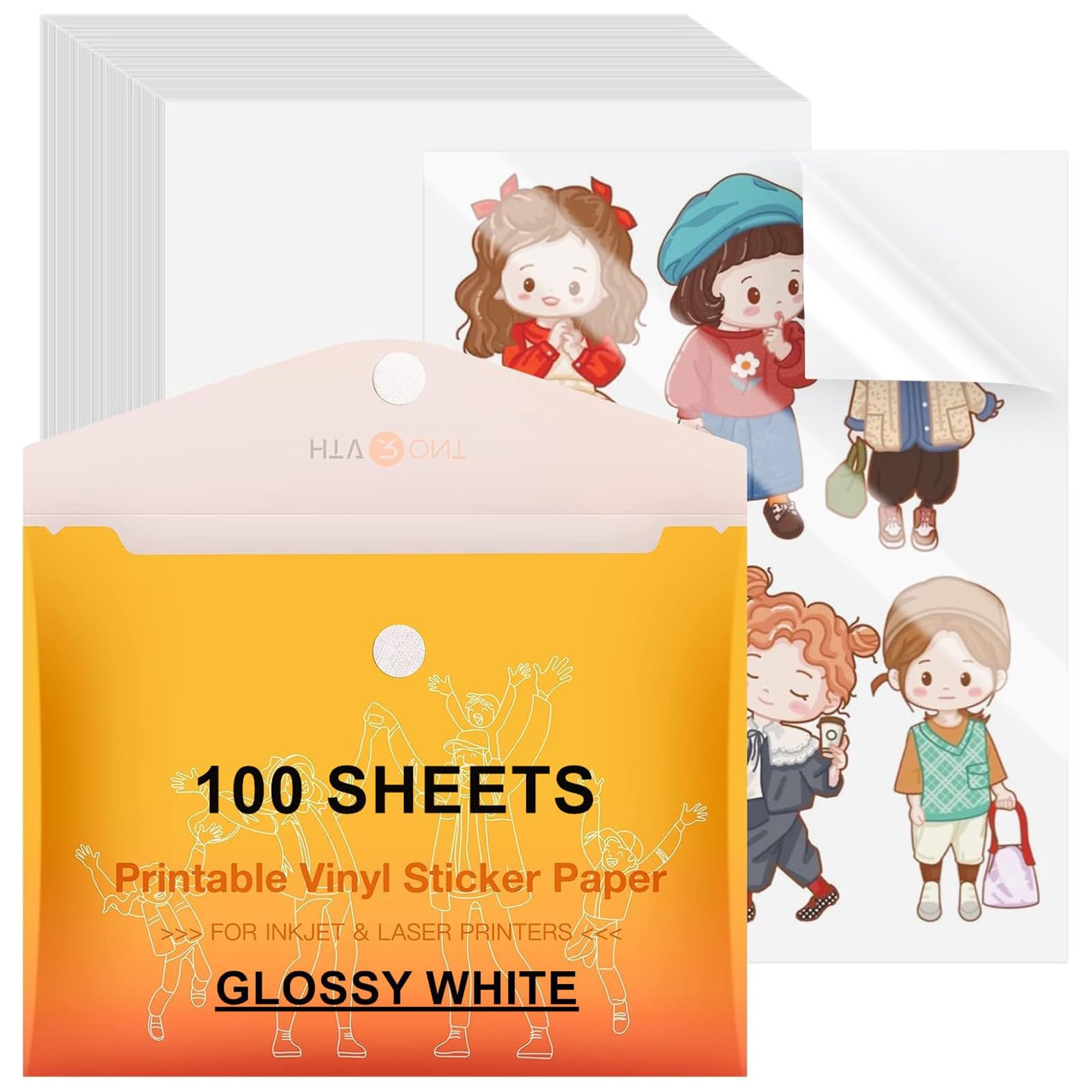
The anti-curl, jam-free claim is what first drew us to HTVRONT's vinyl, because a sheet that feeds badly is useless no matter how vivid the print. The sheets are 8.5 by 11 inches, 100 to a pack, and they have a glossy white face that makes color decals look sharp.

We noticed the difference most in the feed: the sheet has a stiff, double-sealed feel that helps it travel through an inkjet without turning into a wavy mess. The glossy surface also dries quickly enough to keep a small batch moving, though a stack of heavy-coverage prints still needs a moment before stacking.

For labels and decals that will sit on a laptop, a jar, or a sign that sees an occasional splash, this is the vinyl we reach for. It accepts color well, and the white base keeps designs opaque instead of translucent, so a dark background does not turn muddy.

It is water-resistant rather than invincible: a sticker that will be scrubbed or soaked needs a sealer or a different material. We treat the claim as a head start, not a guarantee, and that is the right way to use this sheet.

Pros

  • 100 sheets of glossy vinyl
  • Anti-curl feed for inkjet printers
  • Splash-resistant surface

Cons

  • Adhesive gives little room to reposition
  • Prints can smudge before they cure
Our verdict

We recommend this glossy vinyl for inkjet printers when labels need to shrug off splashes and outdoor light, not a full soak.

Check Latest Price
6

Best Matte Vinyl

Koala Matte Vinyl

92 /100
LBD Score Outstanding

Key details

Finish
Matte
Sheet Size
8.5 x 11 in
Sheet Count
50
Printer Compatibility
Inkjet
View on Amazon

Vinyl changes what a sticker can survive, and Koala's matte sheets are the pick here when a paper label is the wrong tool. The 50-sheet pack is small enough to store flat, and the matte face keeps glare down on laptop lids, jars, and planner covers.

The vinyl has a soft, slightly toothy finish that takes color well without looking like a plastic decal. We found it easy to cut with a machine and by hand, and the sheet stays flat enough to feed without a fight. That combination is why it works for small decals as well as full-page labels.

We like that it sits between a paper sticker and a heavy outdoor decal: it is more forgiving than paper around a curved edge, but it still cuts cleanly enough for small shapes. That makes it our pick for product labels, journal covers, and decals that need a low-glare finish.

Water-resistant is a conditional word here. Koala calls the sheet waterproof and tear-resistant, and that performance depends on pigment ink or a UV sealer; a dye-ink print will not shrug off a dishwasher cycle. Seal the print and test a scrap first.

Pros

  • Matte vinyl resists glare
  • Water- and tear-resistant with sealing
  • Works with cutting machines

Cons

  • Intricate cuts can tear on thin settings
  • Adhesion can lift on textured surfaces
Our verdict

We recommend this matte vinyl for Cricut users and anyone making durable indoor decals that should look printed-on, not pasted-on.

Check Latest Price
7

Best Budget 100-Sheet Pack

NefLaca Full-Sheet Labels

93 /100
LBD Score Outstanding

Key details

Finish
Matte
Sheet Size
8.5 x 11 in
Sheet Count
100
Printer Compatibility
Laser and inkjet
View on Amazon

This is the pack we reach for when the job is big, the design is simple, and the budget is tight. NefLaca gives you 100 full sheets with a matte face, and the paper works in both inkjet and laser printers. For address labels, classroom labels, and basic product stickers, that is a useful combination.

We were impressed by how cleanly black text and simple line art came out; the sheets do not need a special coating to look legible. The full-sheet format also lets you cut one large label or several small ones from the same page. The paper feels unremarkable in the hand, which is fine for a label that will be taped to a bin or stuck to an envelope.

We keep it for jobs where the label is going onto a smooth envelope, a plastic bin, or a sheet of cardstock; that is where a budget sheet earns its keep. The sheets cut easily with scissors or a craft knife, and a simple design does not demand a cutting machine.

The full sheet gives you room to cut a label larger than a standard address block, which is the quiet advantage here. If you need a photo print or a glossy display sticker, spend the money on a coated or vinyl sheet instead.

Pros

  • 100 full sheets at a budget price
  • Clear text on inkjet or laser
  • Matte face suits labels

Cons

  • Backing can be stubborn to peel
  • Adhesive is unreliable on rough or damp surfaces
Our verdict

We recommend this as the budget full-sheet pack for high-volume labels and simple stickers, where clear text matters more than photo-perfect color.

Check Latest Price
8

Small Craft Batches

Joyberg Printable Sticker Paper

93 /100
LBD Score Outstanding

Key details

Finish
Matte
Sheet Size
8.5 x 11 in
Sheet Count
40
Printer Compatibility
Laser and inkjet
View on Amazon

Forty sheets is enough for a weekend project, not a production run, and that is how this Joyberg pack makes sense. It is a low-cost way to try full-sheet sticker printing without committing to a 100- or 200-sheet box.

The matte face prints cleanly in an inkjet printer, and the sheets are easy to feed one at a time if the stack has picked up a slight curl. For journal stickers, folder labels, and simple name tags, the output is crisp enough to use without fuss. The backing peels away cleanly, which matters when you are making a batch by hand.

What we appreciate is the size: 40 sheets is enough to make a set of labels and still have room for a mistake, without leaving a half-used box in the closet. The sheet also takes pen and marker well, so handwritten additions do not bead up on the surface.

We think its best trick is the low commitment: a 40-sheet pack lets you test a design, a cut setting, and a printer setting without turning the project into a supply order. That is a real advantage for a first attempt at sticker paper.

Pros

  • 40-sheet starter size
  • Prints cleanly in inkjet and laser
  • Matte surface takes writing

Cons

  • Thin sheet can tear when peeling
  • Colors look muted beside coated paper
Our verdict

We recommend this for a small batch of planner stickers or classroom labels, not for a photo project that needs deep color and a thick hand.

Check Latest Price

How We Tested Sticker Paper

We built the shortlist from specs rather than marketing copy: full 8.5 x 11 sheets, permanent adhesive, and a clear inkjet or laser claim. From there we filtered by finish, pack size (40 to 200 sheets), and whether a sheet fed cleanly through both a home printer and a cutting machine, which left us with 14 packs. Testing ran for four months, alongside the printing people actually do — shipping labels for a small shop, goodie bags for a birthday party, pantry jars, and a rotating stack of photos for the fridge door.

Every pack got the same test page: a full-bleed photo, a line of 8-point text, and a color gradient. Where a sheet claimed both inkjet and laser compatibility, we ran it through both machines, noting whether it jammed, curled as it came out of the tray, or needed a second pass. We touched a dry thumb to the ink at one minute and again at five to see which sheets smeared and which had already set.

Then came the part that separates them. We stuck each print to a plastic storage bin, a stainless bottle, a cardboard box, and a laptop lid, and left one on a sunny windowsill to watch for edges lifting. Sheets that claimed to be waterproof got a rinse under the tap and a scrub with dish soap. After a week we peeled labels back off the bins to judge how cleanly they came away, and laid the same photo side by side across all 14 sheets to see which ones dulled color or went gray in the shadows.

The last column was value: cost per sheet measured against how many we wasted to jams and smeared corners. A cheap pack that eats every fourth sheet isn't cheap.

How to Choose Printable Sticker Paper

Match the sheet to your printer and ink

An inkjet lays down wet ink, so glossy and vinyl sheets need a coating that absorbs it without smearing; a laser fuses toner with heat, and not every plastic-faced sheet tolerates that trip. Check the product page for both printer types before you buy, and note whether a vinyl sheet recommends pigment ink for water resistance. We treat inkjet compatible and laser compatible as separate claims, not interchangeable ones. If you own both printers, a matte sheet that lists both is the safer everyday buy.

Choose paper, glossy paper, or vinyl by the job

Matte paper is the easiest surface to write on and the most forgiving for labels, planner stickers, and school projects. Glossy paper gives photos more depth, but the shine can show fingerprints and wet ink needs time to settle. Vinyl is the choice for water bottles, outdoor signs, and anything handled hard. The trap is the word waterproof: on printable vinyl it often depends on pigment ink or a sealer, so a dye-ink print may still run. Match the material to the abuse, not the adjective.

Test adhesion on the real surface

Adhesion is a surface question as much as a paper question. A permanent sheet that grips glass and smooth plastic can lift from corrugated cardboard, a curved bottle, or a damp jar. Before committing a full sheet, test a scrap on the actual surface and press from the center out. For anything that will be repositioned, choose a product that says removable; for shipping labels, choose permanent and smooth the edges. We pay more attention to where a sticker will live than to the word strong on the pack.

Look at the backing and the cut

Full-sheet stock gives you freedom to cut any shape, but it also means trimming every sticker yourself; pre-cut labels save time when the job is repetitive. If you use a Cricut or Silhouette, check both the printable side and the backing. Edge slits help hand-peeling, while a liner without slits is the one to choose for cutting mats. A branded backing makes orientation obvious. A plain liner may be cheaper, but you will spend more time working out which side faces the printhead.

Buy the pack size you can store and use

Pack size is where a good sheet becomes a bad buy. A small pack is right for trying a new finish or finishing one project; 100- and 200-sheet boxes make sense when you print labels regularly and can store them flat and dry. Paper picks up moisture and curls, and a warped sheet feeds badly. We look at cost per usable sheet, not the number on the front, and we leave room for a test print or two. A big box is only a bargain if you will use it.

Frequently Asked Questions

Final Verdict

We recommend the LLIKED 100-sheet matte pack as the default for most sticker projects: it prints cleanly in both inkjet and laser printers, takes writing well, and gives you enough sheets to work through a real batch. It is the least fussy sheet here for labels, planner stickers, and everyday crafts.

If you are making glossy photo stickers, choose Koala's glossy paper and give the ink time to dry. For Cricut work, OnlineLabels is the cutter-first alternative, provided you have the patience for its backing.