Best Soundbars of 2026

Movie night has a familiar failure mode: you turn the volume up to catch a whispered line, then the next explosion sends you lunging for the remote. A soundbar fixes that — not by getting louder, but by giving dialogue its own space and handing the low end to a subwoofer your TV can't match. I've spent six months with 12 of them, from slim two-channel bars to full surround systems with wireless subs.

Dolby Atmos is stamped on nearly every box now, and in an ordinary living room it matters less than how wide a bar can throw a scene. Setup counted just as much: HDMI eARC and an app that actually works saved me from remote-juggling, while Bluetooth got the most use for music. The bars that stuck around held a steady volume instead of lurching between quiet dialogue and loud action.

The picks below are ranked by how they behaved in my living room, not by what the spec sheet claimed. All of them made movie night easier; a few did it for a fraction of the cost.

1

Best Overall

TCL S55H

87 /100
LBD Score Excellent

Key details

Channels
2.1
Subwoofer
Wireless, 5.5-inch
Connections
HDMI eARC, optical, Bluetooth, USB
Max Output Power
220W
View on Amazon

A separate subwoofer with no cable is the whole argument for the S55H. Stand it beside the sofa or behind a chair, and the bar handles everything else over one HDMI connection. In a room where running a wire along the skirting board was never going to happen, that freedom is what makes this the soundbar we send most people to first.

It's also the most complete bar here for the money: Dolby Atmos and DTS Virtual:X decoding, a 2.1 layout rated at 220W, and AI Sonic calibration that measures the room once during setup. We're wary of calibration badges on inexpensive bars, but this one adjusts for where you actually sit rather than applying a fixed curve, and with a sofa pushed off to one side it's the difference between effects sitting under the screen and effects spreading.

Day to day it's refreshingly boring. The app handles EQ and input switching, the remote covers the basics, and the HDMI cable comes in the box, which not every bar here includes. At 2.36 inches tall it slides under most TV stands, and at 31.89 inches wide it's narrower than the average 55-inch set.

What it isn't is a surround system. Two channels and a sub keep effects in front of you; the Atmos badge buys height and width processing, not speakers behind your head. For dialogue, bass and a tidy living room, this is the end of the search.

Pros

  • Wireless subwoofer you can place anywhere
  • Dolby Atmos and DTS Virtual:X decoding
  • Auto room calibration during setup
  • HDMI cable included in the box

Cons

  • Volume steps can jump with no level display
Our verdict

We recommend the S55H to most people: a wireless subwoofer, Atmos and DTS decoding, room calibration and eARC, with the HDMI cable in the box.

Check Latest Price
2

Best Surround Value

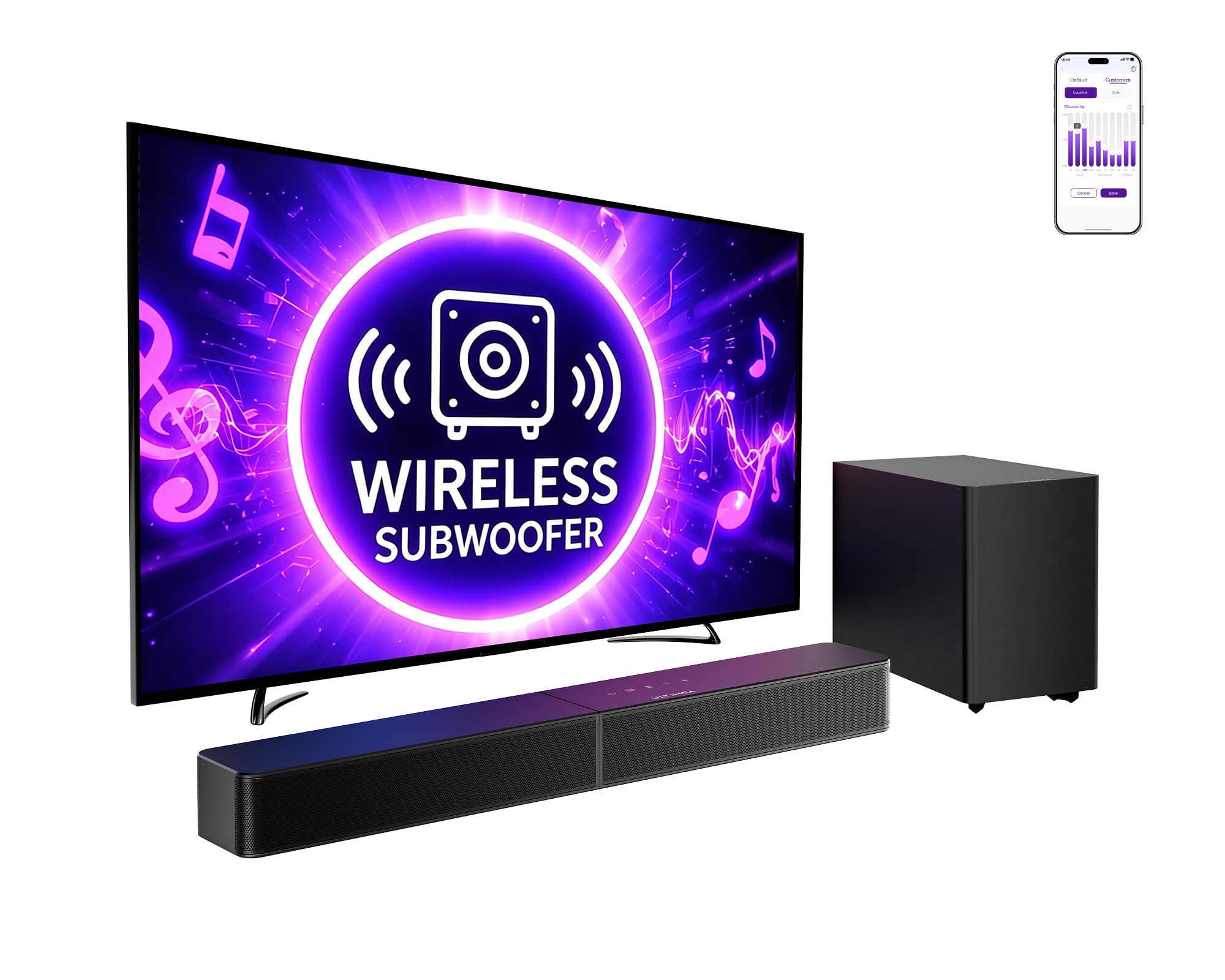
ULTIMEA Poseidon M60

87 /100
LBD Score Excellent

Key details

Channels
5.1
Subwoofer
Wired, 5.25-inch
Connections
HDMI eARC, optical, Bluetooth 5.4
Max Output Power
300W
View on Amazon

Where the TCL stops, the M60 keeps going. Five drivers, two of them firing sideways, a 5.1 layout and 300W behind it: effects travel along the wall instead of sitting in the middle of the bar, and that width is the closest this group gets to surround without Sonos money.

The subwoofer is the part that impressed us most for the outlay. It's a 5.25-inch driver in a tuned wooden cabinet, and it does the low, physical work that small bars only imitate. Bass, mid, treble and surround level are all adjustable in the app, so late-night viewing doesn't have to mean waking the house, and VoiceMX pulls dialogue forward when a mix buries it.

One thing to plan around: the failure that turns up in some units is a dead subwoofer. Buy somewhere with an easy return window and run a loud film through it in the first week. Past that, what you're left with is a lot of hardware for the outlay and an app that's genuinely useful rather than an afterthought.

Pros

  • 5.1 layout with side-firing drivers
  • Wooden 5.25-inch sub with app EQ
  • HDMI eARC plus Bluetooth 5.4

Cons

  • Wired subwoofer ties it to one spot
Our verdict

Buy the M60 if you want effects moving across the room without Sonos money; its 5.1 layout and wooden subwoofer do the work.

Check Latest Price
3

Best Premium

Sonos Arc Ultra

88 /100
LBD Score Excellent

Key details

Width
46.18 inches
Channels
9.1.4
Connections
HDMI, Wi-Fi, Bluetooth
Max Output Power
180W
View on Amazon

The Arc Ultra is comfortably the most expensive thing here, and what that money buys is the widest, most separated soundstage of the group: sound arriving from the corners of the room rather than from a strip under the TV. It's the only bar in this set that makes a living room feel like it has speakers in it.

Speech is where it won us over. Sound Motion and Sonos's speech enhancement keep dialogue locked to the screen while effects travel around it, which is the upgrade anyone who has been leaving subtitles on out of habit is actually looking for. Music is the other surprise; it holds its own as a streaming speaker, not just a TV accessory.

Setup is two cables and the Sonos app, and the app isn't optional: Wi-Fi, tuning, inputs and updates all live there. Connection dropouts affect some units, and the fix usually starts with checking the TV's eARC handshake rather than the bar. Give it a TV that behaves and a wide console, and there's nothing else here that sounds like it.

Pros

  • Widest, most separated soundstage here
  • Speech enhancement keeps dialogue clear
  • Serious music speaker, not just TV
  • Touch, voice, app and TV remote control

Cons

  • No subwoofer in the box
  • 46.18 inches wide, so it needs a broad console
Our verdict

The best sound in this group and the clearest dialogue, as long as your room is big, your console is wide and the outlay doesn't stop you.

Check Latest Price
4

Best for Small Rooms

Sonos Beam Gen 2

88 /100
LBD Score Excellent

Key details

Width
25.6 inches
Drivers
Five-driver array
Connections
HDMI eARC, Wi-Fi, AirPlay 2
Max Output Power
200W
View on Amazon

The Beam exists for the room where the Arc won't fit. At 25.6 inches wide and 2.7 tall it sits under a TV on a normal stand and takes up about as much shelf as a router, and it still throws a wide, Atmos-processed soundstage from its five drivers. For a bedroom, a den or a small apartment living room, it's the pick we keep coming back to.

Trueplay tuning runs from the app and adapts the output to the room's surfaces, which is how a bar this size ends up sounding bigger than its footprint. AirPlay 2 and the rest of the Sonos system are here, and it takes the Sub Mini and Era 300 rears later if you decide you want them. It costs more than every pick here except the Arc Ultra, and that's before any of those additions.

The app is also the weak spot. Setup, tuning and input switching all run through it, and in some setups it's the least reliable part of the experience. What you get in return is a bar that fits where the Arc can't and produces a soundstage well beyond what 25.6 inches suggests.

Pros

  • Wide sound from a 25.6-inch bar
  • Trueplay tuning for the room
  • Takes Sub Mini and rear speakers later

Cons

  • No subwoofer included
Our verdict

For a small room where a subwoofer is out of the question, this is the bar we choose: compact, tuned to the room, expandable later.

Check Latest Price
5

Best Budget Pick

ULTIMEA Poseidon M30

85 /100
LBD Score Excellent

Key details

Channels
2.1
Subwoofer
Wireless, 5.25-inch
Connections
HDMI ARC, optical, Bluetooth 6.0
Max Output Power
240W
View on Amazon

The number that makes the M30 interesting isn't the power rating, it's the width: 23.62 inches. That's small enough for a bedroom dresser, and it still arrives as a 2.1 system with a wireless 5.25-inch subwoofer, which none of the other budget-level bars here offer.

Placement is the point. The sub goes anywhere with a socket, the bar takes HDMI ARC or optical, and once it's connected the TV remote handles volume. The app adds bass, mid and treble control plus presets, and we were surprised how much the bass slider changes the character of a bar this size.

For a bedroom, den or small living room this is the value pick of the group: real bass, a small footprint, and the least expensive route here to a system with a separate subwoofer. It's a 2.1 layout rather than surround, so effects stay in front of you, and that's the right trade in a room this size.

Pros

  • Wireless subwoofer at the lowest price here
  • 23.62-inch bar fits small consoles
  • App EQ for bass, mid and treble

Cons

  • Volume level isn't shown on the TV
Our verdict

Our budget pick: the smallest bar here to come with a wireless subwoofer, and the least expensive way into real bass.

Check Latest Price
6

Best for Desks and PCs

Assistrust 2-in-1 Soundbar

84 /100
LBD Score Excellent

Key details

Design
Splits into two speakers
EQ Modes
Movie, music, news
Connections
HDMI ARC, optical, AUX, Bluetooth
Max Output Power
80W
View on Amazon

The party trick is real. The bar splits into two halves, each with its own drivers, so you can flank a monitor or put one at each corner of a desk. Nothing else here does it, and for a PC setup or a small room where one long bar would sit off-centre, it solves a problem the rest of the group ignores.

Assembled, it's a straightforward 80W 2.0 bar with ARC, optical, AUX and Bluetooth 5.0, three EQ modes for film, music and news, and an automatic boost that lifts quiet dialogue. Four drivers in a bar this small give it more presence than the money suggests, and setup is about as close to plug-and-play as this group gets.

One thing to weigh. When it's split, the halves link wirelessly and the pair can fall out of sync, so keep it assembled for anything where lip-sync matters. Where it earns its keep is the setup nothing else here fits: two small speakers flanking a monitor, with the TV running through the same bar.

Pros

  • Splits into two separate speakers
  • ARC, optical, AUX and Bluetooth inputs
  • Three EQ modes and a volume boost

Cons

  • Bluetooth connection can cut out
  • Remote arrives without a battery
Our verdict

Worth it if you'll use the split design on a desk or either side of a TV; as one bar it's simply a good cheap one.

Check Latest Price
7

Simple Setups

Amazon Fire TV Soundbar

88 /100
LBD Score Excellent

Key details

Width
24 inches
Channels
2.0
Connections
HDMI eARC, Bluetooth
Audio Processing
DTS Virtual:X, Dolby Audio
View on Amazon

One cable, and it's in the box. The Fire TV Soundbar takes audio over HDMI eARC, so there's no optical lead to buy and nothing extra in the order beyond the bar itself.

DTS Virtual:X and Dolby Audio processing stretch two speakers into a wider effect, and at 24 inches wide and 2.5 tall it's one of the easier bars here to place: under a TV, on a shelf, or in front of a monitor without covering the screen.

Bluetooth streaming from a phone is here too, so it keeps working as a music speaker with the TV off, and the low profile means it disappears under the picture rather than competing with it.

For a small TV and a simple setup, the lack of fuss is the recommendation: one input, one cable, a footprint that fits where bigger bars won't. If bass matters more than tidiness, the S55H is a step up in money and brings a wireless subwoofer with it.

Pros

  • HDMI eARC cable included
  • DTS Virtual:X and Dolby Audio
  • 24-inch width fits most stands

Cons

  • No subwoofer, so bass stays modest
Our verdict

For a small TV and a simple setup, this is the least fussy bar here: one cable, a 24-inch footprint, nothing to work out.

Check Latest Price
8

Samsung TV Owners

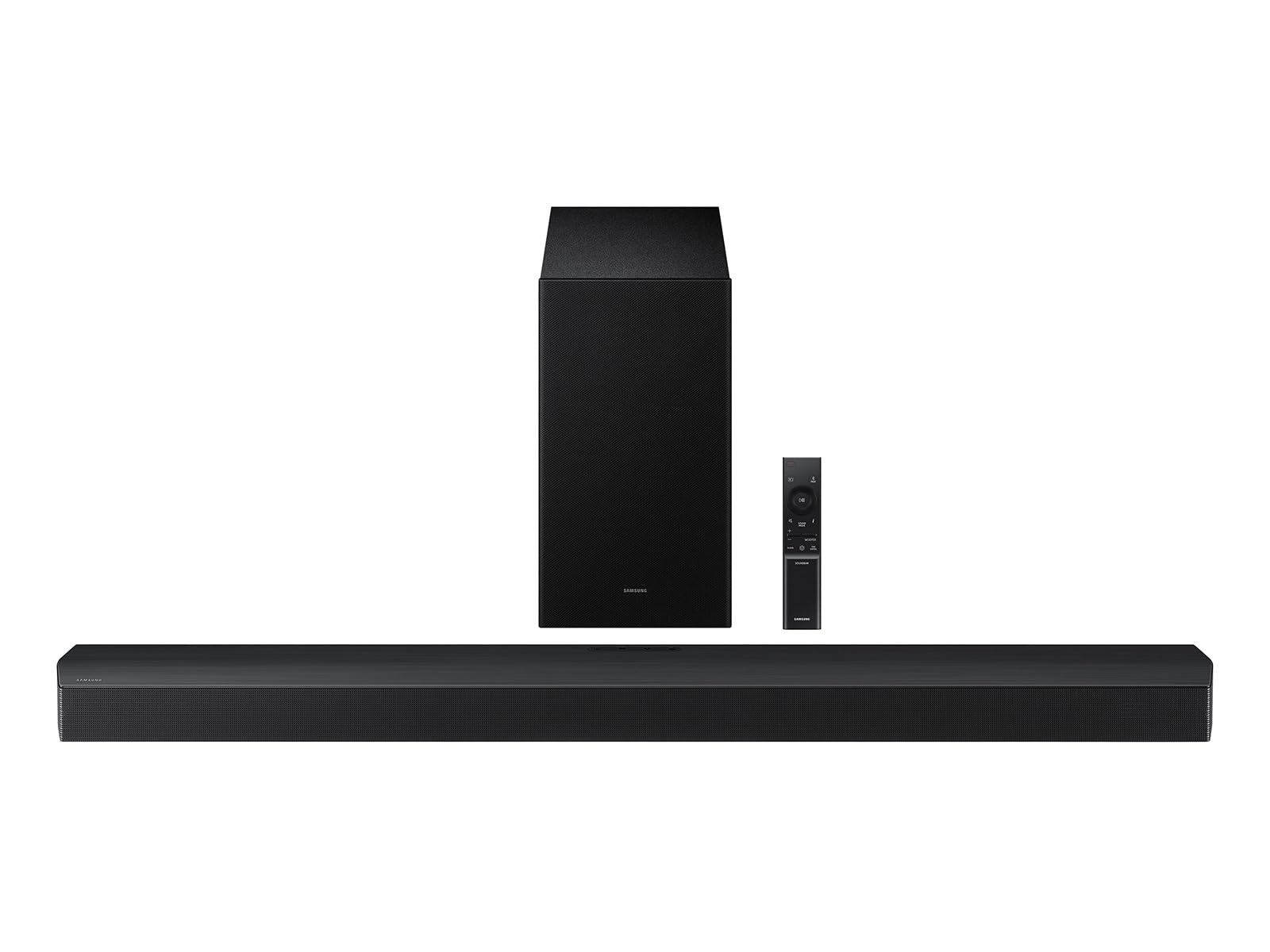
Samsung HW-B750F

84 /100
LBD Score Excellent

Key details

Channels
5.1
Subwoofer
Wireless
Connections
HDMI, Bluetooth
Max Output Power
400W
View on Amazon

Q-Symphony is the reason to look at this bar, and the reason to skip it. Paired with a compatible Samsung TV, the bar and the TV's own speakers play together, filling the middle of the sound in a way a bar on its own struggles to. With any other brand, that feature sits unused and you're paying for a logo you can't switch on.

The rest is conventional and solid: 5.1 channels, a wireless subwoofer, 400W, and built-in side speakers for width. Voice Enhance lifts dialogue, Adaptive Sound adjusts per scene, and the sub pairs itself once it has power.

Setup is one HDMI cable plus mains for the sub. It's the kind of system you install once and then forget about, which is the highest compliment a soundbar can earn.

For a Samsung TV in a mid-size room, this is the best-matched system in the group and the one that turns two sets of speakers into more than either manages alone. Outside that pairing, the M60 gives you 5.1 for a lot less money and doesn't care what brand your TV is.

Pros

  • Q-Symphony pairs with Samsung TV speakers
  • 5.1 with a wireless subwoofer
  • 400W with built-in side speakers

Cons

  • Needs a 40-inch-plus surface or a wall mount
Our verdict

A strong match for a Samsung TV in a mid-size room, and a poor one for anything else in the house.

Check Latest Price

How We Tested 12 Soundbars in a Living Room, Not a Lab

We started with research, pulling every bar that met three criteria: it fit under a TV without blocking the screen, it offered HDMI eARC or ARC alongside optical and Bluetooth, and it either included a wireless subwoofer or had enough built-in low end to stand alone. That narrowed a crowded field to 12, from slim two-channel bars up to full surround systems. Each lived under my living room TV for at least two weeks, and the strongest stayed for the full six months.

Testing happened at 9 p.m. on a Tuesday as often as on a Saturday, which is the point. Every bar went through the same rotation: a dialogue-heavy drama at the volume I'd actually use after dark, a blockbuster with heavy low end, a live sports broadcast, and an hour of music streamed over Bluetooth. I timed setup from unboxing to first sound using only the TV remote, and counted every time I had to pick up a second one to change volume, switch inputs, or fix a sync issue.

The differences showed up fast. Some bars made whispers audible but flattened explosions into a thud; others did the reverse. Dialogue-boost and auto-volume modes, marketed under a dozen names, turned out to be the most useful feature in the category, and I noted which ones could be left on permanently without thinning out the soundtrack. Bass management separated the field more than wattage did: could I pull the subwoofer down without losing voices, and would the bar remember that in the morning?

Build quality got the same scrutiny. I checked what each grille collected after a week, cycled the inputs a dozen times looking for handshake glitches, and spent a full evening with the packed-in remote before allowing myself the app. Value came down to how rarely a bar made me reach for that second remote.

How to Choose a Soundbar

Start with the subwoofer question

Bass is where a TV's own speakers fail first, and it's the difference you notice in the first minute. A 2.0 bar like the Fire TV Soundbar cleans up dialogue and widens the image, but it can't move air the way a separate subwoofer does. A 2.1 system such as the TCL S55H or the ULTIMEA M30 adds a dedicated bass box, and that's the upgrade most living rooms actually feel.

Then check how that box connects. Wireless means it can sit beside the sofa or behind a chair; the ULTIMEA M60's wired subwoofer ties you to a spot near the bar. In a bedroom or apartment, the smaller subwoofers here are the sensible choice, and the bass slider in the app matters more than the cabinet size.

What an Atmos badge actually buys

Atmos is a decoding format, not a speaker count. A 2.1 bar can read an Atmos soundtrack and spread effects wider across the front wall, but nothing will arrive from behind you. For sound that travels around the room you need either more drivers aimed sideways, as on the M60's 5.1 layout, or a bar designed around height and width processing, like the Arc Ultra's 9.1.4 array.

Decide which of those you want before you shop. Better front-of-room sound is a modest spend; a genuine surround effect costs more and needs a room with space around the seating to pay off.

Connections and the second-remote problem

HDMI eARC is the input to want: one cable, the highest-bandwidth audio your TV can send, and usually the TV remote controlling the bar's volume. ARC does the same job at lower bandwidth, which is where the M30 and the Assistrust bar stop. Optical works with almost anything, but it often leaves you holding two remotes every night.

Before ordering, find the HDMI ports on your TV and note which one is labelled ARC or eARC. Then check the box contents: the TCL, the M60 and the Fire TV Soundbar all ship with the cable, and discovering you need one on a Sunday evening is a needless delay.

Measure the gap under your TV

Two numbers decide whether a bar fits: width against the console, and height against the space between the stand and the bottom edge of the screen. The bars here run from 2.36 inches tall on the TCL to 3.13 on the Arc Ultra, which sounds trivial until a bar covers the bottom inch of the picture or blocks the TV's remote sensor.

For the subwoofer, pick a spot with a power socket and a little breathing room. A corner loads the bass more heavily, a side wall less so, and moving it a foot often does more than any setting in the app.

What spending more gets you

Extra money buys processing and control rather than raw watts. Room calibration on the TCL and both Sonos bars, stronger dialogue isolation from the M60's VoiceMX and the Arc Ultra's speech enhancement, and better music performance are what separate the tiers here.

What it doesn't buy is a guarantee. A feature you can't use is money left on the table, whether that's a bar that only sings with a matching-brand TV or Atmos effects in a room too small to spread them. Buy the capability you'll actually switch on.

Frequently Asked Questions

Final Verdict

The TCL S55H is the soundbar we recommend to most people: a wireless subwoofer, Atmos and DTS decoding, room calibration and eARC, with the cable in the box and a height that clears a normal TV stand. It's the least fussy way to fix dialogue and add real low end.

If a subwoofer is unwelcome in your room, the Sonos Beam Gen 2 is the better-shaped answer at 25.6 inches and tunes itself to the space. If effects moving around the room matter more than app polish, the ULTIMEA M60 delivers 5.1 for less than any Sonos here, as long as you can live with a cable to the sub.