Best Smart Locks with Keypads of 2026

The day I stopped carrying a house key wasn't a big tech conversion — it was a Tuesday with two bags of groceries, a dog pulling toward the door, and a pocket that had somehow swallowed the key again. A keypad lock fixes that in an afternoon, but the category splits in two: simple battery deadbolts that swap digits for a key, and smart locks that add fingerprint readers, Wi-Fi, and app control. That split is where the money goes, and it's also where most of the disappointment lives.

Over the past six months, my team and I installed 12 of these on front doors, side doors, and a rental unit, and the price rarely predicted which ones we'd keep. A fingerprint reader that misses a cold thumb twice in a row is worse than no reader at all, an auto-unlock that fires while you're still on the porch is a security hole, and a lock that drops its Wi-Fi pairing every time the router reboots is an expensive keypad.

The locks that earned a spot all share one trait: I stopped thinking about them. They fit the hole already in the door, the keypad stayed readable in rain and dark, the batteries warned us before they died, and the finish still looked like it belonged on the door in month five. Some of the picks are plain keypad deadbolts; others add fingerprints and remote access. Both kinds are below, grouped by who they actually suit.

1

Best Overall

TEEHO TE001

91 /100
LBD Score Outstanding

Key details

Auto-lock
10–99 seconds
User Codes
20
Battery Life
Up to 365 days
Weather Rating
IP54
View on Amazon

The first thing we noticed about the TE001 is what it does not ask of you: no account, no hub, no phone. You set a master code, add up to 20 user codes, and the keypad does the rest. For a front door used by family and a cleaner, that simplicity is the point. The satin nickel finish looks more considered than the price suggests, and the backlit keys are easy to hit after dark.

We paid attention to the auto-lock because that is where a keypad deadbolt earns trust. It can be set to lock 10 to 99 seconds after closing, or turned off, and the one-touch locking is handy when you are leaving with your hands full. The practical catch is door alignment: if the bolt binds, the lock cannot do its job. Check the strike plate and latch before you blame the electronics.

Battery life is listed at up to a year on four AA batteries, and the red low-battery light gives you warning before the keypad quits. Keep the two backup keys outside the house rather than in a drawer inside. The missing piece is remote access: there is no app or Wi-Fi, so you cannot let a contractor in from the office. For a lot of households, that is a fair trade for a lock that does not depend on a router.

Pros

  • 20 codes plus one-time guest codes
  • Auto-lock and one-touch locking
  • IP54 weather resistance and backlit keypad
  • No app or hub required

Cons

  • No app, Wi-Fi, or remote access
  • Auto-lock needs a well-aligned door
Our verdict

For most front doors, this is the keypad lock we recommend: simple codes, auto-lock, and no app to fail when you just want in.
Check Latest Price
2

Best Smart-Home Integration

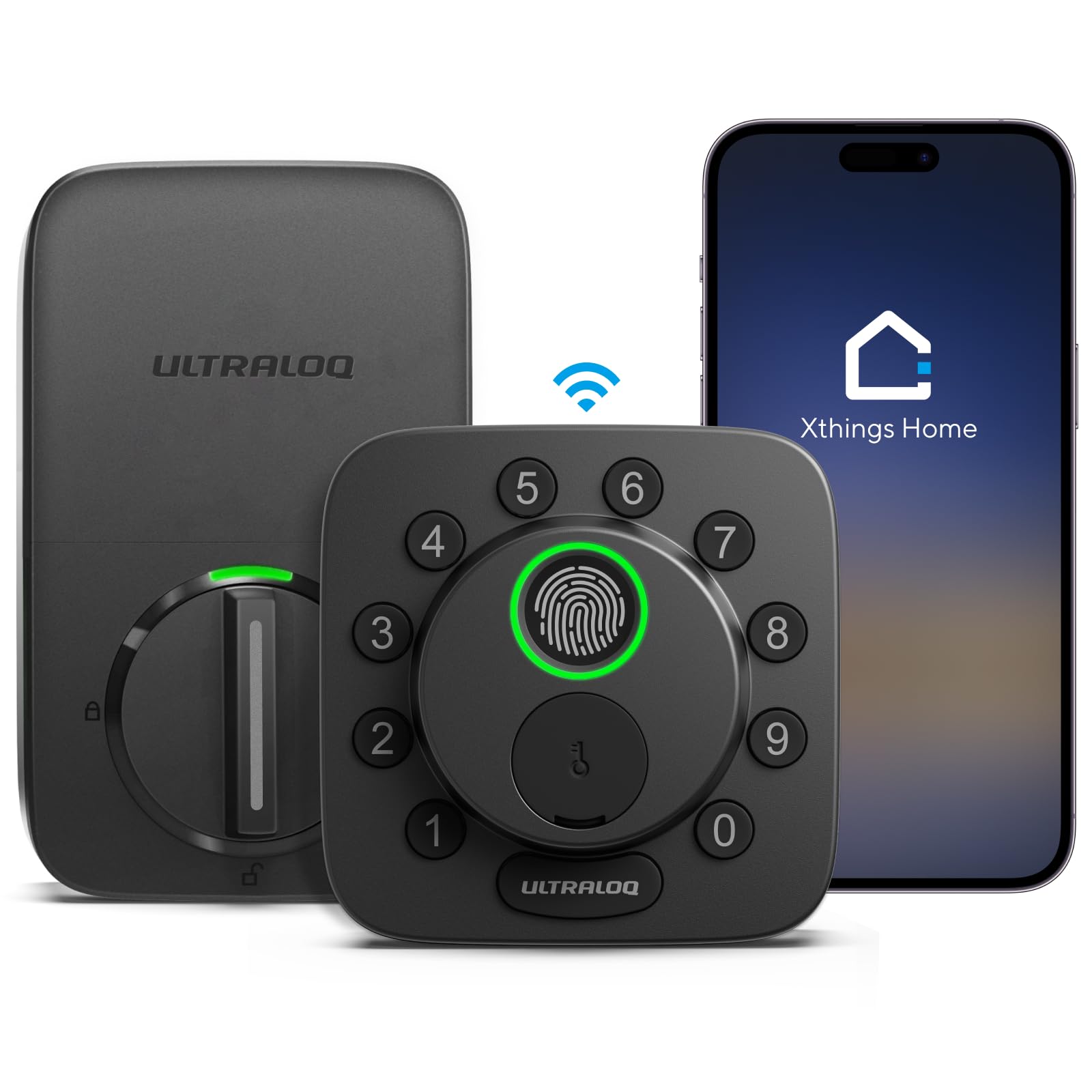
ULTRALOQ Bolt SE

88 /100
LBD Score Excellent

Key details

Smart-home
Apple Home, Alexa, Google
Connectivity
Wi-Fi, Bluetooth, Matter
Fingerprints
50
Entry Methods
Fingerprint, code, app, key
View on Amazon

The Bolt SE is the overachiever of this group: 50 fingerprints, 50 codes, a keypad, a physical key, Bluetooth, Wi-Fi, and Matter over Thread. The fingerprint sensor is the part we reached for most; it reads quickly and does not care that your hands are full. The keypad is glove-friendly and resists smudges, which matters less in a review than in a wet January.

Where it loses composure is connectivity. The lock's remote features depend on a stable Wi-Fi or Thread connection, and that is the weak link in day-to-day ownership. When the connection holds, the app and Apple Home integration are genuinely useful for checking status and sharing access. When it does not, you still have the keypad, fingerprint, and key, so the lock works, but the smart part is the part to test during the return window.

We also like the solid zinc body and BHMA certification, which is a more useful reassurance than a long feature list. The catch is that this is a lot of lock for a door that only needs a code. If you do not use Apple Home or remote access, the TEEHO TE001 does the daily job with fewer moving parts.

Pros

  • Fingerprint, keypad, app, and key access
  • Matter and Apple Home support
  • 50 fingerprints and 50 codes
  • BHMA-certified zinc body

Cons

  • Remote access depends on a stable connection
  • More features to set up and maintain
Our verdict

If you want one lock to handle fingerprint, keypad, Apple Home, and remote access, this is the most complete package, provided you lean on local entry rather than the cloud.

Check Latest Price
3

Best for Rentals

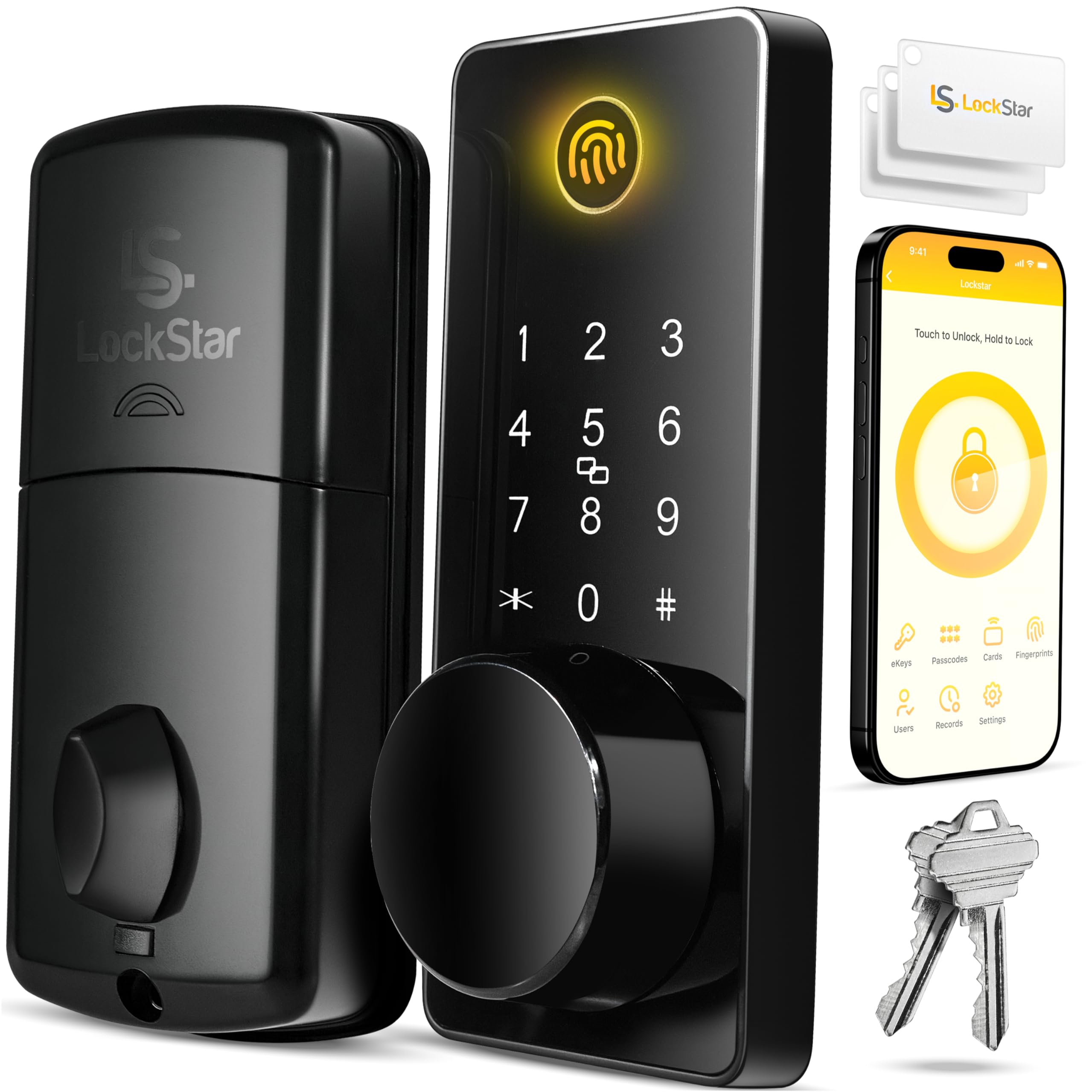
LOCKSTAR Smart Lock

89 /100
LBD Score Excellent

Key details

Entry Methods
Fingerprint, code, fob, app, key
Event History
In app
Wi-Fi Gateway
Included
Door Thickness
1.5–1.9 inches
View on Amazon

LOCKSTAR includes the Wi-Fi gateway in the box, which sounds like a small thing until you have priced the bridge separately on another lock. That makes the all-in cost easier to justify, and it is the reason this one suits hosts who need to send a code from another state. The lock also supports fingerprint, keypad, key card, fob, app, and a traditional key, so a guest who ignores the app can still get in.

The feature we appreciate most is the event history. It turns the lock into a simple check-in log: who opened the door, when, and whether it was a code or a key. For a short-term rental, that is more useful than another voice-assistant trick. Installation is straightforward on standard wooden doors, and the included screwdriver and drill piece remove one more excuse to delay the job.

The cost is the obvious hurdle: this is the most expensive lock in this group, and it asks you to buy into its app for the features that make it special. The hardware feels substantial, and the auto-lock has a calm, predictable feel in daily use. If you only need a code for the family, the TEEHO TE001 is the smarter spend; if you manage guests, the built-in gateway and audit trail earn the premium.

Pros

  • Wi-Fi gateway included
  • Entry history in the app
  • Fingerprint, code, fob, card, and key access
  • Fits 1.5–1.9-inch wooden doors

Cons

  • The priciest lock in this group
  • App is central to its best features
Our verdict

For a rental or second home, this is the premium lock we trust to manage guests without handing out keys.

Check Latest Price
4

Best Handle-And-Deadbolt Set

Veise KS01C

88 /100
LBD Score Excellent

Key details

Included
Deadbolt and 2 knobs
Auto-lock
10–99 seconds
User Codes
20 plus master
Certification
ANSI/BHMA Grade 3
View on Amazon

A lot of keypad locks leave you with a shiny new deadbolt above the old, mismatched knob. The Veise KS01C solves that by including two knobs with the keypad deadbolt, so the whole front door looks intentional. We like that it keeps the entry simple: 20 user codes, a master code, one-time codes, two backup keys, and no app or Wi-Fi to babysit.

The auto-lock can be set from 10 to 99 seconds, and there is one-touch locking plus vacation, passage, and silent modes. The anti-peep code feature is genuinely useful on a street-facing door: you can type extra digits around your real code and the lock ignores them. Grade 3 certification and IP54 weather resistance are the right baseline for a front door, not a claim of commercial-grade security.

The trade-off is inside the knob. This set gives you a round knob rather than a lever, so check that everyone can grip and turn it comfortably, especially small hands or anyone with arthritis. A handle set is also less forgiving to install than a deadbolt-only swap, so check the backset and door prep before ordering. If your door already has matching hardware you like, the TEEHO TE001 is the simpler buy.

Pros

  • Deadbolt and two knobs in one set
  • 20 user codes plus one-time codes
  • ANSI/BHMA Grade 3 and IP54
  • No app or hub required

Cons

  • Round knob may be harder for small hands
  • No app or remote access
Our verdict

When your front door needs a matching knob and deadbolt, this set gives you keypad entry without making you buy an app you will not use.

Check Latest Price
5

Best Fingerprint Value

TEEHO TE002

89 /100
LBD Score Excellent

Key details

User Codes
20
Battery Life
Up to 365 days
Fingerprints
20
Entry Methods
Fingerprint, code, key
View on Amazon

Fingerprint readers on inexpensive locks are often a gimmick. The TE002 is not magic, but it is good enough to change the morning routine: up to 20 prints, a one-second unlock claim, and a keypad waiting when a finger is wet or tired. We like that it keeps a physical key and 20 codes, so you are never dependent on the sensor.

The sensor is the part to test with everyone who will use the door. Dry skin, lotion, rain, and a bad angle can all turn a one-touch entry into a two-try entry. The fix is simple: enroll two fingers per person and keep a code as backup. In practice, that makes the fingerprint a convenience rather than a single point of failure.

The rest is familiar TEEHO: a backlit keypad, auto-lock, one-touch locking, IP54 weather resistance, and four AA batteries with a low-battery indicator. It is a sensible upgrade for a family that keeps losing keys, but it does not add Wi-Fi or remote access. If you want a connected lock, the ULTRALOQ is the better fit; if you want biometric entry on a budget, this is the sweet spot.

Pros

  • Up to 20 fingerprints and 20 codes
  • Fast fingerprint reader for the price
  • Backlit keypad and auto-lock
  • IP54 weather resistance

Cons

  • Fingerprint sensor can struggle with wet or dry fingers
  • No app or Wi-Fi
Our verdict

The TE002 adds a fingerprint reader to a straightforward keypad deadbolt, and for the money it is the biometric lock we point families toward.

Check Latest Price
6

Interior Doors

Yamiry YR04

88 /100
LBD Score Excellent

Key details

Auto-lock
5–99 seconds
User Codes
20
Install Time
Under 15 minutes
Backup Access
2 keys
View on Amazon

The YR04 is not trying to be a front-door deadbolt. It is a keypad knob, and that makes it useful in a different way: a home office, a bedroom, a closet, or a rental room where you want a code but do not need to rebuild the door's security hardware. Installation is a screwdriver job, and the 20-code setup is easy to live with.

We like that it still includes two backup keys and a backlit keypad, because a keypad knob without a key is a battery waiting to strand you. The auto-lock is adjustable from 5 to 99 seconds, and one-time codes are handy for a cleaner or a short-term guest. The catch is the inside handle: this format gives you less manual control than a deadbolt with a thumb turn, so test the auto-lock and inside operation before you rely on it.

The bigger limitation is security. A keypad knob is not a substitute for a deadbolt on an exterior front door, and it does not belong on a door that already has a deadbolt. For a bedroom or a rental room behind a shared front door, though, it is a neat, affordable way to stop handing out keys.

Pros

  • 20 codes plus one-time guest codes
  • Backlit keypad and two backup keys
  • Screwdriver installation
  • Adjustable auto-lock

Cons

  • Not a deadbolt replacement
  • Inside operation offers fewer manual options
Our verdict

We like this keypad knob for interior doors and rental rooms where a deadbolt swap is overkill.

Check Latest Price
7

Guest Access

Sifely S

89 /100
LBD Score Excellent

Key details

Connectivity
Bluetooth, Wi-Fi
Backup Access
2 keys, 2 key cards
Entry Methods
Fingerprint, code, fob, app, key
Fingerprint Speed
0.3 seconds
View on Amazon

The Sifely S throws every access method into one handle set: fingerprint, keypad, fob, key card, app, and mechanical key. That sounds like overkill until you are managing a rental and a guest cannot work the app, or a cleaner needs in without a phone. The included two keys and two key cards give you a low-tech backup that does not depend on the battery.

We found the fingerprint sensor quick when it worked, and the app is the easiest way to add or remove users. The weak part is long-term consistency: the sensor, locking mechanism, and durability can be finicky, so treat the first month as a trial, test every entry method, and keep the mechanical key accessible. That is not a reason to avoid the lock, but it is a reason to buy it for the right job.

The handle-set format is also a bigger install than a deadbolt, so check your door prep and take the template seriously. If you want the simplest possible keypad, the TEEHO TE001 is the calmer choice; if you need fobs and cards for staff or guests, the Sifely S is the one that covers more situations.

Pros

  • Fingerprint, code, fob, card, app, and key access
  • Fast fingerprint unlock
  • Good for temporary guest access
  • Includes two keys and two key cards

Cons

  • Fingerprint and locking consistency can be finicky
  • Handle-set install is more involved
Our verdict

For a rental with lots of turnover, this is the multi-method lock we point to: fingerprint, code, fob, card, app, and key in one handle set.

Check Latest Price
8

App-Based Entry

Yamiry YR01

87 /100
LBD Score Excellent

Key details

Included
2 fobs, 2 keys
Connectivity
Bluetooth, Wi-Fi
Remote Codes
Yes
Entry Methods
Fingerprint, code, fob, app, key
View on Amazon

The YR01 is the feature-heavy Yamiry handle set: fingerprint, keypad, key fob, mechanical key, and app control, with remote passcodes generated from the app. The matte black finish looks clean on a modern door, and the six-in-one access list is genuinely useful if different people in the house prefer different methods.

The app is the catch. Bluetooth setup is straightforward, but remote features may need a separate Wi-Fi gateway, and that is an extra piece of hardware to buy and maintain. We also ran into the inside-handle question: the lock can be slow or confusing to operate manually when the auto-lock is on, so test that before you commit. The fingerprint sensor is quick when your finger is clean and dry; otherwise, use the code.

Build quality feels solid, and the fingerprint and fob combo is handy for kids who do not carry a phone. But this is a lock for someone who enjoys tuning settings, not for someone who wants to set a code and forget it. If that sounds like you, the Veise KS01C is simpler; if you want app control without the premium LOCKSTAR price, the YR01 is worth a look.

Pros

  • Fingerprint, code, fob, key, and app access
  • Remote passcode generation
  • Matte black finish
  • Temporary guest access

Cons

  • Remote access may need a separate gateway
  • Inside handle can be awkward with auto-lock on
Our verdict

This handle set packs app control, fingerprint, fobs, and codes into a midrange package, but it makes more sense for a tech-comfortable household than a plug-and-play front door.

Check Latest Price

How We Chose and Tested These Keypad Locks

We started with a list of about 40 keypad locks and cut it down on the things that decide whether one works in your house: whether it retrofits an existing deadbolt or needs a new bore hole, whether the app reaches the lock directly or through a separate hub, whether the keypad is backlit, whether the body is metal or plastic, and whether a fingerprint reader is part of the package. Then we bought 12 and installed them over six months on my front door, a side door into the garage, a rental unit that turns over constantly, and two homes with kids who let themselves in after school.

Installation was timed with a stopwatch, from opening the box to the first successful unlock, and we did every one of them alone with a screwdriver. Most deadbolt models reused the existing hole and had us done in under half an hour; the handle and knob sets took longer because they replace more hardware. We handed the app to a nine-year-old and a neighbor in her seventies and watched them add their own codes without help. Then we issued codes to a dog walker and a contractor and deleted them to see how quickly access actually came off the lock, and we tested the one-time codes the way a host would.

On the fingerprint models we ran ten presses each with a dry finger, a damp finger straight from the dish sink, and a cold finger coming in from a walk, counting how many tries it took before the bolt moved. We unlocked with an armload of groceries, in the dark, and with gloves on to see how much fumbling the keypad demanded, and we checked whether anti-peep scrambling was easy to use when someone was standing behind us. Each exterior keypad got hosed down and then left through rain and a hard freeze. We let batteries run down on purpose to see whether the low-battery warning arrived in time, and we rebooted the router and walked away from the house to check whether app control and auto-unlock survived it.

We revisited every lock at week two, week eight, and month six and logged phantom unlocks, dead batteries without warning, re-pairing requests, and loose screws. That record is why the list below is short: a lock that needed a second look in month five didn't make it, no matter how many features it shipped with.

How to Choose a Smart Lock with a Keypad

Start With the Keypad You'll Actually Use

The keypad is the part of the lock you touch every day, so treat it as the primary control rather than a backup to the app. A backlit keypad matters on a dark porch, and physical buttons are easier to hit with gloves or wet fingers than a flat touchscreen. Code management matters too: look for enough user codes for family and regular help, plus one-time codes for guests and contractors.

We prefer a keypad with a clear low-battery indicator and an anti-peep option that lets you type extra digits around your real code. That is a small feature that makes a street-facing door less exposed. The TEEHO TE001 is a good example of getting these basics right without adding an app.

Match the Lock to the Door, Not the Other Way Around

A deadbolt-only lock is the simplest swap when your door already has a deadbolt and a knob you like. A handle set replaces the deadbolt and the handle together, which is useful when the old hardware is mismatched, but it demands more precise door prep. A keypad knob is a different product: it can be handy for a bedroom, office, or rental room, but it does not replace a deadbolt on an exterior front door.

Before ordering, check door thickness, backset, and whether the door is wood or metal. The LOCKSTAR lists a fit range of 1.5 to 1.9 inches for wooden doors; most others assume a standard wooden door prep. If your door has settled or the deadbolt binds, fix the alignment first. No electronic lock can reliably throw a bolt into a misaligned strike.

Decide How Much 'Smart' You Need

A no-app keypad lock is the most dependable choice for a household that mainly wants to stop carrying keys. Bluetooth adds nearby phone control, while Wi-Fi or Matter adds remote access and smart-home routines. The trap is assuming Wi-Fi is built in just because an app is mentioned. Some locks need a separate gateway for remote features, and that gateway is another device to power and maintain.

If remote access is essential, confirm the ecosystem and the gateway before buying. The ULTRALOQ Bolt SE supports Apple Home, Alexa, and Google through Matter, but its cloud features are only as good as the connection. If you do not need remote access, a simpler keypad lock removes a whole category of frustration.

Test Auto-Lock and Inside Operation

Auto-lock is convenient and easy to mistrust. A lock that closes before the door is fully latched can leave the bolt extended against the frame, and a lock that relies on a sensor can be fussy about alignment. Set the longest delay at first, watch how the bolt enters the strike, and make sure everyone knows how to use the inside thumb turn or handle.

Inside operation matters as much as the keypad. On a knob or handle set, check that the inside lever or knob still gives a clear manual lock and unlock. On a deadbolt, confirm the thumb turn moves freely. Passage mode is useful for a party or a shop counter, but it is not a substitute for a lock you can operate confidently in the dark.

Plan for Batteries and Access

Most keypad locks run on AA batteries, with listed life ranging from many months to about a year. Cold weather, frequent use, and a tight bolt all shorten that. Replace batteries at the first low-battery alert rather than waiting for the keypad to die, and keep a mechanical backup key somewhere outside the house.

For access, decide who needs a permanent code, who needs a one-time code, and who needs a fingerprint or fob. Enroll two fingers per person on a fingerprint lock and keep a code as backup. For rentals, use temporary codes and delete them after checkout; a lock with entry history makes that handoff easier to verify.

Frequently Asked Questions

Final Verdict

For most front doors, the TEEHO TE001 is the lock we recommend. It handles the daily job—code in, door locked—without an app, a hub, or a router, and its auto-lock and weather resistance cover the basics that matter. If you want remote access or Apple Home, the ULTRALOQ Bolt SE is the more capable choice, with the caveat that its local keypad and fingerprint are stronger than its cloud connection. For a rental with turnover, the LOCKSTAR's included gateway and entry history justify the step up.