Best Robotics Kits for Kids of 2026

The letdown usually hits about an hour in: the robot is built, it shuffles across the kitchen floor twice, and then it joins the graveyard of plastic on the shelf. The kits that survive that moment have a second act — a rebuild, a new program, a remote that lets a younger sibling take a turn. What you're really paying for isn't the first build; it's everything that happens after it.

I've spent the past six months building 12 of these kits with kids ages 8 to 14 — after school at the kitchen table, on rainy Saturdays, and once on a birthday morning with four children crowded around a single box. The pattern held: the kits kids came back to on day three were the ones with clear instructions and something left to try. It's also worth knowing what you're unwrapping before you wrap it, since some kits are pure mechanics with no screen at all, while others need a tablet or phone before they'll do much of anything. The ones below survived all of it.

1

Best Overall

Makeblock mBot Robot Kit

92 /100
LBD Score Outstanding

Key details

Coding
Scratch blocks, then Arduino
Support
Coding cards and three free apps
Build Time
About 15 minutes
Recommended Age
8 years and up
View on Amazon

Fifteen minutes with a screwdriver is all the assembly the mBot asks for, and that number is most of the reason it is our top pick. Plenty of kits in this group front-load an evening of snapping before anything moves; this one reaches a working robot fast enough that the coding, not the construction, becomes the project. Scratch blocks come first, then the same robot programmed in Arduino once block coding starts to feel easy.

What that buys you is a metal-and-plastic rover that answers to the code you write, with coding cards and three free apps to work from. We were struck less by any single feature than by how much support arrives in the box: lessons, worked examples, and a route in for a kid who has never programmed anything. Add-on packs extend it later, which is rare at this level, so the robot can grow instead of being outgrown.

The app is the weak spot. Pairing over Bluetooth takes a couple of tries and drops when the robot rolls out of range, so the workable habit is to pair at the start of a session, stay within a few feet, and re-pair rather than troubleshoot mid-project. Set against that, the tutorials are the real reason to buy: they hand a kid a working project on day one and a route to their own by day thirty.

Pros

  • Builds in about 15 minutes with a screwdriver
  • Scratch blocks that lead into Arduino code
  • Coding cards and three free apps included
  • Genuinely buildable by an 8-year-old

Cons

  • In-box coding projects stay basic
  • Expansion packs are bought separately
Our verdict

The kit we point most families to: a fast build, then Scratch and Arduino projects that keep a robot moving for months.
Check Latest Price
2

Best Building-Block Robot

Sillbird 5-in-1 Robot Kit

92 /100
LBD Score Outstanding

Key details

Models
5 motorized builds
Pieces
488
Control
App and remote
Recommended Age
8 to 16 years
View on Amazon

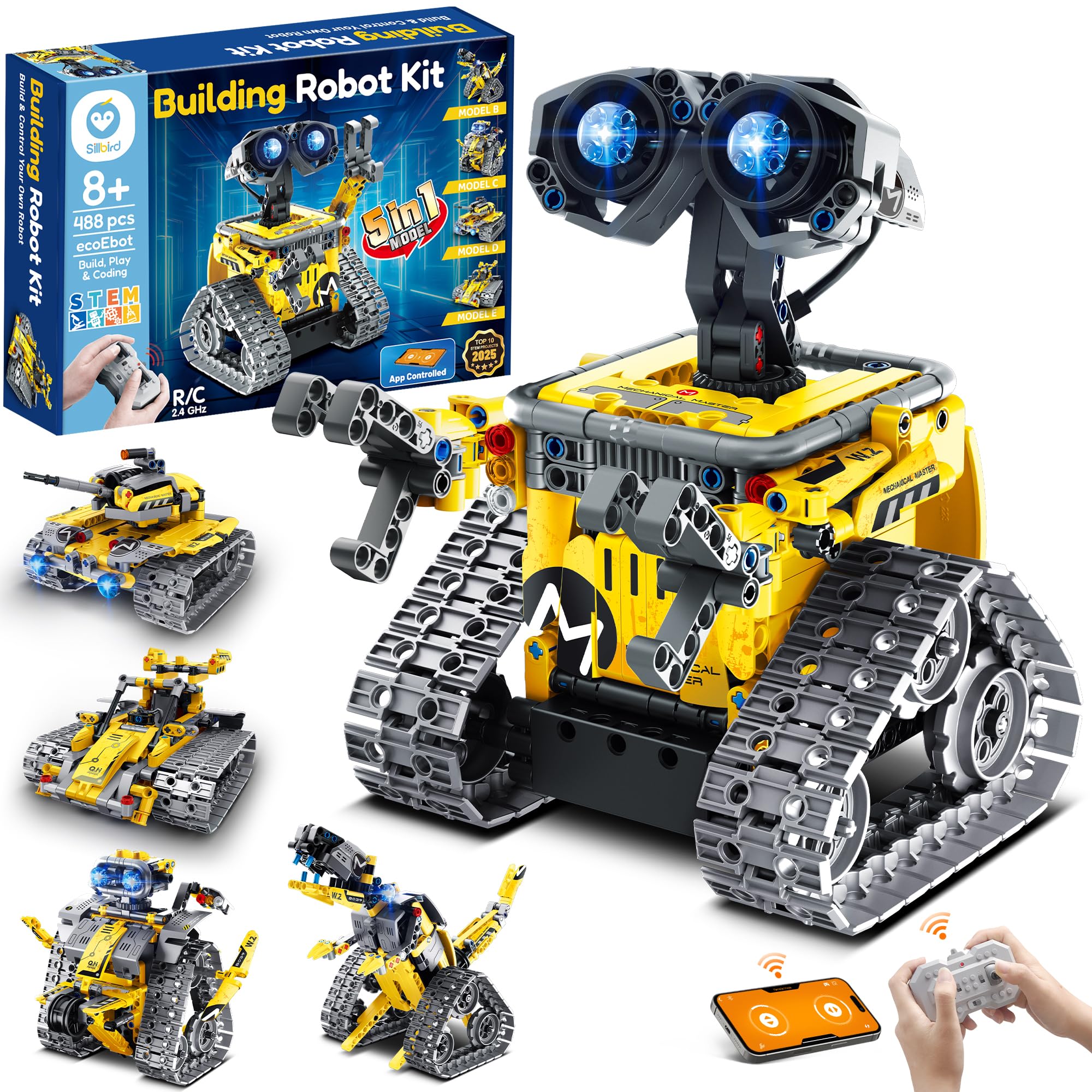
Five machines come out of one box: a robot, a dinosaur, a car, a tank, and a fifth build the manual saves for last. With 488 pieces and a rechargeable pack, this is the kit that matches what a kid pictures when they ask for a robot — chunky, bright, and driven by a remote or a phone.

The build is the event here, and we think that is the right way to judge it. Assembly is genuinely involving, the steps run color-coded with arrows, and the finished models are characterful enough to show off. What we do not love is what comes after: one set of pieces means one robot at a time, so building the dinosaur costs you the robot you just finished. A kid who enjoys the making more than the having will shrug at that; a kid who wants a permanent toy will not.

Control is the part to test early. The remote's stick mapping takes getting used to, and the motor or the remote occasionally does not cooperate out of the box, so give the finished robot a full run while the return window is still open. Once it is moving, the appeal is obvious: it is a robot, it is theirs, and it walks across the kitchen floor.

Pros

  • Five motorized models from one set
  • 488 pieces of sturdy brick
  • Remote and app control
  • Rechargeable battery included

Cons

  • One model at a time; rebuilding means a teardown
  • Path mode is not real block coding
Our verdict

The pick for a kid who wants a big, bright build they can drive: five models, 488 pieces, and a remote that gets it moving the day it is finished.

Check Latest Price
3

Best for Teens

ELEGOO UNO R3 Robot Car

91 /100
LBD Score Outstanding

Key details

Board
Arduino UNO R3
Camera
Live FPV over Wi-Fi
Sensors
Line-tracking and ultrasonic
Recommended Age
12 years and up
View on Amazon

There is a camera on the front of this one, and it changes the project. You assemble the car, wire the board, and then drive it while watching a live feed from the robot's own point of view. An Arduino UNO R3 handles the logic, an ESP32-based module handles the video over Wi-Fi, and line-tracking and ultrasonic sensors give the car something to react to.

Wiring is the real work. Keyed XH2.54 connectors cut down the classic mistake of plugging a cable into the wrong header, and the illustrated tutorial walks through both the assembly and the example programs. But the code is the point: you open the Arduino IDE, read the sketch, and change it to make the car do something the manual never covered.

That makes it the wrong gift for an 8-year-old and the right one for a 12-year-old who already likes computers. It is the most complete electronics education in this group — board, sensors, camera and code in a single box — and the one we point at teenagers. Plan to be the second pair of eyes at the debugging stage, because this is a kit that rewards an adult who can read a line of code.

Pros

  • Arduino UNO R3 board you program yourself
  • Live camera feed from the car
  • Line-tracking, obstacle avoidance and follow modes
  • Keyed connectors reduce wiring mistakes

Cons

  • Wi-Fi app pairing can drop
  • Instructions thin out at the debugging stage
Our verdict

The pick for a 12-year-old who wants to write real Arduino code and watch it drive — a camera car that is a genuine electronics project, not a toy.

Check Latest Price
4

Best Budget Kit

Klutz LEGO Gear Bots

93 /100
LBD Score Outstanding

Key details

Power
Hand cranked, no battery
Models
8 kinetic builds
Pieces
62 LEGO elements
Recommended Age
8 to 12 years
View on Amazon

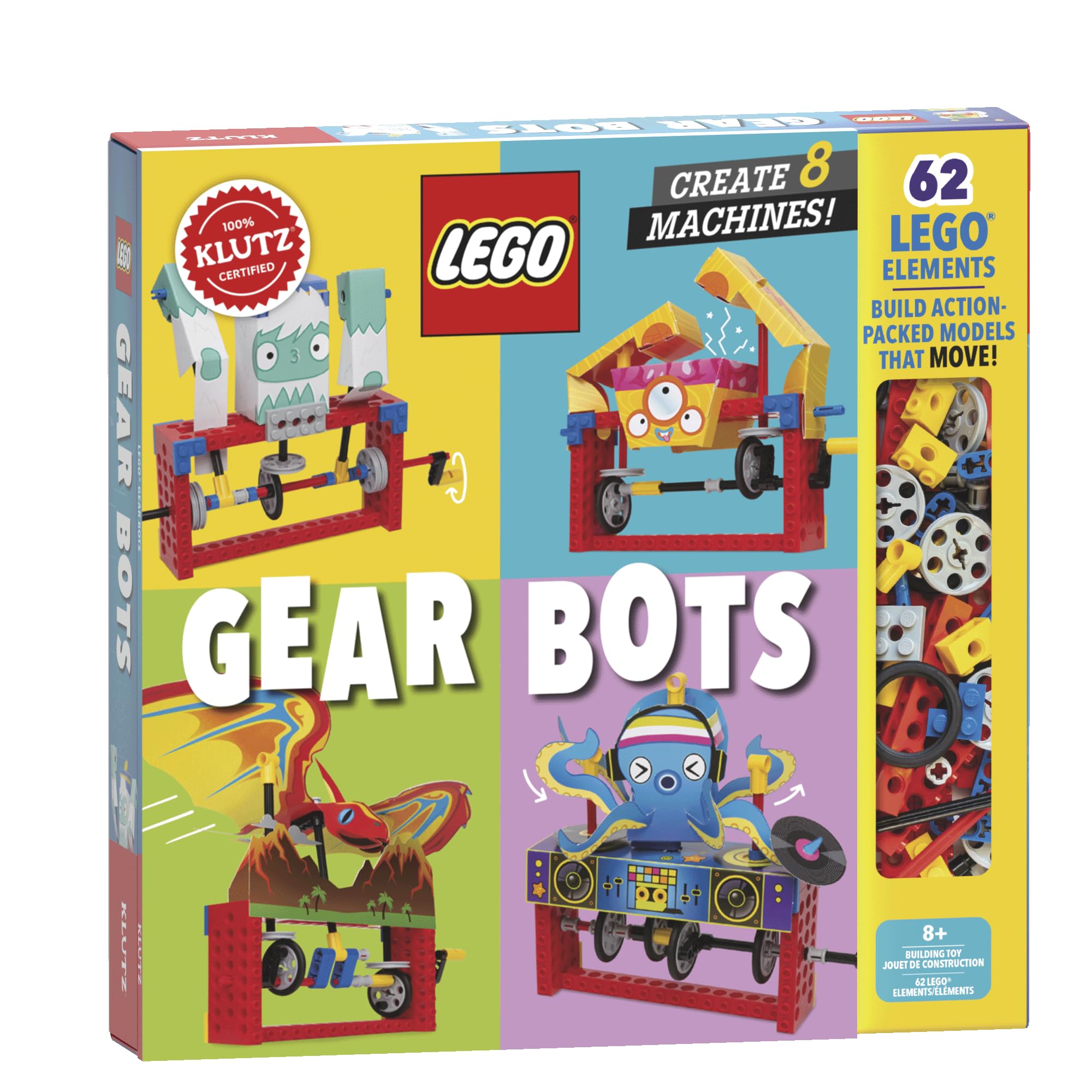
Sixty-two LEGO elements, ten sheets of papercraft and a 64-page book — that is the whole kit, and it is the one we reach for when nobody yet knows whether a kid likes mechanisms. No motor, no app, no batteries. You build a creature, turn a crank, and watch the gears you assembled drive a cam that makes it walk.

The book does the teaching. Axles, cams and cranks each get a couple of pages and are then used immediately in a build, which is the order that sticks. Eight models run from simple to genuinely clever, and a LEGO-obsessed 8-year-old can work through them without an adult hovering over the table.

It is the papercraft that makes this a bigger deal than it looks. Card stock does work molded plastic cannot manage in a kit this size, and it is the half that creases, tears and shows its age — these are models to build and watch rather than toys to carry around the house. At this end of the range that is a fair trade for the price of entry.

Pros

  • Real LEGO elements plus a mechanism book
  • Eight builds from simple to clever
  • No batteries, no app, no screen
  • Compact enough to keep on a shelf

Cons

  • One model at a time; you dismantle to rebuild
Our verdict

The lowest-risk way to find out whether a kid likes building mechanisms: real LEGO parts, a book about cams and cranks, and eight creatures to crank by hand.

Check Latest Price
5

Best Screen-Free Coding

TEACH TECH Mech-5

91 /100
LBD Score Outstanding

Key details

Power
2 AAA batteries
Actions
Throws, lifts, kicks, draws
Programming
Snap-on coding wheel
Recommended Age
10 years and up
View on Amazon

Coding here is a wheel and a bag of pegs. Snap pegs into the wheel's slots, fit it to the robot, and the machine runs your sequence — it throws, lifts, kicks or draws depending on the arm you have built and where the pegs sit. No tablet, no pairing, no app.

We like what that does to the idea of programming. A peg either pushes a lever or it does not, so cause and effect are physical and immediate, and a kid who has never heard of a loop still ends up building one to make the robot draw the same shape twice. It is the most elegant teaching mechanism in this group, and the one we choose for a house with no spare screen.

The build is the price of admission. This is a proper mechanical assembly with small parts, and the pieces arrive attached to sprues, so trim as you go rather than piling up loose components with plastic nubs still on them. Ten and up is honest; eight is optimistic. Give it a clear tabletop and two AAA batteries and it will keep a patient kid busy for hours.

Pros

  • Coding concepts with no screen or app
  • Physical sequences: throws, lifts, kicks, draws
  • Two AAA batteries and nothing to pair
  • Mission-based builds that reward patience

Cons

  • Molded parts vary in fit
Our verdict

Best for a kid who wants to see code do something without a screen: snap pegs into the wheel and the robot plays the sequence back.

Check Latest Price
6

Best Wearable Build

Smartivity Mechanical Hand

92 /100
LBD Score Outstanding

Key details

Build
Wearable working hand
Parts
Free replacements for life
Material
Engineered wood
Recommended Age
8 to 14 years
View on Amazon

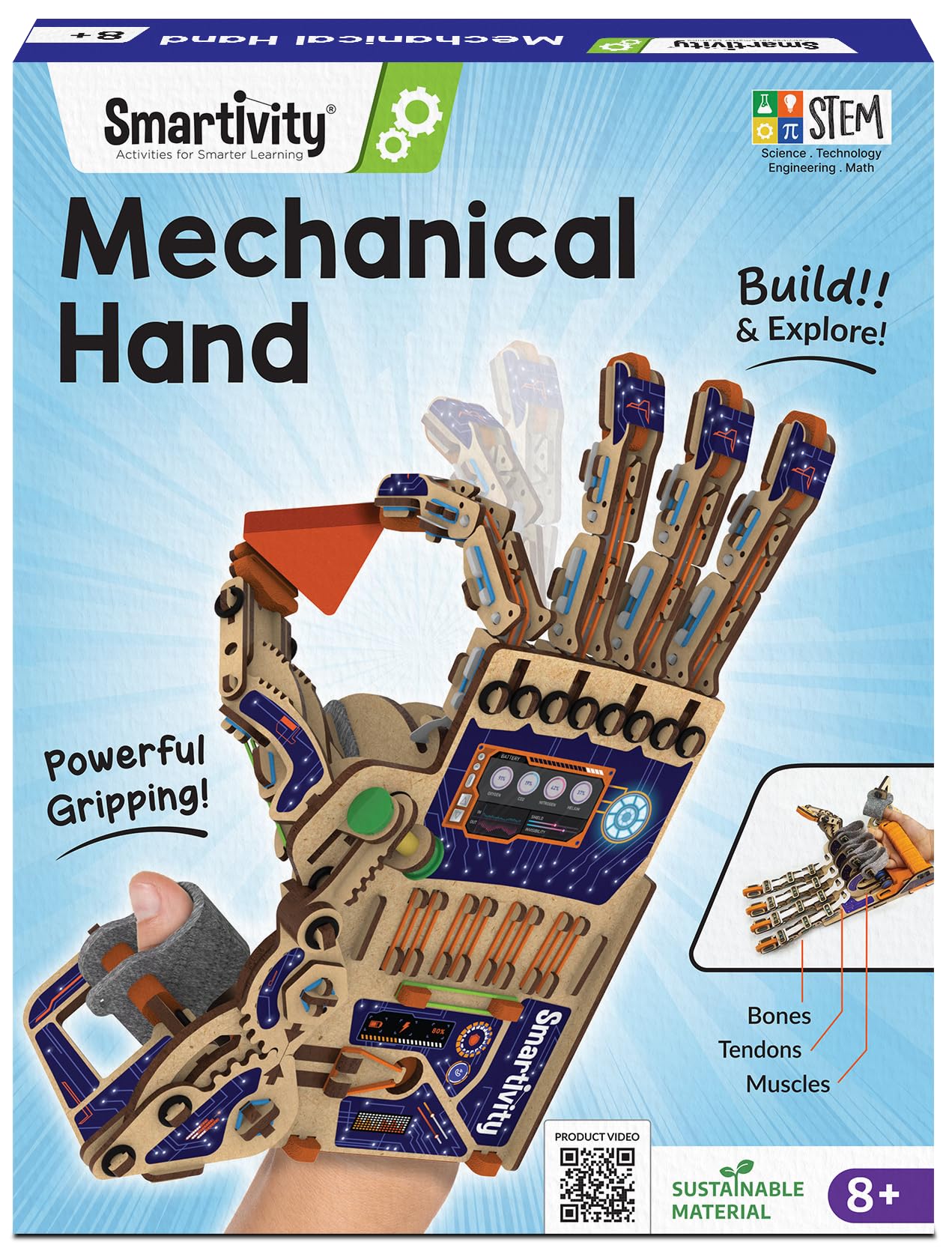
It is a hand. A kid builds it from engineered wood, straps it on, and their own fingers work the joints through a rubber-band mechanism. That payoff — something you wear rather than display — is why this one gets finished instead of abandoned at the halfway point.

The build takes an afternoon, and the instructions are the picture-by-picture kind most 10-year-olds can follow alone. The reward lands the moment the hand grips something: a cup, a ball, a sibling's sleeve. It also survives the week after, which we cannot say for every kit here.

Of the wearable builds in this group, this is the one that keeps getting played with. It gets worn around the house, used to pick things up, shown to visitors. The maker supplies replacement parts free for life, and that is the difference between a kit that dies in a drawer and one that gets repaired and put back on.

Pros

  • Ends in a wearable hand that grips things
  • Engineered wood, no batteries, no screen
  • Free replacement parts for life
  • Instructions most 10-year-olds follow alone

Cons

  • Rubber-band tendons fray with use
  • Needs an adult at the younger end of the range
Our verdict

A build that ends with something a kid wears: wood parts, working fingers, and an afternoon of assembly before the gripping starts.

Check Latest Price
7

First Robot Build

4M Table Top Robot

89 /100
LBD Score Excellent

Key details

Power
1 AA battery (not included)
Robot Type
Edge-detecting crab
Skill Taught
Edge sensing
Recommended Age
8 to 15 years
View on Amazon

One trick, done well, is a fair definition of a first robot. This crab scuttles across a table, feels for the edge with its front feelers, backs off and turns. That is the whole thing, and it is enough to show what a sensor does without a line of code.

Assembly is short and screwdriver-based, and it is the rare kit here that an 8-year-old can finish unaided — most of the build is clicking parts together, and the parts come apart again if something goes wrong. You will need a small cross-head screwdriver and one AA battery, neither of which is in the box.

The edge detection is a mechanical feeler rather than a clever sensor, so a rounded or glossy table edge can defeat it and the crab does sometimes go over the side. Give it a matte table with a straight edge and it behaves the way the box promises, which is enough for an afternoon of chasing it around the kitchen.

What we keep coming back to is the ratio: a short build, one clear idea, and a toy that does something on its own. It is the kit we hand a kid who has never built anything, and the one that tells you in a single afternoon whether a bigger kit is worth buying.

Pros

  • Short, screwdriver-only build an 8-year-old finishes
  • Demonstrates edge sensing with no code
  • Snaps apart and rebuilds without damage
  • Low-cost way to test a kid's interest

Cons

  • Power switch can give out
Our verdict

The one to hand a kid who has never built anything: a short assembly, one AA battery, and a crab that senses the table edge and backs away.

Check Latest Price
8

Hydraulic Arm Project

TEACH TECH Hydrobot Arm

89 /100
LBD Score Excellent

Key details

Axes
6, with 270-degree rotation
Power
Water hydraulics, no batteries
Gripper
Claw and suction cup
Recommended Age
12 years and up
View on Amazon

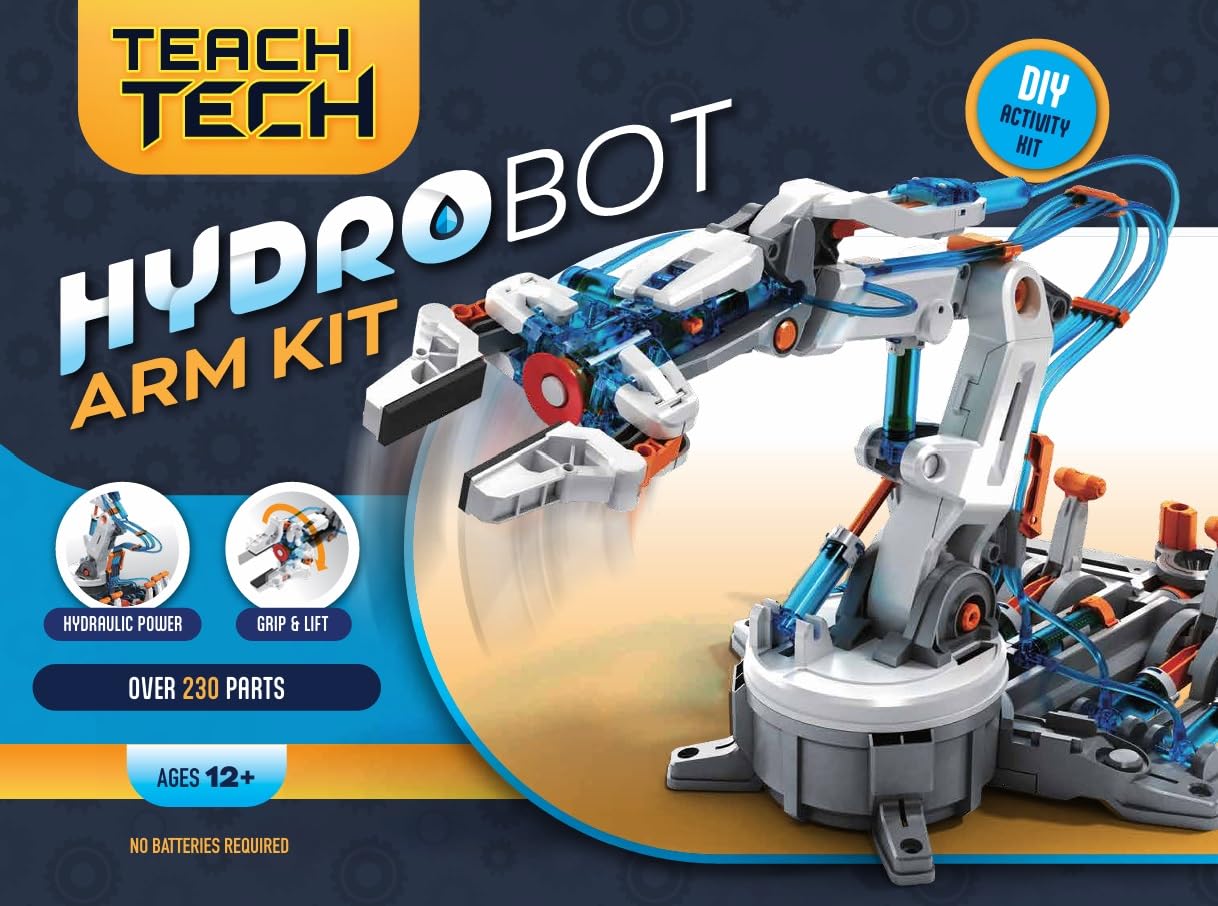
Six axes, a working gripper and no batteries: this arm runs on water. Fill the syringes, connect the tubing, and pushing a plunger drives a piston at the other end — the same principle as the hydraulics on a digger, at kitchen-table scale. The gripper swaps for a suction cup, and the arm rotates through 270 degrees.

It is a long build. Parts fit tightly, which is good for rigidity and hard on fingers, and the manual is dense enough that most 12-year-olds will want company for the first half. Plan on more than one sitting, and clear a table you can leave half-finished.

Plastic quality is the thing to watch during assembly. Some parts are brittle enough to crack while you are pressing them together, so slow assembly is also careful assembly — support the frame with your other hand and press from the joint rather than the end of the strut. Once it is built, the arm rewards the effort.

We came out of this build able to explain what a hydraulic piston actually does, which is more than any diagram had managed. For a patient 12-year-old who likes knowing how things work, it is the best fluid-power project here, and the one that looks least like a toy on the bench.

Pros

  • Six axes with 270-degree rotation
  • Gripper and suction cup ends
  • No batteries, water and levers only
  • Shows fluid power at work

Cons

  • Air in the lines has to be bled out
Our verdict

The hydraulic arm we recommend for a patient 12-year-old: six axes, a working gripper, no batteries, and an evening or two of filling and bleeding syringes.

Check Latest Price

How We Tested a Dozen Robotics Kits

We started with a long list of kits that actually do something — motors, sensors, hydraulics, gears that mesh — rather than sets that snap into a static model and call it robotics. From there we cut anything that arrived without printed build instructions, anything whose companion app hadn't been touched in years, and anything that duplicated an approach we already had covered.

Each of the 12 kits was built at least twice: once by a kid working alone and once by a kid and an adult together. I timed the solo builds and noted exactly where help was needed — usually a stiff connector or a gear that had to be seated just so — and whether the instructions explained that step or left you to guess. Then we used them the way kids do: running them over both carpet and hard floor to see whether they tracked straight, steering toward chair legs and table edges to check whether the sensors actually stopped them, and letting the batteries run flat.

For app- and remote-controlled kits, we paired to both an older tablet and a phone, then walked the robot into the next room to see whether the connection held or dropped. We rebuilt kits into their alternate models, since a kit that makes one thing is a shorter ride than one that makes several. Everything stayed on our shelf for the full six months, which is how we found the wobbling wheels, the stripped gears, and the kits that still ran on the last day. The bluntest measure of fun was which ones got pulled out again without me suggesting it, and every pick has since survived a birthday or a handoff to a sibling.

How to Choose a Robotics Kit for Kids

Three kinds of kit, three different purchases

Mechanism kits — gears, cams, a hand crank — teach how machines work and need no device. Building-block robots give you a familiar, chunky build with a motor and a remote. Programmable robots put a circuit board and code in a kid's hands. They are three separate purchases, and the packaging rarely says which one you are holding.

Match the kind to the child you are buying for. A builder wants pieces; a tinkerer wants a board and a screen; a kid who just wants a robot that moves will be happier with a remote than with a code editor. Getting this wrong is the main reason a good kit goes untouched.

Read the age range as a suggestion, then check the build

Every box prints an age, and most of those ages are optimistic by a year or two. The number that actually matters is who can finish the assembly: some kits here are done by a 9-year-old alone in an evening, while others need an adult for hours.

Piece count is a poor guide on its own. Hundreds of standard bricks click together easily; a smaller kit of sprued parts needs trimming, force and patience. Read the assembly description before the badge, and if the gift is for a specific birthday, assume you will be helping.

Check what makes it move

Motors run on alkaline batteries or a rechargeable pack; hydraulic kits run on water and patience. Whatever powers it, the real test is whether the finished robot moves convincingly under its own power, because a model you push around by hand is a model that gets ignored.

Solar is the classic trap. Panels need direct sun or a strong lamp, and a robot that only crawls in perfect light reads as broken to a kid who has waited all afternoon. Decide where it will run before you choose — a carpeted living room, a sunny patio and a school desk are three different robots.

Decide whether you want an app in the room

An app adds a control mode and usually a programming mode, but it also adds a device, a pairing step and a compatibility question. Bluetooth pairing is the most common weak point in app-controlled kits, and it is the thing that turns a five-minute play session into a troubleshooting session.

That is not a reason to avoid them, it is a reason to buy one with a fallback such as a remote. For screen-limited households, a peg wheel or a hand crank teaches the same sequencing ideas with nothing to charge and nothing to pair.

Frequently Asked Questions

Final Verdict

Start with the mBot. It turns one evening of assembly into months of Scratch projects and then an Arduino habit, and it is the kit we point most families to when they ask about a first robot.

If the kid in question is already 12 and comfortable on a computer, the ELEGOO car is the better buy: a real board, a camera, and code that has to be debugged. And if you are not yet sure a robot kit will land at all, buy the Klutz set first and watch what happens over the following week.