Best Police Scanners of 2026

The most important thing about a police scanner isn't printed on the box: whether it can hear the systems your county actually uses. People buy one, program in a few frequencies, and get silence — usually because their local agencies moved to a digital trunked system, or because simulcast distortion is shredding the signal in their part of town.

I've kept a scanner on the kitchen counter for years, and over the past six months my team and I ran eight of them side by side, listening to the same transmissions until the differences got obvious. We cared about whether voices stayed clear when two departments talked at once, how much control you get over channel lists and scan banks, and how long a handheld lasts on one charge.

The other thing worth knowing before you shop: an analog scanner isn't a lesser scanner, just a narrower one. If your area still transmits analog, a simple desktop unit does everything you need for a fraction of the price. If you're in a simulcast dead zone, no amount of dial-spinning fixes it — better decoding does, and that's most of what separates the picks below.

1

Best Overall

Uniden SDS100

87 /100
LBD Score Excellent

Key details

Type
Handheld digital
Display
Customizable color
Database
USA and Canada
Receiver
True I/Q
View on Amazon

Simulcast is the reason people give up on police scanners. A digital system can turn into clipped, burbling audio on a radio that otherwise works fine, and the SDS100 is built around that problem: its True I/Q receiver is designed to hold weak and simulcast signals together. In our testing, it was the handheld we trusted when a system got difficult, and the difference is not a spec-sheet abstraction—it is whether you can understand the call.

The rest of the radio supports that role. Uniden's HomePatrol database covers the U.S. and Canada, so you can enter a ZIP code and start listening instead of hunting frequencies; the color display is customizable, and the microSD card and Sentinel software make later edits manageable. We appreciated not having to build a favorites list from scratch just to hear what was happening nearby.

The price of that performance is a radio that feels substantial in the hand: about a pound and a half and roughly seven inches tall, so it rides in a bag or a belt case rather than a jacket pocket. Battery life is the other compromise. A full charge will not cover a long listening day, so a spare battery or a charging routine belongs in the plan.

What you get in return is the most capable digital handheld in this group, with the database convenience and simulcast performance to match. If you want one scanner to cover modern police, fire, and EMS traffic without turning programming into a hobby, this is the one.

Pros

  • True I/Q reception for simulcast digital systems
  • ZIP-code database gets you listening fast
  • Customizable color display is easy to read
  • Handles P25 digital and trunked systems

Cons

  • Premium price for casual listeners
Our verdict

For most people who want one serious police scanner, the SDS100 is our pick: it handles simulcast and digital systems, and ZIP-code setup gets you listening without a programming project.

Check Latest Price
2

Best Base Station

Uniden SDS200

89 /100
LBD Score Excellent

Key details

Type
Base/mobile digital
Display
3.5-inch color
Receiver
True I/Q
Location Scanning
ZIP code or GPS
View on Amazon

If the scanner is going to sit on a desk or in a vehicle, the SDS200 is the better shape for it. The 3.5-inch color display is the first thing you notice—system, talkgroup, and signal information can be arranged and color-coded, so you can tell what you are hearing from across the room. That sounds cosmetic until you have used a small handheld display all evening.

Underneath, it is the same True I/Q approach as the SDS100, and it is the strongest base/mobile performer in this group on simulcast and weak-signal digital systems. The HomePatrol database covers the U.S. and Canada, and location-based scanning by ZIP code or GPS lets you move it between home and vehicle without rebuilding the whole setup. Favorites Lists keep the agencies you care about together.

The radio is built for a fixed location: a desk, a shelf, or a vehicle mount, with the 12-volt harness doing the work. We liked having the larger speaker and the always-on screen where we could see it, and the Sentinel software made more sense than trying to edit a long favorites list from the keypad.

For a dedicated listening post, that trade is easy to make.

Pros

  • True I/Q performance on simulcast systems
  • Large customizable color display
  • ZIP code and GPS location scanning
  • Favorites Lists organize agencies

Cons

  • Small, low-contrast button labels
Our verdict

If your scanner lives on a desk or in a vehicle, the SDS200 is our pick: big color display, True I/Q reception, and the same ZIP-code database in a base/mobile body.

Check Latest Price
3

Best Budget Digital

Whistler WS1040

82 /100
LBD Score Excellent

Key details

Type
Handheld digital
Memory
Free-form
Weather
SAME alerts
Digital Mode
P25 Phase I
View on Amazon

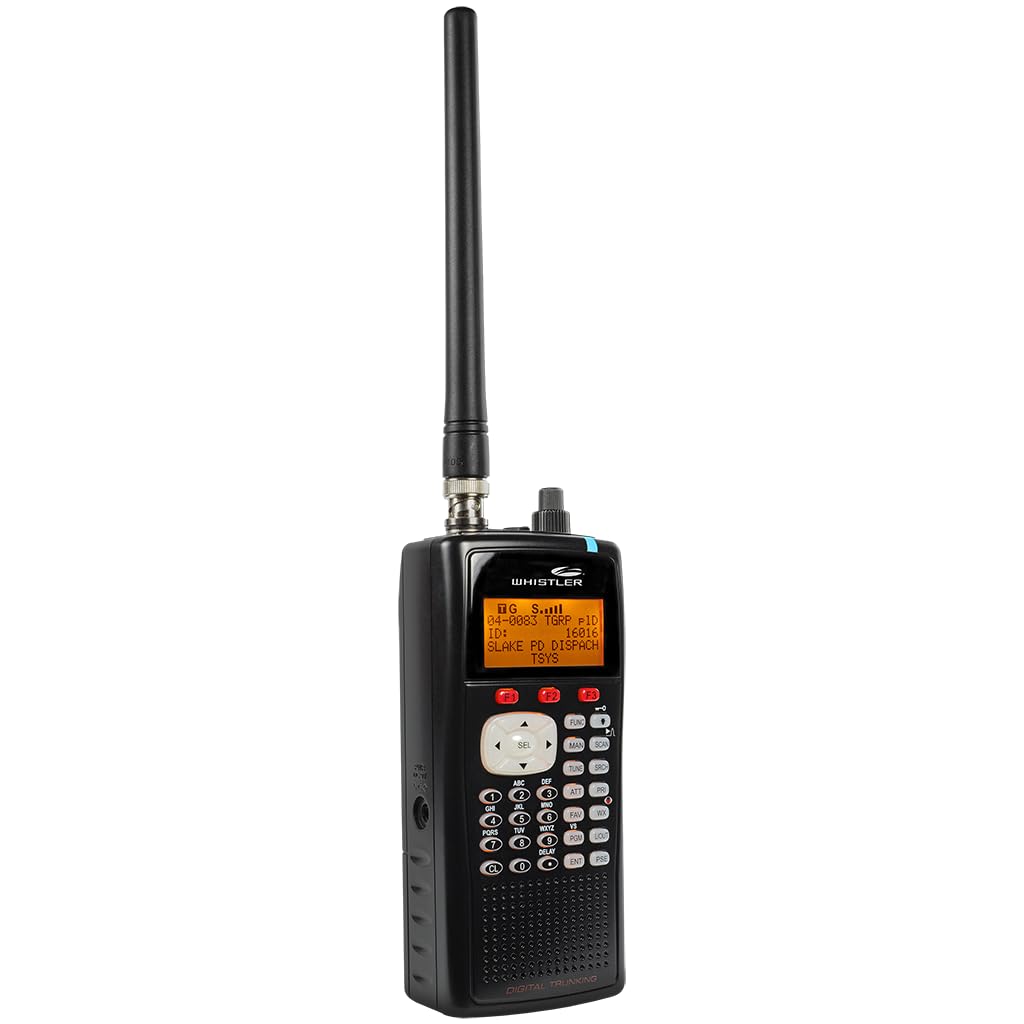
The WS1040 is the budget door into digital trunking here, and it makes its case on price rather than polish. It handles P25 Phase I and trunked systems, which is a meaningful step up from an analog-only scanner. Check your local system before you buy, because the radio's digital reach has a ceiling.

Memory is free-form, so you can organize scan lists by county, agency, or mood instead of squeezing everything into fixed banks. The menu-driven programming includes context-sensitive help, and the radio supports SAME weather alerts and Skywarn. We liked the flexibility once a list was built; getting there takes patience, especially if you skip the PC interface.

The hardware has two clear weak spots. The speaker runs out of volume in a noisy room, and battery life is short enough that this is really a radio for a desk with a charger nearby. The case is light and the display is readable, but the WS1040 asks you to trade convenience for the lower entry point.

For a listener with a Phase I system and a drawer full of batteries, that trade can be worth it.

Pros

  • P25 Phase I digital at a budget price
  • Free-form memory for flexible scan lists
  • SAME weather alerts and Skywarn
  • PC interface for easier setup

Cons

  • P25 Phase I only; no Phase II
Our verdict

The WS1040 is our budget digital pick for a P25 Phase I system, where it delivers trunked scanning for the least money in this group.

Check Latest Price
4

Analog Desktop Listening

Whistler WS1025

83 /100
LBD Score Excellent

Key details

Type
Desktop analog
Display
Backlit LCD
Channels
200
Priority Channel
Yes
View on Amazon

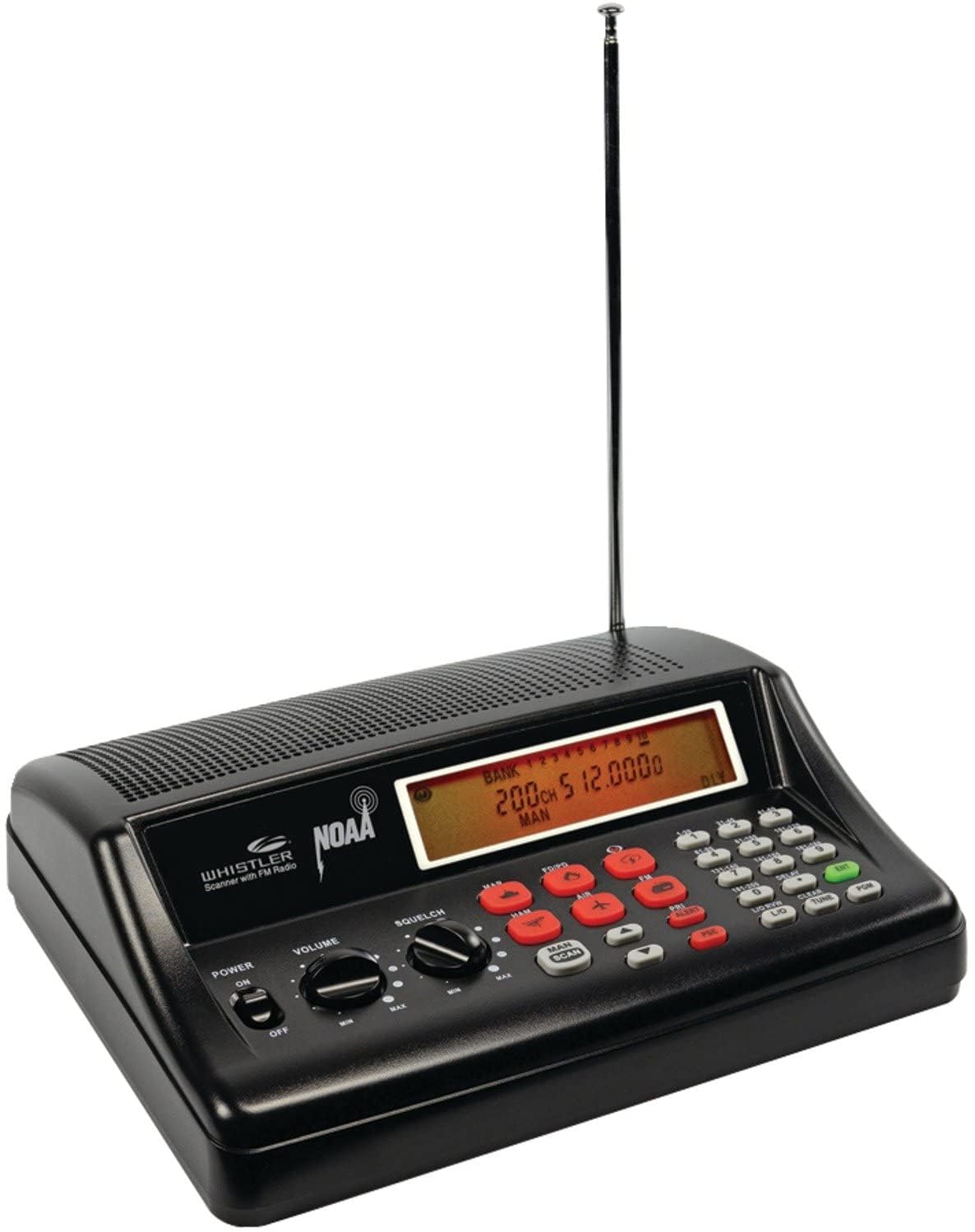
Not every scanner needs a database and a color screen. The WS1025 is a desktop analog radio with 200 channels, a backlit LCD, and a priority channel that checks a favorite frequency every two seconds. If your listening is local fire, aviation, marine, rail, or weather on conventional frequencies, that simple brief is enough.

We liked the keypad-first approach: punch in a frequency, put it in a bank, and move on. The backlit display is easy to read from across a kitchen counter, and the priority and scan-delay functions are the useful kind of old-school—they keep you from missing a reply without making you learn a menu tree.

It is a conventional scanner, and that is the point: no database to update, no software to learn, and no menu tree between you and a frequency. For a kitchen counter or a workshop, that simplicity is worth more than a feature list.

Pros

  • Simple keypad programming for local channels
  • Backlit LCD is easy to read
  • Priority channel and scan delay
  • Dedicated desktop footprint

Cons

  • 200-channel memory limits large systems
Our verdict

Buy the WS1025 for simple analog desktop listening; it is not the radio for a digital or trunked police system.

Check Latest Price

How We Tested the Best Police Scanners

We started by pulling the current lineup from the major scanner makers and sorting each unit by what it can actually receive: analog conventional, P25 Phase I, digital trunked systems, and whether it holds up against simulcast. That cut anything we couldn't honestly recommend to someone whose county had gone digital, while keeping a couple of inexpensive analog models for households that know their local agencies still transmit that way.

Eight scanners — handhelds and base/mobile units — then lived with us for six months. The base units sat on kitchen counters and in home offices through evening commutes and a long storm weekend; the handhelds rode in cars, came along on walks, and spent nights on the nightstand during battery runs.

Programming was its own test. We sat down with each scanner, its manual, and a stopwatch, no software, and timed how long it took to reach one working channel. Later we repeated it with the manufacturer's PC interface and counted the steps needed to reorganize a hundred channels into usable scan lists. For audio, we turned each unit well past comfortable volume and listened for breakup, then switched to headphones to hear how clean the quiet transmissions came through. Battery life got measured by running handhelds until they quit, noting whether they took standard AAs or a proprietary pack.

Along the way we logged the small stuff — how legible the display is at arm's length, whether the menus made sense without the manual, how solid the knobs and antenna connection felt after months of handling. Value was the last judgment and the most surprising one: the cheapest scanner here isn't a worse scanner, it's a scanner built for a narrower job.

How to Choose a Police Scanner

Start With Your Local System, Not the Channel Count

Police and fire radio is not one format. Conventional analog is the old, simple case; P25 Phase I and II, trunking, and simulcast are the digital systems that now carry a lot of public-safety traffic. A 500-channel analog scanner is not a budget substitute for a digital one—it simply cannot decode those transmissions. Before you buy, check what your county or city uses. If simulcast is in the mix, prioritize a True I/Q receiver; the SDS100 and SDS200 are the two here built around that problem.

Programming Is Part of the Purchase

The first hour with a scanner is often a software project. Database-driven models like the SDS100 and SDS200 let you start with a ZIP code, then refine with Sentinel and Favorites Lists; older or budget radios may ask you to enter frequencies by hand or build scan lists through menus. That is not a reason to avoid a capable radio, but it is a reason to budget an evening. If you want the shortest path to listening, pay for the database convenience.

Pick the Shape That Fits Where It Will Live

A handheld is the flexible choice: it can move from kitchen to car to campsite, but it runs on batteries and has a smaller speaker and display. A base/mobile unit like the SDS200 stays put, gives you a bigger screen, and usually a louder speaker, but it needs a desk or 12-volt install. If the scanner will never leave the house, buy the base; if it will travel, buy the handheld and put the money into a spare battery.

Budget for the Antenna, Battery, and Digital Add-Ons

The radio is not always the whole purchase. Handhelds go through batteries, and a spare pack or a charging cradle can matter more than a few extra channels. The included antenna is fine for strong local signals; a better one helps at the edge of coverage or in a vehicle. Some digital modes, including DMR and NXDN, are paid upgrades on certain models, so confirm what is included before you assume a scanner covers everything.

Frequently Asked Questions

Final Verdict

For most people, the SDS100 is the scanner we recommend: it handles the digital simulcast traffic that trips up cheaper radios, and ZIP-code setup keeps the first day short. If it will live on a desk, move to the SDS200 for the larger display and base design. The WS1040 is the budget route only if your system is P25 Phase I and you can live with shorter battery life.