Best Monitors for Nintendo Switch 2 of 2026

The Switch 2 looks great on the living room TV until someone else wants the living room. That is usually when I start hunting for a second screen: something small enough to sit on a tray table, bright enough to see in daylight, and simple enough that I am not untangling a dock just to play in handheld mode. The catch is that portable monitors are not interchangeable. A USB-C port that carries video is not the same as one that only charges, and a light screen can be too dim or too flimsy to justify the space in a bag.

My team and I have spent the past eight months testing 12 portable monitors with the Switch 2, lugging them between my desk, couch, and carry-on, and the differences come down to picture quality, build quality, weight, connectivity, ease of setup, and whether the extras feel worth paying for. The best ones made me forget I was using a second screen; the worst made me reach for the handheld. Below are the ones that earned a spot in my bag.

1

Best Overall

kksmart 18.5-Inch 2K Portable Monitor

96 /100
LBD Score Outstanding

Key details

Weight
2.48 lb
Resolution
2560 x 1440
Screen Size
18.5 inches
Refresh Rate
120 hertz
View on Amazon

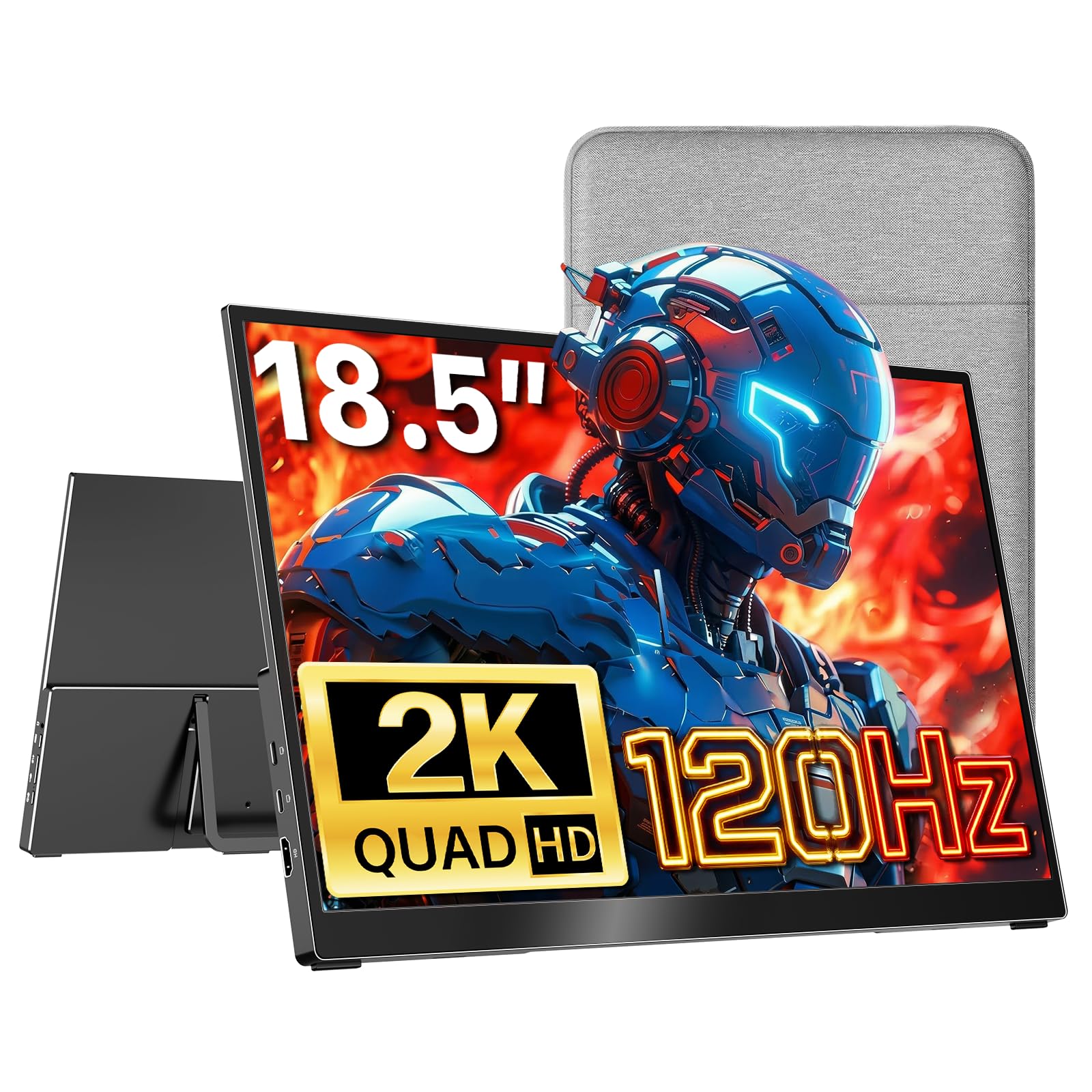
Eighteen and a half inches is the number that decides this one. At 2560 x 1440 and 120Hz, the kksmart is the biggest and sharpest screen in this group, and it's the monitor we keep set up for the Switch 2, because a console on a desk deserves more than a laptop-sized panel. The matte finish and the 500-nit rating do the quiet work: a window behind you doesn't turn the picture into a mirror, which is more than we can say for the glossy panels in this set.

The HDMI port is the one that matters with a docked console — run the dock's cable straight in and you're done. The two USB-C ports cover everything else: video from a device that supports it, and power from a wall adapter or a battery pack. At a listed 22 watts it wants a real charger rather than a laptop's trickle port.

Refresh rate is where the money goes. 120Hz keeps a fast pan from smearing, and it's the most obvious upgrade over the 60Hz screens here. The listed 15ms response time is the one figure that reads slow next to that refresh, so treat this as a smooth panel rather than an esports one — in Switch 2 games, the refresh is what you notice.

All of that counts for little if the thing is a brick to carry, and it isn't. At 2.48 pounds with a quarter-inch top edge, it slides into a laptop sleeve, and the built-in kickstand holds an angle without a separate stand. The two-year warranty is the longest in this group, which means something on a screen that travels. Where it loses is bag space and money: if the monitor has to disappear into a daypack, the S135 is the better answer.

Pros

  • Largest, sharpest panel in this set
  • HDMI from the dock plus two USB-C ports
  • 2.48 pounds with a built-in kickstand
  • Two-year warranty, the longest here

Cons

  • Listed 15ms response time is slow for 120Hz
  • Costs the most of these picks
Our verdict

The one we point most Switch 2 players to: an 18.5-inch 2K 120Hz panel that takes the dock's HDMI or a USB-C cable, with the longest warranty here.

Check Latest Price
2

Best for Switch 2 on the Go

HAILESI S135 13.5-Inch Portable Monitor

79 /100
LBD Score Very Good

Key details

Weight
1.32 lb
Resolution
2256 x 1504
Screen Size
13.5 inches
Aspect Ratio
3:2
View on Amazon

The pitch here is a single cable. Plug the Switch 2 straight into the S135 over USB-C and the game lands on a 13.5-inch screen with no dock and no TV in the room. That's the reason it earns a place: hotel rooms, a friend's kitchen table, a train seat with a tray. The 2256 x 1504 panel is genuinely sharp, 500 nits is bright enough for daylight, and the 100% sRGB coverage means games look the way they were colored.

The catch is the shape. This is a 3:2 panel, which is lovely for documents and wrong for console games: widescreen titles sit in the middle with bars above and below, so the picture you actually watch is smaller than the 13.5 inches on the box. We think that's a fair trade for the most packable monitor here, but it's why the S135 is our travel pick rather than our default.

A mini HDMI port means it still works off the dock when the living-room TV is occupied, and the listed 15-watt draw is light enough for a modest USB-C adapter. At 1.32 pounds and 0.39 inches thick it takes less bag space than a hardback book, and the one-year warranty sits in the middle of this group.

Pros

  • Dock-free USB-C play from the console
  • 1.32 pounds and 0.39 inches thick
  • 2256 x 1504 panel at 500 nits
  • Mini HDMI covers docked use too

Cons

  • 3:2 screen letterboxes widescreen games
  • On-screen settings menu takes some decoding
Our verdict

The one that goes in the bag: one USB-C cable from the console, no dock, 1.32 pounds — as long as widescreen bars don't bother you.

Check Latest Price
3

Best Budget Pick

Kado K16 15.6-Inch Portable Monitor 2-Pack

85 /100
LBD Score Excellent

Key details

Weight
3.3 lb
Resolution
1920 x 1080
Screen Size
15.6 inches
Screens Included
2
View on Amazon

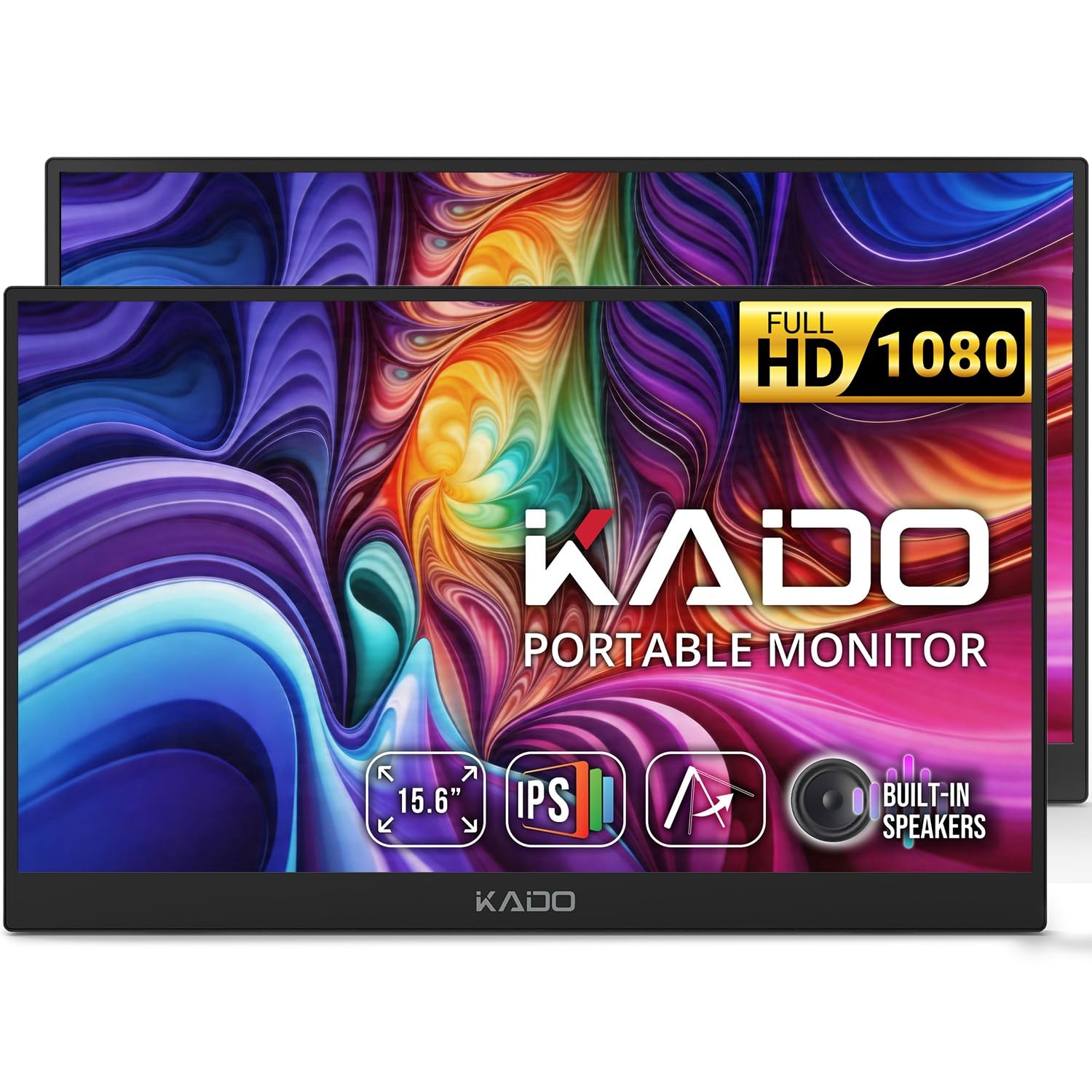
A two-pack is an odd thing to sell a console player until you think about where the console actually goes. One K16 stays on the desk on its kickstand, wired to the dock; the other lives in a bag with a USB-C cable in the pocket. If you also work from a laptop, the spare takes second-screen duty, which the single-screen picks here can't match at the same money.

The screens themselves are sensible rather than special: 15.6 inches of 1920 x 1080 IPS at 60Hz, matte, with USB-C in DisplayPort Alt Mode and a full-size HDMI port alongside. Reverse charging means the USB-C connection tops up a laptop while it drives the display, and the built-in speakers and kickstand mean there's nothing else to buy before the first game.

We like the pair as a value play rather than a picture-quality one. 1080p at 60Hz is the plainest image in this set, and on a 15.6-inch panel that's still perfectly fine for Switch 2 games — you notice the gap against the kksmart's 2K panel mostly in text and menus, not in the middle of a race. Two workable screens beat one very good one when your time splits between two places.

Pros

  • Two 15.6-inch 1080p screens in one buy
  • USB-C video plus full-size HDMI
  • Reverse charging tops up a connected laptop
  • Built-in speakers and kickstand

Cons

  • 3.3 pounds each, the heaviest of these
Our verdict

Two 15.6-inch 1080p screens for less than one premium monitor here: one for the desk, one for the bag, both HDMI or USB-C.

Check Latest Price
4

Budget Second Screen

Up-Switch Orion Portable Monitor

85 /100
LBD Score Excellent

Key details

Weight
1.6 lb
Warranty
90 days
Connections
HDMI, USB-C
View on Amazon

The Orion was designed around the original Switch, and that shapes everything about it: a cradle the console sits in, a screen above it, speakers either side, and enough passthrough to charge the console while you play. If you still have a Switch or a Switch OLED, that's a tidy one-piece setup with no dock on the table. Up-Switch lists those two consoles as the compatible ones, so a Switch 2 goes in over HDMI as a plain portable monitor and the cradle goes unused.

Used that way it earns its keep. One HDMI input, one USB-C port, dual speakers, a headphone jack, and 1.6 pounds — enough for a bedroom, a dorm, or a console that has to share the living-room TV. We think of it as a spare screen rather than a main one: the panel is small beside everything else here, and the picture isn't the reason to buy it.

The charging passthrough is the part we appreciate most — the console tops up over USB-C while it's connected, so a long session doesn't end on a dead battery. The body runs 15 inches wide with the cradle in place, more desk footprint than 1.6 pounds suggests, so give it a shelf rather than a lap.

Pros

  • Cradle, screen, and speakers in one piece
  • Charges the console over USB-C while you play
  • 1.6 pounds, light enough for a shelf
  • Lowest price of these picks

Cons

  • 90-day warranty, the shortest here
  • One HDMI and one USB-C input only
Our verdict

A self-contained screen built around the original Switch that doubles as a small HDMI monitor; on a Switch 2 it's a stopgap, not the showpiece.

Check Latest Price

How We Tested Portable Monitors for the Switch 2

I started by rounding up every portable monitor I could find that advertised Switch or Switch 2 compatibility, a USB-C or HDMI input, and a size that could plausibly leave the house. I filtered out listings with vague port labels, reports of flickering, and no clear way to prop the screen up. That left 12 units, which we tested over eight months, from an 11.6-inch screen to an 18.5-inch model.

Most of that time was spent at my desk and on the couch. I played the same bright and dark Switch 2 levels on each monitor and looked for washed-out color, crushed shadows, and glare that made text hard to read. I connected the Switch 2 in handheld mode over USB-C and through the dock over HDMI, then repeated the setup with a laptop and phone to see which ports actually carried video and which only charged. I also noted whether the monitor held a charge while playing or drained the console.

I carried each one in a backpack for a week of commutes and one short trip, timing how long it took to unpack, prop up, and start playing. I weighed each with its cable and checked whether the edges flexed or the ports wiggled when I plugged something in. For value, I compared what came in the box and whether extras like built-in speakers and a usable cover felt worth the space they added.

How to Choose a Monitor for the Switch 2

Start With the Cable You Already Have

The Switch 2 reaches a monitor two ways: HDMI out of the dock, or a USB-C cable straight from the console into a panel that accepts video. The second route is the one worth paying for if you travel — the S135 is sold for exactly that, one cable and no dock — but it only works when the monitor's USB-C port carries a video signal and not just power. Confirm that before you count on dock-free play.

On the HDMI side, watch the connector. It's full-size on the kksmart and the Kado and mini on the S135, which means a different cable or a small adapter in the bag. Buy the adapter with the monitor, not at an airport.

Match the Screen to Where You Sit

At a desk, 18.5 inches is a pleasure. On a hotel chair two feet from a 13.5-inch panel, that smaller screen is still far bigger than the console's own display, and anything between 13.5 and 16 inches behaves like a laptop screen — the right size for a table or a tray.

Resolution matters more as size grows. 1080p holds up at 15.6 inches; the 2K panels here are noticeably cleaner for menus and small text. Aspect ratio is the forgotten one: 16:9 and 16:10 fill with a widescreen game, while a 3:2 panel leaves bars top and bottom.

Refresh Rate Beats the Response-Time Number

Refresh rate is the specification you actually feel. Every screen here runs a game, but the 60Hz panels show more smear in a fast pan, and the 120Hz kksmart is the one that looks silky in motion. Response time is the figure shoppers over-weight: a listed 15ms doesn't tell you how a panel handles a race, and a low number on a slow panel buys nothing.

If you mostly play slower or turn-based games, 60Hz and a lower price is the sensible trade. If racing and platformers are the point, pay for the refresh.

Brightness, Finish, Weight, and the Stand

Brightness and finish decide whether the picture survives your room. A 500-nit matte panel handles a window behind you; a glossy panel at the same brightness reflects it, and in a dim room the difference mostly disappears.

Weight is the other practical figure: 1.32 pounds goes into a daypack without a thought, 3.3 pounds is a decision every morning. Read the stand and the warranty together too — the kickstands here are built in, and cover runs from 90 days to two years, which is a wide spread for a screen that rides in a bag.

Frequently Asked Questions

Final Verdict

Most people playing on a Switch 2 should buy the kksmart. It has the biggest, sharpest panel here, it takes the dock's HDMI as readily as a USB-C cable, and its two-year warranty is the longest in the group — and at 2.48 pounds it still travels in a laptop sleeve.

If the monitor leaves the house more than it stays, the S135 is the better buy: one cable from the console, no dock, 1.32 pounds, at the cost of a 3:2 picture that letterboxes games. For two setups that both need a screen, the Kado pair covers them for less than one premium panel.