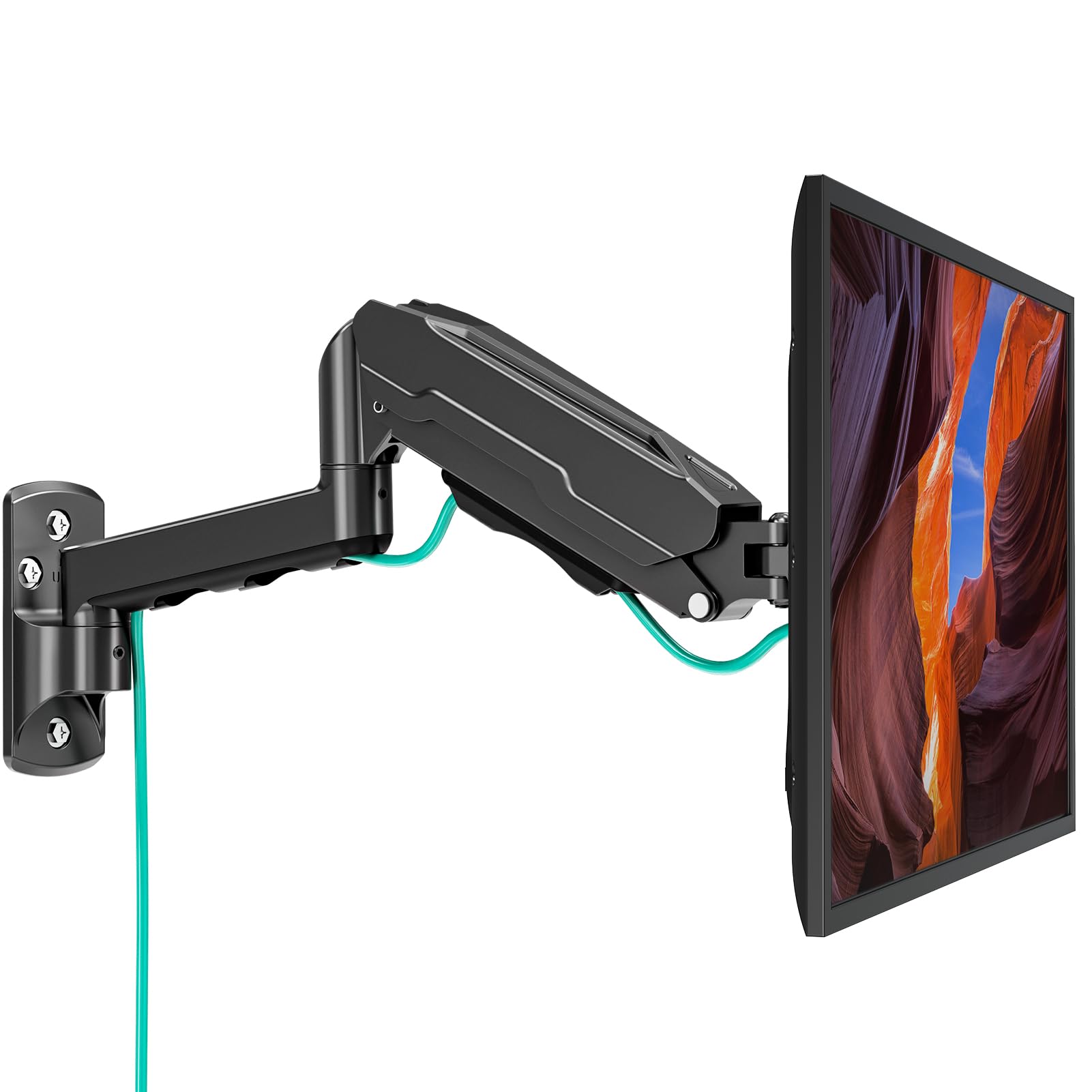
Best Monitor Wall Mounts of 2026

A monitor mount makes one promise, and it makes it every time you let go of the screen: it holds. That's a low bar until you've watched a fully loaded arm droop overnight or felt a tilt joint give way the moment you nudge it. What a good one actually buys you is desk — the footprint of a stand gone, cables routed out of sight, and the screen floating at eye level instead of perched on a plastic foot.

Twelve mounts — tilt-and-swivel brackets, articulating arms, dual setups, gas-spring models built for big curved ultrawides — went up over the past six months in home offices, a gaming room, and one apartment where every wall turned out to be drywall over something mysterious. Two things surprised me: the priciest mount wasn't the steadiest, and the weight rating on the box matters far more than the screen size. The VESA pattern on the back of your monitor rules out more mounts than any spec sheet will tell you. Below are the ones that stayed exactly where I put them.

1

Best Overall

WALI Single Monitor Wall Mount

91 /100
LBD Score Outstanding

Key details

Wall Reach
19.3 inches
Screen Size
13 to 34 inches
VESA Pattern
75x75, 100x100 mm
Weight Capacity
22 lb
View on Amazon

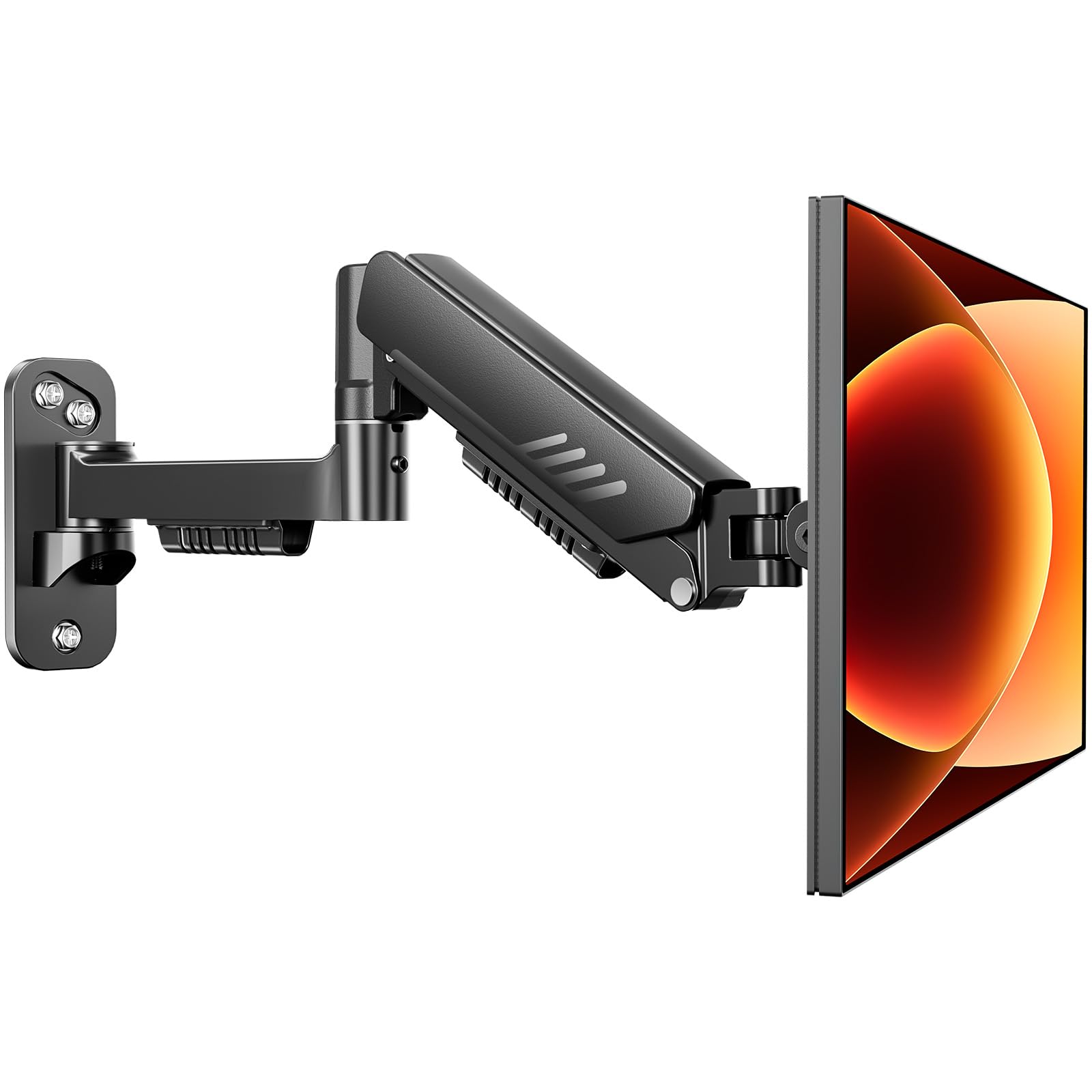
A 13-to-34-inch fit range, a 22-pound rating, and a ten-year warranty are what put the WALI at the top of this list. No other single arm here pairs that much screen range with that much coverage — the ErGear backs its mount for two years. It is plain black aluminum with a detachable VESA plate and a wall plate drilled for wood studs or brick, and the arm swings out 19.3 inches and folds back close to the wall.

Full motion means +70° to -45° of tilt, 90 degrees of swivel each way, and 360-degree rotation, so portrait mode is a twist rather than a rebuild. We like that the VESA plate comes off: you screw it to the monitor while it sits on the desk, then hang the whole assembly, which turns a three-hand job into a two-hand one. The tilt is the part to understand. It is held by a friction joint you set with a wrench, so it stays where you leave it and does not drift while you type — but it also does not move at a fingertip, and a mid-session angle change means reaching behind the panel.

Twenty-two pounds covers a 32-inch panel with margin, and the ten-year term outlasts every mount here except the HUANUO's lifetime coverage. What it will not carry is a 49-inch ultrawide; that is the ARES WING's job. For a 24- to 32-inch monitor on a normal desk, this is the easiest default on the page.

Pros

  • Fits 13- to 34-inch screens on either VESA pattern
  • 22-pound rating leaves margin for a heavier 32-inch panel
  • Ten-year warranty coverage
  • Swings 19.3 inches and folds back to the wall

Cons

  • Caps out at 22 pounds, short of ultrawide loads
Our verdict

This is the mount we recommend for a typical single-monitor desk: it fits screens up to 34 inches, carries 22 pounds, and is covered for ten years.
Check Latest Price
2

Best Value

ErGear Monitor Wall Mount

91 /100
LBD Score Outstanding

Key details

Screen Size
13 to 34 inches
Folded Depth
3.54 inches
Weight Capacity
19.8 lb
Height Adjustment
12.2 inches
View on Amazon

Twelve point two inches of vertical adjustment is what separates the ErGear from the other single arms here. That travel is the difference between a screen that lands at eye level and one that sits two inches high because that is where the stud was: you correct it on the mount instead of drilling again. When the arm is parked, the whole thing folds to 3.54 inches from the wall.

We send people here when the room is small and the budget is smaller. It is rated to 19.8 pounds across 13 to 34 inches, built for 50,000 cycles of movement, and it costs less than our top pick. Tilt runs +80° to -50°, which is the most downward travel of any single arm on this page, and 90 degrees of swivel plus 360-degree rotation covers the rest.

The compromise is coverage: two years against the WALI's ten. On a part that stays bolted to a wall for a decade, that is the number to weigh before you pocket the difference. Everything else about it, from the fit range to the folded depth, behaves like a mount that costs more.

Pros

  • 12.2 inches of height adjustment corrects a misplaced plate
  • Retracts to 3.54 inches in a tight room
  • Most downward tilt of the single arms here
  • Costs less than our top pick

Cons

  • Two-year warranty, short next to the WALI's ten
Our verdict

We point small-room setups here: 12.2 inches of height travel, the most downward tilt of any single arm on this page, and less money than our top pick.

Check Latest Price
3

Best for Two Monitors

PUTORSEN Dual Monitor Wall Mount

89 /100
LBD Score Excellent

Key details

Folded Gap
3.85 inches
Wall Reach
20.9 inches
Screen Size
17 to 32 inches, two screens
Weight Capacity
19.8 pounds per arm
View on Amazon

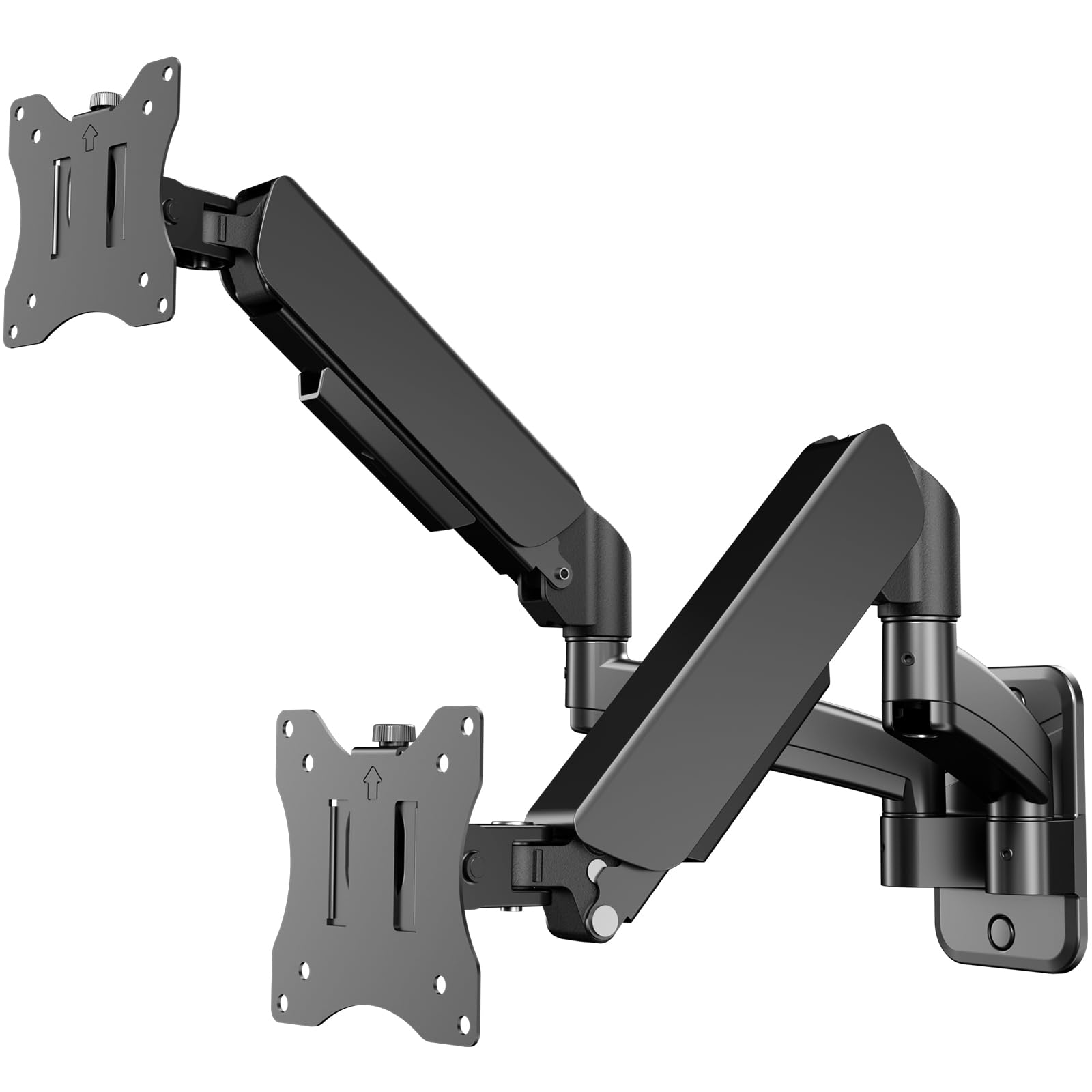
A gas spring is the reason to care about this one. On a two-screen mount, a mechanical arm loaded with a 32-inch panel moves in steps — push, give, push again — while a gas strut balances the weight so the screen travels with one hand. PUTORSEN builds both arms around that, and the difference shows up the moment you reposition a loaded arm.

The rest of the design is aimed at small rooms. The arms fold to a 3.85-inch gap against the wall and extend to 20.9 inches, and the cable routing runs along the arms instead of dangling behind them. Tilt is 45 degrees each way, swivel is 180 degrees, rotation is 360, and the wall plate is made for concrete, brick, or wood, with masonry anchors in the box.

Two 32-inch panels at 19.8 pounds each is the sweet spot, and this is the dual mount we point at first because the movement is so much better than the friction-arm alternatives. Coverage is the weak point — two years — and the tension screws need setting for your panels before the arms behave, a few minutes of adjusting rather than a fault. Curved panels mount too, which matters because a curved 32-inch screen sits further forward of the plate than a flat one.

Pros

  • Gas-spring arms move with one hand
  • Two 32-inch panels at 19.8 pounds each
  • Folds to 3.85 inches from the wall

Cons

  • Two-year coverage
  • Not rated for heavy ultrawide panels
Our verdict

For two screens we start here: gas-spring arms that move with one hand, a 3.85-inch folded gap, and room for two 32-inch panels.

Check Latest Price
4

Best for Ultrawide Monitors

ARES WING Ultrawide Wall Mount

89 /100
LBD Score Excellent

Key details

Tilt Range
+50° to -20°
Screen Size
17 to 49 inches
VESA Pattern
75x75, 100x100 mm
Weight Capacity
44 lb
View on Amazon

Forty-four pounds per arm is the number that matters here, roughly double what most single arms in this group will carry. That is the class a 49-inch ultrawide lives in — a big curved panel with a heavy chassis — and it is why the mount itself weighs eight pounds before a monitor goes anywhere near it.

The tilt structure is reinforced for that load, with +50° to -20° of travel, 180 degrees of swivel and 360-degree rotation. A quick-release plate lets you lift the monitor off the arm without unscrewing anything, which is the feature you appreciate the first time you need to get behind the screen.

The gas spring runs through an adjustable cylinder, and setting it for your panel takes a few minutes of turning and testing — the arm feels wrong until that is dialed in, then it moves under a fingertip. Our one reservation is the downward end of the tilt: it stops well short of pointing at the floor, so a screen mounted high over a standing desk cannot be angled down as far as you might want.

Nothing lighter needs it. A 27-inch office panel is well served by the ErGear at a fraction of the cost, and buying 44 pounds of capacity you will never use is the easy mistake in this category. The ARES WING earns its place on the heaviest screens and stops there.

Pros

  • 44 pounds per arm handles a 49-inch ultrawide
  • Reinforced tilt structure for heavy curved panels
  • Quick-release plate lifts off without tools
  • Three years of coverage

Cons

  • Weighs eight pounds before the monitor goes on
  • Tilt stops well short of pointing down
Our verdict

For a 49-inch ultrawide or any panel near 44 pounds, this is the mount we trust to hold it, with a reinforced tilt joint and three years of coverage.

Check Latest Price
5

Best Low-Profile

VIVO Single Ultrawide Wall Mount

93 /100
LBD Score Outstanding

Key details

Tilt Range
+5° to -12°
Wall Reach
10.5 inches
Screen Size
Up to 49 inches
Weight Capacity
44 lb
View on Amazon

This is the least expensive mount here that is rated for a 49-inch screen, and it gets there by giving up movement rather than strength. The steel arm collapses nearly flat against the wall and holds 44 pounds, so a big panel can sit a couple of inches off the wall with nothing underneath it. We keep this one for the screens that never move.

When you do want it out, the arm reaches 10.5 inches and swivels 45 degrees each way, with three degrees of screen leveling to square it up after installation. Cords route through the arm rather than hanging behind it, which is the difference between a wall-mounted monitor and a wall-mounted mess. It is a fixed-position mount in spirit, even with the swivel.

Pros

  • Holds 44 pounds for a big panel
  • Collapses nearly flat against the wall
  • Cheapest mount here rated for 49 inches

Cons

  • Downward tilt limited to 12 degrees
  • Reach stops at 10.5 inches
Our verdict

We keep this one for screens that stay put: 44 pounds of capacity, a nearly flush folded profile, and the lowest price of any mount here rated for 49 inches.

Check Latest Price
6

Best Budget

Suptek Monitor Wall Mount

93 /100
LBD Score Outstanding

Key details

Tilt Range
±20°
Screen Size
15 to 32 inches
VESA Pattern
75x75, 100x100 mm
Weight Capacity
33 lb
View on Amazon

Suptek sells this as a small-TV bracket, and that is the most useful thing to know about it: a stamped steel plate, a friction arm, and 2.2 pounds of metal rated for 33 pounds of screen. The tilt range is narrow at plus or minus 20 degrees, and the arm extends about 16 inches from the wall. Under a monitor, none of that is a problem.

For a 24- or 27-inch display, this does everything the expensive arms do at the lowest price in the group: 360-degree rotation for portrait, 180-degree swivel, and a joint that holds a light panel where you leave it. We keep it on the list because most people hanging one mid-size monitor do not need a gas spring or a foot of height travel.

The caveats are narrow but real. The fit range tops out at 32 inches, and the arm can arrive stiff, so the first few swings take two hands. What you get in return is a bracket light enough to hold against the wall with one hand while you start the first lag screw.

Pros

  • 33-pound rating is generous for a 27-inch monitor
  • 360-degree rotation for portrait mode
  • Lowest price in this group
  • 2.2-pound bracket is easy to hold while drilling

Cons

  • Tops out at 32-inch screens
  • Arm can be stiff when new
Our verdict

It is the cheapest way into a swinging arm on this list, and under a 24- or 27-inch monitor it does everything the expensive picks do.

Check Latest Price
7

Deep Desks

MOUNT PRO Single Monitor Wall Mount

90 /100
LBD Score Outstanding

Key details

Tilt Range
+90° to -45°
Wall Reach
21.6 inches
Screen Size
13 to 32 inches
Weight Capacity
19.8 lb
View on Amazon

21.6 inches of extension makes this the longest arm here, and that changes what a wall mount can do: a monitor you can pull across a deep desk, swing clear of the keyboard, or park over a recliner for a long session. If reach is the reason you are shopping, this is the one.

The rest of the range is generous too — +90° to -45° of tilt, 180-degree swivel, 360-degree rotation — and the cable channel detaches so you can route wires before the plate goes on the wall. It is rated for 13- to 32-inch screens at 19.8 pounds, mounted to wood studs or solid concrete.

Weight is where the long arm costs you. A screen near the 19.8-pound ceiling has more leverage on a 21-inch arm than it would on a short one, and the tilt joint is the part that shows it: panels can creep out of angle until the tension screw is cranked down again. For a 24- or 27-inch monitor we have not seen that become a daily annoyance. For a heavy 32-inch panel, it is why the ErGear is the calmer buy.

One installation note the instructions make plain: on a wood-stud wall, skip the drywall anchors and use the lag bolts. With 21 inches of leverage on the plate, that is advice worth following. Otherwise the pitch is simple — ten years of coverage and nearly two feet of travel that no other single arm here offers.

Pros

  • 21.6-inch reach is the longest here
  • Widest tilt range of the single arms
  • Ten-year warranty matches our top pick

Cons

  • 19.8-pound limit at the end of a 21.6-inch arm
Our verdict

Buy it for the reach: 21.6 inches is the longest arm here, and its tilt range is the widest of any single mount on this page.

Check Latest Price
8

Twin 32-Inch Screens

HUANUO Dual Monitor Wall Mount

88 /100
LBD Score Excellent

Key details

Tilt Range
±35°
Screen Size
17 to 32 inches, two screens
Swivel Range
±90°
Weight Capacity
17.6 pounds per arm
View on Amazon

Two 32-inch screens is the headline. The arms fit 17- to 32-inch panels with 75x75 or 100x100 VESA patterns, and the per-arm limit is 17.6 pounds — lower than the other dual mount here, and the figure to check first.

Adjustment covers what most desks need: 35 degrees of tilt each way to kill glare from a window, 90 degrees of swivel, and 360-degree rotation so either screen can stand vertically. The point of a wall mount for two screens is that you get the whole desk back and set both panels at the same height, and this one is built around that.

It is a steel mount carrying a lifetime warranty, the longest coverage of anything on this page. We like that for a dual setup, where one bracket does the work of two and a failure takes both screens down with it.

Where it fits: two mid-weight panels and a desk you want back. Where it does not: a pair of heavy 32-inch displays, which want the extra headroom per arm the PUTORSEN offers. Weigh each monitor with its stand off before you order — that is the number the mount answers to.

Pros

  • Lifetime warranty, the longest coverage here
  • Fits two screens up to 32 inches
  • 35 degrees of tilt cuts window glare

Cons

  • 17.6 pounds per arm, lowest of the dual picks
Our verdict

The dual mount we point at for a shared office: room for two 32-inch screens and the longest warranty on this page, with a 17.6-pound limit per arm.

Check Latest Price

How We Tested the Best Monitor Wall Mounts

We started by gathering every wall mount we could find that fit a standard 75x75 or 100x100 VESA pattern, then filtered by weight capacity, arm extension, and whether the included hardware could handle bare studs as well as hollow drywall. We dropped anything that needed a proprietary adapter to hold a normal screen, and we made sure the final group spanned the range shoppers actually compare: bare-bones brackets, mid-priced articulating arms, and heavy-duty gas-spring mounts sized for large curved displays. That left 12 mounts.

Installation was the first real filter. I hung each one alone, once into a stud and, where the hardware allowed, once into drywall with toggle bolts, timing the whole thing from opening the box to letting go of the screen. I noted whether the drilling template lined up with the plate, whether the arm could be leveled without a second person bracing the monitor, and how much fumbling the VESA plate demanded — some sit far enough off the wall that you can slide a screen on by yourself, while others require a helper and a flashlight.

The rest of the six months was about living with them. I marked each tilt angle with a strip of tape and checked it a week later to catch joints that creep under a heavy screen, measured how far each arm reached from the wall and how flat it folded back, and swung every mount through its full arc to see whether it returned to the same spot or drifted. I pressed down on each arm the way you do when you lean across a desk and watched for play at the wall plate, and I loaded the dual mounts unevenly on purpose, since that's what happens in real setups. Value sorted itself out last: a modest bracket that never budged beat an expensive arm I had to retighten every few weeks.

How to Choose a Monitor Wall Mount

Start with VESA and the Real Weight

Almost every monitor sold today uses one of two hole patterns, 75x75 mm or 100x100 mm, and every mount here covers both, so the pattern rarely decides anything. Weight does. Take the monitor off its stand, look up the panel weight, and compare it with the mount's per-arm rating. A 19.8-pound arm such as the WALI, ErGear, or PUTORSEN covers most 27- and 32-inch desks; a 49-inch ultrawide belongs in the 44-pound class.

The screen-size range on the box is the softer number. It is an estimate of what will fit, while the weight rating is what the hardware is built to answer for, so trust the pounds when the two seem to disagree.

Mount Into Framing, Not Into Drywall

Every mount here is designed for wood studs, concrete, or brick, and the instructions say plainly not to hang one on drywall anchors alone. The reason is leverage: a monitor on a 20-inch arm pulls on the fasteners with far more force than the same monitor pushed flat against the wall.

Find a stud with a stud finder, or drill into masonry with the anchors the kit supplies. If your wall gives you no stud where you want the screen, choose a smaller, lower-profile mount rather than bigger anchors — that is the trade that keeps a heavy panel where you put it.

Reach and Folded Depth

Extension decides how the desk feels. Nineteen to 21 inches lets you pull a screen over the keyboard for close work and shove it back against the wall afterward; the MOUNT PRO's 21.6 inches is the longest here. Ten inches, as on the VIVO, is enough to angle the panel and not much more.

The flip side is that a long arm needs a stiffer joint and puts more strain on the wall, which is why the longest arms in this group carry the lowest weight ceilings and the short, heavy-duty ones carry the highest.

Joints, Tilt, and a Position That Holds

A monitor stays where you leave it because a joint resists it, and the two designs feel different. A friction joint is set with a wrench and holds firmly, but changing the angle mid-session means reaching behind the panel. A gas spring balances the screen's weight so it moves with one hand, once the tension screw is set for your panel.

Match the arm's weight range to the monitor rather than buying the biggest rating available. A spring tuned for 40 pounds will fight a 12-pound screen, and a joint tightened for a light panel will sag under a heavy one.

One Screen or Two

Dual mounts carry the same weight question twice, so compare the per-arm rating and not the total. The PUTORSEN handles 19.8 pounds per arm and the HUANUO 17.6, and that gap decides whether two large panels are safe on your wall.

Then look at the spacing between the two VESA plates. On a dual arm, that distance is what keeps two 32-inch panels from touching when you push them back, and it is worth checking before the box arrives rather than after.

Frequently Asked Questions

Final Verdict

The WALI is the mount we recommend to most people: 13 to 34 inches of fit, 22 pounds of capacity, a 19.3-inch arm, and ten years of coverage for midrange money. It holds a 27- or 32-inch monitor without asking anything of you, and the joint stays where you set it.

Two situations change the answer. In a small room or on a tight budget, the ErGear's 12.2 inches of height adjustment and shorter folded depth are worth more than the WALI's extra capacity. And if the screen is a 49-inch ultrawide, skip both and buy the ARES WING — 44 pounds per arm is what that panel needs.