Best Microphones for PS5 of 2026

A PS5 will accept almost any USB microphone: plug it in, the console finds it, you're talking in seconds. What the console won't do is help you tune it. No gain slider, no noise suppression, no software mixer — every adjustment happens on the mic itself. Which is why a set that sounds lovely on a PC can turn into a nuisance on a console, with the gain dial facing the wall or the stand carrying every controller click straight into chat.

My own setup has cycled through a few of these, and over the past six months my team and I put 12 USB mics through party chat, Discord calls, and late-night co-op sessions that went on longer than planned. The sound quality gap between them was smaller than I expected; the gap in everything else — how fast they connected, how much keyboard they picked up, how easy they were to mute mid-sentence — was not.

Worth knowing before you shop: almost nobody actually uses the extra pickup patterns. Cardioid is where these live, listening in front and ignoring the room behind. A mute button you can find without looking beats a spec bump. The picks below earned their spot on those terms.

1

Best Overall

HyperX QuadCast S

95 /100
LBD Score Outstanding

Key details

Mute
Tap-to-mute with LED status
Mount
Built-in shock mount, desk stand
Connection
USB-C to USB-A
Polar Patterns
Cardioid, bidirectional, omnidirectional, stereo
View on Amazon

Tap the top of the QuadCast S and the mic cuts out, with the lighting changing so you can read the state from across the desk. That pad is why this is the microphone we put in front of most PS5 players: in party chat you mute constantly, and a hand that never has to find a menu is worth more than another polar pattern. The rest of the hardware is equally sensible, with one USB-C cable into the console, a gain dial at the base, and an elastic shock mount that swallows the thump of a controller landing beside it.

Cardioid is the setting you will live on. The other three patterns earn their keep only if you record music or a two-person show, and they are a genuine bonus rather than the reason to buy. The one thing to plan around is sensitivity: speak close, keep the gain down, and the capsule stays interested in your voice rather than the rest of the room.

It sits on a desk stand at roughly mouth height for someone in a chair, and the included adapter takes it onto a boom arm if you prefer. The Ngenuity software that controls lighting and EQ runs on a PC only, so on a console you get the mic as shipped, which is fine, because the shipped sound is the reason it is here. Nothing about this one asks you to become an audio engineer first.

Pros

  • Tap-to-mute pad with a visible status light
  • Elastic shock mount soaks up desk knocks
  • Gain dial and four patterns on the body
  • One USB-C cable into the console

Cons

  • Hears fans and keyboards when gain runs high
Our verdict

For most PS5 players this is the mic to buy: it plugs straight in, mutes with a tap, and keeps desk knocks out of party chat.

Check Latest Price
2

Best Boom-Arm Kit

FIFINE T669 Blue

93 /100
LBD Score Outstanding

Key details

Mount
Boom arm with C-clamp
Weight
1,200 g
Controls
Gain knob
Polar Pattern
Cardioid
View on Amazon

Distance is what ruins a desk mic. Every extra inch between your mouth and the capsule pushes you to raise the gain, and gain is what drags in the ceiling fan, the keyboard, and the traffic outside. FIFINE's T669 answers that with hardware: a scissor boom arm, a C-clamp, a shock mount, a windscreen, and a detachable pop filter, so the capsule ends up a few inches from your face and the gain stays where it belongs.

We have come to prefer kits like this for console chat, because the arm also gets the mic out of the way. It pivots aside when you are typing or working a controller and swings back over the desk when you speak, which matters more on a shared desk than any spec. The pop filter is the piece we noticed most: it clips onto the arm ahead of the capsule and takes the edge off hard consonants without you thinking about mic technique. A gain knob on the body means adjustments happen under your hand rather than in a console menu.

The arm is also where this kit saves money. Set the joints once, park it over the desk, and leave it; the clamp and the elbows are the parts that loosen when the mic gets yanked around, and a desk with a fat beveled edge gives the C-clamp very little to bite. Installed and left alone, it does its job. Everything runs from the included USB cable into the PS5, with no driver and no software to install.

Pros

  • Boom arm puts the capsule near your mouth
  • Detachable pop filter clips ahead of the capsule
  • Gain knob on the microphone body
  • Plug-and-play USB on PS4 and PS5

Cons

  • Needs a clear desk edge for the C-clamp
Our verdict

If you want your PS5 voice to sound close and controlled, this is the kit we point to: clamp it once and leave the arm alone.

Check Latest Price
3

Best Budget

FIFINE K669B

91 /100
LBD Score Outstanding

Key details

Weight
5.6 oz
Controls
Volume knob
Connection
USB-B to USB-A/C cable
Polar Pattern
Cardioid
View on Amazon

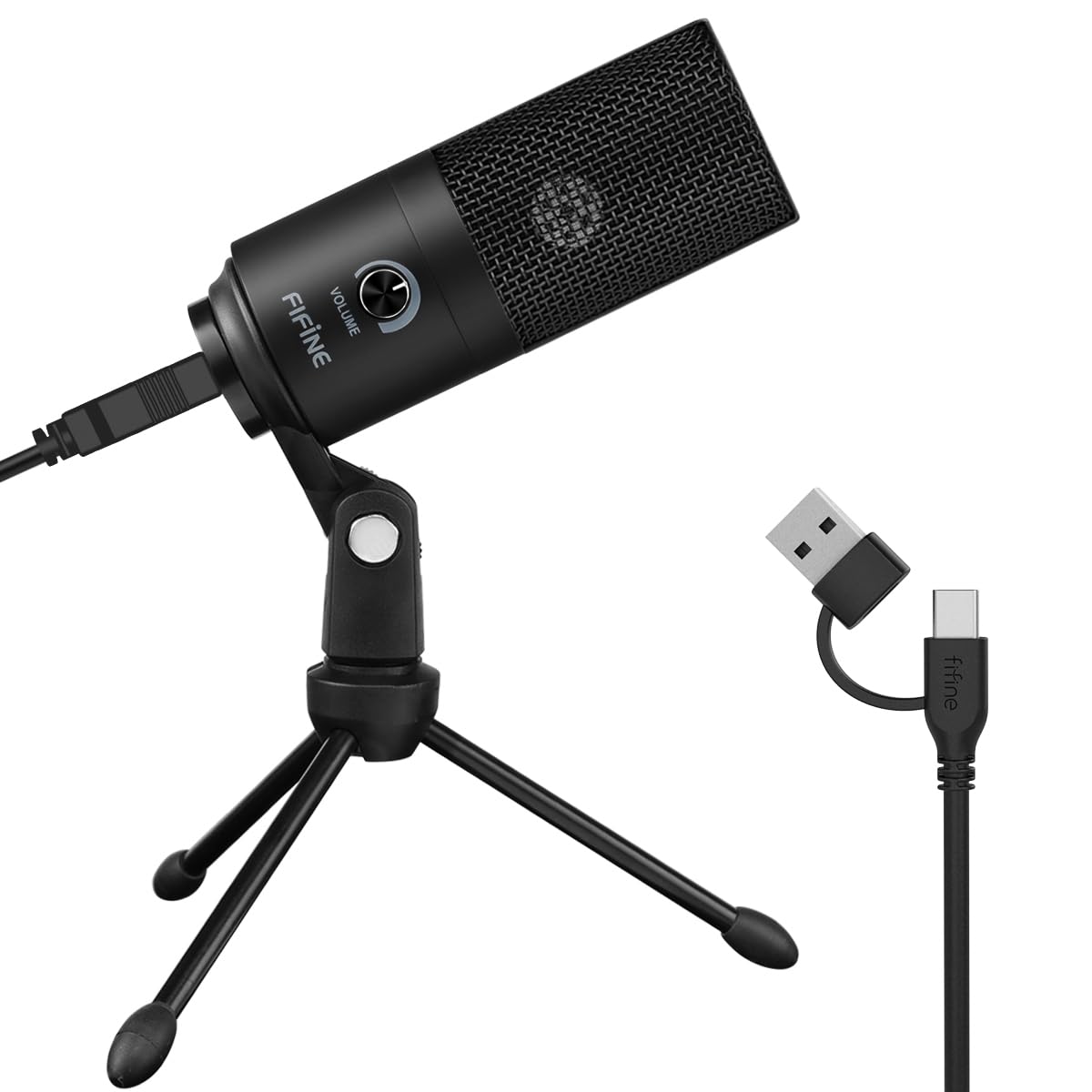
The K669B is the cheapest way into a real microphone here, and it does not pretend otherwise: one cardioid capsule in a metal barrel, a small tripod, a volume knob, and a cable. No mute button, no headphone jack, no pattern switch. That simplicity is the appeal. Plug it into the PS5 and it appears as an input, with nothing to install and almost nothing to set.

On a desk the tripod sits low and tilts the capsule up toward you, so you end up speaking down into it from a few inches away, which is exactly the placement that keeps gain low. The metal housing feels well above the price, and at a few ounces it moves from a desk to a shelf without a second thought. This is the mic we suggest to someone building a first console setup, because nothing about it needs explaining to a friend who sits down in front of it.

What you give up is convenience. Muting happens in the PS5 control center, a couple of taps and a menu, and there is no way to hear yourself while you talk. For a player who chats with friends and does not stream, that is an acceptable trade. Expect the electronics, rather than the housing, to be what ages first in this price bracket.

Pros

  • Metal body at the lowest price here
  • Cardioid capsule with an on-body volume knob
  • Plug-and-play with no software on PS5

Cons

  • No mute button or headphone monitoring
Our verdict

The budget pick we are happy to recommend: plug it in, talk close, and accept that muting lives in the console menu.

Check Latest Price
4

Best for Monitoring

MAONO DGM20S

91 /100
LBD Score Outstanding

Key details

Mount
Boom arm with shock mount
Monitoring
3.5 mm headphone jack
Polar Pattern
Unidirectional
Frequency Range
50Hz-20kHz
View on Amazon

There is a headphone jack on the back of the DGM20S, and it is the reason to look at this one instead of a cheaper desk mic. Plug headphones in and you hear your own voice as you speak, so you can tell when you are too loud for the party or drifting off the capsule, the sort of thing you otherwise learn from a friend mid-match. For late sessions it changes how the mic feels to use.

A single tap on top mutes, and a separate key switches on noise reduction. We reach for the tap constantly and treat the noise reduction as a bigger hammer: it is worth having when a fan or a dishwasher is running behind you, and worth switching off when the room is already quiet. The gain knob and the shock mount do the rest, and the shock mount is the detail that keeps the arm from transmitting every desk bump into chat.

The kit clamps to the desk and holds the capsule on a short arm over the keyboard, with a pop filter ahead of the capsule and lighting that can be set to a single colour if the cycling distracts you. Arm, mount, filter, and lights all come in the box, which is a generous package for a mic at this point in the range.

Pros

  • Headphone jack for hearing your own voice
  • Tap-to-mute and a gain dial on the mic
  • Arm, shock mount, and pop filter included
  • Noise-reduction key for loud rooms

Cons

  • Boom arm is the part that wears out
Our verdict

A good step up from a bare desk mic if you want to hear yourself talk and mute with a single tap.

Check Latest Price
5

Best for PC Recording

HyperX QuadCast 2

92 /100
LBD Score Outstanding

Key details

Weight
11.8 oz
Connection
USB-C
Resolution
24-bit, 96kHz
Polar Patterns
Cardioid, omnidirectional, bi-directional, stereo
View on Amazon

Same silhouette as the QuadCast S, noticeably lighter in the hand, and built around a 24-bit, 96kHz converter. The QuadCast 2 is made for PS5 as well as PC, Mac, and Switch, and it keeps what made the original easy to live with: a tap-to-mute pad, on-board volume and gain, four pickup patterns, and a shock mount that detaches when you want the mic on an arm instead of a stand.

Where the extra resolution shows up is recording, not chatting. A console lobby does not reward a 96kHz capture, and nobody in your party will hear the difference between this and the mic above. What you do notice day to day is the weight: at 335 grams it moves between a desk and a bag without ceremony, and the aluminum housing has the solid, cool feel of something that will outlast the novelty of its lighting.

So this one is for a specific player: someone whose microphone has two jobs, recording or streaming from a PC and talking in a console lobby. If that is you, the resolution and the removable mount are worth paying for. If the PS5 is the only place the mic will ever live, the QuadCast S does the same work in chat for less, and you will never miss the converter.

Pros

  • 24-bit, 96kHz capture for recording
  • Lighter body with a removable shock mount
  • Tap-to-mute and on-board controls

Cons

  • Pays for resolution console chat cannot use
Our verdict

Worth it when the same mic has to record on your PC as well as talk on your PS5; chat alone does not need the extra resolution.

Check Latest Price
6

Complete Budget Kit

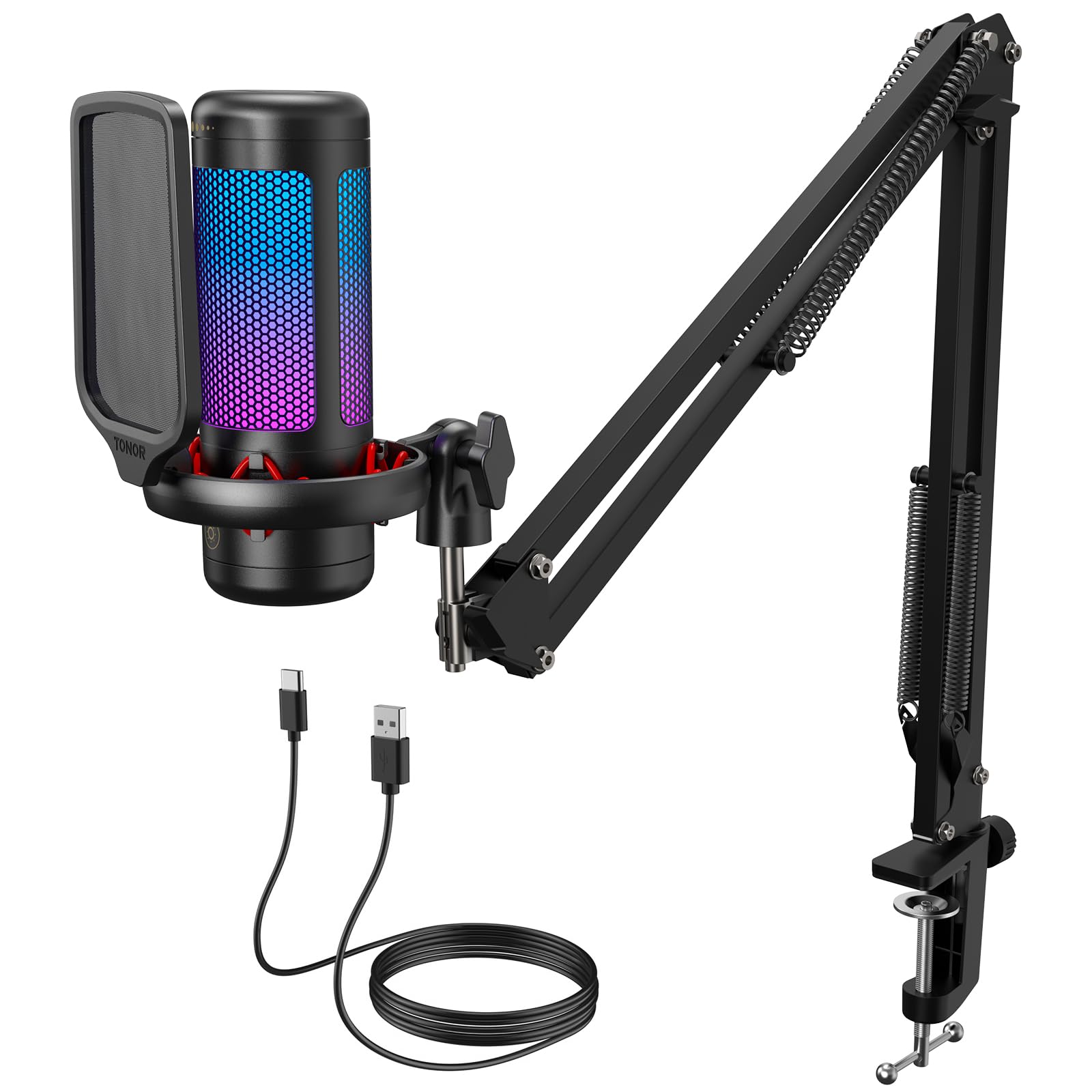
TONOR TC310+

91 /100
LBD Score Outstanding

Key details

Mount
Boom arm, clamp fits desks up to 2.36 in
Weight
1.04 lb
Controls
One-tap mute, volume control
Lighting
4 RGB modes with brightness control
View on Amazon

The figure that decides whether the TC310+ works in your room is 2.36 inches, the thickest desk edge its clamp will take. Gaming desks with a steel frame, a cable tray, or a fat beveled front often sit outside that, and a clamp that cannot close cannot help you. Measure the edge before you order and you will know in ten seconds whether this kit is even in the running.

What arrives in the box is unusual at this end of the range: a metal boom arm, a shock mount, a pop filter, and a microphone with a tap-to-mute pad and a volume control. The lighting has four modes and, more usefully, a brightness control you reach by holding the light button, which matters when the capsule is six inches from your face at midnight. The stand is steadier than the price suggests, and the clamp held on our test desk without wandering.

Travel is the limitation we minded most. The arm reaches over a keyboard but does not swing far to the side, so it wants a desk where the clamp point lines up with where you sit. Sound is entry-level but clean, the mute pad works first time, and the whole thing installs in a few minutes. As a first console setup, it buys you placement, which is the thing a headset mic cannot give you.

Pros

  • Arm, shock mount, and pop filter in the box
  • Tap-to-mute and volume control on the mic
  • Brightness control for the lighting
  • Clamp fits desk edges up to 2.36 inches

Cons

  • Short arm travel limits where the mic sits
Our verdict

The complete arm kit to beat at the bottom of the range, as long as your desk edge fits inside 2.36 inches.

Check Latest Price
7

Podcast and Streaming

Blue Yeti

93 /100
LBD Score Outstanding

Key details

Capsule
Three-capsule array
Controls
Headphone volume, gain, mute, pattern
Connection
USB
Polar Patterns
Cardioid, omni, bidirectional, stereo
View on Amazon

Just under a foot tall and heavy enough that you notice it lifting it out of the box, the Yeti is the biggest object here and it wants a corner of the desk to itself. What that buys you is a three-capsule array with four pickup patterns, a headphone jack for monitoring, and a physical mute button on the front that your fingers can find without looking. Very little of that is about console chat, and all of it is about recording.

The patterns are the interesting part. Cardioid for one voice, bidirectional for two people across a table, omni for a room, stereo for something wider. On a PS5 you will use cardioid and ignore the rest, but if the same microphone also records a podcast or a voice-over, that flexibility is the entire argument for owning it instead of something simpler.

Sensitivity is the trade. The Yeti hears everything, which is wonderful in a quiet room and less wonderful with a fan, a mechanical keyboard, and a street-facing window in the same corner. Keeping it close with the gain down is the fix, and it does want to be close: this is not a microphone that flatters a voice from two feet away, however imposing it looks on the desk.

One thing to settle before buying this for a console. Blue's software and documentation are built around the PC, and PS5 support is not stated, so plug it in and confirm the console sees it while you can still return it. Do that and you have the most flexible microphone here for someone who records as much as they play.

Pros

  • Four pickup patterns from a three-capsule array
  • Onboard mute, gain, and headphone volume
  • Heavy metal body that stays put

Cons

  • Hears fans, keys, and street noise
  • Tall stand claims a lot of desk space
Our verdict

The pick when the mic doubles as your podcast or streaming mic on a PC and only visits the PS5 now and then.

Check Latest Price

How We Tested PS5 Microphones

The shortlist started with a filter rather than a ranking. A mic had to work on a PS5 with nothing installed — straight into a USB port, recognized by the console, adjustable with buttons or dials on the body. Anything that needed a computer to change gain or mute behavior was out. That left 12 mics, and we spent six months with them.

Each one spent time on a console in a living room with a TV and a ceiling fan running, and on a desk beside a mechanical keyboard and a door that blocks less noise than it should. We played party chat, sat in Discord calls, recorded voice memos, and generally stopped noticing we were testing.

We timed how long it took from unboxing to the first sentence heard on the other end, plugged into both front and rear ports and through a hub, and put the console to sleep and back to see whether gain and mute survived. We listened to raw recordings on headphones and noted what sat underneath the voice: fan hum, keyboard clatter, controller rumble. We hit mute mid-sentence to check whether the button was findable blind and whether the light confirmed it.

Durability got handled the unglamorous way — mics were knocked off desks, packed into backpacks for a weekend, and swung around on boom arms. Value came down to what shipped in the box: a stand that didn't wobble, a shock mount, a boom arm, or nothing useful at all. A couple of units quietly reset themselves overnight, which you'd never notice until you're too loud in someone's ears.

How to Choose a Microphone for a Ps5

The console sets the rules

A PS5 treats a USB microphone as an input and hands you a level slider; that is the whole control panel. Anything that lives in a Windows application, from EQ curves to noise gates to lighting profiles, stays on the PC. Buy the mic that sounds right with its own defaults and carries its controls on the body. It is also why the tap-to-mute pads on the QuadCast S and the DGM20S matter more here than they would on a computer: on a console, the microphone is the interface.

Mute is the control that earns its place

You will mute far more often than you adjust anything else, and on a console muting costs a couple of taps and a menu. A pad or button on the mic turns that into one movement, and a status light tells you where you stand without opening anything. A physical button is easier to find by feel; a touch pad is faster when your hands are full. Either beats the menu, and both beat a mic with no mute at all.

Stand, arm, or clamp

Where the capsule sits decides how much of the room travels with your voice. A desk stand is the no-assembly option and suits a quiet room; a boom arm gets the capsule closer and lets you drop the gain, which is the single biggest improvement you can make to game-chat audio. Before ordering an arm kit, measure the desk edge it has to grip, since the TC310+ tops out at 2.36 inches, and check that the clamp point lines up with where you sit: short arms do not reach far sideways.

Condensers hear the room, so plan for it

Most mics here use a condenser capsule, which is detailed and sensitive and honest about your ceiling fan. That is a reason to place the mic close, run the gain low, and keep it between you and the noise rather than beside it, not a reason to avoid condensers. Dynamic capsules reject more of the room but need more gain and reward a closer speaking position. In a shared apartment, spend as much thought on placement as on the capsule.

Frequently Asked Questions

Final Verdict

Across this set, the HyperX QuadCast S is the microphone we hand to most PS5 players: one cable, a tap to mute, and a shock mount that keeps desk knocks out of the chat. Its controls are on the body, which is exactly what a console without audio software needs.

If your room is noisy or you want the capsule right at your mouth, the FIFINE T669 Blue and its boom arm are the better first purchase, provided your desk edge takes a clamp. Buy the QuadCast 2 only when the same microphone also has to record on a PC.