Best Micro ATX Motherboards of 2026

I moved my main desktop into a micro ATX case a few years back and never seriously considered going back. The footprint shrinks, the case is easier to haul to a new apartment, and you still get four RAM slots and room for a full-size graphics card. What you trade away is expansion headroom — and, on cheaper boards, power delivery that's actually up to the job.

That's where shoppers get burned. A micro ATX board can wear the same chipset badge as a full-size model and still arrive with half the M.2 slots, no Wi-Fi, or a BIOS that doesn't recognize the CPU you just bought. Eight months and ten builds later, we know which ones hold up.

The lesson I keep relearning is to shop the board, not the chipset. Two mATX models with identical chipsets can sit two M.2 slots apart, and the one with real Wi-Fi and a front USB-C header saves you from buying add-in cards later. The picks below all survived a finished build.

1

Best Overall

GIGABYTE B850M Eagle WiFi6E

86 /100
LBD Score Excellent

Key details

Memory
4 DIMMs, DDR5
Socket
AM5
M.2 Slots
2
Networking
Wi-Fi 6E, 2.5GbE
View on Amazon

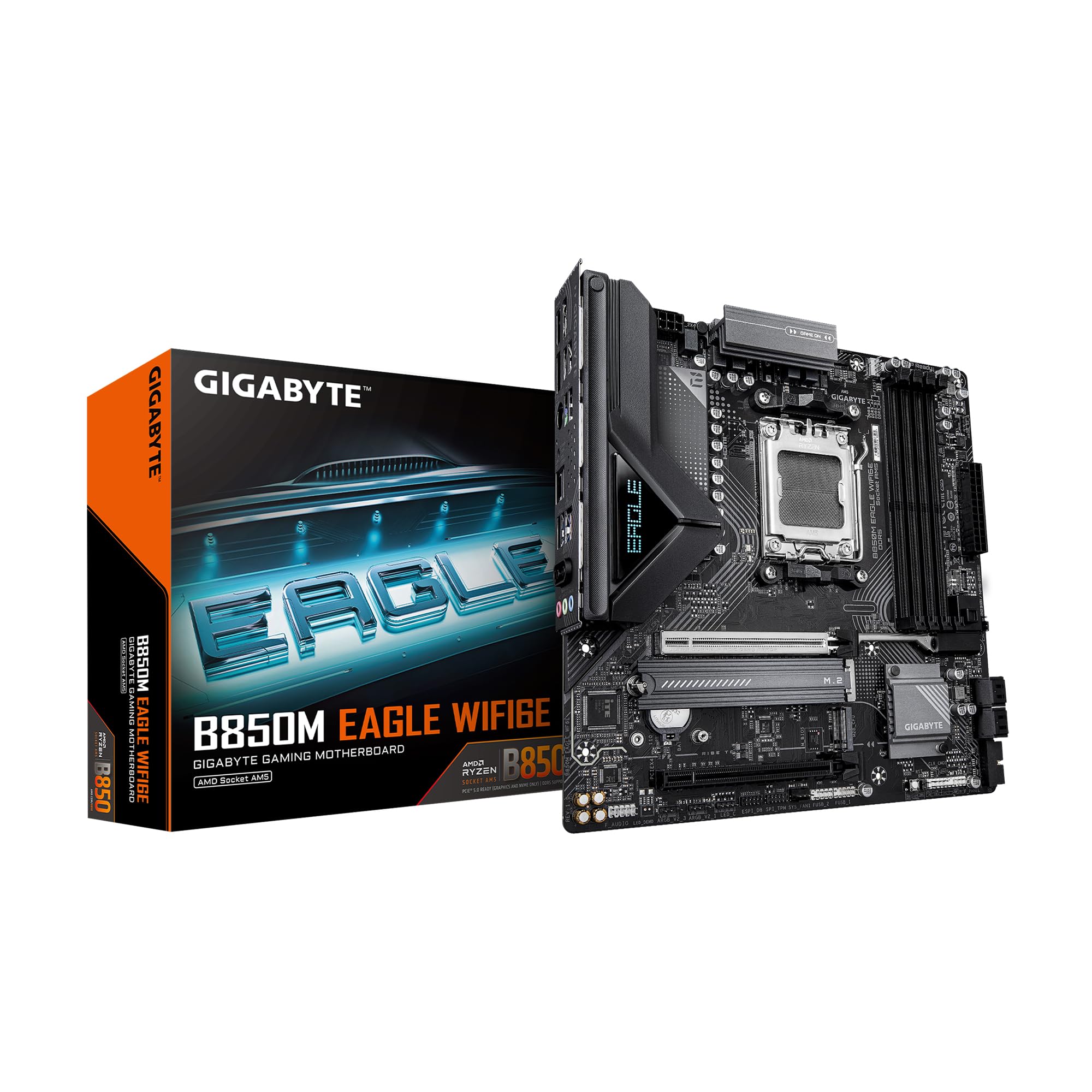
Modern AM5 boards tend to push you toward either a stripped-down two-DIMM layout or a premium price, and the B850M Eagle sits in the more useful middle. We recommend it first because it gives a current Ryzen build four DDR5 DIMM slots, two M.2 slots, PCIe 5.0, Wi-Fi 6E, and 2.5GbE without making the case feel like an afterthought. For a compact build that has to last, that is the right mix of future-facing and practical.

The 8+2+2 power design is not the biggest in this group—the AORUS Elite and ROG Strix go further—but it is a sensible match for a Ryzen 5 or Ryzen 7. We like that Gigabyte keeps four memory slots; a 2x16GB kit leaves room to add more later, though four sticks can be harder to stabilize at high DDR5 speeds than two. If you are chasing the last few hundred megahertz, a two-DIMM board is the cleaner choice; for most builders, the extra slots are worth more.

Two M.2 slots cover a boot drive and a game or project drive, and the PCIe 5.0 x16 slot leaves room for a current graphics card. The EZ-Latch for M.2 and PCIe is the kind of detail we appreciate in a small case, where a dropped screw can disappear under the motherboard. Wi-Fi 6E and 2.5GbE are solid for a compact build.

The BIOS is the familiar Gigabyte layout, and the early signs are that it is easy to navigate and update. We still confirm the CPU support list before pairing any board with a brand-new chip. The Eagle is the default for a midrange AM5 build because it spends money on the parts that matter—memory slots, storage, and networking—rather than on a white finish or four M.2 bays.

Pros

  • Four DDR5 DIMM slots leave room to expand
  • Two M.2 slots and PCIe 5.0 support
  • Wi-Fi 6E and 2.5GbE built in
  • EZ-Latch eases installation in tight cases

Cons

  • Wi-Fi 6E rather than Wi-Fi 7
  • No dedicated AIO pump header
Our verdict

We recommend the GIGABYTE B850M Eagle for most current AM5 builds: it balances four DIMM slots, two M.2 slots, Wi-Fi 6E, and sensible power delivery without demanding a premium budget.
Check Latest Price
2

Best Value AM4

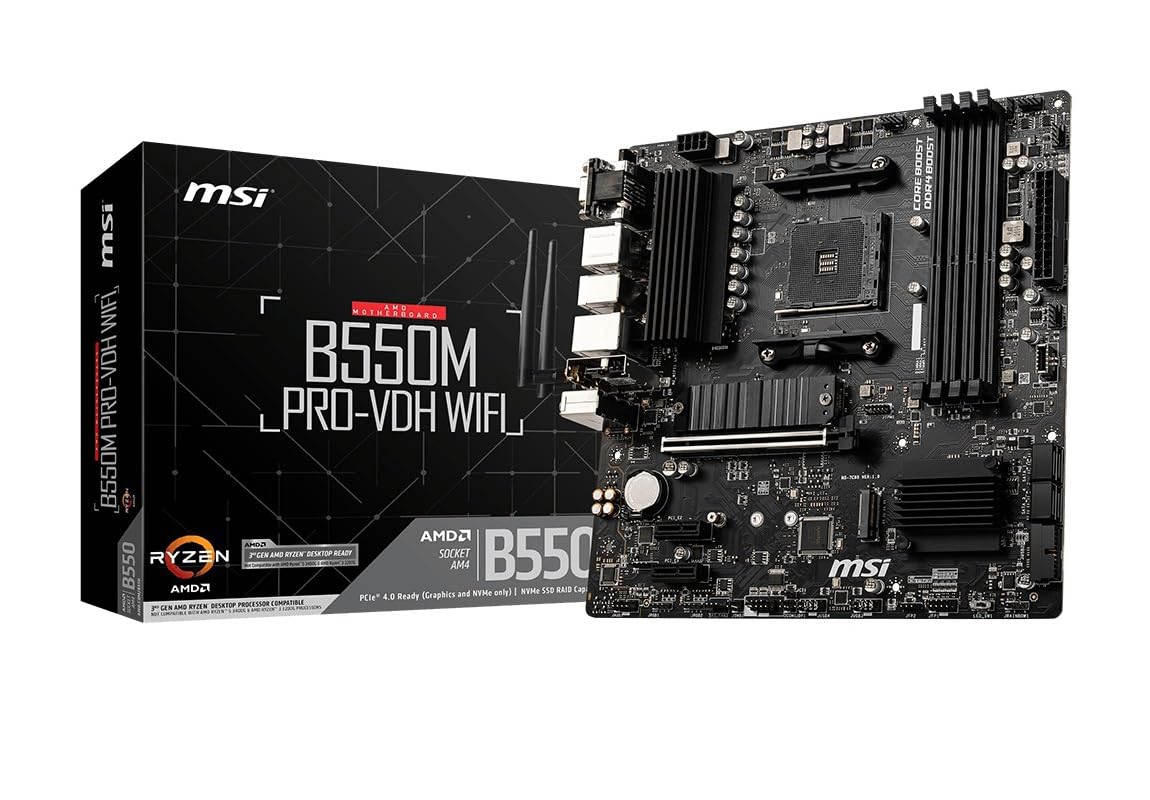
MSI B550M PRO-VDH WiFi

91 /100
LBD Score Outstanding

Key details

Memory
4 DIMMs, DDR4
Socket
AM4
M.2 Slots
2
Networking
Wi-Fi, Bluetooth
View on Amazon

AM4 is old enough that a new build sounds like a compromise, but it still makes sense when you already have a Ryzen 5000 chip or a DDR4 kit. The B550M PRO-VDH WiFi covers the essentials: four DIMM slots, PCIe 4.0, two M.2 slots, and built-in Wi-Fi and Bluetooth. It is the board we point to when the goal is a capable compact PC without paying for a platform change.

What we like most is how little it asks you to give up. The four memory slots mean a 2x8GB starter kit can grow, the Gen4 M.2 slot has a heatsink, and the rear I/O covers HDMI, DisplayPort, and VGA for older monitors. Installation is straightforward, and the BIOS is simple enough for a first build. The built-in Wi-Fi and Bluetooth are useful for a clean build, and the board gives you an easy way to add an adapter later if you want newer wireless.

This is a value board, not a premium one. The VRM is fine for a Ryzen 5 or a modest Ryzen 7, but a high-core chip belongs on the AORUS Elite or ROG Strix. For a build that reuses existing parts, it remains one of the easiest recommendations here.

Pros

  • Four DIMM slots leave room for more DDR4
  • Built-in Wi-Fi and Bluetooth
  • Two M.2 slots and PCIe 4.0
  • Simple BIOS and straightforward installation

Cons

  • AM4 has no future CPU upgrade path
  • Built-in Wi-Fi can be inconsistent
Our verdict

We recommend the MSI B550M PRO-VDH WiFi for a budget AM4 build that needs four DIMM slots and built-in wireless; it is a mature value board, not a long-term upgrade platform.

Check Latest Price
3

Best White AM5 Build

GIGABYTE B850M AORUS Elite WIFI6E ICE

89 /100
LBD Score Excellent

Key details

Memory
4 DIMMs, DDR5
Socket
AM5
Networking
Wi-Fi 6E, 2.5GbE
Power Phases
12+2+2
View on Amazon

The AORUS Elite WIFI6E ICE is the board we reach for when the case has a glass panel and the build is white. The finish runs through the board and heatsinks rather than stopping at a few accents, and the clean port covers make it look intentional. It is also the more serious AM5 board in Gigabyte's mATX lineup, with a 12+2+2 power design and VRM and M.2 heatsinks.

Four DDR5 DIMM slots, two M.2 slots, PCIe 5.0, USB-C, Wi-Fi 6E, and 2.5GbE cover a high-end compact build without the four-M.2 sprawl of the ROG Strix. We like the five-year warranty; it is a longer commitment than most boards here and matches the heavier build. The EZ-Latch hardware makes the M.2 and PCIe slots easier to service, which matters more in a tight case than on a test bench.

Where we hesitate is the BIOS. The board is capable, but the setup experience is not as consistent as the hardware. Check the shipping BIOS or have an update path ready before you install a newer CPU. If the white look and the stronger power delivery are worth the premium to you, this is a satisfying board; if you want the simplest setup, the Eagle is the safer default.

Pros

  • White finish carries through the board and heatsinks
  • 12+2+2 power delivery for high-core Ryzen
  • Five-year warranty
  • Wi-Fi 6E, 2.5GbE, and USB-C

Cons

  • BIOS setup can be fussy with Ryzen 9000
  • Only two M.2 slots
Our verdict

We recommend the GIGABYTE B850M AORUS Elite ICE for a white high-end AM5 build that wants strong power delivery and a five-year warranty, provided you are comfortable checking the BIOS.

Check Latest Price
4

Best for Four M.2 Drives

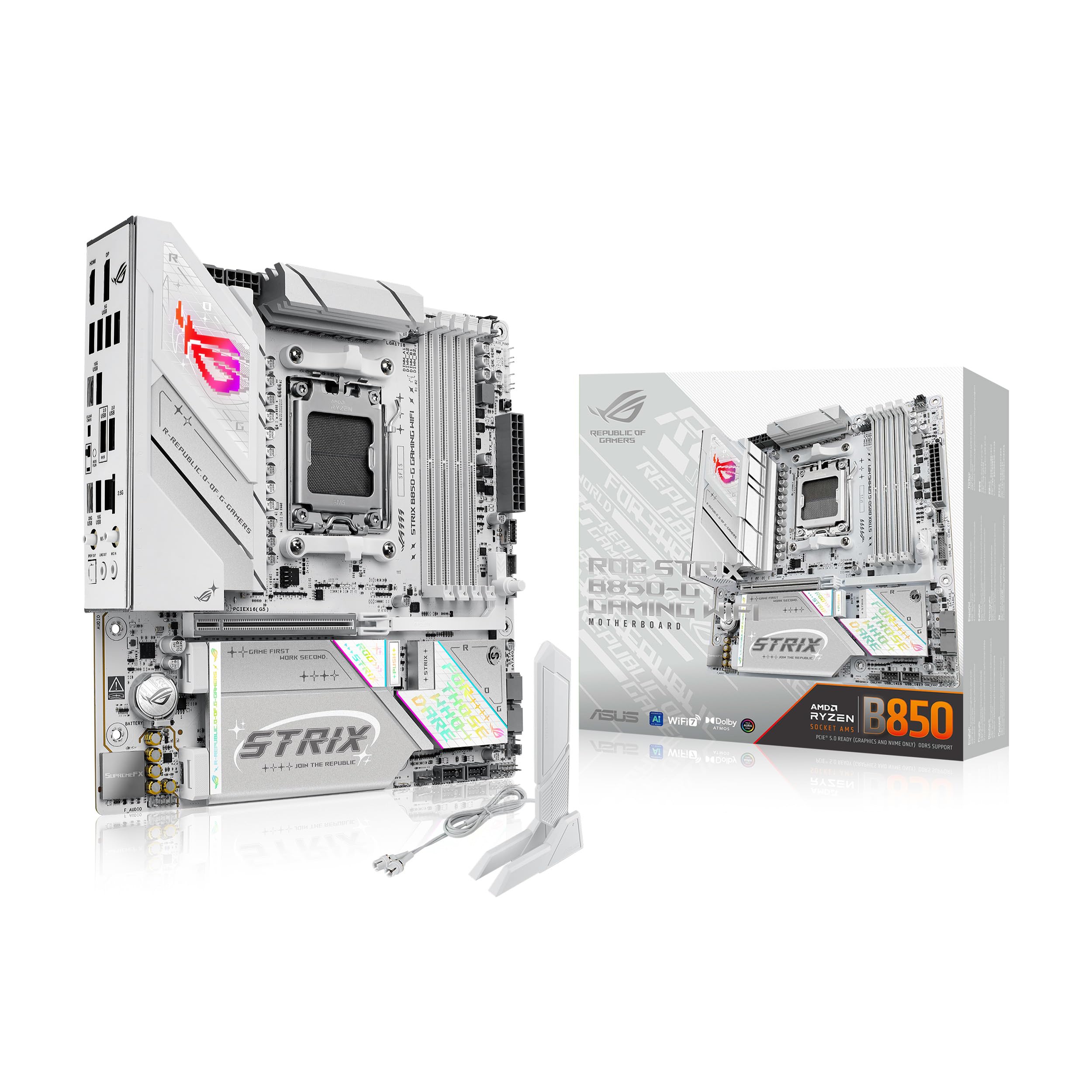
ASUS ROG Strix B850-G Gaming WiFi

88 /100
LBD Score Excellent

Key details

Memory
4 DIMMs, DDR5
Socket
AM5
M.2 Slots
4
Networking
Wi-Fi 7, 2.5GbE
View on Amazon

Four M.2 slots is the reason the ROG Strix B850-G earns a place here. Most mATX boards give you two, and a third or fourth drive usually means an adapter or a bigger case. This board lets a compact editing or game-library build carry four NVMe drives without giving up the graphics slot, and that is a genuinely useful advantage rather than a specification for its own sake.

The rest of the package is premium too: a 14+2+1 power stage design rated for 80A per stage, an 8+8-pin ProCool connector, Wi-Fi 7, 2.5G Ethernet, and a USB 20Gbps Type-C port. The white and silver finish is one of the better-looking boards in this group, and the integrated I/O cover and heatsinks give it a finished look. We like that ASUS did not make the board look like a server part to justify the hardware.

For a high-core Ryzen 9, the power delivery is the point. The board has more headroom than the Eagle or the AORUS Elite, and it should handle sustained all-core loads with less concern about VRM temperature. The four DIMM slots also support up to 256GB, which is more than most compact builds need but useful for a workstation. The catch is that a Ryzen 5 gaming build will never use all of it.

We recommend it for the builder who knows they need four M.2 drives, Wi-Fi 7, or the extra power headroom. For everyone else, the Eagle or the AORUS Elite is the better value. It is the most specialized board in this roundup, and that is exactly why it earns a spot.

Pros

  • Four M.2 slots for storage-heavy builds
  • 14+2+1 power delivery with 80A stages
  • Wi-Fi 7 and USB 20Gbps Type-C
  • Distinctive white and silver finish

Cons

  • Premium price for features many builds won't use
  • White-only finish limits color matching
Our verdict

We recommend the ASUS ROG Strix B850-G for compact builds that need four M.2 slots, Wi-Fi 7, and serious power delivery; most gamers can spend less elsewhere.

Check Latest Price
5

Best Intel Budget Board

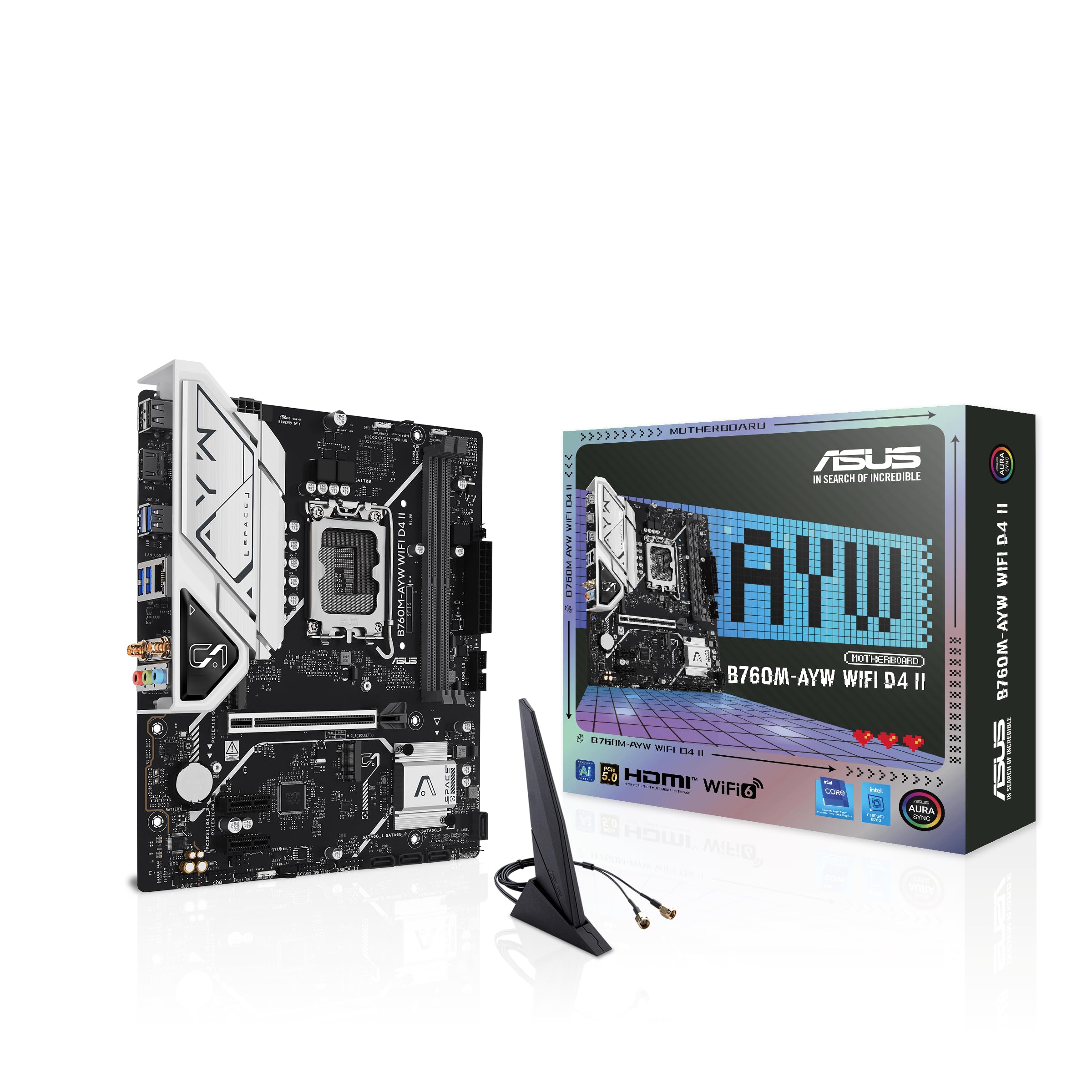
ASUS B760M-AYW WiFi D4 II

86 /100
LBD Score Excellent

Key details

Memory
2 DIMMs, DDR4
Socket
LGA 1700
M.2 Slots
2
Networking
Wi-Fi 6, 2.5GbE
View on Amazon

If you already own a DDR4 kit and an Intel 12th- or 13th-gen chip, the B760M-AYW WiFi D4 II is the practical way to turn those parts into a small desktop. It supports LGA 1700, gives you PCIe 5.0 x16 and two M.2 slots, and adds Wi-Fi 6 and 2.5GbE. We recommend it for an Intel budget build that can use existing DDR4 parts.

The board's limitations are clear once you look at the memory layout. Two DIMM slots cap the board at 96GB and mean you replace rather than add when you want more memory. That is fine for a 2x16GB gaming build, less so for a workstation that may grow. For a compact Intel build that is built once and kept, that is a reasonable compromise.

What we like is the value mix: PCIe 5.0 on the graphics slot, two M.2 slots, Wi-Fi 6, and a 2.5GbE port are not guaranteed at the budget end. The Aura Sync headers and VRM heatsink are welcome, and the board is easy to install. Before the return window closes, run a two-stick memory kit and confirm both channels are detected. That is the first thing we check on this board.

Pros

  • PCIe 5.0 x16 and two M.2 slots
  • Wi-Fi 6 and 2.5GbE built in
  • Supports Intel 12th, 13th, and 14th gen
  • Aura Sync RGB headers

Cons

  • Two DIMM slots limit memory expansion
  • LGA 1700 has no future CPU upgrade path
Our verdict

We recommend the ASUS B760M-AYW WiFi D4 II for an Intel DDR4 build that can use two memory slots; it is a good value board with no upgrade path beyond the current CPU.

Check Latest Price
6

Budget AM5

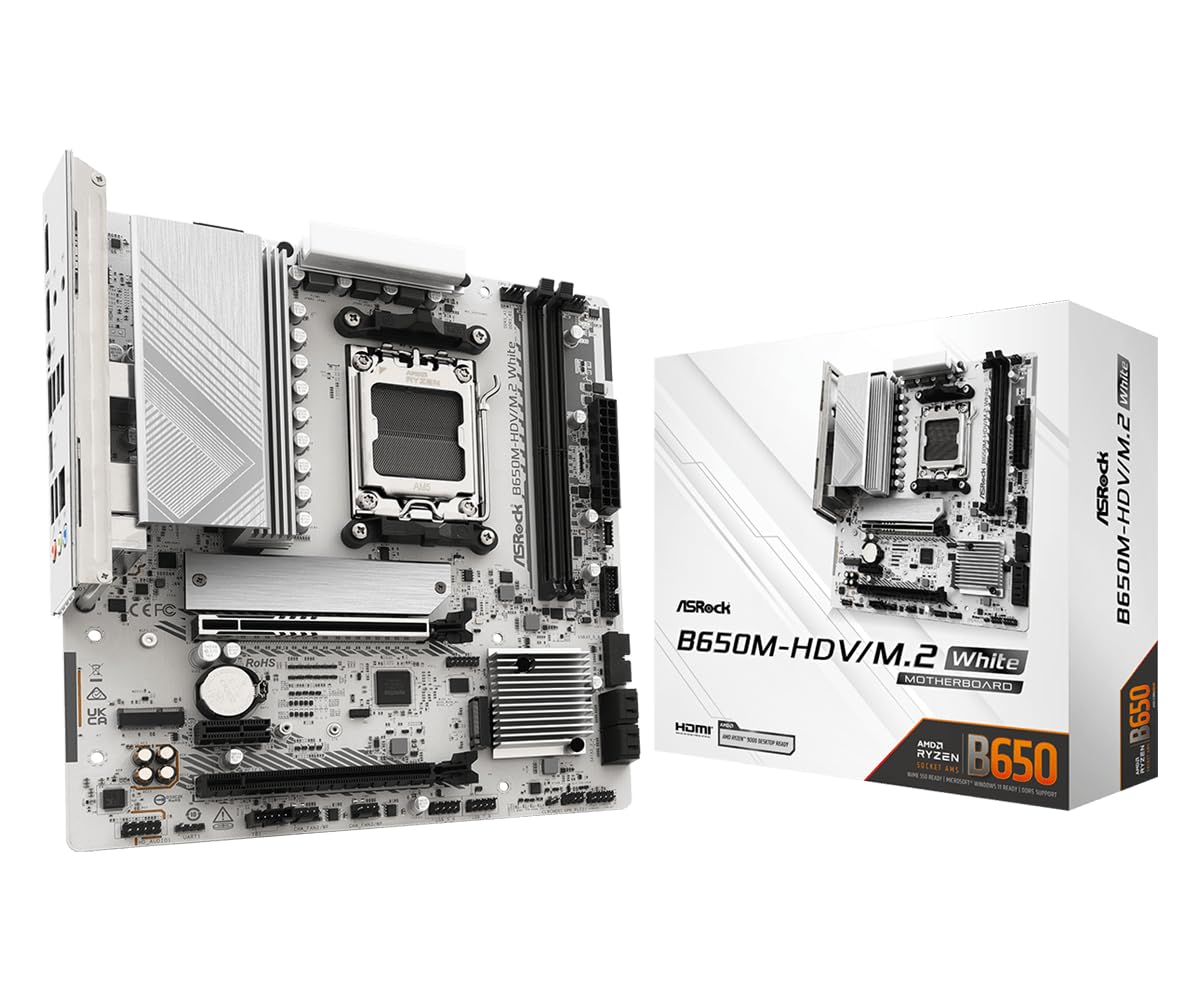
ASRock B650M-HDV M.2 White

81 /100
LBD Score Excellent

Key details

Memory
2 DIMMs, DDR5
Socket
AM5
M.2 Slots
2 (Gen5, Gen4)
Networking
2.5GbE LAN
View on Amazon

The B650M-HDV M.2 White is the cheapest way into AM5 in this group, and it spends its money in the right places for a basic build. You get PCIe 5.0 x16, a Gen5 M.2 slot, a second Gen4 M.2 slot, USB 3.2 Type-C, and 2.5GbE. The white PCB is a nice change from the usual black, though it is a plain board.

We recommend it for a budget AM5 gaming PC that can live with the essentials. The two DIMM slots are enough for a 2x16GB or 2x32GB kit, and limiting the board to two slots can make high-speed DDR5 easier to stabilize than a four-slot layout. Boot times are quick, and the board has a good record for running a 7800X3D or similar chip without fuss. It is not a board for a 16-core workload or a heavy overclock.

The Gigabyte B850M Eagle is the better fit if you want a more polished, better-connected board, and the AORUS Elite adds the white-build polish this one lacks. For a first AM5 build where the case is small and the budget is tight, though, the essentials are here.

Pros

  • PCIe 5.0 x16 and Gen5 M.2 for the money
  • Two M.2 slots plus USB-C and 2.5GbE
  • White PCB stands out in a budget build
  • Quick boot times and broad CPU compatibility

Cons

  • No Wi-Fi or ARGB header
  • Two DIMM slots limit expansion
Our verdict

We recommend the ASRock B650M-HDV M.2 White for a tight-budget AM5 gaming build; it delivers PCIe 5.0 and a Gen5 M.2 slot without charging for extras.

Check Latest Price

How We Tested These Micro ATX Boards

We started by pulling every current micro ATX board we could buy for AMD's AM5 and AM4 sockets and Intel's LGA 1700, then cut the list by what actually changes a build: which CPUs the BIOS supports out of the box, DDR4 versus DDR5, M.2 slot count, whether Wi-Fi is built in, and price next to the full-size version of the same board. Ten made the cut.

Each board went into two cases — a compact mesh mATX case and a standard mid-tower — with a mid-range graphics card, two sticks of RAM, and the front-panel USB-C cable connected. We timed assembly, checked standoff alignment, noted whether a long GPU blocked the lower M.2 slot, and compared tool-free latches to tiny screws. Then we took each one apart and rebuilt it, because cramped headers only show up on the second pass.

For performance, each board ran a 30-minute all-core load while we read VRM temperatures with an infrared thermometer, booted with memory at its rated EXPO or XMP speed and held it through a stress test, and we timed cold POST. We noted whether it booted on the first try or needed a BIOS flashed from a USB stick before it would talk to the CPU. Each then ran a week of ordinary work — browser tabs, video calls, a game — to catch what benchmarks miss.

Networking got its own pass: throughput tests and a video call from two rooms away from the router, plus a large file moved over 2.5Gb Ethernet. We installed the RGB software, counted addressable headers, and checked whether the lighting survived a reboot. Value came last, comparing each board to the cheapest one offering the same slots, Wi-Fi standard, and power stages.

How to Choose a Micro Atx Motherboard

Start With the Socket, Not the Spec Sheet

AM5 is the current AMD path and takes DDR5; AM4 is the value path for Ryzen 5000 and older DDR4 parts; LGA 1700 is the Intel route for 12th, 13th, and 14th-gen chips. Choose the platform before you compare M.2 counts or Wi-Fi standards. A modern board like the Gigabyte B850M Eagle gives you a current AM5 base, while the MSI B550M PRO-VDH WiFi makes sense when you already own AM4 parts. Do not buy AM4 expecting a future CPU upgrade.

Decide How Many Memory Slots You Need

Two-DIMM boards are common in compact builds and can be easier to stabilize at high DDR5 speeds, but they leave no room to add a kit later. Four-DIMM boards cost more and can be harder on the memory controller when all four slots are filled, yet they let you start with two sticks and expand. For a 2x16GB build, two slots are plenty; for a workstation that may grow to 128GB, four slots are the safer choice. Check the board's maximum capacity before you commit.

Look Past the M.2 Count to the Rest of the I/O

Two M.2 slots cover most gaming builds; four matter when you work with large media libraries and want every drive inside the case. PCIe 5.0 on the graphics slot is future-facing but rarely decisive today, while USB-C, 2.5GbE, and Wi-Fi 6E or 7 are the connections you will notice. A board without Wi-Fi is not a problem if you have Ethernet, but budget for an adapter if you do not. The ASUS ROG Strix B850-G is the storage-heavy exception here, and the ASRock B650M-HDV shows where the value cuts land.

Match Power Delivery and Headers to the CPU and Case

VRM phases are not a score to maximize; they tell you how much sustained current the board can deliver. A 6+1+1 or 8+2+2 design is fine for a Ryzen 5 or Ryzen 7, while a 12+2+2 or 14+2+1 board makes more sense for a high-core chip. In a small case, count fan headers and check for an AIO pump header before you buy; some budget boards skimp there. Also confirm clearance for the graphics card and a front radiator, and use the case's mATX standoffs.

Check BIOS Support and Recovery Before the First Boot

Newer CPUs can require a newer BIOS than the board shipped with. Look for BIOS Flashback or a similar recovery feature if you are pairing a current chip with a board that has been on a shelf. The MSI B550M PRO-VDH WiFi includes BIOS Flashback, which is useful insurance. On any board, download the latest BIOS and chipset drivers before you start, and confirm the CPU support list rather than assuming the socket is enough.

Frequently Asked Questions

Final Verdict

The GIGABYTE B850M Eagle is the board we recommend for most compact builds because it covers the modern AM5 basics without forcing a premium spend: four DDR5 slots, two M.2 slots, Wi-Fi 6E, and 2.5GbE. If you are reusing AM4 parts, the MSI B550M PRO-VDH WiFi is the value alternative, and the ASUS B760M-AYW is the Intel route. Choose the AORUS Elite for a white high-end build or the ROG Strix when four M.2 drives matter.