Best Memory Cards for 4K Video of 2026

Every memory card leads with its read speed — the figure it hits once, briefly, while you copy files to a laptop. What decides whether a 4K clip survives a twelve-minute take is sustained write speed, and that's the number the packaging tends to whisper. I've watched a card drop frames mid-shoot, and I've watched another claim a capacity it did not have.

Decide first what the card has to survive: a mirrorless body shooting 4K at 60fps, a drone, an action cam strapped to a bike, or a dash cam looping for weeks. Sixteen cards went through all of those over four months, from 128GB workhorses to 256GB cards, in full-size SD and in microSD with adapters.

Two things I'd tell a first-time buyer. Buy two mid-size cards instead of one enormous one, so a single failure costs you half a shoot rather than all of it. And format each new card in the camera you'll actually shoot with before you trust it — the cards that won't format cleanly are the ones that quit later. Every pick below cleared that hurdle.

1

Best Overall

SanDisk Extreme 256GB SDXC

95 /100
LBD Score Outstanding

Key details

Capacity
256 GB
Read Speed
180 MB/s
Speed Class
U3, V30, C10
Write Speed
130 MB/s
View on Amazon

The number worth knowing on SanDisk's 256GB Extreme is the write speed: up to 130 MB/s, against the 30 MB/s that a V30 rating guarantees. Every card in this guide carries the same U3 and V30 badges, so the badge only tells you a card won't choke on 4K. The headroom above it is what decides whether the camera keeps rolling through a long take or stops to clear its buffer.

That headroom is why this is our default recommendation. In our testing it recorded 4K UHD without the camera pausing to catch up, and clips moved off it quickly through a USB-C reader. The 256GB capacity earns its place too: a card you can leave in the body for a full day means fewer swaps, and swaps are where cards get dropped, mixed up or left in a jacket pocket.

Two practical notes. The 180 MB/s read figure assumes a reader that can push past the usual UHS-I ceiling — SanDisk sells its own, and an older card reader leaves most of that speed on the table. And the lifetime limited warranty replaces a failed card, not the footage that was on it, so copy anything you care about before you format.

Against the rest of this group it asks the fewest questions of the buyer: full-size SD fits the widest range of cameras, 256GB covers a long session, and the write speed has margin for burst shooting between takes. If your camera takes microSD, the same card in the smaller format is our pick for drones and action cams; if you dump cards between jobs, the Lexar Silver is quicker on the read side.

Pros

  • Write speed well above the V30 minimum
  • 256GB means fewer card changes in the field
  • Quick offloads with a matching reader
  • Lifetime limited manufacturer warranty

Cons

  • Full read speed needs a compatible reader
Our verdict

This is the card we recommend first for any camera with a full-size SD slot: 130 MB/s writes give 4K real headroom, and 256GB means fewer changes mid-shoot.

Check Latest Price
2

Best for Action Cams and Drones

SanDisk Extreme 256GB microSDXC

96 /100
LBD Score Outstanding

Key details

Capacity
256 GB
Read Speed
190 MB/s
Speed Class
U3, V30, C10, A2
Write Speed
130 MB/s
View on Amazon

Drones and action cameras are the hardest place to be a memory card. There's no second slot, no chance to swap mid-flight, and the card lives in a sealed body that gets warm. So the microSD we reach for first is the one that pairs real write speed with enough capacity to be worth leaving in: SanDisk's 256GB Extreme, at up to 130 MB/s write and 190 MB/s read.

It's our top pick in a smaller shell, and that's the appeal — the speed rating doesn't drop just because the card did. In our testing it wrote 4K clips without stalling, and the A2 rating makes it the card we put in a phone or tablet when internal storage runs out, since it handles app data better than a plain Class 10 card.

The format is the limitation, and it's a simple one: microSD fits microSD slots. If your camera takes full-size SD, an adapter will get you there, but an adapter is a shim with a joint in it — the sort of thing that gives up at the wrong moment — so buy the SD version instead of stacking converters. The other small annoyance is size: at this footprint the card disappears into a bag, so keep it in a case rather than loose.

Pros

  • 130 MB/s writes give 4K real headroom
  • 256GB covers a full day of flying
  • A2 rating helps when it stores phone apps
  • Water, shock and X-ray proof per SanDisk

Cons

  • MicroSD only; SD cameras need the SD version
Our verdict

For drones, action cameras and phones, this is the microSD we buy: 130 MB/s writes, 256GB of capacity, and the A2 rating that keeps app storage usable.

Check Latest Price
3

Best for Fast Offloads

Lexar Silver 256GB SDXC

92 /100
LBD Score Outstanding

Key details

Capacity
256 GB
4K Rating
Up to 4K 60fps
Read Speed
205 MB/s
Speed Class
U3, V30, C10
View on Amazon

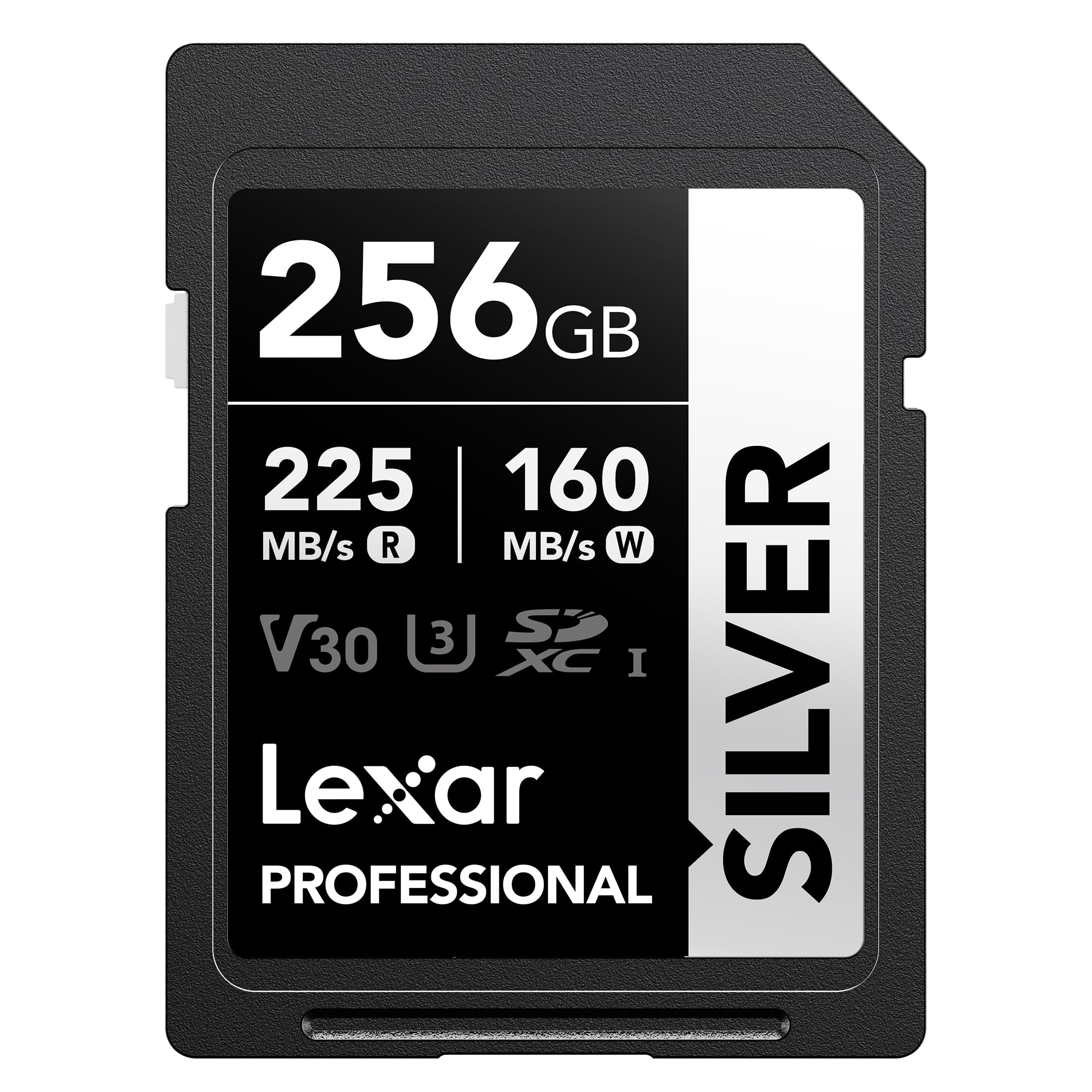
The Silver is the most expensive card in this group, and what you're buying is time at the desk rather than anything that happens in the camera. Lexar quotes read speeds north of 200 MB/s — the listing says 225 in one place and 205 in the spec panel — and with a reader that can keep up it's the quickest offload here. For anyone dumping several cards between jobs, that saving accumulates over a season.

Lexar rates it V30 and calls out 4K at 60fps specifically, and it carries the same 256GB as our top pick along with a lifetime limited warranty and a long list of durability claims: drop-proof, temperature-proof, x-ray-proof, shockproof, vibration-resistant. In our testing it recorded 4K without complaint, and it's the card here with the most headroom on the read side by a small but real margin.

Here's the honest caveat. It's still a V30 card, so it won't rescue you if your camera writes ALL-I, high-bitrate 10-bit 4K or 120fps — for those you're looking at V60 or V90 cards, or CFexpress in newer bodies. And it costs more than the SanDisk Extreme for the same capacity while the write speeds sit close together. The premium buys offload speed and Lexar's broad Canon, Sony and Nikon compatibility claims, which is worth it to a working shooter and hard to justify for a weekend one.

Pros

  • Fastest read speed of the cards here
  • Rated by Lexar for 4K at 60fps
  • 256GB with a lifetime limited warranty
  • Broad durability claims

Cons

  • Still V30, with no headroom for ALL-I or high-bitrate 4K
  • The priciest card in this group
Our verdict

We recommend the Silver to shooters who offload cards several times a week; everyone else gets the same V30 performance from the SanDisk for less.

Check Latest Price
4

Best Two-Card Kit

PNY Premier-X 128GB microSD 2-Pack

94 /100
LBD Score Outstanding

Key details

Capacity
128 GB each
Included
SD adapter
Read Speed
100 MB/s
Speed Class
U3, V30, A1
View on Amazon

Two 128GB microSD cards and an SD adapter is a package built around one idea: the card should fit whatever you're holding. Slot the microSD straight into a drone, a phone or an action cam, or clip it into the adapter for a DSLR, and the A1 rating covers apps stored on a tablet. That flexibility is why this pack stays in our bags as the spare.

The numbers are modest — read speeds up to 100 MB/s, U3 and V30 — which is enough for 4K on the devices these cards are aimed at: phones, tablets, drones, action cameras and camcorders. Where the pack earns its place is the arithmetic. Two cards and an adapter cost less than either of the single 256GB cards here, so you can keep one loaded and one spare instead of shuttling a single card between devices.

Formatting is the thing to watch. The failure mode on this pack is a card that turns read-only and won't format, which you discover the moment you sit down to review footage. Format both cards in the device you plan to use and record a short 4K clip on each before trusting them with anything you can't re-shoot. Do that and this is a cheap, sensible pair to have in the bag.

Pros

  • Two 128GB cards plus an SD adapter
  • V30 rating covers 4K on phones, drones and action cams
  • Cheaper than a single 256GB card here
  • A1 rating for app storage

Cons

  • Modest 100 MB/s read speed
Our verdict

We keep this pair as the spare kit: two 128GB V30 microSD cards and an adapter, for less than one of the 256GB cards here.

Check Latest Price
5

Dash and Security Cams

Gigastone 128GB microSD 2-Pack

93 /100
LBD Score Outstanding

Key details

Capacity
128 GB each
Read Speed
95 MB/s
Speed Class
U3, V30
Write Speed
40 MB/s
View on Amazon

Gigastone rates these at 95 MB/s read and 40 MB/s write. That write figure is the lowest in this group and still clears the 30 MB/s a V30 rating requires, and it tells you exactly what the pack is for: devices that write continuously at moderate bitrates — a dash cam, a security camera, a trail cam — rather than a mirrorless body shooting 10-bit 4K.

Two 128GB cards for less than the 256GB SanDisk microSD is the whole pitch, and for the money the practical details are right. They're V30 and A1 rated, they come with SD adapters, and formatting to FAT32 is the standard fix when a device doesn't want to accept them. These are the cards we leave in the camera that watches the driveway.

We treat this as the utility pair. It's a good answer for the second and third devices in your life — the dash cam, the doorbell, the camera pointed at the bird feeder — and a fair emergency spare for a drone. It isn't what we put behind a paid 4K shoot, and the write speed is the reason why.

Pros

  • Two 128GB cards on a budget
  • V30 and A1 rated
  • SD adapters included
  • Happy in dash cams and security cameras

Cons

  • 40 MB/s write leaves little room for high-bitrate 4K
Our verdict

For dash cams and security cameras recording 4K at moderate bitrates, this pair covers two devices for the price of one of the big cards.

Check Latest Price
6

Short 4K Sessions

PNY Elite-X 128GB SD 2-Pack

93 /100
LBD Score Outstanding

Key details

Capacity
128 GB each
Read Speed
100 MB/s
Speed Class
U3, V30, C10
View on Amazon

Two full-size 128GB SD cards for about what one 256GB card costs is the case for the Elite-X, and it's a good case if your 4K shooting runs in short clips rather than long takes. A second card in the bag changes how a session goes: you swap at a natural break instead of calculating how much room is left and shooting conservatively to protect it.

The specs are honest rather than exciting: read speeds up to 100 MB/s, U3 and V30, and no write figure published at all. V30 is the rating that matters for 4K, and PNY rates the pack for 4K Ultra HD and burst photography. In our testing 4K clips recorded without trouble, though a card with no published write speed is one we test before a shoot rather than during one.

Compatibility is the other thing to check. This card has been a poor match for some Fuji bodies, and some cameras don't recognize it at all, so check your camera maker's approved list before buying a pair. Buy from a seller you trust as well, because two-packs are an easy place for counterfeit cards to hide.

Pros

  • Two V30 SD cards for the price of one big card
  • Rated for 4K Ultra HD and burst shooting
  • Spare card in the bag changes the session

Cons

  • No published write speed
  • Some cameras fail to recognize it
Our verdict

We buy the Elite-X for short 4K sessions and second cameras: two V30 SD cards for about the price of one big card.

Check Latest Price

How We Tested These Cards, and What Broke

We started with research. Anything rated below V30 or U3 was out, since 4K capture needs a sustained write floor, and from there we narrowed by capacity, by format (full-size SD against microSD plus adapter), and by price per gigabyte — including whether the multi-packs were genuinely cheaper than buying singles. We bought all 16 cards at retail rather than accepting samples, then kept them in rotation for four months.

Each card spent time in a mirrorless body recording continuous 4K clips at 30 and 60fps, a drone on weekend flights, an action cam mounted on a bike for a 90-minute ride, and a dash cam looping through a daily commute. We logged where recording stopped on its own, how long the buffer took to clear between clips, and whether a card got hot enough to slow down near the end of a long take.

To check capacity and speed, we filled every card to its limit with real footage and then timed the transfer to a laptop through a card reader, which is where the quoted read speeds either showed up or didn't. Filling them also caught the phonies — a card that reports 256GB and stalls at 60GB is a counterfeit, so we reconciled reported capacity against files actually written.

Formatting and compatibility got their own pass. We formatted each card twice, once in-camera and once on a computer, noting which ones needed exFAT set by hand, which refused to mount on the first attempt, and which threw an error the camera ignored. Then we cycled them through three camera bodies from different makers, one of them five years old, plus a phone, a tablet and a drone, reinserting them repeatedly to see whether the contacts and the plastic shell held up.

How to Choose a Memory Card for 4K Video

Speed class is the floor, not the finish line

V30 means a card can sustain 30 MB/s of writing, which is the minimum most consumer cameras need for 4K, and nearly every card here wears that badge. What separates them is the room above it: our top pick writes at up to 130 MB/s, while the budget Gigastone pair manages 40 MB/s. Buy the headroom if you shoot long takes, high frame rates or bursts, because that is where a card that only just meets the class starts to show.

The number printed largest on the package is usually read speed, which is about moving files to your computer, not recording. And if your camera offers ALL-I, 10-bit high-bitrate 4K or 120fps, V30 may not be enough at all — check the camera maker's recommended media list before you spend.

Match capacity to how you actually shoot

One 256GB card and a pair of 128GB cards hold the same amount and suit different shooters. A single large card keeps you from swapping mid-take, which is why it goes to a long event or an interview; a pair hedges a failure and lets you keep shooting while one card is being offloaded. Usable space always lands a little below the printed figure once the card is formatted, and if your camera has two slots, mirroring is worth setting up when the footage can't be re-shot.

Buy the format your device takes

MicroSD fits phones, drones and action cameras; full-size SD fits most mirrorless bodies, DSLRs and camcorders. They aren't interchangeable without an adapter, and while a microSD card in an SD adapter usually works fine, the adapter is a passive shim with an extra joint — one more thing to lose and one more thing to fail. If you own both kinds of device, buy one of each rather than leaning on an adapter for everything.

Endurance counts when the card never stops

A dash cam or a security camera overwrites the same card continuously, which wears it out faster than ordinary shooting, and that's the one job where a card built for endurance earns its premium over a faster one. Whatever you buy, format it in the device rather than on your computer, then record a short 4K clip and play it back. It's a two-minute check that catches a bad card before it's holding something you can't re-shoot.

Frequently Asked Questions

Final Verdict

Our answer for most people is the SanDisk Extreme 256GB SD. It writes at up to 130 MB/s, which clears the 4K bar with margin for bursts and long takes, 256GB keeps you shooting instead of swapping, and the lifetime limited warranty is the backstop if a card dies.

If your device takes microSD, buy the same card in the small format rather than an adapter. If you offload several cards a day, the Lexar Silver's read speed pays for itself; if two cards in a bag matter more than one big one, the PNY pair does that job for less.