Best Mechanical Keyboards for Typing of 2026

A mechanical keyboard is a simple idea: one spring-loaded switch per key, a cap on top, and a case that decides whether the sound stays in your room or carries down the hall. The switch under your fingertip and the case around it make the difference between typing that feels like a good pen and typing that feels like a coffee tin. The right board fixes the parts of a long writing day that wear you down — mushy keys, missed strokes, a hollow rattle under your hands.

Shoppers tend to weigh the same things: how a board sounds, how the keycaps feel, how solid the case is, how many devices it connects to, and whether the backlight and battery suit the way you work. We've typed on 12 mechanical keyboards over eight months — in a shared office, in coffee shops, and in a dark room late at night — and one lesson kept surfacing: hot-swappable sockets matter more than any spec sheet admits. The picks below are the ones we kept reaching for.

1

Best Overall

Kisnt KN85

91 /100
LBD Score Outstanding

Key details

Layout
75% (85 keys)
Keycaps
PBT
Switches
Pre-lubed linear, hot-swappable
Connection
USB-C, 2.4GHz, Bluetooth 5.0
View on Amazon

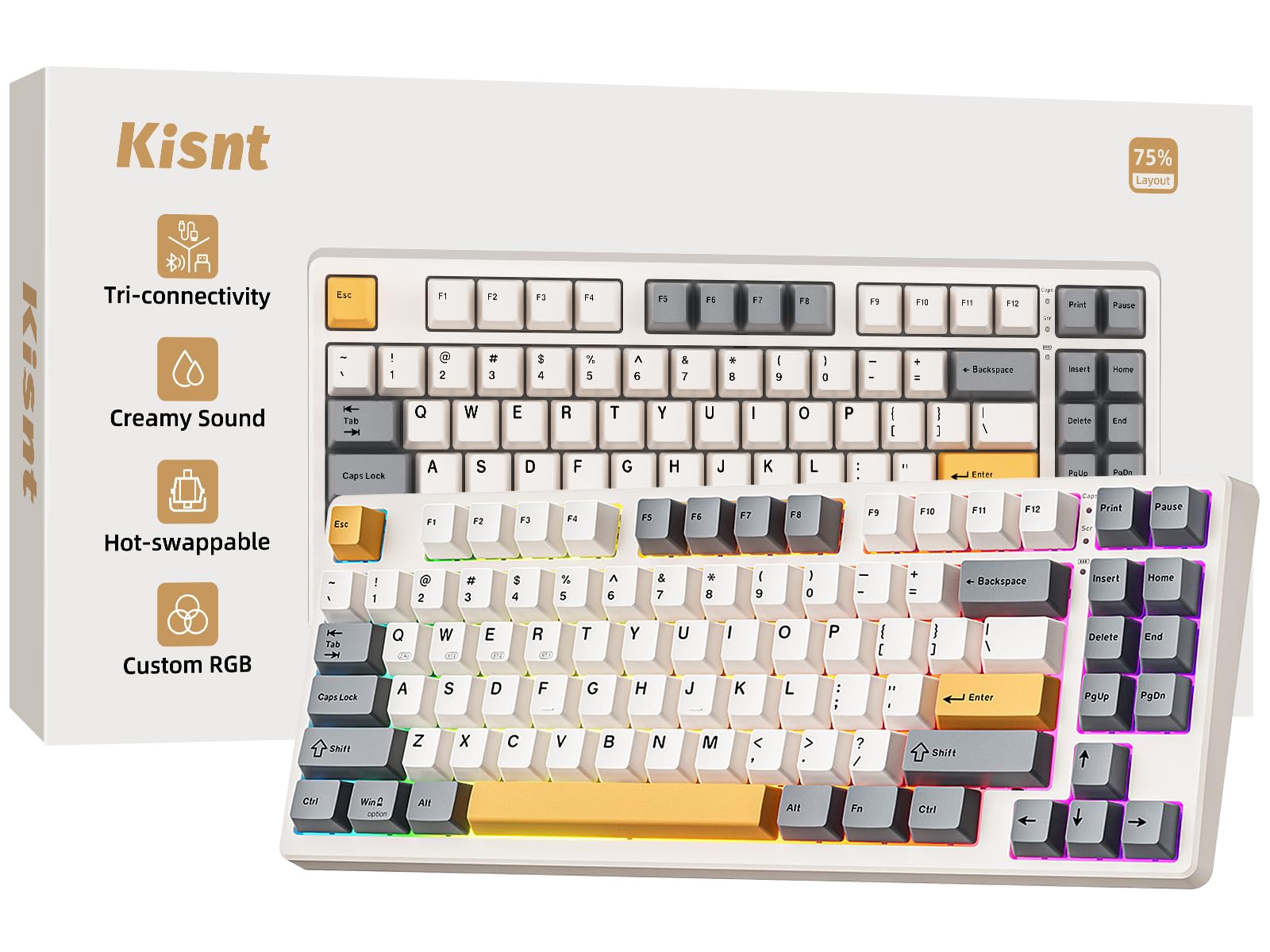
Eighty-five keys is the whole argument for this board. You keep the function row, the arrow cluster, and Delete, and the number pad is the only thing that goes. At 13.68 inches wide it leaves room on a desk for a mouse and a notebook, and the footprint is small enough to move between a home desk and an office one without rearranging anything.

What makes it our pick is how it feels an hour into typing, not how much desk it saves. The gasket mount and pre-lubed 45-to-50-gram linear switches give a soft, muted press with no ringing, and the PBT keycaps keep their dry texture instead of going shiny the way ABS does. The hot-swap sockets take three- and five-pin switches, so if the linear feel turns out too light for you, the fix is a set of switches rather than a new keyboard.

The rest of the package is unusually complete for the money: USB-C, a 2.4GHz dongle, and Bluetooth with three channels, plus a two-year warranty that runs longer than most of the boards here. Charging is the one housekeeping note, since Kisnt asks for a 5V adapter or a computer port rather than a fast charger.

Pros

  • Soft, muted gasket-mounted typing feel
  • Hot-swap sockets for 3- and 5-pin switches
  • USB-C, 2.4GHz, and Bluetooth 5.0
  • PBT keycaps resist shine

Cons

  • Battery life is the weak point
Our verdict

We recommend the KN85 as the typing default here: a soft gasket-mounted feel, hot-swap sockets, and three connection modes in a footprint that fits almost any desk.
Check Latest Price
2

Best for Shared Offices

Cherry KC 200 MX

87 /100
LBD Score Excellent

Key details

Plate
Anodized aluminum
Layout
Full-size (104 keys)
Switches
MX2A Silent Red, linear
Connection
USB-A wired
View on Amazon

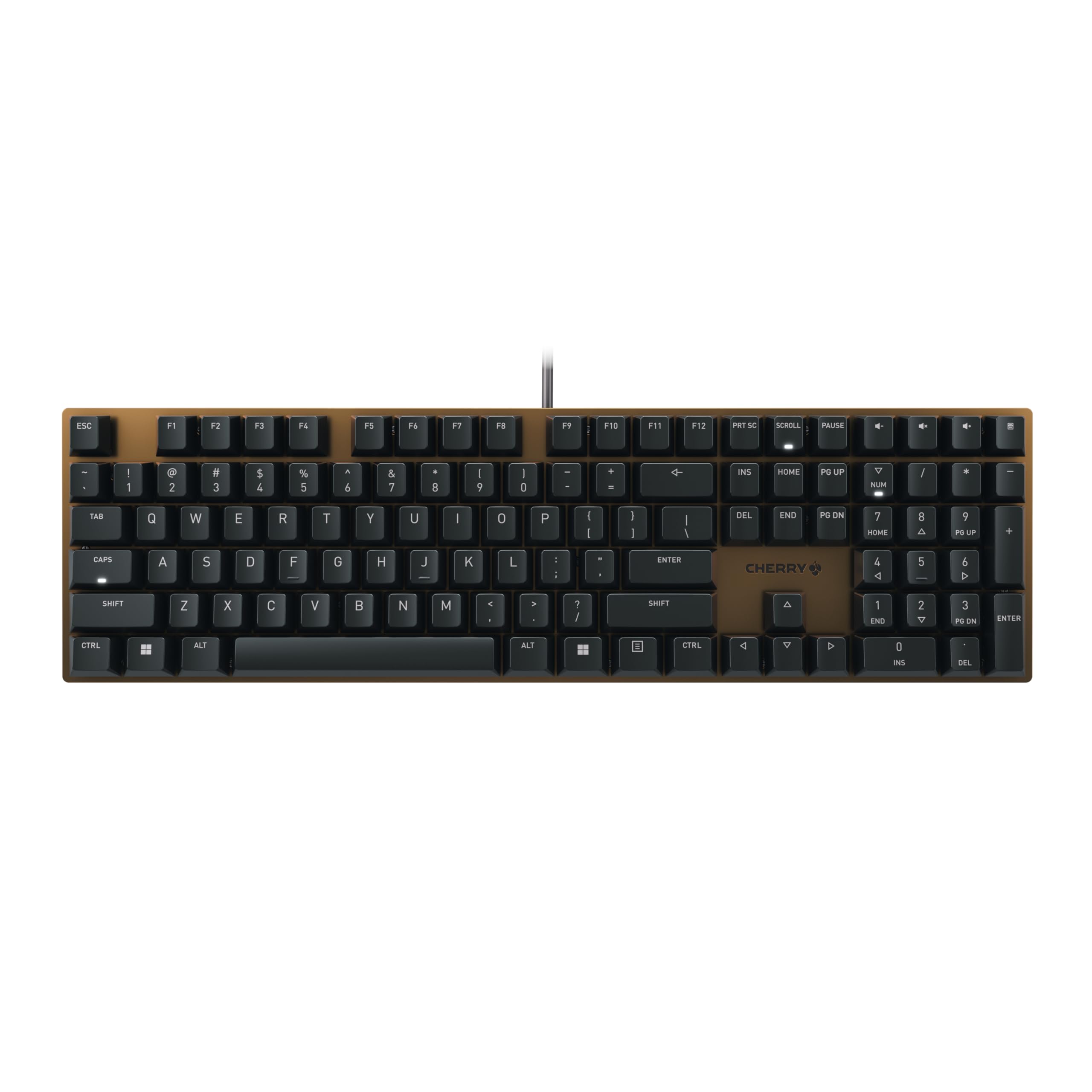
If your keyboard sits within earshot of other people, this is the one we point to. The MX2A Silent Red switches are linear with no click at all, and what sound escapes is a low thunk rather than a rattle. In an open office or a shared study, nobody will know you are typing.

Quiet does not mean vague. The key pressure is light and even, the anodized metal plate keeps the deck from flexing when you type hard, and the four shortcut keys above the number pad open the calculator and handle volume without a trip to the function row. Cherry rates these switches at more than 50 million actuations, and the legends are laser-etched, which is the version that survives years of fingertip abrasion.

The limits are worth stating plainly: it is a wired USB-A keyboard with no backlight, and Cherry lists Windows compatibility only. If you split your week between a Mac and a PC, the Keychron C2 ships with both keycap sets and costs less. For a desk job where quiet and a number pad matter more than wireless, we have not found a better balance in this group.

Pros

  • Quiet enough for an open office
  • Rigid anodized metal plate
  • Full number pad plus shortcut keys
  • Laser-etched legends resist wear

Cons

  • Wired only, with no backlight
Our verdict

For a shared room, this is the one: silent linear switches, a rigid aluminum plate, and a full number pad without a single click.

Check Latest Price
3

Best Mac-Friendly Full-Size

Keychron C2

86 /100
LBD Score Excellent

Key details

Layout
Full-size (104 keys)
Keycaps
ABS, Mac and Windows sets
Switches
Keychron Brown, tactile
Connection
USB-C wired
View on Amazon

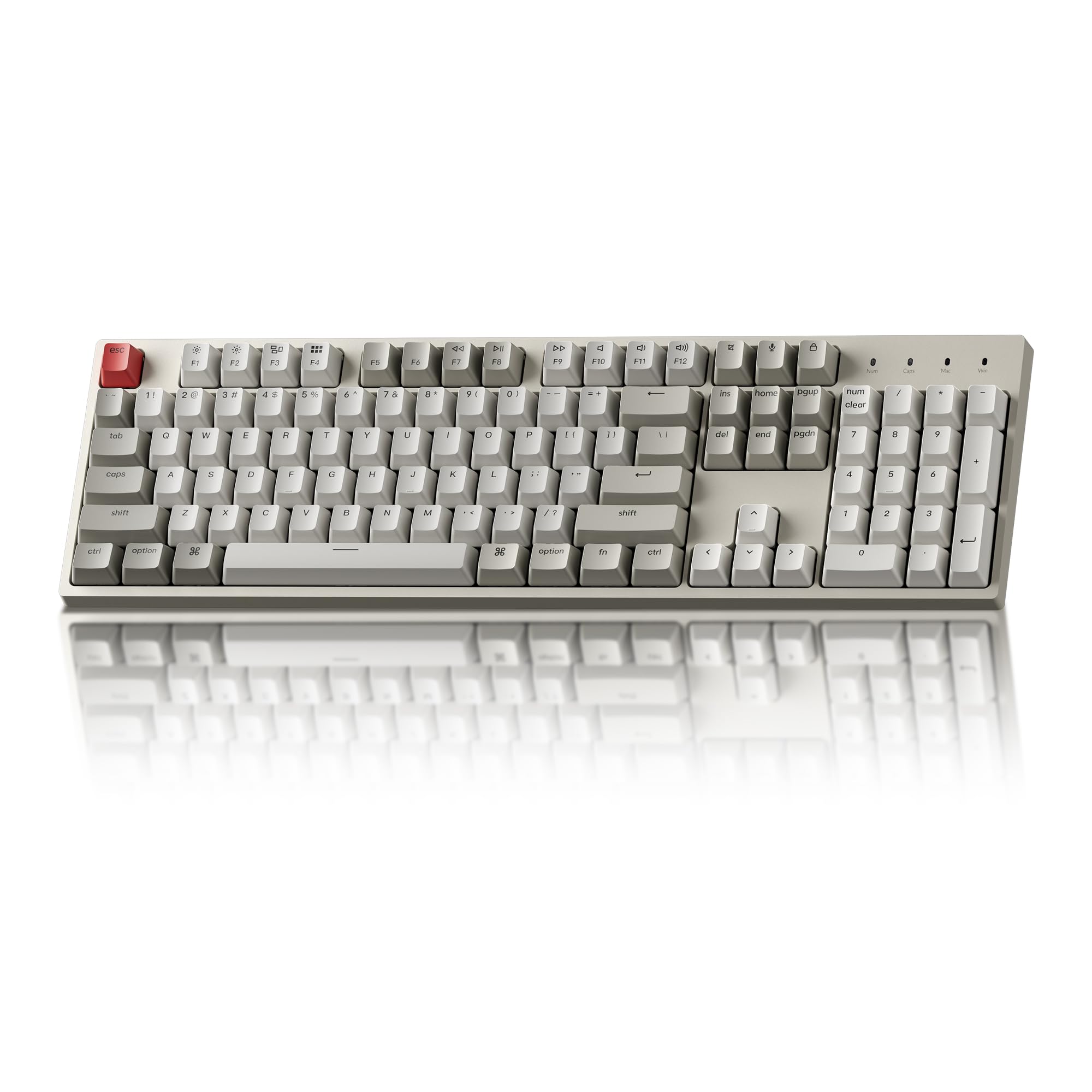
The C2 is the least expensive full-size board here with a genuine Mac layout, which is rarer than it should be. It arrives with Mac keys fitted and Windows keycaps in the box, and the function row handles brightness, volume, and media without a driver or an app.

It also sounds better than its position in this group suggests. Keychron Brown switches are tactile with a bump you feel but no click, the 1.5 kg body sits dead flat on a desk, and the retro beige-and-grey colorway looks like a 1990s workstation in the best way. It is not backlit, which is part of the look and a real consideration if you type at night.

We keep coming back to it as the sensible first mechanical keyboard: full-size, wired, no software, and a switch that tells your fingers when it has registered. The reservation is durability. Keys that stop registering after a few months are the failure to watch for on this model, so buy it somewhere with a generous return window and keep the receipt. The ABS keycaps will also shine where your fingers rest, sooner than the PBT on the Kisnt or the AULA.

Pros

  • Mac and Windows keycaps included
  • Tactile brown switches with no click
  • Heavy 1.5 kg body stays put
  • Plug and play, no software

Cons

  • ABS keycaps shine with use
  • Not backlit
Our verdict

Mac users who want a full-size wired board with tactile switches, real Mac keys, and no software to install should start here.

Check Latest Price
4

Best 96% Layout

AULA F99

90 /100
LBD Score Outstanding

Key details

Layout
96% (99 keys)
Battery
8,000mAh
Switches
Pre-lubed linear, hot-swappable
Connection
USB-C, 2.4GHz, Bluetooth 5.0
View on Amazon

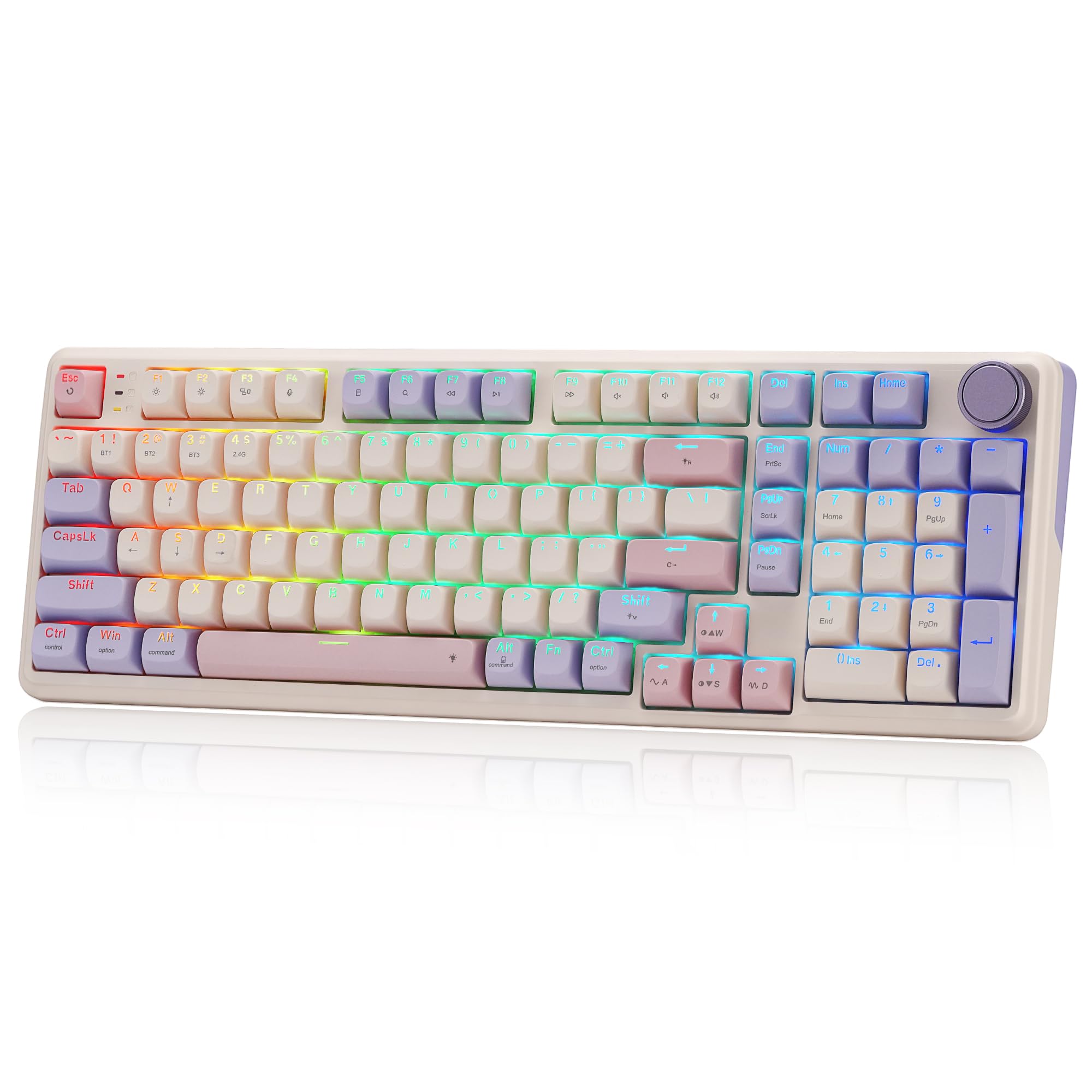
A 96% layout is a compromise, but a good one. The F99 fits a number pad, arrows, and the function row into a 15.35-inch body, which leaves more room for a mouse than a full-size board does, and the 1,500-gram weight keeps it from skating when you type hard.

What we like most is the way the gasket mount and the slotted PCB soften every press. The pre-lubed linear switches are smooth from the first keystroke, the PBT keycaps feel dry rather than glossy, and the 8,000mAh battery is among the largest here, so with the backlight off this is a board that stays unplugged for a long stretch. Three connection modes, including Bluetooth 5.0, let it follow you between a desktop and a tablet.

The caveats are real. The warranty runs six months, the shortest in this group, and the failure to watch for is a key that stops registering rather than a switch wearing out. If you want the number pad, the wireless, and the soft sound, it is still the board we reach for; if coverage matters more, the ProtoArc carries two years.

Pros

  • Number pad in a narrower 96% body
  • Gasket mount softens each press
  • 8,000mAh battery
  • PBT keycaps stay textured

Cons

  • Six-month warranty is the shortest here
Our verdict

Anyone who needs both a number pad and wireless gets the most from the F99, whose gasket mount keeps long sessions comfortable.

Check Latest Price
5

Best Low-Profile Wireless

Logitech MX Mechanical

85 /100
LBD Score Excellent

Key details

Layout
Full-size, low-profile
Battery
Up to 15 days
Switches
Low-profile tactile
Connection
Bluetooth, Logi Bolt
View on Amazon

Low-profile switches change how you type, and for anyone raised on a laptop this is the easiest transition in the guide. The travel is short, the caps sit low, and your palms rest closer to the desk, so there is less wrist extension at the end of a long document. The tactile bump is there without a click, and the aluminum deck gives it a planted feel that thin boards usually lack.

The rest is Logitech doing what Logitech does: pairing with three devices over Bluetooth or the Bolt receiver, a backlight that wakes as your hands approach, and a rechargeable battery rated at up to 15 days, or far longer with the lighting off. The layout stays full-size, so you keep the number pad, arrows, and a proper function row, which is more than most low-profile boards offer. The function row is reprogrammable in Logi Options+ if you want it doing something other than media keys.

Two things keep it out of the top spot. The smart illumination fades quickly whenever your hands pause, which is irritating when you stop to think mid-sentence, and Bluetooth is the shakier of its two wireless modes, with the Bolt receiver the setting to use at a desk. It is quiet enough for a shared room, though not as quiet as the Cherry.

Pros

  • Low-profile keys ease the move from a laptop
  • Pairs with three devices at once
  • Backlight wakes on approach
  • Aluminum deck feels planted

Cons

  • Backlight fades whenever you pause
  • Costs the most here
Our verdict

If you learned to type on a laptop and want one quiet keyboard for three devices, start with the MX Mechanical and its short-travel keys.

Check Latest Price
6

Best Budget Full-Size

Redragon K668

89 /100
LBD Score Excellent

Key details

Layout
Full-size (108 keys)
Hotkeys
Mute, calculator, screen lock, desktop
Switches
Red linear, hot-swappable
Connection
USB-C wired
View on Amazon

Open the box and there is a second set of keycaps, spare switches, and a puller, which is unusual at this price and genuinely useful rather than filler. The 108-key deck adds four shortcut keys above the number pad for mute, calculator, screen lock, and desktop, and Redragon's software lets you reassign them if the defaults do not suit you.

The stock Red linear switches are light and smooth, and the internal dampening gives them a soft, thocky bottom-out instead of a hollow clack. The case is plastic, so you give up the dead, planted feel of the aluminum boards here, but the two-stage feet and rubber pads keep it still while you type.

This is the full-size board we point budget buyers to. The hot-swap sockets turn the spare switches in the box from a novelty into a repair kit, since a dead switch is a quick swap rather than a new keyboard, and 19 lighting modes cover anyone who wants the desk to glow. It is wired only, and the software is the least polished part of the package.

Pros

  • Second keycap set and spare switches included
  • Hot-swap sockets make repairs easy
  • Damped, soft typing sound
  • Four dedicated shortcut keys

Cons

  • Wired only, no wireless option
  • Macros and remapping need the software
Our verdict

The K668 is the full-size board we point budget buyers to: hot-swap sockets, spare switches in the box, and a soft, quiet press for everyday typing.

Check Latest Price
7

Hybrid Desks

Redragon K768 Pro

92 /100
LBD Score Outstanding

Key details

Layout
95% (100 keys)
Battery
8,000mAh
Switches
Custom linear, hot-swappable
Connection
USB-C, 2.4GHz, Bluetooth
View on Amazon

One knob does the work of several key combos: turn it for volume, press it for playback, and hold a modifier to change backlight brightness. On a board this size that is the control your hand actually reaches for, and it is the detail that makes the K768 Pro feel considered rather than assembled.

The layout is a 95%: number pad, arrows, and function row, with the gaps between clusters trimmed. Gasket mounting and five layers of dampening give the custom linear switches a soft, low landing, and the PBT keycaps hold their texture far longer than the ABS on the Keychron C2.

An 8,000mAh battery backs the three connection modes, USB-C, 2.4GHz, and Bluetooth, so wireless is a practical default here rather than a fallback, and the board ships with spare switches and a puller.

We rate it the most interesting board here for a hybrid desk. Two things hold it below the runner-ups: the case is plastic while the board asks more than the K668, and macros and per-key lighting effects live in the software rather than on the keyboard.

Pros

  • Knob handles volume and brightness
  • Number pad in a trimmed 95% body
  • 8,000mAh battery for long wireless stretches
  • Gasket mount with five-layer dampening
  • Hot-swap sockets and spare switches

Cons

  • Plastic case at a higher price than the K668
  • Macros and per-key lighting need the software
Our verdict

Hybrid desks get the most from the K768 Pro: a number pad, a real volume knob, and wireless that follows you between machines.

Check Latest Price
8

Quiet Wireless Desks

ProtoArc K310 Pro

89 /100
LBD Score Excellent

Key details

Layout
Full-size (108 keys), low-profile
Switches
Low-profile linear
Warranty
2 years
Connection
Bluetooth, 2.4GHz
View on Amazon

An aluminum top case is the first thing you notice, and it earns its place: the deck does not ring or flex under hard typing, which is the difference between a low-profile board that feels like a laptop and one that feels like furniture.

The low-profile linear switches are quiet, closer to a good scissor keyboard than to the clack of the Redragon boards here, and the full 108-key layout keeps the number pad. Bluetooth covers three devices alongside the 2.4GHz receiver, and the single-color backlight offers ten effects with adjustable speed and brightness.

At 17.64 inches wide it claims the desk space a full-size board always claims, so check your keyboard tray or the shelf above your desk before you commit. The layout itself is conventional, with the number pad, arrows, and function row where your hands expect them, which is part of the appeal.

We keep it on the list because it is the one board here that pairs a quiet low-profile feel with a full number pad, an aluminum deck, and three-device wireless, and its two-year warranty is the longest in the group. The trade is the lighting: ten effects, one color, so no RGB.

Pros

  • Quiet low-profile linear switches
  • Aluminum case resists flex and ring
  • Full number pad with three-device wireless
  • Two-year warranty

Cons

  • Single-color backlight only
Our verdict

The K310 Pro suits a quiet shared office where a full number pad and three-device switching matter more than RGB.

Check Latest Price

How We Tested the Best Mechanical Keyboards for Typing

We began by gathering every mechanical keyboard we could find that listed its switch type, then cut boards that kept their specs vague. From there we kept a spread of layouts — compact 75% up through full-size and 95% — plus a mix of low-profile and standard-height cases and of wired, wireless, and tri-mode models, since the right pick depends heavily on the desk it lands on. Twelve made the cut, and each spent at least a full week as my only keyboard.

That week meant real work: drafts, email, and a 900-word passage I typed on every board to see how often my fingers slipped and where the keys pushed back. I ran a thumb over the keycaps on day one and again at the end, feeling the texture go from chalky to polished, and I twisted each case at the corners and pressed down on the deck to hear whether it creaked. Sound got its own pass — I recorded each board from the same distance with the same phone, played it back through headphones, and listened for ping, rattling stabilizers, and a space bar that clacks instead of thocks. A few went with me to a shared office and a coffee shop, mostly to see whether the person across the table flinched.

Wireless boards were paired to a laptop, a desktop, and a tablet, and I switched between them mid-sentence to time the handoff, noting any dropped pairing or dead key over the week. I left backlighting at the brightness I would actually use and counted the days until the low-battery warning, carried each board in a tote and a backpack, and on the hot-swap models pulled a few switches with the included tool and seated spares to check the sockets held. At the end of each week I set the board next to my monitor and notebook and asked whether I'd leave it there on looks alone — and whether what it cost matched what it did.

How to Choose a Mechanical Keyboard for Typing

Start With the Switch, and Think About the Room

Linear switches, like the ones on the Kisnt and both Redragons here, travel straight down with no bump and suit light-handed, fast typing. Tactile switches add a bump you feel at the point where the key registers, which helps you stop bottoming out on every stroke; the Cherry, Keychron, and Logitech all take that approach. Clicky switches add an audible click on top of the bump.

Our rule is simple: linear or tactile for typing, clicky only if you type alone. If quiet is the priority, look for a switch the maker calls silent rather than merely tactile, since the silent versions are damped internally and cut the sound that carries across a room.

Match the Layout to Your Number Pad Habit

Layout percentages are not standardized, so count keys rather than trusting the label. Full-size means 104 to 108 keys with a number pad and a full navigation cluster. A 96% or 95% board squeezes the number pad in by shaving the gaps between clusters, landing at 99 or 100 keys. A 75% board drops the number pad and keeps the function row, arrows, and Delete at around 85 keys.

If you enter figures all day, keep the pad, and the AULA F99 does it in a body narrower than a full-size board. If your work is mostly prose, the 75% Kisnt hands the width back to your mouse hand, and you will not miss a number pad you never used.

Keycaps, Plate, and Weight Decide How It Ages

Two boards can feel identical on day one and look very different a year later. PBT keycaps keep their dry texture; ABS caps, like the ones on the Keychron C2, polish to a shine where your fingers rest. Legends matter as much, and double-shot or laser-etched lettering outlasts printed caps that wear through.

The deck matters too. A metal plate or an aluminum case stops the board flexing under hard typing, and weight keeps it planted: the aluminum Cherry and ProtoArc feel deader under the fingers than the plastic Redragon boards. If you type all day, pay for PBT and a metal plate before you pay for lighting.

Wired, Wireless, or Hot-Swap

A wired USB-C board is the simplest thing that works: no battery, no pairing, no charging. Wireless earns its place when you move between machines. A 2.4GHz dongle behaves like a cable, while Bluetooth lets one board serve a desktop, a laptop, and a tablet without replugging. Battery capacity is the number to check, and backlighting is what drains it fastest.

Hot-swap sockets are the upgrade we look for on any budget board. They accept three- and five-pin switches, so a change of taste or a dead switch costs you a set of switches rather than a whole keyboard, and they are the reason the Redragon K668 ships spare switches in the box.

Check the Key Layout for Your Computer

Mac and Windows layouts differ in the modifier row, and a board that ignores this becomes a daily irritation. The Keychron C2 arrives with Mac keys fitted and Windows caps in the box; the Cherry lists Windows compatibility only; the Logitech pairs across Windows, macOS, ChromeOS, and Linux.

On a Mac, confirm the board ships Mac keycaps or that its modifier keys can be remapped. A wired board works with anything that has a USB port, which makes it the safe choice for a locked-down work laptop where you cannot install drivers.

Frequently Asked Questions

Final Verdict

The Kisnt KN85 is the board we recommend to most people who type for a living: a 75% layout that keeps the keys you actually use, a gasket mount and pre-lubed linear switches that make the third hour as comfortable as the first, hot-swap sockets for when your taste changes, and three ways to connect.

Two requirements change the answer. Type in a shared room and the Cherry KC 200 MX buys near silence, a metal plate, and a number pad. Need the number pad and wireless together, the AULA F99 is the pick, with the ProtoArc K310 Pro behind it for anyone who wants a quieter low-profile feel and the longest warranty here.