Best LED Wall Panels for Gaming Rooms of 2026

The worst thing an LED wall panel can do isn't look cheap — it's come down at 2 a.m. and take a patch of paint with it. I've had a hexagon tile drop onto a desk mid-game, and I've peeled one off a painted wall and watched the top layer come with it. What these panels fix is the dead corner behind a monitor or above a bed, turning a blank wall into the light source in the room.

Over eight months, my team and I mounted 12 sets — hexagon tiles, mini panels, slim slat lights — on drywall, painted plaster, brick, and acoustic slats. The ones still up and still looking good got the boring parts right: surface prep, spacing, and an app that reconnects after a router reboot.

A bigger brightness number doesn't make a better-looking wall — even spread and whites that read white on a webcam matter more. And kits from different makers don't link together, so the panel count in the box decides how big a shape you can build. The picks below cover that range.

1

Best Overall

Govee Glide Hexa Light Panels

90 /100
LBD Score Outstanding

Key details

Panels
10 hex panels
Control
Wi-Fi, Bluetooth, voice
Brightness
500 lm
Panel Size
7.1 x 6.2 in
View on Amazon

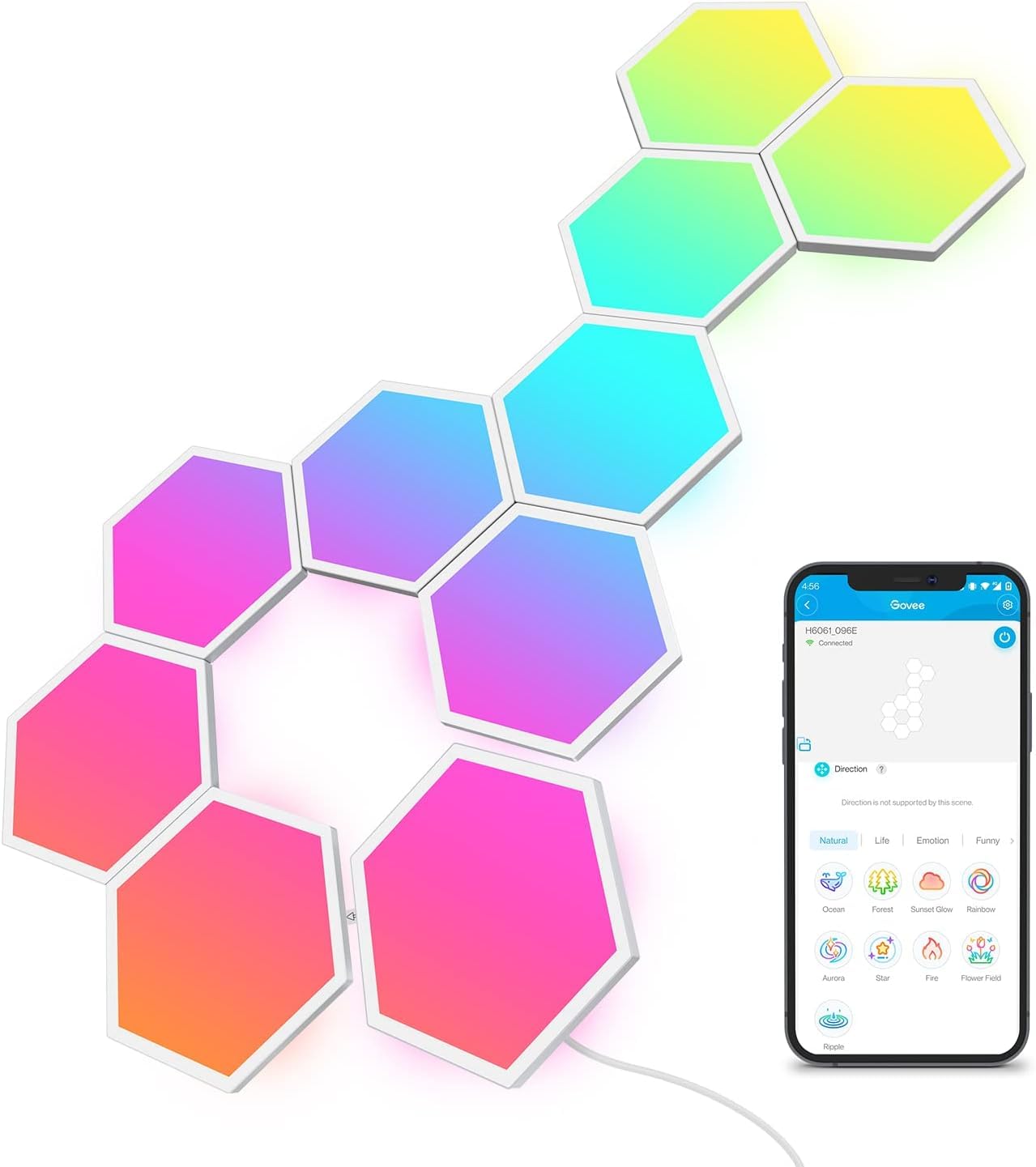
Ten hexagons, each roughly 7 inches across, are the reason the Glide Hexa earns the top spot: this is the one kit here that looks like a designed wall piece rather than a cluster of small tiles. The RGBIC edge lighting can show several colors on one panel, so gradients and flowing effects read smoothly across the layout. The app's recommended designs do a lot of the composition work for you, and the six music modes react to game audio without needing a separate hub.

We think the larger panel size is the real advantage. A 10-panel kit at this scale covers more wall than the small-tile kits here, and the hexagons leave fewer awkward gaps when you build around a monitor or shelf. The 500-lumen output is accent lighting, not room lighting, but that is what a gaming wall wants; the glow is bright enough to color the wall behind a desk without washing out the screen. We also appreciate that the translucent back shell spreads the light instead of leaving hot spots.

Mounting is the part we do not gloss over. The included pads can let panels drop, especially on glossy paint or a dusty wall, so clean and dry the surface first and press each panel firmly. If you are not confident in the adhesive, use a quality mounting tape. The kit is more expensive than the budget options, but the panel size and app polish are what you are paying for. The extra prep is part of the project, but it is the difference between a wall that looks intentional and a pile of glowing tiles.

Pros

  • Large 7-inch hex panels
  • RGBIC edge colors and gradients
  • Six music-sync modes
  • App designs and voice control

Cons

  • Included adhesive can let panels drop
  • Costs more than budget kits
Our verdict

The Glide Hexa is our default because its large hex panels and RGBIC effects fill a gaming wall better than the small-panel kits here, as long as you reinforce the mounting.

Check Latest Price
2

Best Smart Panel Kit

Govee Mini Panel Lights

86 /100
LBD Score Excellent

Key details

Panels
20 square panels
Control
Matter, Wi-Fi, voice
Brightness
800 lm
Panel Size
3.14 in square
View on Amazon

The Mini panels are only 3.14 inches square, and that is the first thing to understand: this is a pixel-art kit, not a big hex statement. We like it for a dense, graphic wall where the design is made from many small squares rather than a few large tiles. The RGBIC lighting gives each panel its own color, and the app can turn a layout into pixel art, icons, or a logo. If you want a wall that reads from across the room, this is the wrong shape; if you want a wall that rewards a close look, it is the most interesting box here.

Matter support is the practical advantage. The Mini works with Alexa, Google Assistant, and Matter, so it can join a smart-home routine instead of living in a separate app. A single adapter can power up to 70 panels, which is unusually expandable for a kit this size, and the 800-lumen output is brighter than its tiny panels suggest. The 20-panel starter is enough for a desk backdrop or a small mural; a full wall needs more panels, and that is an added cost.

Setup is straightforward, but the small panels ask for patience. You need to plan the grid, keep the spacing even, and press each panel firmly; a rushed layout looks messy because every gap is visible. We also found that the pixel-art effects take more planning than hex shapes, where the app's recommended layouts do more of the work. If your wall is large and empty, the Glide Hexa does more with fewer pieces; if you want a dense, graphic mural, the Mini is the more interesting choice.

Pros

  • 20-panel pixel-art starter
  • Matter and voice control
  • Expands to 70 panels

Cons

  • Tiny panels cover little wall alone
Our verdict

The Mini is the pick for a pixel-art wall: 20 small RGBIC panels, Matter control, and expansion to 70 pieces, though it needs more panels to cover a large wall.

Check Latest Price
3

Best Budget 20-Pack

TISOFU 20 Pack Hexagon Lights

83 /100
LBD Score Excellent

Key details

Power
USB powered
Colors
16 million colors
Panels
20 hex panels
Control
App, remote, voice
View on Amazon

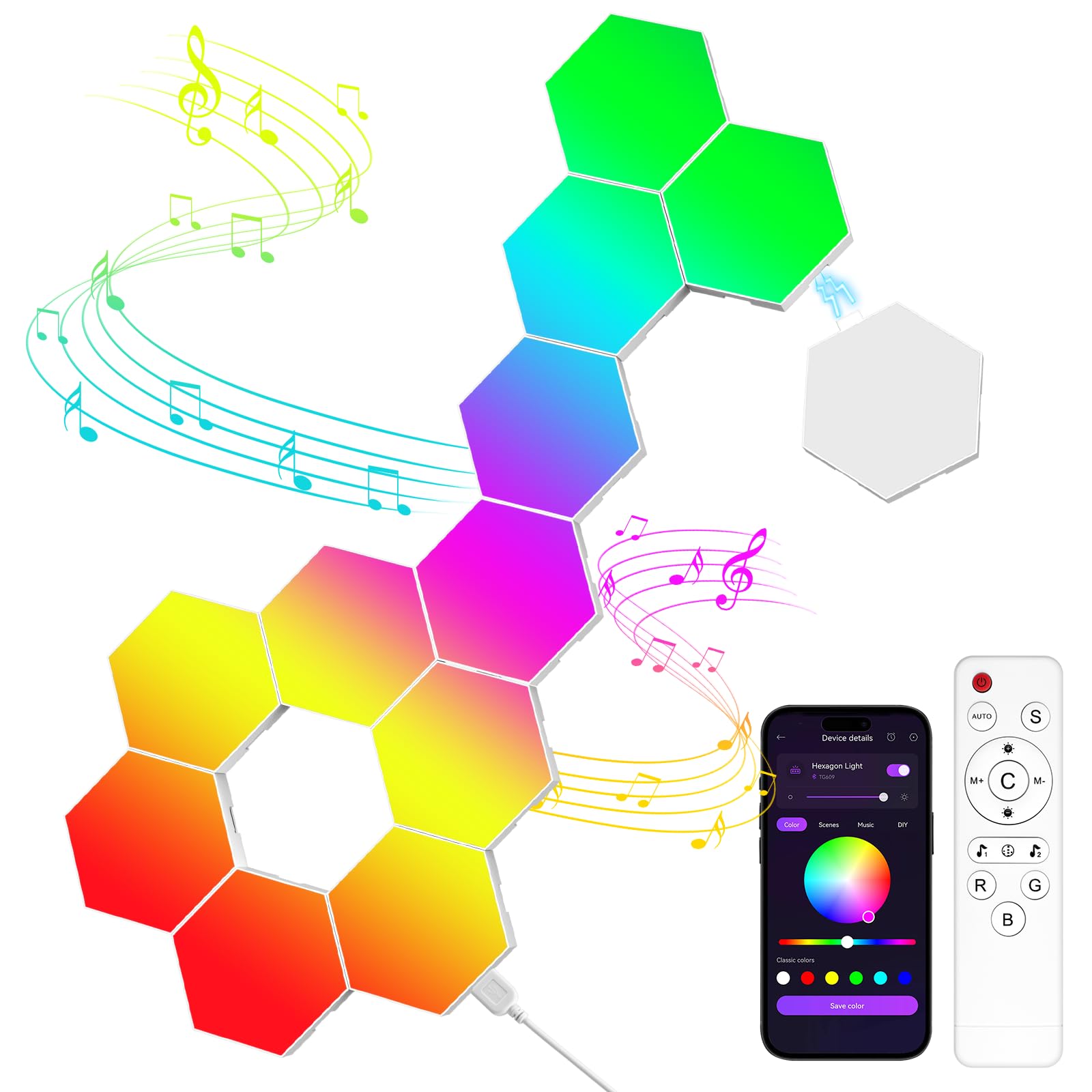
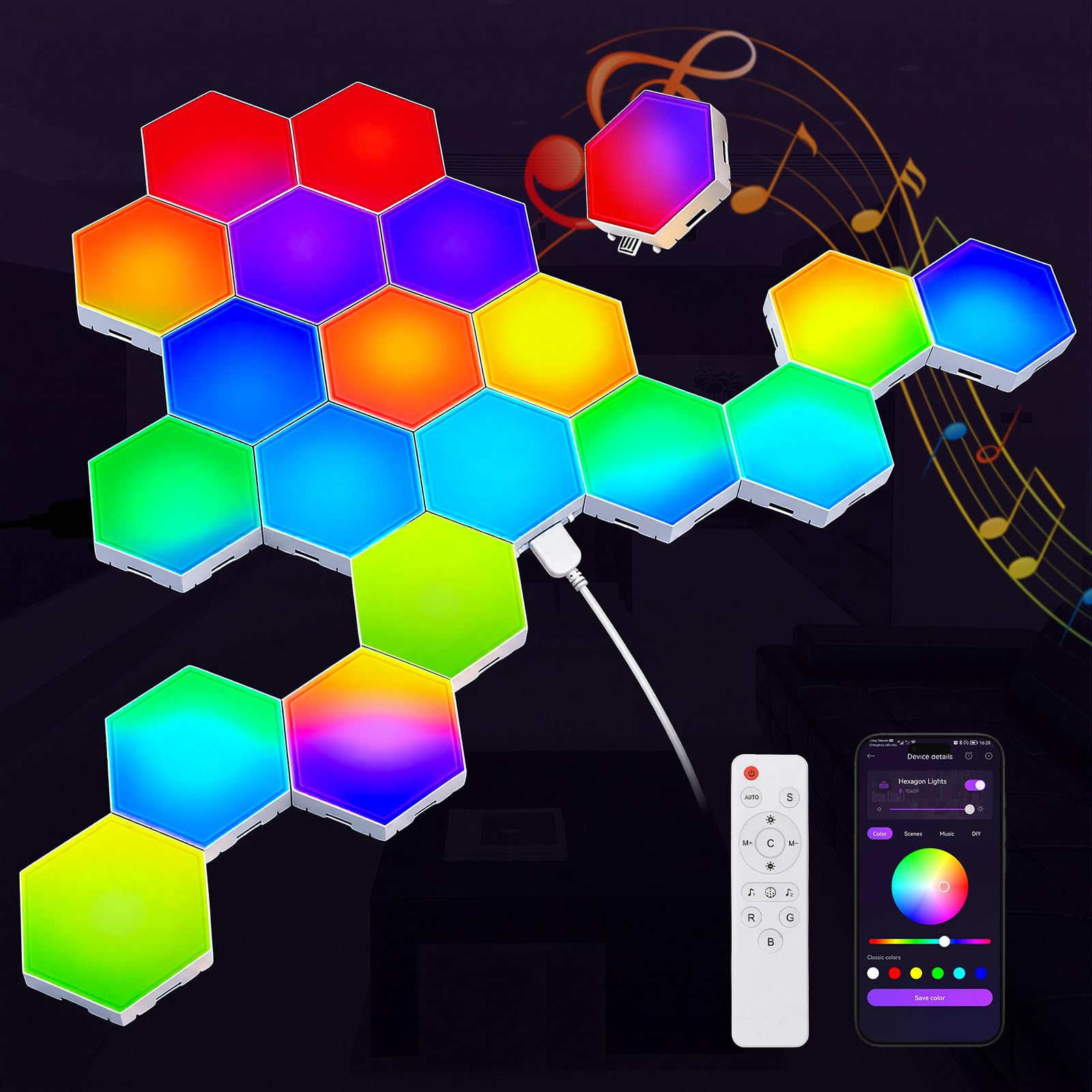
Twenty panels for the price of a single premium kit is the pitch, and the TISOFU set delivers the features that matter at that price: app control, a remote, voice control, music sync, and 16 million colors. The 200-plus modes cover everything from slow fades to beat-driven pulses, and the hexagons snap together into a honeycomb, a line, or a looser shape. It is the budget kit we recommend first because it gives you enough pieces to build a real layout instead of a token cluster.

The catch is size. These are small hexagons, and the listing photos make them look larger than they are. Twenty of them still cover a decent desk wall, but a full wall needs a denser arrangement or a second kit. The app is serviceable, though not as polished as Govee's, and the remote is a useful backup when you don't want to open your phone. Music sync reacts to sound in the room, so it works best with speakers rather than headphones.

We rank it as the budget 20-pack because it gets the basics right, but reliability is the open question. Some units stop working, and the adhesive is inconsistent, so test every panel before you mount anything and use extra tape on glossy paint. The 18-month warranty is longer than most budget kits offer. For a first gaming wall on a tight budget, it is the best value in this set; for a long-term statement wall, spend more.

Pros

  • 20 panels at a budget price
  • App, remote, and voice control
  • Music sync and 200+ modes
  • 18-month warranty

Cons

  • Small panels cover less wall
  • Adhesive pads are inconsistent
Our verdict

The TISOFU 20-pack is the budget pick for a reason: app, voice, music sync, and enough panels to build a shape, with the caveat that the panels are small and reliability varies.

Check Latest Price
4

Best for Slat Walls

GloryAir Smart RGB Slat Wall Lights

85 /100
LBD Score Excellent

Key details

Lights
6 bars
Control
Wi-Fi, voice, remote
Lengths
16, 24, 40 in
Warranty
3 years
View on Amazon

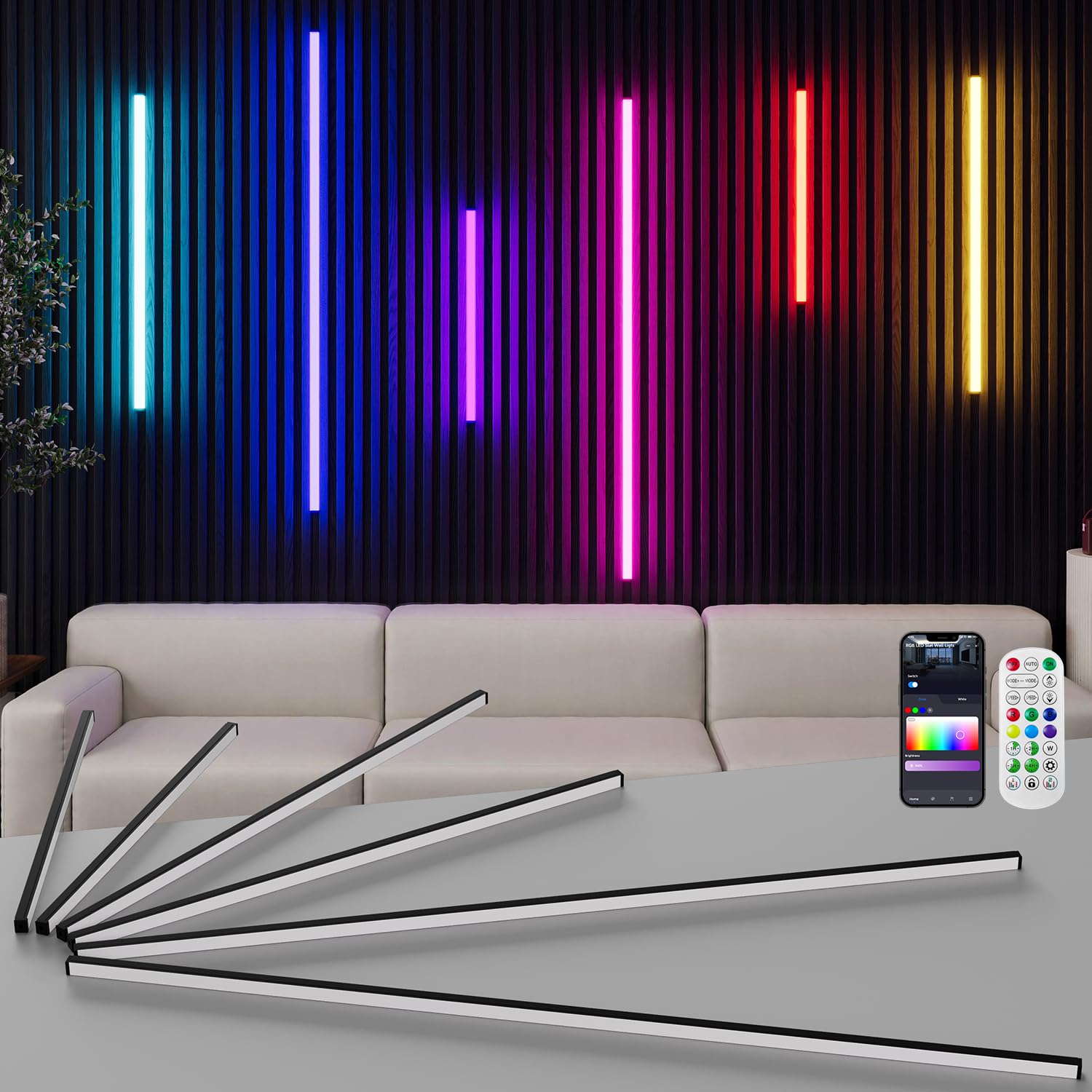
If your game room already has wood slats or acoustic panels, the usual hex kit fights the wall. The GloryAir set is six slim bars in 16-, 24-, and 40-inch lengths, designed to sit between slats or on flat panels, with a matte black finish that disappears into the architecture. The self-adhesive backing is the installation method, and the set includes a transformer, power cord, remote, and extra adhesive strip.

We like this for the rooms where a hex grid can cover up the architecture instead of working with it. The bars add a wash of color, and the app, remote, and Alexa/Google controls cover the usual routines. Music sync is here too, and the 60-watt set is bright enough for accent lighting without turning the wall into a lightbox. The 5000K white setting is useful when you want the slats lit cleanly rather than in color.

The limitation is the form factor: this is a linear kit, not a modular panel system, so you get six fixed lengths and a layout that follows the wall. The three-year warranty is the longest here and covers the electronics, which is the reassurance that makes the price easier to accept. If you have slat panels, this is the pick that looks built in; if you want hex tiles, it is not a substitute.

Pros

  • Fits slat and acoustic panels
  • Three lengths for linear layouts
  • App, voice, and remote control
  • Three-year warranty

Cons

  • Some units stop working
Our verdict

The GloryAir set is the right choice for wood slat or acoustic walls: six self-adhesive bars, smart control, music sync, and a three-year warranty, though it is not a hex-style kit.

Check Latest Price
5

Simple Remote Setup

Vcwtty Hexagon Light Panels

86 /100
LBD Score Excellent

Key details

Power
USB powered
Colors
13 colors
Panels
10 hex panels
Control
Remote, touch
View on Amazon

No app, no Wi-Fi, no account: the Vcwtty kit is controlled by a remote and a touch-sensitive center on each panel. That simplicity is the appeal for a kid's room or a first apartment, where you don't want another login. The 10 hex panels snap into a shape and run from USB, so you can power them from a monitor or a wall adapter. The 13 colors are basic, and there is no music sync, so this is not the kit for a reactive gaming wall.

The touch control is fun, but the remote is the practical way to change the whole set. The panels are light and the USB connection makes them easy to move, which is useful if you rearrange a desk or move the kit to another room. The kit includes a remote, but no app means no scenes, schedules, or voice control. If you want the panels to pulse with game audio, look at the TISOFU or either Govee kit instead.

Our biggest reservation is the wall attachment. The sticky pads can give up quickly, and the panels are light enough to come down in a chain. Use a quality mounting tape or small hooks, and test the layout before committing. For the price, it is a decent no-app starter; for a gaming room, the lack of music sync is the bigger compromise than the color count.

Pros

  • Remote and touch control
  • USB powered
  • 10 hex panels

Cons

  • No app or music sync
  • Adhesive pads can fail
Our verdict

The Vcwtty kit is a simple, affordable remote-controlled hex set for a kid's room or a first desk wall, but it has no app or music sync and the adhesive needs help.

Check Latest Price
6

Compact Budget Walls

MeRGBWLife 12 Pack Hexagon Lights

77 /100
LBD Score Very Good

Key details

Colors
16 million colors
Panels
12 hex panels
Control
App, remote, button
Warranty
6 months
View on Amazon

The box says 12 panels, but the listing also describes an 8-panel set with 3.7-inch tiles, so check the variant before you order. What you are promised is a modular hex kit with app, remote, and button control, music sync, 16 million colors, and 200-plus modes at a budget price. On paper, that is a lot of flexibility for the money. We treat it as a wildcard: the feature set is right, but the panel count needs confirming.

The 12-panel count is enough for a small wall or a desk backdrop, not a full-wall statement. The triple control is useful if you don't want to rely on a phone, and the music sync is the feature that makes it a gaming candidate. The 6-month warranty is the shortest here, which is worth noting if you want long-term coverage. The app is the same basic style you get on most budget kits: color picking, modes, and a timer, without the polish of Govee's ecosystem.

We haven't found a reason to rank it above the TISOFU 20-pack; the TISOFU gives you more panels and a longer warranty for similar budget money. But if you want a compact 12-panel kit with app control and a small footprint, this is a reasonable budget alternative. Confirm the count and test every panel before mounting.

Pros

  • 12-panel modular kit
  • App, remote, and button control
  • Music sync and 200+ modes

Cons

  • Panel count varies by listing
  • Six-month warranty
Our verdict

The MeRGBWLife 12-pack is a budget wildcard with app, remote, and music sync, but confirm whether you are getting 12 panels and accept the short warranty.

Check Latest Price

How We Tested LED Wall Panels for Gaming Rooms

We started with a list of roughly 40 sets sold in the U.S., then cut anything that couldn't be controlled by both an app and a remote, anything where the panels were locked into one fixed shape out of the box, and anything priced so high that a single dead panel would be an expensive problem. That left 12 sets, which we mounted and lived with for eight months.

Every set went up the same way. I taped the layout on the wall with painter's tape first, then timed the install solo with a stopwatch, working on painted drywall in a home office and in a basement room with a textured wall and a slat panel section. After that we left them alone: checking each panel weekly for sagging corners, pressing the tape in a warm room, and pulling every set down at the end to see whether tape, paint, or nothing came with it.

For appearance and brightness, we photographed each set at full white and at several color presets, then compared them side by side in a dark room to spot panels with hot spots at the edges and whites that turned blue on camera. We rebuilt each set into a second shape to see how the connectors handled routing changes, and we ran music sync against a bass-heavy track, watching for lag between the beat and the light. Reliability got the least glamorous test — two months of daily use, forced router reboots, and power strips switched off at night — while value came down to panel count per dollar and how many dead diodes showed up by the end.

How to Choose Led Wall Panels for a Gaming Room

Start With Coverage, Not Panel Count

A 20-pack of small tiles can cover less wall than a 10-pack of 7-inch hexagons, and the smaller panels leave more gaps to fill. Measure the wall, sketch the shape you want, and compare the actual panel dimensions before you compare counts. The Govee Glide's 10 large hexes are the better starting point for a statement wall; the budget 20-packs make more sense for a desk alcove or a tighter layout.

Choose the Control Style You Will Actually Use

App control buys you scenes, schedules, and music sync; a remote buys simplicity. If you want the panels to react to game audio, look for a music mode and a built-in mic or app-based sync. If you mainly want a static color behind the desk, a remote-only kit like the Vcwtty saves you another login. Matter and Alexa support matter if the panels are part of a larger smart-home routine, but they are not necessary for a single gaming wall.

Plan the Mount Before You Stick Anything Up

Adhesive is the weak point across this category. Clean the wall with a degreaser, let it dry completely, and press each panel firmly for the full contact time. On glossy paint or textured drywall, use a quality mounting tape instead of trusting the included pads. For wood slats or acoustic panels, a bar-style set made for that surface is a better fit than forcing hex tiles around the slats. Test the layout on the floor first; moving a panel after it has set can pull paint.

Treat Brightness as Accent Light

A gaming wall is usually ambient lighting, not the room's main light. The Govee Glide is rated at 500 lumens and the Govee Mini at 800, which is enough to wash a wall in color without turning the room into a lightbox. If you need to see your keyboard or read a manual, keep a desk lamp or ceiling light for that job. Check the power source too: USB kits are easy to place but limited by cable length; AC adapters give more reach but need an outlet.

Check Expansion, Warranty, and App Support

Buy for the wall you have now, but check how far the kit can grow. The Govee Mini supports up to 70 panels on one adapter, while most budget kits are fixed sets. A longer warranty is worth more on a panel kit than on a lamp because one failed panel can break the whole layout. Govee backs the Glide Hexa for a year, GloryAir offers three years, TISOFU 18 months, and MeRGBWLife six months; read those terms before you commit.

Frequently Asked Questions

Final Verdict

For most gaming rooms, the Govee Glide Hexa is the panel kit to buy first: the larger hexes, RGBIC color, and music modes do more for a wall than a bigger pile of tiny tiles. The trade-off is mounting, so budget the time to clean the wall and reinforce the pads. If your wall is small or you want a pixel-art look, the Govee Mini is the smarter fit; if you are lighting wood slats, choose the GloryAir bars instead.