Best Keyboard Switches for Gaming of 2026

The switch is the part of a gaming keyboard you feel before you see it. A board can have the right layout and still feel wrong if every press is mushy, hollow, or loud enough to carry into the next room. I want a clean click or a smooth line, a sound that doesn't wear on me after an hour, and enough consistency that my inputs land the same way every time.

The main split is linear, tactile, and clicky, but the details matter just as much: a five-pin switch needs a board that accepts the extra legs, while a three-pin set drops into more sockets. Pre-lubed switches save time, though the lube can be uneven from set to set. Over the past three months, our team tested 16 switch sets across daily typing and evening gaming, and the differences showed up fast.

Some sets sounded tight and planted; others pinged or felt loose within a week. Color was a smaller factor, but I still checked how stems and housings looked under keycaps and backlighting, and value came down to whether the extras in the bag were actually useful. The picks below are the ones that held up in real boards, not just on a spec sheet.

1

Best Overall

EPOMAKER Creamy Jade

91 /100
LBD Score Outstanding

Key details

Pack Size
100 switches
Pin Count
5-pin
Switch Type
Linear
Actuation Force
45gf
View on Amazon

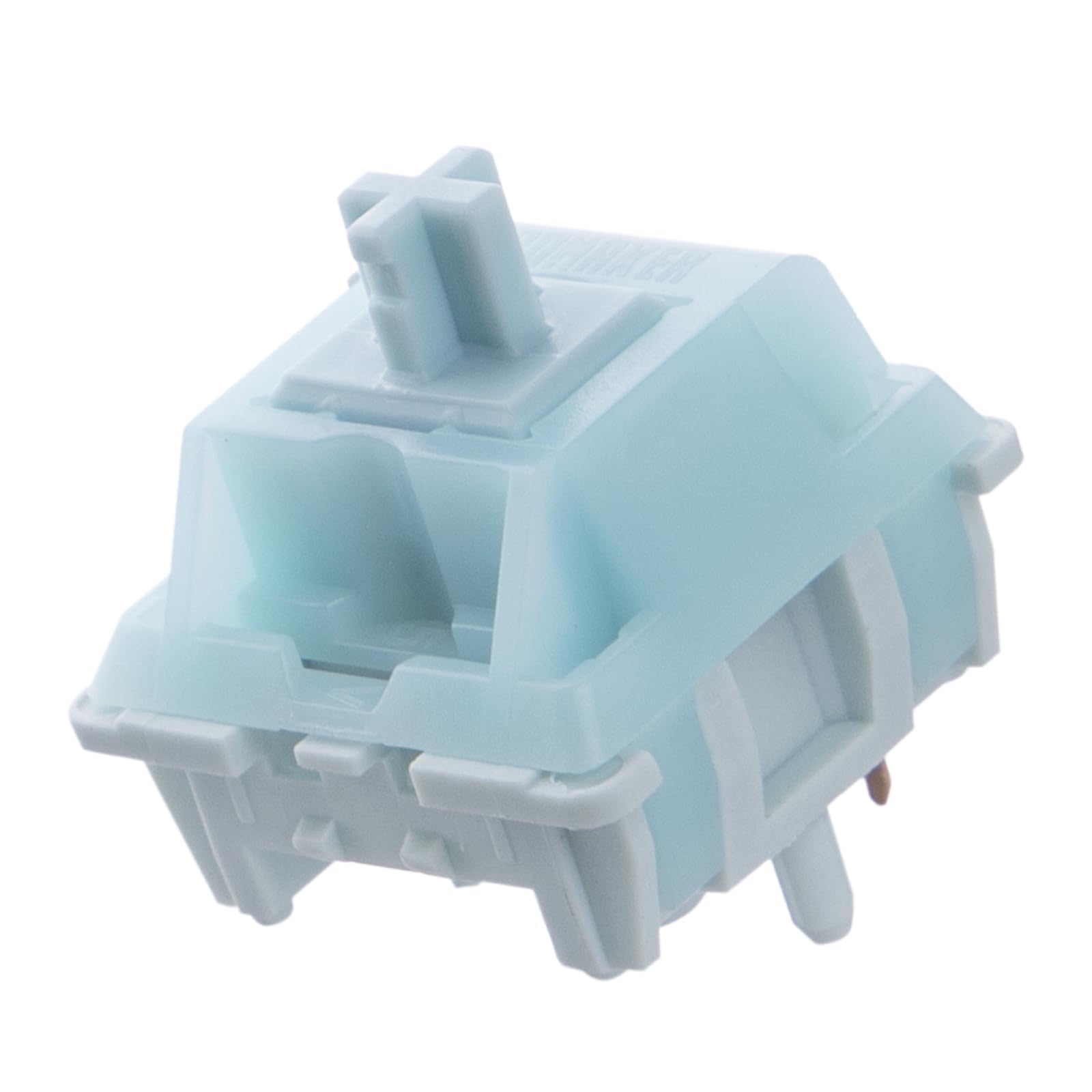
A 45gf linear switch with a five-pin base and a 100-switch count is the combination that makes the Creamy Jade the easiest recommendation here. That count covers a TKL or 96% board with spares, and the five-pin legs hold the switch steadier in a hot-swap PCB than a three-pin housing. The POK stem and PC/PA66 housing are the kind of parts we look for when a switch needs to stay smooth after the first month, not just the first hour.

What settled it for us is the combination of weight and factory lube. At 45gf, the spring is light enough for quick taps in a game but not so light that we were resting into keys during ordinary typing. The pre-lube keeps the stroke smooth and free of the spring ping that can pull your attention away from the screen. We also like that the sound stays creamy rather than sharp; it is not silent, but it does not turn a headset session into a click track.

The five-pin design is the one thing to check before ordering. If your board only accepts three-pin switches and has no extra PCB holes, you will need to clip the two plastic legs or choose a three-pin pack. On a compatible hot-swap board, though, this is the set we reach for first: enough switches for a TKL or 96% build, a light linear action, and a finish that feels more considered than the plain spec sheet suggests.

Pros

  • Smooth 45gf linear action
  • 100 switches cover a TKL or 96% board
  • Factory lube limits spring ping
  • Five-pin base sits securely in hot-swap PCBs

Cons

  • Only sold in a 100-switch pack
Our verdict

We recommend the Creamy Jade as the default gaming switch here: its 45gf linear action is quick, smooth, and quiet enough for most rooms, and the 100-pack covers a TKL or 96% board.

Check Latest Price
2

Best Quiet Linear

Akko Rosewood

89 /100
LBD Score Excellent

Key details

Pack Size
45 switches
Pin Count
5-pin
Switch Type
Linear
Actuation Force
40gf
View on Amazon

The first thing we noticed about the Rosewood is the low, rounded thock rather than a sharp clack. It is a 40gf linear with 4.0mm full travel, and that combination gives it a relaxed, almost cushioned feel that we liked for long gaming sessions and for typing afterward. If you share a room or play with an open mic, this is the quieter end of the linear options here.

The 40gf spring is light, and the factory lube makes the stroke feel creamy without the spring noise that can make a cheap linear sound hollow. We did find the sound more muted than the word thocky might suggest, which is good for a shared space but less dramatic if you want a loud, bass-heavy board. The 45-switch count suits a 45-key compact layout or a partial swap, not a TKL or full-size build; for a 65% board, plan on two packs.

There is also a color note: the orange-pink housing can tint white or pale RGB lighting, so it is not the pick for someone chasing clean white backlighting. For a quiet linear setup where feel matters more than light show, the Rosewood is the one we keep coming back to. It is not the least expensive linear here, but it is the one that makes a small board sound expensive.

Pros

  • Deep, muted thocky sound
  • Light 40gf linear feel
  • Factory lube reduces spring ping
  • Five-pin base for hot-swap boards

Cons

  • Housing can tint white RGB pink
Our verdict

We like the Rosewood for quiet, deep-sounding linear builds; its 40gf press is light and smooth, though the 45-switch pack suits compact layouts rather than TKL or full-size boards.

Check Latest Price
3

Best Clicky

Kailh Box White V2

88 /100
LBD Score Excellent

Key details

Pack Size
72 switches
Pin Count
5-pin
Switch Type
Clicky
Operating Force
45±15gf
View on Amazon

A 3.6±0.3mm total travel and a 1.8±0.4mm actuation point make the Box White V2 feel quicker under the finger than the blue clicky packs here. The click is crisp and consistent, and the box stem has very little wobble, which matters more in a fast game than a pretty spec sheet. The 45±15gf operating force is light enough for rapid presses but still gives you a clear tactile event.

Kailh rates it for 80 million cycles, and the IP65 rating is a useful buffer against dust and the occasional spilled drink. The five-pin base fits hot-swap boards with the right PCB holes; a three-pin-only board will need the extra legs trimmed. It comes in a 72-switch pack, which covers a 65% board and leaves a few spares rather than a full-size board.

We like this one when the click itself is part of the experience. It is not the switch for a quiet dorm room or an open mic, and the sound is sharper than the Rosewood's low thock. But if you want a gaming board that feels mechanical in the hand and sounds like it, the Box White V2 is the clicky pick we choose first.

Pros

  • Crisp, consistent click
  • Short 1.8±0.4mm actuation
  • 80-million-cycle rating
  • IP65 dust and water resistance

Cons

  • Loud click is not office-friendly for shared rooms
Our verdict

We choose the Box White V2 when a crisp click matters more than silence; its short travel and 80-million-cycle rating make it the premium clicky pick here.

Check Latest Price
4

Best Budget Clicky

Deftomo Blue Switch Pack

90 /100
LBD Score Outstanding

Key details

Included
Switch puller and cleaning brush
Pack Size
50 switches
Pin Count
3-pin
Switch Type
Clicky
View on Amazon

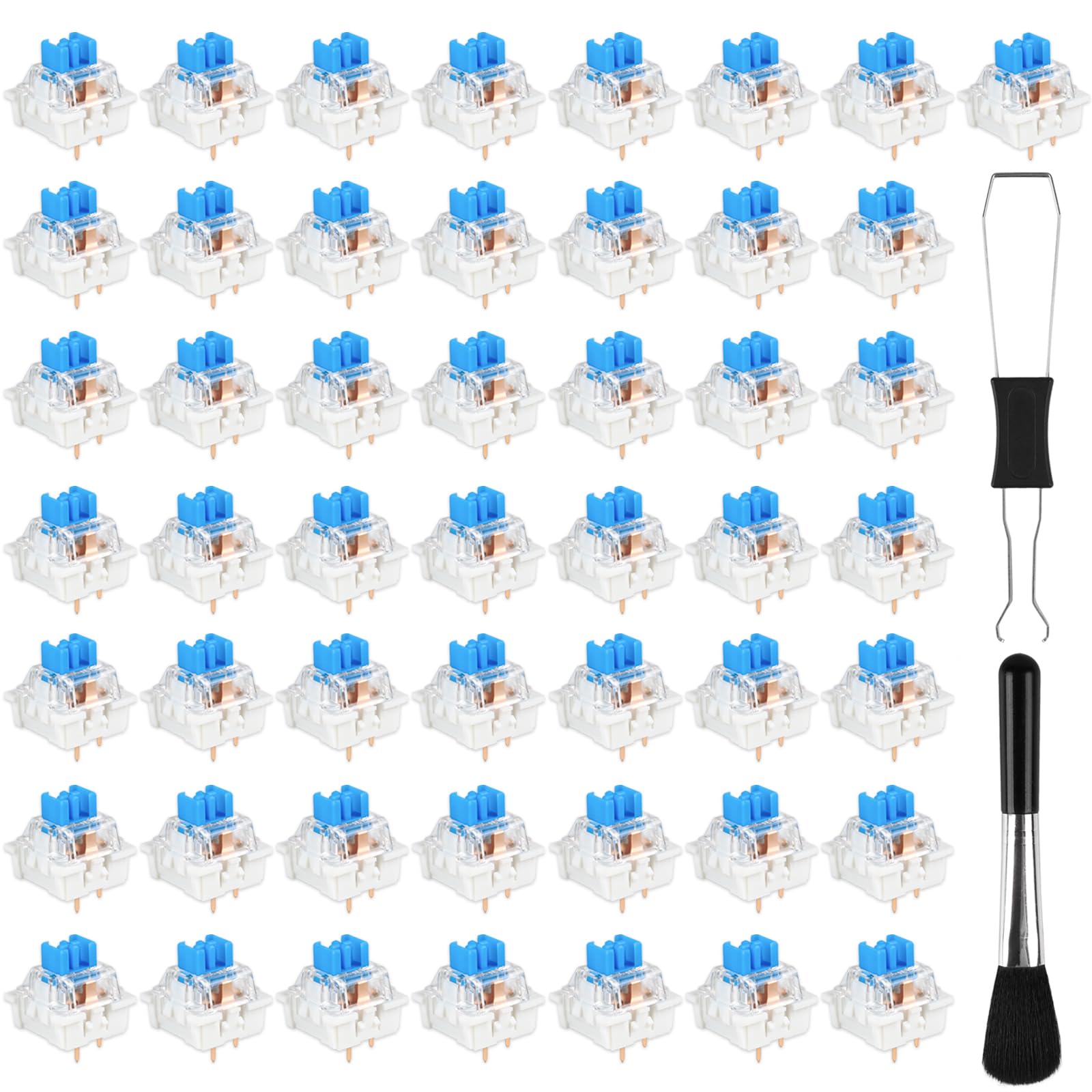
The Deftomo pack is the one we hand to someone who wants to try blue switches without buying a full set of tools. You get 50 three-pin clicky switches, a switch puller, and a cleaning brush in one bag. The click is crisp and the tactile bump is obvious, which is exactly what a blue switch should deliver; the transparent housing also lets backlighting through.

At the budget end, the surprises are usually missing tools or inconsistent switches. The puller and brush are both in the bag, and the click felt consistent across the batch we tried. The 50-count is enough for a 40% or small macro board, or for replacing the alpha keys on a larger keyboard. It is not enough for a full-size build, so check your layout before ordering.

These are loud switches. The click is the point, but it will carry through a room, and it is not the set we reach for when a microphone is open. For a budget gaming build where the click is part of the fun, though, the included tools make this a more complete first purchase than a bare bag of switches.

Pros

  • Crisp clicky feedback
  • Switch puller and cleaning brush included
  • 50 switches cover a 40% board
  • Transparent housing supports RGB

Cons

  • Loud click carries through a room
Our verdict

We recommend this Deftomo pack for a budget clicky build because it includes the puller and brush most starter packs leave out, and the 50 switches suit a small board.

Check Latest Price
5

Best Budget 65% Pack

Josojoou Blue Switch Pack

91 /100
LBD Score Outstanding

Key details

Pack Size
72 switches
Pin Count
3-pin
Lubrication
Pre-lubricated
Switch Type
Clicky
View on Amazon

Seventy-two switches is an awkward number until you look at a 65% board: it covers the usual 68 keys with a few spares, which makes the Josojoou pack a practical size for a compact gaming build. The switches are three-pin, pre-lubed blue clickies with a transparent housing, and the press feels smooth enough for a budget pack.

The click is pleasant but less refined than the Kailh Box White V2, and the sound sits closer to a standard blue switch than a premium clicky. That is not a problem for a budget build, but it is the difference you feel if you have tried both. The pre-lube helps with the scratchiness that can show up in inexpensive switches, though it will not turn these into a premium-feeling switch.

What makes this one useful to us is the count. A 50-pack can leave a 65% build short; the 72-pack gives you room for a few failed swaps or a couple of macro keys. The three-pin base drops into most hot-swap boards, so check your PCB before ordering; a five-pin switch is the better choice if you want the extra mounting legs. For a budget 65% board where you want clicky switches and spares in the bag, this is the practical choice.

Pros

  • 72 switches suit a 65% board
  • Pre-lubed from the factory
  • Clicky blue feel with RGB housing
  • Budget-friendly pack

Cons

  • Three-pin base lacks extra PCB legs
Our verdict

We keep the Josojoou pack on the list for budget 65% builds: 72 pre-lubed clicky switches cover the board with spares, even if the click is not the sharpest here.

Check Latest Price
6

Sampling and Repairs

BlingKingdom Blue Switch 10-Pack

88 /100
LBD Score Excellent

Key details

Housing
Transparent
Pack Size
10 switches
Pin Count
3-pin
Switch Type
Clicky
View on Amazon

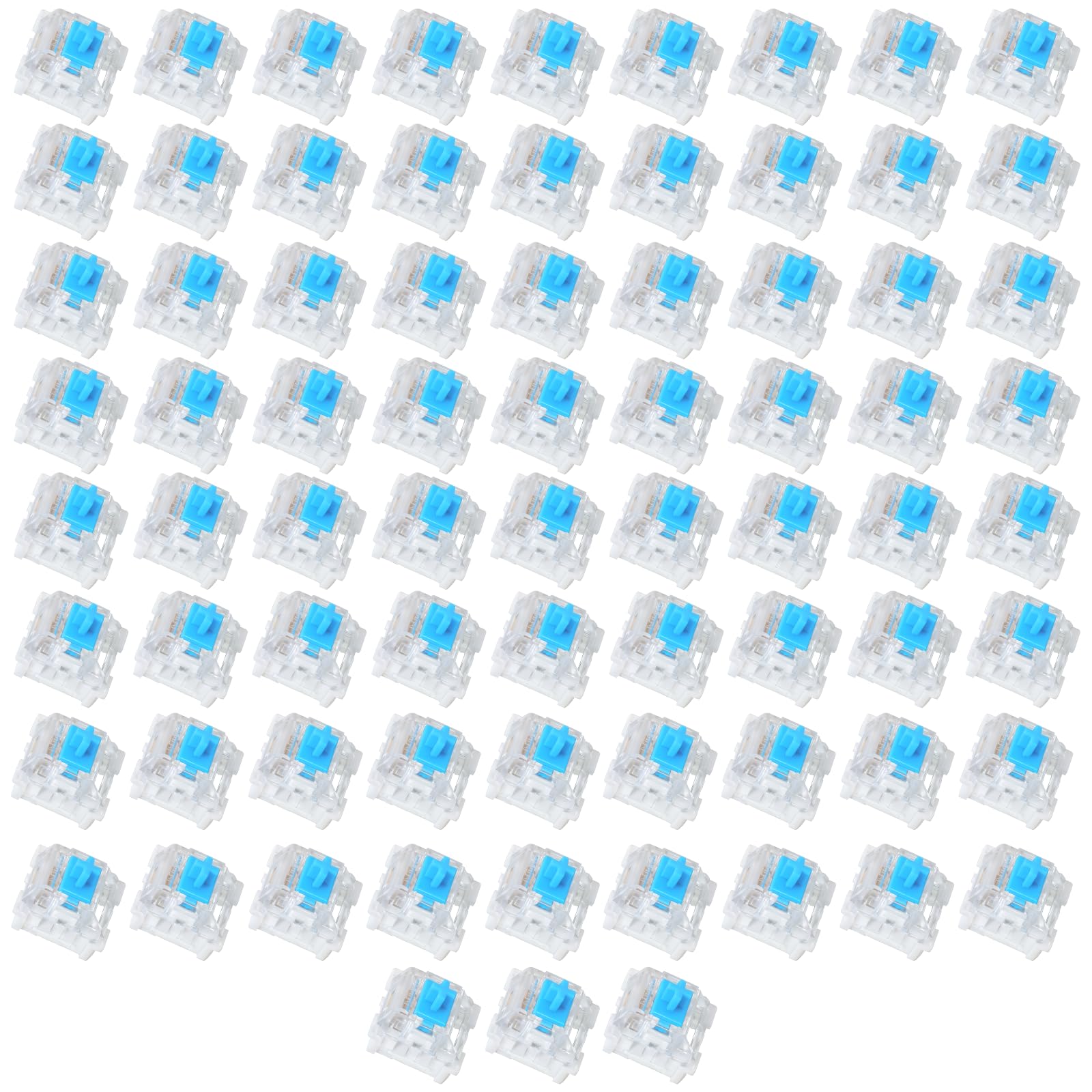
A 10-switch pack is not a full keyboard solution, and we do not treat it as one. But for a sampler, the BlingKingdom set is a budget way to find out whether a blue clicky feel belongs on your board before you commit to 70 or 100 switches. The three-pin housing fits most hot-swap sockets, and it gives you a real blue-style click to judge.

The catch is consistency. The click on these is lighter and less sharp than the better blue switches here, and the feel can vary from switch to switch in a small bag. For a sampler that is tolerable; for a full board it is the reason we point you to the Deftomo or Kailh packs instead. The transparent housing is a plus if you want to see how your backlighting reads through a blue switch.

We also like keeping a few of these around for a macro pad or a repair kit. If one key on a larger board fails, a 10-pack gets you back up without buying another hundred switches. That is a narrow job, but it is a real one, and it is where this pack earns its place.

Pros

  • Low-cost way to sample blue switches
  • 10-pack works for repairs and macro pads
  • Three-pin hot-swap fit
  • Transparent housing

Cons

  • Click feel varies across the pack
Our verdict

We see the BlingKingdom 10-pack as a sampler and repair kit, not a full-board purchase; it is a low-cost way to test a blue clicky feel before buying a larger set.

Check Latest Price

How We Tested Keyboard Switches for Gaming

We started with a longer list of switch types and narrowed it by pin count, price per switch, and whether the set came with enough switches for a full board. We then tested 16 sets over three months.

I installed each set in a hot-swappable board and used it for the same typing passage, a few fast-paced games after dinner, and at least one full workday. I also swapped a handful into a second board to see how they behaved outside the first build.

For sound, I recorded close-mic clips from the same desk position and listened for pitch, spring ping, and how quickly the noise died. Clicky sets got a separate pass in a shared room and late at night, because a click that sounds fun at 2 p.m. can be a problem at 11 p.m. For clicky and tactile sets, I noted where the bump landed and whether the click felt crisp or rattly.

I checked functionality by seating keycaps, looking for wobble, missed presses, and chatter, and moving each set between two boards to see how the pins fit. Quality showed up in stem wiggle, lube consistency, and whether the set still felt the same after a few weeks. Color got a reality check under keycaps and backlighting, since a stem that looks vivid in the bag can wash out. Value was not just the count in the bag; I tracked whether the puller, brush, and spare switches were useful or just filler.

How to Choose Gaming Keyboard Switches

Pick the feel first

Linear switches move in a straight line with no bump, which is why they are the default choice for fast games: nothing interrupts the press. A tactile switch adds a bump you can feel without the noise, while a clicky switch adds an audible click as well. We prioritize linear for competitive play because the action stays predictable, but clicky switches are more satisfying if you play alone and like feedback.

Weight matters as much as type. A 45gf linear like the Creamy Jade is light enough for quick taps without becoming twitchy, while a 50gf or heavier switch can feel more deliberate. If you split time between gaming and typing, stay in the 40–50gf range rather than chasing the lightest or heaviest option.

Check the pin count and hot-swap socket

Three-pin switches have two electrical pins and a center post; five-pin switches add two plastic legs that sit in matching PCB holes. The extra legs reduce wobble, but they need a board drilled for them. If your PCB has only three-pin holes, you can clip the extra legs on a five-pin switch, though that is extra work.

Before ordering, pull one keycap and look at the socket and PCB. A hot-swap board with five holes can take either type; a three-pin-only board limits you to three-pin switches or clipped five-pin ones. The EPOMAKER and Akko picks here are five-pin; the budget blue packs are three-pin.

Count switches for your layout

A full-size board needs 104 switches, a TKL needs 87, a 65% board needs about 68, and a 60% board needs about 61. Packs are sold by count, not by layout, so match the number to your board and add a few spares. A 100-pack covers a TKL or 96% board; a 72-pack covers a 65% board; a 45- or 50-pack is for a compact or macro layout.

If you are between sizes, buy the larger pack. Spares are useful when a switch arrives with a bent pin or when you want to test a different weight on the WASD cluster. We prefer a few left over to coming up short.

Decide how much sound you can live with

Clicky switches are the loudest and most distinctive; linear switches are quieter but not silent, especially if the housing is hollow. If you play with an open microphone or share a room, a deep, muted linear like the Rosewood is easier to live with than a sharp clicky. If you want the click, accept that it will carry.

Housing color can also affect the light show. A clear housing lets RGB through cleanly, while a tinted housing can shift white backlighting toward pink or orange. That matters less in a dark room and more if you have set a specific color scheme.

Frequently Asked Questions

Final Verdict

For most gaming builds, we recommend the EPOMAKER Creamy Jade. Its 45gf linear action is quick without feeling twitchy, the factory lube keeps the stroke smooth, and the 100-switch count covers a TKL or 96% board with spares. If you want a loud, crisp click, the Kailh Box White V2 is the better fit; if you want a deep, quiet thock for a compact board, choose the Akko Rosewood. The Deftomo pack is the budget clicky route when included tools matter.