Best iPad Cases for Kids of 2026

The scariest sound in a house with a kid and a tablet is not a crash—it's the silence right before one. A good kids' iPad case has to buy you a beat when the tablet goes off the couch, gets yanked out of a backpack, or turns into a tray for crackers. Over the past four months, we've tested 14 kid-friendly cases with kids doing the carrying, dropping, and stand-folding, and the best ones held the iPad securely while staying easy enough for a 5-year-old to use without help.

Fit is the first thing I check now—not just screen size, but the exact iPad generation, because a case that's a hair off makes every button and port feel wrong. We also looked closely at built-in screen protectors, grippy handles, and kickstands that don't collapse mid-video, along with the little extras that make a case worth keeping. The picks below are the ones that survived our kids and kept the tablets off the floor.

1

Best Overall

BMOUO Kids Case (11th/10th Gen)

94 /100
LBD Score Outstanding

Key details

Fits
iPad 11th gen 11-inch (2025); iPad 10th gen 10.9-inch (2022)
Carry
Handle folds into a kickstand
Weight
9.52 oz
Screen Protection
Built-in screen protector
View on Amazon

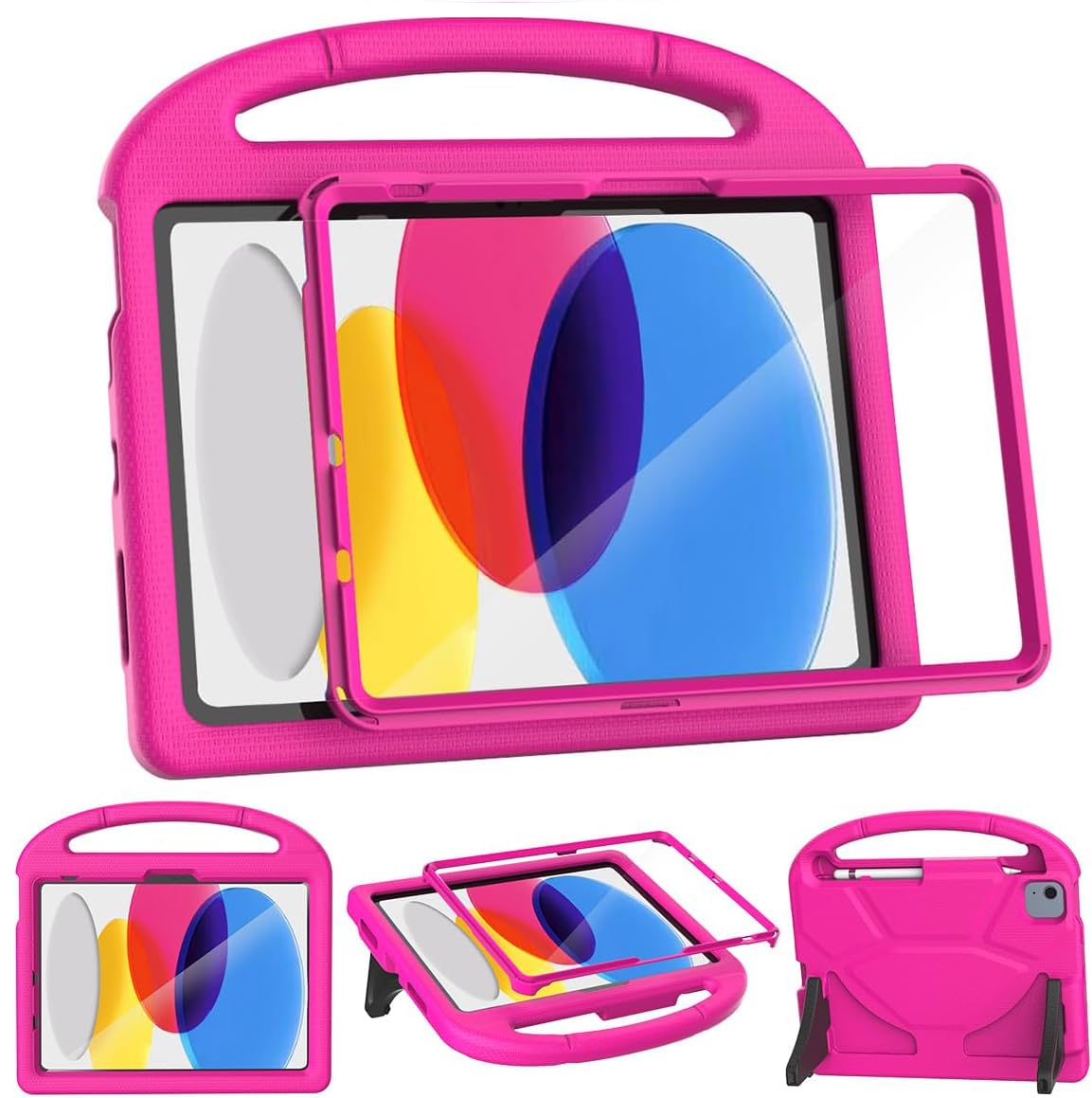
The screen protector is built into the frame, and that is the reason this case is our default. There's no separate sheet of glass to align, no dust sealed under a corner, and no edge for a two-year-old's thumbnail to pick at. On a shared family iPad that gets passed between kids, that's one less job on setup day and one less thing to go wrong afterwards. The body is molded EVA foam, and at 0.27 kg it's light enough for a small child to carry one-handed.

We like the handle better than most here: it folds back into a stand with two feet, so the iPad sits up on its own during a video instead of sliding flat on the table. The foam covers the edges and buttons, the openings for the camera, speaker and charging port line up, and the textured sides give small hands grip without a strap to tangle. Nothing is clever for the sake of it - it's a slab of foam that does the three things a kid's case has to do.

Two things to know before ordering. The built-in protector is a layer between a finger and the screen, so presses and the swipe-up gesture take a beat more intent than bare glass does, and the protector rather than the iPad's glass is the surface that ages. And the fit is specific: this is molded for the 11th-generation 11-inch A16 and the 10th-generation 10.9-inch iPad, so check the model number first. A 10.2-inch iPad from 2019 to 2021 needs a different case entirely.

Pros

  • Built-in screen protector needs no installation
  • Handle folds into a two-foot stand
  • 0.27 kg body a child carries one-handed
  • Foam wraps the edges and buttons

Cons

  • Built-in protector dulls touch and takes the wear
Our verdict

The best balance of protection and bulk in this group: a built-in screen protector, a handle that becomes a stand, and a body light enough for a toddler to carry.


Check Latest Price
2

Best for Travel

SEYMAC stock Rugged Case

91 /100
LBD Score Outstanding

Key details

Fits
iPad 11th gen 11-inch (2025); iPad 10th gen 10.9-inch (2022)
Carry
360° hand strap and shoulder strap
Weight
12.7 oz
Screen Protection
Built-in screen protector
View on Amazon

The shoulder strap is what separates this case from every other one here. Clip it on and the iPad rides at your side with both hands free for a grocery bag, a stroller, or a kid who has decided she's too big to walk. Unclip it and you have a normal rugged case. There's also a back strap that rotates a full 360 degrees, which is the feature that makes one-handed holding in the car actually work.

We reached for this one on the days the iPad left the house. Under the straps it's a full-body shell with a built-in screen protector, port plugs that keep crumbs out of the charging slot, and a pencil holder - the most equipped case in the group. It's also the heaviest at 360 g, roughly a third more than our top pick, and a preschooler carrying it by the handle will feel that.

The multi-layer build has one cost worth knowing about: the front frame is the piece that can come apart from the back in a hard drop, so press the halves flat together before you hand it over and glance at them again after a tumble. For a family moving the iPad between car, kitchen table and grandma's house, the straps are worth that small piece of attention.

Pros

  • Detachable shoulder strap for hands-free carrying
  • 360° hand strap that doubles as a stand
  • Built-in screen protector and port plugs
  • Pencil holder included

Cons

  • Heaviest case in this group at 360 g
  • Front frame can pop apart in a hard drop
Our verdict

For an iPad that travels, this is the one: a detachable shoulder strap, a rotating hand strap and a screen protector, paid for in weight.

Check Latest Price
3

Best for School-Age Kids

Fintie Kid-Friendly Case (11th/10th Gen)

93 /100
LBD Score Outstanding

Key details

Fits
iPad 11th gen 11-inch (2025); iPad 10th gen 10.9-inch (2022)
Stand
Portrait and landscape kickstand
Extras
Apple Pencil holder
Weight
13.8 oz
View on Amazon

Most kid cases prop the iPad up in one direction. This one's kickstand works in portrait as well as landscape, and that matters more than it sounds: a child drawing or reading wants the tablet upright, and a vertical prop keeps the front camera at eye level during a video call.

The two-way stand plus how easily the case comes off are why we hand this one to school-age kids. It's a three-layer hybrid - a soft silicone bumper around a rigid back - and it goes on and comes off without a fight, which is what you want on the day it needs a wash or the iPad has to come out. There's a pencil holder too, and the corners hug the tablet snugly enough that the shell doesn't shift when it's picked up by one edge.

It weighs 0.39 kg against our top pick's 0.27 kg, so a small kid will feel the difference on the walk to the car, and the screen itself isn't covered by the case - the protection here is all bumper and back. Fit a tempered-glass protector before this goes into a backpack. For a 7- to 10-year-old who mostly sets the iPad on a desk, that's the right trade: crisper touch response than any built-in protector gives, and one less layer between a finger and the app.

Pros

  • Kickstand works in portrait and landscape
  • Goes on and off without a struggle
  • Holds an Apple Pencil in its own slot
  • Silicone bumper over a rigid back

Cons

  • 0.39 kg puts it on the heavy side here
Our verdict

The pick for a school-age kid: portrait and landscape viewing, a pencil slot, and a case that comes off without a struggle when it needs washing.

Check Latest Price
4

Best for Older iPads

BMOUO Kids Case (10.2-Inch)

93 /100
LBD Score Outstanding

Key details

Fits
iPad 9th, 8th and 7th gen (10.2-inch)
Carry
Handle doubles as a stand
Screen Protection
Built-in screen protector
View on Amazon

If the iPad in your house is the 10.2-inch model, none of the newer cases fit it. The 7th, 8th and 9th generations use a smaller, differently shaped body, and this is the case molded for that shape - the same design as our top pick, cut to the older dimensions.

That means the same package: a built-in crystal-clear screen protector, a foam body, a handle that folds into a stand, and openings that line up with the buttons, camera and charging port. The fit is worked out, the iPad seats squarely, and it sits up on its feet without being balanced. Kids carry it around without complaint, which is the whole point of a case built this light.

We hand this to a kid with no reservations, and the only thing to get right is the model number: A2602, A2603, A2604 or A2605 for the 9th generation, A2270, A2428, A2429 or A2430 for the 8th, and A2197 or A2200 for the 7th. If yours matches, this is a straight swap for whatever case is currently limping along.

Pros

  • Fits 7th, 8th and 9th gen 10.2-inch iPads
  • Built-in screen protector, nothing to install
  • Handle folds into a stand
  • Light enough for kids to carry

Cons

  • Only fits the 10.2-inch generations from 2019 to 2021
Our verdict

For a hand-me-down 10.2-inch iPad - 7th, 8th or 9th generation - this is the case to buy: our favorite protection formula, molded to fit.

Check Latest Price
5

Best with a Pencil Holder

SUPLIK Kids Case (11th/10th Gen)

92 /100
LBD Score Outstanding

Key details

Fits
iPad 11th gen 11-inch (2025); iPad 10th gen 10.9-inch (2022)
Stand
Foldable kickstand
Extras
Apple Pencil holder
Screen Protection
Built-in screen protector
View on Amazon

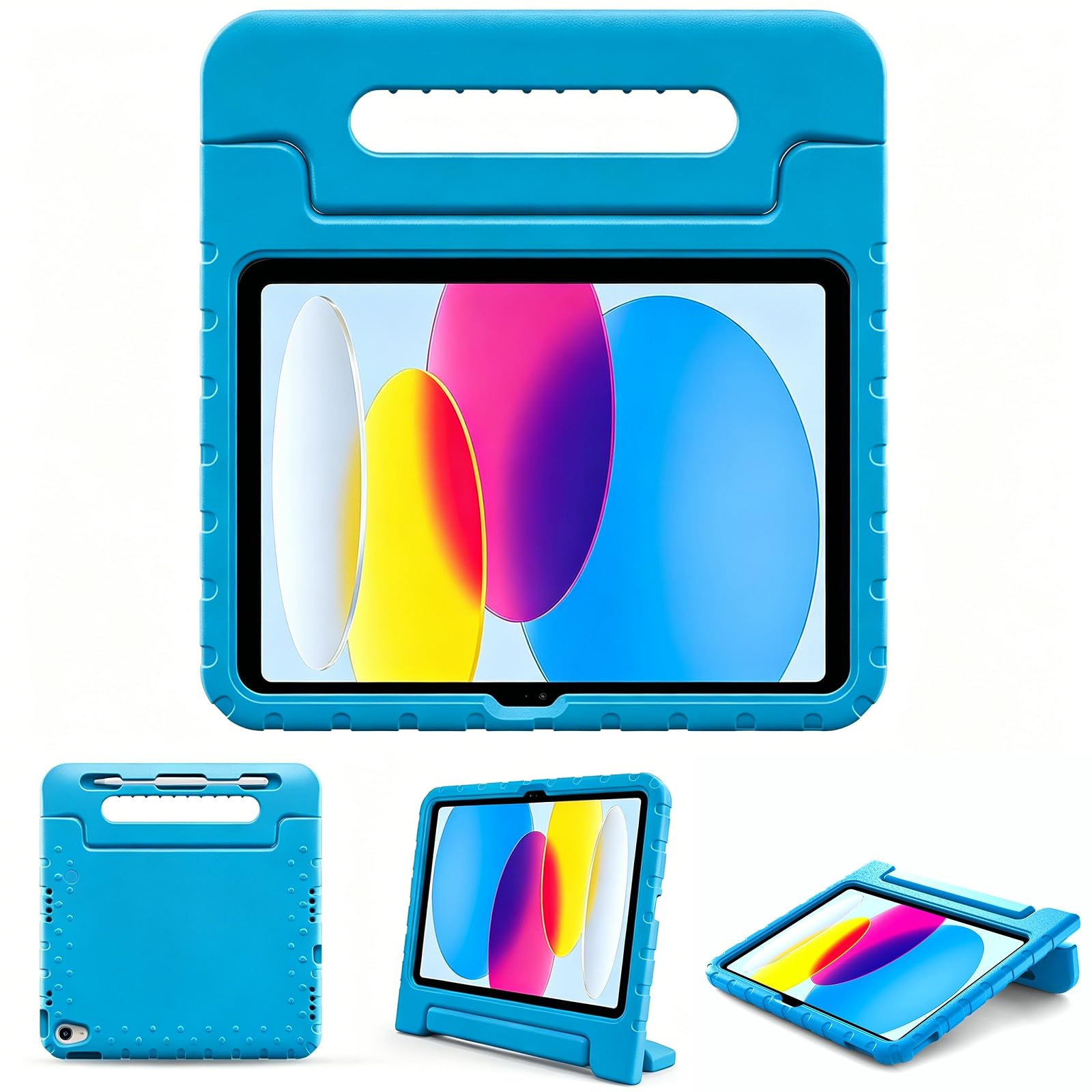
Plenty of cases here have a pencil holder. A few have a built-in screen protector. This is the one that has both, which makes it the answer for a kid who draws with an Apple Pencil on the same iPad that gets dropped on the kitchen floor. The rest is familiar in a good way: EVA foam, a non-slip handle that folds into a kickstand, a clear protector over the screen, and cutouts that line up with the buttons and camera.

The handle is where this case earns its keep. It's shaped for a small hand, so a 4-year-old carries the iPad flat rather than dragging it by a corner, and the stand holds when it's set down for a video. We found the fit is the part to watch: it's a snug push to seat, and the foam at the edges can lift after a week of tugging, so press the corners back down when you see daylight and it stays put. Choose it if the pencil matters; if it doesn't, our top pick does the same job with fewer moving parts.

Pros

  • Built-in screen protector plus a pencil slot
  • Handle folds into a kickstand
  • Textured EVA foam that grips small hands
  • Fits both current iPad generations

Cons

  • Snug install, and the foam can lift at the edges
Our verdict

If the iPad shares a house with an Apple Pencil, this is the neatest answer: a built-in screen protector and a pencil slot in one case.

Check Latest Price
6

Playful Design

FunnyWin Butterfly Case

92 /100
LBD Score Outstanding

Key details

Fits
iPad 11th gen 11-inch (2025); iPad 10th gen 10.9-inch (2022)
Stand
Folding butterfly-wing stand
Weight
12.3 oz
Material
EVA foam
View on Amazon

The wings fold out and become the stand. That's the pitch, and it works: the butterfly shape gives a kid something to grab, the wings prop the iPad up in either orientation, and there's no separate leg to lose or snap off at a hinge.

Underneath is EVA foam, so the body absorbs knocks the way the rest of these do, and at 0.35 kg it sits between the lightest and heaviest cases here. That's not why we pick it, though. It's the only case in the group that a kid bored of foam slabs might actually want to carry, and in a house where screen time is a negotiation, that counts for something.

Fit is where this one asks for care. The same case is sold for the 10.9-inch 10th generation, the 11-inch A16 and an 11-inch 12th generation, so confirm your model number before you commit. Seating it takes patience - the foam is thick and the shell is a single piece, so work the corners on one at a time rather than pushing the middle.

Pros

  • Butterfly wings fold into a stand
  • A shape kids gravitate toward
  • EVA foam body soaks up knocks
  • Props up in portrait or landscape

Cons

  • Fiddly to seat; fit varies across listed models
Our verdict

The one a design-obsessed kid will actually carry: butterfly wings that double as the stand, in foam that takes a drop.

Check Latest Price
7

One-Hand Grip

ProCase Kids Case with Pencil Holder

89 /100
LBD Score Excellent

Key details

Fits
iPad 11th gen 11-inch (2025); iPad 10th gen 10.9-inch (2022)
Carry
180° rotating handle grip
Stand
Dual-angle kickstand
Dimensions
9.84 x 7.48 x 0.59 inches
View on Amazon

The stand is the weak spot. Propped up, this case tips backward when a kid leans on the screen, and pushing it back only holds until the next poke. If the iPad mostly lies flat or lives in a lap, that barely matters. If you're buying it so a child can watch something hands-free at the table, it will irritate you daily.

Everything else is solid. The handle rotates through 180 degrees, so it swings from a carry grip to a low typing prop, and the textured EVA sides give small hands something to hold on to. The screen sits behind raised bezel edges rather than under a built-in protector, which keeps touch as crisp as the glass underneath and lets you fit your own protector first.

It's the plainest case in the group: one foam slab, one rotating handle, and a two-year manufacturer warranty behind it - as long as any cover here. For a kid who carries the iPad by the handle more often than he props it up, that's a fair set of priorities.

Pros

  • 180° rotating handle grip
  • Raised bezel keeps your own glass clear
  • Textured EVA sides for grip
  • Two-year manufacturer warranty

Cons

  • Kickstand tips backward under a poke
Our verdict

Buy it for the rotating grip and the raised screen lip, not the kickstand - a solid case with one feature that doesn't hold up.

Check Latest Price
8

Toy Story Fans

Belkin Toy Story 5 Lilypad Case

86 /100
LBD Score Excellent

Key details

Fits
iPad 11th gen 11-inch (2025); iPad 10th gen 10.9-inch (2022)
Stand
Built-in kickstand
Theme
Disney Pixar Toy Story 5
Material
Shock-absorbing EVA foam
View on Amazon

This is the only case here with a real character license on it: Belkin's official Disney and Pixar Toy Story 5 shell, molded in the Lilypad theme, with the foam shaped around the design rather than printed on a plain slab. If the movie is the reason your kid wants the iPad in the first place, that's worth something a spec sheet can't record.

Under the theme it's a familiar recipe: shock-absorbing EVA foam, an anti-slip grip, a built-in carry handle and a kickstand for viewing and drawing. Belkin backs it with a two-year manufacturer warranty, as long as any cover in this group.

What we weigh before paying premium money: the install is the hardest here, and the kickstand can push the iPad out of the front frame when it's opened, so the two pieces need re-seating afterwards. There's no pencil slot either, which is a strange omission at this end of the price range.

None of that undoes the design. If the character on the back is what gets a reluctant kid to pick the tablet up, buy it and accept the fiddly fitting. If you just want foam between your child and the floor, our cheaper picks do the same job without the license - and they go on in one push.

Pros

  • Official Disney and Pixar Toy Story 5 design
  • Anti-slip EVA grip with a carry handle
  • Built-in kickstand for viewing and drawing
  • Two-year manufacturer warranty

Cons

  • Hardest case in the group to install
  • Kickstand can pop the iPad out of the frame
Our verdict

Worth it when the character is what gets the iPad used; otherwise our budget picks give you the same foam protection without the license.

Check Latest Price
9

Lowest Cost

Lainergie Kids Case

87 /100
LBD Score Excellent

Key details

Fits
iPad 11th gen 11-inch (2025); iPad 10th gen 10.9-inch (2022)
Stand
Folding handle kickstand, two angles
Material
EVA foam
View on Amazon

If cost is what decides it, this is the case. It's the low-cost entry here and does the same basic job: EVA foam, a folding handle that doubles as a two-angle stand, and cutouts for the buttons, camera and port. It fits the 11-inch A16 and the 10.9-inch 10th generation, so it covers both current shapes.

We found the savings show up in two places. The frame sits low around the charging port, so the plug needs a squeeze to seat, and the shell doesn't grip the iPad as firmly as the best of these - the corners can work loose over a week of drops. For a kid who uses the iPad on the couch and rarely carries it out of the house, that's a tolerable set of compromises. For a tablet that travels, pay more.

Pros

  • Low-cost pick of the group
  • Handle folds into a two-angle stand
  • EVA foam body at a light weight
  • Fits both current iPad generations

Cons

  • Charging cutout sits low and needs a squeeze
  • Corners can work loose over time
Our verdict

A workable case at the low end of the group - just expect a tighter charging cutout and a looser hold on the iPad than our top picks.

Check Latest Price

How We Tested Kids' iPad Cases

We started by pulling every kids' iPad case we could find for the most common current iPad sizes, then narrowed the field by price and by whether each listing made clear claims about exact model fit, drop protection, built-in screen coverage, a stand or handle, and a rugged shell or foam body. That left 14 cases, which we used for four months.

Testing happened where kids actually use tablets: at the breakfast table, in the back seat on school runs, on the living room floor during after-school cartoons, and in the backyard during pretend restaurant games. We installed each case, lifted the tablet by the case edges to see whether it shifted, and had kids press every button, plug in a charger, carry the case by its handle, and open the kickstand themselves.

We dropped each case from kid height onto wood and tile, then checked the corners, seams, stand hinges, and handles for stretching or cracking. We smeared cracker grease and crayon across the screen protector to see how easily it wiped clean, and shook each case upside down with a stylus in the holder to check that it stayed put. For stability, we set each kickstand on a couch cushion and a tray table and counted how many times it tipped during a 20-minute video; for grip, we handed cases to a 4-year-old with sunscreen-y hands and watched whether they slid out of their lap. At the end, we compared what each case cost against how it held up.

How to Choose an Ipad Case for Kids

Start With the Model Number, Not the Title

Every case here is molded for a specific set of iPad bodies, and the sizes are close enough to be genuinely confusing: 10.2, 10.9 and 11 inches are three different shells. Find the model number in Settings under General, then About, or in the small print on the back of the iPad. The 11-inch A16 uses A3354, A3355 or A3356; the 10.9-inch 10th generation uses A2696, A2757 or A2777; the 10.2-inch 9th generation uses A2602 through A2605.

The trap is a title reading something like 10.9/11 inch, which sounds universal and isn't. It means the case was cut for two similar bodies, not for the 10.2-inch iPad plenty of families are handing down. If the tablet is three or four years old, confirm the size before you fall for a design your kid loves.

Decide Whether the Screen Comes Covered

A built-in screen protector is the biggest fork in the road. It means full coverage from the moment the iPad goes in: nothing to align, no dust sealed under the glass, and protection from crayons, snack fingers and the corner of a toy. The cost is a layer of plastic between finger and screen, so presses and the swipe-up gesture take a little more intent, and the protector - not the iPad's glass - becomes the surface that scratches.

The alternative is an open front with your own tempered glass. Touch stays crisp, the glass can be replaced when it cracks, and you see the screen the way Apple finished it. For a toddler or a classroom iPad we lean toward built-in coverage. For a 9- or 10-year-old who draws and types, glass under an open frame is the better trade.

Match the Carry Method to the Child

A rigid handle is the right answer for a small child: it's what a toddler grabs, and on nearly every case here it doubles as a stand. A rotating hand strap, like the one on the SEYMAC, is better for one-handed holding on a couch or in a car, because it slides over the back of the hand instead of being gripped. A shoulder strap is the only option that frees both hands, and it's the feature worth paying for if the iPad regularly leaves the house.

Then look at how it props up. A stand with two feet is steadier on a table than a single short leg, and a hinge that works in portrait as well as landscape earns its place if your kid draws, reads, or video-calls rather than just watching shows.

Weigh the Bulk, Then Stop Worrying About It

The weights in this group run from 0.27 kg to 0.39 kg, and the difference is mostly hardware: straps, frames and extra layers. A 4-year-old carrying an iPad across a room will feel 120 grams; a 10-year-old with a backpack won't. Bulk buys protection, so the useful question isn't which case is lightest but who carries it.

That's why we don't treat the heaviest case here as the worst one. The SEYMAC's 360 g buys a shoulder strap, a hand strap and port plugs, and for a family that moves the iPad between car, kitchen and grandparent's house, that trade pays for itself long before the weight becomes a nuisance.

Frequently Asked Questions

Final Verdict

The decision comes down to this: for the 11-inch A16 or the 10.9-inch 10th-generation iPad, the BMOUO is the case we hand families first - a covered screen, a stand, and a light body without paying for a license. If the iPad travels to daycare, the car or a grandparent's house, the SEYMAC's shoulder strap and rotating hand strap earn their extra weight.

And if the iPad at home is the older 10.2-inch model from 2019 to 2021, none of the newer shells fit it at all. The BMOUO 10.2 is the same formula in the right size.