Best Indoor Security Cameras of 2026

A security camera is only worth what it catches. One that pings you every time a curtain moves — or hands you a gray smear where a face should be at 2 a.m. — is worse than no camera at all, because you stop trusting the alerts, then you stop opening the app. Over the past four months, my team and I set up 16 indoor cameras in real homes, and the good ones separated themselves fast.

Here's what the listings bury: the price on the box is rarely the price over two years. Cloud plans add up, so I paid close attention to which cameras could record to a memory card and still send motion alerts without a monthly fee. Resolution matters less than you'd think, too — a clean 2K image beat a grainy 4K one pointed at a bright window.

The picks below cover the whole spread: pan-and-tilt models that follow a dog across a room, simple fixed cameras for a hallway, and multi-packs that make covering an entire apartment affordable.

1

Best Overall

Tapo C211 2-Pack

91 /100
LBD Score Outstanding

Key details

Storage
microSD up to 512 GB; cloud optional
Resolution
2K (3 MP)
Field Of View
360° pan, 114° tilt
Cameras Included
2
View on Amazon

Two 2K cameras that each pan a full 360 degrees horizontally and 114 degrees vertically is a lot of coverage for the money, and it's why this pair sits at the top of the list. Point one at the living room and one down the hallway and you've covered the two places you'd actually open the app to check. The pan-tilt head means a single camera sweeps a whole room instead of staring at the wedge a fixed lens catches.

What tipped it for us is that nothing essential sits behind a paywall. Footage records to a microSD card, up to 512 GB, so there's no monthly bill, and the cloud plan is exactly that — optional. Person and baby-cry detection are free too, which turns one of the pair into a nursery monitor without a second subscription. The app is the quiet win: live view, panning, and saved viewpoints sit on one screen, and the two-way talk and siren are a tap away when a delivery lands.

Budget for a card, because there isn't one in the box; 128 GB covers a couple of cameras on motion-triggered recording comfortably. The power cable is on the short side, so a high shelf may want an extension cord — these are corded cameras, so an outlet has to be within reach regardless. Neither is a reason to look elsewhere, just something to sort before the box arrives.

Pros

  • Two 2K pan-tilt cameras in one purchase
  • Records to microSD with no subscription
  • Person and cry detection at no extra cost
  • Works with Alexa and Google Assistant

Cons

  • Can drop off Wi-Fi and need a reconnect
  • microSD card sold separately
Our verdict

We recommend the C211 pair to anyone watching two rooms without a monthly bill: 2K pan-tilt video, card storage, and a per-camera price below the single-camera picks here.
Check Latest Price
2

Best Without a Subscription

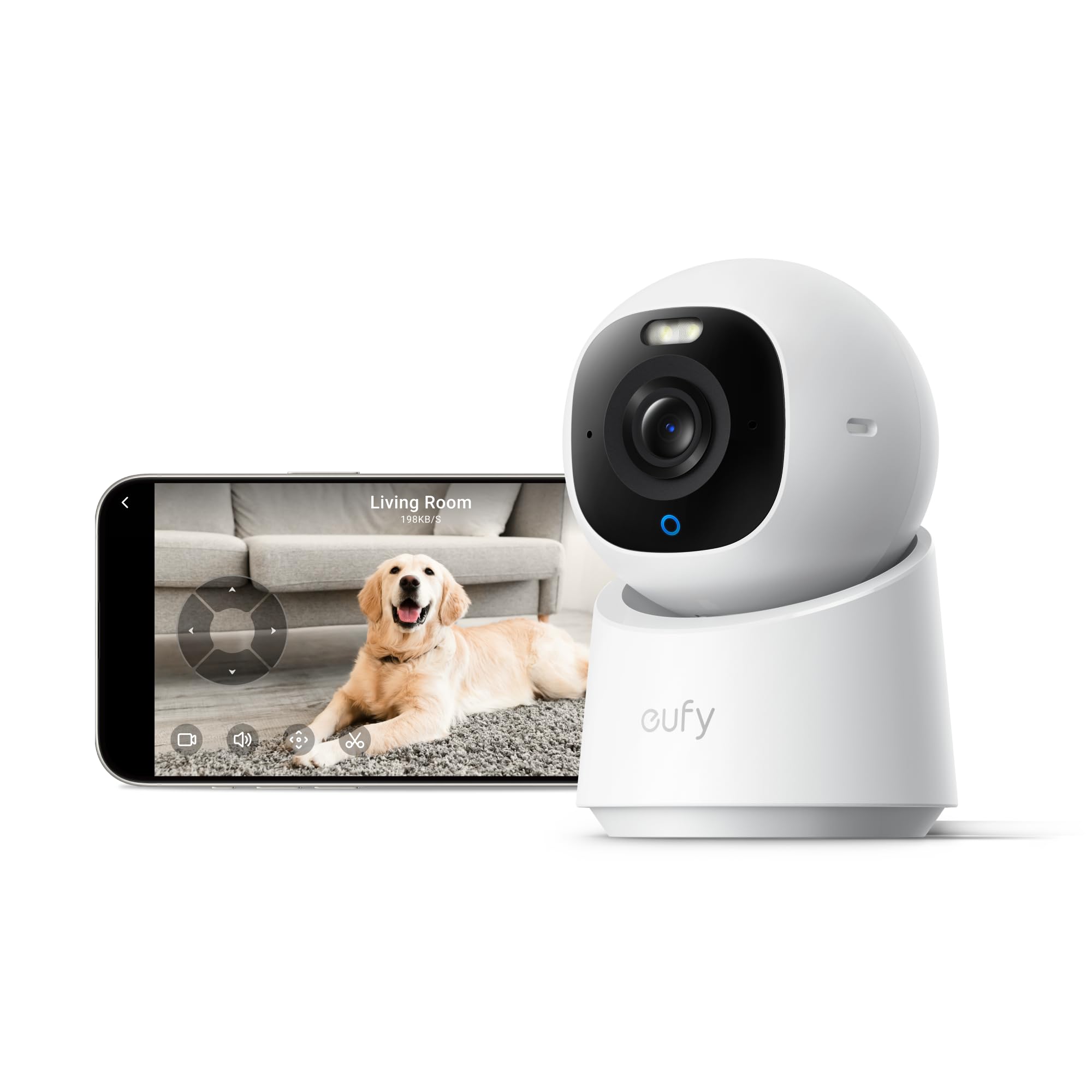
eufy Indoor Cam E30

88 /100
LBD Score Excellent

Key details

Storage
microSD; no subscription needed
Resolution
4K (8 MP)
Smart Home
HomeKit, Alexa, Google Assistant
Field Of View
360° pan and tilt
View on Amazon

4K sounds like overkill for a living room camera until you crop into a frame to read a label or check whether a window is latched, and that's the whole case for the E30. The 8 MP sensor records at 4K, the head pans a full circle, and none of it requires a subscription: footage goes to a microSD card and the AI detection runs on the camera itself. For a buyer who wants detail and no monthly bill, this is the one we point to.

The built-in spotlight is the detail we appreciated most. Instead of the ghostly infrared everything else falls back on, it lights the room and keeps the picture in colour, which makes telling a person from a coat on a chair much easier. Detection sorts people, pets, and crying on the device, and the camera works with HomeKit alongside Alexa and Google — though HomeKit streams at 1080p, so you lose the resolution advantage there.

Where it wobbles is the software side. The connection is the weak point; a camera that goes offline is a camera doing nothing, so put this one where your phone shows a strong signal rather than in the far corner of a garage. Privacy mode swings the lens around to face the wall, which is the version of off we trust most on a camera that watches a bedroom.

Pros

  • 4K detail with cropping headroom
  • No subscription required for recording
  • Spotlight keeps night video in colour
  • On-device person, pet, and cry detection

Cons

  • Auto-tracking loses fast-moving subjects
  • microSD card not included
Our verdict

Buy the E30 if you want 4K detail and on-camera detection with no monthly bill — it costs more per room, and it earns that back in picture.

Check Latest Price
3

Best for Ring Households

Ring Indoor Cam 2K

93 /100
LBD Score Outstanding

Key details

Zoom
6x enhanced zoom
Power
Plug-in, corded
Resolution
2K
Night Vision
Colour in low light, IR in darkness
View on Amazon

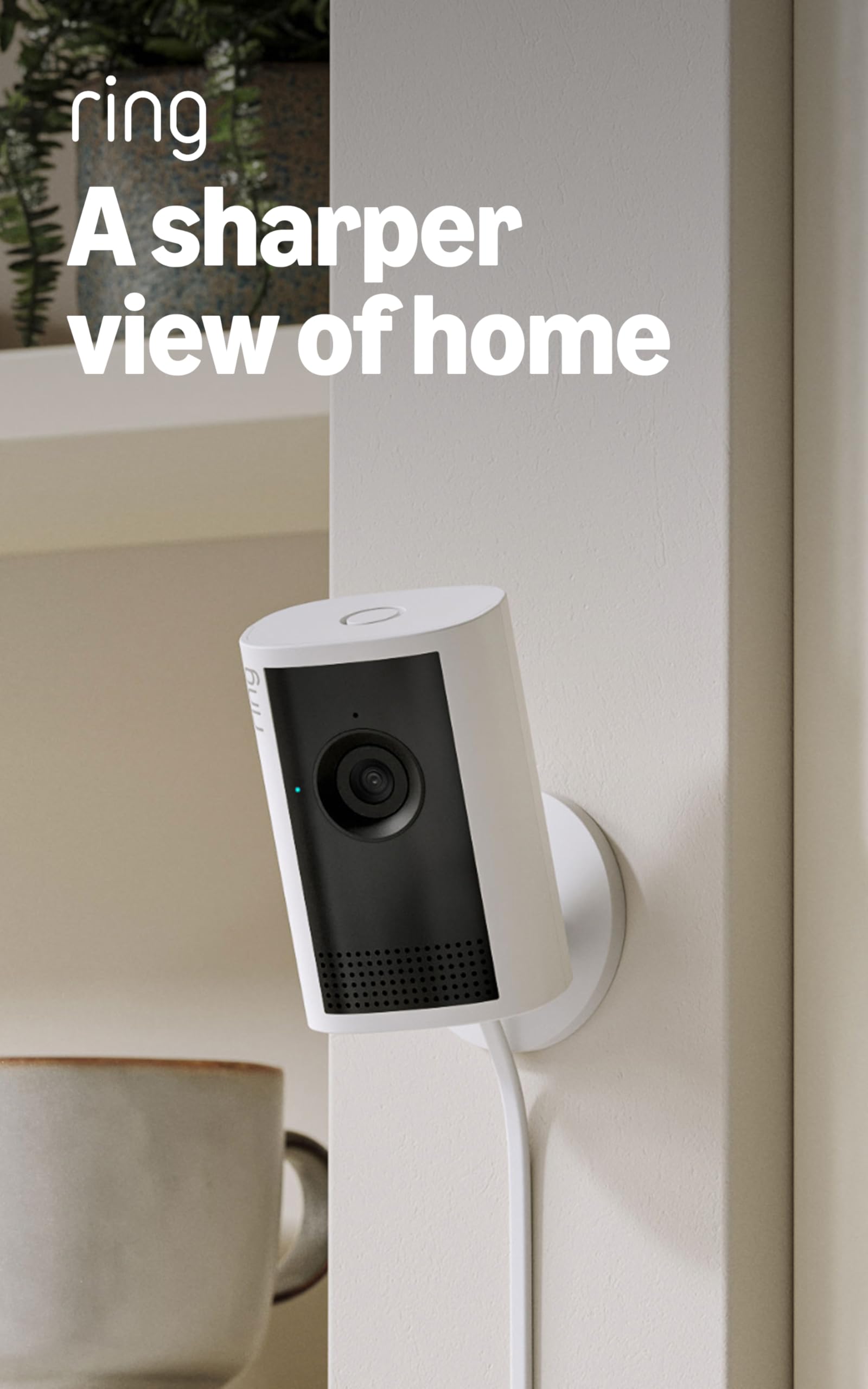
Ring leans on ambient light rather than a spotlight. With a lamp on or a night light in the hall, the Indoor Cam 2K keeps recording in colour instead of flipping to infrared, and that changes what you actually see after dark: faces keep their real colour, and you can tell a person from a shadow.

The rest is straightforward in the way Ring has always been good at. Plug it in and it turns up in the Ring app alongside the doorbell or floodlight you already own, alerts arrive in real time, the 6x zoom pulls a face out of a wide view, and two-way talk is there for telling a courier where to leave the box.

Night vision is what keeps this from being the pick for everyone. Switch the lights off completely and the picture drops to ordinary black and white, plainly behind the eufy E30's spotlight when there's no ambient light at all. For a Ring household wanting a second pair of eyes in the kitchen or on the stairs, that's a fair trade; for a pitch-dark basement, it isn't.

Pros

  • Crisp 2K with 6x zoom
  • Colour video from ambient light
  • Fast setup in the Ring app

Cons

  • Privacy door is stiff and fiddly
  • Night vision trails the daytime picture
Our verdict

Buy this one if your doorbell already lives in the Ring app: it's the least fuss to add, and it holds colour after dark better than most.

Check Latest Price
4

Best 4K Kit

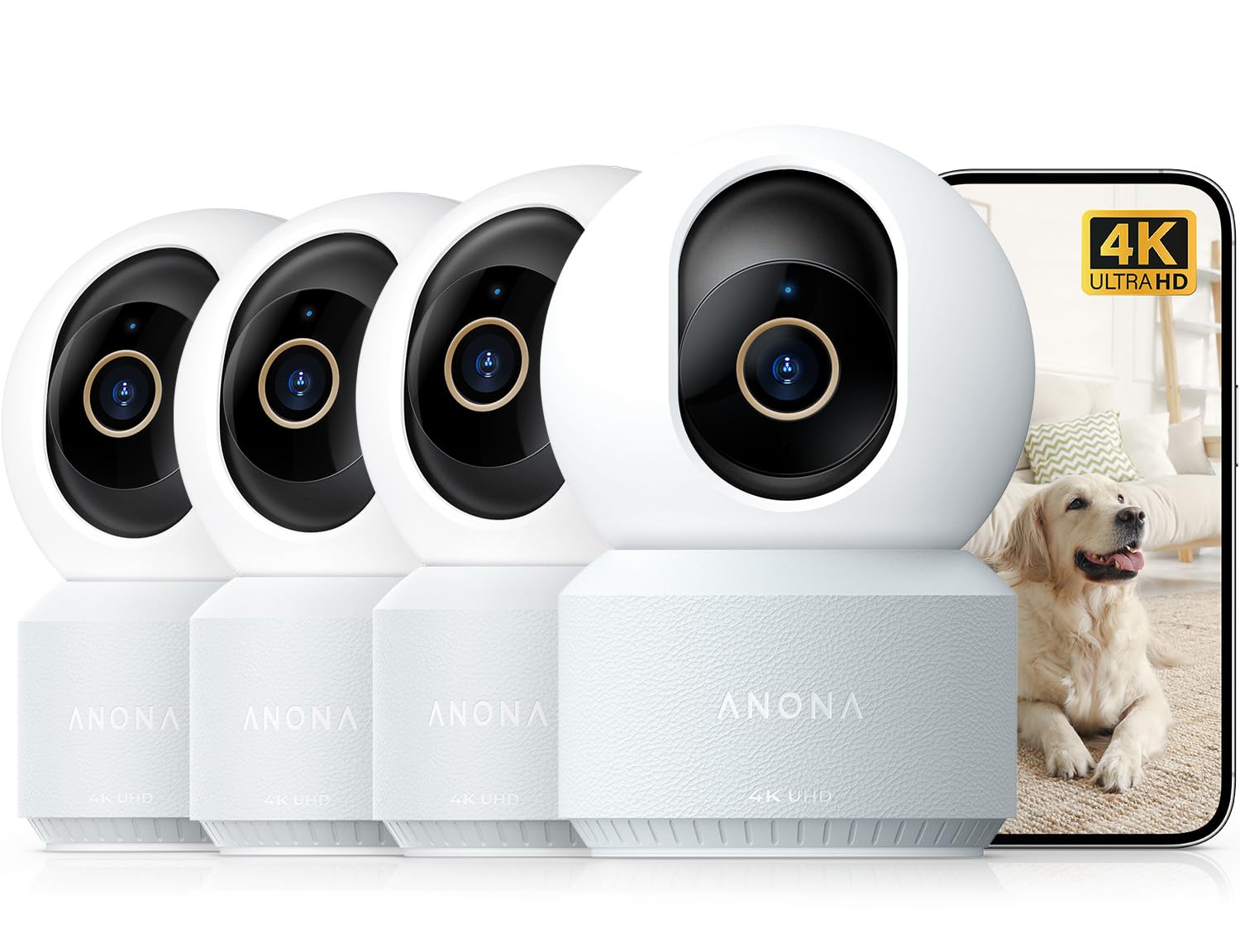
Anona 4K 4-Pack

88 /100
LBD Score Excellent

Key details

Storage
microSD up to 512 GB; cloud optional
Resolution
4K (8 MP)
Field Of View
355° pan, 110° tilt
Cameras Included
4
View on Amazon

Eight megapixels is really about cropping headroom. Zoom into a 4K frame and you can read a note left on a table or check whether a window is shut; try the same thing on a 1080p camera and you get mush. Each of the four cameras pans a full circle and tilts 110 degrees, and the 8x zoom is there for the moment you need it.

Wi-Fi 6 is the spec that matters most in a four-camera kit, because four 4K streams will swamp a crowded 2.4 GHz network and the dual-band radio gives you the 5 GHz lane. Detection happens on the camera — people, pets, and crying — so alerts arrive labelled rather than as generic motion. For a whole-house install where you want detail from every angle, this is the kit we recommend.

Two caveats. 4K here runs at 15 frames per second, so someone walking quickly looks slightly stepped compared with a 25 or 30 fps camera — fine for watching a room, not ideal for chasing a sprinting toddler. And this is the priciest kit in the group by a distance; if you don't need 4K, the Tapo pair costs a fraction of it and covers two rooms.

Pros

  • Four 4K cameras with 8x zoom
  • Wi-Fi 6 dual-band connection
  • On-device person, pet, and cry detection
  • Privacy mode turns the lens to the wall

Cons

  • 4K runs at only 15 fps
  • Priciest kit in this group
Our verdict

Choose the Anona kit when you're fitting out a whole house and want to crop into 4K frames — it's the most detail per camera here.

Check Latest Price
5

Best Budget Multi-Pack

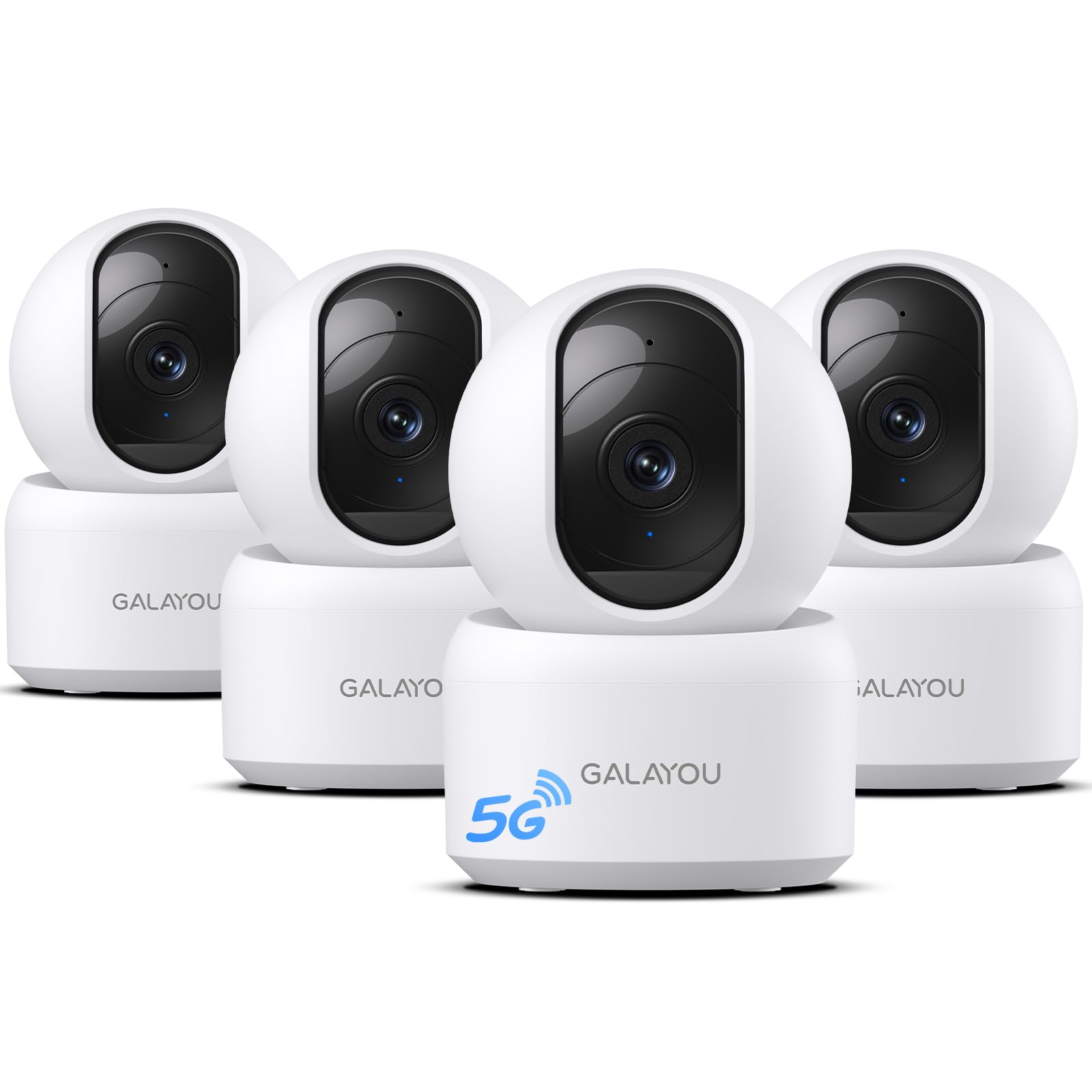
GALAYOU G2 4-Pack

88 /100
LBD Score Excellent

Key details

Storage
microSD up to 128 GB; cloud optional
Resolution
2K (3 MP)
Field Of View
95° lens with pan and tilt
Cameras Included
4
View on Amazon

Setup is a QR code and your Wi-Fi password per camera, and the brackets and screws are in the box, so four cameras don't turn into a weekend project. That sounds like faint praise until you've wrestled a mount that doesn't line up with the holes on the wall.

The 2K picture is the surprise at this price. Daytime footage is crisp enough to read a face across a room, and the pan-and-tilt head means you can adjust the framing after mounting instead of taking the bracket off again. Motion alerts, two-way talk, and a siren cover the everyday jobs.

The 2.4 GHz-only radio is the trade-off: it reaches through walls better than 5 GHz, but it's the crowded band, so site these near the router rather than in a detached garage or at the far end of a long house. Anyone with a mesh system will get more out of the kit than someone hanging it off an old single-router network.

Where the G2 makes sense is coverage on a budget: four 2K pan-tilt cameras for less than the priciest single camera here, with one of the lowest per-camera prices on this page. If the goal is watching a whole apartment rather than one beautifully detailed room, that maths is hard to argue with.

Pros

  • Four 2K pan-tilt cameras
  • Lowest per-camera cost here
  • Setup takes minutes per camera

Cons

  • Cameras can drop offline
  • Night vision is softer than the daytime picture
Our verdict

We point budget buyers at the G2 when they need four rooms watched: it's the cheapest way here to put a panning 2K camera in every corner.

Check Latest Price
6

Indoor or Porch

AOQEE C1 2-Pack

88 /100
LBD Score Excellent

Key details

Resolution
2K (3 MP)
Field Of View
105°
Outdoor Rating
IP65
Cameras Included
2
View on Amazon

The C1 doesn't look like an indoor camera. It's a small bullet-shaped body rated IP65, so the same unit that watches a nursery can be screwed to a porch post, and at this price for two that flexibility is the reason to buy. Keep one inside and put the other where the doorbell doesn't quite reach.

The 105-degree view is wide enough for a kitchen or a hallway, not enough for an open-plan room, so aim it where the thing you care about actually happens. Two-way audio with noise cancellation is clear enough for telling the dog to get off the sofa, and there's a white light for colour night vision plus infrared out to about 32 feet.

The 2.4 GHz-only radio is the limitation to plan around: it travels well through walls but it's the crowded band, and a camera at the far end of a garden will struggle. Keep the pair within reasonable range of the router and they hold up.

Pros

  • IP65 bodies work indoors or out
  • Colour night vision with a built-in light
  • Clear 2K picture at a low per-camera cost

Cons

  • Fixed 105-degree view, no pan or tilt
  • 2.4 GHz Wi-Fi only
Our verdict

Buy the C1 pair if you want one camera inside and one on the porch — the weatherproof body doubles the jobs a cheap camera can do.

Check Latest Price
7

Indoors and Out

Techage K07 4-Pack

86 /100
LBD Score Excellent

Key details

Resolution
2K (3 MP)
Field Of View
110°
Outdoor Rating
IP65
Cameras Included
4
View on Amazon

Four cameras, four brackets, four cables, and IP65 bodies: the K07 is built to be spread around a property rather than clustered in one room. The dual-band radio is the part we appreciated, since 5 GHz where the signal is strong and 2.4 GHz where it has to push through walls is exactly the flexibility a four-camera kit needs.

Picture is the 2K you'd expect, with colour night vision once the built-in light kicks in and infrared to about 33 feet when it doesn't. The 110-degree lens is the widest fixed view in this group, which is how four of them cover a hallway, a kitchen, a garage, and a side door without much overlap.

Storage is the limit worth knowing: cards up to 128 GB, a quarter of what the Tapo pair takes, so if you want weeks of continuous recording rather than motion clips, plan for the shorter window or a cloud plan. And every camera is corded, which rules out the shed unless there's power out there.

As a first security setup this is a sensible place to start. The weatherproofing means the kit grows with what you need rather than locking you to one room, and the dual-band radio gives you a fighting chance on a busy network.

Pros

  • Four 2K cameras rated IP65
  • Dual-band 2.4 and 5 GHz Wi-Fi
  • Widest fixed lens in this group

Cons

  • microSD storage caps at 128 GB
Our verdict

Take the K07 kit if your cameras might end up outside — four weatherproof 2K bodies for roughly what one premium camera costs.

Check Latest Price
8

Shared Access

LaView F1 4-Pack

86 /100
LBD Score Excellent

Key details

Wi-Fi
2.4 GHz only
Live View
App or web browser, up to 9 feeds
Resolution
1080p (2.1 MP)
Field Of View
84°
View on Amazon

Browser access is the oddity worth noticing. LaView lets you pull live feeds up in a web browser as well as the phone app, with up to nine on screen at once, and share access with as many as twenty people. For a small shop, an office, or a family where everyone wants a look, that's a system rather than a phone accessory.

Setup gets easier as you go: the first camera takes the longest and the remaining three pair in a fraction of the time. Night vision reaches about 33 feet in black and white, and the web portal means you can leave a feed open on a reception desk without tying up someone's phone.

As a package for a business or a shared household, the F1 earns its place — browser viewing is rare at this price, and twenty shared users covers a staff rota. For a living room where you want one camera to sweep the whole space, buy a pan-tilt model instead; this one is about coverage by quantity.

Pros

  • Live view in a web browser
  • Share access with up to 20 people
  • Four cameras with long power cords

Cons

  • 1080p resolution caps detail
  • 84-degree view is narrow
Our verdict

Buy the F1 kit for a shop or a shared household where several people need to look in — browser viewing is the feature that earns it.

Check Latest Price

How We Chose and Tested the Best Indoor Security Cameras

We started with roughly 60 listings and cut anything that couldn't record locally, locked basic features behind a subscription, or lacked an app for both iOS and Android. That left 16 cameras, which we split across four households — mine included — and lived with for four months.

Setup was timed at my kitchen table: unboxing to a live picture on my phone, using only the quick-start card, working alone with no support call. I read a shipping label from 20 feet to judge daytime sharpness, then walked across the frame to see whether faces held detail or smeared. After dark I checked the same hallway twice, once with the lights off and once with a single lamp on, to see how fast each camera switched over and whether color night vision was usable or just noisy.

Motion detection got the most abuse. I walked, crawled, and sent a very confused dog through the test rooms, nudged sensitivity until the alerts were tolerable, and counted the false pings from a ceiling fan and passing headlights. For pan-and-tilt models, I tracked a person walking a diagonal across the living room and noted whether the camera kept up or lagged half a second behind.

Connectivity was checked on both 2.4GHz and 5GHz networks, then again after I unplugged the router for two minutes to see which cameras reconnected on their own. Everything ran continuously for the full four months while I logged reboots, dropped feeds, and corrupted cards. Finally, I tallied two-year running costs — card plus any subscription — because that's the number that decides whether a cheap camera is actually cheap.

How to Choose an Indoor Security Camera

Start With Coverage, Not Resolution

2K is the sensible floor now, and 1080p only makes sense when you're buying several cameras at once and want them cheap. Resolution buys detail you can crop into; coverage decides whether you see the thing at all. A fixed 84-degree lens watching a corner at 4K tells you less about a room than a 2K camera that pans, which is the argument for the Tapo C211 and the GALAYOU kit.

Check the frame rate alongside the pixel count. The Anona's 4K runs at 15 frames per second, fine for watching a room and less good for fast movement; a 25 or 30 fps camera looks smoother when someone walks past.

Decide Where the Recording Lives

Settle one question early: does the camera record without a subscription, and how much does the card hold? The Tapo C211 takes microSD cards up to 512 GB, the eufy E30 records locally with no plan at all, and the cheaper kits here generally top out at 128 GB. Cards are usually not in the box, so add one per camera to the budget.

If nobody in the house will maintain a card, a cloud plan is a legitimate choice. Just confirm that recorded history, not only live view, survives without paying — and price the plan per camera before you commit to four of them.

Your Wi-Fi Is the Weak Link

Connection trouble is the one complaint that turns up in every price bracket, so plan around it rather than shopping around it. 2.4 GHz reaches further through walls, 5 GHz is faster and less crowded, and dual-band cameras let you choose per camera. Put a camera where your phone shows two bars or better, and expect 2.4-GHz-only models to struggle in a garage or at the end of a long house.

Power, Placement, and Buying in Kits

Every camera here is corded, so an outlet decides where it actually goes; a short cable is easy to fix with an extension cord, but a camera across the room from the nearest socket isn't. Buy two-packs and four-packs deliberately: the per-camera price drops sharply, and the spare units usually end up covering a hallway or a side door you hadn't planned for. Count the rooms you'd genuinely open the app to check before you buy four.

Frequently Asked Questions

Final Verdict

The Tapo C211 two-pack is the one we tell most people to buy. Two 2K cameras that each pan around a room, recording to a card instead of a subscription, for less than the priciest single camera here — it's the best coverage per dollar in this group.

Step up to the eufy E30 if 4K detail and fully local AI matter more than covering two rooms, or to the Anona kit if you're fitting out a whole house. Already in the Ring app? The Indoor Cam 2K slots in without a second ecosystem.