Best Heavy-Duty Paper Shredders for Offices of 2026

A shredder is easy to buy badly. The cheap one I kept under my desk years ago choked on a folded envelope, then sat there whining until it cooled off, which is how a box of old statements ended up staying in the closet for another year. Heavy duty is the fix, except the label gets slapped on machines that differ from a desk model mainly by a wider slot.

Over the past six months, my team and I ran 10 of them through the work people actually buy these for: auto-feed models that swallow a whole stack, cross-cut and micro-cut machines, and a few compact commercial units on casters. We cleared out years of household files and kept pace with daily business paperwork.

Two things separated the good ones. Quiet operation matters more than the spec sheet suggests, and micro-cut, while far more secure, throws a fine paper dust over everything nearby. The picks below are the ones I'd buy again — which one fits depends on how much paper you're actually burning through.

1

Best Overall

Bonsaii C283-A

93 /100
LBD Score Outstanding

Key details

Run Time
60 minutes
Security
P-4 micro cut
Bin Capacity
8.1 gallons
Auto-feed Capacity
200 sheets
View on Amazon

The 200-sheet auto-feed tray is the feature that changes the job. Load a stack of letter-size paper, close the lid, and the C283-A works through it while you sort the next pile. In our testing, that hands-off rhythm was the difference between shredding as an afternoon chore and shredding as something we could do while answering email.

The 60-minute run time and 8.1-gallon bin are what make that rhythm last. The bin is rated to hold roughly 700 sheets, so a full auto-feed tray does not immediately send you back to empty it. We also appreciate the casters: this is a 33.9-pound machine, and rolling it out of the way is easier than lifting it. The manual slot handles 12 sheets at a time, plus credit cards, staples, and paper clips.

P-4 micro-cut pieces at 5/32 by 15/32 inches are small enough for confidential mail and client files, and the 58 dB rating is low enough that we did not feel the need to leave the room. The auto-feed is for letter-size paper only, so legal-size sheets and folded packets go through the manual slot. That is a small adjustment, not a dealbreaker for a home office.

The main question is longevity: some machines have stopped well inside the first year, so we treat the one-year warranty and regular cutter oil as part of ownership rather than extras. Neither the warranty nor the oil is exciting, but both are cheaper than replacing a shredder early. For a home office or small business with a real backlog, they are the housekeeping that comes with a machine this capable.

Pros

  • 200-sheet auto-feed handles stacks
  • 60-minute run with an 8.1-gallon bin
  • P-4 micro-cut at 58 dB
  • Manual slot takes cards, staples, and clips

Cons

  • Basket can be stiff to remove and reseat
Our verdict

For a home office or small business with real paper backlogs, we recommend the Bonsaii C283-A for its 200-sheet auto-feed, 60-minute run, and genuinely quiet operation.

Check Latest Price
2

Best for Large Batches

BONSEN S3113

90 /100
LBD Score Outstanding

Key details

Run Time
60 minutes auto
Security
P-4 micro cut
Bin Capacity
8.1 gallons
Auto-feed Capacity
300 sheets
View on Amazon

The BONSEN S3113 makes a simple case against our top pick: 300 sheets in the auto-feed tray instead of 200, for roughly the same money. That extra capacity is not a gimmick. A taller tray means fewer reloads during a clear-out, and the machine still runs for 60 minutes and cuts P-4 micro-particles.

We like the extra 100 sheets because auto-feed capacity is where a shredder either keeps up with a backlog or becomes a babysitting job. A 300-sheet tray swallows a whole archive box in fewer loads, and the 60-minute auto run means you can leave it working while you sort the next box. The 12-sheet manual slot is there for credit cards, staples, and clips.

The cut is P-4 micro-cut at 4 by 12 mm, so security is on par with the top pick, and the 58 dB rating keeps it office-friendly. The 8.1-gallon bin is the same size, which is a sensible match; a bigger tray without a bigger bin just moves the bottleneck. Paper dust tends to collect on the top and around the machine, so keep a microfiber cloth nearby.

For a mostly letter-size backlog, the 300-sheet tray is the reason to choose this over the top pick. The dust is a small upkeep habit rather than a performance problem, and the bin capacity means the extra tray capacity actually translates into less stopping. If your office clears big stacks more often than it feeds cards or folded sheets, this is the more ambitious machine.

Pros

  • 300-sheet auto-feed tray
  • 60-minute auto run
  • P-4 micro-cut at 58 dB
  • 8.1-gallon bin matches capacity

Cons

  • Manual mode runs 30 minutes
Our verdict

Choose the BONSEN S3113 if a 300-sheet auto-feed tray is the priority; it matches the top pick's run time and security while taking bigger stacks.

Check Latest Price
3

Best Manual-Feed Capacity

BONSEN S3104

93 /100
LBD Score Outstanding

Key details

Run Time
60 minutes
Security
P-4 cross cut
Bin Capacity
6.6 gallons
Sheet Capacity
20 sheets
View on Amazon

The BONSEN S3104 is for the office that shreds in folders, not in boxes. Its 20-sheet manual feed is the highest per-pass capacity in this group, and the 60-minute run means you can stand there and feed a whole file drawer without waiting for a cool-down.

The cross-cut pieces are P-4 security and small enough to protect ordinary client files. The 6.6-gallon bin is a good match for a manual machine: you are already at the machine, so emptying it is less of an interruption. At 60 dB, it is not the quietest here, but it is not a shout-over-it machine either.

What we like most is the lack of ceremony. There is no tray to load or auto-feed cycle to learn; you put the stack in the slot and it goes. If your volume comes in thick 15- to 20-sheet folders, that is the use case; flat reams favor the auto-feed picks. The trade-off is that you are the feed mechanism, which is fine for a few files and less fine for a filing cabinet.

Pros

  • 20-sheet manual capacity
  • 60-minute continuous run
  • P-4 cross-cut security
  • 6.6-gallon bin with casters

Cons

  • Cross-cut pieces are larger than micro-cut
Our verdict

The BONSEN S3104 is our pick for thick manual feeds: 20 sheets per pass, P-4 security, and a 60-minute run without auto-feed complexity.

Check Latest Price
4

Best Value Workhorse

Bonsaii C149-C

91 /100
LBD Score Outstanding

Key details

Run Time
60 minutes
Security
P-4 cross cut
Bin Capacity
6 gallons
Sheet Capacity
18 sheets
View on Amazon

The Bonsaii C149-C is the value workhorse of this group. It takes 18 sheets at a time, runs for 60 minutes, and has a 6-gallon bin that holds more than 400 sheets, all without the auto-feed hardware that pushes the bigger models into a different price class. We kept coming back to it for ordinary office shredding because it does the job without asking for much space or attention.

The 6-gallon bin is well matched to the 18-sheet feed: you can work through a stack of files before the basket needs attention, and the pull-out basket plus casters make emptying manageable. At 23.1 pounds, it is easy to tuck beside a desk. The 60-minute run is the feature we noticed most in use; it lets you clear a week of mail and statements without watching the clock.

The trade-off is manual feeding. A 1,000-sheet purge still means standing there, so this is not the machine for an archive clear-out. For a home office or small team that shreds in 10- to 18-sheet batches, that is a fair exchange for the lower price and smaller footprint. The controls are simple, the cut is P-4, and there is no tray alignment to fuss with.

Pros

  • 18-sheet manual capacity
  • 60-minute run time
  • 6-gallon bin holds 400+ sheets
  • Casters and a 23.1-pound body

Cons

  • 62 dB is loud for shared space
  • Basket can be stiff to remove
Our verdict

For budget-minded offices that do not need an auto-feed tray, the Bonsaii C149-C is the 18-sheet, 60-minute workhorse we recommend.

Check Latest Price
5

Best Budget Micro-Cut

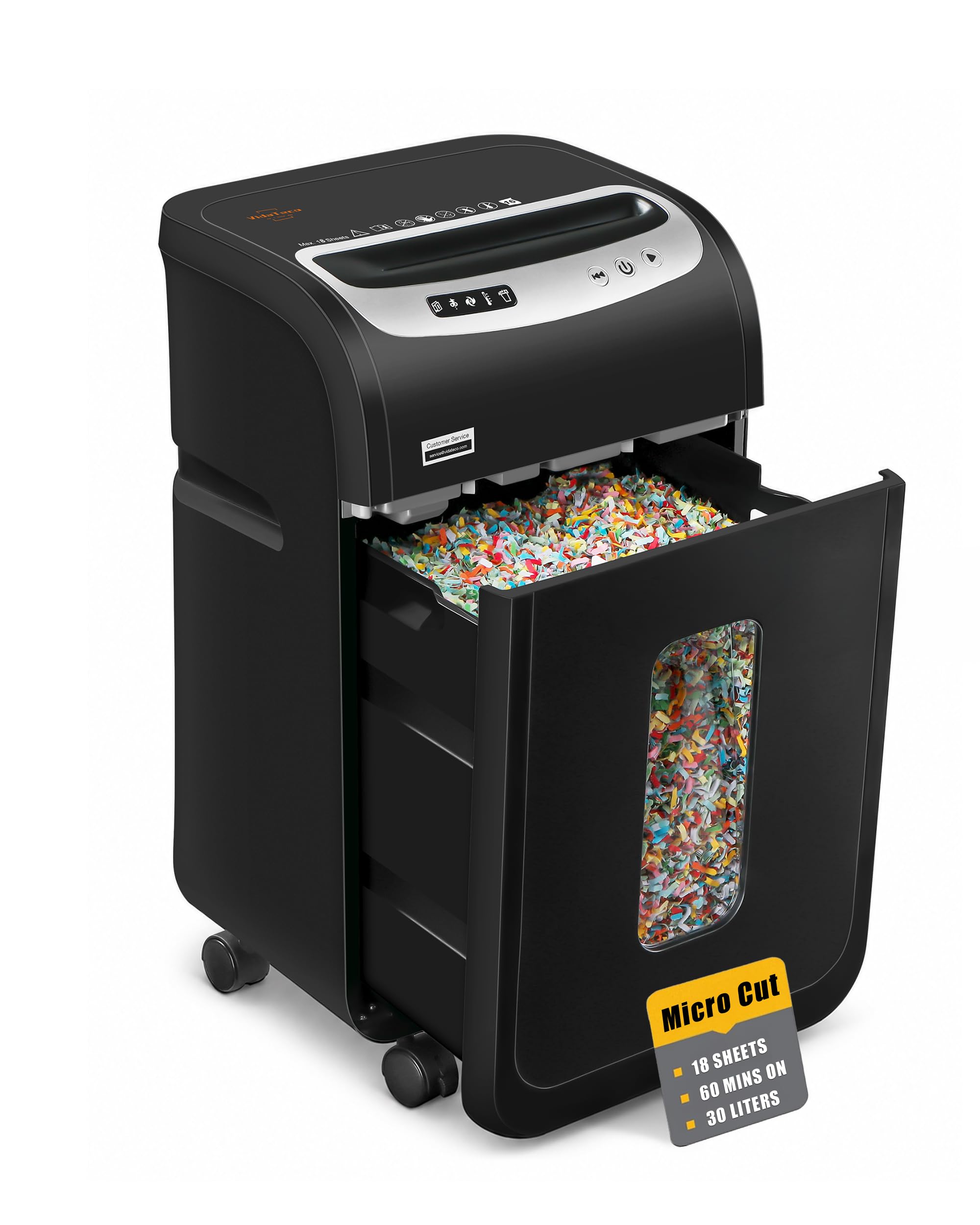
VidaTeco OS-1605MF N

87 /100
LBD Score Excellent

Key details

Run Time
60 minutes
Security
P-4 micro cut
Bin Capacity
7.9 gallons
Sheet Capacity
18 sheets
View on Amazon

The VidaTeco OS-1605MF N is the budget route to micro-cut security. It takes 18 sheets at a time, runs for 60 minutes, and turns paper into 4 by 12 mm particles, which is P-4 protection at a price that undercuts most of the long-run machines here. We went in expecting the usual budget compromises; the 7.9-gallon bin was the first pleasant surprise, since it holds more than 800 sheets and cuts down on emptying trips.

We like the combination of a big bin and a 60-minute run because the two actually support each other: there is no point running for an hour if the bin fills in 20 minutes. At 58 dB, it is also one of the quieter models in this group. The 18-sheet capacity is honest for a manual feed; you still have to stand there, but the machine keeps up.

The controls are where the budget shows. You have to press the power button before each use, which sounds minor until you are feeding a stack one handful at a time. A latching switch is easier. For a home office that shreds in short sessions, that is an annoyance rather than a dealbreaker; in a shared copy room, it wears thin.

Pros

  • 18-sheet P-4 micro-cut
  • 60-minute run time
  • 7.9-gallon bin holds 800+ sheets
  • 58 dB operation

Cons

  • Some units fail within the first months
Our verdict

The VidaTeco is our budget micro-cut pick for home offices that want an 18-sheet capacity, a 60-minute run, and a bin that does not need constant emptying.

Check Latest Price
6

Best Compact Long-Run

Aurora AU1210MA

95 /100
LBD Score Outstanding

Key details

Run Time
60 minutes
Security
P-4 micro cut
Bin Capacity
5 gallons
Sheet Capacity
12 sheets
View on Amazon

The Aurora AU1210MA is the small-footprint exception in a group of machines that want their own floor space. It is 19.33 inches tall, 14.41 inches wide, and 22.4 pounds, yet it still runs for 60 minutes and cuts P-4 micro-particles. For a home office that has to tuck a shredder beside a filing cabinet, that combination is the whole appeal.

The 12-sheet capacity and 5-gallon pullout bin set its rhythm: a steady week of statements, junk mail, and client copies, not a 500-page purge. The auto-reverse helps when you push the sheet count too high, and the bin-full indicator saves guesswork. At this size, we were also happy to see a pullout bin that empties without a mess.

What we noticed in use is how little the machine asks of you: the 60-minute run means you can work through a letter tray without a stopwatch, and the micro-cut pieces are small enough to feel like a real security upgrade over cross-cut. If your stacks are thicker, the Bonsaii C149-C or the auto-feed models make more sense. If your shredding is steady but never huge, this is the one we reach for.

Pros

  • 60-minute run in a compact body
  • P-4 micro-cut security
  • 5-gallon pullout bin with indicators
  • 22.4-pound compact footprint

Cons

  • No auto-feed tray
Our verdict

For a small office that needs a long-running micro-cut in a tight footprint, the Aurora AU1210MA is our compact pick.

Check Latest Price
7

Best for High Security

kitnery 400-Sheet

86 /100
LBD Score Excellent

Key details

Noise
56 dB
Security
P-5 micro cut
Bin Capacity
13.2 gallons
Auto-feed Capacity
400 sheets
View on Amazon

P-5 micro-cut is the reason to look at the kitnery 400-Sheet. It reduces paper to 2 by 12 mm particles, the smallest cut in this group, and pairs that with a 400-sheet auto-feed tray. For legal, financial, or medical paperwork, that combination is less about convenience and more about how much reassurance you want after the bin is emptied.

The 13.2-gallon bin is the other headliner. A 400-sheet tray and a small bin make a frustrating pairing; this one lets a big batch run without constant emptying. The 56 dB rating is the quietest here, and the manual slot handles credit cards and stapled sheets when you need it.

The auto-feed is for paper; the manual slot is for cards and stapled sheets. That division keeps the big tray simple, and the jam-resistant feed plus overload and overheat alerts make the machine easy to trust with a long session. The white body is a nice change from the black boxes here, and the casters help it move when you need the space.

What wins us over is the combination of the P-5 cut and the big tray. In our testing, the kitnery was the machine we trusted most with documents we did not want reconstructed, and the bin meant we could keep going. It is a specialized, expensive machine, but for the right office it solves the two hardest parts of shredding at once: security and volume.

Pros

  • P-5 micro-cut security
  • 400-sheet auto-feed tray
  • 13.2-gallon bin
  • 56 dB operation

Cons

  • Manual feed tops out at 8 sheets
  • Large, heavy footprint
Our verdict

For legal, financial, or medical offices that need P-5 security and a 400-sheet tray, the kitnery is the specialized pick we recommend.

Check Latest Price
8

Small-Office Autofeed

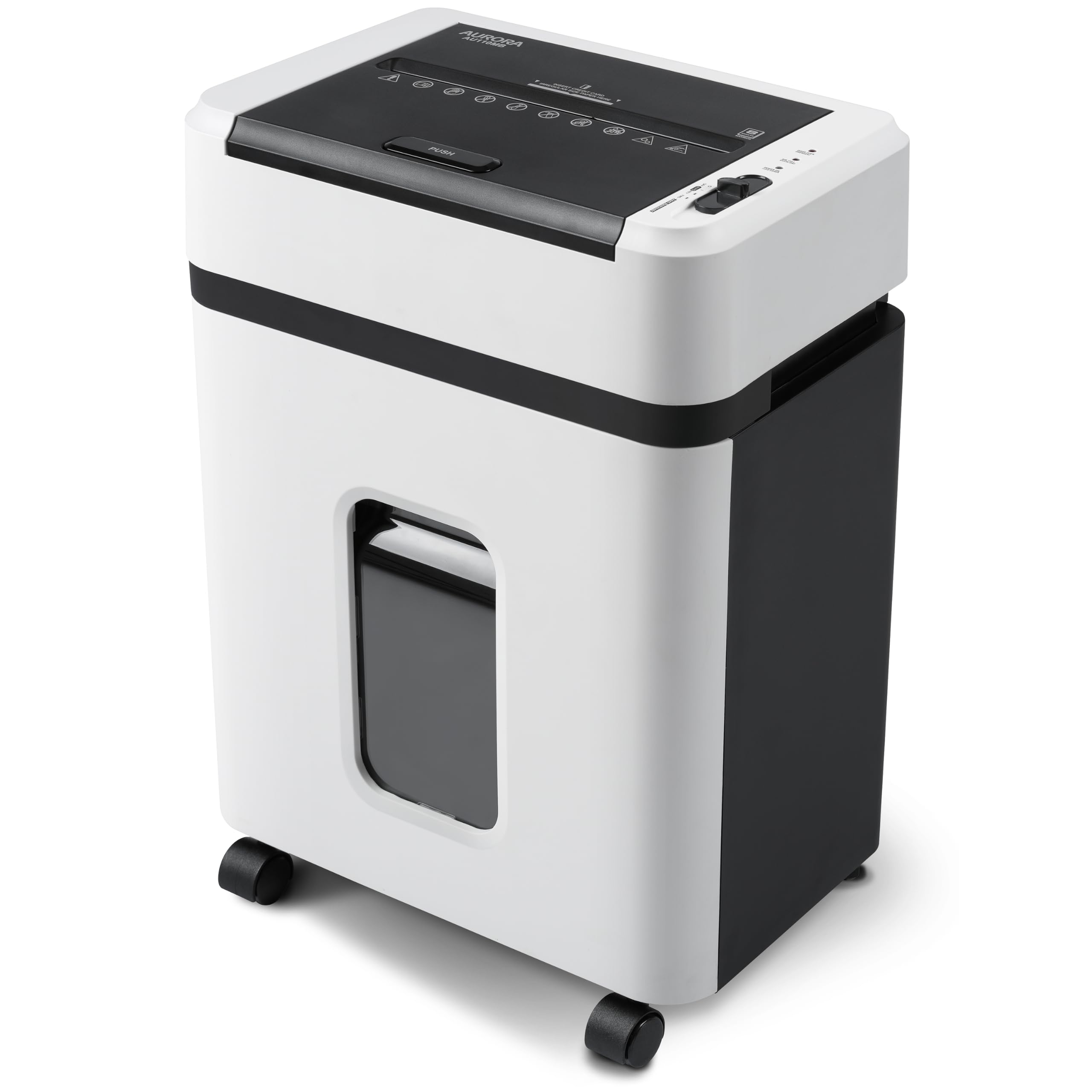
Aurora AU110MB

89 /100
LBD Score Excellent

Key details

Run Time
30 minutes
Security
P-4 micro cut
Bin Capacity
4 gallons
Auto-feed Capacity
110 sheets
View on Amazon

The Aurora AU110MB is the autofeed model for a desk-side office. It is 17.4 pounds and 18.8 inches tall, with a 110-sheet tray and a 4-gallon pullout bin. If you have been avoiding an auto-feed shredder because they look like small filing cabinets, this one is a reasonable compromise.

It runs for 30 minutes, cuts P-4 micro-particles, and has a 10-sheet manual slot for credit cards and paper. The 110-sheet tray is the useful part: you can load a week of statements and let it work while you do something else. The 4-gallon bin is part of the package, and the pullout design makes emptying straightforward.

We also noticed the controls are simple: auto start and stop, jam prevention auto reverse, and overload protection. There is no learning curve. The weekly-batch rhythm is where this machine makes sense; archive boxes belong with the bigger auto-feed models.

What we appreciate most is the size-to-capacity ratio. The AU110MB gives you auto-feed without the footprint of a 200- or 300-sheet machine, and the compact body is easy to live with. For a solo practitioner or a small team that shreds in weekly batches, that is a better fit than a bigger machine that never gets filled.

Pros

  • 110-sheet auto-feed tray
  • Compact 17.4-pound body
  • P-4 micro-cut security
  • Simple auto start and overload protection

Cons

  • 30-minute run needs a cool-down
  • 4-gallon bin fills quickly
Our verdict

The Aurora AU110MB is our small-office autofeed pick when a 110-sheet tray and compact body matter more than marathon run time.

Check Latest Price

How We Tested 10 Heavy-Duty Shredders

We started by pulling every machine marketed as heavy duty, then cut the list by the things that change how you live with one: whether it runs continuously instead of in short bursts, whether it takes a stack on its own or needs to be fed sheet by sheet, how much the bin holds and whether it rolls out and rolls away, and how fine a cut you get for the security level. That left 10 units, from compact home-office models to larger commercial machines, which we bought or borrowed and ran for six months.

They lived where shredders actually live. One sat in a home office through a weekend-long purge of four years of household files; another went into a small business back office, taking daily invoices, junk mail, and the occasional envelope of expired cards. To check run time honestly, we fed each machine a full bin without stopping and noted when it finally paused to cool. To test jams, we folded envelopes in half, left staples in, and fed stacks slightly thicker than we should have.

Noise we measured with a decibel meter at desk distance, then judged by ear from the next room, since a machine can post a respectable number and still be irritating in an open office. Once a week we wiped down each unit and the shelf beneath it to see how much fine paper dust a micro-cut left behind, and we noted where the power switch sits and whether reaching it means feeling around the back. After six months we checked whether the cutters still handled their rated load, and whether what each machine offered held up against what it cost.

How to Choose a Heavy-Duty Paper Shredder

Feed Style: Auto-Feed or Manual

Auto-feed trays are for stacks of loose, letter-size paper. They suit a backlog that arrives in reams and a user who wants to load the tray and walk away. Manual-feed machines are better for thick folders, card stock, or a mix of paper and cards, and they tend to be smaller and less expensive for the same cut quality. The trap is assuming auto-feed means everything: most trays are letter-size only, and folded or legal-size paper needs the manual slot. Decide by how your paper arrives, not by the biggest sheet count.

Match Run Time to Bin Capacity

Run time is only useful if the bin can keep up. A 60-minute machine with a 6-gallon bin is a different ownership experience from a 30-minute machine with a 4-gallon bin, even when both claim heavy-duty capacity. For a weekly office purge, a 30-minute run and a 4-gallon bin are enough; for an archive clear-out, look for 60 minutes and at least 6 to 8 gallons. We prefer a slightly slower machine with a bigger bin to a fast one that stops constantly to be emptied.

Security Level and Cut Size

P-4 is the practical baseline for confidential mail, client files, and tax documents. It covers both cross-cut and micro-cut models, but micro-cut produces smaller particles and packs more shredding into the same bin. P-5 is stricter and worth paying for if you handle legal, medical, or financial records. Do not assume a higher security level makes a shredder faster or more reliable; it mainly changes the size of the waste and how often you empty the bin. Choose the lowest level that meets your confidentiality rule, then spend the difference on capacity or run time.

Noise, Footprint, and Mobility

Shredder noise ratings run from 56 to 62 dB in this group. The difference matters in an open office: a 58 dB machine can run while you are on a call, while 62 dB is better in a separate room. Size matters just as much. Auto-feed models here run from 17 to 36 pounds and 19 to 25 inches tall, so measure the space under the desk and the door clearance before the machine arrives. Casters help, but they do not make a 35-pound machine easy to carry upstairs.

Maintenance and Longevity

Every heavy-duty shredder here needs the same basic care: do not exceed the sheet count, let the cutters cool when the duty cycle ends, and oil the cutters regularly. Micro-cut machines produce finer dust, so a bag and a quick wipe-down around the tray make a difference. The bigger question is longevity. Even well-reviewed models have some units stop within the first year, so buy from a brand with a clear warranty and keep the receipt. We treat a one-year warranty as the minimum, not a bonus.

Frequently Asked Questions

Final Verdict

For most home offices and small businesses, the Bonsaii C283-A is the heavy-duty shredder we recommend. Its 200-sheet auto-feed tray, 60-minute run, and 8.1-gallon bin handle a real backlog without turning shredding into a standing job. If your stacks are even larger, the BONSEN S3113's 300-sheet tray is the better buy; if space is tight and your batches are weekly rather than archival, the Aurora AU110MB is the compact alternative. Start with how you feed paper, and the choice becomes much clearer.