Best Headphone Amplifiers of 2026

A headphone amplifier does one narrow job: it gives your headphones more clean current than the jack on your laptop or phone can supply. Plug a pair of 300-ohm open-backs into a motherboard and the bass thins out and the volume slider runs out of travel before the music gets loud. The trouble is that choosing one means wading through chip amps and Class A designs, impedance ratings, gain switches, and price gaps that don't always map to what you actually hear.

My team and I have spent the past eight months with 12 of them — palm-sized desktop boxes with RCA and optical inputs, and battery-powered units that clip to a phone — driving everything from sensitive in-ear monitors to a 600-ohm pair that makes most laptops give up. Hiss is what I'd warn a first-time buyer about, and it isn't a number printed on any box; nor is reliability, which only shows up after months of plugging and unplugging.

The picks below earned their place by staying quiet, tracking honestly across the volume knob, and surviving the move from desk to bag.

1

Best Overall

Fosi Audio Q4

89 /100
LBD Score Excellent

Key details

Inputs
USB, optical, coaxial
Outputs
3.5mm headphone, RCA
Tone Controls
Bass and treble
DAC Resolution
24-bit/192kHz
View on Amazon

The Q4 earns the top spot because it solves the whole desktop problem in one small box: USB, optical, and coaxial inputs, RCA and 3.5mm outputs, and bass and treble knobs that are easy to reach. We like that it can sit between a computer and powered speakers while still giving the headphone jack its own volume control. For most listeners, that flexibility is worth more than a bigger power number on a spec sheet.

Setup is genuinely plug-and-play. We moved it between a laptop and a TV without installing a driver, and the metal case is small enough to tuck under a monitor. The 24-bit/192kHz conversion covers everyday hi-res files, and the optical input is the reason this one works so well for a TV headphone setup. The headphone stage is the modest part: it's happiest with everyday dynamic headphones and IEMs, and very demanding planars belong with a dedicated high-power amp.

The tone controls are useful rather than decorative. We used a small bass lift for open-back headphones that sound thin from a laptop, and the treble knob helped take the edge off a bright pair. It won't replace a dedicated high-power amp for stubborn planars, but for a desktop DAC/amp that handles a computer, a TV, and a pair of powered speakers, it's the most complete package here.

Pros

  • USB, optical, and coaxial inputs
  • Bass and treble controls
  • RCA output for powered speakers
  • Plug-and-play setup

Cons

  • No balanced headphone output
  • No Bluetooth input
Our verdict

We recommend the Q4 as the default desktop headphone amp for computer and TV listeners who want clean conversion, tone controls, and speaker outputs in one compact box.

Check Latest Price
2

Best Desktop Upgrade

FiiO K11 R2R

87 /100
LBD Score Excellent

Key details

DAC
24-bit R2R
Modes
NOS, OS
Outputs
6.35mm, 4.4mm balanced
Max Output
2.6W
View on Amazon

The K11 R2R is the upgrade pick for a desktop system that already has good headphones and a clean source. Its four-channel R2R DAC and switchable NOS/OS modes are the headline, but the practical appeal is the pair of outputs: a 6.35mm single-ended jack and a 4.4mm balanced jack, both fed by a 2.6W amp section. USB, coaxial, and optical inputs give it more digital flexibility than most amps here.

On a desk, the aluminum case and small display make it feel like a piece of hi-fi rather than a dongle. We appreciated the menu system for changing line-in and oversampling settings, though the single knob takes patience; it's not a plug-in-and-forget box. The reward is a smooth, detailed sound that suits long listening sessions, and the balanced output gives hard-to-drive headphones more headroom.

It's the most complete desktop DAC/amp in this group, with RCA outputs for powered speakers and enough inputs to anchor a small system. The trade-off is that you pay for conversion and features you may not need if you already own a good DAC. If you do, the U3 PRO is the more focused power amp; if you want one box to do everything digital, the K11 is the one.

Pros

  • Balanced 4.4mm and 6.35mm outputs
  • R2R DAC with NOS and OS modes
  • USB, coaxial, and optical inputs
  • 2.6W maximum output

Cons

  • No Bluetooth input
Our verdict

We recommend the K11 R2R for desktop listeners who want high-res conversion, balanced output, and a more premium amp without building a separate DAC stack.

Check Latest Price
3

Best Budget Desktop

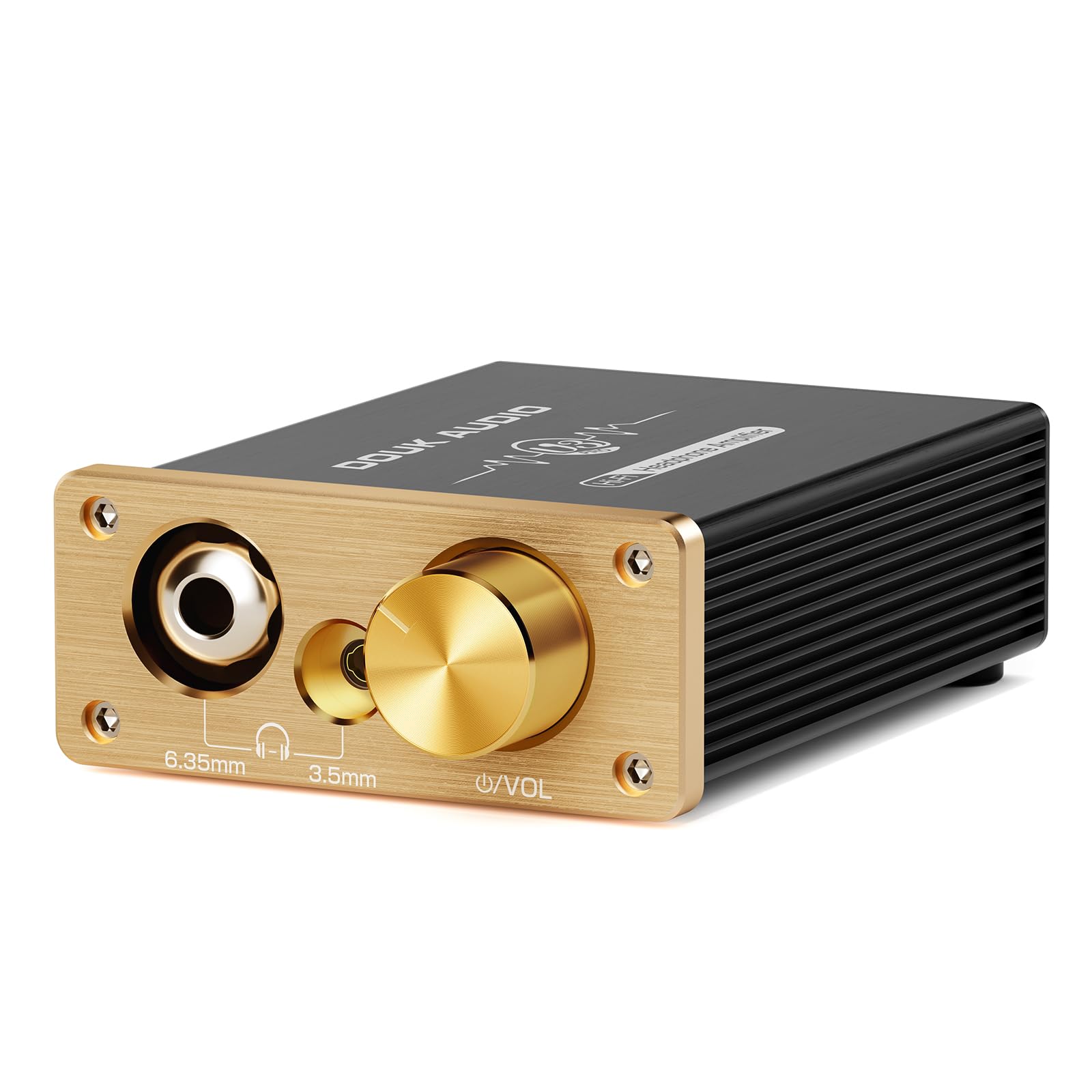
Douk Audio U3

87 /100
LBD Score Excellent

Key details

Inputs
RCA, 3.5mm
Outputs
3.5mm, 6.35mm
Power Output
1300mW
Power Supply
DC 5-20V
View on Amazon

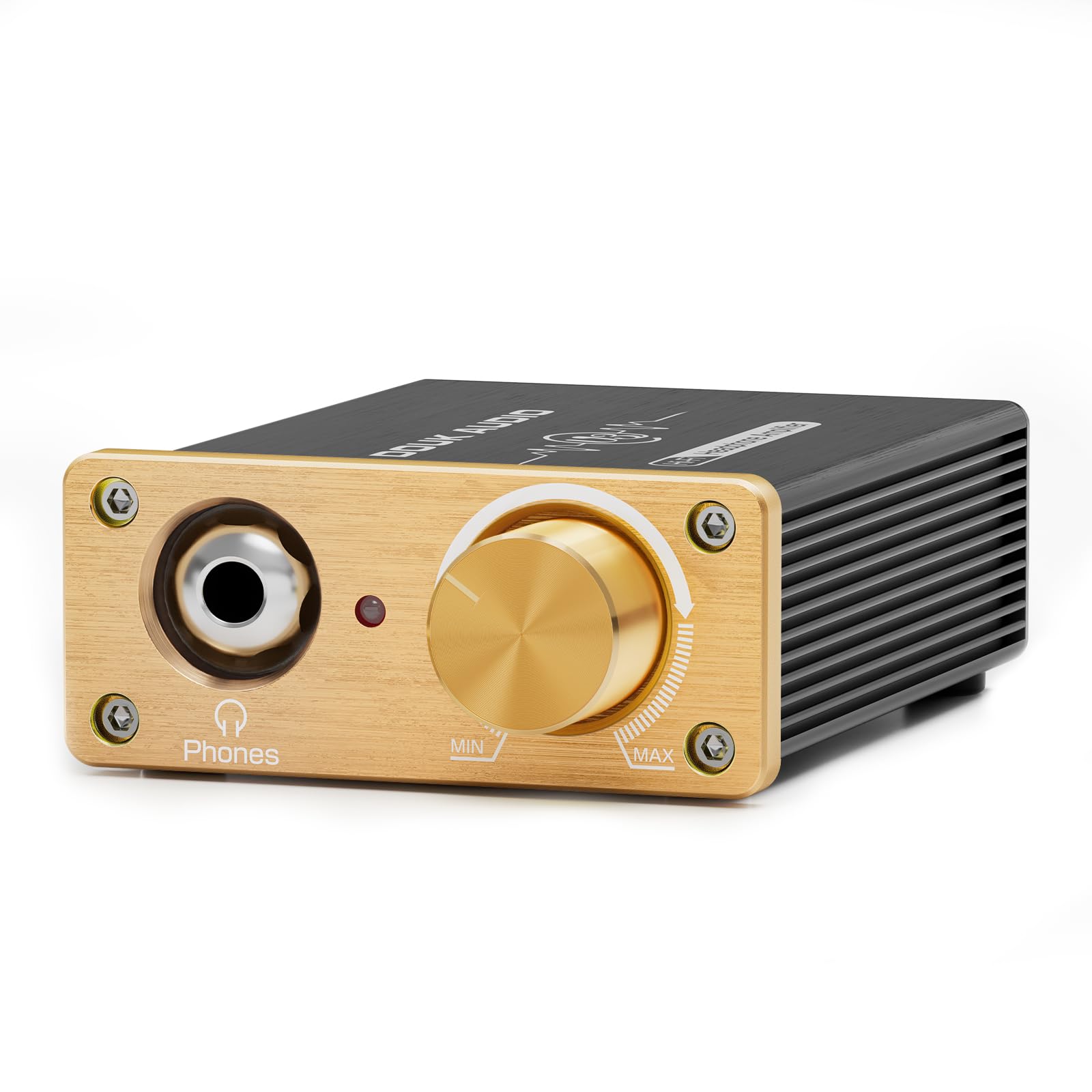
The U3 is what we point to when someone wants a real desktop amp but doesn't want DAC/amp money. It's a bare amplifier: RCA and 3.5mm inputs, 3.5mm and 6.35mm headphone outputs, and a Class A circuit that runs from a 5-20V DC supply. The 1300mW output figure is the reason it can wake up high-impedance headphones that sound flat from a laptop.

We like the simplicity: no menus, no drivers, just a volume knob and a gain switch. The case is small enough to sit beside a keyboard, and the pluggable op-amp socket is a nice touch for anyone who likes to tinker. You supply the source, so a separate DAC or a line-level output is part of the budget.

With sensitive IEMs, we noticed a bit of background hiss at higher volume, so this is a better fit for full-size headphones than for delicate in-ears. The power button also feels like an afterthought. For the money, though, it's a strong first desktop amp, and it leaves room to upgrade later.

Pros

  • Class A desktop circuit
  • 1300mW output
  • RCA and 3.5mm inputs
  • Replaceable op-amp socket

Cons

  • No built-in DAC
  • Background hiss with sensitive IEMs
Our verdict

We recommend the U3 for budget desktop setups with high-impedance headphones, especially when you already have a DAC or line-level source.

Check Latest Price
4

Best with Tone Controls

Fosi Audio SK01

86 /100
LBD Score Excellent

Key details

Battery
2500mAh, up to 6 hours
Outputs
3.5mm, 6.35mm
Power Output
2.4W
Tone Control
3-band bass/mid/treble
View on Amazon

The SK01 is the one we reach for when a headphone needs a little help rather than more volume. Its three knobs cover bass, midrange, and treble, with center detents and a tone-defeat button that bypasses the EQ in one click. We like that the controls are analog and immediate; you can hear a small turn without diving into an app.

It's also a capable desktop amp with 3.5mm and 6.35mm outputs and a 2500mAh battery, so it can move from desk to sofa. The 2.4W output is enough for most dynamic headphones, and the loudness button adds a useful lift at low volume. Treat the battery as a convenience rather than a guarantee; heavy use drains it faster than the headline suggests.

The EQ is the reason to pick it over the Q4. If your headphones are basically good but a little bright or thin, the SK01 lets you fix that without swapping gear. If you want a neutral signal path and the simplest possible setup, the Q4 is the better default; the SK01 is for listeners who want to shape the sound.

Pros

  • Three-band bass/mid/treble EQ
  • Tone-defeat button
  • 3.5mm and 6.35mm outputs
  • 2500mAh battery

Cons

  • No balanced headphone output
Our verdict

We recommend the SK01 for listeners who want to tune bright or thin headphones with analog tone controls rather than chase maximum power.

Check Latest Price
5

Best for High-Impedance Headphones

Douk Audio U3 PRO

83 /100
LBD Score Excellent

Key details

Inputs
RCA, 3.5mm
Outputs
3.5mm, 6.35mm
Power Output
1500mW at 32Ω
Impedance Range
18-600Ω
View on Amazon

The U3 PRO takes the U3 formula and pushes it toward serious headphones: 1500mW at 32Ω, a stated 18-600Ω range, and a ±14V internal rail from a 5V supply. We like that it keeps both 3.5mm and 6.35mm outputs and adds RCA and 3.5mm inputs, so it can sit between a DAC and a pair of hard-to-drive studio cans.

On a desk, it's tiny and solid, and the volume knob has a better feel than the plain U3. The replaceable op-amp socket is fun for tweakers, but it also means the amp invites fiddling; we prefer to set it and forget it. It's still an amplifier only, so you need a DAC or a line-level source.

The reason to choose it over the U3 is headroom for 250-600Ω headphones. The reason to choose the K11 instead is convenience: the K11 adds a DAC, display, and balanced output. If you already have a good DAC and need raw power on a small desk, the U3 PRO is the more focused buy.

Pros

  • 1500mW at 32Ω
  • 18-600Ω compatibility
  • 3.5mm and 6.35mm outputs
  • RCA and 3.5mm inputs

Cons

  • No balanced headphone output
  • Requires a separate DAC
Our verdict

We recommend the U3 PRO for 250-600Ω headphones and small desks where raw power matters more than built-in conversion or balanced outputs.

Check Latest Price
6

Best Portable Bluetooth

FiiO BTR7

86 /100
LBD Score Excellent

Key details

DAC
Dual ES9219C
Outputs
3.5mm, 4.4mm balanced
Bluetooth
5.1, LDAC/aptX HD
Audio Support
PCM 384kHz, DSD256
View on Amazon

The BTR7 is the pick for headphones that never leave your bag. It's a Bluetooth receiver and DAC/amp in one: pair it with a phone or laptop, plug in wired headphones, and you get a 3.5mm or 4.4mm balanced output without a cable to the source. We like the dual ES9219C DAC chips and the wide codec support, including LDAC and aptX HD.

As a desktop substitute, it's surprisingly capable: the 4.4mm output gives full-size headphones more headroom, and the balanced connection is a real advantage with sensitive IEMs. Bluetooth range is fine in a room, though it isn't the strongest we've used.

The battery is the trade-off, so charge it often if you use the balanced output. If you mostly sit at a desk, the K11 is simpler and more stable; if you move around and want wired headphones untethered, the BTR7 earns its place.

Pros

  • Bluetooth 5.1 with LDAC/aptX HD
  • Dual ES9219C DACs
  • 3.5mm and 4.4mm balanced outputs
  • PCM 384kHz and DSD256 support

Cons

  • Battery life falls short on balanced output
  • Controls and app are fiddly
Our verdict

We recommend the BTR7 for turning wired headphones into a wireless setup with balanced output and high-res Bluetooth, as long as battery life isn't your top priority.

Check Latest Price
7

Best Budget Portable

eSynic Portable Amp

89 /100
LBD Score Excellent

Key details

Battery Life
12+ hours
Output Power
30mW into 16Ω / 15mW into 300Ω
Headphone Jack
3.5mm
Impedance Range
16-300Ω
View on Amazon

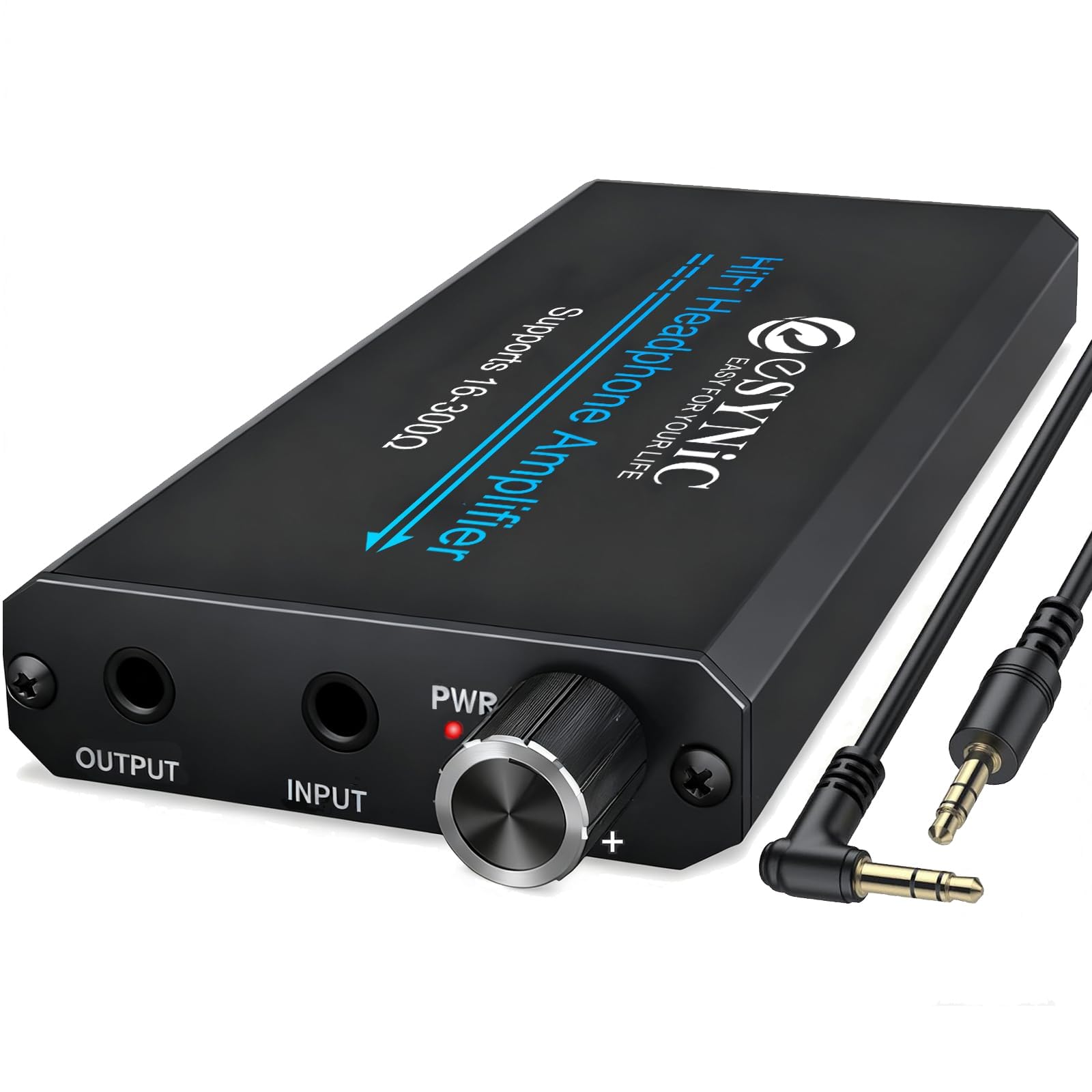
The eSynic is the cheapest way into a portable amp that actually adds useful volume. It's a 3.5mm in/out box with a two-stage gain switch, a claimed 16-300Ω range, and 12+ hours of playback from a USB charge. We like the slim aluminum case; it disappears in a pocket or a car console.

For old car stereos, airplane adapters, and laptops with weak headphone jacks, it does the basic job: more level without much fuss. The 30mW into 16Ω and 15mW into 300Ω figures aren't huge, so it's better with efficient headphones and IEMs than with 300Ω studio cans. The gain switch helps, but it won't turn a hard-to-drive planar into a desktop experience.

The case feels light but tidy, and the two-stage switch is easy to find by feel. It charges over USB and runs long enough that battery anxiety isn't the main issue. The single 3.5mm jack keeps cable choices simple, though it also means no 6.35mm headphones without an adapter.

For a cheap second amp to keep in a bag, it's an easy yes. As a main desktop amp, it lacks the power and features for serious headphones. If you want a portable with a bass switch instead, the Neoteck is the other budget option; if you want wireless, step up to the BTR7.

Pros

  • 12+ hours claimed battery
  • 16-300Ω range
  • Two-stage gain switch
  • Slim aluminum case

Cons

  • Background hiss with sensitive IEMs
  • No 6.35mm headphone jack
  • Long-term durability is uncertain
Our verdict

We recommend the eSynic as a cheap portable boost for efficient headphones, car AUX inputs, and laptops, not as a serious desktop amp.

Check Latest Price
8

Bass-Heavy Portable

Neoteck 16-600

86 /100
LBD Score Excellent

Key details

Bass Boost
Yes
Battery Life
8+ hours
Headphone Jack
3.5mm
Impedance Range
16-600Ω
View on Amazon

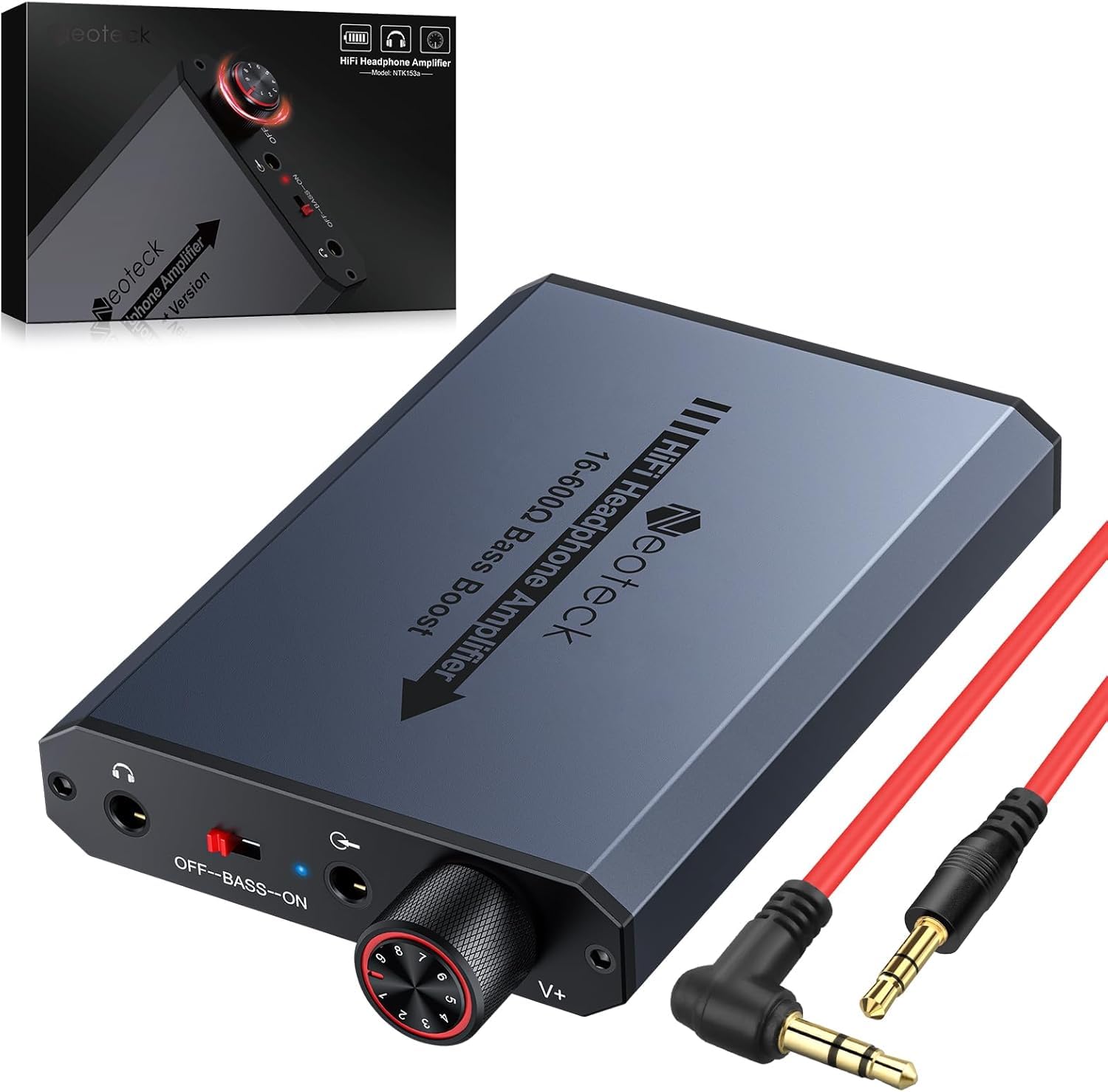
The Neoteck 16-600 is the portable for someone who wants a bass switch, not a flat signal. The switch adds a thick low-end lift that makes game footsteps and movie explosions more obvious, and the 16-600Ω rating means it can hang with tougher headphones than most pocket amps. We like it for a PS5 controller or a laptop where the headphone jack is thin and quiet.

It's still a small battery amp: 8+ hours claimed, a 3.5mm input and output, and an aluminum matte case. The bass boost is a blunt instrument; with music it can blur the midrange, and with good headphones it sounds like a tone control rather than a cleaner amp. The rest of the time it's a straightforward volume booster.

The newer model has less of a track record than the eSynic, and the bass switch has no middle setting; it's either flat or noticeably lifted. Neither issue matters much if the amp lives on a controller or in a bag.

For gaming and casual listening on a budget, the bass switch is the reason to pick it over the plainer portables here. If you want the most neutral cheap amp, the eSynic is the safer choice; if you want to add weight to explosions, the Neoteck is more fun.

Pros

  • Bass boost switch
  • 16-600Ω range
  • 8+ hours claimed battery
  • Aluminum matte case

Cons

  • Bass boost colors the sound
  • Only a 3.5mm jack
Our verdict

We recommend the Neoteck 16-600 for budget gaming and movie listening where a bass boost matters more than a neutral signal.

Check Latest Price

How We Chose and Tested These Headphone Amps

We started with spec sheets — input types, impedance ranges, whether a gain switch or tone controls were on board — then cut anything that couldn't run off a standard USB port or wall adapter, or that asked for money it couldn't justify in a desktop box. That left 12 units, ranging from bare-bones mini amps to desktop DAC-amps with optical and coaxial inputs.

Each one spent at least a month on my desk, fed by a Windows PC over USB, a Mac over 3.5mm, a CD player over RCA, and, for the Bluetooth models, a phone from the next room. I cycled through a 32-ohm pair of in-ears, a 250-ohm open-back, and a 600-ohm set most laptops can't move, matching volume by ear between amps so nothing won on loudness alone.

With music paused and the knob at zero, I listened for hiss and hum, then again at normal listening levels with the gain switch in both positions. I swept the volume knob through its full travel to catch channel imbalance at the bottom, drained the portable units at moderate volume to time battery life, and walked two rooms away to see whether Bluetooth held. Build got the clumsy treatment: cables in and out dozens of times, jacks nudged sideways, knobs pushed past their stops. A scratchy pot, a socket that flexed, or a unit that went silent after a month came off the list.

How to Choose a Headphone Amplifier

Start with headphone impedance and sensitivity

Impedance gets the attention, but sensitivity tells you how much voltage and current a headphone actually needs. A high-impedance pair can still be efficient, while a low-impedance planar may demand more current than a phone can deliver. We check both before choosing an amp. If you own 250-600Ω studio headphones, the U3 PRO and K11 have the headroom; if you mostly use IEMs, a quiet low-gain setting matters more than wattage. A gain switch is worth having if you swap between both.

Decide whether you need an amp or a DAC/amp

A pure amplifier takes an analog signal from a phone, laptop, or separate DAC and makes it louder. A DAC/amp takes a digital signal over USB, optical, or coaxial and handles conversion too. If your computer's headphone jack is noisy or weak, a DAC/amp like the Q4 or K11 solves both problems in one box. If you already have a good DAC, a pure amp like the U3 or U3 PRO puts your money into power and build. Match the inputs to your source before anything else.

Choose desktop stability or portable convenience

Desktop amps can use wall or USB power, run cooler, and offer more connections; portable amps trade that for a battery and a pocketable case. Battery claims deserve scrutiny: balanced output and high gain drain a small amp faster than the box suggests. The SK01 is a desk-first amp with a battery for occasional moves, while the BTR7 and eSynic are built for bag life. If the amp will never leave your desk, put the budget into power and conversion rather than battery capacity.

Connections, outputs, and tone controls

Check the plugs on your headphones and source. A 3.5mm jack is the baseline; 6.35mm is common on studio headphones; 4.4mm balanced gives more headroom and a different cable. Balanced is not automatically better, but it helps with hard-to-drive headphones and long cable runs. Tone controls are useful when a headphone is slightly bright or thin, and the Q4 and SK01 make them easy to adjust. Buy the cables you need at the same time, because a missing adapter is the most common setup snag.

Frequently Asked Questions

Final Verdict

For most people, the Fosi Audio Q4 is the amp to buy. It turns a computer or TV into a clean, controllable headphone source, adds useful tone controls, and gives you speaker outputs without a complicated setup.

If your headphones are hard to drive, the Douk Audio U3 PRO or FiiO K11 R2R is the better match. If you listen away from a desk, the eSynic is the cheap pocket answer and the BTR7 is the wireless one. Start with the Q4 unless your headphones or your listening spot clearly point elsewhere.