Best Gaming Desks for Dual Monitors of 2026

The second monitor is the easy part. It's the desk underneath it that gets complicated: two panels, a tower, a mic arm, and a headset all fighting for the same 48 inches of laminate. A desk built for dual monitors solves that with real usable width, a frame that doesn't shimmy when you lean on it, and somewhere to hide the six cables the monitors dragged in with them.

I've run a two-screen setup out of a corner for years, and the details that separate a good desk from an aggravating one are small. A reversible L-shape lets you flip the return to whichever wall you actually have. A built-in power strip with USB cuts five cords down to one. Even the adhesive on a full-desk mouse pad earns its keep, since the cheap ones creep across the surface mid-swipe. We built and lived with 12 of these over six months.

The picks below cover both shapes, from a 40-inch corner saver to a two-person 94-inch setup.

1

Best Overall

Eureka GIP 60-Inch

94 /100
LBD Score Outstanding

Key details

Mouse Pad
Full-surface
Weight Capacity
500 lb
Cable Management
Built-in tray
Desktop Dimensions
60 x 27.56 x 30.12 in
View on Amazon

Sixty inches across and 27.56 inches deep, the Eureka GIP gives two monitors separate zones instead of a shared strip of desktop. That extra depth is the detail we keep coming back to: monitor bases sit back, the keyboard stays forward, and there is still room for a headset and a drink without shuffling everything. The full-surface mouse pad adds to the effect, making the whole top feel like one continuous work surface rather than a desk with a mat dropped on it.

We recommend it first for a dual-monitor gaming setup because it solves the two problems that make those setups feel cramped: shallow depth and cable clutter. The built-in tray keeps a power strip and cords below the desktop, while the controller rack, cup holder, and dual headset hooks get the small stuff off the top. A 500-pound rating gives it more load margin than most desks in this group, which matters if you use a heavy monitor arm or keep the tower on the desktop.

The full-width pad also means no curled corner to straighten before a match, and the stitched edge is a nicer finish than a thin promotional mat. We do not think every desk needs RGB, and this one proves the point: the useful upgrades here are the ones you touch every day.

Pros

  • Deep 27.56-inch top fits two monitors
  • Full-surface mouse pad stays put
  • Cable tray and accessory hooks clear clutter
  • 500-pound frame rating adds margin

Cons

  • Large 60-inch footprint
Our verdict

We recommend the Eureka GIP first for dual monitors: the deep top, full-surface pad, and cable management give two screens room without the desktop turning into a tangle.

Check Latest Price
2

Best L-Shaped with Power

AODK 53-Inch L-Shape

92 /100
LBD Score Outstanding

Key details

Power
3 AC + 2 USB
Layout
Reversible L-shape
Shelves
2
Desktop Dimensions
53.15 x 18.9 x 29.8 in
View on Amazon

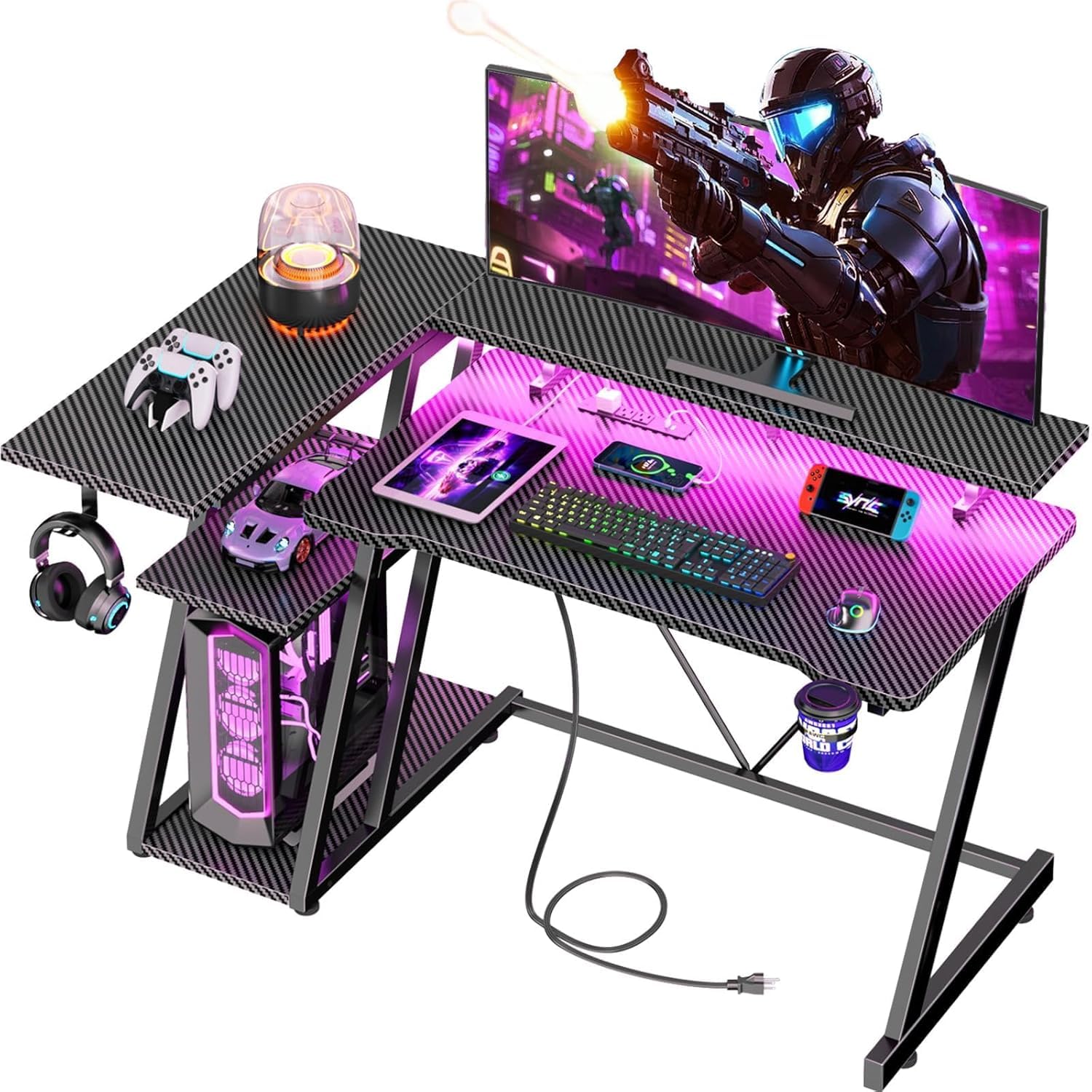
The AODK turns a corner into a command center: the L-shaped top wraps around you, the built-in power strip puts three AC outlets and two USB ports within reach, and the side shelves swallow a headset, bag, and the odds and ends that usually colonize a desktop. We rank it as the L-shaped pick for dual monitors because the second leg gives each screen a little breathing room, even though the main top is only 53 inches wide.

The 18.9-inch depth is the number to watch. It is enough for most monitor stands, but a deep keyboard tray or a pair of big curved monitors will push the front edge. The CPU stand is another place where size matters: it works for mid-size towers, and larger cases may need to sit on the floor.

We appreciate the reversible build, which lets the shelves sit on whichever side keeps the room open. The storage bag is more useful than it sounds for a controller, cables, or a smaller headset, and the one-person assembly is manageable because the parts are labeled. The LED strip adds ambience without washing out the desk, and the outlets are the feature we miss when we sit at a plain desk. It is a lot of desk for a small corner.

Pros

  • Reversible L-shape saves corner space
  • 3 AC and 2 USB outlets
  • Two shelves plus storage bag
  • Headphone hook keeps gear handy

Cons

  • Needs two clear walls for the L
Our verdict

We recommend the AODK for a corner dual-monitor setup where outlets and shelves matter as much as surface area.

Check Latest Price
3

Best for Small Rooms

ODK 48-Inch L-Shape

92 /100
LBD Score Outstanding

Key details

Power
3 AC + 2 USB
Shelves
2
Monitor Stand
Adjustable
Desktop Dimensions
48 x 19.7 x 30 in
View on Amazon

If your gaming setup lives in a bedroom, dorm, or a corner that has to share space with everything else, the 48-inch ODK is sized for that reality. The L-shaped top tucks into a corner, the adjustable monitor stand lifts screens off the work surface, and the built-in outlets keep a console, monitor, and phone charger from turning into a floor-mounted power strip.

The monitor stand is the detail that makes it work for dual screens: it raises both monitors to a comfortable height and frees the main top for a keyboard, mouse, and headset. The two open shelves and the PC stand below add storage without turning the desk into a hutch. We also like that the side shelves can switch sides, which matters in a room where the door or window decides the layout.

Assembly is manageable with labeled parts, and the footprint is the real reason to choose it: a 48-inch top keeps the desk from swallowing a small room, and the L-shape adds usable surface without needing a longer wall. The monitor shelf adjusts so you can line up two screens even when their bases are different heights. The built-in power and USB ports are close enough to reach without climbing under the desk.

We recommend it for a tight room where two monitors are the priority. The outlets and monitor stand are the two features that make it feel bigger than its footprint, and the corner layout keeps the rest of the room usable.

Pros

  • Adjustable monitor stand
  • 3 AC and 2 USB outlets
  • Reversible L-shape
  • Two shelves plus PC stand

Cons

  • PC shelf fits only smaller towers
  • 27-inch pairs leave little spare top
Our verdict

We recommend the ODK 48-inch L for small rooms where two monitors and a mid-size tower need to fit without swallowing the space.

Check Latest Price
4

Best for Two-Person Setups

Sedeta 94.5-Inch Two-Person

93 /100
LBD Score Outstanding

Key details

Power
2 AC + 2 USB
Keyboard Tray
Slide-out
Weight Capacity
325 lb
Desktop Dimensions
94.5 x 19.7 x 30 in
View on Amazon

At 94.5 inches wide, the Sedeta is less a desk than a shared command center. Two people can sit side by side with their own monitors, keyboards, and elbow room, and the center shelves keep the shared clutter from migrating across the whole top.

We rank it as the two-person pick because it gives each station a real 47-inch work zone rather than a polite slice of a long tabletop. The built-in power strip, slide-out keyboard tray, and monitor stand are useful extras, and the 325-pound rating is reassuring for a desk this long. The 19.7-inch depth is the same as many single desks, so each side has to be organized rather than piled.

Assembly is the part to plan for: the long top and center shelf are easier with two people, and the hardware needs to be left loose until everything lines up. Once it is square, the desk feels substantial and the LED strip adds a bit of fun without being the reason to buy. We like it for couples, roommates, or a parent and child who share a gaming room. The two-person design is the point; if you game alone, a 60-inch desk gives you more depth in less width.

Pros

  • 94.5-inch two-person top
  • 325-pound capacity
  • Power strip and keyboard tray
  • Center shelves separate gear

Cons

  • Needs a long wall or dedicated room
Our verdict

We recommend the Sedeta when two people share the gaming room and each needs room for a dual-monitor station.

Check Latest Price
5

Best for PC Display

AODK 59-Inch PC Showcase

91 /100
LBD Score Outstanding

Key details

Drawers
3 fabric
Lighting
RGB LED
PC Stand
Elevated display
Desktop Dimensions
59.44 x 19.69 x 45.2 in
View on Amazon

The AODK puts your PC tower on a stage instead of under the desk. An elevated shelf shows off a glass-side case, the RGB strip underneath adds glow, and three fabric drawers hide the controllers, cables, and spare peripherals that otherwise end up on top. For a certain kind of gaming setup, the desk is part of the display.

The 59.44-inch width gives dual monitors a home, and the reversible layout lets you put the tower side where the room works. The side display shelf is a nice spot for figures or a headset, and the drawers are more useful than a plain shelf because they actually conceal clutter. The drawers are fabric, which keeps the price down and the weight light.

The catch is fit. The top is 19.69 inches deep, and the raised monitor shelf is not generous enough for every large monitor base; measure both before you commit. A mid-tower case may also fill the PC stand more tightly than the photos suggest. We recommend it to the gamer who wants the tower visible and the clutter hidden, not to someone who needs maximum desktop depth. If your case and monitor bases fit, it is one of the most characterful desks in this group.

Pros

  • Elevated PC showcase stand
  • Three drawers hide clutter
  • Reversible layout
  • RGB light strip

Cons

  • Fabric drawers suit light gear only
Our verdict

We recommend the AODK PC showcase desk for a gamer who wants the tower visible and the clutter hidden, provided the monitor bases fit.

Check Latest Price
6

Tiny Corners

Korfile 40-Inch L-Shape

91 /100
LBD Score Outstanding

Key details

Power
3 AC + 2 USB
Monitor Stand
Two 24-inch monitors
Weight Capacity
220 lb
Desktop Dimensions
39.4 x 25.6 x 29.5 in
View on Amazon

Forty inches is not much desk, and the Korfile makes no secret of it. The L-shaped footprint is meant to disappear into a small corner, with a long monitor stand that holds two 24-inch screens above a shelf-lined base. If you have a larger room, it will feel like a compromise; if you have a tight one, that trade can be the whole point.

The 25.6-inch depth is actually generous for such a small desk, and the three shelves, three AC outlets, and two USB ports give it more utility than the footprint suggests. We like the cup holder and headphone hook too; they keep the surface from becoming a catch-all. The carbon-fiber finish is easy to wipe down, which matters on a desk that will hold snacks and drinks.

The monitor stand is the key: it creates a second level for screens so the main top can hold a keyboard and mouse. The desk is reversible, and two of them can be combined into a U-shaped setup, which is a clever option for a shared room. The main top is still small, so plan on keeping the tower on the floor or on a lower shelf.

We recommend the Korfile for a small room, dorm, or teen setup where two compact monitors are the goal. It is not the desk for a 32-inch pair or a sprawling mechanical keyboard collection; it is the desk that fits when nothing else will.

Pros

  • Fits a tiny corner
  • Deep 25.6-inch top
  • 3 AC and 2 USB outlets
  • Three shelves plus monitor stand

Cons

  • Main top tight for speakers or a printer
Our verdict

We recommend the Korfile for a tiny corner where two compact monitors are the priority and a full-width desk will not fit.

Check Latest Price
7

Budget RGB Setups

HLDIRECT 47-Inch

91 /100
LBD Score Outstanding

Key details

Lighting
App-controlled RGB
Mouse Pad
Extra-large
Weight Capacity
200 lb
Desktop Dimensions
47 x 23.6 x 29 in
View on Amazon

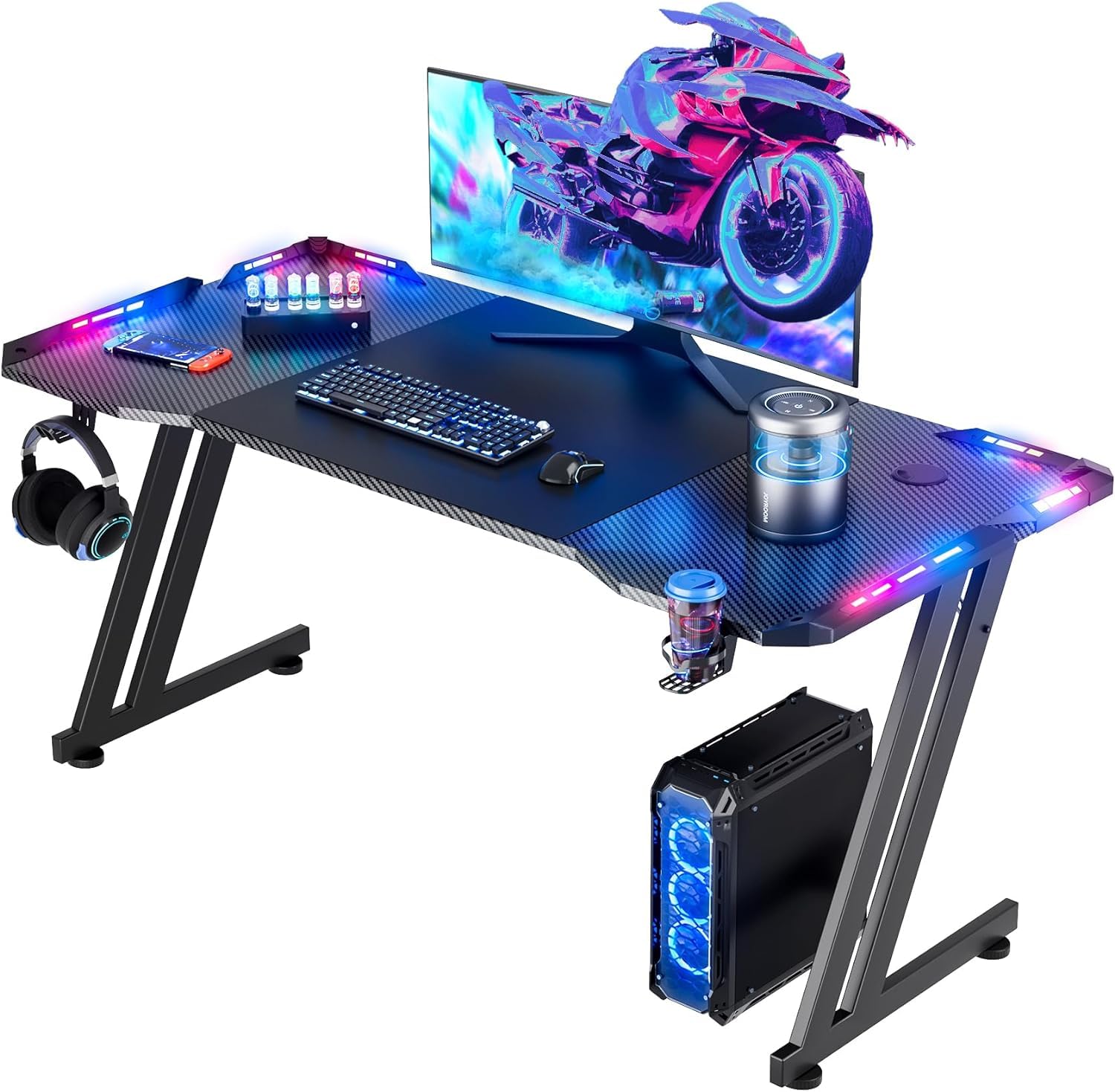
The HLDIRECT is the value play: a 47-inch gaming desk with a Z-shaped frame, an extra-large mouse pad, a cup holder, a headphone hook, and app-controlled RGB for the least money here. We rank it as the budget pick because it spends on the things that make a gaming desk feel purpose-built instead of just cutting the price.

The 47 x 23.6-inch top handles two monitors, though the arrangement is tighter than on a 60-inch desk. The Z frame is stable for normal mouse and keyboard play, and the 200-pound rating is enough for a dual-monitor setup as long as the tower stays on the floor. The extra-large pad covers most of the working area, so there is no separate mat to slide around. The cup holder and headphone hook are the details that make it feel more expensive than it is.

The desk itself is the reason to buy: assembly is straightforward, the surface wipes clean, and the accessories stay out of the way. The cup holder and headphone hook are small things, but they are the ones we notice every time we sit down. The Z frame does its job without calling attention to itself, which is exactly what we want from a budget desk.

Pros

  • Z-frame is stable for the price
  • Extra-large mouse pad included
  • Cup holder and headphone hook
  • App-controlled RGB lighting

Cons

  • LED strip can fail
Our verdict

We recommend the HLDIRECT as the budget pick for a first dual-monitor setup, as long as you treat the RGB as a bonus.

Check Latest Price

How We Tested Dual-Monitor Gaming Desks

We started by pulling every desk marketed for two monitors, then filtered for at least 47 inches of width, a supported monitor stand or riser, and a frame rated to hold the load. That left 12 from a spread of brands. Each one went into a real room: an apartment corner, a converted spare bedroom, and one shared setup where two people gamed side by side. Testing ran six months, long enough for the novelty of the LED lighting to wear off and for the adhesive on strips and mouse pads to prove whether it would stay put.

Assembly was timed solo, with only the included tools, and we logged the step count, whether the hardware was labeled, and which desks still needed a second person to flip the top over. Once built, we loaded each with two 27-inch monitors and a tower and measured how much usable depth was actually left in front of the keyboard, because a monitor riser can eat most of it. Sturdiness got a shove test: lean on the front edge, type hard, and watch whether the monitors wobble or a full mug slides. Build quality showed up in the small stuff, like welds at the leg joints, edge banding that didn't peel, and screw holes that lined up on the first try.

For adhesion, we dragged the mouse hard across each pad for weeks and checked whether the edges lifted or the whole pad crept, then pressed on every LED strip and cable clip after a month to see what had let go. We moved each desk at least once to test how the reversible layouts handled a different room, and judged appearance under normal lamp light rather than the product photos. Value came down to what shipped in the box, whether outlets, a monitor stand, a headset hook, or a mouse pad, versus what we still had to buy to make the desk work.

How to Choose a Gaming Desk for Dual Monitors

Start With Depth, Then Width

A 60-inch desk is not automatically better than a 55-inch one if it is shallow. Two monitors, their stands, a keyboard, and your wrists all compete for front-to-back space, so we look for a top that lets the screens sit back without pushing the keyboard to the edge. The Eureka GIP's 27.56-inch depth is why it leads this group; the 53-inch AODK is wider in the corner but only 18.9 inches deep up front. Before buying, measure the footprint of both monitor bases plus your keyboard, then add a few inches for cables and breathing room.

Match the Frame to the Load

Monitors are not the only weight on a gaming desk. A tower, speakers, a monitor arm, and a drink can add up, and a thin top on a light frame will flex or wobble when you move the mouse fast. The 500-pound rating on the Eureka gives more margin than the 200- or 220-pound ratings on the compact picks, but that does not make the smaller desks flimsy; it tells you where to put the heavy stuff. Keep a tower on the floor or a rated shelf, and check the underside before clamping a monitor arm to an engineered-wood top.

Plan Power and Storage Before the Desk Arrives

Built-in outlets are genuinely useful on a gaming desk because they keep chargers off the floor, but they do not replace a wall outlet or cable management. The AODK and ODK L-shaped desks pair three AC outlets and two USB ports with shelves and hooks; the Eureka GIP uses a cable tray and accessory hooks instead. Decide whether you want shelves for a console and headset or a clean top with everything routed below. If the tower is going on the desk, check the width and depth of the PC shelf, not just the overall desk size.

Choose the Shape Around the Room

An L-shaped desk can make a small corner feel bigger because the second leg adds surface without needing a longer wall, but it also needs two clear walls and enough room to slide a chair into the bend. A rectangular 60-inch desk is easier to place along a single wall and gives two monitors a straight run. Reversible L-shaped models are the flexible choice when a door, window, or bed decides which side the shelves must sit on. Measure both legs of an L before you buy; the short leg is often the one that decides whether the layout works.

Frequently Asked Questions

Final Verdict

For most dual-monitor gamers, the Eureka GIP is the desk to buy. Its 27.56-inch depth, full-surface pad, and cable management solve the everyday crowding that a wide but shallow top leaves in place, and the 500-pound frame gives you room to grow.

If your room demands a corner, choose the AODK 53-inch L; if two people share the setup, the Sedeta's 94.5-inch span is the better answer. The ODK 48-inch L is the small-room alternative when the desk, not the gear, has to fit the space.