Best Ethernet Switches of 2026

An Ethernet switch takes the one cable coming out of your router and turns it into a row of ports, so your desktop, NAS, game console, and mesh nodes can all have a wire instead of competing for Wi-Fi. That's the whole job. What separates a switch you forget about from one you fight with is quieter than the spec sheet suggests: whether setup is genuinely plug-and-play or wants an app and a login, whether the fanless metal housing stays silent on a living-room shelf, whether it plays nicely with the mix of old Cat5e runs and new laptops in the house, and whether it still holds a gigabit link a year from now.

I've kept a switch behind my desk for years, mostly to drag my work laptop off Wi-Fi during calls that matter, and my team has now lived with 12 of them over the past six months, from five-port bricks to 24-port rack units. One thing first-time buyers get wrong: a switch doesn't create a network or hand out IP addresses, so it goes downstream of your router, never in place of it. Managed models add VLANs and QoS, which most homes don't need and a small office sometimes does. The picks below are the ones that earned a permanent spot.

1

Best Overall

TP-Link TL-SG105

95 /100
LBD Score Outstanding

Key details

Case
Metal, fanless
Ports
5
Speed
10/100/1000 Mbps
Dimensions
3.94"L x 3.85"W x 0.98"H
View on Amazon

The TL-SG105 is a 3.94-inch square of navy-blue metal, and that footprint is most of why it earns the top spot. Most people do not need a switch so much as they need three more jacks where the router isn't, and this one disappears behind a TV stand or on a shelf without a cable tidy. The metal case is the part that surprised us at this price: it feels like a small brick rather than the creaky plastic shell you get on a hub, and the fanless design means the only noise in the room is whatever you plug into it.

Setup is exactly as boring as it should be. One cable to the router, three to your devices, link lights in seconds, no app and no address to hunt down. Port-based 802.1p/DSCP QoS and IGMP snooping are the two features worth knowing about: they keep video and voice traffic from being starved during a big file transfer, and they stop a multicast stream from flooding every port. On a five-port switch those are insurance rather than reasons to buy, but they cost nothing extra.

What we want more of is certainty about longevity. The long-run picture for this model runs from units that have hummed along for years to some that quit within months, which is why keeping the receipt matters as much as the spec sheet on a device that never gets switched off.

If you already know the count will pass four devices, skip straight to the eight-port TL-SG108E; double the ports and a management interface for a modest step up in price is the better bet. The TL-SG105 stays the right answer for the cabinet, the desk, and the bedroom where four jacks is genuinely plenty.

Pros

  • Under four inches square; disappears behind furniture
  • Gigabit on all five ports with no configuration
  • Metal housing and silent fanless operation
  • Port-based QoS and IGMP snooping included

Cons

  • Only four usable jacks after the router uplink
  • Two-year warranty is the shortest of our picks
Our verdict

We recommend the TL-SG105 for the ordinary job of adding two or three wired devices — it is the smallest, quietest, least expensive way to stop unplugging one thing to use another.
Check Latest Price
2

Best Smart-Managed

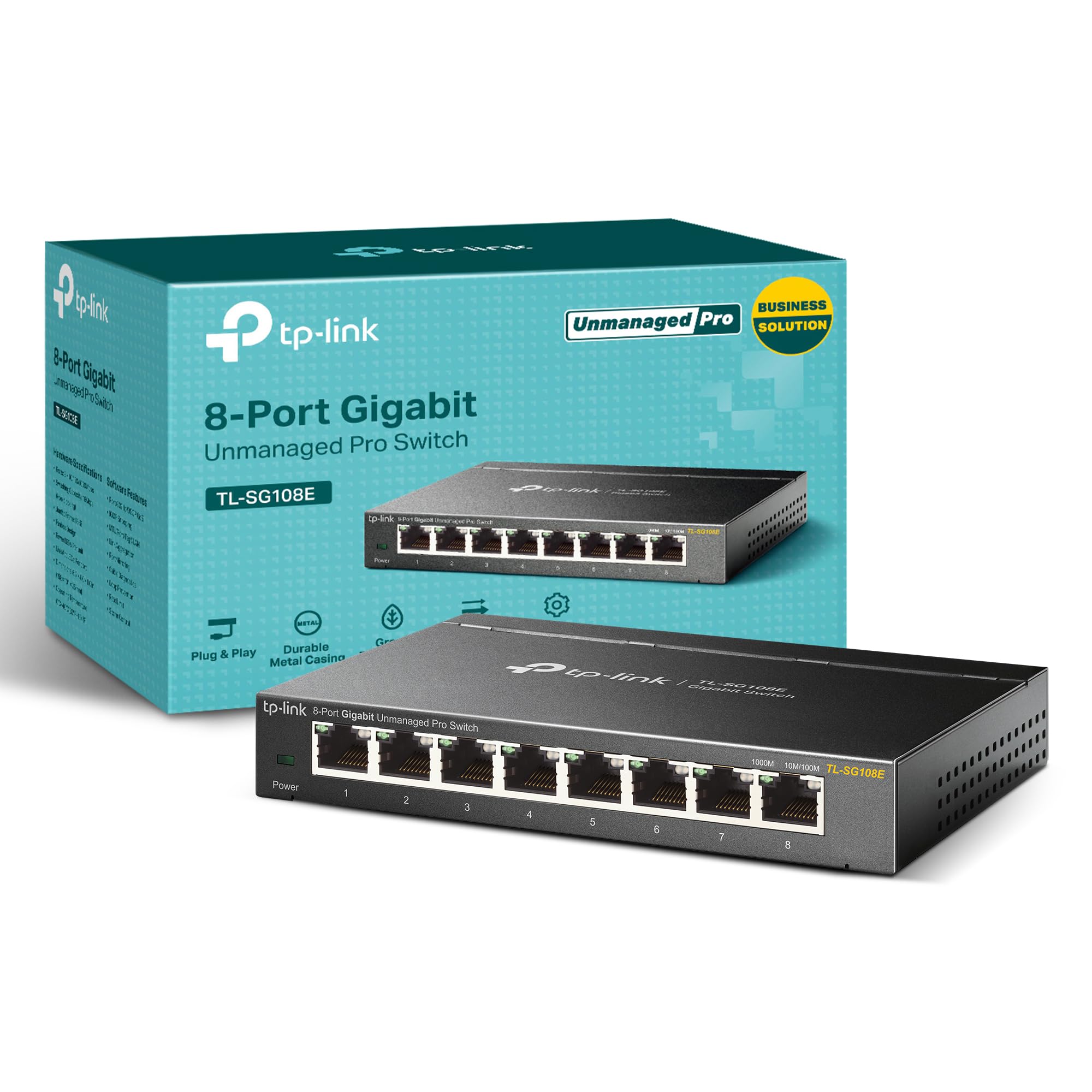
TP-Link TL-SG108E

95 /100
LBD Score Outstanding

Key details

Ports
8
Speed
10/100/1000 Mbps
Warranty
5 years
Management
Web interface with VLAN and QoS
View on Amazon

For about the money of a plain eight-port switch, this one adds a web interface, VLANs, QoS, and port monitoring, then behaves like a dumb switch until you go looking for them. That order of operations is what we appreciate: plug in power and cables and you get link lights, type its address into a browser and you get the controls.

The features that justify the small premium are unglamorous. Up to 32 VLANs let you put the smart TV and the IoT gadgets on their own segment; IGMP snooping keeps multicast from a streaming box off every port; loop prevention stops a mis-wired wall jack from taking the network down; and cable diagnostics tell you which run in the wall has gone bad instead of making you swap cables one at a time. For a home office with a NAS, two workstations, and a printer that insists on being difficult, that last one saves an afternoon.

We did find the ceiling. This is an easy-smart switch, not a fully managed one: no command line, no SNMP, and the VLAN behavior is basic next to business-class gear. The management page can also stop answering until the unit is power-cycled, and dropped links are the failure mode to watch for. Put it somewhere you can reach without moving furniture, and the five-year warranty — the longest of anything here — covers the rest.

Physically it is a 6.2-inch metal slab that sits on a shelf or hangs on a wall, and at 1.1 pounds it stays put when you push a stiff cable into a port. Silent, unremarkable, and easy to forget about, which is the highest compliment a switch can get.

Pros

  • Managed features for barely more than an unmanaged 8-port
  • VLANs, QoS, and IGMP snooping through a browser
  • Cable diagnostics and loop prevention save troubleshooting
  • Five-year warranty, the longest here

Cons

  • No CLI or SNMP; VLAN tools are basic
Our verdict

Buy the TL-SG108E if you want a guest VLAN, a home lab, or port diagnostics: it costs about what a plain eight-port does and behaves like one until you need more.

Check Latest Price
3

Best for Small Offices

NETGEAR GS316v3

96 /100
LBD Score Outstanding

Key details

Ports
16
Speed
1 Gbps
Mounting
Desktop or wall mount
Switching Features
802.1p QoS, 9K jumbo frames
View on Amazon

Sixteen ports is the number where a home network stops being a hobby. Printer, NAS, two access points, a couple of desk runs, the TV, the console, the doorbell base — that is nine, and it leaves seven spare for whatever the next two years bring. The GS316v3 handles that with no software at all, in a fanless metal chassis 11.3 inches wide.

We set it up as the backbone for a small office rather than a desk accessory, and the two specifications that mattered were 802.1p QoS and 9K jumbo frames. QoS keeps a backup job from trampling a video call, and jumbo frames cut the overhead on large transfers to a NAS. Neither is exotic, and together they are the difference between a port multiplier and something you can build a small network around.

Maximum draw is 8.1 watts, the sort of number that matters on a box running around the clock in a closet. It ran cool and silent for us, with no fan to fail, and at 1.3 inches tall it slides onto a shelf that a rack switch will not fit.

The trade is control. There are no VLANs and no port monitoring, so everything shares one broadcast domain — fine for a house or a small studio, limiting the day you want a separate network for guests or cameras. Ours has been steady, and the three-year warranty is a real answer for the failures that do happen in this class.

Pros

  • Sixteen gigabit ports with room to spare
  • 802.1p QoS and 9K jumbo frames
  • Fanless metal chassis drawing 8.1 W maximum
  • Three-year hardware warranty

Cons

  • Unmanaged: no VLANs or port monitoring
Our verdict

For a small office or a heavily wired house, the GS316v3 is the calm choice: sixteen silent gigabit ports, QoS and jumbo frames, and a three-year warranty with nothing to configure.

Check Latest Price
4

Best for Racks

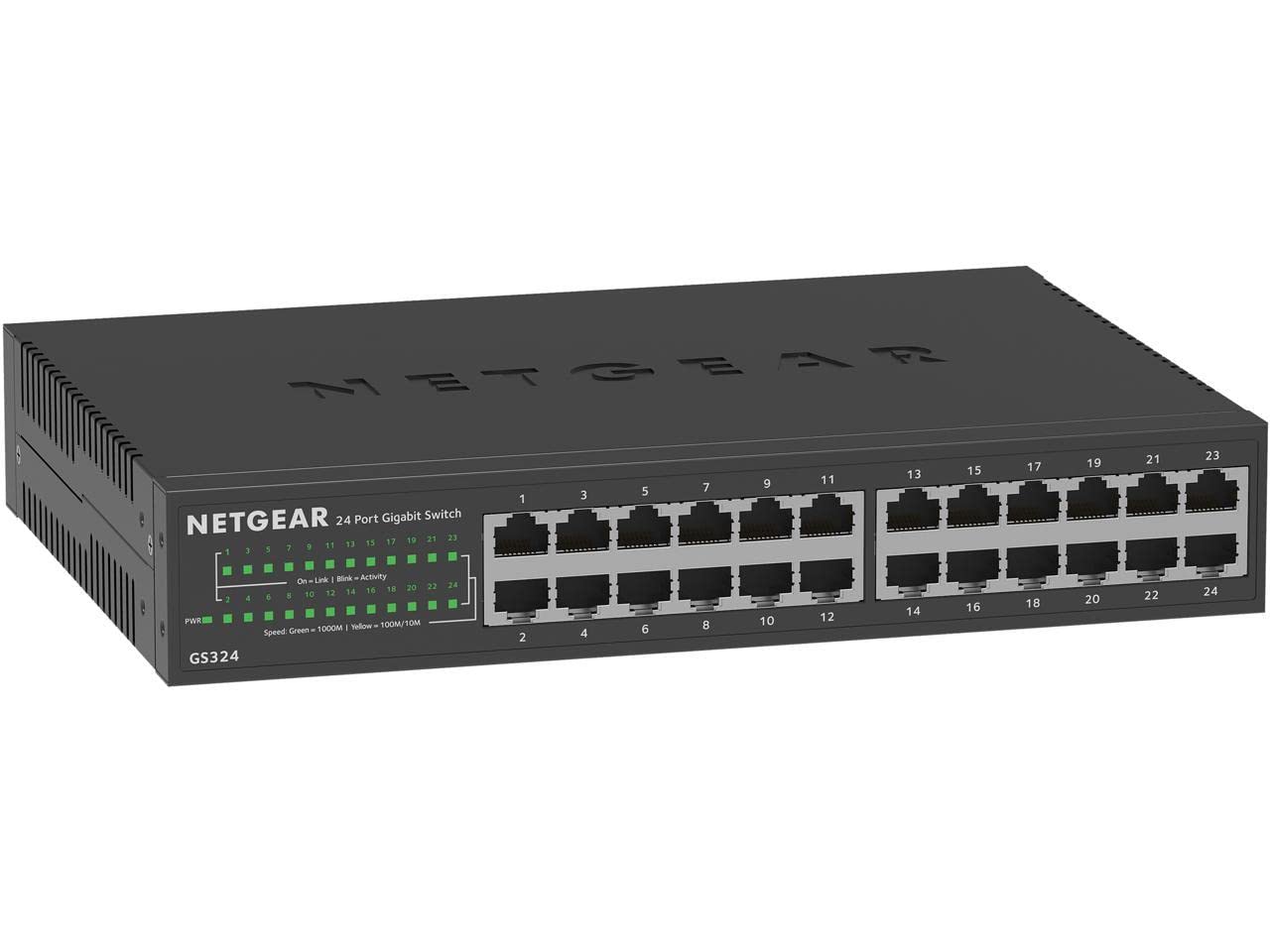
NETGEAR GS324

96 /100
LBD Score Outstanding

Key details

Ports
24
Speed
1 Gbps
Mounting
Desktop, wall, or rack mount
Warranty
3 years
View on Amazon

The GS324 is the only switch here that ships with rack ears, and it comes with rubber feet and a wall-mount kit too, so the same unit can sit on a shelf today and bolt into a rack when the wiring closet gets built. At 13.5 inches wide it wants a shelf or a rack — this is not a tuck-behind-the-TV box.

Twenty-four gigabit ports change how you think about cabling. Every drop in the house lands on a port, the printer gets a permanent one, the access points get theirs, and there are still spares for the camera or the second NAS. It is fanless and silent, which matters more than it sounds: a fan in a closet that shares a wall with a bedroom is a nuisance you notice at two in the morning.

What the port count does not buy is control. There are no VLANs, no port monitoring, and no traffic rules beyond what the connected devices negotiate, so if you want a separate network for guests or cameras, this is not the box. The three-year warranty matches Netgear's 16-port, and eight more ports for roughly the same money is the trade we would make every time — provided the space is there for a deeper chassis.

Pros

  • Rack, wall, and desktop hardware all included
  • 24 ports swallows every drop in a house
  • Fanless and quiet enough for a shared closet
  • Three-year hardware warranty

Cons

  • Unmanaged: no VLANs, monitoring, or traffic rules
  • Deep 3.12-inch chassis needs shelf or rack depth
Our verdict

Choose the GS324 when the cables end in a closet and the closet has rails: 24 silent gigabit ports, every mounting option in the box, and no configuration to forget.

Check Latest Price

How We Tested Ethernet Switches

We started by pulling every switch we could find in the five- to 24-port range, then cut the list by port count, managed versus unmanaged, and price per port, which landed us at 12 units. Each one went to work where switches actually live: behind a home-office desk, on a living-room media shelf feeding a TV and console, in a basement corner next to the router, and in a small office closet where a dozen devices share one uplink. Testing ran six months, long enough for a flaky port or a tired power supply to show itself.

Setup was timed, not eyeballed. I connected each unit downstream of the router and clocked how long it took before a laptop saw the network, first with no app at all and then with the companion app on the managed models. I also moved a large folder between two wired machines and compared the throughput against a laptop plugged straight into the router, then watched whether the link held at gigabit or quietly dropped when I swapped in older cable and a decade-old printer.

Reliability came down to a log: I recorded every dropped link and re-negotiated port across weeks of video calls and overnight backups. Quiet mattered more than expected, so after an hour of continuous transfer I sat beside each unit in a silent room and listened for fan whine, then felt the housing for heat. For durability I wiggled cables in every port, wall-mounted one and rack-mounted another, and checked whether the shielded ports kept a solid clip. On the managed units I carved out two VLANs to separate work from guest traffic and switched on QoS to see whether a large backup would starve a video call. Then we tallied price per port, because the cheapest switch that never drops a link beats a fancier one you have to reboot.

How to Choose an Ethernet Switch

Count ports, then add two

Every switch spends one port on the cable back to your router, so a 5-port unit gives you four usable jacks and an 8-port gives you seven. Count what will live on cable — TV, console, desktop, printer, NAS, access point — then add two for whatever you buy in the next year.

That arithmetic is why a 5-port is right for a media cabinet and wrong for a home office already sitting at six devices. Stepping up in size costs less than buying a second switch later and finding a second outlet for it.

Unmanaged first, managed when you can name the reason

An unmanaged switch is a power strip for network cables: plug in, get link lights, forget it. Managed models add VLANs, QoS, port monitoring, and link aggregation, and the better easy-smart ones behave like unmanaged units until you open a browser and ask for more. The TL-SG108E works exactly that way, which takes most of the risk out of buying more switch than you need today.

The trap is assuming smart-managed means enterprise. Easy-smart models keep the useful basics and leave out the command line and SNMP, and that is usually the right trade for a house or a studio.

Gigabit is the floor; 2.5G is the upgrade you plan for

Every switch here moves a gigabit per second per port, which is faster than nearly every home internet plan and plenty for 4K streaming and file transfers between computers. The switch is rarely the bottleneck — the router's uplink, the cable in the wall, and the device on the other end usually are.

If you pay for multi-gig internet or shuttle big files to a NAS, plan for 2.5G ports and Cat5e or better cabling. Everyone else should spend the difference on ports instead of speed.

Where it lives decides the chassis

A switch is a small always-on appliance, so placement is a real constraint rather than an afterthought. Fanless metal cases like these run silent and shed heat through the housing, which means they need some open air — not a sealed plastic bin or the bottom of a drawer.

Check the footprint before ordering: a 5-port is under four inches square, a 16-port is about a foot wide, and a 24-port wants a shelf or a rack. Wall kits and rack ears come with some models and not others, and a switch that does not fit is a switch you return.

Warranty is the reliability plan

These are commodity devices that either run for a decade or quit in the first year, and no spec sheet predicts which. What you can control is coverage: the picks here carry two, three, and five years depending on the model, and the longer terms cost less than a single replacement.

Keep the receipt and the box until the return window closes. If the switch feeds a home office, a spare 5-port on the shelf is the cheapest insurance in networking.

Frequently Asked Questions

Final Verdict

For most people the answer is the TP-Link TL-SG105. It is the smallest, quietest, least expensive way to turn one wall jack into four, and it disappears behind whatever is already there.

Spend up only when your situation names a reason. A NAS, a guest network, or a home lab justifies the TL-SG108E and its VLANs; a closet with a dozen drops justifies the GS316v3, and a rack justifies the GS324. Port count and management decide this purchase — everything else is packaging.