Best Overall
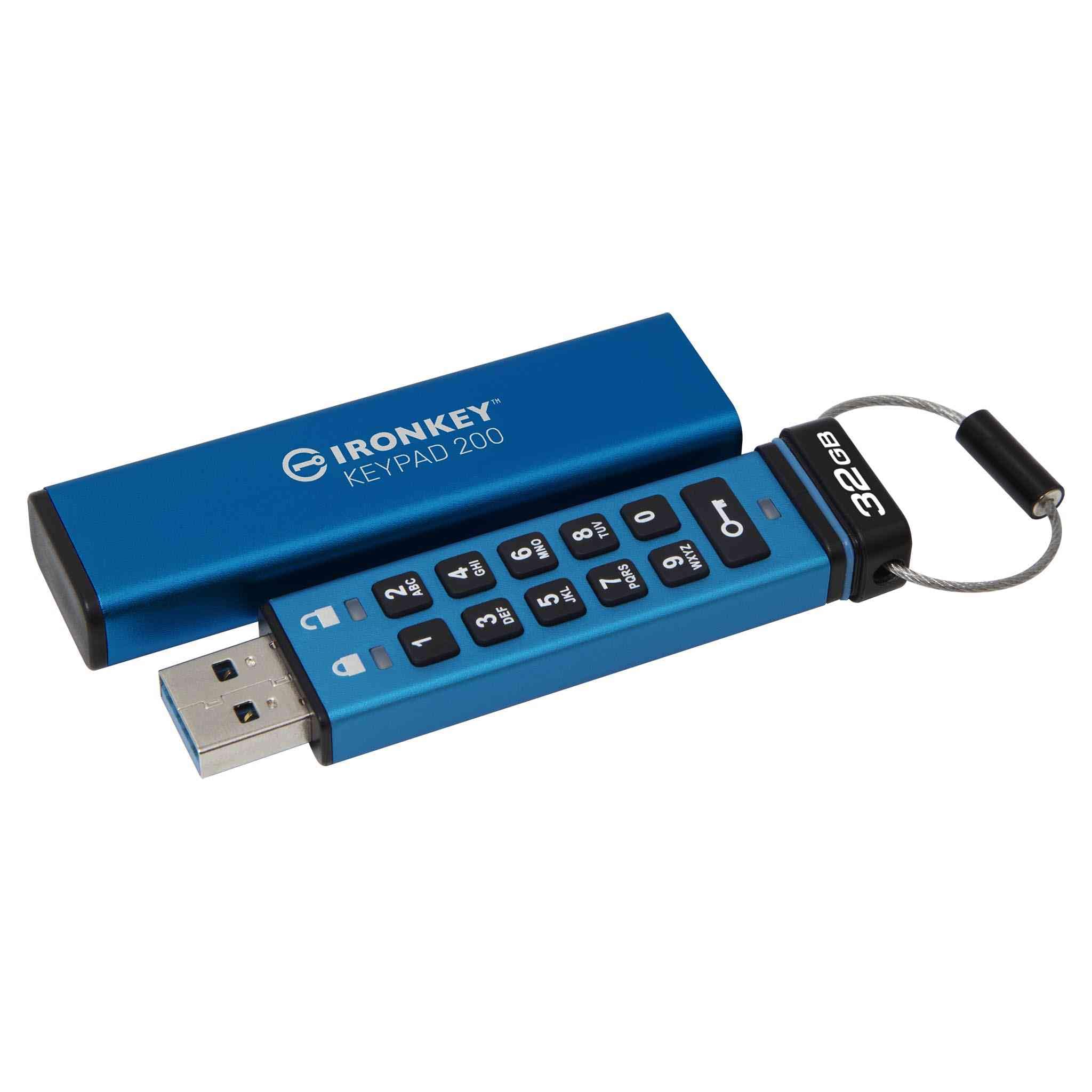
Kingston IronKey Keypad 200
Key details
- Capacity
- 32 GB
- Certification
- FIPS 140-3 Level 3 (pending)
- Access Control
- Onboard alphanumeric keypad
- Transfer Speed
- 145 MB/s read, 115 MB/s write
The PIN goes into a keypad on the drive itself, which means nothing runs on the computer you plug it into. No driver, no admin password, no unlock window that a locked-down work laptop can refuse to open. That one design decision is why this is our top pick: Kingston lists it as OS and device independent, so Windows, macOS, Linux, Chrome OS and Android all treat it as an ordinary USB drive once the correct PIN is in. For a product whose whole job is to travel with sensitive files, that independence is worth more than any single figure on the spec sheet.
Inside, Kingston specifies XTS-AES 256-bit hardware encryption, brute-force and BadUSB attack protection, and a multi-PIN option that lets an administrator add a user PIN without handing over control of the drive's settings. The certification is FIPS 140-3 Level 3 with the listing still marking it pending, which is the one point to settle before buying for a compliance file: if your organization needs a certificate number rather than a design claim, the Apricorn Aegis Secure Key 3NX already has its validation. For personal files the part that matters is in place either way, because the key stays inside the drive and a run of wrong PINs locks it down.
Transfer speed is where keypad drives traditionally give ground, and this one is no exception: 145 MB/s read and 115 MB/s write is quick for documents, password vaults, scans and photo folders, and slow next to the software-unlock drives here if you are moving video. Thirty-two gigabytes is the other ceiling, and it explains the outlay, since you are paying for the keypad and the security hardware rather than for storage. Buy it for the files you refuse to put in the cloud, not as a general-purpose drive.
Pros
- Unlocks on any machine with no software
- Separate admin and user PINs
- Brute-force and BadUSB attack protection
Cons
- Small keys need a firm, deliberate press
- USB-A plug needs an adapter for USB-C-only laptops
If you have to open sensitive files on computers you don't control, this is the drive we hand people: PIN on the drive, no software, nothing to install.