Best E Ink Tablets of 2026

An e-ink tablet promises a notebook that never runs out of pages and a screen that won't glow at you at midnight. The catch: paper is a hard act to follow. Get the pen surface wrong and every page feels like writing on cold glass; get the refresh wrong and your handwriting chases the nib. I moved my own meeting notes off paper two years ago, and what I wanted was one device to replace the notebook pile, the printed PDFs, and the paperback in my bag.

Over the past eight months, my team and I have written, sketched, and read on seven of these tablets, from palm-sized 7-inch readers to a color display built for marking up documents. Specs barely separate them; living with them does. A pen that keeps up with a fast signature, handwriting-to-text that survives a scrawl, and a front light that isn't harsh at 6 a.m. matter more than storage, and color, where you get it, is a muted wash rather than a phone screen. The picks below are the ones worth their price.

1

Best Overall

Kindle Scribe 64GB

86 /100
LBD Score Excellent

Key details

Pen
Included, never needs charging
Screen
11 in, front light with warmth
Weight
14.1 oz
Storage
64 GB
View on Amazon

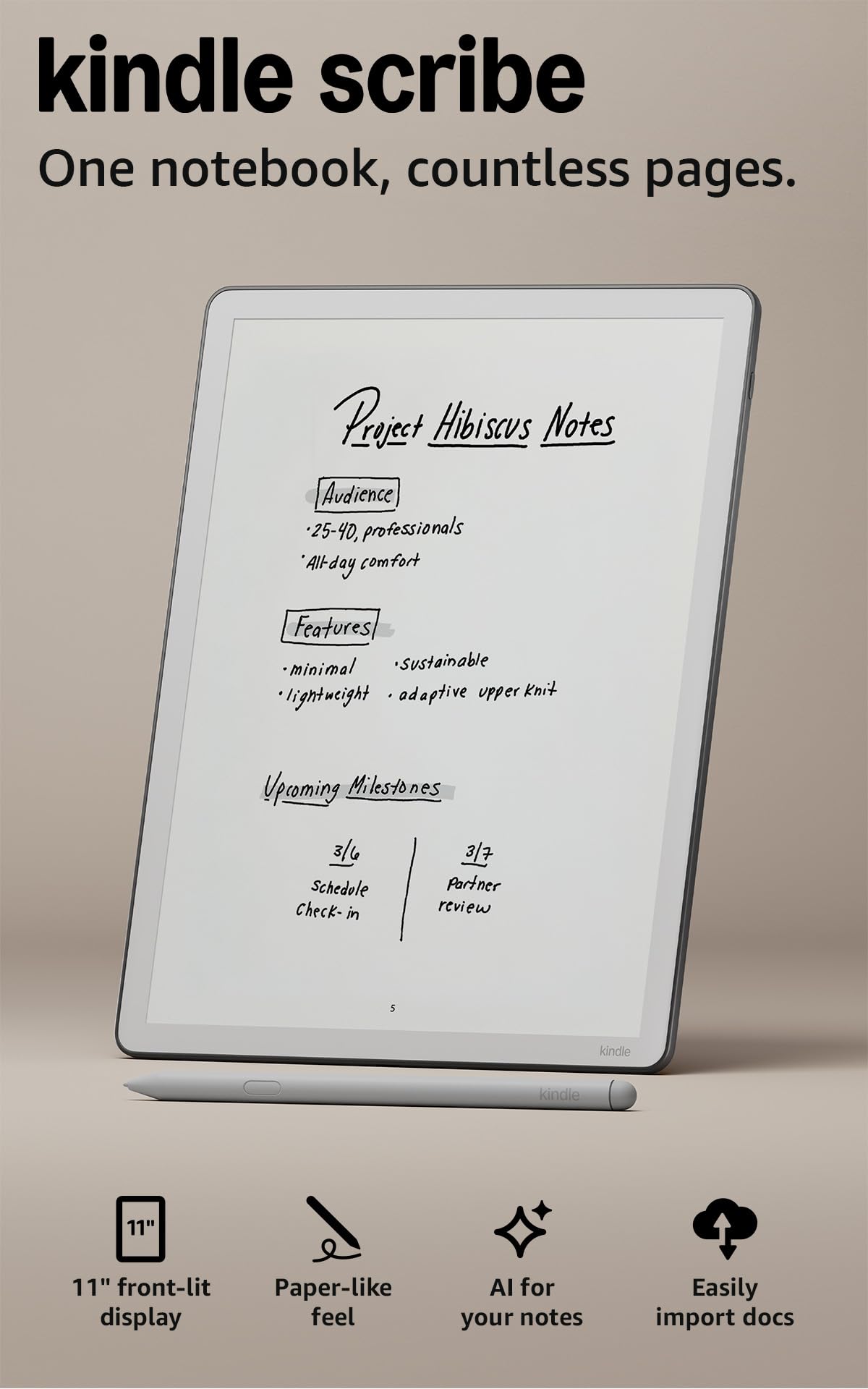
The pen that comes with the Scribe has no battery inside it, and after a few weeks that turned out to be the detail we cared about most: nothing to charge, nothing to pair, nothing that dies halfway through a meeting. The 11-inch display is big enough for a full notebook page with room to write in the margins, and the textured surface gives the nib enough drag that handwriting doesn't skate across the glass. At 5.4 mm and 400 g it's comfortable to hold in one hand while reading, especially with the light warmth turned up.

For most people this is the tablet we hand over first, because it does the two jobs a buyer actually has: notes and books. The notebook is built in, pages go out to OneNote and OneDrive when you need them on a laptop, and the AI tools search your handwriting and summarize a page, which earns its keep once a semester's notes are spread across a dozen notebooks. And the Kindle library underneath means one device for the meeting and the commute. The reMarkable Paper Pro gives you a purer notebook, but no bookstore.

The caveat is pace. Page turns, menus, and switching between a book and a notebook feel deliberate rather than instant, and there are moments when the interface asks you to think about where you are. If you write in short bursts and read in long stretches, that fades into the background. If you flip between five documents an hour, this is not the tablet we reach for.

Pros

  • Pen never needs charging
  • 11-inch screen fits a full notebook page
  • Notes export to OneNote and OneDrive
  • Front light with adjustable warmth

Cons

  • Premium price for a monochrome screen
Our verdict

We point most buyers to the Scribe because the pen never needs charging and the 11-inch page covers both meeting notes and a chapter before bed.
Check Latest Price
2

Best for Color Markup

reMarkable Paper Pro

84 /100
LBD Score Excellent

Key details

Pen
Marker Plus with eraser
Screen
11.8 in color
Weight
1.2 lb
Storage
64 GB
View on Amazon

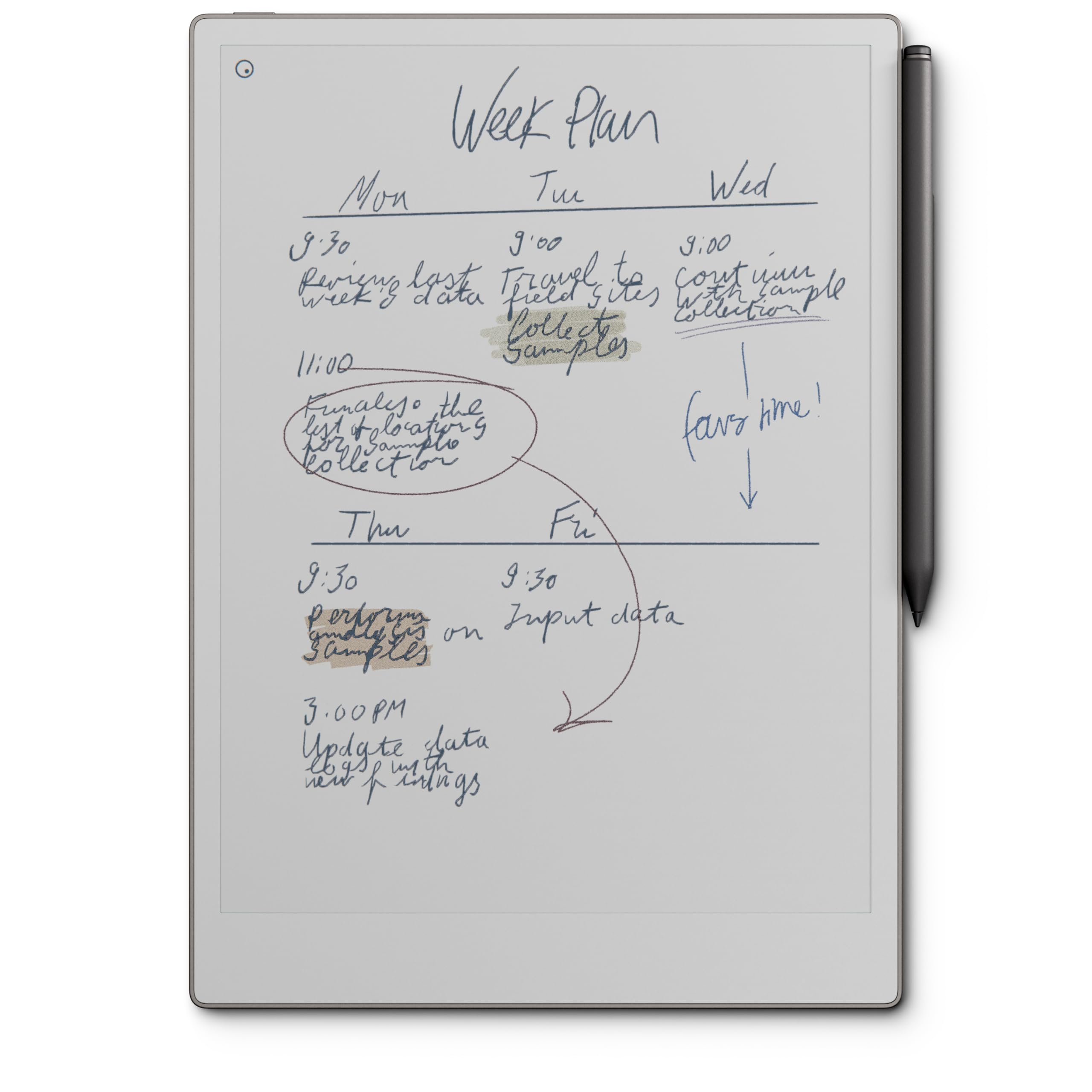
Color on an E Ink screen isn't there to make a photograph pop; it's there so you can circle a paragraph in red, mark a chart in blue, and tell your own annotations apart from the printed page. That's how we used the Paper Pro's 11.8-inch Canvas Color display, and it produced the most satisfying markup in this group. The Marker Plus has an eraser on the end, so a mistake takes a flick rather than a menu, and the reading light means you can work on it in a dim room without a laptop's glare.

The writing surface is the part we keep coming back to: enough texture that a stroke has friction, little enough lag that fast handwriting stays legible. Notes live in folders and tags, PDFs take ink directly, and handwritten pages convert to typed text. What you give up is openness. The software is deliberately narrow, with no app store to fall into, which is either the entire point or a dealbreaker depending on how you work.

One thing to weigh before committing: if the Marker stops responding, the tablet stops being a notebook until a replacement arrives, and a pen that quits in the first months is the failure worth guarding against. Buy from a seller with a straightforward return window and register the one-year warranty on day one. For someone who marks up documents and sketches in color, and wants nothing else on the screen, nothing here beats it.

Pros

  • Color markup on an 11.8-inch canvas
  • Marker Plus with a built-in eraser
  • Reading light for dim rooms
  • Battery rated at two weeks

Cons

  • Premium price for a closed notebook
  • A failed Marker takes the device out of action
Our verdict

Buy the Paper Pro if you annotate in color and want a notebook that does nothing else; it is the best marking-up surface here, at the highest price.

Check Latest Price
3

Best Bundle Value

Penstar eNote 2

83 /100
LBD Score Excellent

Key details

Screen
10.3 in, 300 ppi
Battery
6500 mAh
Storage
128 GB
Included
Two pens, folio, 10 nibs
View on Amazon

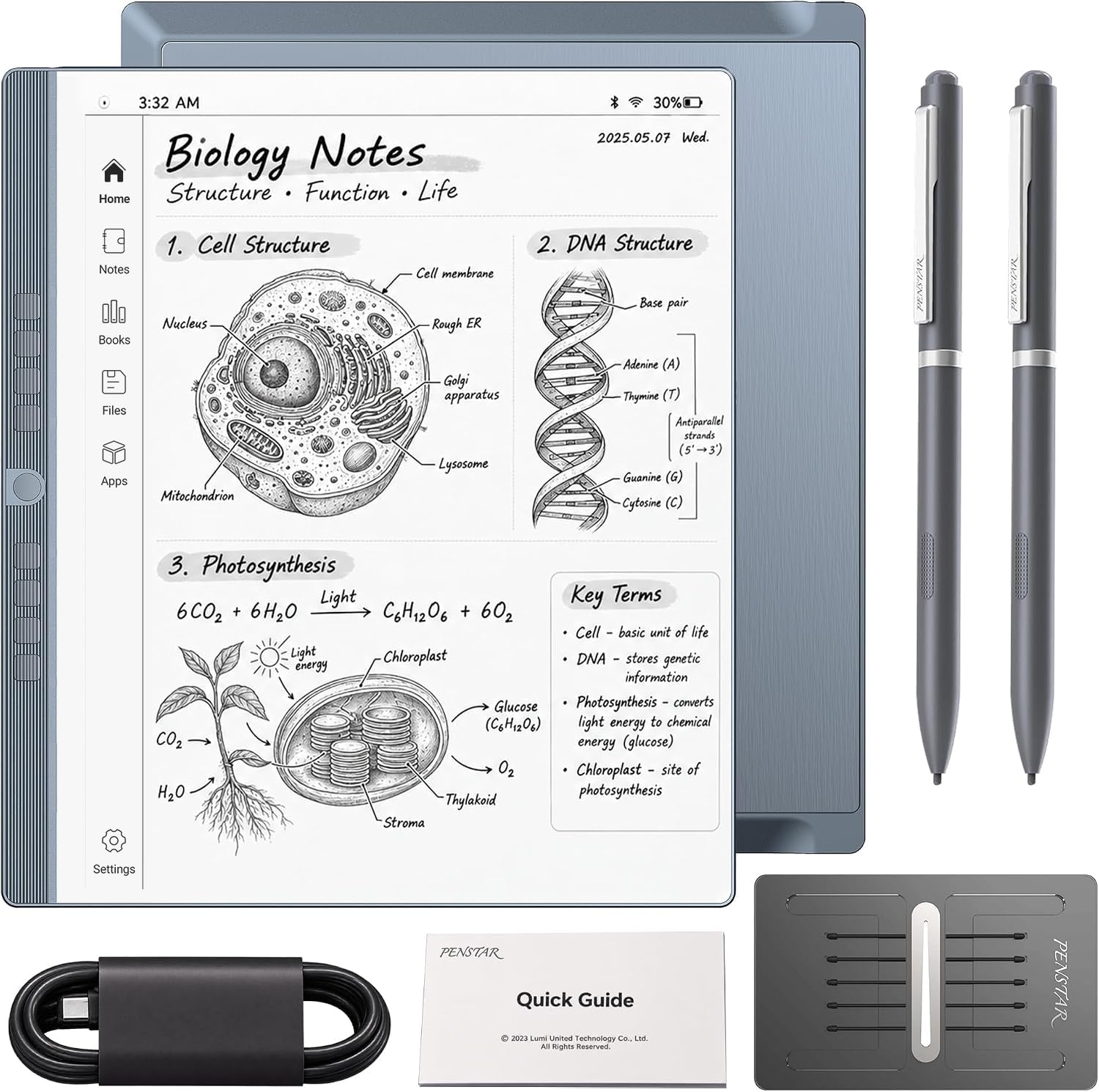
Open the box and you find two B5 pens, a leather folio, ten spare nibs, and a charging cable — the accessories most tablets in this group charge extra for. That bundle is why the eNote 2 holds its place: nothing else here arrives as completely equipped, and a second pen in the drawer is one less thing to think about when the first one goes missing.

The screen is a 10.3-inch panel at 2480 x 1860, which works out to 300 ppi, and 8192 pressure levels make the pen answer to a light stroke as readily as a heavy one. There's a four-microphone array for voice-to-text and meeting summaries, stereo speakers, 128 GB of storage, and a split-screen mode for reading a PDF while you annotate it. Navigation is stylus-only, with no finger touch, which takes a day to adjust to and then suits anyone who rests a palm on the page while writing.

Where it gives ground is software. This isn't a Google-certified device, so apps that check for Google services can refuse to run, and the built-in selection is modest — test OneNote specifically if your work lives there. We still think it earns a place ahead of several pricier tablets, because the pen, the folio, and the spare nibs are the parts you actually touch every day, and here they arrive in the box.

Pros

  • Two pens, folio, and ten nibs included
  • 300 ppi screen with 8192 pressure levels
  • 128 GB of storage
  • Voice-to-text and meeting summaries built in

Cons

  • Not Google-certified, so app choice is limited
Our verdict

The eNote 2 is the bundle to beat if you want a big screen, a spare pen, and a folio without buying anything else on day one.

Check Latest Price
4

Best Budget Full-Size

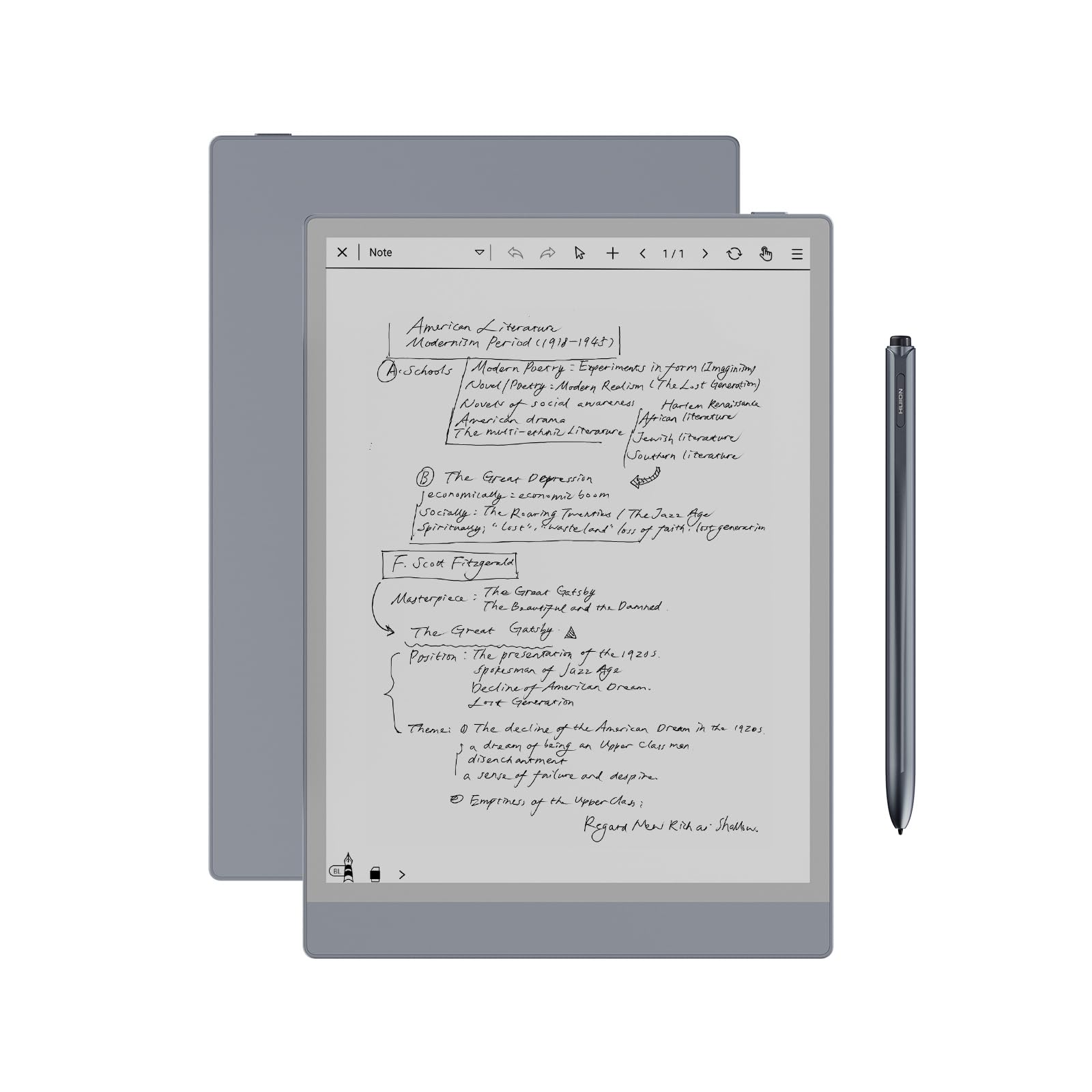
Huion Ink EB1011

81 /100
LBD Score Excellent

Key details

Screen
10.3 in, 227 ppi
Storage
64 GB
Pressure
8192 levels
Front Light
Day, Night, Bed presets
View on Amazon

The Ink EB1011 is the least expensive route to a 10.3-inch writing surface in this group, and it doesn't feel like a compromise in the hand. The glass is fully laminated, so the nib sits close to the ink, the anti-glare finish keeps a desk lamp from washing the page out, and Huion includes a leather case, a battery-free pen, and three spare refills.

Resolution is where the money was saved. At 1404 x 1872, or 227 ppi, text is softer than on the 300 ppi panels here, and dense small print in a PDF is the place you notice the difference. For handwriting it matters far less than latency, and the pen keeps up: 8192 pressure levels, no charging to think about, and a felt tip in the box if you prefer more drag. If your day is meeting notes and comments in margins, this is the value pick of the full-size tablets.

The rest is sensible: Day, Night, and Bed presets on the dual-color front light, handwriting converted to text, and a QR code that hands a page to a phone without an account. There's 64 GB of storage with Android 11 underneath, so a keyboard and a note app are within reach. Set it on a desk next to the Penstar or the Paper Pure and it holds its own on feel, which is not what we expected from the cheapest big screen here.

Pros

  • Lowest price for a 10.3-inch screen
  • Battery-free pen with 8192 pressure levels
  • Dual-color front light with presets
  • Shares pages by QR code without an account

Cons

  • Android app support is inconsistent
  • Drawing is not its strong suit
Our verdict

Spend the least on a full-size writing surface with the Huion: the pen is included, the light is adjustable, and only small print suffers.

Check Latest Price
5

Best Small Tablet

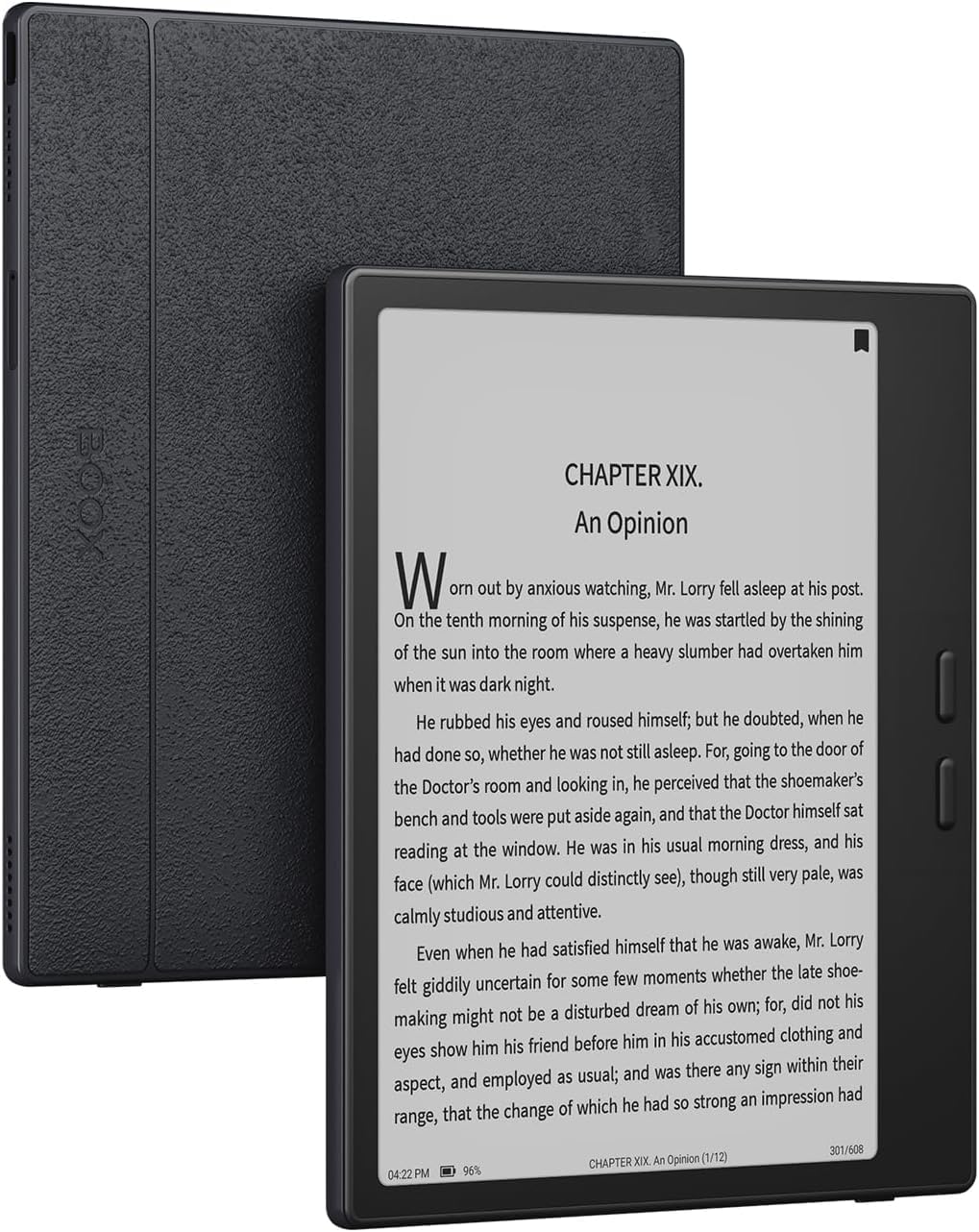
BOOX Go 7

80 /100
LBD Score Excellent

Key details

OS
Android 13
Screen
7 in, 300 ppi
Stylus
InkSense, sold separately
Storage
64 GB
View on Amazon

Seven inches is the size that goes in a coat pocket, and the Go 7 makes the most of it: a 1680 x 1264 panel at 300 ppi, with physical page buttons set exactly where a thumb already rests. Reading one-handed on a train is the use this design is built for, and those buttons are why we keep reaching for it over the touch-only tablets here.

Underneath is Android 13 with 4 GB of RAM, 64 GB of storage, a microSD slot, dual speakers, and a front light that goes warm or cold. That openness is the appeal — a reading app, a news app, and a notebook can share one screen — and it's also why setup takes longer than a Kindle's.

The pen is the catch. The Go 7 doesn't support EMR styli and works only with BOOX's InkSense active stylus, which isn't in the box, so budget for it and buy the right one: a drawer of spare pens from other tablets won't help you. The second learning curve is the refresh settings, which trade ghosting against sharpness, and the defaults are not the best ones.

As a small reader with a notebook attached, this is the one we recommend, and the buttons make it the most comfortable of the 7-inch options to hold for an hour. It isn't the tablet for a long writing session, because a 7-inch page fills up fast, and the settings screens assume you enjoy tinkering. If you don't, a Kindle is calmer company.

Pros

  • Sharp 300 ppi screen at 7 inches
  • Physical page buttons at thumb level
  • Android 13 with microSD expansion
  • Warm and cold front light

Cons

  • Stylus sold separately and only InkSense fits
  • Refresh settings need tuning to control ghosting
Our verdict

The Go 7 is our pick for reading on the move with a notebook attached, as long as you buy the InkSense pen it requires.

Check Latest Price
6

Best Lightweight Notebook

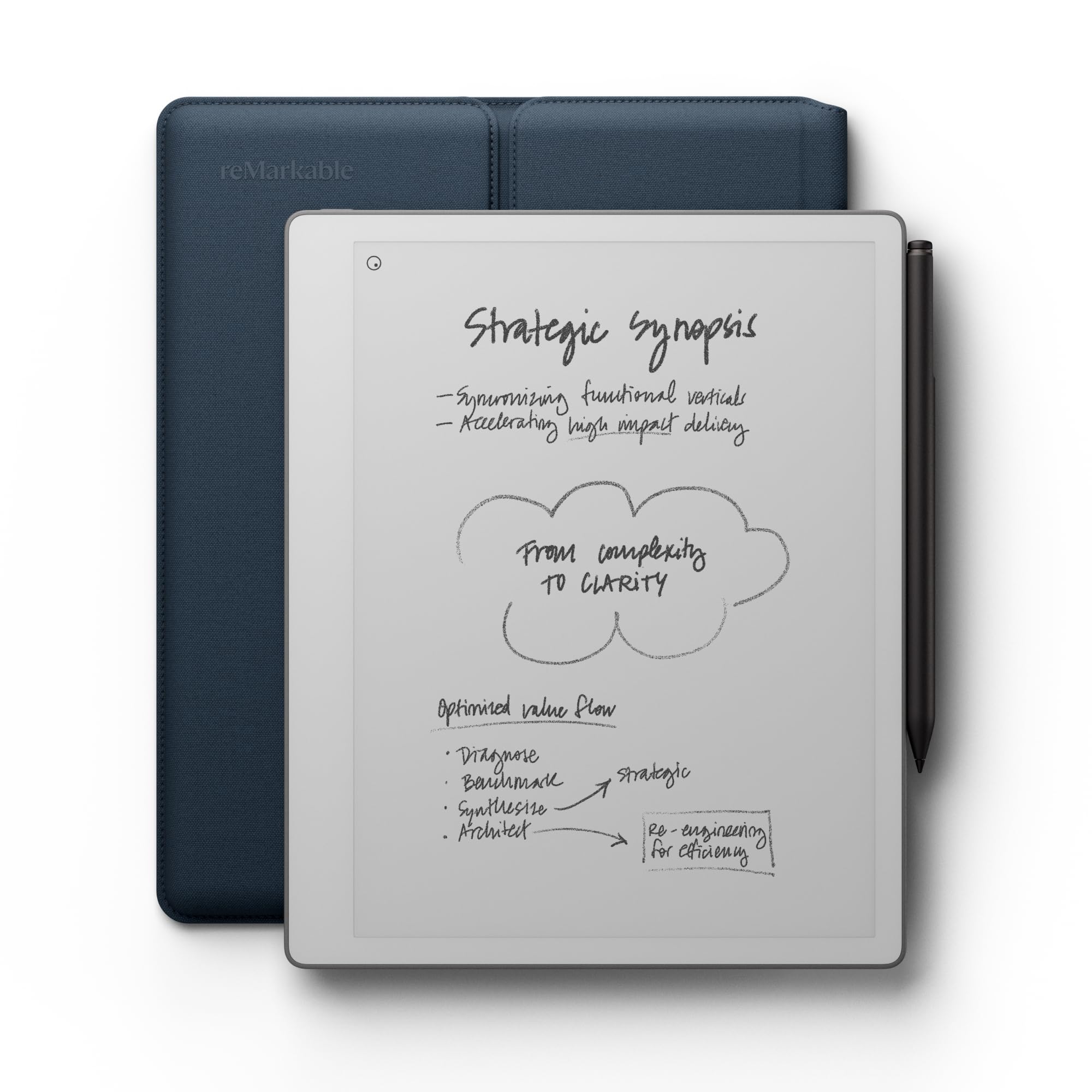
reMarkable Paper Pure

81 /100
LBD Score Excellent

Key details

Pen
Marker Plus included
Screen
10.3 in, higher contrast
Weight
12.7 oz
Ink Latency
21 ms
View on Amazon

There is no front light on the Paper Pure, and that is the first thing to get straight: this is a notebook for a desk, a window seat, or a lamp, not a dark bedroom. What you get in return is a third-generation black-and-white display that is whiter and higher in contrast than reMarkable's earlier panels, and in daylight it reads more like paper than anything else here — less grey, less shimmer, less of the glow that makes an E Ink screen look like a screen.

The rest is deliberately minimal. A 10.3-inch page, 21 ms ink latency that keeps quick handwriting legible, 360 g in the hand, which is noticeably lighter than the Paper Pro, and a Marker Plus with an eraser plus an Ocean Blue folio in the box. Notes live in folders and tags, PDFs take ink, and articles and documents come across from Google Drive, Dropbox, and Word without a cable.

This is the one we reach for when the goal is to think on a page and nothing else. It is cheaper and lighter than the Paper Pro, and the absence of color and an app store is the point rather than a shortfall. Then comes the boundary: no light means no reading in bed unless you're content with a clip-on lamp. Write at a desk and read on a sofa in daylight, and this is the better notebook of the two reMarkables; read at night, and you want the Paper Pro.

Pros

  • Whiter, higher-contrast 10.3-inch display
  • 360 g and easy to hold one-handed
  • 21 ms ink latency
  • Marker Plus and folio included

Cons

  • Some features need a paid plan
Our verdict

Choose the Paper Pure if you write at a desk in daylight: it is the lightest, whitest notebook here, and the missing light is the price.

Check Latest Price
7

Apps and Documents

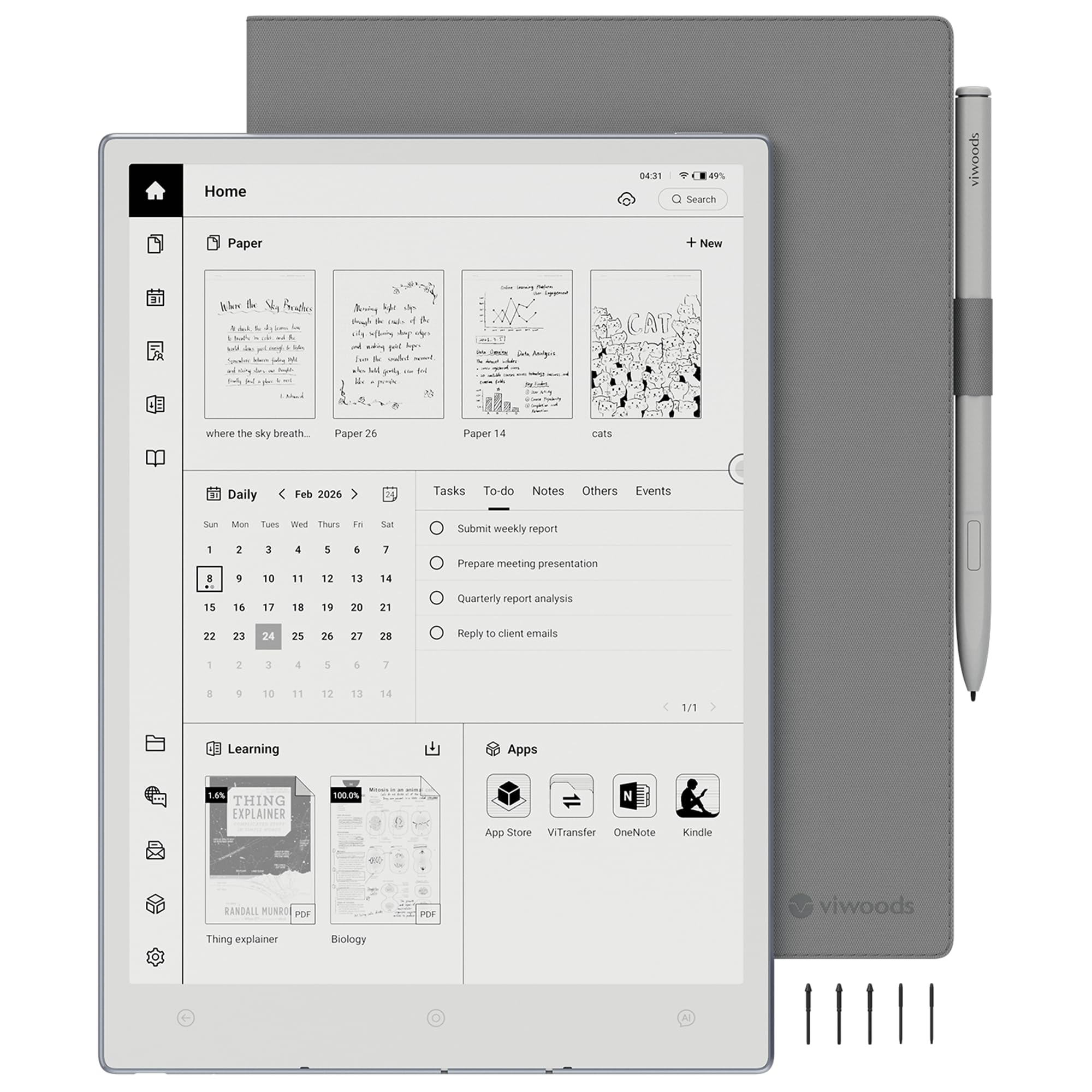
VIWOODS AiPaper

79 /100
LBD Score Very Good

Key details

OS
Android 13
Pen
W2 Stylus Pro included
Screen
10.65 in, 2560 x 1920
Pressure
4096 levels
View on Amazon

Most E Ink notebooks are islands: notes go in and rarely come out anywhere useful. The AiPaper takes the other route, with Android 13 underneath, so productivity apps, email, a calendar that syncs with Google, and the reading apps you already use can sit on the same E Ink screen as your handwriting. For a student juggling a language course and a reading list, that changes the device from a notebook into a workspace.

The screen is the other argument: 10.65 inches at 2560 x 1920 on a Carta 1300 panel, the sharpest of the big displays here. Long documents read cleanly, ghosting is well controlled for an Android tablet, and the anti-glare glass keeps a bright window from turning the page into a mirror.

Writing comes through the included W2 Stylus Pro, with 4096 pressure levels and a 750-micron gap between nib and ink that makes a stroke land where you put it. A folio and five spare nibs are in the box, and the AI tools turn a meeting into a summary or a task list. The warranty runs 14 months, longer than most here.

What gives us pause is the size of the company, not the device. This is a newer name with a much shorter history than Amazon or reMarkable, and a tablet that hangs is harder to get fixed than one from a brand with a service desk. Buy it where returns are easy and treat it as the pick for someone who wants apps and documents more than a bookstore.

Pros

  • Android 13 with productivity apps
  • 2560 x 1920 Carta 1300 screen
  • Stylus, folio, and five nibs in the box
  • 14-month warranty

Cons

  • Newer brand with a shorter support history
Our verdict

The AiPaper is worth it if your notes have to meet real apps: Android 13 on a very sharp 10.65-inch screen, from a much newer brand.

Check Latest Price
8

Cheap Reading

Musnap Ocean 7

85 /100
LBD Score Excellent

Key details

Screen
7 in with front light
Stylus
Sold separately
Weight
15.1 oz
Storage
64 GB
View on Amazon

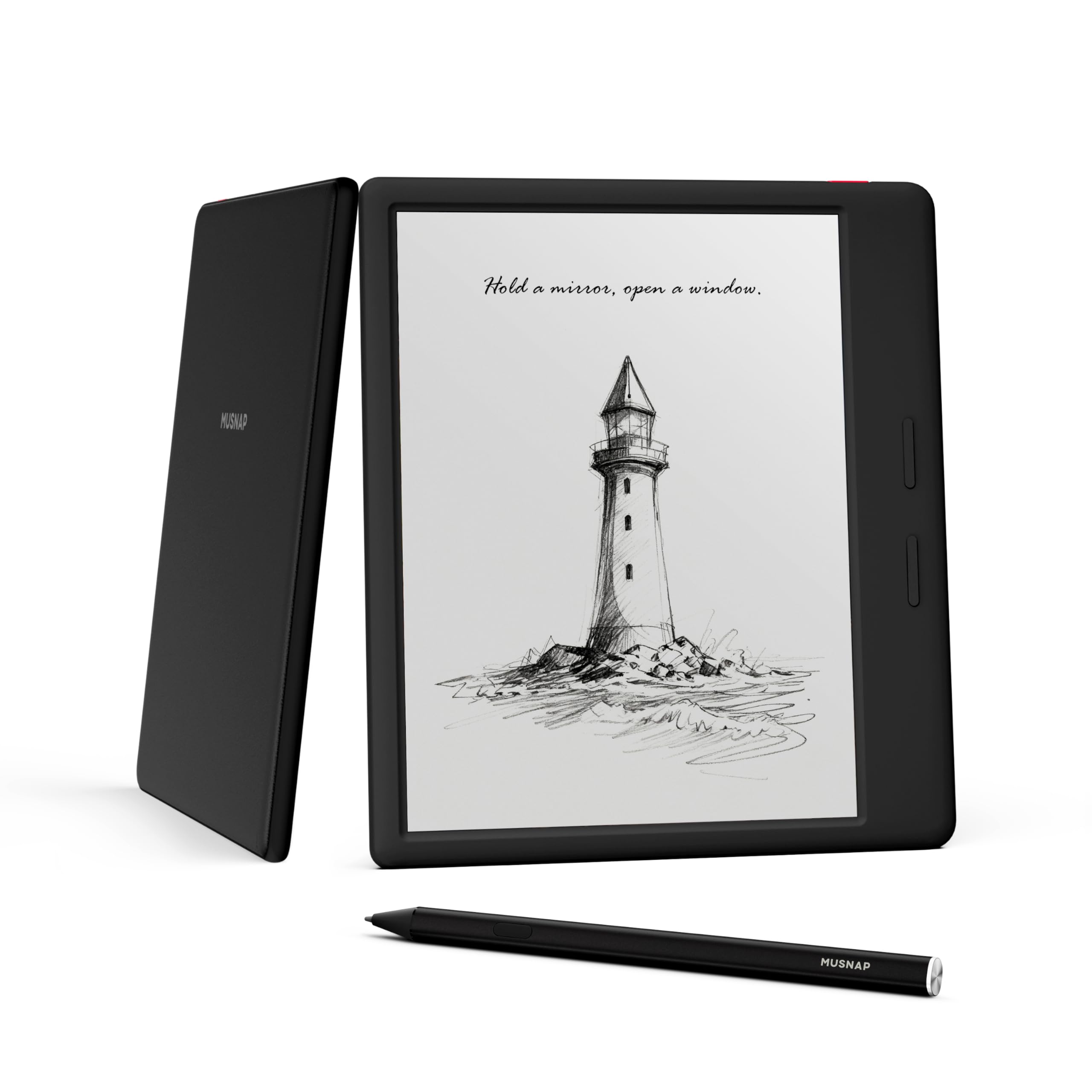
The Ocean is the quickest-feeling 7-inch tablet here. Pages turn the moment you press a button, apps open without the pause we've come to expect from small E Ink devices, and the front light is even enough to read by for an hour without hunting for a hotspot. For the money, that responsiveness is the whole pitch.

Inside is an octa-core 2.2 GHz processor with 4 GB of RAM and 64 GB of storage, running Android with Wi-Fi, Bluetooth, and USB-C, and reading just about any format you throw at it. There are page-turn buttons, a warm-to-cool front light, and a screen that stays crisp on text. The stylus is the missing piece: the Musnap pen is a separate purchase, so handwriting here is an add-on rather than the reason to buy.

Two practical notes. At 15.1 ounces this small tablet is heavier than the 11-inch Kindle Scribe, so it isn't the one to hold overhead in bed for an hour. And some units show ghosting that no refresh setting clears, so buy where you can exchange it. Read first and write occasionally, and it is a lot of device for the least money in this group.

Pros

  • Fast page turns and app switching
  • Clicky page-turn buttons
  • Front light with warm and cool tones
  • Lowest price in this group

Cons

  • Stylus sold separately
Our verdict

Buy the Ocean if reading is the job and handwriting is occasional: it is the fastest small tablet here, and the pen is an extra.

Check Latest Price

How We Chose and Tested These E Ink Tablets

We started with spec sheets: screen size and resolution, whether a front light was built in, whether the pen came in the box or cost extra, pressure sensitivity, storage, and price. That narrowed a long list to seven units — a 7-inch slate for a jacket pocket, 10.3-inch workhorses for meetings, and an 11.8-inch color panel for documents with charts in them.

Then we spent eight months with them. I used one for morning planning, commutes, and notes in real meetings, annotated a 40-page lease and a stack of PDFs, sketched a living-room layout, and read in bed with the front light turned down to its dimmest setting. Teammates took theirs to class and to job sites, and one lived loose in a tote bag through weeks of subway rides to see how the screen and pen held up.

We wrote fast to see whether the ink kept up with our handwriting, then flipped back to look for ghosting. We ran messy scrawls through handwriting-to-text and counted how many lines came out clean. We noted whether the pen needed charging, how the surface felt under the nib — glassy or faintly toothy — and whether the front light stayed warm at the low end or turned blue. The color models got highlighted and annotated to see whether pink, green, and blue held their names or drifted toward gray. We also counted the taps it took to get into a notebook, whether the menus explained themselves on the first try, and how much battery drained while a tablet sat unused.

Reliability was the slowest read: weeks of standby drain, a stylus dropped on tile, a palm resting on the screen to see whether it skipped strokes. And value came down to the box — a tablet that charges extra for the pen it needs is a different purchase than one that ships complete.

How to Choose an E Ink Tablet

Match the Screen to the Page You Write On

A 10.3-inch screen shows a Letter-size PDF close to full size, which is why it is the size most note-takers settle on, and an 11- or 11.8-inch screen adds margin space for annotation. A 7-inch tablet shows roughly half a page: fine for lists, ebooks, and quick capture, cramped for a lecture's worth of notes.

The trap at the small end is that compact describes the tablet, not the pen. Both 7-inch picks here sell the stylus separately, so a small tablet plus its pen can land near a 10-inch one. If handwriting is the main job, buy the bigger screen.

Count What Comes in the Box

Prices are hard to compare until you add the accessories back in. The Kindle Scribe, reMarkable Paper Pure, Huion Ink, and VIWOODS AiPaper all include their pen; the Penstar adds a folio and ten spare nibs; the BOOX Go 7 and the Musnap Ocean leave you to buy a stylus, and the Go 7 accepts only BOOX's InkSense model.

A pen is not a generic accessory. Add the stylus, a folio if you want one, and a pack of nibs to the cheaper tablet before deciding that it is cheaper.

Choose Your Software Before Your Hardware

The screen and pen feel similar across these devices; the software is where they part. Kindle tablets tie notes and books to Amazon's store, with export to OneNote and OneDrive. reMarkable's software is deliberately narrow, with no app store and no notifications, and some features sit behind a subscription.

Android tablets run the apps you install, but Android does not guarantee Google Play or a good stylus experience inside an app built for fingers. Rule: name the one app you cannot live without and confirm it runs with a pen before you buy.

Weigh the Light, the Latency, and the Tips

If you read in bed or on a night flight, a front light with warmth control is worth paying for, and one pick here has no light at all. For handwriting, latency matters more than resolution: 227 ppi looks soft on small print but writes fine, while a high-resolution panel with slow ink feels worse than its numbers suggest.

Tips are the running cost nobody mentions. They flatten, then drag, so check how many spares arrive in the box and where to buy more before you commit to a pen you cannot re-tip.

Frequently Asked Questions

Final Verdict

The Kindle Scribe is the E Ink tablet we point most people to, because the pen never needs charging and the 11-inch screen handles a notebook page and a novel in the same sitting. Pay for the reMarkable Paper Pro instead if you mark up documents in color and want the software to stay out of your way.

If you write on the move, the 7-inch BOOX Go 7 is the one that fits in a coat pocket — just budget for the InkSense pen, which is not in the box.