Best Tablets for Business of 2026

A tablet earns its spot in a work bag on the days a laptop feels like overkill — the client lunch, the two-hour flight, the meeting where you only need to take notes. Then the airport Wi-Fi drops, the keyboard case wobbles, and you're squinting at a spreadsheet on a screen that was never built for it. The right one fixes all three: battery that lasts a travel day, a screen you can read numbers on, and a build that survives being shoved under a seat.

I've taken meeting notes on tablets for years, and the gap between a cheap one and a good one shows up around month three, not day one. We've spent the last six months using 12 of them — slim 11-inch models, a bigger 12-inch option, one rugged outlier — and the ones that held up had honest battery life, a screen with brightness to spare, and a keyboard-and-pen setup that didn't feel like an upsell. RAM on the box matters less than whether it stays smooth with a dozen tabs and a call open. My picks are below.

1

Best Overall

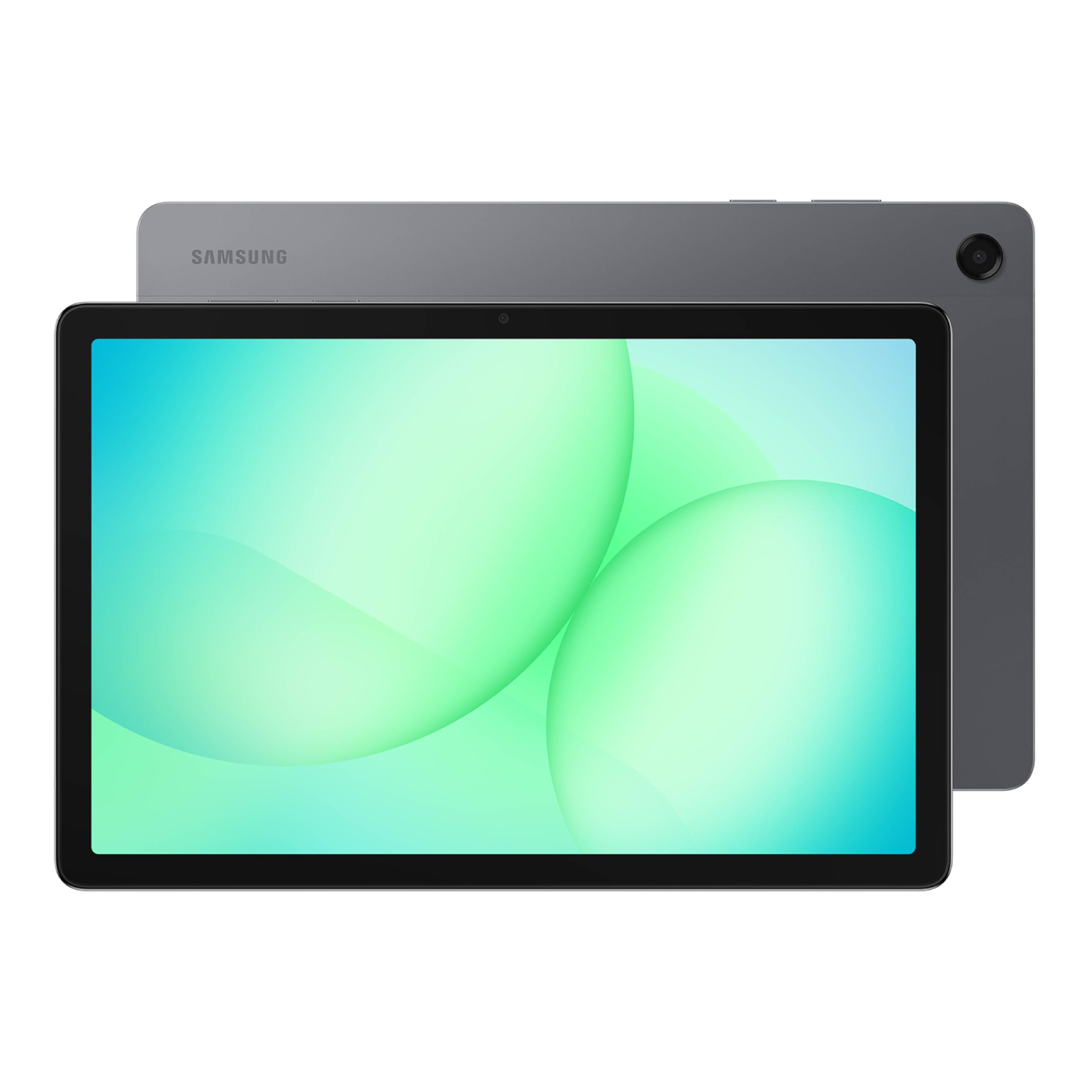
Samsung Galaxy Tab S10 Lite

91 /100
LBD Score Outstanding

Key details

Memory
6 GB RAM, 128 GB storage
Weight
1.2 lb
Display
10.9 in, 2112 x 1320
Warranty
2 years
View on Amazon

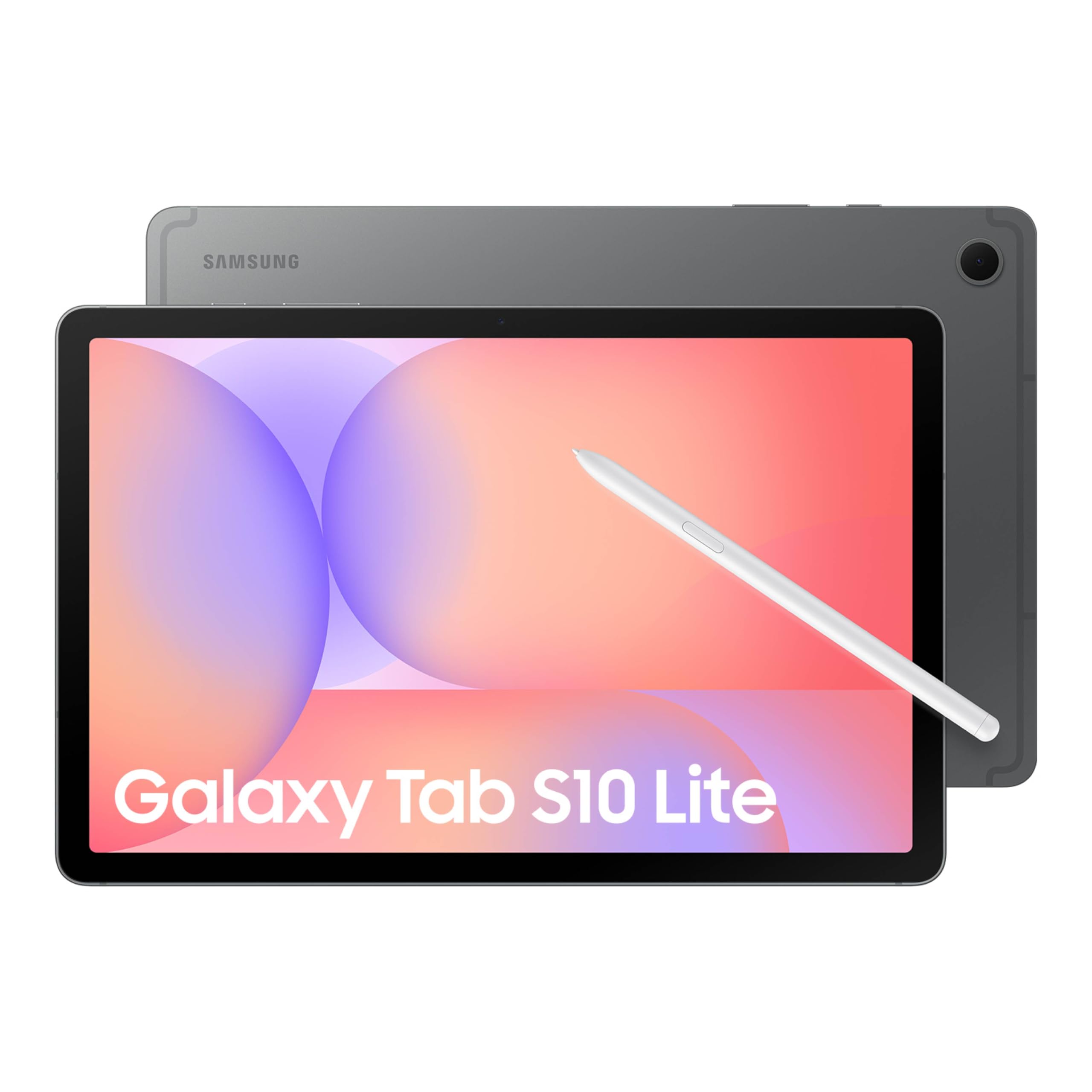
The S Pen is why this one leads our list, and it ships in the box rather than as something you buy later. For business it covers three jobs that come up constantly: notes during a meeting, comments on a contract, and a signature on a PDF nobody wants to print. Of the tablets here, this is the one we kept picking up when the work involved writing rather than watching, and it's also the steadiest performer in the group for everyday apps.

The hardware backs that up without being flashy. The 10.9-inch screen runs at 2112 x 1320 with a 90 Hz refresh — sharp enough for two windows side by side, smooth enough that scrolling a long document doesn't feel like a chore. Memory is where it gives ground. Six gigabytes and 128 GB of storage are the thinnest of the front-runners here, which makes the microSD slot (up to 2 TB) do real work rather than sit there as a bullet point.

Charging is the soft spot worth knowing about. Some units stop taking a charge after about a year, and the 16 hours of use in the listing assumes a lighter day than most people actually have. Two years of manufacturer warranty is tied for the longest in this group, and on a tablet that lives in a bag, that coverage is the reason the battery question doesn't sink it.

It won't suit everyone. If the job never involves a stylus, Samsung's own Tab A11+ doubles the storage for similar money, and the Lenovo Idea Tab undercuts both with a pen and a case included. Where this one earns its place is the writing — and 128 GB fills faster than you expect once meeting notes, recordings, and PDFs start piling up, so order the microSD card with the tablet.

Pros

  • S Pen included for notes and document markup
  • Steadiest everyday performance in this group
  • Two-year manufacturer warranty, tied for longest here
  • microSD slot takes storage to 2 TB

Cons

  • 6 GB of memory is the thinnest of the front-runners
  • No keyboard or case in the box
Our verdict

We recommend the Galaxy Tab S10 Lite to anyone whose workday runs through documents that need marking up — the included S Pen is what earns it the top spot.

Check Latest Price
2

Best Value

Lenovo Idea Tab

91 /100
LBD Score Outstanding

Key details

Memory
8 GB RAM, 256 GB storage
Battery
Up to 12 hours
Display
11 in, 2560 x 1600, 90 Hz
In The Box
Tab Pen and folio case
View on Amazon

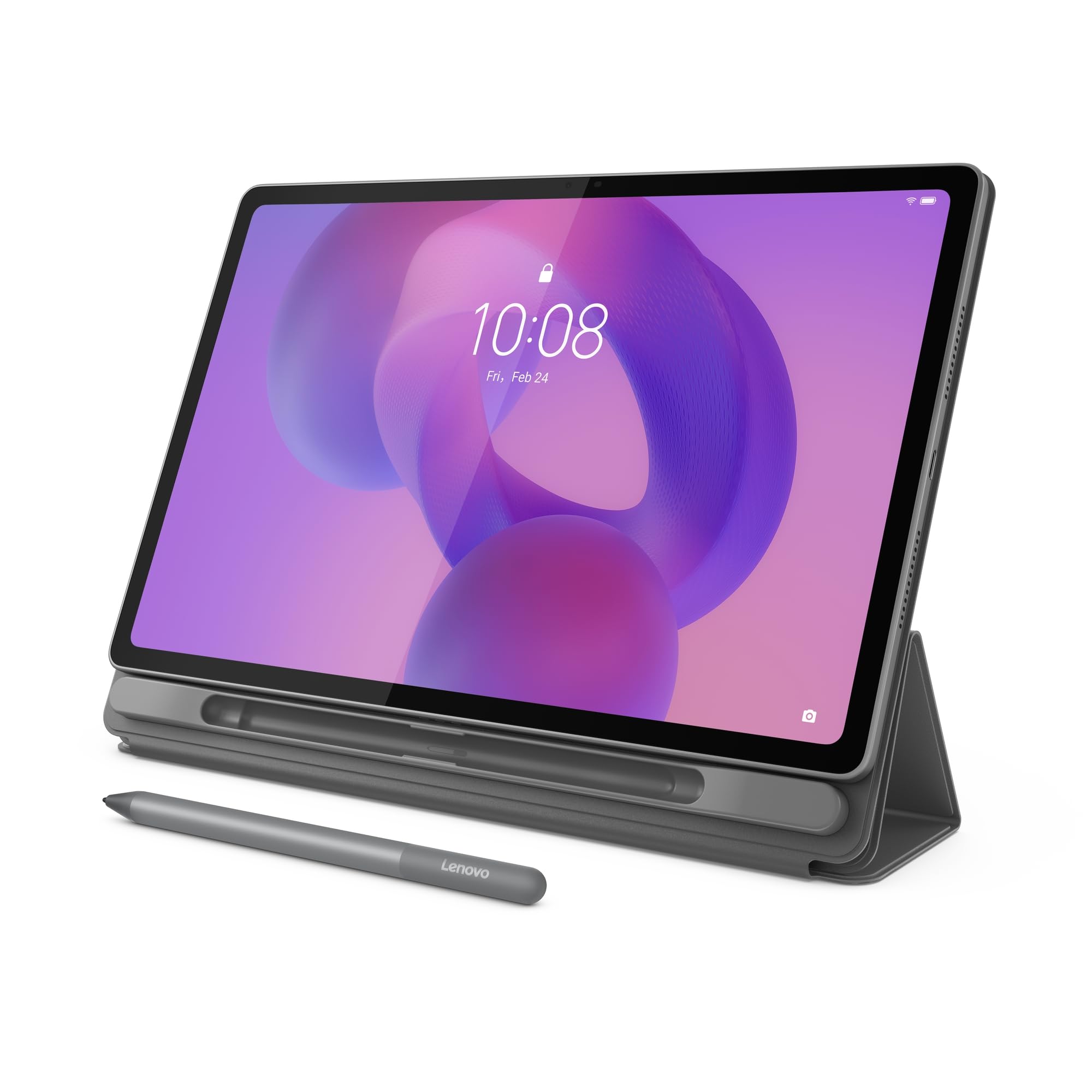
The Idea Tab is the value play of this group: it matches the top pick on memory, doubles its storage, throws in a pen and a folio case, and still costs less. If a sentence like that makes you suspicious, the rest of this review is about where the money came from.

Mostly from the processor and the warranty. The MediaTek Dimensity 6300 is a step down from the Samsung's Exynos — fine for email, a browser, and a document, not the chip you want if your day is video calls with a spreadsheet open behind them. Coverage is one year instead of two, and it ships with Android 15 rather than 16. What you get back is a genuinely good 11-inch 2560 x 1600 panel at 90 Hz, 8 GB of memory, 256 GB of storage, Wi-Fi 6, and 1.1 pounds of tablet that disappears into a bag.

The catch to plan around is Wi-Fi. Connections drop when the tablet moves between mesh nodes, the same weak spot the other picks here share. In a single-router office you'll never notice it; in a building with three access points, plan on a fixed desk rather than roaming the floor. We still think the trade is worth making — nothing else here pairs a pen, a case, 8 GB, and 256 GB at this price, and the screen alone is better than the money suggests.

Pros

  • Pen and folio case both included
  • 8 GB of memory and 256 GB of storage
  • Sharp 2.5K panel at 90 Hz
  • Light at 1.1 pounds

Cons

  • Wi-Fi drops when moving between mesh nodes
  • One-year warranty against Samsung's two
Our verdict

The Idea Tab is what we hand someone who needs a pen, a case, and room for their files without paying flagship money.

Check Latest Price
3

Best for Multitasking

Samsung Galaxy Tab A11+

92 /100
LBD Score Outstanding

Key details

Memory
8 GB RAM, 256 GB storage
Battery
26.34 Wh
Display
11 in, 1920 x 1200, 90 Hz
Warranty
2 years
View on Amazon

Eight gigabytes of memory and 256 GB of storage ties it with the Lenovo Idea Tab for the most headroom in this group, and it arrives with Android 16 — the newest software here — plus a two-year manufacturer warranty. An 11-inch 90 Hz screen, quad Dolby Atmos speakers, and a 1.1-pound body round out a spec sheet that reads like the sensible default for an office tablet.

What it's actually for is the person whose day is a browser with too many tabs, a chat app, a video call, and a spreadsheet that has to stay open behind all of it. That's the workload where the extra memory earns its keep, and it's why this is the pick we make for multitasking. It lists Bluetooth keyboards and mice among its compatible devices, so hardware you already own will do — but there's no pen in the box and no keyboard either, which is the real difference between this and the S10 Lite.

Wi-Fi is the thing to test in your own building. Connections drop when the tablet moves between access points, and that single flaw is what keeps this from being an easy recommendation over the Samsung for everyone. If your team works across a large floor, buy one, use it for a week in the spots where people actually sit, and only then order the rest.

Pros

  • 8 GB RAM and 256 GB storage, tied for most here
  • Android 16 and a two-year warranty
  • Pairs with Bluetooth keyboards and mice
  • Light at 1.1 pounds with a 90 Hz screen

Cons

  • Wi-Fi drops when moving between access points
  • No pen or keyboard included
Our verdict

For a tablet that keeps several work apps open all day, the Tab A11+ is our pick — 8 GB of memory, 256 GB of storage, and two years of cover.

Check Latest Price
4

Best Big Screen

Lenovo Idea Tab Plus

87 /100
LBD Score Excellent

Key details

Memory
8 GB RAM, 128 GB storage
Weight
1.2 lb
Battery
39.1 Wh
Display
12.1 in, 2560 x 1600, 90 Hz
View on Amazon

A 12.1-inch screen sounds like a luxury until you try to read a contract in one window and a specification in the other. At 2560 x 1600 that's two genuinely readable columns, and the 90 Hz refresh keeps dragging a long document from feeling like punishment. This is the tablet in the group built around that one job.

It stays portable while doing it. The Idea Tab Plus is 1.2 pounds and a quarter-inch thick, the Tab Pen and folio case come in the box, and the 39.1 Wh battery is the largest in this group. The panel carries TÜV Rheinland low blue light certification, which stops being a spec-sheet line and starts mattering on a day that runs from a morning inbox to an evening proposal.

The compromise is speed and storage. The Dimensity 6400 handles documents, mail, and browsing without drama, but the tablet can lag when several heavy apps compete for it, and 128 GB is half what the smaller Idea Tab gives you. If you keep video or a big PDF library on the device, budget for a microSD card from the start rather than discovering the limit in month three.

Our read is that this is the best of the group for document-heavy work on a big canvas, and the one we reach for when a job means comparing two things on screen for an hour. If your day looks like that, the occasional lag is a fair trade. If it looks like twenty tabs and a video call, the Galaxy Tab A11+'s 8 GB and 256 GB serve you better.

Pros

  • 12.1-inch 2.5K screen makes two windows usable
  • Largest battery in this group at 39.1 Wh
  • Tab Pen and folio case included
  • Only 1.2 pounds at this screen size

Cons

  • 128 GB of storage, half the Idea Tab's
  • Can lag with several heavy apps open
Our verdict

We point to the Idea Tab Plus when the work is documents side by side — the biggest, sharpest canvas here, with the pen and case already in the box.

Check Latest Price
5

Best for Field Work

AGM PAD P2 Active

84 /100
LBD Score Excellent

Key details

Battery
8,000 mAh
Display
11 in, 1920 x 1200, 480 nits
Cellular
4G LTE, unlocked
Rugged Rating
IP68 and IP69K
View on Amazon

Some tablets belong in a truck. The AGM P2 Active carries IP68 and IP69K ratings, an unlocked 4G LTE radio, GPS, and a compass, which is a different brief from everything else here: it's meant to be rained on, dropped in a warehouse, and used somewhere with no Wi-Fi in reach.

The armor costs weight. At 1,402 grams — about 3.1 pounds — it's nearly three times the heft of the Idea Tab, and you feel it after ten minutes of holding it one-handed. The 480-nit screen is modest in direct sun and Android 14 puts it two versions behind the Samsungs. What you get back is 8 GB of memory, 256 GB of storage with a 2 TB card slot, an 8,000 mAh battery, and a protective case in the box.

Two things to test while the return window is open. The rotating handle on the back of the case is the part that has failed, and battery endurance is uneven enough that a full shift isn't guaranteed on every unit. Sealing is only as good as the port covers — leave one open and the IP rating is protecting nothing at all.

For crews who need a tablet that goes where the work is, this is the only pick here with the radios and the sealing to do it, and that is worth both the weight and the dimmer screen. For everyone else it's three pounds of insurance against a hazard that isn't there.

Pros

  • IP68 and IP69K sealing for wet or dusty sites
  • Unlocked 4G LTE plus GPS and compass
  • 8,000 mAh battery and 256 GB storage
  • Protective case included

Cons

  • About 3.1 pounds
  • Android 14, two versions behind the Samsungs
Our verdict

The P2 Active is for the tablet that lives in a truck or on a site — IP68 and IP69K sealing plus unlocked LTE, which nothing else in this group offers.

Check Latest Price
6

Bundle Buyer

TABWEE T90

85 /100
LBD Score Excellent

Key details

Memory
8 GB RAM, 128 GB storage
Battery
8,000 mAh
Display
11 in, 1920 x 1200
In The Box
Keyboard, mouse, stylus, case
View on Amazon

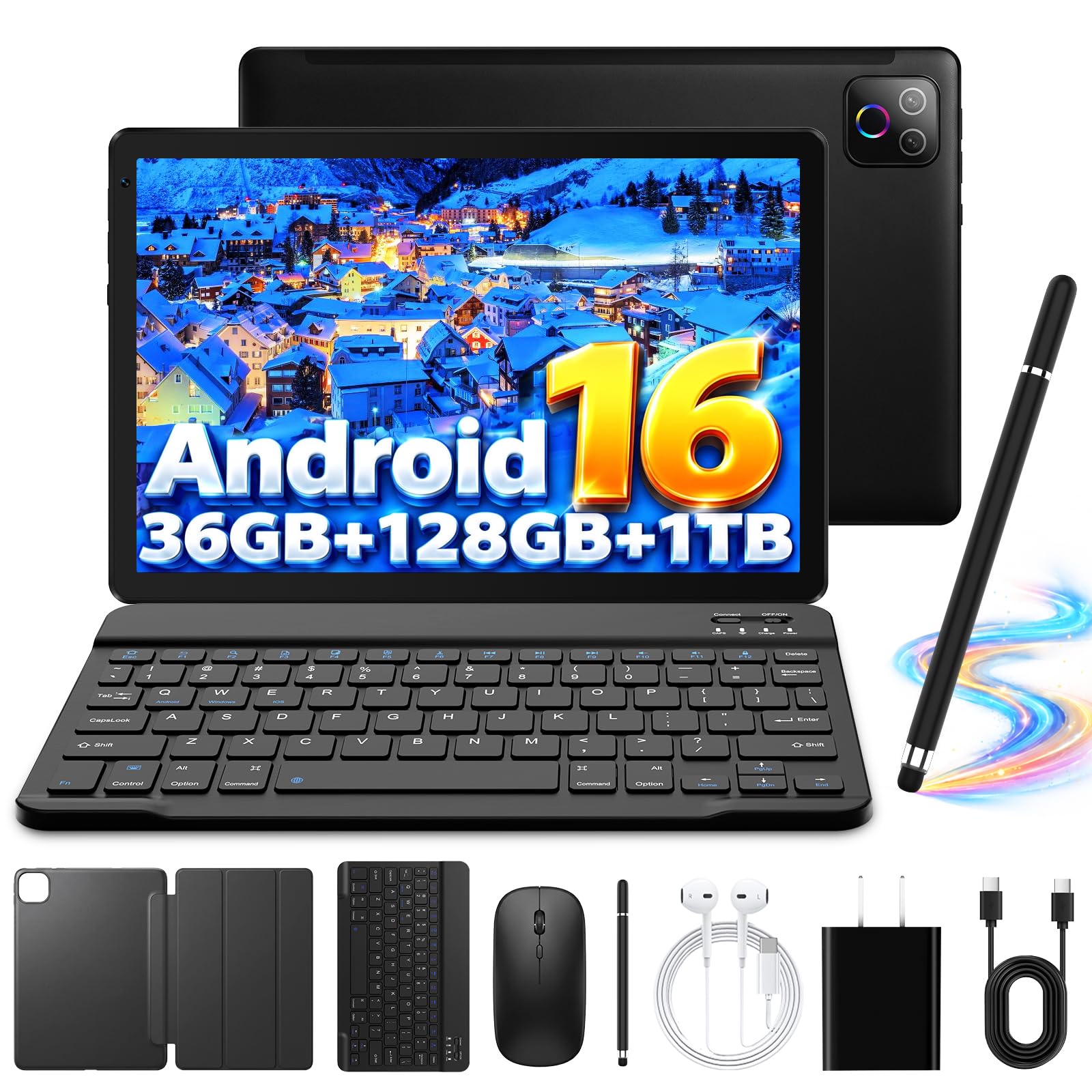
Open the box and you have a workstation: tablet, keyboard, mouse, stylus, and case in a single purchase. That's the whole argument for the T90, and for a small business equipping a reception desk or a remote worker who needs something at a kitchen table, it's a real one.

Read the memory line carefully. The 24 GB on the listing is 8 GB of physical memory plus 16 GB of virtual expansion, and virtual memory borrows from storage — it keeps a browser tab from reloading, it doesn't make a slow tablet fast. The 60 Hz screen is a step behind the 90 Hz panels on the Samsungs and Lenovos, and the Unisoc processor is built for everyday apps rather than heavy ones. Slowness and freezing appear on some units, so this isn't a tablet to buy sight unseen for a desk that can't afford a bad afternoon.

Buy it as a bundle, not as a laptop replacement. For email, a browser, a document, and a chat app with a real keyboard attached, it does the job at a price that lets you buy several. For anything that needs two heavy apps running at once, the Lenovo Idea Tab is the better use of the money.

Pros

  • Keyboard, mouse, stylus, and case all included
  • 8,000 mAh battery
  • Android 16 out of the box
  • 11-inch 1920 x 1200 screen

Cons

  • The 24 GB RAM claim is 8 GB plus virtual
  • Some units run slow or freeze under load
Our verdict

When a keyboard in the box matters more than raw speed, the T90 is the bundle we point to — just don't expect it to keep pace with the Samsungs.

Check Latest Price
7

Budget Rollout

Evermyth X109L

84 /100
LBD Score Excellent

Key details

Memory
6 GB RAM, 128 GB storage
Battery
6,000 mAh
Display
10.1 in, 1280 x 800
Wireless
Wi-Fi 6, Bluetooth 5.4
View on Amazon

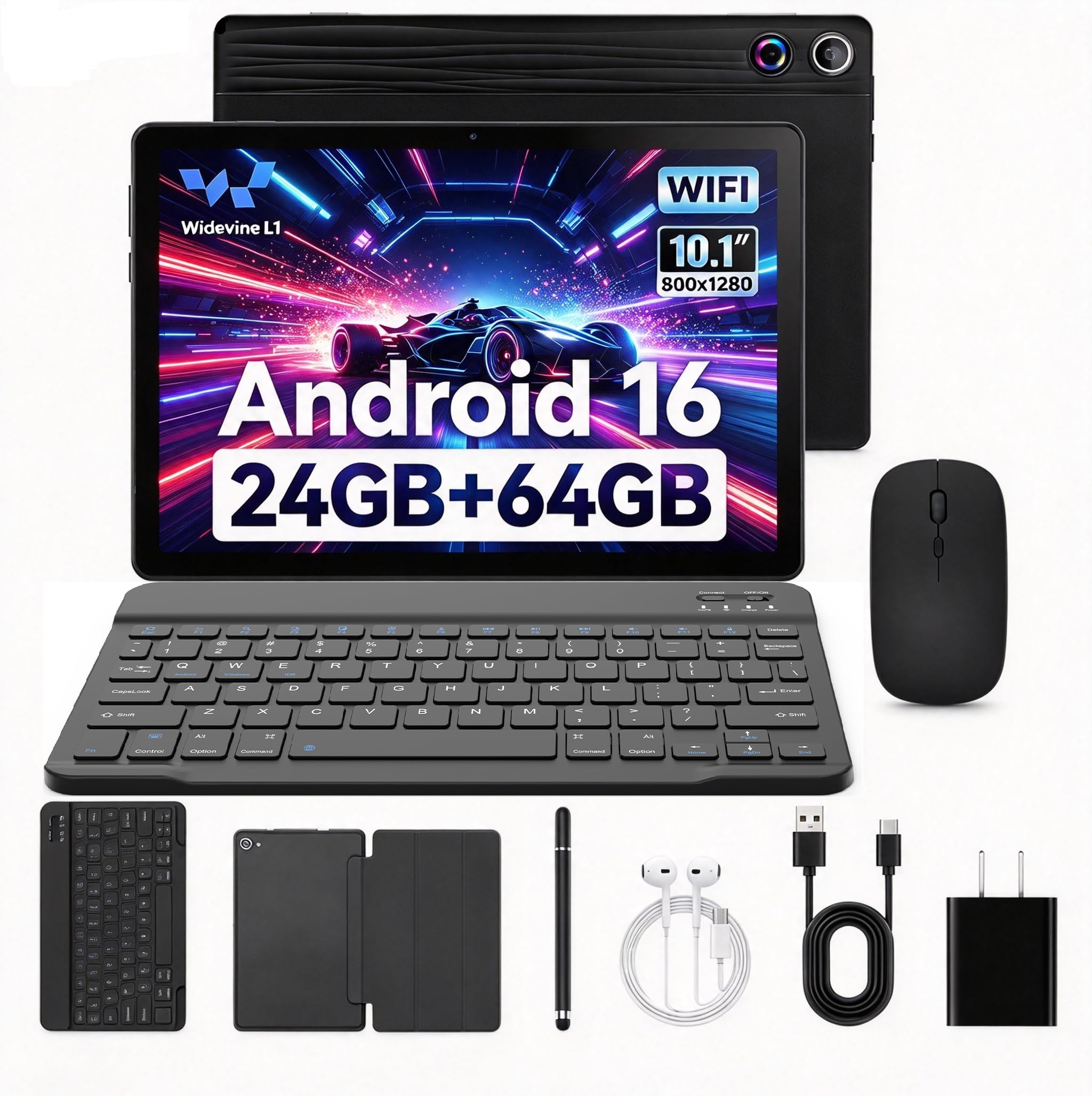
The X109L is the cheapest route here to a 128 GB tablet with a keyboard, and by a comfortable margin. Wi-Fi 6 and Bluetooth 5.4 are current standards rather than last-generation ones, and the box includes a keyboard, a mouse, a stylus, a case, and even headphones — the sort of bundle you buy when five people need something and the budget is one number.

Then look at the screen. A 1280 x 800 panel on a 10.1-inch display is the resolution floor of this group, and an Allwinner processor at 1.8 GHz is not the chip you want running a video call while a spreadsheet recalculates. Treat it as a single-purpose device — a browser-based line-of-business app, email, a PDF, a chat window — where one thing runs at a time and the keyboard is the point. At that job it's fine, and the price is the whole reason it's here.

The sensible way to buy a device this new is one at a time. Put it through the week your team actually has, check the screen outdoors, and order the rest only if it holds up. That's a slower rollout than buying twelve at once, and considerably cheaper than buying twelve of the wrong thing.

Pros

  • Lowest price here for 128 GB with a keyboard
  • Keyboard, mouse, stylus, case, and headphones included
  • Wi-Fi 6 and Bluetooth 5.4

Cons

  • 1280 x 800 screen is the lowest resolution here
  • Allwinner chip limits it to one app at a time
Our verdict

The X109L is the least expensive way here to put a 128 GB keyboard tablet on a desk — which is what matters when you're buying five of them.

Check Latest Price
8

Single-Purpose Use

Jeazans KB10L

81 /100
LBD Score Excellent

Key details

Memory
3 GB RAM, 64 GB storage
Battery
18 Wh
Display
10.1 in, 1280 x 800
In The Box
Keyboard, mouse, stylus, case
View on Amazon

Twenty-four gigabytes of RAM is not what this tablet has. It has 3 GB of physical memory and 21 GB of virtual expansion, and that difference decides what you can do with it: one app at a time comfortably, two if neither is demanding. At this price that's a fair trade for a front desk, a kiosk, or a spare screen for email and a scheduling app — and a bad one if you expect it to behave like the tablets above it on this list.

The rest of the package is honest about what it is: a 10.1-inch 1280 x 800 screen, 64 GB of built-in storage that a 1 TB microSD card can carry, a 6,000 mAh battery, and a keyboard, mouse, stylus, leather case, and charger in the box. Speed and battery are the two places the low price shows most, and neither is a surprise at this end of the market — which is why we'd point it at a job where nothing has to happen quickly.

Pros

  • Cheapest complete bundle in this group
  • Keyboard, mouse, stylus, and case included
  • microSD slot takes 1 TB cards

Cons

  • Only 3 GB of physical memory
  • 64 GB of built-in storage is the smallest here
Our verdict

The KB10L makes sense as a fixed-purpose device — a kiosk, a front desk, a spare screen for email — rather than as anyone's main work tablet.

Check Latest Price

How We Tested the Best Tablets for Business

We built the shortlist from spec sheets first, pulling every tablet sold for work and cutting anything without a keyboard or pen option, anything running an outdated version of Android, and anything whose battery claim came without a number attached. That left 12 tablets — 10- and 11-inch models, a 12-inch panel, and one rugged waterproof outlier — and each one became a primary work device for six months.

Battery was the first thing to fall apart. Every tablet ran the same day: email and chat from 8 a.m., a 45-minute video call, an hour of note-taking, and a couple of spreadsheets, with a stopwatch on when it hit 10 percent. Then I repeated it on the road — a hotel desk, an airplane tray table, a train seat with no outlet. For speed and functionality, I opened the same 12 browser tabs, a spreadsheet, and a call at once to see which ones stuttered switching apps, and timed how long each took to wake from sleep.

Screens were judged in daylight rather than on a spec sheet: I read a contract PDF and the same budget spreadsheet in a bright conference room, noting glare and how much zooming it took. The smaller panels were fine for notes and rough for columns; the larger ones earned their weight. Connectivity got tested on a congested coffee shop network and a hotel network that kept dropping, with a Bluetooth headset and mouse paired to catch dropouts, and each tablet was cast to a conference room display to confirm it could drive one.

Every bundled keyboard and pen got a real week: a 500-word document typed on a lap and on a narrow hotel desk, seven days of meeting notes, and a bag test beside a laptop and charger to check corners, hinge, and screen for scratches. The rugged one got splashed at a sink. We also tracked what came in the box versus what cost extra, since the bundle is where a good deal usually hides.

How to Choose a Business Tablet

Read the Physical Memory, Not the Headline RAM Figure

Listings here advertise 24 GB and even 36 GB of RAM. Those figures are built from a small physical amount plus virtual expansion that borrows from storage, and only the physical part keeps apps alive when you switch between them. A 3 GB tablet with 21 GB of virtual memory still behaves like a 3 GB tablet.

Look for the parenthetical — 8 GB physical plus 8 GB virtual, or 6 GB plus 30 GB — and compare that number instead. For split-screen work with a browser, a chat app, and a document open, 8 GB is the comfortable floor in this group. Six works if you close things as you go. Three means one app at a time.

Match the Screen to the Way You Actually Work

Two windows side by side halve the width available to each, so resolution matters more than diagonal. A 1280 x 800 panel leaves roughly 640 pixels per window, which is not enough for a spreadsheet. 1920 x 1200 is workable. The 2560 x 1600 panels on the Lenovo Idea Tab and Idea Tab Plus are where split-screen stops feeling cramped.

Size cuts the other way once you leave the desk. Anything past 11 inches becomes a desk tablet — the 12.1-inch Idea Tab Plus is wonderful for two documents and awkward on a train tray table. Decide which of those is your day before you decide how big to go.

Check What's in the Box Before You Budget

A pen and a keyboard are the two accessories that turn a tablet into a work device, and they are included inconsistently. Both Lenovo Idea Tabs ship with a pen and a folio case, the Galaxy Tab S10 Lite includes the S Pen, and the Galaxy Tab A11+ includes neither. The budget bundles go the other way and throw in a keyboard, mouse, stylus, and case.

Add up the setup you actually need rather than the tablet alone. A cheaper tablet plus a pen plus a case can land above a bundle that included all three — and on the budget end, the keyboard is often the weakest piece in the box, so try it before you commit a team to it.

Plan for Connectivity and Grit Away From the Desk

Wi-Fi is the shared weak spot of this category: connections drop when a tablet moves between access points. That is invisible at a fixed desk and maddening on a shop floor. If the tablet travels, unlocked 4G LTE removes the problem entirely, and the AGM P2 Active is the only pick here that has it.

Rugged ratings are worth exactly what the seals are worth. IP68 and IP69K hold only while the port covers are shut, and the weight that buys the protection is permanent — about 3.1 pounds for the P2 Active against 1.1 for the Idea Tab. Pay for armor only if the tablet leaves the building.

Check the Warranty and the Android Version

Coverage in this group runs from one year to two, and that gap matters more on a device that gets carried around. The two Samsungs here carry two-year manufacturer warranties; the Lenovo, AGM, and budget picks carry one.

Android versions run from 14 to 16, and none of these listings states how long the maker will keep updating the device. Before you standardize a team on one model, find the manufacturer's published support window. A tablet that stops receiving security patches becomes a liability in a way that a slow one never does.

Frequently Asked Questions

Final Verdict

The Galaxy Tab S10 Lite is the tablet we point most people to. The S Pen in the box is the difference between a screen you read on and a screen you work on, and the two-year warranty is worth having on a device whose weak point is charging.

If writing isn't part of the job, buy the Lenovo Idea Tab instead — it matches the memory, doubles the storage, and includes a pen and a case for less. And if the tablet leaves the office, the AGM P2 Active is the only one here that can take the trip.