Best Overall
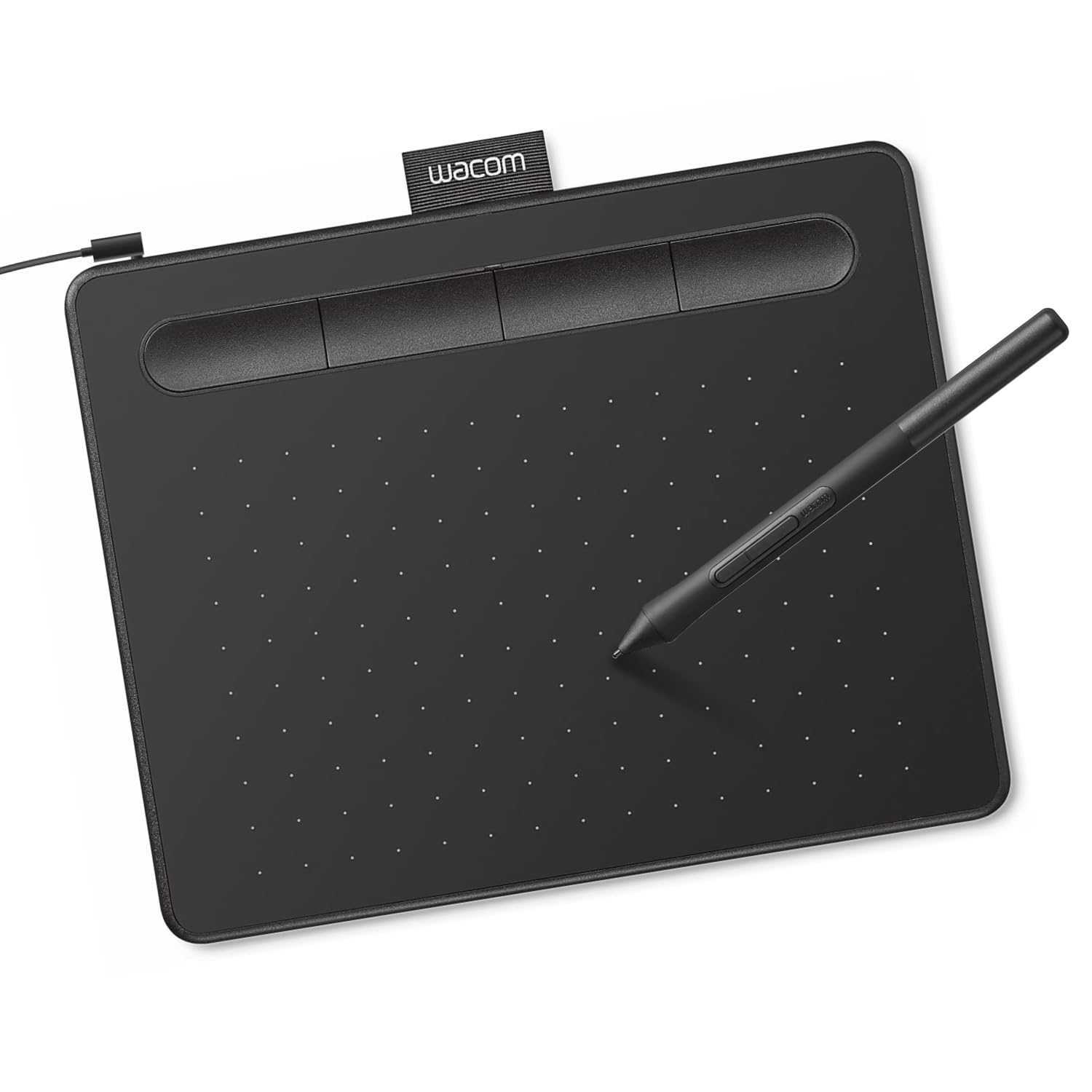
Wacom Intuos Small
Key details
- Connection
- USB-A
- Active Area
- 6" x 3.7"
- ExpressKeys
- 4
- Pressure Sensitivity
- 4,096 levels
On paper this is the least impressive tablet in the group. It lists 4,096 pressure levels where cheaper pads claim 8,192 and 16,384, and its 6 x 3.7-inch active area is the smallest of the screenless picks here. Numbers like those line up neatly in a table and tell you almost nothing about what a first tablet is like to live with.
What we kept noticing is how little there is to fight. The pen is battery-free and lands where you put it, the four ExpressKeys sit under your free hand for undo and zoom, and the driver treats every major art program the same way. A first tablet has one job — stay out of the way while you learn — and this one does it more consistently than anything else here.
It is not plug-and-play, and that catches people out: install the Wacom driver before you expect the pen to respond, and budget a few minutes and a reboot on a Windows laptop. On a Chromebook it is closer to instant.
The small surface is the real trade. Long, confident strokes mean zooming out and back in, which is why we send anyone who draws from the shoulder to the Deco 01 V3. For wrist-scale sketching, note-taking, and learning the hand-eye shift, 6 x 3.7 inches is plenty.
Pros
- Battery-free pen is always ready to draw
- Four ExpressKeys cover undo, zoom, and brush size
- Works with Mac, Windows, and Chromebook
- Compact and light at 8.1 ounces
Cons
- Wired USB-A only, with no Bluetooth in this version
- Bundled software can arrive as trials
We recommend the Intuos Small as the first tablet for most beginners: the pen behaves, the four ExpressKeys cover the basics, and it works with whatever art program you settle on.