Best DJ Laptop Stands of 2026

Nothing kills a good set faster than a laptop that won’t sit still. You get the height wrong, the stand creeps across the table during a transition, or the whole thing flexes every time you touch a fader—and suddenly you’re babysitting your gear instead of reading the room. A good DJ laptop stand fixes that: it puts the screen where you can see it, keeps the keyboard stable, and gets out of the way when the night is over.

Over the past eight months, we’ve lived with a dozen stands—folding models with carry bags, adjustable steel risers, and anti-slip trays—at home desks, in cramped booths, and on weekend gigs. The differences come down to wobble, fit, and how much fiddling setup takes; a stand rated for a laptop can still flex under a controller, cables, and a heavy hand. Some are worth the money for the bag and tool-free changes, while others save space but make you compromise—the picks below reflect that trade-off.

1

Best Overall

Hercules DG400BB

91 /100
LBD Score Outstanding

Key details

Carry Bag
Included
Item Weight
3.1 lb
Load Capacity
22 lb
Height Settings
3
View on Amazon

Nothing on the Hercules DG400BB comes apart. The frame is a single piece that opens like a scissor and closes to 2.6 inches thick, which is why it slides into the soft bag that comes with it instead of living in the back of the car. Load-in is one trip with the stand over your shoulder.

The fold is half the case for it; the other half is how little it moves. Rear legs splay out behind the mast and take the flex out of a heavy load, and the 22-pound rating leaves headroom for a 17-inch laptop with an interface beside it. We pushed on the front edge of the tray the way you do when you lean in to cue, and the frame stayed where we put it.

Height is the compromise. You get three positions rather than a sliding mast, and the angle is set at the tray, so the exact screen height depends on the table underneath. At 3.1 pounds it is heavier than the two-pound stands here, and that extra metal is what keeps the tray from shivering when somebody knocks the table.

One more difference worth knowing: the warranty is lifetime limited, where the Pyle, RockJam, Crane and Reloop stands all carry a one-year term. On a piece of gear that gets folded and thrown in a trunk every weekend, that is not a small thing.

Pros

  • One-piece frame folds into its own bag
  • 22 lb rating holds a laptop and interface
  • Rear legs keep the frame planted
  • Lifetime limited warranty

Cons

  • Height adjusts in three fixed steps
Our verdict

We recommend the Hercules DG400BB to any DJ whose stand travels: 22 pounds of capacity, a one-piece frame that folds into its own bag, and no give under a heavy laptop.
Check Latest Price
2

Best for Standing Booths

Pyle PLPTS55

90 /100
LBD Score Outstanding

Key details

Material
Alloy steel
Tray Size
8.6 x 9 in
Item Weight
2 lb
Height Range
12.6–16.7 in
View on Amazon

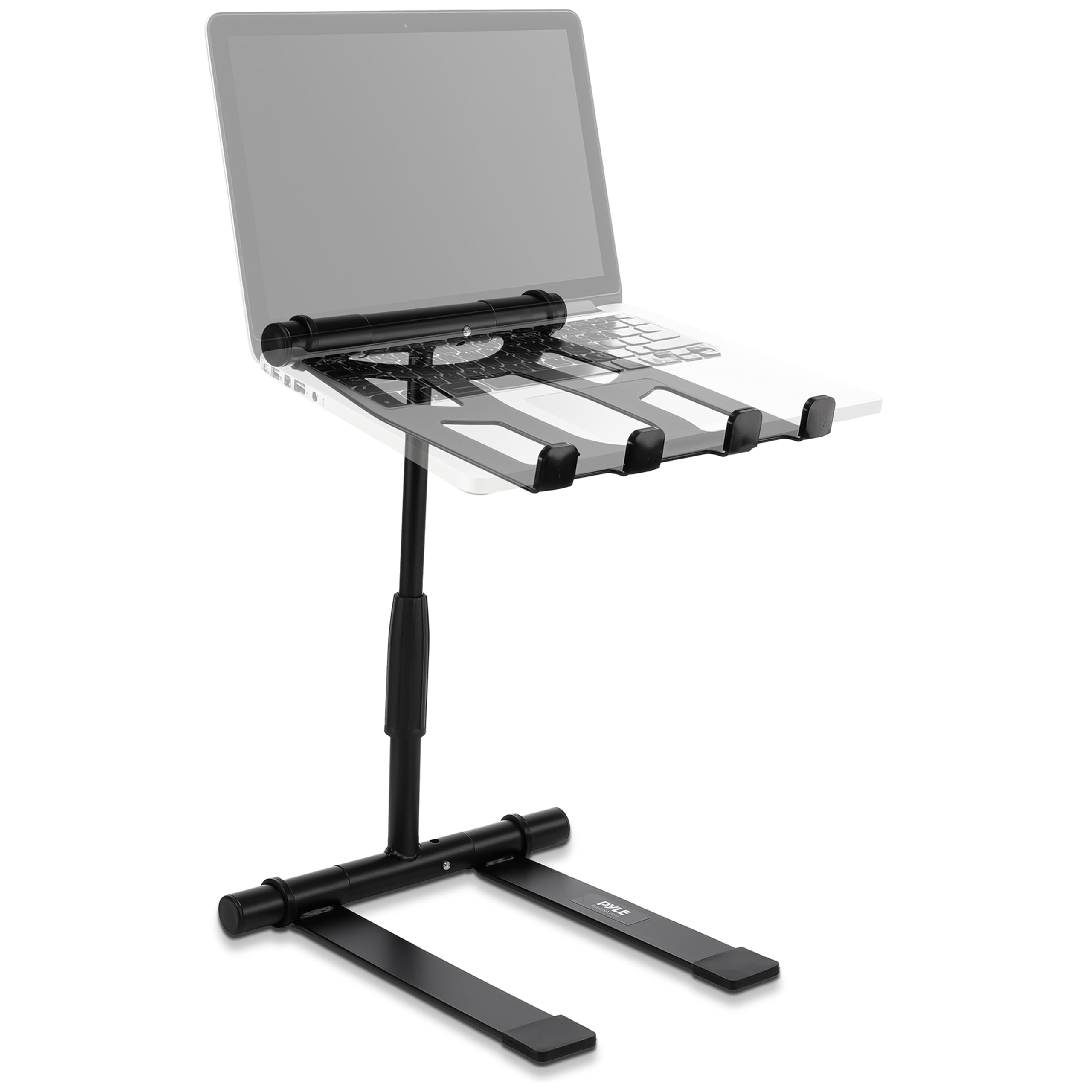
Sixteen and seven-tenths inches is the number that matters on the Pyle PLPTS55. That is the top of the telescoping mast, and standing behind a controller it is the difference between looking down at your screen and looking across at it. The tray also swivels on its mount, so the laptop swings toward a second operator without the base moving.

The tray itself is 8.6 by 9 inches, which cradles a 13- or 14-inch laptop and leaves a 16-inch machine hanging over the front lip. Measure the footprint of your machine before you order, because this is a stand for a normal-sized laptop rather than a desktop replacement. Anti-slip prongs at the front edge keep what does fit from creeping forward.

It arrives assembled, breaks down into a flat bundle for the car, and weighs 2 pounds, so it is the stand we hand to someone who has never carried one before. It also costs noticeably less than our top pick, which makes a smaller tray easier to live with.

Pros

  • Telescopes from 12.6 to 16.7 inches
  • Tray swivels toward you
  • 2 lb and ships assembled

Cons

  • Tray too narrow for 16-inch laptops
  • Less planted near the top of its range
Our verdict

We like the PLPTS55 for a standing setup: it lifts a laptop to 16.7 inches, turns the screen toward you, and folds flat for the trip home.

Check Latest Price
3

Best Clamp-On Mount

Liquid Stands MS1154

89 /100
LBD Score Excellent

Key details

Mount
Desk clamp
Tray Size
9 x 12.5 in
Item Weight
6.61 lb
Load Capacity
65 lb
View on Amazon

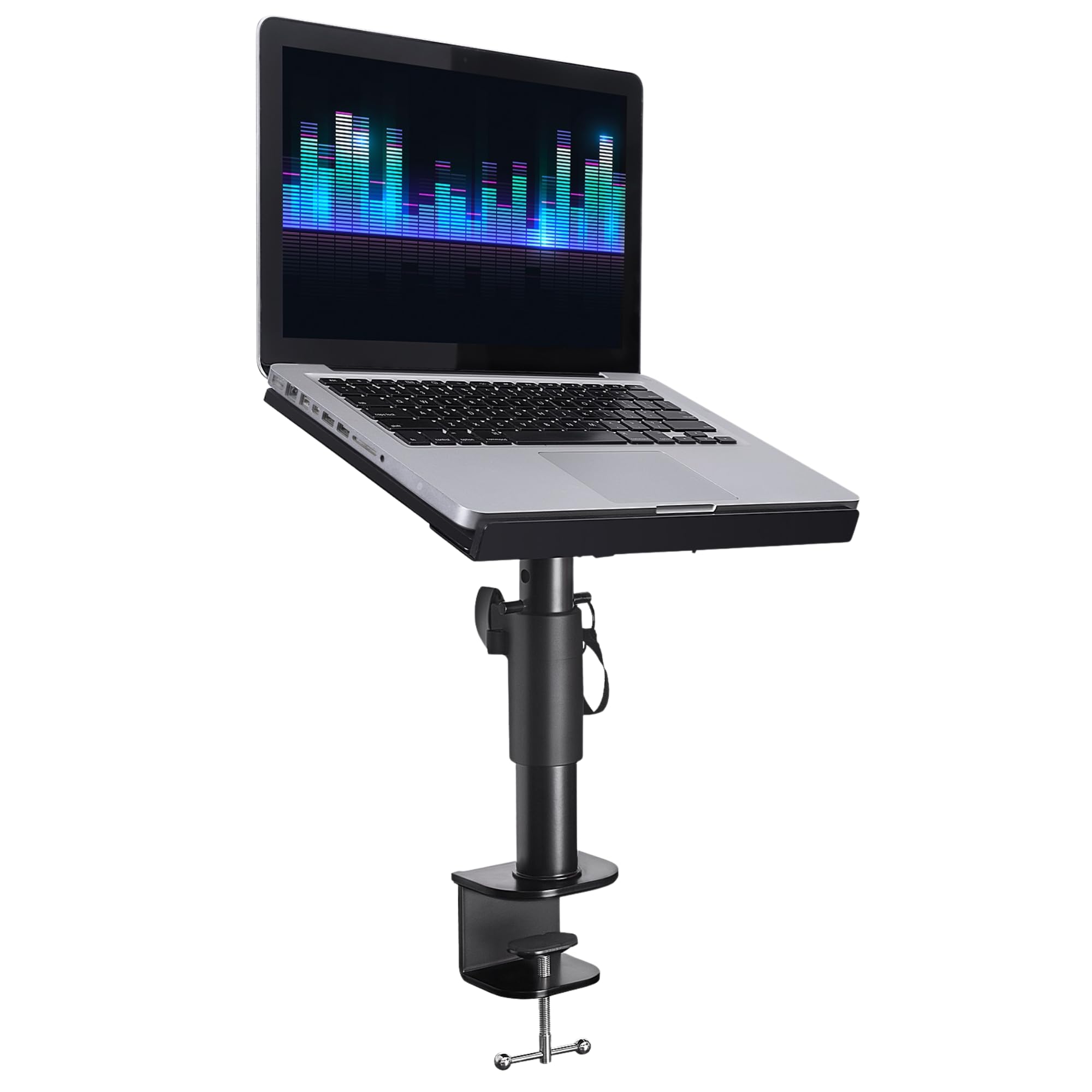
A freestanding stand on a desk is really furniture. If your laptop lives on the same surface every week, the tidier answer is a mount that puts the screen over your gear and leaves the tabletop to the controller, which is the job the Liquid Stands MS1154 does.

The bracket is a padded vice: foam on both faces so it closes on a desk or a Z-stand without marking it, and a locking pin so the plate stays where you set it. That plate is 9 by 12.5 inches, enough for a 16-inch laptop with an interface alongside, and the 65-pound rating is the highest on this list by a wide margin.

All that steel adds up to 3 kg hanging off one bracket, and on a desk that is exactly what you want: nothing to knock over, nothing on the floor, no base taking up space in front of the mixer. We like it best for a booth you build once and leave alone.

Pros

  • Padded clamp will not mark the desk
  • 65 lb capacity, the highest here
  • Tray fits a laptop plus an interface

Cons

  • Needs an overhanging edge to clamp onto
Our verdict

We clamp the Liquid Stands mount to a desk and leave it there: 65 pounds of capacity, foam-padded jaws, and no footprint in front of the mixer.

Check Latest Price
4

Best Budget

RockJam RJLP1

89 /100
LBD Score Excellent

Key details

Material
Powder-coated alloy steel
Adjustment
Height and width
Item Weight
3.31 lb
Load Capacity
8 lb
View on Amazon

The RockJam RJLP1 is the cheapest stand here, and it is the one we point to when the stand is the last line of a gear budget. It lifts a laptop above the surface at a workable angle and adjusts in both height and width, which several stands in this group do not offer at all.

The width adjustment is the unusual part. The steel frame opens wider or narrower so it sits around whatever the booth hands you, and the powder-coated alloy holds its shape once the joints are tight. It packs down to 2 inches thick, so it goes behind the seat rather than into a separate case.

The hardware is what to check on a bolt-together frame. Screws that do not catch and holes that do not line up are the things to watch here, so build it once at home, start every bolt finger-tight, and square the frame before you torque anything down. A dry run on a kitchen table beats discovering it in a dark booth.

Pros

  • Least expensive stand in this group
  • Adjusts in height and width
  • Steel frame holds a 17-inch laptop

Cons

  • 8 lb capacity rules out controllers
Our verdict

The RockJam is our budget pick: it holds a laptop at a better angle than the desk does, adjusts two ways, and costs less than any other stand here.

Check Latest Price
5

Best with a Built-In Hub

Reloop AMS-STAND-HUB

81 /100
LBD Score Excellent

Key details

Hub
USB-C PD with extra USB ports
Positions
6
Laptop Fit
11–18 in
Item Weight
3.09 lb
View on Amazon

Every stand here holds a laptop. The Reloop AMS-STAND-HUB also plugs it in: a USB-C PD hub is built into the stand, so the laptop charges and picks up extra USB ports without a dongle dangling off the tray. We like the hub where it is, in the frame rather than hanging from the back of the machine.

The stand underneath is competent on its own. It fits laptops from 11 to 18 inches, the widest range here, locks into six positions, folds down with a transport bag, and ships with the cables: a short USB-C to C plus USB-A to C leads in two lengths.

This is a studio piece rather than a gig piece. One cable from the wall to the stand, laptop charging at eye level, interface plugged into the hub: that is the setup it was drawn for, and it is tidier than anything else on this list. The Hercules comes to the gig; this one stays wired to the desk.

Pros

  • Hub charges and extends a USB-C laptop
  • Fits 11- to 18-inch laptops
  • Six positions and a carry bag

Cons

  • Adjustment comes in six presets, not continuous
  • Premium price built around the hub
Our verdict

The Reloop is the pick for a wired studio desk: a built-in USB-C hub, an 11-to-18-inch fit range, and a bag for the occasional session away from home.

Check Latest Price
6

Fast Setup

AxcessAbles DJLTS-01

91 /100
LBD Score Outstanding

Key details

Setup
No assembly
Material
Aluminum
Carry Bag
Included
Extra Shelf
Yes
View on Amazon

There is a shelf under the main deck on the AxcessAbles DJLTS-01, and it is the reason we keep this one in the car. An audio interface, a small mixer, a phone running requests: the lower tier takes whatever would otherwise sit on the table and slide around while you work.

The rest is built for speed. There is no assembly at all, the frame unfolds into place and collapses to about an inch thick for the included bag. It is aluminum with a powder-coated white finish, the footprint is 10.5 by 12 inches, and the main deck holds a laptop at a fixed working angle.

That fixed deck is the whole trade. A weekly residency with the same booth table does not need a height range; a room where you sometimes stand and sometimes sit does. For the first case, nothing here sets up faster.

Pros

  • Lower shelf for an interface
  • No assembly and folds to an inch
  • Aluminum frame and included bag

Cons

  • Main deck height and angle are fixed
Our verdict

We keep the AxcessAbles for quick sets: it unfolds in seconds, has a shelf for an interface, and goes back in the bag without a single bolt to lose.

Check Latest Price
7

Odd Desk Layouts

Crane Stand Plus

85 /100
LBD Score Excellent

Key details

Material
Powder-coated carbon steel
Item Weight
3.5 lb
Configurations
Z or C shape
View on Amazon

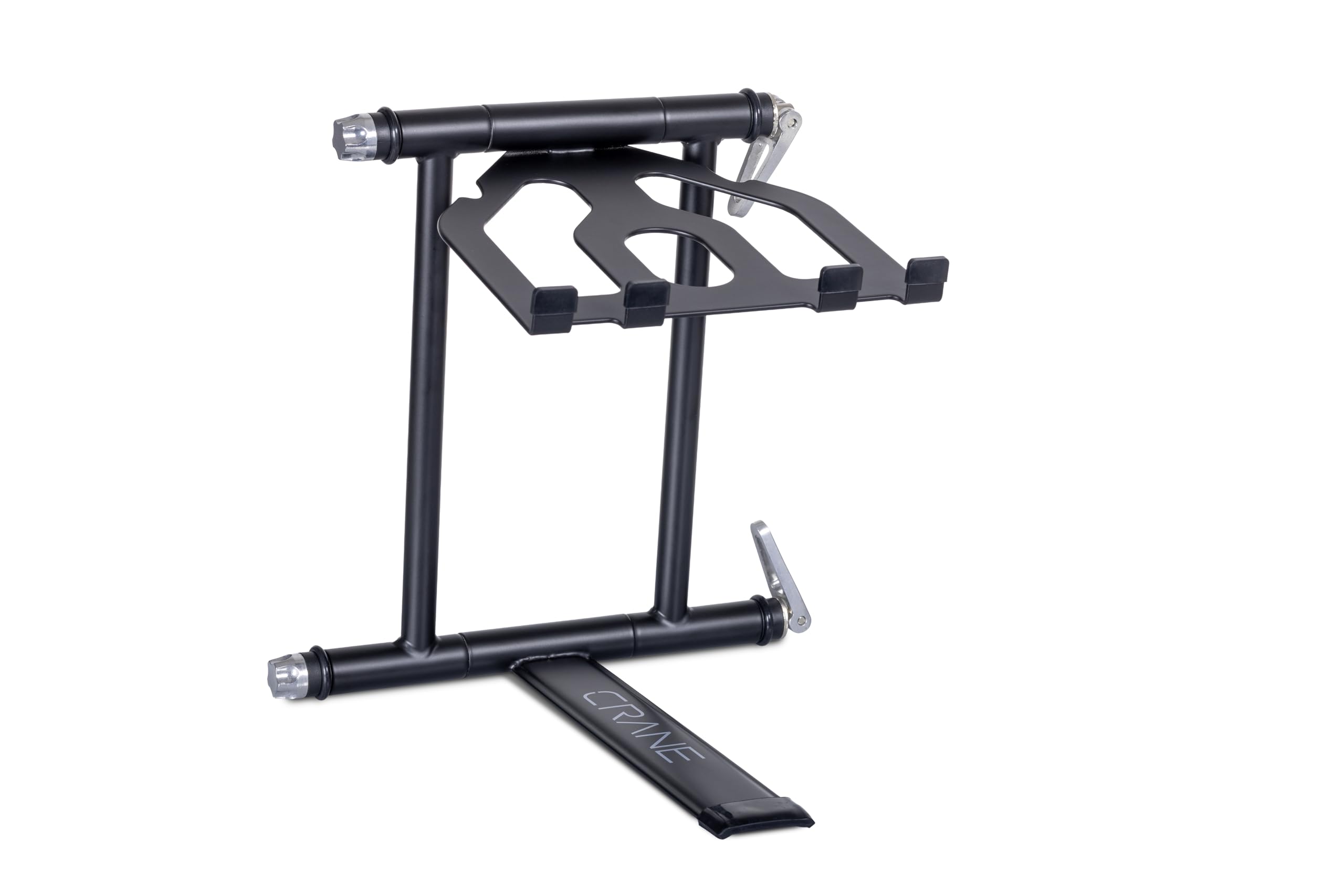
The Crane Stand Plus can be built two ways: a C shape that puts the tray high over the desk, or a Z that spreads the base wide and keeps the load low. Most stands here give you one geometry and a height range; this one changes where the weight sits.

Cam locking levers and a tensioning knob set the angle, and 3.5 pounds of powder-coated carbon steel hold it there. It folds flat, and the matte graphite finish reads as road gear rather than office furniture, which counts for something when the booth is on show.

The levers are the part to understand before you buy. They carry the angle, and they want a firm final turn before a set; give them that and the tray stays put, skip it and the whole thing creeps under a heavy hand. This is a stand you set once and then trust, not one you adjust mid-set.

Where it beats our top pick is awkward furniture: a desk with a raised lip, a booth shared with a CDJ, a table where the laptop has to sit forward of the gear instead of above it. The Hercules is the safer buy for a plain table and a car trunk; the Crane is for the layout that does not cooperate.

Pros

  • Two geometries: high C or wide Z
  • Cam levers make adjustment quick
  • Folds flat for transport

Cons

No notable drawbacks to flag.

Our verdict

We reach for the Crane when the desk is the problem: two frame geometries let it clear gear that a fixed-shape stand cannot get around.

Check Latest Price
8

Two-Tier Rigs

Pyle PLPTS38

84 /100
LBD Score Excellent

Key details

Trays
Two
Material
Alloy steel
Item Weight
5.6 lb
Load Capacity
33 lb
View on Amazon

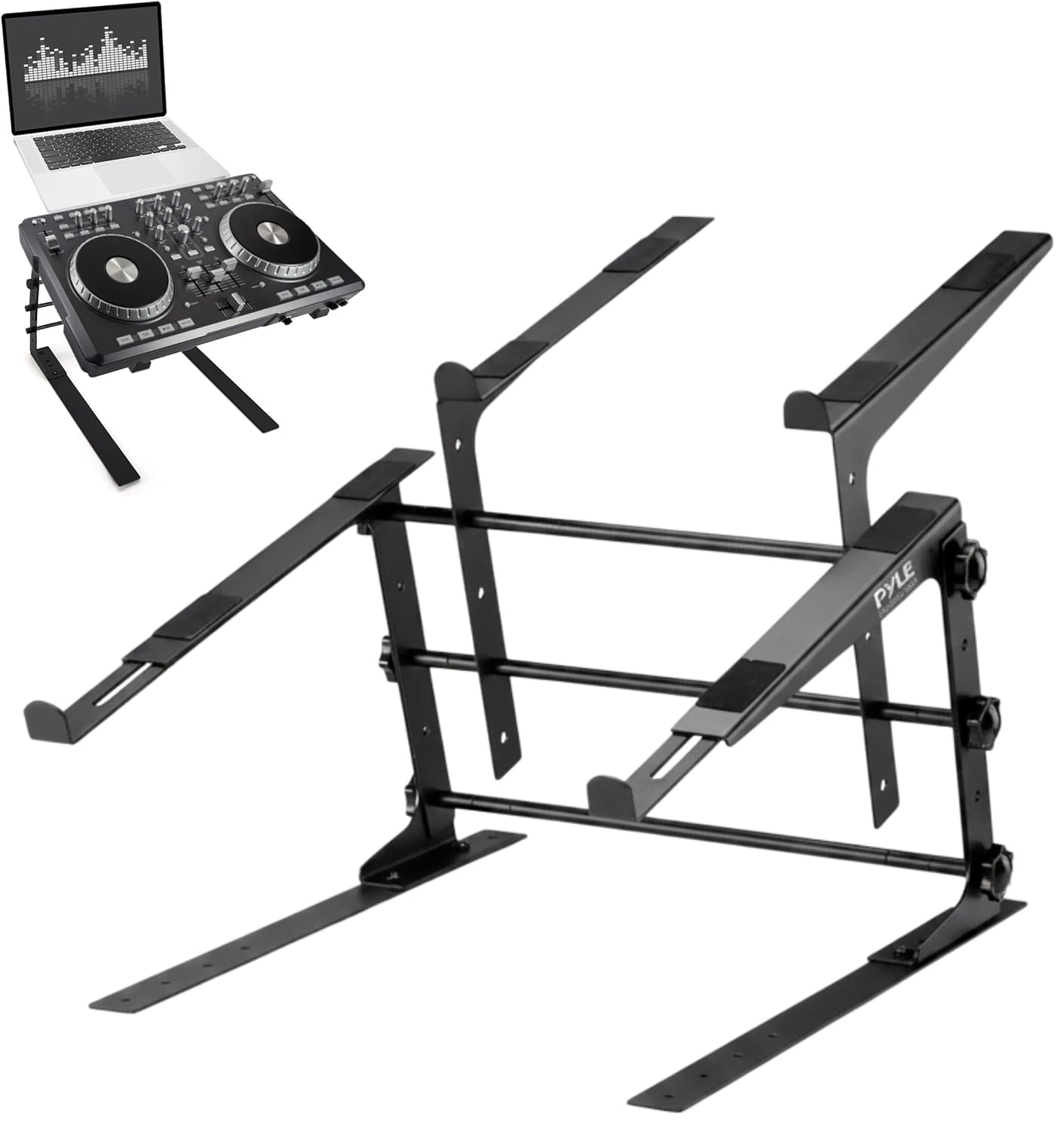
Two decks is the whole idea, and no other stand on this list offers it: the Pyle PLPTS38 puts a controller or a mixer on the lower shelf and the laptop above, so a narrow booth gains a second level instead of a wider table.

The frame is steel with a 33-pound rating, the prongs on both trays adjust to the width of whatever you set down, and height moves by shifting rods between holes. Set it once and it stays where you left it, which suits a rig that goes back in the same spot every week.

Assembly is the part to plan for. It arrives as rods, shelves and knobs, and the hardware bag is where a build like this gets frustrating: count the knobs against the parts list the day the box lands, build it on a table at home, and tighten everything before it goes in the car. Doing that in a dark booth is a bad evening.

Built and squared up, it earns its space in a fixed rig: a home studio, a residency, a corner where the same gear returns to the same place. We treat it as furniture rather than something to fold and carry, and that is how it gives its best.

Pros

  • Two trays for a laptop and controller
  • 33 lb steel frame
  • Prongs adjust to fit the gear

Cons

  • Wobbles once the upper deck is loaded
Our verdict

The PLPTS38 is the one to buy if you need two levels in a narrow booth: a 33-pound steel frame with adjustable prongs on both trays.

Check Latest Price

How We Tested DJ Laptop Stands

We started by reading reviews and spec sheets, then narrowed a long list by weight capacity, footprint, folding style, and whether a carry bag or extra hardware came included. We ordered 12 stands and ran them for eight months in the places they actually live: a home desk for production sessions, a tight booth with a controller and headphones, and weekend gigs where each stand had to be packed, carried, and set up fast. Before assembly, we laid out every screw, plate, and tool and checked it against the parts list; anything missing got flagged right away.

Once built, we loaded each stand with a laptop and, where it made sense, a controller, then raised and lowered the height and angle repeatedly with gear in place to see whether joints slipped or trays flexed. We nudged the table, pressed hard on the corners, and ran through fader and scratch motions to judge rocking and side-to-side sway. We also checked hinge play, joint quality, and paint wear after weeks of use, and we timed how long a first setup took without instructions.

Portability got its own pass: we folded or collapsed each stand, packed it into its bag where one was included, carried it across the room and out to the car, and noted whether it fit under an arm or needed two hands. We tried 13- to 17-inch laptops and a few controllers on every tray, checked cable clearance and sharp edges, and looked at how much desk space each footprint took up. At the end, we weighed what each stand asked of us in money and effort against what it delivered—bag, tool-free adjustment, extra hardware—and kept the ones that stayed stable without becoming a chore.

How to Choose a Dj Laptop Stand

Stability Comes Before Height

A stand's job is to sit still while your hands are somewhere else. Height is leverage: the further the tray sits above the base, the more a knock at the front edge moves it. Rear legs and wide four-point bases spread that load; a single mast with a narrow footprint does not.

Set the stand on something solid, because a folding table with flex in it will undo a good stand. Before the doors open, shove the front corner of the tray the way you do when you lean in to cue. Our steadiest picks here are the Hercules, which has rear legs behind the mast, and the Liquid Stands clamp, which has no base to knock at all.

Match the Height Range to How You Play

The table does half the work of setting screen height. Measure from the surface you play on to your eye line, subtract a couple of inches, and that is the tray height you want. The Pyle PLPTS55's mast runs from 12.6 to 16.7 inches for a continuous choice; the Hercules gives you three steps and asks you to meet it halfway.

Fixed-height stands are not a compromise if the booth never changes — the AxcessAbles sits at one working angle — but they are the wrong buy if you sometimes stand and sometimes sit behind the same laptop.

Capacity, and Why the Tray Matters More

Add up everything going on the stand: laptop, interface, a small controller, a phone. Ratings in this group run from 8 pounds on the RockJam to 65 on the Liquid Stands clamp, and a laptop with an interface lands nearer the budget end than most people expect.

The tray footprint decides more than the rating. An 8.6-by-9-inch tray holds a 13- or 14-inch laptop cleanly and lets a 16-inch machine hang over the front lip. Measure your laptop's width and depth before you order, and check there are prongs or a lip at the front to stop it sliding forward.

Freestanding or Clamped to the Desk

A clamp mount clears the tabletop entirely, which is what you want when the controller and mixer already own the surface. The catch is structural: a clamp needs an overhanging edge with clearance behind it, so a booth with a solid front panel or a table with a deep apron rules it out before capacity ever matters.

Freestanding stands go anywhere and fold flat. If the rig moves every week, buy the freestanding one; if it never moves, the clamp is tidier and worth the extra installation.

Packing It Out

Packed weight and folded thickness decide whether a stand comes to the gig. Two pounds, as on the PLPTS55, disappears into a record bag; 5.6 pounds, as on the PLPTS38, is a permanent fixture that lives where it is built.

Check whether a bag is included, too. The Hercules, Reloop and AxcessAbles all ship with one, and a stand without a bag will end up scratching the lid of whatever it is packed against.

Frequently Asked Questions

Final Verdict

For most DJs the Hercules DG400BB is the stand to buy. It is the only one here that folds in a single piece into its own bag, it carries 22 pounds without flexing, and the rear legs keep a heavy laptop where you set it. Three height steps are the price of that simplicity, and it is a fair one.

If the rig never leaves the studio, clamp the Liquid Stands MS1154 to the desk instead: 65 pounds of capacity, nothing on the tabletop, nothing to fold. For a standing booth on a tall table, the Pyle PLPTS55 reaches 16.7 inches for less money.