Best Conference Speakers of 2026

The first time I dialed into a client call from my kitchen counter, laptop open and dishwasher running, the person on the other end asked if I was in a tunnel. That's the whole job of a conference speaker: it decides whether the far end hears you, hears the room, or hears neither. A good one makes a table full of people sound like they're sitting next to each other.

My team and I have spent the past nine months with 12 of them, connected over USB, Bluetooth, and dongles, through standups, one-on-ones, a four-person huddle in a borrowed room, and a few calls I took from a hotel desk. The gap between the best and the rest showed up in the first week.

One spec worth ignoring is the mic count on the box. Where the mics point and how hard the echo cancellation works matter far more, and so does whether a second unit can be linked in when the table gets long. And since you'll hit mute a hundred times a week, buy one you can find without looking. The speakerphones below are the ones I'd leave on my own desk.

1

Best Overall

Jabra Speak 510

95 /100
LBD Score Outstanding

Key details

Weight
6.08 oz
Connectivity
Bluetooth and USB
Speaker Output
10 W
Battery Capacity
1,000 mAh
View on Amazon

The Speak 510 is the one that left the desk. It is a palm-sized puck with a cable that winds into the base and a soft case in the box, so it goes into a laptop bag without a second thought and comes out ready to work. We moved it between rooms and to a client's office more than once, and it never needed a driver, a dongle or a second attempt at pairing.

Bluetooth and USB in the same unit is what makes it our default. Pair it with a phone for a call that isn't on the laptop, then plug in when you want a cable's reliability; both paths are in the box and neither asks you to install anything. Of everything here, it also has the steadiest record on the things a speakerphone is for, namely call quality, home-office use and portability, and that is why it sits at the top of this list rather than a newer, more feature-heavy design.

Two limits are worth knowing. Its listed Bluetooth range is 10 meters where several units here claim 20 to 30, so don't plan on leaving the laptop in another room. And the 1,000 mAh battery is the smallest capacity in this set, so a charger belongs in the travel kit even though the speaker itself barely takes up space. Neither changes the recommendation for a home office; both matter if the unit is going to live in a backpack.

Pros

  • Bluetooth and USB in one unit
  • Carry case with integrated cable management
  • Steadiest call record in this set
  • Small and light enough to move rooms

Cons

  • Listed Bluetooth range only 10 m
  • Smallest battery capacity here
Our verdict

We tell most people to buy this one: a single cased unit that handles a laptop call and a phone call, and travels without drama.

Check Latest Price
2

Best for Larger Rooms

Anker PowerConf

89 /100
LBD Score Excellent

Key details

Weight
12 oz
Microphones
6, in a 360° array
Connectivity
Bluetooth 5.3 and USB-C
Bluetooth Range
20 m
View on Amazon

Six microphones is more than anything else in this set, and the PowerConf puts them to work the way a meeting room needs: a 360-degree array with automatic voice balancing that lifts the quiet person at the far end rather than amplifying whoever happens to sit nearest. Set it in the middle of a table and the room is covered without anyone leaning in. If your calls regularly involve a group rather than one person at a laptop, this is the unit we reach for.

It is the more flexible of the two Anker units as well: Bluetooth 5.3 for a phone, USB-C for the laptop, no drivers either way, and Zoom certification so the hardware mute and call controls line up with the app. At 12 ounces it is easy to carry between rooms without being fussy about where it lands on the table.

The catch is Bluetooth. Pairing with phones is the weak spot, where a connection that holds all afternoon over USB can drop on a handset, and the volume steps jump further than you expect. Treat the USB-C cable as the primary connection and Bluetooth as the convenience. The 3-watt speaker is tuned for speech, so it won't double as a room speaker for music between calls.

Pros

  • Six microphones in a 360° array
  • Automatic voice balancing for quiet speakers
  • USB-C and Bluetooth 5.3, no drivers
  • Zoom certified for hardware call controls

Cons

  • Phone pairing over Bluetooth is the weak link
  • 3 W speaker is voice-first, not music
Our verdict

Buy it when six or more people share one table: this is the most room coverage here, and the USB-C cable covers Bluetooth's weak moments.

Check Latest Price
3

Best Wired

Anker PowerConf S330

88 /100
LBD Score Excellent

Key details

Weight
8 oz
Speaker
1.75 in driver, two passive radiators
Microphones
4, 3 m pickup
Connectivity
USB-C, USB-A adapter included
View on Amazon

There is no battery in the S330, and that is the point. It is a USB-C puck with a USB-A adapter in the box, four microphones covering roughly a three-meter radius, a 1.75-inch driver backed by two passive radiators, and eight ounces of plastic that stays exactly where you put it.

For a desk that never moves, we think that is the better trade. Nothing needs charging and nothing needs reconnecting; the computer sees a sound card, the buttons work immediately, and the unit is ready before your meeting software has finished loading. Spending above the cheapest units here buys a steadier connection and a fuller sound than a three-watt puck manages, and the noise cancellation filters keyboards and background chatter without making you sound processed.

One check before you buy: it draws power from the port, and not every laptop, hub or dock supplies enough, so plug it straight into the computer if it misbehaves. It is also wired only, which is ideal at a desk and useless for a call that is ringing on your phone.

Pros

  • No battery to charge or pair
  • Four microphones with 3 m pickup
  • Driver plus two passive radiators
  • USB-C with USB-A adapter included

Cons

  • USB only, so no wireless phone calls
Our verdict

The wired pick we recommend for a desk that never moves: nothing to charge, nothing to pair, and the least demanding setup in this set.

Check Latest Price
4

Best for Long Tables

EMEET Luna Plus Kit

86 /100
LBD Score Excellent

Key details

Battery
Up to 10 hours
Microphones
8 plus 1 satellite
Connectivity
USB, Bluetooth 5.3, dongle
Speaker Output
5 W
View on Amazon

The Luna Plus Kit ships with a second microphone on a cable, and that satellite is the feature we keep coming back to. Put the main unit at one end of a long table and the satellite at the other, and the nine microphones between them pick up the person at the far end without anyone raising a voice. For a boardroom table rather than a huddle, that solves a problem microphone count on its own does not.

The rest of the package is sensible. A 5-watt speaker fills a medium room, USB, Bluetooth 5.3 and a dongle cover whatever the laptop prefers, and a ten-hour battery gets through a day of back-to-back calls without hunting for an outlet. Setup is genuinely plug and play: no driver, no configuration screen, no call to IT.

What you accept is a length of cable across the table, which is a visual and physical commitment in a room you probably care about. And the body is compact, so in a big room it is the satellite doing the work rather than the speaker; read this as a pickup solution first and a sound system second.

Pros

  • Satellite mic reaches the far end
  • Nine microphones in total
  • USB, Bluetooth and dongle options
  • Ten-hour battery and 5 W speaker

Cons

  • Satellite mic runs a cable across the table
Our verdict

Choose it when the far end of a long table keeps dropping out of calls: the satellite mic fixes that, and it costs less than the premium picks.

Check Latest Price
5

Best Budget

EMEET M0 Plus

84 /100
LBD Score Excellent

Key details

Battery
Over 10 hours
Daisy Chain
2 units, up to 16 people
Microphones
4, 360° pickup
Connectivity
USB-C and Bluetooth 5.0
View on Amazon

Four microphones, a three-watt speaker, USB-C with an adapter in the box and Bluetooth 5.0: the M0 Plus is the least expensive way into this category here, and it does not feel stripped down. It holds two Bluetooth connections at once, so the laptop and the phone can both be paired, and two units can be chained for a room of up to sixteen people.

Setup is where it earns its money. There is no driver, the adapter is included, and the unit is on the call about as fast as you can plug it in. The microphone picks up voices from across a table rather than demanding you sit on top of it, and the battery is rated past ten hours, which covers a normal working day.

What you give up is stability at the edges. Bluetooth is the least reliable here, where units that connect cleanly in the morning drop and reconnect mid-afternoon, and the volume ladder jumps in bigger steps than you want. Keep the USB-C cable attached for anything that matters and this is a smart second unit: the purchase you make when one good speakerphone has to cover two desks without doubling the budget.

Pros

  • Cheapest way into this category here
  • Pairs with two devices at once
  • Plug-and-play setup with adapter included
  • Daisy-chains two units for 16 people

Cons

  • Least stable Bluetooth in this set
Our verdict

For a second desk or a huddle room on a tight budget this does the job; keep the USB-C cable handy and treat Bluetooth as a bonus.

Check Latest Price
6

Best for a Monitor

Dell Speakerphone SP3022

82 /100
LBD Score Excellent

Key details

Warranty
3 years
Microphones
2
Connectivity
USB-A or USB-C
Certification
Teams and Zoom certified
View on Amazon

Most of these are pucks that go in the middle of a table. The SP3022 is a soundbar, 8.89 inches wide and under three inches tall, meant to sit on a monitor base or just in front of one. On a permanent desk that is a small revelation: it uses the strip of space you were not using, the cable disappears behind the monitor, and the table stays clear for actual work.

It is a USB device, A or C, with two microphones, full-duplex audio and AI noise cancellation, and it carries both Teams and Zoom certification with LEDs that show call, volume and mute state. The Teams button is the part that matters if you live in that app all day.

Output is where it concedes. At 1.8 watts it is the quietest unit here, fine in a closed office and thin next to an air conditioner, and the buttons are easy to brush when you reach past the monitor. On a Mac, the Teams button only brings the Teams window forward rather than doing anything clever. What we appreciate most is how little it needs managing: it runs off the cable it came with, there is no pairing to redo, and the three-year warranty is the longest in this set.

Pros

  • Soundbar shape sits under a monitor
  • USB-A or USB-C, no drivers
  • Teams and Zoom certified with status LEDs
  • Three-year warranty

Cons

  • 1.8 W output is the lowest here
  • Buttons are easy to brush
Our verdict

If you sit at the same desk every day, this is the tidiest setup here: no battery, no pairing, and a footprint that disappears under your monitor.

Check Latest Price
7

Premium Room Audio

Jabra Speak2 75 SE

81 /100
LBD Score Excellent

Key details

Battery
Up to 32 hours
Speaker
65 mm, 15 W
Microphones
4, noise-cancelling
Connectivity
Bluetooth and USB-A/USB-C cable
View on Amazon

The Speak2 75 SE is the premium option and it is built like one: a 5.22-inch square body in aluminum, metal and polycarbonate, a 65 mm driver rated at 15 watts, four noise-cancelling microphones, and an integrated USB-A/USB-C cable around 29.5 inches long so there is never a hunt for the right cord.

Battery is the headline. Thirty-two hours is the longest figure in this set by a wide margin, and it changes how the unit gets used: it lives in a bag or on a shelf rather than permanently on a charger, and a week of meetings does not empty it. A second unit can be linked for a bigger room, the same trick the EMEET kit performs with a cable.

The software is the sour note. Jabra Direct, the app for firmware and settings, can freeze a Mac hard enough to need a reboot, and nothing about the speaker requires it. Set the unit up as a plain USB or Bluetooth device and leave the app alone unless you need a firmware update.

So the case for it is a room where the speakerphone doubles as the sound system: music between calls sounds like music, voices stay level when people talk over each other, and the build will outlast the plastic units here. For clear pickup with one or two people at a laptop, it is more speakerphone than the job needs.

Pros

  • Up to 32 hours of battery
  • 65 mm, 15 W speaker
  • Four noise-cancelling microphones
  • Two units can be linked

Cons

  • Most expensive pick here
Our verdict

Worth it where the speakerphone is also the room's sound system and the battery has to survive a week of meetings; otherwise the cheaper Jabra does the calls.

Check Latest Price
8

Teams Travel Kit

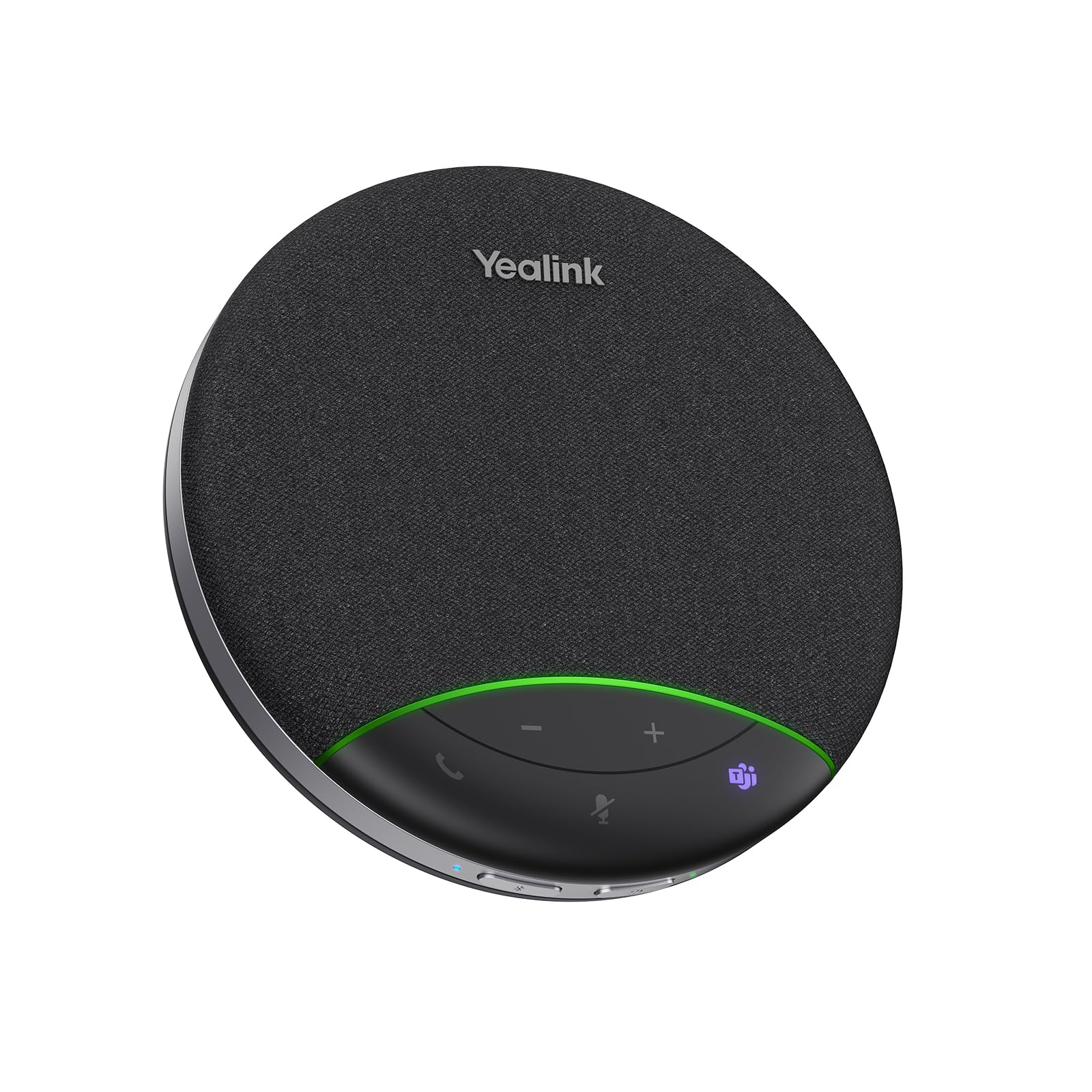
Yealink SP92

81 /100
LBD Score Excellent

Key details

Battery
Up to 20 hours
Speaker
50 mm, 5 W
Microphones
Omnidirectional, 4 m radius
Certification
Microsoft Teams certified
View on Amazon

Teams certification is the SP92's calling card, and it is more than a logo: the unit is designed around Teams' call controls, sets up without a driver on Windows or macOS, and ships with a USB-C to C cable, a C-to-A adapter and a carrying case. If your organization has standardized on Teams, this is the least fiddly thing here.

The hardware is compact. A 50 mm, 5-watt speaker, a single omnidirectional microphone rated to a four-meter radius for rooms of four to eight people, and a 20-hour battery that recharges in 2.5 hours. Yealink claims its AI noise cancellation filters over a thousand distinct sounds, which is the kind of number to verify on a test call rather than take on faith.

Two caveats. Bluetooth is the weak link, where a unit that pairs happily over USB does not always stay connected wirelessly, so use the cable for meetings that matter. And the mute and power buttons sit right above the microphone, which makes the mute state harder to read at a glance than on units with a clear light ring.

Where it fits is a small room with a standardized stack and a user who moves between sites: light at 0.28 kg, cased, certified, and with battery to spare for a full day. The four-meter radius is the honest limit, and beyond that the EMEET kit with the satellite mic is the better answer.

Pros

  • Microsoft Teams certified
  • 20-hour battery, 2.5-hour charge
  • Case and USB-C/A adapter included
  • AI noise cancellation for keyboards and background

Cons

  • Bluetooth does not always stay connected
  • Single mic rated to a 4 m radius
Our verdict

A neat certified travel unit for Teams shops: right for four to eight people around one table, and less so for anything bigger.

Check Latest Price

How We Chose and Tested These Speakerphones

We started with a shortlist of roughly 30 speakerphones, then filtered it on the things you can only compare on paper: which platforms each one is certified for, whether it connects over USB, Bluetooth, or a dongle, whether the mic array claims 360-degree pickup, and whether two units can be linked to cover a longer table. Twelve made the cut, and we bought them ourselves.

Those 12 spent nine months on our desks. They sat through daily standups, one-on-ones, and a weekly four-person huddle in a room with a rattling vent; one ran a call from a kitchen with the dishwasher going; another joined the same meeting from a hotel room to see how much hallway noise got through. After each call we asked the people on the far end how it sounded, since their ears are the only ones that count.

In every session we pushed the volume to the top to hear where it turned harsh, and we hit mute mid-sentence without looking, one-handed, to see if the control was findable by feel. We recorded the same paragraph from three feet, eight feet, and the far corner of the table, then played it back to hear how much of the room came along. We paired each unit to a laptop, a phone, and a tablet in turn, counting the steps to switch and noting whether the dongle needed re-pairing every morning. Each one was checked against Zoom, Teams, and Google Meet on both Windows and Mac, watching for mute buttons that wouldn't sync with the app or controls that went dead mid-call.

By the end, two had been carried around in bags and two had sat plugged in for weeks straight, which is where build quality shows up: frayed cables, rubber feet that slide, grilles that collect dust.

How to Choose a Conference Speakerphone

Decide Wired or Wireless First

USB is the boring answer that keeps working: the unit shows up as a sound card, needs no pairing, and never runs out of charge mid-sentence. Bluetooth is what lets you take a call that is ringing on your phone, and it is where most of the trouble in this category lives, with units that pair instantly in one room and drop in another. A device that offers both, with the cable as the default and Bluetooth for the exception, is the safest buy.

If the speaker will sit in one place forever, a USB-only unit such as the Anker PowerConf S330 is cheaper to own and one less thing to charge. If it moves, pay for the wireless.

Match Microphone Coverage to the Table

Microphone count is a proxy for coverage, not a measure of quality. Four microphones in a 360-degree array comfortably handle three or four people around a laptop, and a stated pickup radius of three to four meters covers a small conference table. More than that, geometry beats mic count: the person at the far end of a long table sits off-axis from a puck in the middle, which is where a satellite microphone on a cable, like the one on the EMEET Luna Plus Kit, does something the rest cannot.

Judge the Far End, Not the Near End

Everything here will sound fine to the person sitting next to it. What decides whether a speakerphone is good is how you sound to everyone else: whether the noise cancellation removes a keyboard without clipping your voice, whether two people can talk at once without one of them vanishing, and whether the quiet person at the end arrives at the same level as the person beside the unit.

Ask for a short recording from the other side on your first call instead of trusting the box, and test the mute button against the app while you are at it.

Weigh Battery, Footprint and Travel

Battery capacity varies widely in this set, and the honest question is whether the unit ever leaves the desk. If it does not, treat the battery as backup and choose on footprint: a soundbar under a monitor takes no table space, while a round puck needs the middle of the table to do its job. If it does travel, weight, a case and integrated cable storage matter more than an extra hour of runtime, and a unit that charges over the same USB-C cable as your laptop spares you a second charger in the bag.

Frequently Asked Questions

Final Verdict

Across this set we keep coming back to the Jabra Speak 510. It handles a scheduled Zoom call and a phone call in a hotel room with the same plug-and-go calm, it packs into a bag with its cable and case, and it has the steadiest record on the things a speakerphone is actually for.

If your meetings put more than four people around one table, buy the Anker PowerConf instead; the six-mic array is the reason, and its own caveat is Bluetooth with phones rather than the cable. If the unit will never leave your desk, the wired PowerConf S330 takes charging out of the equation entirely.