Best Conference Room Webcams of 2026

The first five minutes of a hybrid meeting usually play out the same way: someone hunches over a laptop at the head of the table while the people on the other end squint at a row of thumbnail-sized colleagues. A dedicated conference room camera fixes that — it frames the whole table, picks up whoever's talking from the far corner, and lets the meeting start on time.

I've sat through enough of these calls to be fussy about what never makes it into a spec sheet. Over six months, my team and I ran 12 conference cameras through actual meetings — all-in-one bars, 360-degree pucks, mounted PTZ models — and the biggest surprise was how little resolution mattered next to how a camera handled bad lighting and picked up the back row.

Auto-framing and speaker tracking are what everyone asks about now, and they're worth having — right up until the frame lurches every time someone shifts in their chair. The picks below run from a four-person huddle room to a space where you'll want to add a second microphone later.

1

Best Overall

Logitech MeetUp

84 /100
LBD Score Excellent

Key details

Zoom
5x HD
Resolution
4K sensor
Field Of View
120°
Microphone Pickup
Up to 4 m
View on Amazon

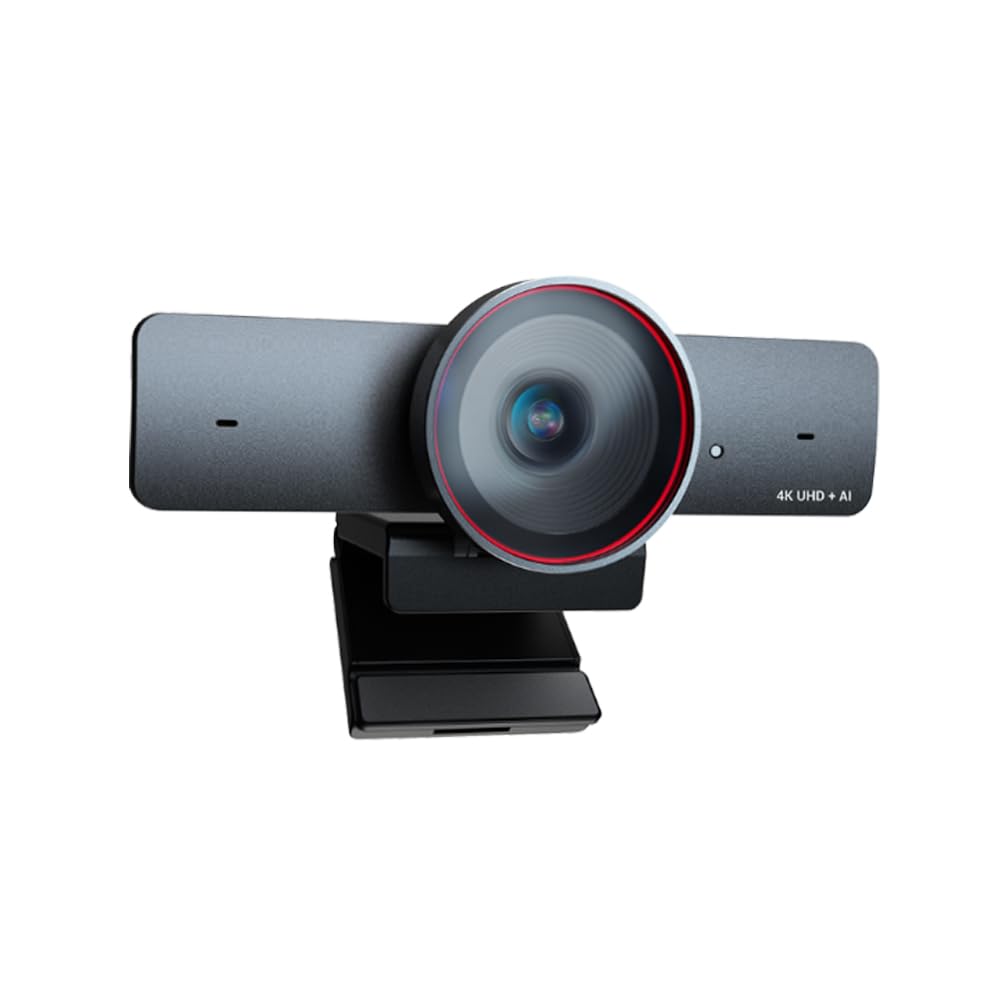
A huddle room stops feeling like a huddle room when the camera cuts off the person at the end of the table. The MeetUp is built to avoid that: a 120° lens, a 4K sensor, 5x HD zoom, and a motorized head that pans and tilts up to 170°. We like that combination because it covers the room first and lets someone reframe the whiteboard second.

The audio is the other half of the job. The beamforming mics are rated to 4 m, or 5 m with the optional expansion mic, and the speaker is built into the same bar. In a small room that means one USB connection can handle the camera, microphone, and speaker without a separate conference phone on the table. The included RF remote is a small convenience we appreciate: whoever is nearest can pan to the whiteboard without taking over the laptop.

Setup is straightforward for a room that already has a display and a computer. The MeetUp can sit on a table, mount to a wall or credenza, or use the optional TV mount, and it supports USB and Bluetooth. That flexibility matters in rooms where the furniture changes more often than the technology does.

The caveat is that the best image depends on the app and the USB path; a Teams call can look softer than the 4K sensor suggests. We treat it as a room system that needs a test call on the platform you actually use, not a plug-in-and-forget webcam. If your table runs long, the expansion mic is the detail to remember: it extends pickup to 5 m without adding a second speaker.

Pros

  • 120° view with 170° pan and tilt
  • 4K sensor with 5x HD zoom
  • Beamforming mics reach 4 m
  • All-in-one speaker and camera

Cons

  • Long-term reliability is the open question
Our verdict

We recommend the MeetUp as our default for huddle rooms that need wide coverage, clear pickup, and one mounted device instead of a table full of gear.
Check Latest Price
2

Best 1080P PTZ

TONGVEO 1080p PTZ

85 /100
LBD Score Excellent

Key details

Zoom
3x optical
Resolution
1080p at 60fps
Connectivity
USB 3.0 and HDMI
Microphone Pickup
Up to 5 m
View on Amazon

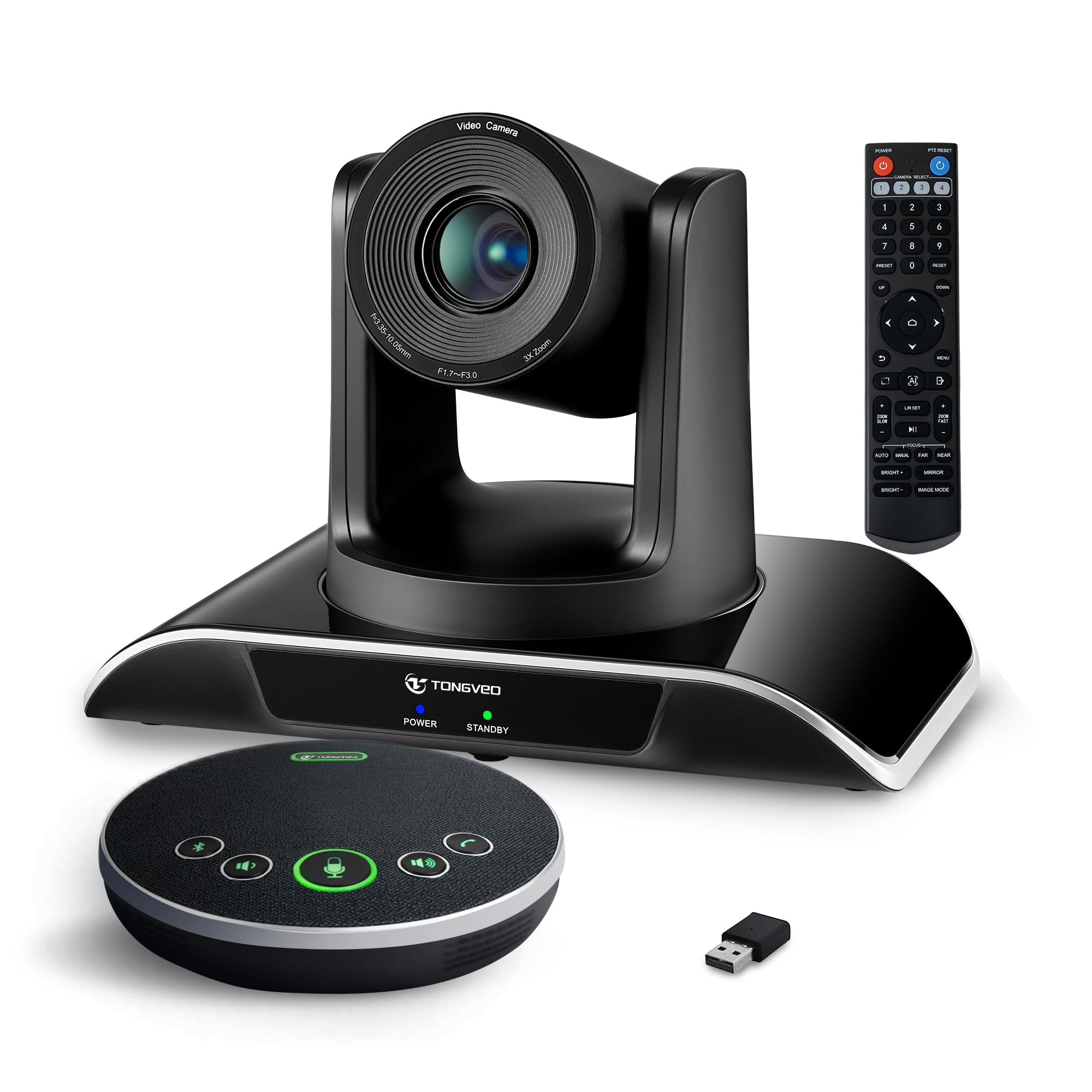
The first thing we check on a PTZ conference camera is whether the zoom is optical. This TONGVEO's is, at 3x, and that changes what the camera can do in a real meeting: you can tighten on a presenter or a whiteboard without the image falling apart the way digital zoom does.

At 1080p and 60fps, it is built for motion rather than pixel-peeping. The 60fps mode keeps hand gestures and walk-ins smoother, and the HDMI output lets you feed a display directly while USB 3.0 handles the laptop. The separate Bluetooth speakerphone is the other useful part: it picks up voices up to 5 m, so it can sit in the middle of the table while the camera stays by the screen.

We like the all-in-one kit approach because it gives a room a complete audio and video package without a lot of boxes. The 3x optical zoom is less reach than the MeetUp's 5x, but for a huddle room it is enough to move between the table and a whiteboard. If the room already has a display and you want optical zoom without paying for 4K, this is the kit we point to first. The 60fps mode is the sleeper feature: it won't show up in a resolution comparison, but it makes movement at the far end of the room look less like a slideshow.

Pros

  • 3x optical zoom keeps detail
  • 1080p at 60fps
  • Bluetooth speakerphone with 5 m pickup
  • USB 3.0 and HDMI outputs

Cons

  • No 4K output
Our verdict

We pick this TONGVEO when a room needs real optical zoom and smooth 60fps video without stepping up to a 4K budget.

Check Latest Price
3

Best Privacy-Focused All-In-One

Yealink UVC34

80 /100
LBD Score Excellent

Key details

Resolution
4K
Microphones
8-mic array
Field Of View
120°
Privacy Shutter
Automatic
View on Amazon

The feature that makes the Yealink easiest to live with in a shared room is the motorized privacy shutter. It opens when a call starts and closes when it ends, so the camera is not a dark circle you have to explain to every visitor. That sounds small until you are the person responsible for a room that gets used by different teams all day.

Underneath that, the UVC34 is a serious all-in-one: a 4K sensor, a 120° lens, an eight-microphone array rated for 5 m of pickup, and a built-in speaker. The 7 m USB-B to USB-A cable is unusually long for this class, which gives you room to mount the bar under a display and still reach a computer at the table. We also like that auto framing and speaker tracking are handled in the camera, so the room does not need a separate control box.

The 120° view is wide enough for a huddle table and a few people at the edges, but it is not a 360° camera; a U-shaped table may still put someone at the far edge of the frame. We see it as the cleanest choice for a room with a dedicated PC and a display, where one cable and one bar are the whole setup. If the room has a display with a USB-C or USB-A input and a spare power outlet, the UVC34 disappears into the furniture in the best way.

Pros

  • Automatic privacy shutter
  • 4K 120° all-in-one
  • Eight-mic array with 5 m pickup
  • Long 7 m USB cable

Cons

  • USB-only connection
  • No optical zoom
Our verdict

For a shared room where privacy and clean cable runs matter, the Yealink UVC34 is our pick: 4K, 120°, and eight mics in one bar.

Check Latest Price
4

Best 4K PTZ

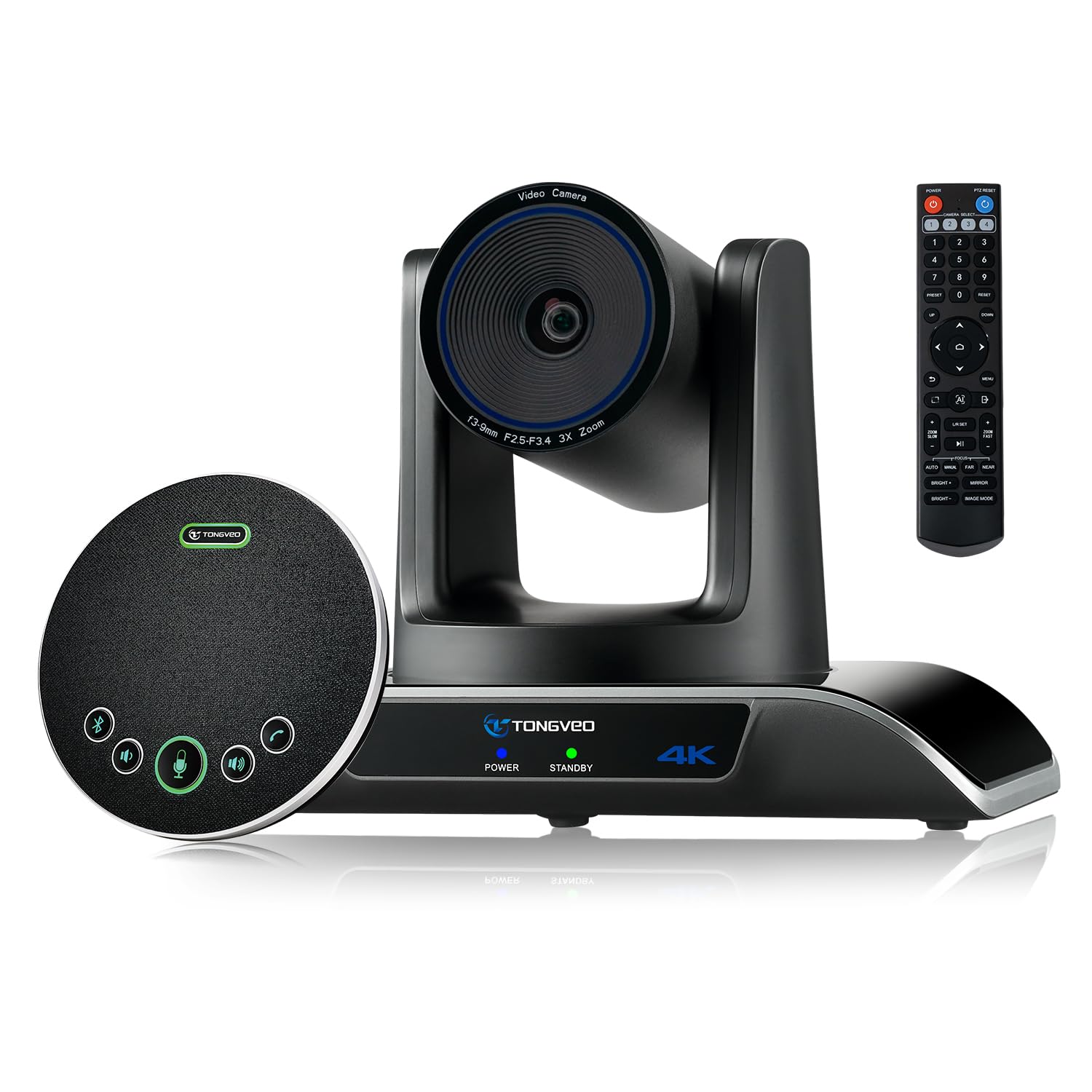
TONGVEO 4K PTZ

87 /100
LBD Score Excellent

Key details

Zoom
3x optical
Resolution
4K at 30fps
Microphones
4-mic speakerphone
Field Of View
93°
View on Amazon

There is a case for giving up some width to gain detail, and this 4K TONGVEO makes it. Its 93° lens is tighter than the 120° cameras here, but it pairs that frame with a 4K sensor and a 3x optical zoom, so a presenter or a whiteboard can fill more of the image without going soft.

The audio half comes from a separate Bluetooth speakerphone with four microphones and a 5 m pickup rating. That is a sensible split for a medium room: the camera can sit at the front, and the speakerphone can sit where people actually talk. The kit also includes an IR remote, a wall mount, and a ceiling bracket, which gives you more mounting choices than the desktop cameras here. We like that the HDMI and USB outputs give you a direct-to-display option or a laptop connection.

The tighter lens is the part to match to your room. In a rectangular room with the camera at one end, 93° frames a seated group nicely; around a wide U-shaped table, the people at the far corners may fall outside. We also appreciate the ceiling bracket, which lets you hang the camera without buying a separate mount. In a long room where the priority is a sharp, tight 4K frame, that trade is worth making.

Pros

  • 4K sensor with 3x optical zoom
  • Four-mic Bluetooth speakerphone
  • HDMI and USB outputs
  • Ceiling bracket included

Cons

  • 4K tops out at 30fps
  • HDMI cable not included
Our verdict

We choose this TONGVEO when the room is long and the priority is a sharp, tight 4K frame rather than the widest possible view.

Check Latest Price
5

Best for Round Tables

TOUCAN SC360

81 /100
LBD Score Excellent

Key details

Audio
Built-in speaker
Resolution
1080p
Microphones
4 noise-reduction mics
Field Of View
360°
View on Amazon

If the conference table is round, a 360° camera solves a problem a wide-angle lens only partly hides. The TOUCAN SC360 puts the whole table in view, so nobody has to sit in the one seat that looks good to the camera. We like that for hybrid rooms where remote attendees need to see who is reacting, not just who is presenting.

The camera is 1080p, with four noise-reduction microphones, a built-in speaker, and AI speaker tracking. It is a plug-and-play USB device, and the 360° view is paired with software modes that can highlight the active speaker. In practice, that makes it a room-coverage tool first and a close-up camera second.

We noticed that the 360° image favors the whole table over individual faces: a person at the far end is a small part of the frame, and the AI tracking helps but does not turn it into a PTZ camera. The weighted base is a small but welcome detail on a shared table, and the single-cable setup keeps the table from turning into a nest of wires. For a round table or a small room where everyone should be visible at once, that is the right trade.

Pros

  • 360° view covers the whole table
  • Four noise-reduction mics
  • Built-in speaker
  • AI speaker tracking

Cons

  • No optical zoom
Our verdict

For a round table where everyone needs to be seen, the TOUCAN SC360 is our pick: 360° coverage, four mics, and a built-in speaker in one USB device.

Check Latest Price
6

Best for Tiny Rooms

Logitech BCC950

86 /100
LBD Score Excellent

Key details

Zoom
4x digital
Audio
Full-duplex speakerphone
Resolution
1080p at 30fps
Microphone Pickup
Up to 8 ft
View on Amazon

The BCC950 is the conference camera that refuses to make a project out of a small meeting. It is a desktop unit with a 1080p camera, a full-duplex speakerphone, and a remote for pan, tilt, and zoom, and it connects over USB. For one to four people around a table, that package is still hard to beat on simplicity.

The base buttons and remote mean you can adjust the view, volume, mute, and call controls without opening a laptop. The speakerphone and noise-cancelling microphone are built into the same base, and the camera sits on a stem above it. The whole thing is designed to be understood in a minute, which is the right kind of technology for a room that different people use every day.

We kept coming back to the remote: it is the part that makes the BCC950 feel like a conference device rather than a webcam on a stand. The stem also puts the lens at a nicer eye level than a laptop cam, and the base controls are there when the remote is across the table. For a four-person huddle, the compact footprint and one-cable setup are the whole point.

Pros

  • All-in-one camera, speakerphone, and mics
  • Simple USB plug-and-play
  • Remote pan, tilt, and zoom
  • Clear 1080p picture

Cons

  • Mic pickup tops out at 8 ft
  • No 4K video
Our verdict

For a four-person huddle where simplicity matters more than resolution, the BCC950 is the all-in-one we recommend first.

Check Latest Price
7

Best Premium 360°

Coolpo Camera 360

81 /100
LBD Score Excellent

Key details

Tracking
AI speaker tracking
Resolution
4K
Microphones
8 mics
Field Of View
360°
View on Amazon

The Coolpo Camera 360 is what a 360° meeting camera looks like when budget is not the first constraint. It combines a 4K sensor, a 360° view, eight microphones, and AI speaker tracking in one unit, and it connects over USB. For a medium room where remote attendees need to see the whole table, that is a lot of conference room in one device.

The eight-mic array and speaker are the practical part: voices from around the table are picked up without a separate speakerphone, and the AI tracking follows the active speaker. The processing runs on the camera itself, which keeps the setup simple for a room without a dedicated AV computer. It works with the usual meeting apps without a separate control box.

The 4K label is not the whole story. In 360° mode the image is optimized for coverage, so a cropped view of one speaker can look softer than a good 1080p PTZ. The camera is also at its best in a room with even lighting; a dim corner will show grain. Those are the compromises of a 360° sensor, and they matter more if you plan to stream or record rather than just run a meeting.

We still like the Coolpo for the rooms it fits: a medium table, a hybrid meeting, and a group that moves between seats. The 8-mic array is the part that makes it feel less like a camera and more like a room appliance. If you need a sharp close-up of a single presenter, a PTZ will serve you better; if you need the whole table, this is the premium 360° choice.

Pros

  • 4K 360° coverage
  • Eight-microphone array
  • AI speaker tracking
  • Single USB setup

Cons

  • Premium price
  • No optical zoom
Our verdict

We recommend the Coolpo when a medium room needs 4K 360° coverage and eight mics without adding a separate speakerphone.

Check Latest Price
8

Rooms with Speakers

Wyrestorm Focus 210

81 /100
LBD Score Excellent

Key details

Zoom
5x digital
Resolution
4K
Microphones
Dual noise-canceling
Field Of View
120°
View on Amazon

The Focus 210 is built around a simple idea: put a 4K, 120° camera and AI framing above a display. It is a camera-and-microphone package, not a full conference bar, so it makes the most sense where a soundbar, ceiling speakers, or a display already covers playback.

The 120° lens is wide enough for a huddle table, and the AI auto framing adjusts the shot as people join or leave. Presenter tracking is the feature that separates it from a fixed wide-angle webcam: for training or a demo, the camera can follow the person at the front without a remote. The privacy cover is a small detail that matters in a shared room.

The dual noise-canceling microphones are rated to 5 m, which covers a huddle table. The 120° view and auto framing do the real work in a meeting; presenter tracking is the extra that helps in training sessions. We also appreciate that the camera is compact enough to sit above a display without dominating the wall.

We like the Focus 210 as a camera upgrade for a room that already sounds good, not as a first purchase for a bare room. It is a focused tool, and that is the point: it spends the budget on wide 4K coverage and AI framing rather than a speaker you may not need. The privacy cover is a small thing, but in a shared room it saves the awkward conversation about whether the camera is on.

Pros

  • 4K 120° coverage
  • AI auto framing and presenter tracking
  • Dual mics rated to 5 m
  • Privacy cover included

Cons

  • USB-only connection
  • 5x digital zoom only
Our verdict

For a room with good sound already, the Focus 210 adds wide 4K coverage and AI framing without paying for a speaker you do not need.

Check Latest Price
9

Budget 360° Rooms

j5create JVCU360

85 /100
LBD Score Excellent

Key details

Resolution
1080p at 30fps
Connectivity
USB-C
Display Modes
Six
Field Of View
360°
View on Amazon

A 360° conference camera for the price of a basic webcam is the j5create's appeal. It puts a full-room view on a desk or table, supports six display modes, and connects over USB-C, so it is an easy way to give a small room a wider perspective without replacing the audio system.

The six modes are the useful part: full screen, full view, host, dual host, single view, and wide-angle. The touch bar lets you pick a participant's location, and the 360° view means a remote attendee can see the whole table rather than whoever is closest to the lens. We like that flexibility for a room that switches between a group call and a single presenter.

The picture is 1080p at 30fps, and the 360° view is more about coverage than close-up detail. A person at the far end of the table will be small in the frame, and the picture can look soft in low light. That is the trade for a camera that costs a fraction of the 4K 360° models here.

Setup is plug-and-play, and the long cable and weighted base are practical details for a shared table. The camera does not include a speaker, so plan on using the display's audio or a separate speakerphone. It handles video and microphone duty, and the room needs its own playback.

We see the j5create as the budget 360° option for a small room that already has audio: it gives you the coverage and the modes without the premium price. The touch bar is the detail that makes it feel more deliberate than a plain webcam, and the weighted base keeps it from sliding when someone bumps the table.

Pros

  • 360° view with six modes
  • Plug-and-play USB-C
  • Long cable and weighted base
  • Budget route to room coverage

Cons

  • Mode switching takes some learning
Our verdict

For a small room that already has a speaker, the j5create JVCU360 is our budget pick for 360° coverage and flexible views.

Check Latest Price

How We Tested Conference Room Cameras

We started with every camera built for a room rather than a single desk — anything with an integrated mic array, a speaker, or a mount — then filtered for what an office actually asks: does it run Zoom, Teams, and Meet without a dedicated install, can it cover more than four people, and does the price suit the room it's meant for. That left 12 units, which we rotated through two spaces over six months: a huddle room seating four and a larger room seating ten.

Each camera went through the same routine. I set it up cold, unboxing to first call, and timed it, because plug-and-play is a claim worth checking. Then we ran real weekly standups and client calls on them rather than recorded test patterns, and afterward asked the people on the far end which ones they could actually hear and see.

In the room, I walked to the far corner mid-sentence to see whether the mics held me, sat in the back row to check if faces stayed readable, and had someone stand and cross to a whiteboard to watch how the auto-framing reacted — a smooth follow or a distracting snap. I counted how many seats made it into the frame to compare field of view, read a printed page from across the room to separate optical zoom from digital, and handed the remote and app controls to a non-technical colleague to see how fast they could reframe a shot.

Mounting got its own pass: TV-top clips, wall brackets, table stands, and how much tilt and pan remained once everything was in place. In the larger room we added a second mic or speaker wherever the system allowed it, since how far a setup stretches before it needs replacing is the thing buyers underestimate most.

How to Choose a Conference Room Webcam

Match the Lens to the Table, Not Just the Room

A 90° lens can work for a small huddle, a 120° lens is the safer default for a rectangular table, and a 360° camera is the one that makes a round table feel fair. The trap is buying the widest number and assuming it fixes a bad camera position. A 360° view keeps everyone visible, but each face is smaller; a 120° bar gives a more natural group shot. Match coverage to the seating shape and where the display sits.

For a long, narrow room, a tighter 4K lens with optical zoom can be better than a very wide 1080p camera because you can frame the group and still read a whiteboard. The TONGVEO 4K kit is the example here: its 93° lens is deliberate, not a compromise, when the camera sits at one end. If the table is round, start with a 360° model instead of a 120° bar and accept smaller individual faces.

Decide Whether the Room Needs a Speaker

A camera with a built-in speakerphone is the easiest first purchase for a bare room because one USB cable handles video, microphone, and playback. Check the pickup distance against your table: the MeetUp is rated to 4 m, the BCC950 to 8 ft, and the TONGVEO kits to 5 m. A separate speakerphone can sound better in a large room, but it adds another device to place and mute.

If the room already has a soundbar, ceiling speakers, or a display with good audio, a camera-only model such as the Focus 210 or j5create JVCU360 can be the smarter spend. Just confirm the room's speaker is the one meeting apps use; a camera mic without a speaker is not a conference-room audio system.

Optical Zoom, Digital Zoom, and AI Framing Are Different Tools

Optical zoom moves glass, so the image stays sharp; digital zoom crops pixels, so it is for reframing rather than reading a whiteboard. If your meetings regularly involve a presenter at the front or a whiteboard at the side, pay for optical: the 1080p TONGVEO has 3x optical, and the 4K TONGVEO has 3x optical with a tighter 93° frame. If you mostly need everyone at the table, a fixed wide lens plus AI framing is simpler.

AI auto framing and speaker tracking are useful, but treat them as conveniences. They can lose a fast-moving speaker or over-tighten a group shot, so keep a manual wide preset available. On a round table, 360° tracking does more for the remote side than a small PTZ that has to choose one person.

Plan the Cable, Mount, and Privacy Before You Buy

Most conference webcams are USB devices, so the room needs a computer or a room system unless the model also has HDMI output for a display. Cable length is a real specification: the Yealink UVC34 includes a 7 m USB-B to USB-A cable, while compact cameras often come with a short cable that assumes the laptop is on the table. Measure from the display to the computer before you mount anything.

A wall or display mount keeps the camera at eye level and out of the way, but check that the mount is included and that the camera has a privacy shutter or clear indicator for shared spaces. The MeetUp and TONGVEO 4K kit include mounting hardware; cheaper desktop cameras may expect a shelf. Route the cable away from walkways and leave slack for a display that moves.

Frequently Asked Questions

Final Verdict

The Logitech MeetUp is the conference camera we recommend first for most huddle rooms because it gets the whole table in frame, puts the microphone and speaker in the same mounted bar, and gives you a remote for the whiteboard without turning the meeting into an AV project. Its 120° lens, 4K sensor, and 5x zoom are a more useful combination than a resolution badge alone.

If your room is a round table, choose the TOUCAN SC360 for 360° coverage with built-in audio. If you need optical zoom and 60fps on a tighter budget, the 1080p TONGVEO is the better fit; for a long room where detail matters, the 4K TONGVEO's 93° lens is the one to position carefully.