Best Condenser Microphones of 2026

A condenser microphone hears everything. The keyboard, the chair creak, the dishwasher two rooms over — it picks all of it up and does not care that you were mid-sentence. That sensitivity is exactly why vocals and acoustic instruments sound present through a condenser instead of foggy, and it is also why the wrong one can make your recordings worse than the mic built into your laptop. The fix isn't spending more; it's matching the mic to your room, your setup, and how much fiddling you're willing to do before you hit record.

I've recorded voiceover at kitchen tables, in coat closets, and in one apartment where the radiator clanked through every take. Over the past six months, my team and I have run 14 condenser microphones through those same conditions, from plug-and-play USB models to XLR studio mics that stay silent until you add an interface. The pattern that emerged: the capsule matters less than whether the polar patterns, gain control, and included shock mount actually suit the way you record. A mic that catches everything is only a problem when nothing in the box tames it.

The picks below split along that line — some are built to be unboxed and recording in five minutes, others assume you already own an interface and want a cleaner signal. Both kinds earned their spot.

1

Best Overall

HyperX QuadCast

96 /100
LBD Score Outstanding

Key details

Weight
1.6 lb
Included
Stand, USB cable, mic arm adapter
Connectivity
USB
Polar Patterns
Four (cardioid, omni, bidirectional, stereo)
View on Amazon

The QuadCast's shock mount is built into the body: the capsule hangs on elastic ropes inside the housing, so knuckle raps, keyboard thumps, and the thud of a mouse landing do not climb up the stand and into your recording. Only the RØDE here bundles a shock mount as standard, and that one is a separate cradle in the box. For a microphone that spends its life in front of a keyboard, this is the design decision that matters most.

Four patterns are selectable from a dial on the body — cardioid, omnidirectional, bidirectional, and stereo. We spent nearly all our time in cardioid for solo commentary and switched to omni only when a second person leaned into the desk. The extra modes work out to cheap insurance rather than a reason to buy, and we think most buyers will land in the same place.

The controls are what we came to rely on daily. A tap on the top mutes the mic and the lighting tells you at a glance whether you are live, which is a small thing that prevents exactly one disaster and then quietly earns its place in every session afterward.

One trade to note: the shell is plastic where several mics here are metal, and a desk microphone takes knocks, so this is the body in the group that wants the most careful handling. What you get for it is the shortest path from unboxing to a good-sounding stream in this group — one cable, no interface, nothing else to buy before you sound like yourself.

Pros

  • Shock mount built into the body, not an add-on
  • Four selectable polar patterns
  • Tap-to-mute with a visible status light
  • One USB cable, no interface required

Cons

  • Plastic shell is the least rugged in this group
  • Gain dial sits underneath the body
Our verdict

Buy this one if you want a single USB cable, four patterns, and a shock mount already doing its job — it is the least fussy route to good stream audio here.

Check Latest Price
2

Best USB Mic for Monitoring

Blue Yeti

93 /100
LBD Score Outstanding

Key details

Weight
3.5 lb
Enclosure
Metal
Connectivity
USB
Polar Patterns
Four (cardioid, omni, bidirectional, stereo)
View on Amazon

The Yeti is the pick for anyone who wants four patterns and a metal body without the QuadCast's approach to vibration. Cardioid, omni, bidirectional, and stereo all sit on the same dial, alongside gain, an instant mute, and a headphone volume control, and the housing is metal rather than plastic.

That headphone control is the feature that earns the Yeti its place. Plug a pair in and you are monitoring the microphone's own output with no audible delay, which is exactly what you want when you are reading script over a backing track. The AT2020USB+ is the only other USB microphone here that offers the same thing.

What you give up is isolation. There is no suspension in the body, and the capsule is sensitive enough that a mechanical keyboard three feet away arrives with your voice. The dials are small and stiff to turn — a nuisance for a week, second nature after that. Sit it on something soft or hang it on an arm and the voice it captures is clean and full.

Pros

  • Headphone monitoring with a volume control
  • Four pickup patterns on the body
  • Metal enclosure that feels substantial

Cons

  • No shock mount, so keyboard noise comes through
  • Small, stiff control dials
Our verdict

If you want four patterns and a headphone jack without paying top-pick money, this is the one — just plan for a stand or arm that keeps desk noise out.

Check Latest Price
3

Best XLR Starter

Audio-Technica AT2020

95 /100
LBD Score Outstanding

Key details

Power
Phantom power
Included
Microphone and manual only
Connectivity
XLR
Polar Pattern
Cardioid
View on Amazon

Inside the AT2020's box there is a microphone and a manual: no XLR cable, no stand, no interface. That reads like a complaint and it is not one, because the money went into the capsule, and the result is the best sound per dollar in this group for anyone who already has something to plug an XLR microphone into.

It needs an interface or mixer that supplies phantom power, plus a cable and something to hold it. What you get in return is one pattern done properly. Cardioid rejects what is behind the microphone, so the room matters less than it would with an omni setting, and speech comes through clean and uncolored rather than flattered.

The body is metal and heavy for its size, the sort of thing that survives a trip to a session in a bag rather than living permanently on a desk. If your room is quiet and you own an interface, this is where the money belongs.

Pros

  • Studio-grade capsule for a modest outlay
  • Cardioid pattern rejects the sides and rear
  • Metal body that travels well

Cons

  • No XLR cable, stand, or interface included
  • Cardioid only, with no pattern switching
Our verdict

Buy it if you already own an interface and record in a quiet room — nothing here turns the same money into cleaner cardioid capture.

Check Latest Price
4

Best XLR/USB Hybrid

RØDE NT1 5th Gen

93 /100
LBD Score Outstanding

Key details

Included
SM6 shock mount, pop filter, XLR and USB-C cables
Connectivity
XLR and USB-C
Polar Pattern
Cardioid
USB Resolution
Up to 192 kHz
View on Amazon

Two connectors on one body is the whole argument for the NT1 5th Gen: XLR into an interface when you have one, USB-C straight into a laptop when you do not, with RØDE's Revolution preamp and conversion up to 192 kHz doing the work inside the housing.

Over USB it records in 32-bit float, so a take that would have clipped and been thrown away can be pulled back in the edit instead. The box explains the price as much as the capsule does: an SM6 shock mount, a pop filter, a six-meter XLR cable, and a three-meter USB-C cable. At 308 grams the microphone itself is light enough for any arm you already own.

This is the most expensive microphone in the group, and the only one that takes the USB-or-XLR question off the table permanently. We think that premium is worth paying for anyone recording several times a week and harder to justify on a first mic. What struck us is how much of the setup it removes: with the mount and filter already in the box, the room is the only variable left.

Pros

  • XLR and USB-C on the same microphone
  • Shock mount, pop filter, and both cables included
  • 32-bit float over USB resists clipping
  • 308-gram body suits any boom arm

Cons

  • The most expensive microphone in this group
  • Very sensitive, so it finds a noisy room
Our verdict

Buy it if you record both at a desk and away from one — it is the only microphone here that covers XLR and USB-C with the mount and cables already in the box.

Check Latest Price
5

Best Budget Kit

FIFINE T669

93 /100
LBD Score Outstanding

Key details

Weight
2.2 lb
Included
Boom arm, C-clamp, shock mount, pop filter, windscreen, USB cable
Connectivity
USB (USB-A and USB-C)
Polar Pattern
Cardioid
View on Amazon

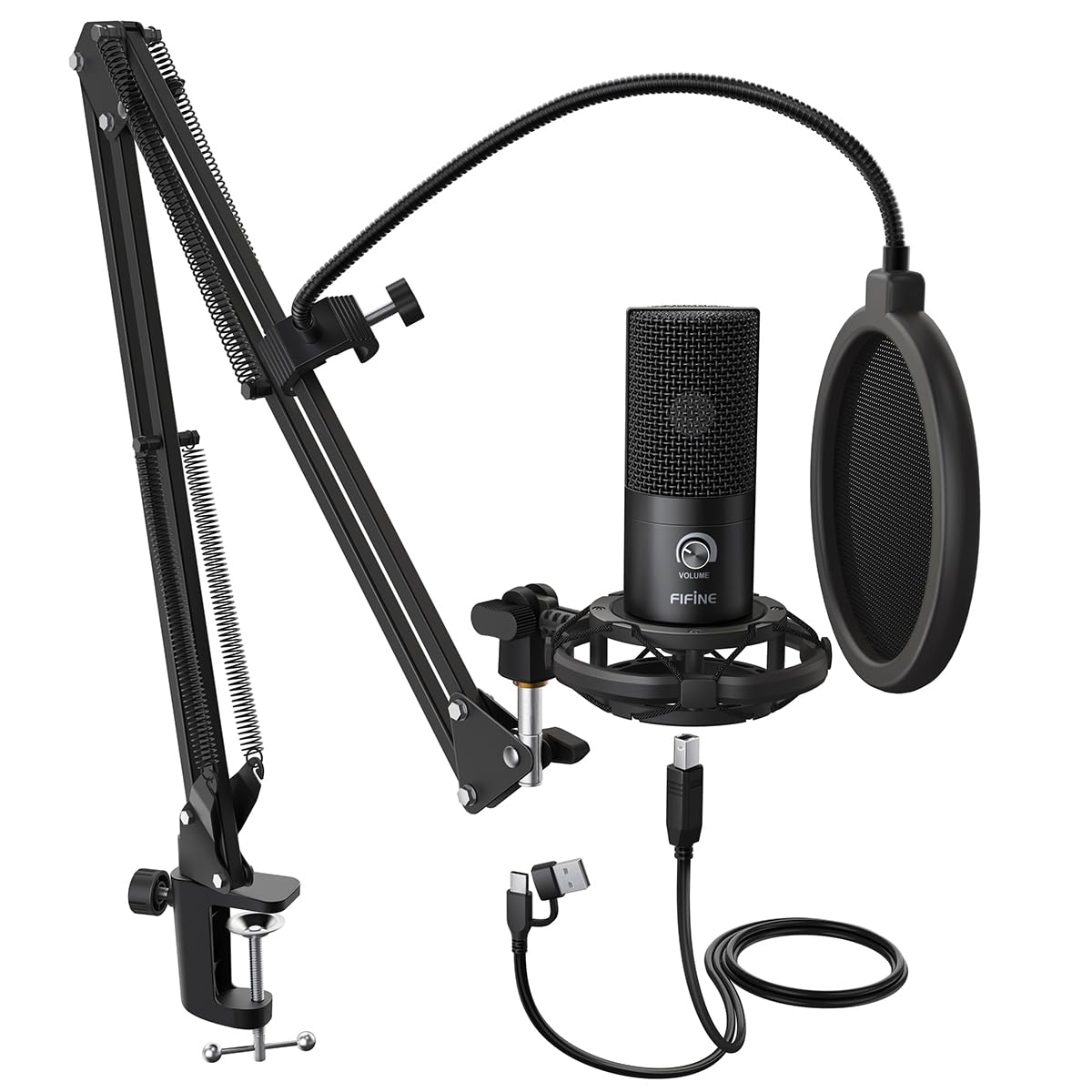
The C-clamp is the least glamorous part of any microphone kit and the one that decides whether the kit is usable. On the T669 it tightens onto a desk edge and carries a scissor arm with 180 degrees of up-and-down travel and 135 degrees of reach, so the microphone parks where you want it and swings clear when you are done.

What arrives in the box is the reason to buy it: the microphone, the arm, a shock mount, a pop filter, a foam windscreen, and a detachable cable that ends in both USB-A and USB-C. If you own none of that yet, this is a complete desk setup in one order, and we think it is the right first purchase in this group.

The arm is where the savings live. A scissor arm at this level drifts at the joint and sags under load, so seat the clamp on a desk edge thin enough for it and tighten the joints before the first session rather than after the tenth. The microphone is the dependable part; the arm decides how long the kit stays pleasant to use.

Pros

  • Complete kit: arm, mount, filter, and cable
  • Cable terminates in both USB-A and USB-C
  • 180 degrees of tilt and 135 degrees of reach

Cons

  • USB only, with no interface upgrade path
  • Cardioid only, with no pattern switching
Our verdict

Buy it if you own no recording gear at all — mic, arm, mount, and filter arrive together, and that is worth more than a better capsule on its own.

Check Latest Price
6

Best Cheap Path to XLR

MAONO A04 Gen2

91 /100
LBD Score Outstanding

Key details

Included
Boom arm, shock mount, pop filter, USB cable; no XLR cable
Connectivity
USB and XLR
Polar Pattern
Cardioid
Sampling Rate
192 kHz / 24-bit
View on Amazon

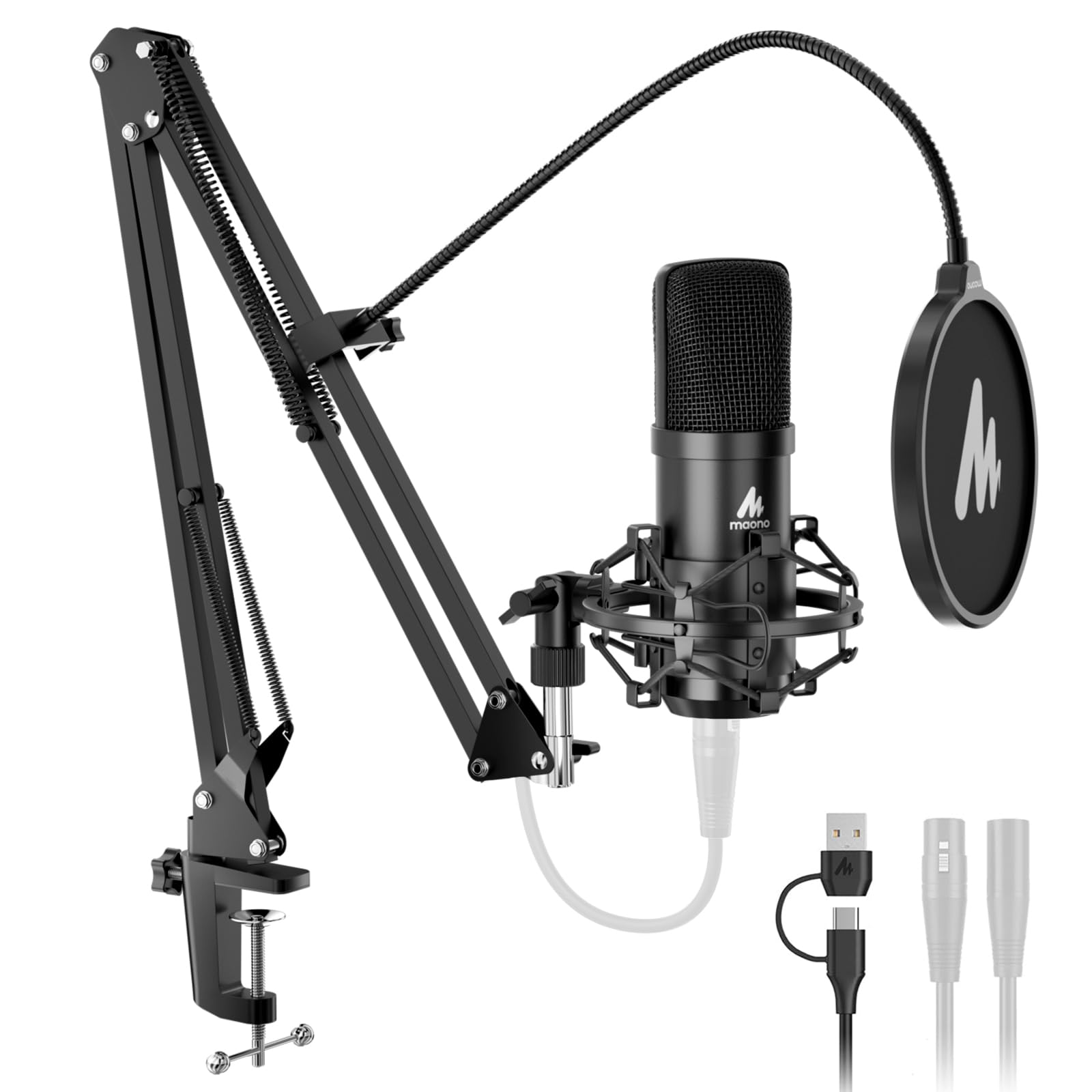
If you have not decided between USB and XLR, the A04 Gen2 declines to make you choose. Both connectors sit on the same microphone, so it plugs into a laptop today and into an interface the day you buy one, using the same capsule either way.

The kit is generous: a boom arm, shock mount, pop filter, foam windscreen, desk clamp, and USB-C cable, with 192 kHz/24-bit conversion and a 16 mm capsule behind it. The omission to plan around is the XLR cable, which is not in the box, so the day you make the switch you are buying one.

The arm is a budget arm. It holds the microphone where you leave it as long as the clamp is seated flat on a desk edge it actually fits, and the clamp is the first thing to check when a setup starts to droop mid-session. Past that, the dual connection is the most useful thing about this microphone, and it is the cheapest way in this group to keep an interface in the plan.

Pros

  • USB and XLR on the same body
  • Boom arm, shock mount, and pop filter included
  • 192 kHz / 24-bit conversion for editing headroom

Cons

  • No XLR cable in the box
Our verdict

Buy it if you want to start on USB and keep an interface in your future — it is the least expensive microphone here that refuses to make you choose.

Check Latest Price
7

Voice Work

Audio-Technica AT2020USB+

94 /100
LBD Score Outstanding

Key details

Converter
16-bit, 44.1/48 kHz
Monitoring
Headphone jack with volume and mix control
Connectivity
USB
Polar Pattern
Cardioid
View on Amazon

A mix dial is a small thing that changes how you work. On the AT2020USB+ it blends your own voice against audio playing on the computer in your headphones, so you can lay a commentary over a video without a mixer or a second device in the chain.

Behind the dial is the AT2020 capsule, cardioid, with 16-bit conversion at 44.1 or 48 kHz and a headphone amplifier with enough output to drive real headphones rather than earbuds.

You give up the interface path — this one is USB only — and the stand is the weak point: short and light under a tall microphone, so a nudge at the wrong moment puts it over. A boom arm settles that permanently and costs far less than the difference between this and the XLR version.

It is the more expensive of the USB-only options here, which is the whole question. If you record voice and nothing else, want to hear yourself while you do it, and have no plans for an interface, this hands you the studio capsule with the monitoring already solved. Anyone planning to add an interface later should buy the XLR model instead.

Pros

  • Zero-latency monitoring with a mix dial
  • The same cardioid capsule as the XLR AT2020
  • Headphone amp with real output

Cons

  • USB only, with no interface upgrade path
  • Short, light stand under a tall microphone
Our verdict

Buy it if you record voice only, want to hear yourself while you do it, and have no intention of ever buying an interface.

Check Latest Price
8

First Microphone

FIFINE K669B

91 /100
LBD Score Outstanding

Key details

Weight
5.6 oz
Included
Tripod stand, USB cable
Connectivity
USB (USB-A and USB-C)
Polar Pattern
Cardioid
View on Amazon

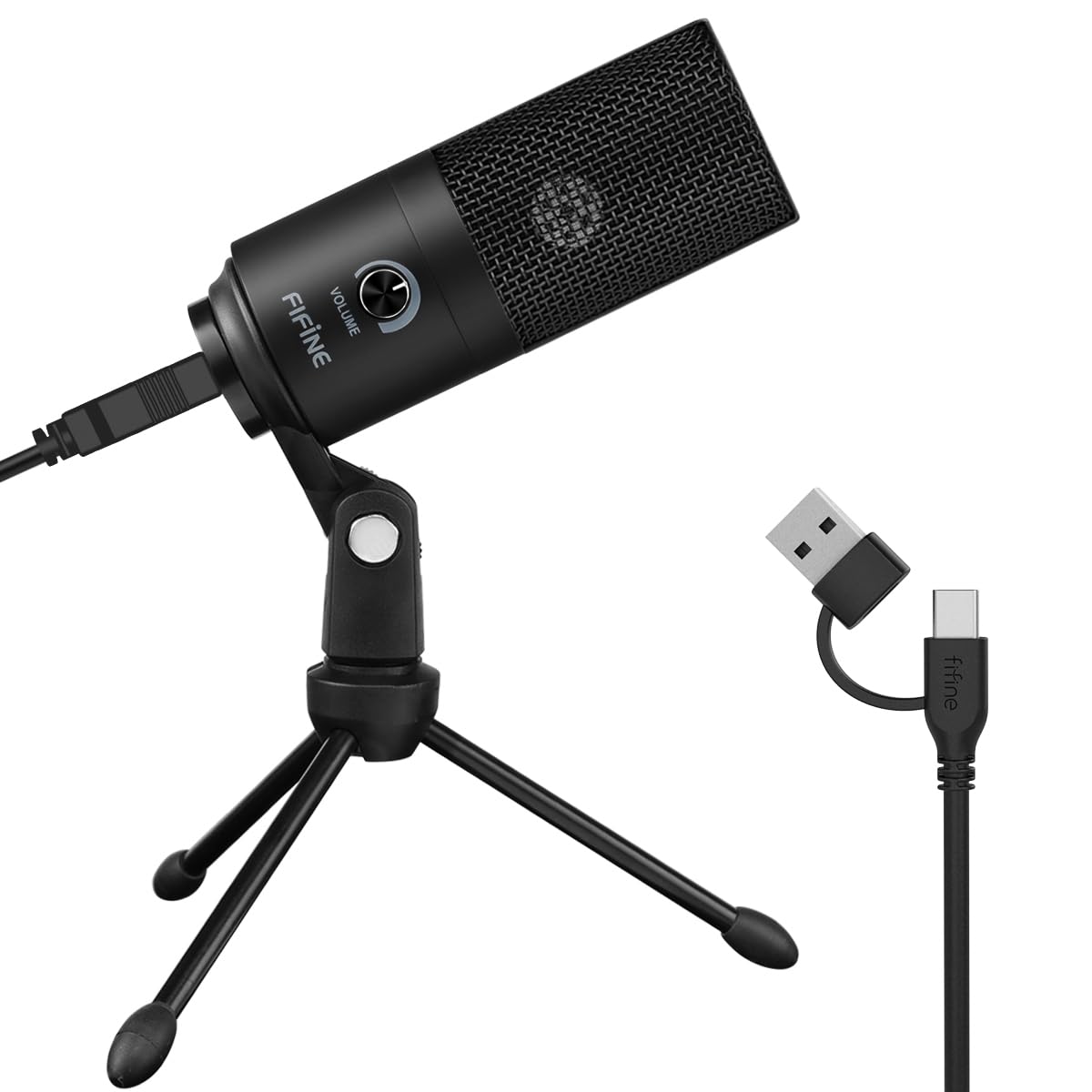
This is the cheapest microphone in the group, and the one we suggest to anyone who is not sure they will keep recording. It is a small metal-bodied cardioid condenser on a tripod, with a volume knob on top and a cable that ends in both USB-A and USB-C.

What that buys is a straightforward improvement on a laptop's built-in array: plug it in, set the knob, and your voice arrives louder and clearer in meetings, voiceover scratch tracks, and a first channel. Setup is one cable and nothing to install.

The body is metal where we expected plastic, and the tripod sits steady on a desk. The single control is that knob on top — set it once, because reaching for it mid-sentence is exactly when the microphone goes over.

For the money it is hard to argue with: a metal body, a real capsule, and a stand in the box. Buy it as a first microphone or a spare, and if you outgrow it you will know precisely what to look for next.

Pros

  • Metal body at the lowest price here
  • Volume knob on the body itself
  • Plug and play over USB-A or USB-C

Cons

  • Hears fans and keyboards readily
Our verdict

Buy it as a first microphone or a spare — one knob, one cable, and a clear step up from a laptop's built-in array for very little money.

Check Latest Price

How We Tested the Best Condenser Microphones

We gathered every condenser mic a first-time buyer might realistically land on, then filtered by connectivity — USB, XLR, or both — available polar patterns, and whether the box included the mount, cable, and pop filter that make a mic usable on day one. Fourteen made the cut, and we tested them for six months.

Testing happened where people actually record: a bedroom desk with a mechanical keyboard, a coat closet, a kitchen table beside a running dishwasher, and an apartment with a radiator that clanked on cue. Each mic cycled through all four.

For every model, we read the same 60-second passage and listened back to hear how much of the room came through, then turned the gain up with nobody speaking to catch the noise floor — the hiss that decides whether a take sounds clean or fuzzy. We compared polar patterns side by side with a fan running, and checked whether onboard and software processing cleaned up the room without thinning out the voice. Setup was timed from unboxing to first working recording, with a note on whether a shock mount, boom arm, cable, or pop filter came included or had to be bought separately.

Durability and stability got the boring treatment: six-hour sessions checking for dropouts and driver hiccups, repeated plugging and unplugging, and deliberate desk bumps to see whether the mount held the mic in place and how much thud reached the recording. Value came down to what shipped in the box rather than what the capsule promised.

How to Choose a Condenser Microphone

USB or XLR: count the gear before you compare

A USB condenser has the preamp and converter built in, so one cable goes from the mic to your laptop and you are recording. An XLR condenser needs an interface or mixer that supplies phantom power, plus a cable and a stand — the Audio-Technica AT2020 ships with none of the three.

That difference decides more than the sound does. If you already own an interface, XLR buys you more capsule for the money. If you do not, price the interface and cable in before you conclude the USB version of the same microphone is the worse buy.

Cardioid first, extra patterns second

Cardioid is the pattern you will actually use: it takes what is in front of the mic and rejects most of what is behind it, which is why it is the default on nearly every model here. Omnidirectional picks up the whole room, figure-8 suits two people facing each other, and stereo is for capturing a space rather than a voice.

Multi-pattern mics cost more and add a switch many people touch twice. Buy the patterns you will genuinely record with, and if that is one voice at a desk, put the difference into a shock mount or a sturdier arm.

The kit is only as good as its weakest joint

Boom arms and desk clamps are where budget kits fail, and it is almost never the capsule. A scissor arm drifts at the joint once the microphone is heavier than it expects — the Blue Yeti at 3.5 pounds is a lot for a light arm, while the HyperX QuadCast at 1.6 pounds is not.

Check two things before ordering: that the clamp opens wide enough for your desk edge, and that the arm is rated for the microphone's weight. A shock mount and a pop filter will improve a recording more than an extra polar pattern ever will.

Controls worth having on the body

Three controls earn their place: a gain knob, a mute you can hit without looking, and a headphone jack. Gain on the body saves digging through system settings mid-session, a mute with an indicator light prevents the accident everyone has once, and a headphone jack lets you hear what is actually being captured.

If you record and listen in the same application, the headphone jack stops being a nicety. The Audio-Technica AT2020USB+ goes a step further with a mix dial that blends your voice against playback in your ears.

Distance and gain beat any upgrade

A condenser is sensitive by design, which is both the quality you paid for and the problem you have to manage. The fix is proximity: work a hand's width from the grille, angle the mic slightly off your mouth to soften plosives, and bring the gain down to compensate.

Test it before you buy anything else. Record a paragraph from across the desk, then the same paragraph up close, and compare. If the close take is cleaner, you have found the problem, and a more expensive microphone will not solve it for you.

Frequently Asked Questions

Final Verdict

The HyperX QuadCast is the condenser microphone we recommend to most people: four patterns, a shock mount built into the body, and a mute you can hit without looking, all over a single USB cable.

If you already own an interface, the Audio-Technica AT2020 puts your money into the capsule instead. And if you want to stop choosing between the two, the RØDE NT1 5th Gen does both jobs with the mount and cables already in the box.