Best Computer Monitors of 2026

A monitor is the piece of your desk you stare at for eight hours and the piece most people buy in a ten-minute panic. The spec sheet is no help: two screens can both say 1080p, IPS, and 100Hz and look nothing alike under your own lamp, at your own angle.

Over the past eight months, my team and I have run 12 monitors through ordinary days — spreadsheets, late-night email, weekend movie nights, and enough gaming to notice when a panel stutters. The gap between good and cheap shows up in small places: whether text stays crisp at 2 a.m., whether the stand lets you raise the screen instead of stacking it on a book, whether there's a speaker inside at all.

Color is the thing reviews get right and spec sheets never show — a panel that looks fine alone can look green next to the second screen you already own. What follows is what I'd tell a friend: the ones that earn their spot on the desk, and the quirks worth knowing before you plug one in.

1

Best Overall

LG 27U411A-B

89 /100
LBD Score Excellent

Key details

Panel
IPS
Ports
1 HDMI
Screen Size
27 inches
Refresh Rate
120Hz
View on Amazon

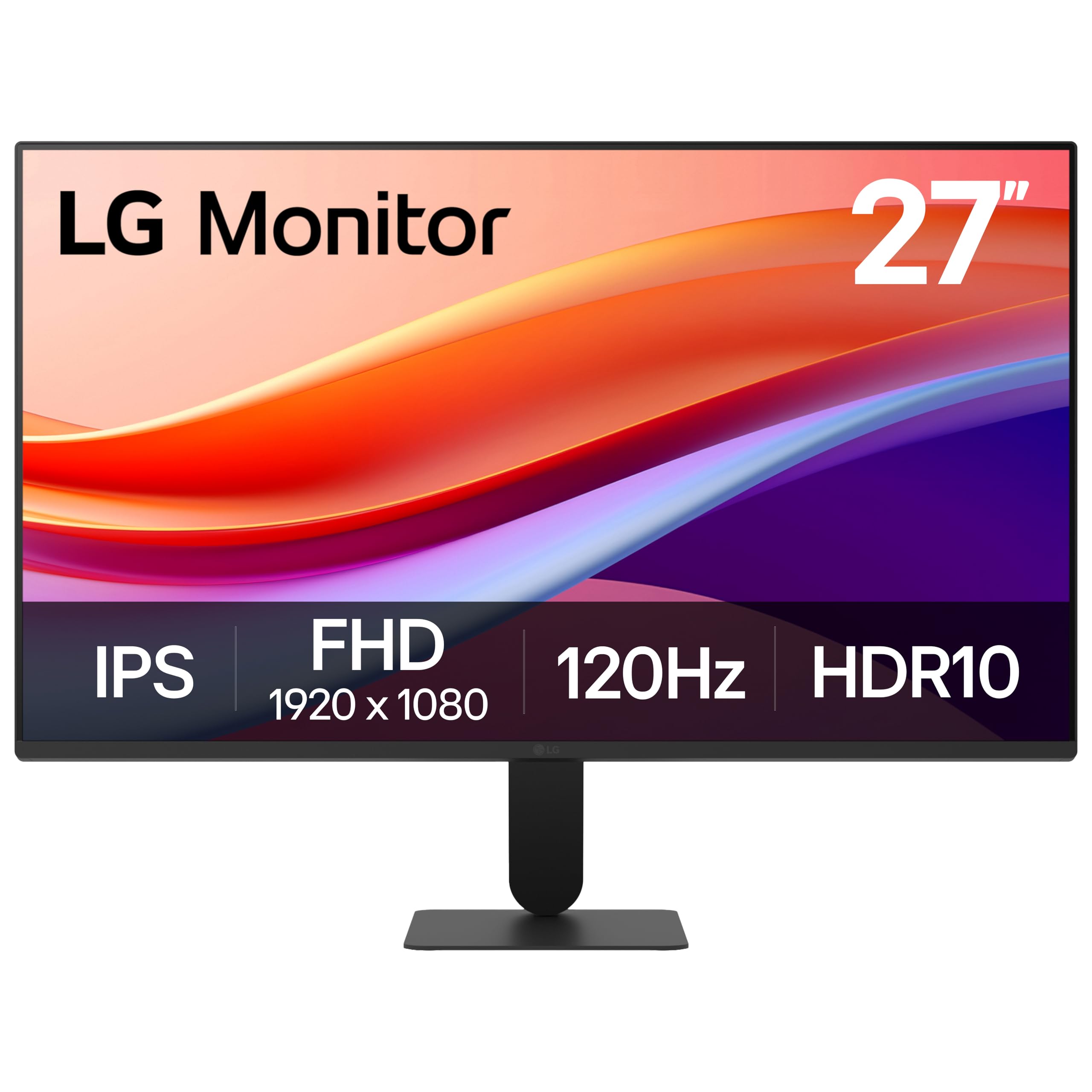
A 27-inch IPS panel running at 120Hz with 99% sRGB coverage and HDR10 support is a lot of monitor for a price that lands near the bottom of this group, and that combination is why it's the one we recommend first. The panel is the part that matters: IPS keeps colors steady when you lean off to the side, so a spreadsheet stays readable from the second chair, and 120Hz makes scrolling and cursor movement noticeably smoother than the 60Hz and 75Hz screens here. We noticed it most during ordinary work rather than in games — dragging a window across the desktop stops looking like a slideshow.

HDR10 on a 250-nit panel is more label than experience; it won't turn a movie into an event. What you do get is a matte screen, thin three-sided bezels that line up cleanly in a dual setup, and a reader mode that dials back blue light for long document sessions. Text at this size is crisp enough for spreadsheets and code, though 1080p across 27 inches works out to about 82 pixels per inch, so very fine type has a soft edge that a 24-inch panel at the same resolution avoids.

The compromise is connectivity. One HDMI port and no DisplayPort means a PC and a console can't both stay plugged in, so a two-machine desk needs a switch or a different monitor. The slim stand also holds a fixed angle with almost no adjustment, which is fine at a standard desk height and awkward if yours isn't.

Pros

  • 120Hz IPS panel with 99% sRGB coverage
  • Color holds up at wide viewing angles
  • Thin three-sided bezels for dual setups
  • HDR10 and adaptive sync at a low price

Cons

  • Single HDMI input, no DisplayPort
  • Stand offers almost no height or tilt adjustment
Our verdict

Our default recommendation: a 27-inch IPS panel at 120Hz, with color that holds up across the desk for work and casual gaming alike.

Check Latest Price
2

Best Budget

Acer KB242Y G0bi

92 /100
LBD Score Outstanding

Key details

Panel
IPS
Warranty
3 years
Screen Size
23.8 inches
Refresh Rate
120Hz
View on Amazon

At 23.8 inches this is the smallest screen in the group, and it's also the least expensive route to an IPS panel running at 120Hz. The panel earns the money: colors stay consistent across 178 degrees, 99% sRGB coverage keeps photos and slides from arriving bruised, and the matte finish shrugs off a window behind you. For a dorm desk, a second screen beside a laptop, or a workstation squeezed into a corner, that's most of what a monitor needs to do.

We came away thinking of it as the sensible cheap monitor. Adaptive Sync and the 1ms VRB figure are there if you game, but the everyday win is a bright, even image that doesn't wash out when you sit off-center, and a stand that takes two minutes and no swearing. The three-year parts and labor warranty is unusually generous at this price, and on a budget buy that matters more than another line on the spec sheet.

What it doesn't have is speakers, and with only HDMI and VGA on the back there's no DisplayPort for a card that prefers it. Neither is a dealbreaker at this size — most people pairing a screen this small with a laptop already have audio sorted — but if you want sound built in and a bigger panel, the Sceptre covers both.

Pros

  • IPS panel at 120Hz for very little money
  • Three-year parts and labor warranty
  • 99% sRGB coverage and vivid color
  • VESA mountable with a simple stand

Cons

  • No built-in speakers
  • HDMI and VGA only, no DisplayPort
Our verdict

The one we hand to anyone buying on a tight budget: IPS color, 120Hz motion, and a three-year warranty in a compact frame.

Check Latest Price
3

Best for Office Work

Philips 241V8LB

92 /100
LBD Score Outstanding

Key details

Panel
VA
Warranty
4 years
Screen Size
23.8 inches
Refresh Rate
100Hz
View on Amazon

Four years of advance-replacement coverage is far and away the longest warranty on this page, and on a monitor this affordable it changes the calculation. A panel that fails in year three gets swapped rather than replaced out of pocket, which is a different kind of reassurance from a better refresh rate.

The rest of the package is built for desks that spend the day in Word. The VA panel gives this one the deepest blacks of the small screens here at 3,000:1 contrast, so lettering on a bright page sits still and dark interface themes don't turn to mud, and EasyRead mode pushes the whole image toward paper. We like that combination for long editing sessions better than a faster refresh rate. At 23.8 inches, 1080p is dense enough that small type stays crisp, and 100Hz is smooth enough for scrolling and unhurried games.

Two things to know before you buy. The stand sets the screen at a fixed height with limited tilt, so if your chair and desk put your eyes above or below the panel, plan on a riser or a VESA arm — the mounting holes are there. And color can arrive looking flat until you spend ten minutes in the settings menu; the picture is even rather than vivid. For spreadsheets, PDFs, and email, that's a fair trade.

Pros

  • Four-year advance-replacement warranty
  • EasyRead mode and flicker-free backlight
  • 3,000:1 VA contrast for dark text
  • VESA mounting holes for an arm

Cons

  • Fixed-height stand with limited tilt
  • Color can look washed out out of the box
Our verdict

Our pick for a desk that lives in documents: a flicker-free VA panel with a paper mode and four years of cover.

Check Latest Price
4

Best for USB Peripherals

Amazon Basics 27-Inch Monitor

91 /100
LBD Score Outstanding

Key details

Panel
IPS
USB Ports
4
Screen Size
27 inches
Refresh Rate
100Hz
View on Amazon

Four USB ports on the back of a monitor sounds like a footnote until you've spent a year reaching behind a tower to plug in a webcam. This is the only screen here that doubles as a hub, and that alone earns it a place on a desk where a keyboard, mouse, headset, and camera all want a home.

The panel is a 27-inch IPS at 100Hz, and it behaves the way a good office screen should: bright, evenly lit, with color that doesn't shift when you lean back in your chair. We were glad the speakers are built in — they're fine for a call and thin for music — and that the whole thing is light enough to carry between rooms without a second thought. Setup is genuinely a cable and a couple of minutes, which is the whole pitch of a monitor like this.

One caution worth knowing: the USB ports can lose power when the display sleeps, so an external drive or a charging puck can't rely on them. Keyboards and mice don't care. If your accessories are the low-drama kind, this is the least fussy way to get a large screen and a hub in a single purchase.

Pros

  • Four USB ports act as a desk hub
  • Built-in speakers for calls and video
  • 27-inch IPS panel at 100Hz
  • VESA compatible for an arm

Cons

  • USB ports lose power when the display sleeps
Our verdict

We recommend it for the desk that wants fewer boxes: a 27-inch IPS screen, speakers, and a four-port USB hub in one purchase.

Check Latest Price
5

Best Big Screen

LG 32MR50C-B

89 /100
LBD Score Excellent

Key details

Panel
VA
Ports
2 HDMI, VGA
Screen Size
32 inches
Refresh Rate
100Hz
View on Amazon

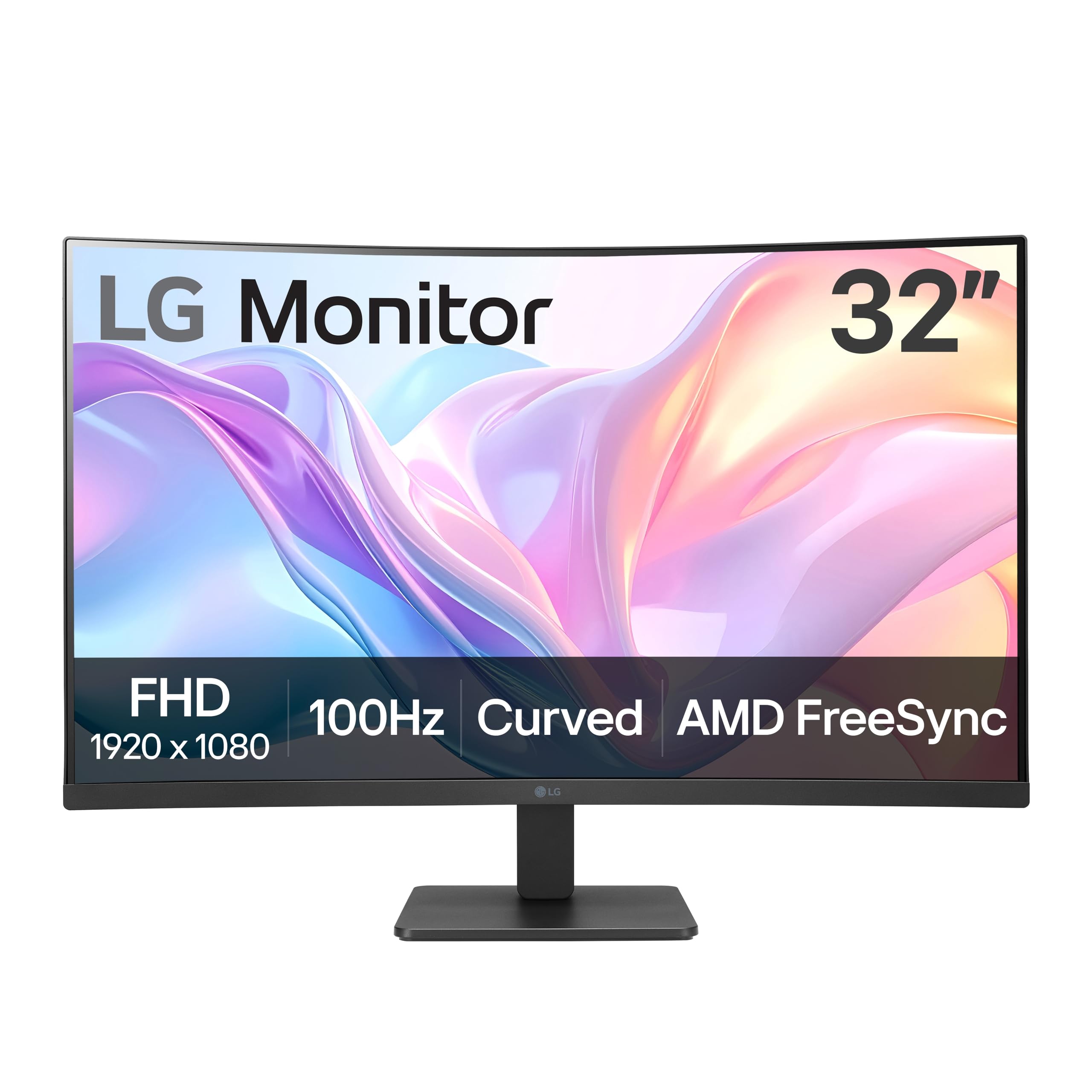
Curved monitors get sold on immersion, but the practical case at 32 inches is simpler: on a flat panel the edges sit further from your eyes than the center, and a gentle curve pulls them back toward the same distance. That's the real argument for this LG. At desk range the difference is noticeable — the far corners stop feeling like an afterthought, and a spreadsheet running the full width is easier to track from one side to the other.

The VA panel is where the deep blacks come from, and 100Hz with FreeSync keeps motion from smearing during a game or a fast scroll. What we didn't expect to appreciate as much is the OnScreen Control software, which splits the display into zones without dragging windows around by hand. The stand tilts but doesn't rise, so the panel sits where the desk puts it; the VESA holes are there if you'd rather hang it on an arm.

Our take is to buy this for size and curve with your eyes open about resolution. 1080p across 32 inches is coarse — you can pick out individual pixels in text at arm's length — so it rewards people who sit back and keep several windows open, not people who read dense documents all day. If your desk is shallow, a 27-inch panel at the same resolution will look sharper for less.

Pros

  • Curve brings the panel edges to equal distance
  • VA contrast for deep blacks
  • 100Hz with FreeSync
  • OnScreen Control splits the display into zones

Cons

  • Tilt-only stand with no height adjustment
  • Full HD looks coarse stretched across 32 inches
Our verdict

A big, gently curved 32-inch screen we like for relaxed viewing — as long as you accept soft text at this resolution.

Check Latest Price
6

Large Flat Panel

Samsung 32-Inch LS32B304

89 /100
LBD Score Excellent

Key details

Warranty
3 years
Resolution
1920 x 1080
Screen Size
32 inches
Refresh Rate
75Hz
View on Amazon

This is among the priciest screens in the group and the plainest on paper: 75Hz, an 8ms response, and FreeSync as the only nod to gaming. What you're paying for is acreage — 32 inches of flat panel with a 4,000:1 contrast ratio and a three-year manufacturer warranty, which is more cover than most of the others here carry.

It's a work monitor first. Two full-size windows side by side is the pitch, and the three-sided borderless frame means a pair of them lines up without a visible gutter. Brightness tops out at 250 nits, which is comfortable in a room without direct sun and dim next to a bright window in the afternoon. DisplayPort sits alongside HDMI, so an older desktop with DP output doesn't need an adapter to get the most out of it.

We rank it behind the LG 32-inch because 75Hz and an 8ms panel are a clear step down once anything moves quickly, and because color is the weak spot: a screen can arrive with a cast that takes real menu work to correct. Buy it if the screen is for documents and video rather than games, you sit far enough back that 1080p doesn't bother you, and the three-year warranty is the detail that tips the decision.

Pros

  • 32-inch flat panel with 4,000:1 contrast
  • Three-year manufacturer warranty
  • DisplayPort and HDMI both on board
  • Three-sided borderless frame for multi-monitor

Cons

  • 75Hz panel with a slow 8ms response
  • Color can need correcting out of the box
Our verdict

The pick for a large, flat, document-first screen with long warranty cover — provided you sit back from it.

Check Latest Price
7

Budget All-Rounder

Sceptre E275W-FW100T

90 /100
LBD Score Outstanding

Key details

Ports
DisplayPort, 2 HDMI
Color Gamut
100% sRGB
Screen Size
27 inches
Refresh Rate
100Hz
View on Amazon

Two HDMI ports and a DisplayPort on a 27-inch panel is a generous backside for a budget monitor, and it's the reason this Sceptre stays in the conversation. A PC on DisplayPort and a console on HDMI both stay connected at the same time, which is more than the LG above manages and the kind of thing you notice every evening.

The panel itself is a 27-inch LED at 100Hz with full sRGB coverage and a 1ms response, and it looks better than the money suggests — colors are rich, whites are clean, and the matte finish stops a window behind you from turning the screen into a mirror. The stand goes on without tools, and the VESA holes mean you can skip it entirely and hang the panel on an arm.

The built-in speakers are there for system sounds and not much else, so plan on a real pair or a headset if you spend the day on calls. Adaptive Sync and the FPS and RTS picture modes are all present, and at 1080p across 27 inches text is sharp enough for spreadsheets without being remarkable.

The catch is reliability. Some of these panels stop working, and that's the one failure you can't fix with a menu setting or work around with an arm — which is why it sits here rather than higher up despite the ports and the price. If a long warranty matters more than the extra inputs, the Acer and the Philips both carry multi-year cover, at a smaller size.

Pros

  • DisplayPort plus two HDMI inputs
  • 100% sRGB color at a budget price
  • VESA mounting holes for an arm

Cons

  • Built-in speakers are weak
  • One-year warranty only
Our verdict

Worth it for the ports and the price, as long as you accept a one-year warranty and some risk over the long haul.

Check Latest Price

How We Chose and Tested These Monitors

We started with a spreadsheet of about 40 screens from brands we've bought from before, filtered by panel type, refresh rate, ports, and price. Anything stuck at 60Hz, anything with only a VGA input, and anything vague about whether speakers were included got cut. That left 12 monitors, which arrived over a few weeks and went straight onto real desks.

Each spent at least four weeks as someone's main display — home office, a shared desk in a busy room, a small apartment — running a real workday of spreadsheets, video calls, and too many browser tabs. Then we rotated them between desks so no screen got a free pass from a dim room or a flattering viewing distance.

Picture quality came down to side-by-side comparisons: the same photo set and a plain white page on each monitor and on a calibrated reference screen, looking for color casts, banding, and backlight bleed on a black screen. We leaned sideways to check viewing angles, read small text at native resolution from a normal sitting distance, and ran the same game sequence and long page scrolls to see whether adaptive sync kept up or the image tore.

Adjustability was physical — how far each stand tilted, swiveled, or rose, and how much the screen wobbled while we typed. We judged looks on the desk too: bezel width, stand footprint, and whether a curved panel made a two-monitor setup awkward. For audio, we played a podcast and a bass track at full volume, since several of these have no speakers at all and that surprises people. Compatibility and reliability ran together over the eight months: a Windows laptop, a Mac, and a console plugged in over HDMI and DisplayPort, screens left on ten hours a day, and notes on dead pixels, flicker caught in a phone camera, and buttons that went mushy.

How to Choose a Computer Monitor

Match Resolution to Screen Size

Full HD is the resolution on every monitor here, so the question isn't which one is sharper on paper — it's how far those 1,920 pixels get stretched. At 24 inches you get roughly 92 pixels per inch, at 27 inches about 82, and at 32 inches about 69. Below roughly 75, small text starts to look soft at normal desk distance, which is why a 32-inch 1080p panel makes a good television and a mediocre word processor.

If you read documents or code all day, stay between 24 and 27 inches. If the big screen is for video, games, and several windows at once, 32 inches is worth the softness — just sit back far enough that you stop noticing it.

IPS or VA: Buy for What's on Screen

IPS panels hold their color when you look from the side and usually sit around 1,000:1 contrast. VA panels go darker, often 3,000:1 or more, which is why so many curved screens use them, but they shift color off-center. If two people share the screen, or color accuracy matters for photos and design, choose IPS. If you sit alone in a dim room and care about black levels, VA is the better trade.

Both types are perfectly good for spreadsheets and email. What we watch for in a budget panel is whether the image stays even across the whole screen — a bright center with gray corners is the thing that makes a cheap monitor feel cheap.

Refresh Rate, Adaptive Sync, and the 1ms Label

Sixty hertz is the floor and looks fine for static documents. Somewhere between 100Hz and 120Hz the difference becomes obvious every time you scroll a page or drag a window, and it's the biggest upgrade on this list after panel type. Adaptive Sync, sold as FreeSync or G-Sync Compatible, matches the panel to whatever your graphics card is outputting so a wobbling frame rate doesn't tear.

Ignore the 1ms headline. On budget panels that figure usually describes motion-blur reduction rather than true pixel response, and a 5ms panel running at 120Hz feels smoother than a 1ms panel stuck at 60Hz.

The Stand Is the Spec Nobody Reads

A monitor you have to prop up on books is a monitor you'll resent. Your eye level should land near the top third of the screen, and most budget stands only tilt — a few sit at a fixed height with no adjustment at all. Measure your seated eye height before you order, then work out whether the included stand clears it.

If it doesn't, look for VESA mounting holes and budget for an arm. That turns any panel here into a height-adjustable one and clears the desk underneath, which is usually worth more than the next step up in specifications.

Ports, Speakers, and the Hub You Might Want

Count your devices before you count ports. A single HDMI input means a PC and a console can't both stay connected, and DisplayPort is worth holding out for if your desktop offers it. A built-in USB hub is rare at this end of the market and quietly useful when a keyboard, mouse, and webcam would otherwise be reaching for the tower.

Treat built-in speakers as a convenience for call audio and system sounds rather than a replacement for a pair of desk speakers — they're the feature buyers complain about most often on budget panels.

Frequently Asked Questions

Final Verdict

When we point someone at one screen and stop talking, it's the LG 27U411A-B. Twenty-seven inches of IPS at 120Hz with 99% sRGB coverage is the combination most desks can live with for years, and the single HDMI is the one thing to plan around before you order.

Two situations change the answer. If the desk is for documents all day and the budget is tight, the Philips 241V8LB brings four years of cover and a paper-reading mode for less. If you want a big screen for video, games, and half a dozen open windows, the LG 32MR50C-B is the one — provided you sit back far enough that 1080p stops looking soft.