Best Budget Tablets of 2026

Budget tablets have a reputation problem, and most of it is earned: the ones that stutter on the home screen on day one rarely get better. But the gap between a throwaway tablet and a genuinely useful one has narrowed, and it usually comes down to a few things — enough physical memory, a screen you're happy to watch a movie on, and storage you can expand later. Get those right and a cheap tablet handles streaming, video calls, and homework without drama.

I've been living with a rotating stack of them since the spring, and my team put 12 through six months of daily use. The results went both ways: a couple of the least expensive screens looked better than their specs promised, while one tablet with an enormous memory figure crawled as soon as a second app opened. That figure is often virtual memory borrowed from storage, so the physical number tells you far more.

A few of these ship with a case, a keyboard, or a stylus in the box, which changes the value math more than a slightly brighter screen does. The picks below are the ones that held up.

1

Best Overall

Lenovo Idea Tab

91 /100
LBD Score Outstanding

Key details

Memory
8 GB RAM, 256 GB storage
Battery
12 hours
Display
11-inch 2.5K, 90 Hz
In The Box
Tab Pen and folio case
View on Amazon

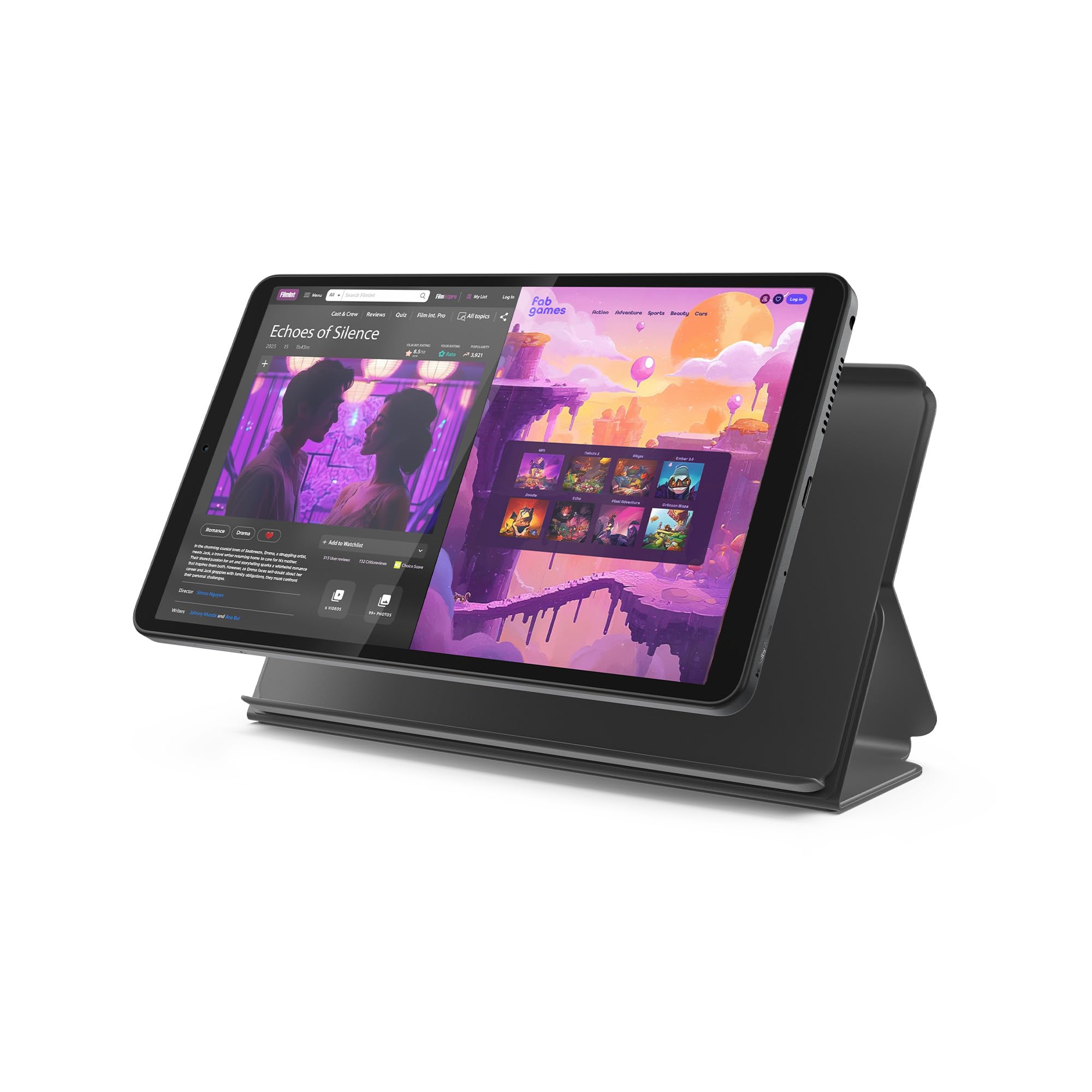
The sharpest screen in this group sits on the tablet we recommend to almost everyone. That's 2,560 x 1,600 across 11 inches, with a 90 Hz refresh that keeps scrolling and page turns smooth. We noticed it first with text: PDFs and long articles stay crisp at arm's length, where the 1280 x 800 panels elsewhere in this roundup start to look soft. At 500 nits it's an indoor screen, which is where a budget tablet spends its life anyway.

Lenovo pairs that panel with a MediaTek Dimensity 6300, 8 GB of memory and 256 GB of storage, and the combination is why this is our default recommendation. Apps open without the pause you learn to expect from cheap tablets, split-screen notes and a video keep running, and the storage means you aren't deleting downloads every month. It isn't a gaming machine — the chip is midrange — but nothing about everyday browsing, streaming or homework felt like a compromise to us.

The Tab Pen and a folio case both come in the box, which is unusual at this end of the market and the reason we hand this to a student before any other pick. Circle to Search works from the pen, the case folds into a stand, and the 7,216 mAh battery is rated for 12 hours, which covers a day of classes or a long flight. The quad Dolby Atmos speakers are loud enough to fill a small room.

What we keep coming back to is how little you give up at this price. The Idea Tab covers reading, streaming, split-screen homework and pen notes without an accessory shopping trip, and it's the only tablet here we're happy to use as a primary device rather than a second screen.

Pros

  • Sharpest display here at 2.5K, 90 Hz
  • 8 GB RAM and 256 GB of storage
  • Pen and folio case included
  • Around 12 hours of rated battery

Cons

  • Wi-Fi can drop when moving between mesh nodes
Our verdict

For most people this is the one: the sharpest screen in the group, 256 GB of storage, and a pen and case in the box for less than the Samsung.
Check Latest Price
2

Best for Families

Samsung Galaxy Tab A11+

92 /100
LBD Score Outstanding

Key details

Memory
6 GB RAM, 128 GB storage
Battery
7,040 mAh, 15 hours
Display
11-inch, 1920 x 1200, 90 Hz
Warranty
2 years
View on Amazon

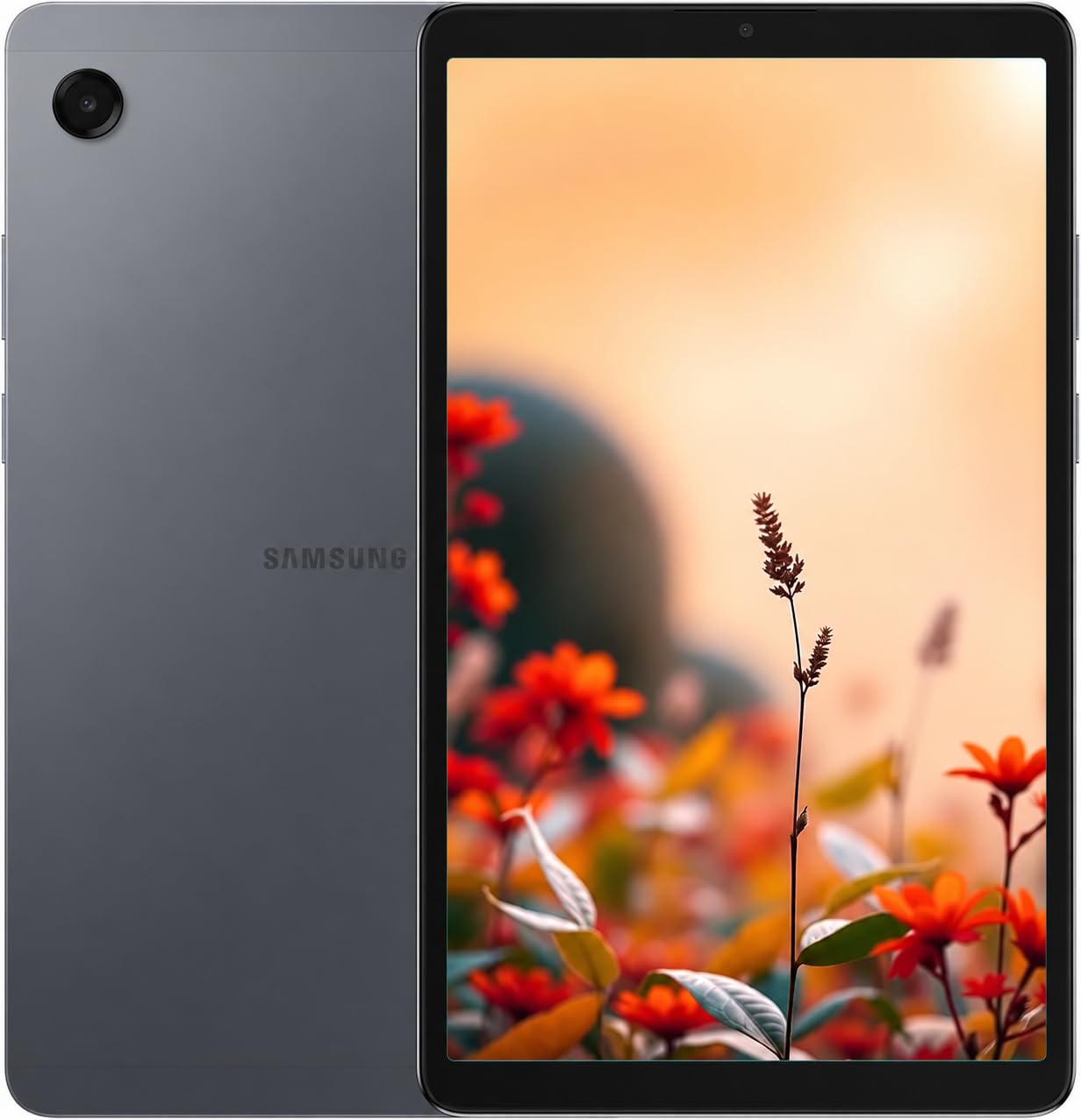
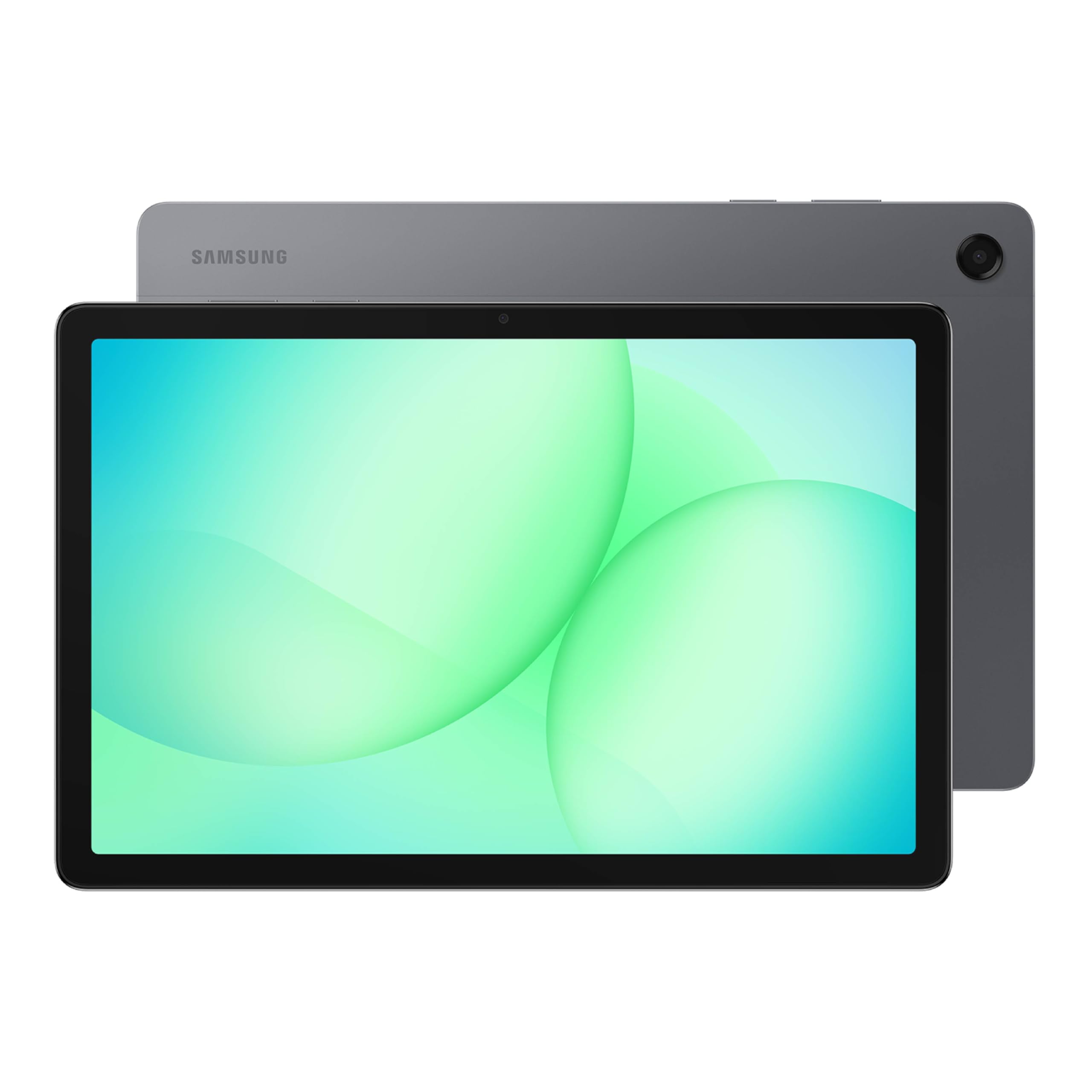
When a single tablet has to serve a household, we point people here. The 11-inch screen is big enough for two people to watch something together, Samsung Kids gives you a walled garden for younger children, and multi-window means someone can answer email in one pane while a video keeps playing in the other. The quad speakers with Dolby Atmos are the loudest and clearest in this group.

The panel itself is 1,920 x 1,200 at up to 90 Hz — a step behind the Idea Tab's 2.5K but perfectly sharp for video and reading — and the 7,040 mAh battery is rated for 15 hours, the longest claim here. Fast charging is supported, and at 1.1 pounds it's light enough to pass around. In our time with it, the refresh rate did more for how modern it feels than the resolution did.

You get 6 GB of memory and 128 GB of storage in this configuration, with a microSD slot if you need more, plus Android 16 and Samsung's AI assist features. The two-year manufacturer warranty is the longest in this roundup by a wide margin, and for a device that will get knocked around a kitchen counter, that coverage is worth real money.

It's the most expensive tablet we're recommending, and the extra buys warranty, speakers and a bigger support base rather than speed — on paper the Lenovo is quicker and sharper for less. We still send families here, because what goes wrong with a cheap tablet is rarely the processor; it's the screen that gets cracked and the warranty that turns out not to exist.

Pros

  • Two-year manufacturer warranty
  • Quad Dolby Atmos speakers
  • 11-inch 90 Hz screen that suits sharing
  • Rated for 15 hours per charge

Cons

  • No charging brick in the box
Our verdict

If one tablet has to survive a whole household, buy this one — a two-year warranty, quad speakers, and a screen big enough to share.

Check Latest Price
3

Best for Streaming on a Budget

Amazon Fire HD 10

91 /100
LBD Score Outstanding

Key details

Battery
13 hours video playback
Display
10.1-inch 1080p
Storage
32 GB
Condition
Certified Like-New
View on Amazon

A 10.1-inch 1080p screen, 13 hours of video playback and an octa-core processor for as little money as anything in this roundup — this is the cheapest sensible way to put a good screen in a kitchen or a kid's room. Ours is a Like-New refurbished unit, which Amazon certifies and covers with the same limited warranty as a new device, so the usual refurbishment worry mostly goes away.

For a first-time buyer, a commuter, or anyone who mostly watches Prime Video, this is the tablet we hand over without hesitation, because at this price the display and the battery are genuinely good. The catch is Fire OS: it runs Amazon's store rather than Google Play, so the app you want may not exist, and the Apple TV app is a frequent casualty. Check the two or three apps you actually use before you order.

Everything else is sized for the job. The 5 MP front camera is fine for video calls, the aluminosilicate glass has survived the sort of knocks that kill cheaper screens, and Amazon says this generation is 25% faster than the last. Push it with a demanding game and it will remind you what you paid.

Pros

  • 1080p display at the lowest price here
  • Up to 13 hours of video playback
  • Certified refurbished with a new-device warranty
  • Toughened aluminosilicate glass

Cons

  • Limited to Amazon's app store, no Google Play
Our verdict

A 1080p screen and 13 hours of video for as little as anything here, as long as everything you watch lives in Amazon's app store.

Check Latest Price
4

Best Compact

Lenovo Tab One

83 /100
LBD Score Excellent

Key details

Memory
4 GB RAM, 64 GB storage
Weight
11.2 oz
Battery
Up to 12.5 hours
Display
8.7-inch HD
View on Amazon

At 11.2 ounces and 8.7 inches, the Tab One is the pick that disappears into a bag. It's light enough to hold in one hand for a whole chapter, and the 16:9 shape means video fills the panel rather than sitting in a letterbox with black bars above and below.

The display is 1,340 x 800 at 480 nits and 60 Hz — fine for reading and streaming, and a step behind the 90 Hz panels on the Samsung compacts. The folio case comes in the box and folds into a stand, there's a microSD slot for extra storage, and the dual speakers handle a podcast without filling a room.

Where this earns its place is endurance and software. Lenovo rates it at up to 12.5 hours of YouTube streaming, which covers a long travel day, and it charges at 15 W. Android with full Google Play access means the app situation is simpler than on a Fire tablet, and setup took us only a few minutes.

Small tablets earn their keep because an 11-inch slab is a commitment and this isn't. It won't replace a laptop for typing, and 64 GB of storage fills faster than you'd expect once photos and offline video arrive, so plan on a microSD card from the start.

Pros

  • 11.2 ounces, comfortable in one hand
  • Up to 12.5 hours of YouTube streaming
  • Folio case included
  • Full Google Play access

Cons

  • Modest processor struggles with heavy games
Our verdict

Our pick for a bag: light enough to hold one-handed, rated for 12.5 hours of video, with a folio case in the box.

Check Latest Price
5

One-Handed Use

Galaxy Tab A11 (International)

82 /100
LBD Score Excellent

Key details

Memory
4 GB RAM, 64 GB storage
Display
8.7-inch, 90 Hz
Warranty
None, international model
Expansion
microSD up to 2 TB
View on Amazon

A 90 Hz screen on an 8.7-inch body is the reason to look at this one: menus and scrolling feel smoother than on any other compact here, and the 1,340 x 800 panel keeps text crisp at the size where it matters. We prefer it to the Lenovo Tab One for reading and one-handed browsing, and the two cost about the same.

The catch is the model. This is the international version of the Galaxy Tab A11, and the listing warns that country selection may not be available during setup — pick any country and carry on, because in practice it mostly affects the built-in weather app. Only a charging cable is included, so budget for a USB-C brick.

Underneath, a 6 nm Helio G99 with 4 GB of memory and 64 GB of storage runs Android 15 and One UI 7 comfortably, and the microSD slot takes cards up to 2 TB, more expansion than anything else in this roundup. The 5,100 mAh battery is rated for 12 hours, there's a 3.5 mm headphone jack, and at 15.2 ounces it's noticeably heavier than the Lenovo.

Pros

  • 90 Hz screen on a compact body
  • microSD expansion up to 2 TB
  • 3.5 mm headphone jack
  • Efficient 6 nm Helio G99 chip

Cons

  • No US warranty on the international model
Our verdict

Buy it for the 90 Hz screen and the 2 TB expansion, provided you're comfortable with an international model and no US warranty.

Check Latest Price
6

Second Screen

WXUNJA 11-Inch Tablet

82 /100
LBD Score Excellent

Key details

Battery
8,000 mAh
Display
11-inch, 1280 x 800
Storage
128 GB
Streaming
Widevine L1
View on Amazon

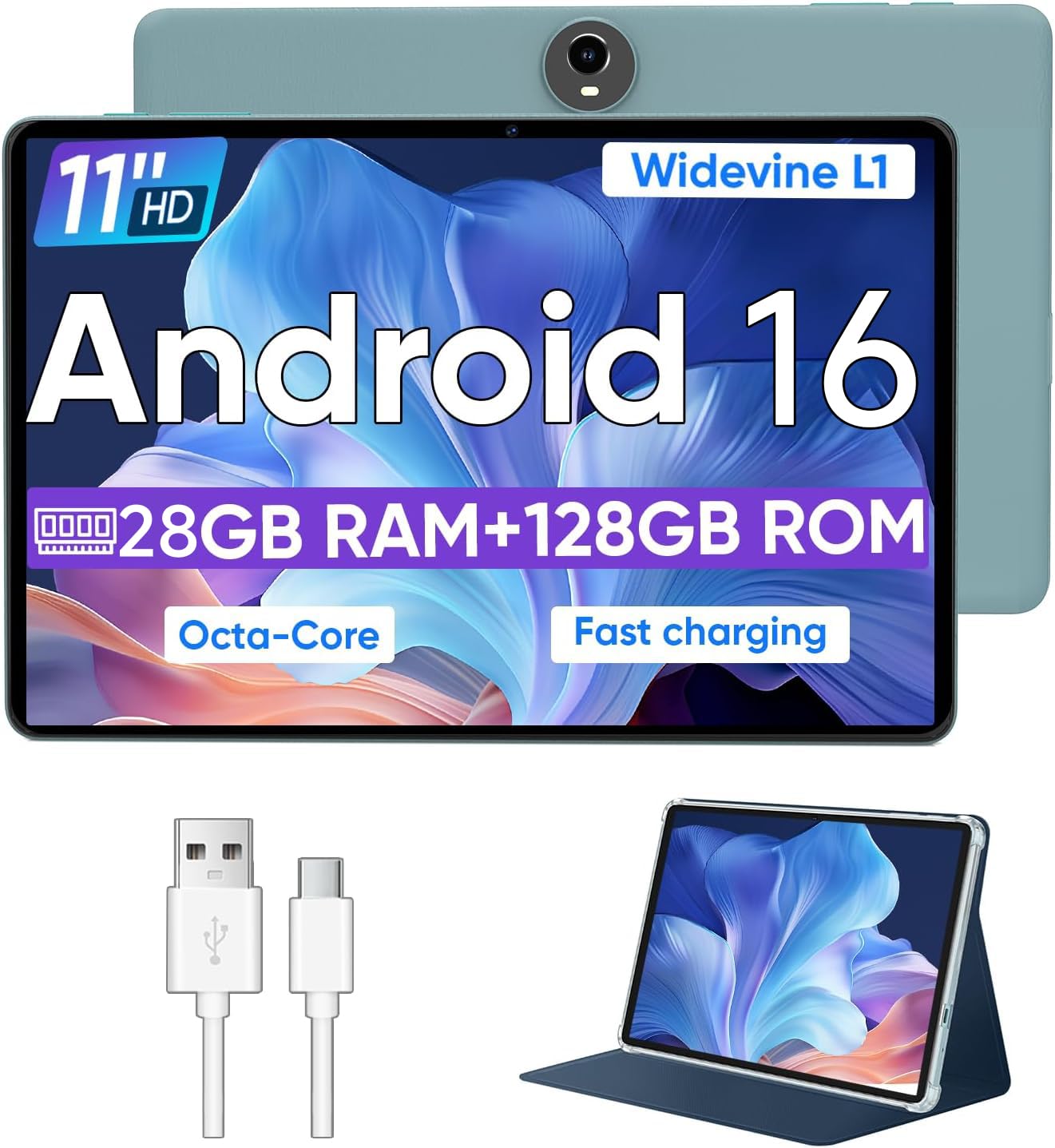
Widevine L1 is the line almost nobody checks before buying a cheap tablet, and it's the one that decides whether Netflix and Prime Video arrive in HD or in a soft, blocky mess. This 11-inch model has it. For anyone who mainly streams, that detail matters more than the processor does.

The rest of the hardware is aimed at the same job. The 8,000 mAh battery is the largest in this roundup, rated for 8 to 10 hours of playback, and 128 GB of storage holds a lot of downloads. There's a 3.5 mm headphone jack, GPS and FM radio, and a case comes in the box.

About that memory figure: the listing's 28 GB is 4 GB of physical memory plus 24 GB of virtual memory borrowed from storage, and virtual memory doesn't make a tablet faster the way real memory does. Read the number in parentheses on all of these listings. Set against that, this is a lot of screen and battery for the money, and we use it as a kitchen or bedroom second screen without complaint.

Pros

  • Widevine L1 for HD streaming
  • 8,000 mAh, the largest battery in the set
  • 128 GB of storage
  • Case included

Cons

  • 1280 x 800 looks coarse at 11 inches
  • Modest chipset for gaming
Our verdict

The pick for streaming: Widevine L1 for HD video, the biggest battery here, and an 11-inch screen, as long as games aren't the point.

Check Latest Price
7

Light Typing

Nyxolaria 10.1-Inch Tablet Set

80 /100
LBD Score Excellent

Key details

Battery
6,000 mAh
Display
10.1-inch, 1280 x 800
Storage
128 GB
In The Box
Keyboard, mouse, case, stylus
View on Amazon

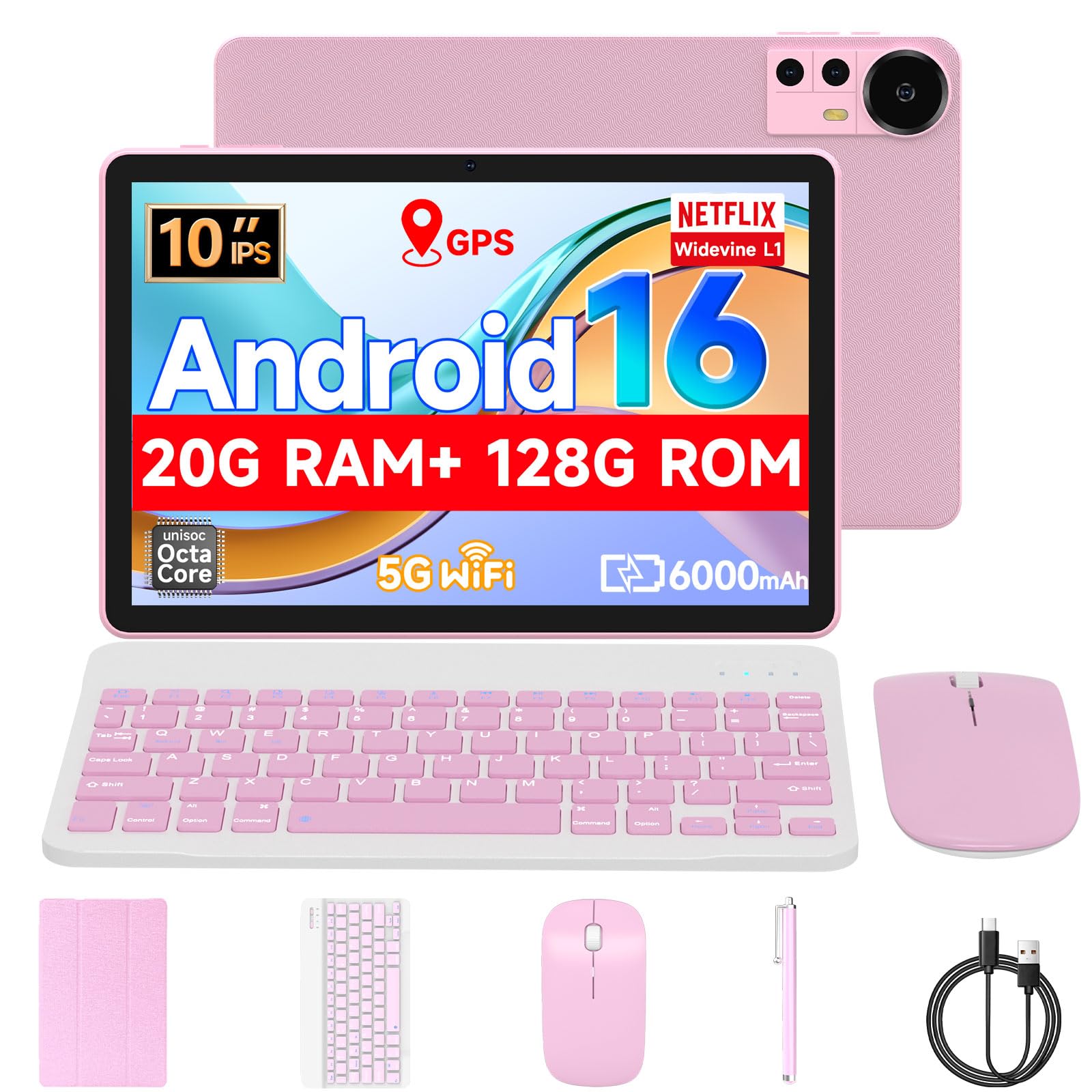
The box is the pitch: a 10.1-inch Android tablet, a Bluetooth keyboard, a mouse, a folding case and a stylus, for roughly what a bare tablet costs elsewhere in this group. Set up on a desk it becomes a passable writing machine, and 128 GB of storage means Office files and downloads aren't an immediate problem.

This is a tablet for one job — a first typing device for a student, or a cheap email-and-documents machine for a kitchen counter — and it's honest about the rest. The keyboard pairs over Bluetooth, the whole thing is just over a pound so it goes in a backpack without a second thought, and Widevine L1 means Netflix and Prime Video play in HD. Android 16 keeps the app situation straightforward.

The compromises show up in the details. The screen is 1,280 x 800 and looks soft next to the Lenovo, the 6,000 mAh battery is rated for about 10 hours of light use, and the kickstand on our case needed a book behind it to stay upright. None of that gets in the way of the job we're recommending it for: a desk, a document, and a video at the end of it.

Pros

  • Keyboard, mouse, case and stylus included
  • 128 GB of storage
  • Widevine L1 support

Cons

  • Not suited to demanding games
Our verdict

A keyboard, mouse, case and stylus in the box with a 128 GB tablet — for email, documents and video rather than games.

Check Latest Price

How We Tested the Best Budget Tablets

To build the shortlist, I pulled every budget tablet I could find and cut anything that couldn't answer a basic question: how much physical memory it had, what the screen resolution actually was, whether storage could be expanded, and what came in the box. That left 12 tablets, which we used for six months.

They lived where tablets actually live: on the couch for evening streaming, on the kitchen table for homework, propped against a counter during video calls, and in a bag for commutes and weekend trips. We ran each one from a full charge to shutdown on a looped video at identical brightness, timed app launches and switching between five open apps, and joined everything from a strong home network to a weak café signal and a phone hotspot to see how quickly each reconnected and stayed connected.

We also watched what the hardware did under load — whether the back got warm, whether a game dropped frames, whether streaming played in high definition or got quietly downgraded. Setup was handed to a nine-year-old and to a grandparent to see where the prompts lost them, and we counted how many software updates each tablet received over the six months, since one that stops getting them has a short life ahead of it. The tablets that made the list never made us wait.

How to Choose a Budget Tablet

Screen Size and Resolution

A 1280 x 800 panel is the budget standard, and at 8.7 or 9 inches it looks perfectly fine. Stretched across 10 or 11 inches, the same resolution turns text soft at the edges, and you notice it in a book or a spreadsheet long before you notice it in a cartoon. Step up to 1920 x 1200 and the improvement is obvious; the Lenovo Idea Tab's 2.5K panel is sharper still.

Size is the other half of the decision. An 8.7-inch tablet around 11 ounces is a one-hand device you'll read in bed with; an 11-inch model around 1.1 pounds is a two-hand, table-or-lap device. If it's going in a bag, buy small.

The Memory Numbers Are Not What They Seem

Listings advertise 20 GB, 28 GB or 36 GB of RAM, and the number in parentheses is the one that matters: 4+16, 4+24, 6+30. The first figure is physical memory. The second is virtual memory borrowed from storage, which keeps a few more apps open but doesn't make the tablet faster. Four gigabytes is the working floor for Android; six or eight is comfortable.

Storage follows the same rule. 32 GB fills up quickly once apps and updates arrive, and a microSD card is great for films and photos but rarely for apps. If the listing is vague about either number, assume the smaller one.

Check the App Store Before the Spec Sheet

Amazon's Fire tablets run Fire OS rather than Google Play. The big streaming apps are there, but plenty of others aren't, and the Apple TV app is a common gap. If one app matters to you — a bank, a school portal, a game your kids keep mentioning — look it up before you order, and treat sideloading as a project rather than a solution.

On the Android models, Android 15 and Android 16 both run the same apps, so the version number matters far less than the store you're buying from.

Budget for the Charger and the Battery

Claims in this group run from about 8 to 15 hours, and the spread is mostly about screen size rather than cell quality: an 8,000 mAh battery in an 11-inch tablet and a 5,100 mAh battery in an 8.7-inch one can both deliver a day of video. What the numbers won't tell you is whether the cell still holds a charge after a year, which is why the warranty section matters.

Several of these ship with a USB-C cable and nothing to plug it into, so plan on using the brick you already charge your phone with.

Buy the Right Model for Your Country

International versions and renewed units are the two traps here. An international model can be identical hardware sold without a US warranty, and setup may not list the United States as a country — usually it affects little beyond the weather app, but the missing warranty is real money.

Renewed tablets are the better bet when the seller certifies them and carries over the original warranty, as Amazon does with its Like-New Fire tablets. Either way, check the return window before you open the box.

Frequently Asked Questions

Final Verdict

Buy the Lenovo Idea Tab. It has the sharpest screen in this roundup, twice the storage of the Samsung, and a pen and folio case in the box, and none of the cheaper tablets come close on the things you look at and touch every day.

Pay for the Galaxy Tab A11+ instead if the tablet will be shared by a family and you want a two-year warranty and the loudest speakers here. And if it's going in a bag rather than living on a table, the Lenovo Tab One is the one we carry.