Best ATX 3.1 Power Supplies of 2026

A power supply is the one part of a build that can fail quietly and take a graphics card with it. ATX 3.1 is the spec that finally accounts for how modern cards draw power — brief, violent spikes rather than a steady number — and it standardizes the 12V-2x6 connector that replaced the older 12VHPWR plug. A compliant unit rides those spikes out instead of tripping protection mid-game.

Nearly every PSU on the shelf claims ATX 3.1, so the badge alone tells you little. What separates these units is everything downstream: whether the fan stays off at idle, whether the modular cables reach the far corner of a mid-tower, and whether the insides hold up after a year of heat. We ran 12 of them for eight months in a gaming build, a compact case, and a workstation that renders overnight.

The wattage on the front is the least interesting number on the box. A good 750W unit outlives a mediocre 1000W one, and cable length matters more than anyone expects the first time they route a stiff 12V-2x6 behind the tray.

1

Best Overall

Corsair RM850e

92 /100
LBD Score Outstanding

Key details

Wattage
850W
Warranty
7 years
Efficiency
Cybenetics Gold
Modularity
Fully modular
View on Amazon

At 850W with a native 12V-2x6 cable, the Corsair RM850e covers the middle of the ATX 3.1 market better than almost anything else here. It is fully modular, 140mm deep, and rated Cybenetics Gold, so it drops into a mid-tower without forcing cable spaghetti or a case swap. The 120mm rifle-bearing fan and 105°C capacitors are the kind of parts you do not see, but they are why this unit can stay quiet under a normal gaming load.

We recommend it as the default because it gets the modern basics right without charging for bragging rights: ATX 3.1, PCIe 5.1, a native 12V-2x6, and enough 850W for a 5070 Ti or 9070 XT-class card. The modular cables are easy to route, and the 140mm body leaves room for a bottom-mounted fan or a thick front radiator. For a 5090 build, step up to 1000W; for everything below that, this is the unit that makes the most sense. Modern Standby support is a small bonus we appreciated—the system wakes from sleep without a full power cycle, which makes the desktop feel more responsive.

Pros

  • Native 12V-2x6 cable, no adapter
  • 850W is ample for mainstream gaming
  • Fully modular and 140mm deep
  • 105°C capacitors and rifle-bearing fan

Cons

  • Seven-year warranty trails 10-year picks
Our verdict

We recommend the RM850e as the default for mainstream ATX 3.1 builds: 850W, a native 12V-2x6 cable, and clean modular cabling at a budget-friendly price.

Check Latest Price
2

Best for High-End Builds

Corsair RM1000x

88 /100
LBD Score Excellent

Key details

Wattage
1000W
Warranty
10 years
Efficiency
Cybenetics Gold
Modularity
Fully modular
View on Amazon

The RM1000x is the step up you take when 850W feels like a ceiling rather than a comfort zone. We recommend it for a high-end single-GPU build because it pairs 1000W of output with a 10-year warranty and Cybenetics Gold efficiency rated up to 91%. That efficiency matters less on the spec sheet than it does in a compact case: less waste heat means the fan has less reason to spin up, and the unit stays quieter under a long gaming session.

The cable set is the detail that surprised us. Corsair uses embossed cables with low-profile combs, and they are flexible enough to bend behind the motherboard tray without fighting back. The unit itself is heavier than the 850W pick—6.9 pounds—but that weight reads as heatsinks and transformers rather than a cheap steel box. It has the native 12V-2x6 connector and ATX 3.1 compliance you expect at this level, and the 10-year warranty covers it through at least one GPU generation.

The RM1000x earns its keep when you are already shopping for a 5080 or 5090-class card and want the headroom without moving to a 1600W monster. If your build is a midrange gaming PC, the RM850e is the more sensible spend.

Pros

  • 1000W headroom for high-end GPUs
  • 10-year warranty
  • Cybenetics Gold efficiency up to 91%
  • Flexible embossed cables with combs

Cons

  • Premium price for the wattage
Our verdict

We recommend the RM1000x for a high-end single-GPU build that wants 1000W, 10-year coverage, and easier cable routing.

Check Latest Price
3

Best Quiet Option

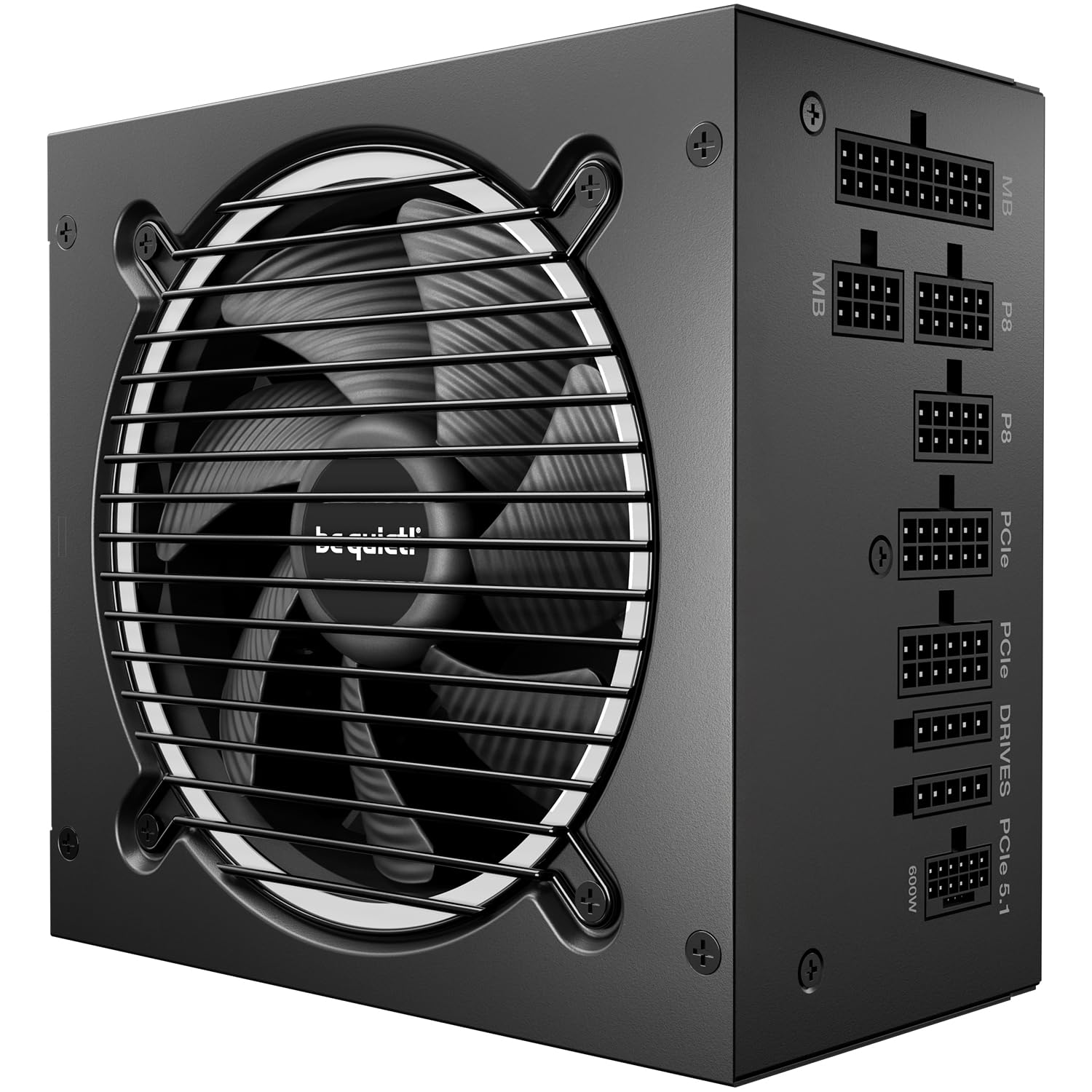
be quiet! Pure Power 13 M

91 /100
LBD Score Outstanding

Key details

Fan
120mm semi-passive
Wattage
1000W
Efficiency
80 Plus Gold & Cybenetics Platinum
Modularity
Fully modular
View on Amazon

The Pure Power 13 M 1000W is the quiet specialist of this group. The box says 80 Plus Gold, but the unit also carries Cybenetics Platinum efficiency and an A++ noise rating, which is a stronger combination than the badge suggests. A 120mm semi-passive fan, LLC topology, and a single 12V rail round out the spec sheet.

At 1000W, it has enough headroom for a 5080 or 9070 XT-class card and a high-end CPU, and the single-rail design handles transient spikes without splitting the load across multiple rails. The fan stays off at low load and only spins up when the heat demands it, so desktop work is silent. The all-black modular cables are easy to route in a mid-tower.

We recommend it for a high-end build where noise matters as much as wattage. The one thing to check is cable length: the set is cut for mid-tower builds, and a full tower with a deep motherboard tray may need extensions or a different route. That is a planning issue, not a performance one, and it is the only reason this unit is not our top pick for every 1000W build.

Pros

  • Cybenetics Platinum efficiency
  • Very quiet semi-passive fan
  • 1000W single-rail output
  • Fully modular black cables

Cons

No notable drawbacks to flag.

Our verdict

We recommend the Pure Power 13 M for a high-end build where low noise and high efficiency matter as much as wattage.

Check Latest Price
4

Best Compact Value

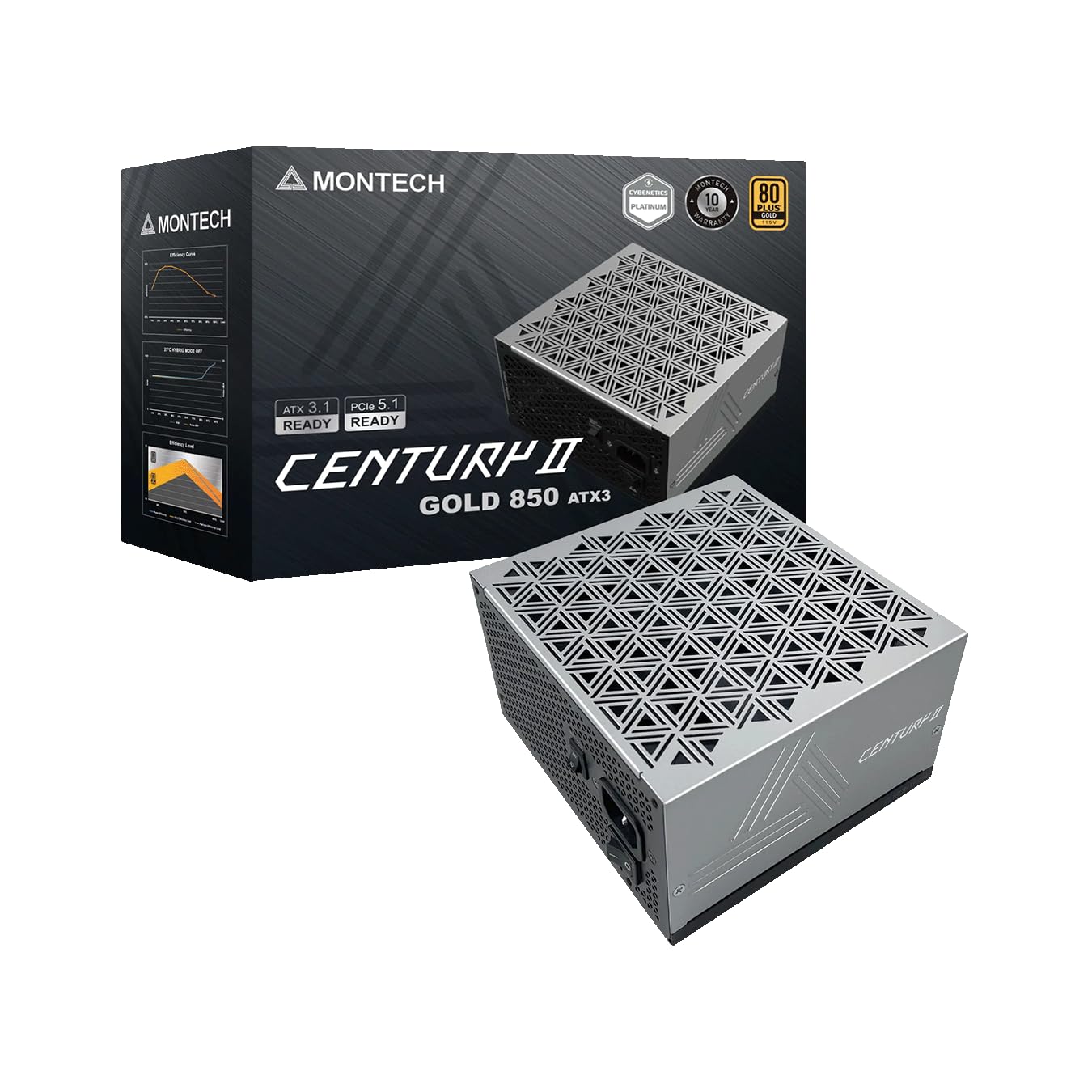
Montech Century II

91 /100
LBD Score Outstanding

Key details

Depth
140mm
Wattage
850W
Efficiency
80 Plus Gold
Modularity
Fully modular
View on Amazon

The Century II's 140mm depth is the first thing we check, because it is the dimension that decides whether a PSU fits a compact mid-tower. At 850W, it has enough output for a 5070 Ti or 9070 XT-class build, and the 135mm fluid dynamic bearing fan with zero RPM mode keeps the unit quiet when the system is idling. The 100% Japanese capacitors and 10-year warranty are the kind of long-game details that matter more than a flashy label.

We recommend it for a compact build that wants modern ATX 3.1 features without paying for a premium badge. The fully modular cable set includes a native 12V-2x6, and the silver metallic finish is a nice change from the usual black box—especially in a case with a window. Installation is straightforward: the unit takes standard ATX screws, and the modular connectors are labeled clearly enough to route without the manual. At 850W it is not the unit for a 5090, but for a mainstream gaming PC it is one of the easiest recommendations here.

Pros

  • Compact 140mm depth
  • 850W Gold output
  • Zero RPM quiet operation
  • 10-year warranty

Cons

No notable drawbacks to flag.

Our verdict

We recommend the Century II for compact mid-tower builds that need 850W, a native 12V-2x6 cable, and quiet operation without spending more.

Check Latest Price
5

Best Budget

Rosewill VSB

88 /100
LBD Score Excellent

Key details

12V-2x6
Native
Wattage
650W
Efficiency
80 Plus Bronze
Modularity
Semi-modular
View on Amazon

A 650W Bronze power supply with a native 12V-2x6 connector looks like a mismatch until you see the job it is built for. The Rosewill VSB is aimed at budget midrange builds that still want a clean connection to a modern GPU, and it manages that with a 120mm ICB fan, 105°C Japanese capacitors, and a five-year warranty.

The 650W rating is enough for a 7600X and 5070-class combination, and the native 12V-2x6 cable means no adapter hanging off the GPU. The semi-modular design keeps the 24-pin and CPU cables fixed, which is a little more to tuck away in a small case, but the rest of the cables detach. The Bronze efficiency means more waste heat than a Gold unit, so it is better suited to a case with decent airflow than a sealed silent box.

We recommend it as the budget pick for a midrange build that wants ATX 3.1 and a native 12V-2x6 without spending much. The 235% power excursion rating and 300% GPU excursion rating give it more transient headroom than the wattage alone suggests, which is reassuring when a modern card spikes. If your parts list fits inside 650W, it is a sensible way to get the modern connector without paying for a Gold-rated 850W unit.

Pros

  • Native 12V-2x6 at a budget price
  • 650W for midrange builds
  • Quiet 120mm fan
  • 105°C Japanese capacitor

Cons

  • 650W limits high-end GPU upgrades
Our verdict

We recommend the Rosewill VSB for a budget midrange build that needs a native 12V-2x6 cable and can live within 650W.

Check Latest Price
6

Best for Extreme Wattage

ASRock PG 1600G

85 /100
LBD Score Excellent

Key details

Depth
180mm
12V-2x6
Dual native
Wattage
1600W
Efficiency
80 Plus Gold & Cybenetics Platinum
View on Amazon

The ASRock PG 1600G is the outlier in this group: 1600W and two native 12V-2x6 connectors. It is built for workstations and dual-GPU setups that need more than one high-power GPU connection, not for a standard gaming PC.

The dual connectors are the headline. Each one has a dual-color design so you can see it is fully seated, and TempGuard monitors the connector temperature. The unit is 80 Plus Gold and Cybenetics Platinum, with a 135mm fan and a 10-year warranty. At 1600W, it has enough headroom for a 5090 and a power-hungry CPU with room to spare.

The unit weighs 9.9 pounds, so it is not the sort of thing you install one-handed while balancing the case on a desk. The fully modular cables help, but you still want a second pair of hands for the initial fit. The 135mm fan stays quiet at moderate load, and the Japanese capacitors are the sort of long-life part you want in a workstation that runs all day.

We recommend it for a workstation or dual-GPU build that genuinely needs 1600W and two native 12V-2x6 connections. For a single-GPU gaming PC, the RM1000x or the Pure Power 13 M is a better use of space and money. The PG 1600G earns its place by doing something the rest of this group cannot: feeding two high-power connectors from one ATX 3.1 unit.

Pros

  • 1600W for extreme builds
  • Dual native 12V-2x6 with TempGuard
  • Cybenetics Platinum efficiency
  • 10-year warranty

Cons

  • 180mm depth limits case choice
Our verdict

We recommend the PG 1600G for a workstation or dual-GPU build that needs 1600W and two native 12V-2x6 connections—if your case takes a 180mm PSU.

Check Latest Price
7

750W Budget Builds

MSI MAG A750GL

91 /100
LBD Score Outstanding

Key details

Wattage
750W
Warranty
10 years
Efficiency
80 Plus Gold
Modularity
Fully modular
View on Amazon

The MAG A750GL is the value question in this group: 750W, 80 Plus Gold, fully modular, a 10-year warranty, and a native dual-color 12V-2x6 connector for less than most 850W units. We see the appeal: it puts the modern connector and long coverage into a budget 750W unit.

The dual-color connector is a genuinely useful detail: the colored section shows when the cable is fully seated, which takes some of the guesswork out of the 12V-2x6 install. The unit is compact and the modular cables are easy to manage. The 750W output is enough for a 5070-class card and a midrange CPU. If you are building a 750W midrange PC and buying from a retailer with a straightforward return policy, it is a reasonable way to save money. For a quiet or mission-critical build, the extra spend on the RM850e or the Century II is easier to justify.

Pros

  • 750W Gold at a budget price
  • Native dual-color 12V-2x6
  • 10-year warranty
  • Fully modular

Cons

  • Some units fail early
  • Fan noise varies
Our verdict

We recommend the MAG A750GL only as a budget 750W option, not as the centerpiece of an expensive build.

Check Latest Price

How We Chose and Tested These Power Supplies

We started with spec sheets, not samples. We pulled every ATX 3.1 unit we could find at mainstream capacities — from a 650W budget semi-modular model up to a 1600W flagship — then filtered out anything without a native 12V-2x6 cable, a stated warranty of at least five years, and a fan mode we could actually verify. That left 12 units, which we bought at retail rather than accepting review samples.

Those 12 went into three machines: a mid-tower gaming build running a current high-end card, a compact case where the PSU shares space with everything else, and a workstation that crunches renders for hours at a time. We logged what happened at idle — whether the fan spun at all, and whether we could hear it from a meter away with the side panel off — then repeated the listen under a combined CPU-and-GPU load. We also chased coil whine, since a unit that's silent at idle can still chirp on a menu screen.

Cable management got the same treatment. We routed each bundle behind the motherboard tray, noted how far the 24-pin and EPS connectors actually reached in a full-size case, and paid attention to whether the 12V-2x6 seated with an audible click or needed two hands and a prayer. Over eight months we moved units between builds, let them heat-cycle, and watched whether voltages held steady through long sessions and sudden load spikes. Value came last: what shipped in the box, how long the warranty ran, and whether the cheaper option in a tier was quietly the smarter buy.

How to Choose an Atx 3.1 Power Supply

Wattage headroom and transient spikes

ATX 3.1 is not a wattage rating; it is a promise about how the unit handles short power excursions from the GPU. A modern card can pull well above its rated power for milliseconds, and the spec asks the PSU to absorb roughly twice its rated load for those spikes. For a mainstream gaming build, 850W is the sensible starting point, and the Corsair RM850e shows why: it leaves room for a 5070 Ti-class card without pushing the fan into a permanent spin. A 5080 or 5090 build moves the target to 1000W or more. Add your CPU and GPU peaks, then leave 20 to 30 percent headroom rather than buying the biggest number on the shelf.

Native 12V-2x6 and PCIe 5.1

The 12V-2x6 connector is the one your GPU actually wants. A native cable runs straight from the PSU to the card, while an adapter adds another connection point and more bulk behind the side panel. ATX 3.1 and PCIe 5.1 also tighten the sense-pin design, so the card and PSU can negotiate the load more safely. For a single-GPU build, one native 12V-2x6 is enough; the ASRock PG 1600G is the exception here with two, which matters only for a dual-GPU workstation. Check the connector count before you buy, and leave room for the cable bend at the card.

Efficiency, fan behavior, and noise

Gold efficiency is the sensible floor for a modern build; Platinum and Cybenetics A++ ratings buy lower waste heat and, usually, a quieter fan curve. The be quiet! Pure Power 13 M is the clearest example here: its 80 Plus Gold label undersells a Cybenetics Platinum rating, and the semi-passive fan keeps the unit silent until the load rises. What matters is whether the fan ramps smoothly when it does start, and whether the unit has coil whine at idle. A rifle-bearing or fluid dynamic bearing fan is a better long-term bet than a cheap sleeve bearing.

Case depth, modularity, and cable routing

Depth is the specification that surprises people. A 140mm unit like the Montech Century II drops into a compact mid-tower, while a 180mm unit like the ASRock PG 1600G can collide with a front radiator or a drive cage. Measure the PSU bay before you order, not after. Fully modular cabling helps in a small case because you can leave unused bundles in the box, but cable length matters just as much: a set cut for a mid-tower can come up short in a full tower with a deep motherboard tray. Plan the 24-pin and CPU runs first.

Warranty and capacitor quality

Seven years is acceptable for a budget unit; 10 years is the better signal on a high-end one. The Corsair RM1000x and the ASRock PG 1600G both carry 10-year coverage, while the RM850e stops at seven. Capacitor ratings matter too: 105°C Japanese capacitors are a more durable choice than generic parts, and LLC topology helps hold voltage steady under load. You cannot see any of this through the fan grille, so buy from a brand that states the parts and stands behind the warranty. For a build you plan to keep through two GPU upgrades, the extra coverage is worth paying for.

Frequently Asked Questions

Final Verdict

With the ATX 3.1 basics now common, the best default is the one that nails them without making you pay for headroom you do not need. The Corsair RM850e is that unit: 850W, a native 12V-2x6 cable, fully modular cabling, and a compact 140mm body at a budget price. If you are building around a 5080 or 5090-class card, the RM1000x adds the wattage and a 10-year warranty. For a compact mid-tower, the Montech Century II is the better fit; for a dual-GPU workstation, the ASRock PG 1600G is the only one here with two native 12V-2x6 connectors.