Best 5K Monitors of 2026

The giveaway that you're looking at a 5K panel isn't a photo — it's text. At 27 inches, 5K crams roughly 218 pixels into every inch, so 12-point type renders with crisp edges instead of a soft gray haze. Work a full day that way and 4K feels like a step backward.

Getting there takes more than a resolution number. A full 5K signal eats bandwidth, so the ports and cable you use decide whether you see true 5K or a downscaled compromise, and the shape matters too: a curved 40-inch ultrawide wraps around your desk, a flat 27-inch sits squarely in front of you. Then come the unglamorous details — panel weight, how long the stand takes to attach, whether the picture and the price still feel right three months in.

My team and I have used eight of these as daily drivers over the past nine months, moving them between work desks and kitchen tables. The spec sheet turned out to be a poor predictor of which ones we reached for. The picks below are grouped by the desk they suit.

1

Best Overall

Dell UltraSharp U4025QW

85 /100
LBD Score Excellent

Key details

Resolution
5120 x 2160 (5K2K)
Screen Size
39.7 inches
Connectivity
Thunderbolt, USB-C, KVM, 8 USB ports
Refresh Rate
120 Hz
View on Amazon

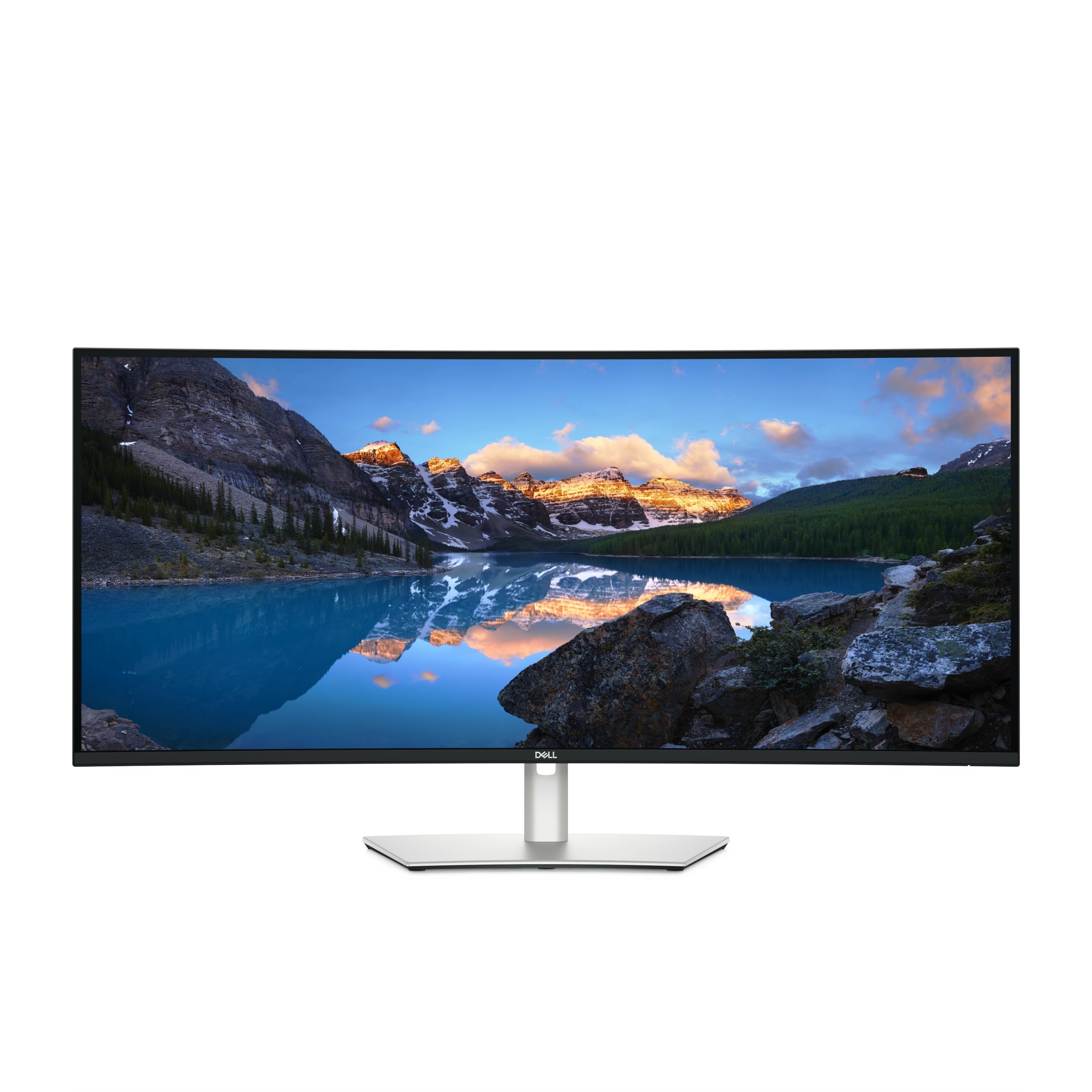
Forty inches sounds excessive until you put two full-size documents side by side and still have room for a chat window. The U4025QW uses a 5120 x 2160 panel in a 21:9 curve, so the appeal is width rather than the 2880 vertical pixels of a true 5K display. We like the built-in hub and KVM for exactly that reason: keyboard, mouse, Ethernet, and storage stay attached while you switch between a work laptop and a personal machine. The 120Hz refresh rate is a welcome bonus for scrolling and window movement, and the matte finish keeps glare manageable.

We think this is the most complete package here for someone who wants one screen to do a bit of everything. Dell rates brightness at 600 nits, and the 5ms response time is quick enough for casual gaming without pretending this is a gaming-first panel. The port selection is the real story: Thunderbolt, USB-C, DisplayPort, HDMI, Ethernet, and eight USB ports mean the monitor can replace a dock for many laptops. The stand adds height, tilt, and swivel adjustment, and the width is generous without feeling like a TV on the desk. If you work in one window at a time, the extra width is overkill; a 27-inch 5K will give you sharper text for less.

The people who get the most from it are the ones who would otherwise buy a separate dock and KVM switch. If your desk is shallow, measure first; the 37.3-inch width needs elbow room.

Pros

  • 40-inch 5K2K canvas fits two full windows
  • Built-in KVM and eight-port hub simplify a two-computer desk
  • 120Hz refresh smooths everyday motion
  • 600-nit matte panel with broad connectivity

Cons

  • Premium price for the feature set
  • Heavy at 41.9 pounds
Our verdict

The Dell UltraSharp U4025QW is our default 5K2K ultrawide for a mixed workday, with the hub and KVM to keep a two-computer desk clean.

Check Latest Price
2

Best Budget

KTC H27P3

89 /100
LBD Score Excellent

Key details

Resolution
5120 x 2880
Color Gamut
99% DCI-P3, 100% sRGB
Screen Size
27 inches
USB-C Power
65W
View on Amazon

The H27P3 is the value play here: a true 5120 x 2880 panel at 27 inches, with 99% DCI-P3, 100% sRGB, and Delta E under 2. That pixel density is what makes text look like print and gives photo and video editors room to judge detail without leaning into a 32-inch panel. We think it is the right first stop for a photographer, designer, or office worker who wants crisp text without paying flagship money. It is also the simplest way into 5K on this list.

The USB-C port delivers 65W, so a laptop can carry display, data, and charge over one cable. The matte IPS panel has a 2000:1 contrast ratio, HDR400, and a 500 cd/m² brightness rating, which is comfortable for a normal office and fine for most editing. The included stand gets it upright, and VESA mounting is there if you want an arm. The dual-mode feature is a nice extra for occasional gaming, but the H27P3 is built around color and text.

If you need Thunderbolt, a KVM, or a larger canvas, the Dell is the step up. If you want a true 5K panel for color work at the lowest cost here, the KTC is the one we reach for.

Pros

  • True 5120 x 2880 resolution at 27 inches
  • 99% DCI-P3 and 100% sRGB color coverage
  • 65W USB-C charging and data over one cable
  • HDR400 and 500 cd/m² brightness

Cons

  • Full 5K tops out at 60Hz
  • Only two USB ports
Our verdict

The KTC H27P3 is the 5K monitor we point to for a first serious creative desk without flagship pricing.

Check Latest Price
3

Best for Mac

Apple Studio Display

89 /100
LBD Score Excellent

Key details

Ports
Two Thunderbolt 5, two USB-C
Brightness
600 nits
Resolution
5K Retina (14.7 million pixels)
Screen Size
27 inches
View on Amazon

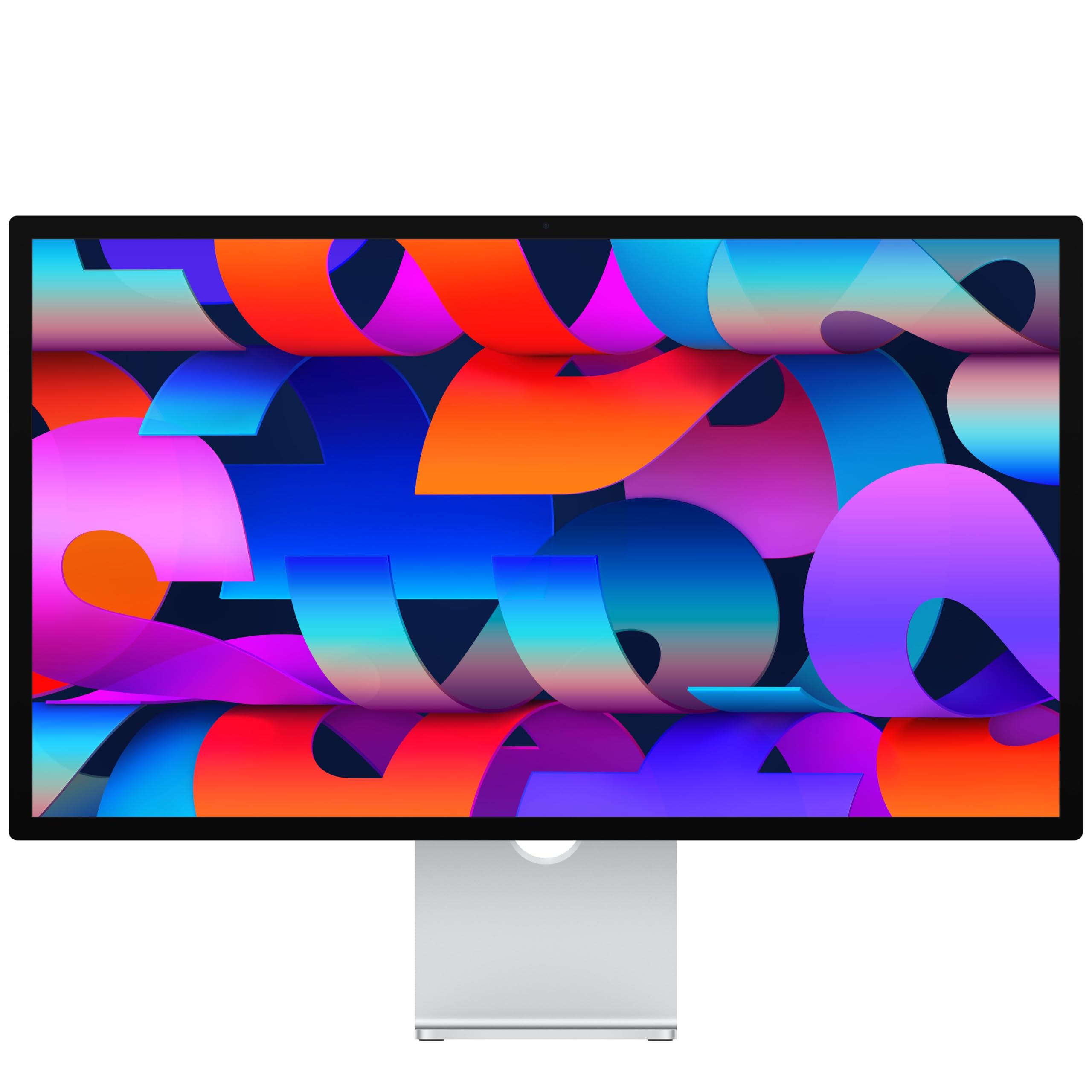
The Studio Display is less a bare panel than a Mac desk accessory: a 27-inch 5K Retina screen, a 12MP Center Stage camera, six speakers, and Thunderbolt 5. We like that it solves video calls and audio without adding a webcam, microphone, and speakers to the desk. The aluminum build and glossy standard glass give it a finished look that most monitors here do not match.

The image is the main event: a 27-inch 5K Retina panel with 600 nits, P3 wide color, and support for a billion colors. We think it is the most polished 5K experience here for Mac users, and the high pixel density makes text look clean at normal viewing distance. The 60Hz refresh rate is fine for editing and office work, but this is not a gaming display.

For a Mac creative who wants one cable and a clean desk, the bundle is the appeal. For everyone else, the KTC gives you a true 5K panel for less and leaves the camera and speaker system out.

Pros

  • Sharp 27-inch 5K Retina panel
  • 12MP Center Stage camera and six-speaker audio
  • Two Thunderbolt 5 and two USB-C ports
  • 600 nits and P3 wide color

Cons

  • Premium price for the package
Our verdict

The Apple Studio Display is the 5K monitor we recommend when your Mac is the center of your work and you want the camera, speakers, and ports handled.

Check Latest Price
4

Best for Gaming

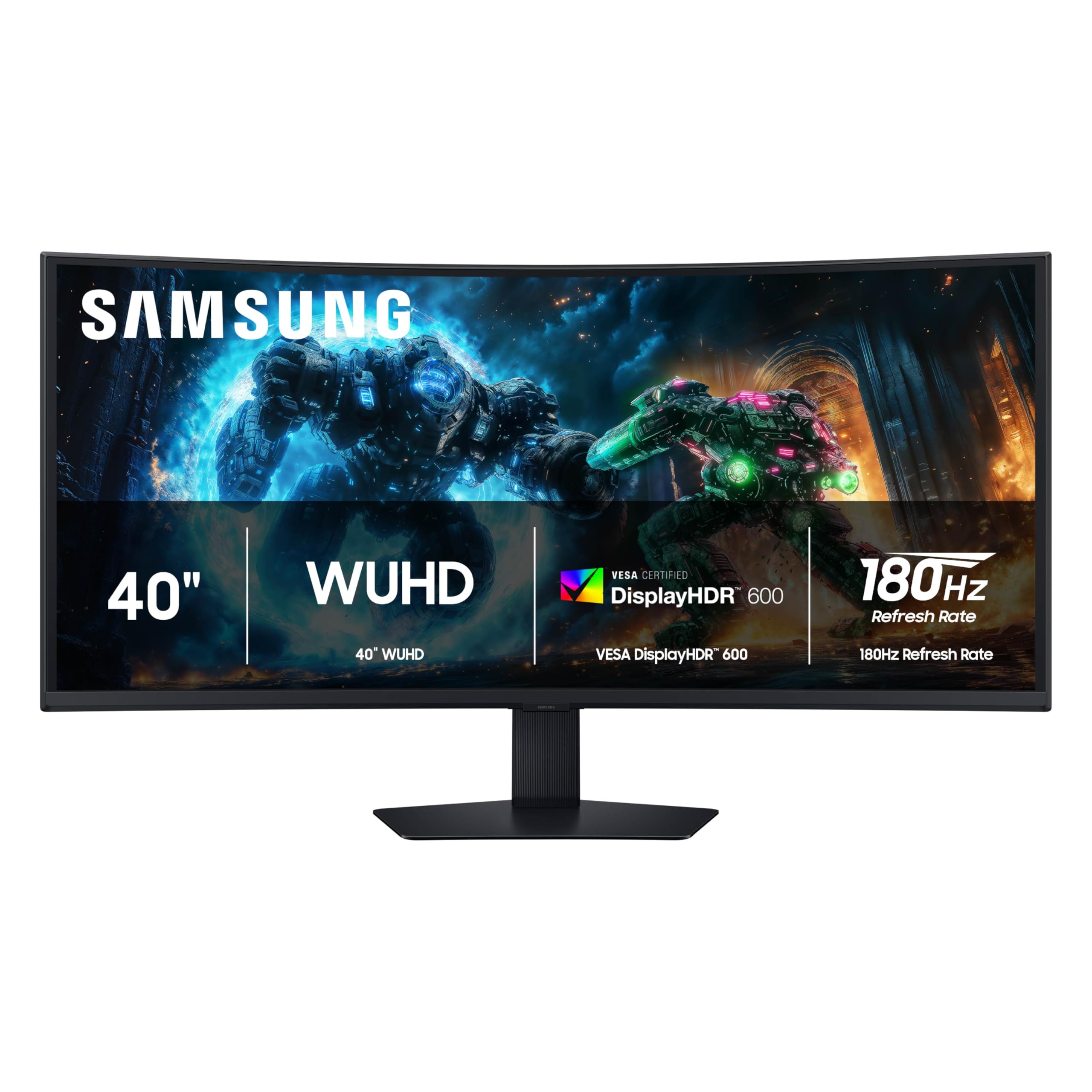
Samsung Odyssey G7 G75F

86 /100
LBD Score Excellent

Key details

Resolution
5120 x 2160
Screen Size
40 inches
Refresh Rate
180 Hz
Response Time
1 ms (GtG)
View on Amazon

A 40-inch 5K2K panel at 180Hz is a strange, wonderful thing for a gaming desk. The 1000R curve wraps around your field of view, and the 1ms GtG response time and FreeSync Premium Pro are aimed at fast motion. We like it for the kind of game where width and curve pull you into the scene, and the 180Hz refresh makes quick camera moves feel fluid.

The resolution is 5120 x 2160, so you get ultrawide width without the 2880 vertical pixels of a true 5K panel. Text and images look crisp, and the VESA DisplayHDR 600 rating adds contrast in dark scenes. Samsung includes two HDMI ports and a USB hub, which is enough for a console and a PC without a separate switcher. The 1000R curve is polarizing: some people love the wrap, others find it too steep for spreadsheet work.

Color is the compromise. The VA panel can look washed out next to a good IPS display, and the 40-inch size makes that difference easy to see. We think the gaming experience is strong enough to make it worth a look if your priority is frame rate and immersion, not photo editing. For color-critical work, the Dell or Apple is the safer choice.

Pros

  • 40-inch 5120 x 2160 5K2K panel
  • 180Hz refresh and 1ms GtG response
  • 1000R curve and HDR600
  • Two HDMI ports and USB hub

Cons

  • Some units fail early
Our verdict

The Samsung Odyssey G7 G75F is the 5K2K ultrawide we recommend for gamers who want speed and immersion before color perfection.

Check Latest Price
5

Travel Second Screen

InnoView 27-Inch 5K

88 /100
LBD Score Excellent

Key details

Ports
USB-C, HDMI, DisplayPort
Weight
12.3 lb
Resolution
5120 x 2880
Screen Size
27 inches
View on Amazon

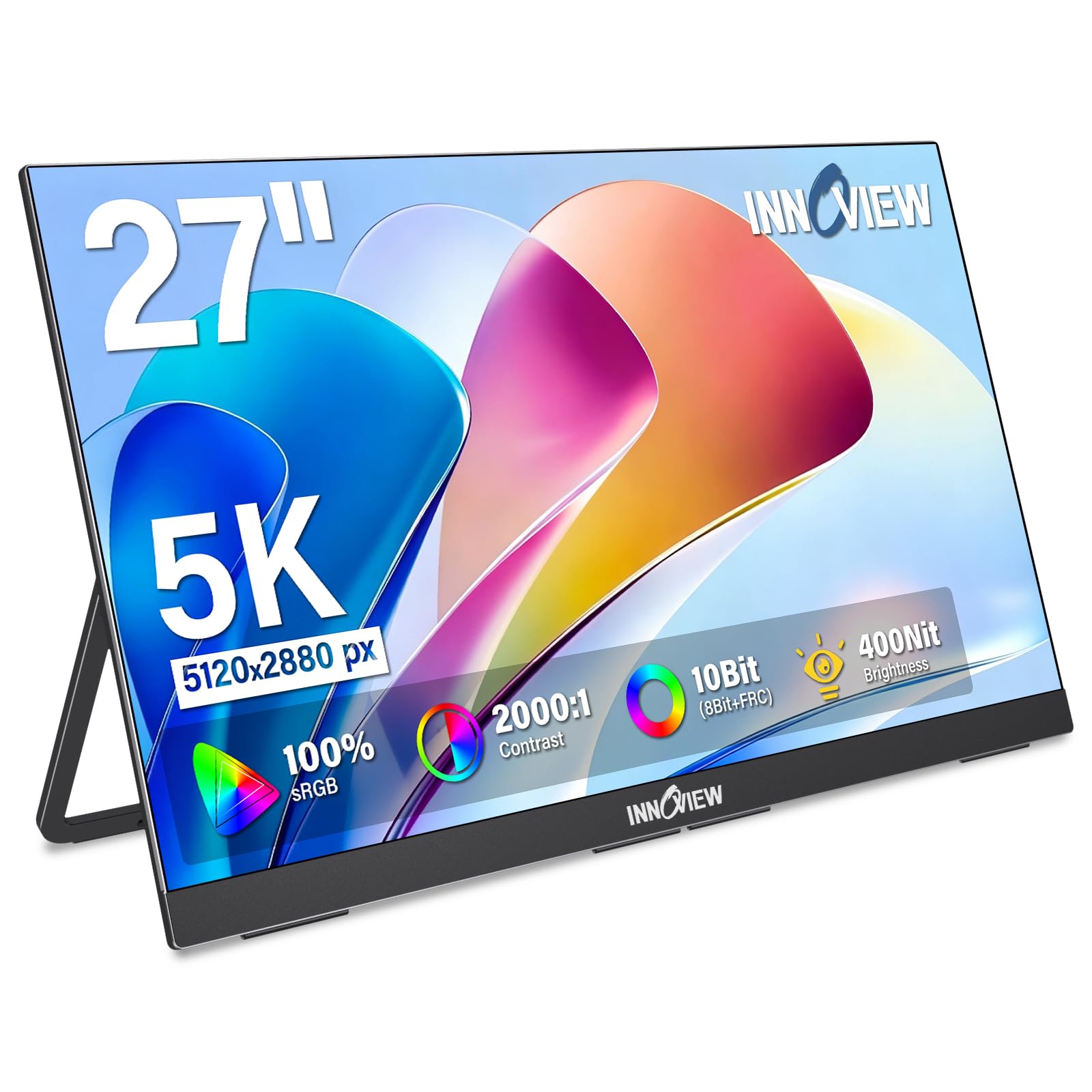
A 27-inch 5K monitor that you can fold up and carry is a niche within a niche, but that is exactly what the InnoView is. The 0.72-inch body, kickstand, and 12.3-pound weight make it more portable than a typical desktop monitor, though it is still a two-hand carry. We like the kickstand for hotel desks and kitchen tables, and the 5120 x 2880 panel gives you the same pixel density as a 27-inch 5K desktop. The matte IPS screen covers 100% sRGB and 400 nits, which is comfortable for documents and photos in a normal room.

The USB-C and HDMI inputs make it a plug-and-play second screen for a laptop or phone, and the built-in speakers are handy for a meeting. The 60Hz refresh and 14ms response time are not gaming specs, so treat this as a work display that can handle a casual game. The metal body and ultra-thin bezels make it look more polished than the price suggests.

The catch is connectivity: the monitor can be fussy about which cable and device it wants, and some setups will not connect at all. We think it is a strong travel pick if you test the exact cable and laptop you plan to use before you leave, and a frustrating one if you expect every USB-C device to work. For a permanent desk, the KTC is a safer 27-inch 5K choice; for a road warrior, the kickstand and low weight are the reason to look.

Pros

  • 27-inch 5120 x 2880 5K panel
  • 0.72-inch body and 12.3-pound weight
  • Kickstand and VESA mounting
  • USB-C, HDMI, and DisplayPort inputs

Cons

  • Speakers are thin for music
Our verdict

The InnoView 27-Inch 5K is the one we recommend for a traveling second screen, provided you accept its size and connection quirks.

Check Latest Price
6

Compact Ultrawide Desks

INNOCN 34C1U

86 /100
LBD Score Excellent

Key details

Resolution
5120 x 2160
Screen Size
34 inches
Connectivity
2x HDMI 2.1, DisplayPort 1.4, USB-C
Refresh Rate
120 Hz
View on Amazon

At 34 inches, the 34C1U is the ultrawide for a desk that cannot swallow a 40-inch panel. It still gives you 5120 x 2160 across a 21:9 screen, plus 120Hz and USB-C with power delivery. We think it is a smart middle ground for a laptop-based creative who wants a wide canvas without a monitor that dominates the room. The three-sided narrow bezels and flat profile keep it visually light.

The VA panel is the trade-off: it has a 3000:1 contrast ratio, which gives dark scenes more depth than a typical IPS panel, but it is not a color-reference display. We like the contrast for late-night work, but the 135% sRGB and 106% DCI-P3 coverage are stronger on paper than the panel's color-critical ambitions. The 120Hz refresh with FreeSync makes everyday motion smoother than a 60Hz office monitor. The 1ms response time is a gaming-friendly claim, though this is not a competitive gaming monitor.

The connectivity is generous for the size: two HDMI 2.1 ports, DisplayPort 1.4, USB-C, and a USB hub. We like that a laptop can drive it and charge over USB-C, though the listing does not state the wattage, so check that it is enough for your laptop. The stand is height-adjustable, and the monitor is VESA-mountable. For a single-cable desk, it is a tidy package; for color-critical print work, the Dell's IPS panel and broader hub are the safer choice.

Pros

  • 34-inch 5120 x 2160 120Hz panel
  • USB-C power delivery and USB hub
  • Two HDMI 2.1 and DisplayPort 1.4
  • Height-adjustable, VESA-mountable stand

Cons

  • One-year warranty
  • 350 nits is modest for bright rooms
Our verdict

The INNOCN 34C1U is the compact 5K2K ultrawide we recommend when desk width matters more than a 40-inch canvas.

Check Latest Price

What Nine Months With Eight 5K Monitors Taught Us

We started by pulling every 5K and 5K2K panel we could find from the major display makers, then cut the list on three things: size and shape, the ports that carry a full-resolution signal — DisplayPort, HDMI 2.1, USB-C with enough power to charge a laptop — and price against what the panel actually delivers. That left eight monitors.

Each one arrived at my home office, where I unboxed it alone and timed how long the stand took to attach and how much muscle the panel needed to get onto a desk — a real question once you're lifting a 40-inch curved screen. From there they moved around: a work desk for spreadsheets and long writing sessions, a laptop and a small desktop for photo and video editing, and a kitchen counter for a few weeks, a trip only the two lightest panels made.

Picture quality got the most scrutiny. We pulled up the same test images and the same dark film scenes, looked for backlight bleed with the lights off, and checked whether color drifted from corner to corner. Each monitor also ran eight hours a day for months, which is how we caught the things that only surface later: flicker at low brightness, a curve that stops feeling natural during a long document, a stand that wobbles when you type.

Connectivity was tested with the cable in the box first, then our own — plugging a laptop in over USB-C to confirm the panel delivered full resolution instead of quietly downscaling, then switching between a desktop and a console without unplugging anything. Nine months of daily use gave us a read on reliability and on value: several of the less expensive panels did nearly everything the pricey ones did.

How to Choose a 5K Monitor

True 5K or 5K2K Ultrawide?

A 5120 x 2880 panel gives you a 16:9 screen with 2880 vertical pixels; a 5120 x 2160 panel gives you a 21:9 ultrawide with the same width but less height. For a 27-inch desk, true 5K is the text-and-photo option. For a 34- to 40-inch desk, 5K2K buys room for two full windows and timelines. The trap is assuming 5K2K is a taller 5K; it is wider, not taller. Decide which you need before you compare anything else.

Match Size to Pixel Density

At 27 inches, 5K packs so many pixels that text looks smooth at normal viewing distance. At 34 or 40 inches, the same pixel count spread wider gives you more workspace but lower pixel density, so text is still crisp only if you sit a little farther back. We prefer 27-inch 5K for close reading and photo detail, and 34- to 40-inch 5K2K for spreadsheets, video timelines, and side-by-side windows. Measure your viewing distance and desk depth; a 40-inch panel is a commitment.

Check Ports, Power, and KVM

The monitor is often the dock now. A USB-C port can carry video, data, and laptop charging over one cable, but not every USB-C port does all three, and power output varies. If you switch between two computers, a built-in KVM is worth more than an extra HDMI port. Check for DisplayPort or Thunderbolt if you need high resolution and refresh, and confirm the USB-C wattage against your laptop. The Dell U4025QW is the most complete example here; the KTC H27P3 covers the basics with 65W USB-C.

Balance Color, Brightness, and Speed

For photo and video work, color coverage and accuracy matter more than a high refresh rate; look for wide gamut coverage and a low Delta E claim, then confirm the panel type. VA panels can give deeper blacks and higher contrast, while IPS panels usually keep color more consistent across the screen. Brightness matters if your room is sunny or you want HDR, and 60Hz is fine for office work. Gamers should pay for 120Hz or more and adaptive sync; everyone else can save the money.

Plan for the Stand and Mount

A 40-inch monitor can be 37 inches wide and weigh over 40 pounds, so the stand or arm is part of the purchase. Check height, tilt, and swivel if you share the desk or sit at different angles, and confirm the VESA pattern and weight rating before you buy an arm. The Apple Studio Display's tilt-only stand is a good example of why the stand matters; if you need height adjustment, choose a different stand option. On a shallow desk, a monitor arm often buys back more space than a smaller screen.

Frequently Asked Questions

Final Verdict

The Dell UltraSharp U4025QW is the 5K2K monitor we recommend first because it solves the whole desk: a 40-inch 5120 x 2160 panel, 120Hz, a KVM, and enough ports to replace a dock. It is a premium purchase, but it earns that place for a mixed workday.

If you want a true 27-inch 5K panel for less, choose the KTC H27P3; Mac users who want the camera and speakers built in should choose the Apple Studio Display.