Best 4X6 Photo Printers of 2026

There's a particular guilt that comes with 4,000 photos on your phone and not one of them on the fridge. A 4x6 printer solves that in about a minute — it sits on a shelf, talks to your phone over Wi-Fi or Bluetooth, and hands you a real print while the coffee's still hot. Almost all of them use dye-sublimation rather than ink: yellow, magenta, and cyan laid down one pass at a time and sealed under a clear coat, which is why prints come out dry to the touch instead of smeary.

I've spent six months printing the same handful of images on a dozen of these — portraits, party candids, landscapes with fussy skies — and the differences show up fast. The thing nobody tells a first-time buyer is that the box price is only half the story: most models bundle paper with a matching ribbon or cartridge, those bundles vary a lot, and the cheaper printer can end up costing you more per print. The picks below are the ones that earned a permanent spot on the shelf.

1

Best Overall

Liene M100 Photo Printer

89 /100
LBD Score Excellent

Key details

Connection
Wi-Fi hotspot, USB-C
In The Box
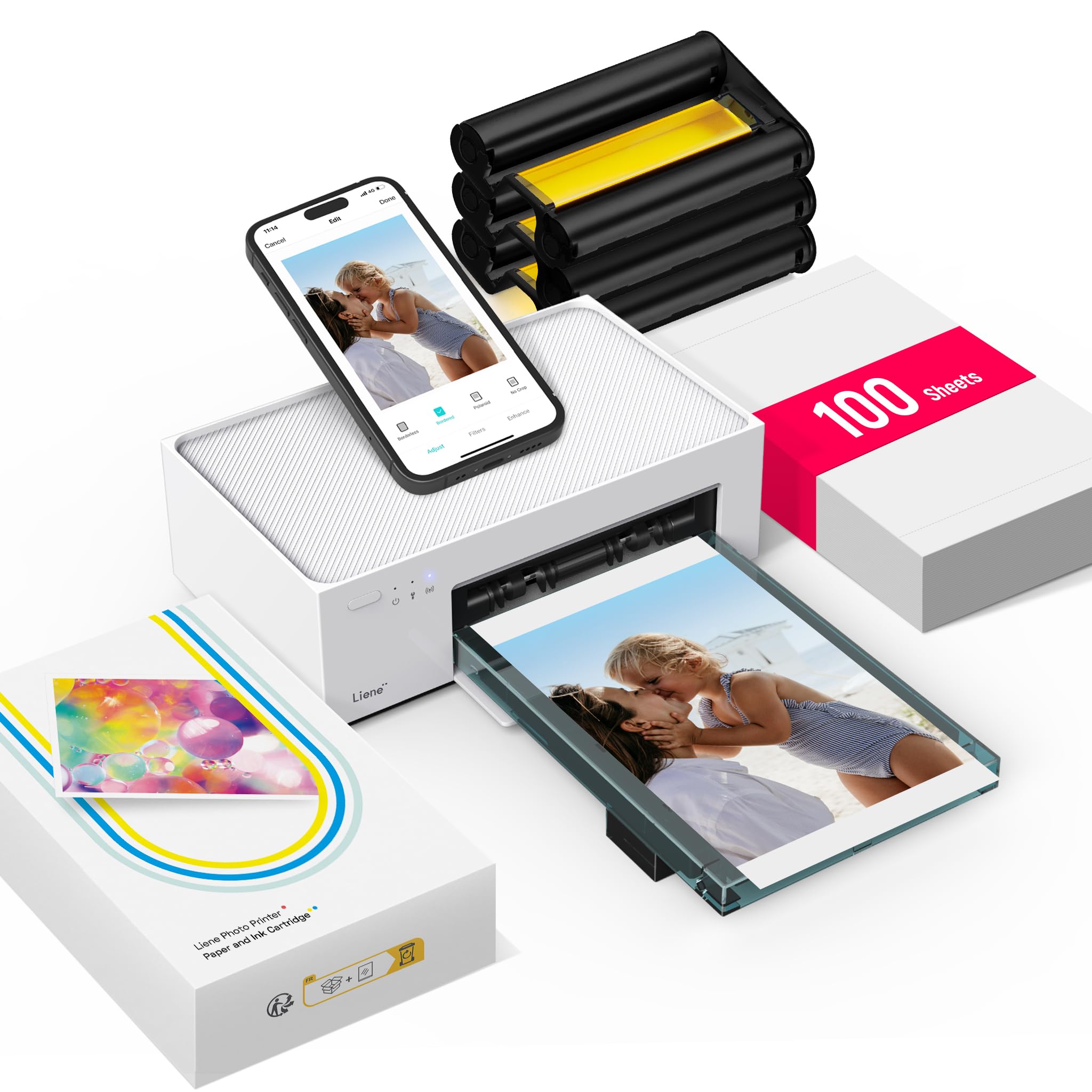
100 sheets and 3 cartridges
First Print
59 seconds
Print Method
Dye sublimation
View on Amazon

Open the box and the first thing out is paper — a hundred sheets, plus three cartridges. That's the detail we keep coming back to, because a 4x6 dye-sub printer is a paperweight the moment the pack runs dry, and most people find that out in the middle of a birthday party. Liene front-loads the supplies instead of handing you a demo pack and a shopping list.

The prints are the stiff, glossy kind dye sublimation makes: three color passes sink into the paper, a clear coat seals them, and there's nothing wet to smear when you pass one down the table. Picture quality is the part nobody argues about — clear, saturated, close to what was on the phone — and it's the strongest impression this machine leaves.

The hotspot is the other smart piece. The printer broadcasts its own Wi-Fi, so it works in a rental cabin with no router, and five people can be connected at once, which is why it turns up at reunions and small weddings. The friction is the handoff: your phone leaves your home network to join the printer, and a stalled job means rejoining both. Send one test print before you commit a stack.

At just under a minute a print, this is an evening's project rather than a five-minute errand — the machine you set up for an occasion. That's true of everything in this group, and nothing else here asks less of you before the first print comes out.

Pros

  • 100 sheets and three cartridges included
  • Own Wi-Fi hotspot takes five phones at once
  • Clear, saturated, true-to-screen color
  • Compact enough for a shelf

Cons

  • Refill cartridges only sold bundled with paper
  • 20-sheet tray means reloading on long runs
Our verdict

We tell most people to buy this one: it arrives with 100 sheets and three cartridges, prints from up to five phones over its own Wi-Fi, and the color matches what's on your screen.

Check Latest Price
2

Best for Printing Without a Phone

Canon Selphy CP1500

88 /100
LBD Score Excellent

Key details

Display
3.5-inch LCD
Connection
Wi-Fi, USB, memory card
First Print
41 seconds
Print Sizes
4x6, card, square, mini label
View on Amazon

Most printers in this group are really phone accessories — no phone, no print. The CP1500 has a 3.5-inch screen on the front, a memory card slot, and a USB port, so a card straight out of a camera can go in and come out as a print with a filter or a sepia tone applied on the machine. At a family dinner, that's the difference between printing and handing your unlocked phone around.

The screen is what earns the Canon its place. It's also quickest off the mark here at 41 seconds to a first print, and it takes four sizes — 4x6, card, square, and mini labels — where the rest of these are one-size machines. If your photos live on a camera rather than in an app, this is the only pick on the page for you.

Color is the argument. Prints can come back warm or with a green cast, and the fix is to nudge brightness and saturation per image in the app rather than trusting the default — a couple of seconds a photo once you know to look for it. Set against that, the output is sharp, dry the moment it lands, and rated by Canon to stay right for up to 100 years.

For a printer that takes a stack of 4x6 paper, the footprint is small: 7.17 inches wide and 5.24 deep, so it sits on a shelf beside the router instead of needing a table of its own.

Pros

  • 3.5-inch screen for editing on the printer
  • Wi-Fi, USB, and memory card connections
  • 41-second first print, quickest here
  • Prints 4x6, card, square, and mini labels

Cons

  • Battery pack for cordless printing sold separately
Our verdict

This is the one we point to when you want to print without a phone: a 3.5-inch screen, a card slot, and the fastest first print in the group.

Check Latest Price
3

Best for Printing Away From Home

Liene M200 Photo Printer

90 /100
LBD Score Outstanding

Key details

Power
Built-in rechargeable battery
Weight
2.5 lb
Connection
Wi-Fi hotspot, USB
Paper Capacity
20 sheets
View on Amazon

A battery changes what a photo printer is for. The M200 has a rechargeable one built in, so it can sit on a table at a reception or a tailgate and print with no outlet in reach. At 2.5 pounds it's the machine here we picture going into a tote rather than onto a shelf permanently.

The print is the same dye-sub recipe as the M100 — three color passes, then a clear coat — and at about a minute a sheet it's quick enough that a small queue doesn't notice the wait. What comes out is crisp and true to the phone screen, which is the part that matters when the print is going home with a guest.

The price is the honest catch. This is the most expensive printer in the group, and the extra buys the battery rather than more printing. Joining the printer's own Wi-Fi is the other wobble — that network handoff is where these machines tend to stall — so print one test shot before you commit to a line of guests.

Twenty sheets is the other number to live with: fine for a birthday, short for a school fair, and the refills arrive as paper-and-cartridge bundles, so buy a second one with the printer.

Pros

  • Built-in rechargeable battery
  • 2.5 pounds and easy to carry
  • Crisp, accurate color
  • Runs on its own Wi-Fi hotspot or USB

Cons

  • Most expensive printer in this group
  • 20-sheet tray is short for a big event
Our verdict

We hand this to anyone whose printer has to travel: a built-in rechargeable battery, 2.5 pounds, and prints that hold their color on a table with no outlet.

Check Latest Price
4

Stocked Starter Kit

HPRT CP4100 Photo Printer

86 /100
LBD Score Excellent

Key details

Connection
Wi-Fi hotspot
In The Box
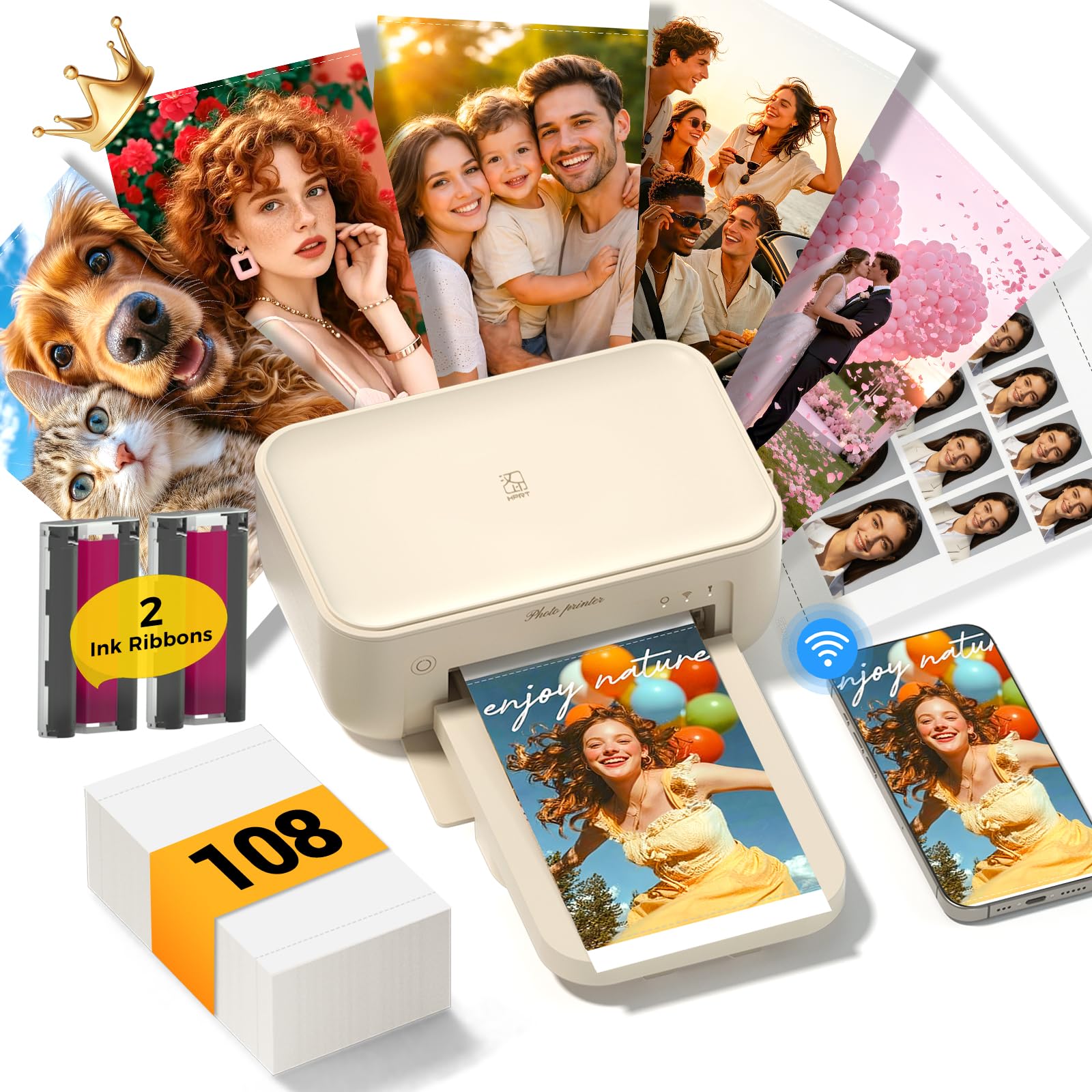
108 sheets and 2 ribbons
Print Size
4x6 inches
Special Feature
AR video printing
View on Amazon

Scan one of its prints with the HeyPhoto app and the original video plays on your phone. It sounds like a listing gimmick and turns out to be the reason a print gets kept — a first step, a birthday message, ten seconds of a kid saying something funny. Nobody else here does it.

The bundle is what actually sells the machine. Two ribbons and 108 sheets means it arrives ready for a real project — a scrapbook, a wall grid, a stack of thank-yous — where the Canon and the Kodak hand you a starter pack and leave the rest to your next order. On paper, it's the most printing you get with the printer.

Endurance is the question mark. Some units stop feeding paper and don't restart somewhere around the hundred-print mark, which is roughly when the first ribbon runs out and the second goes in. That isn't what happens to every machine, and the ones that keep going turn out bright, saturated 4x6s that hold up beside a lab print.

Setup runs through the same HeyPhoto app over the printer's own Wi-Fi, so no router is involved, and the body is small enough to leave on a shelf between projects. Treat the second ribbon as the real test of whether you got a good one.

Pros

  • 108 sheets and two ribbons in the box
  • Prints that play a video when scanned
  • Bright, saturated prints
  • Own Wi-Fi hotspot, no router needed

Cons

  • Some units stop feeding around 100 prints
Our verdict

The bundle is why we list it — 108 sheets and two ribbons — plus it's the only printer here whose prints play a video when you scan them.

Check Latest Price
5

Desk Docking

Kodak Dock Plus

86 /100
LBD Score Excellent

Key details

Connection
Bluetooth and phone dock
Dimensions
4.5 x 8.5 x 2 in
In The Box
50 sheets
Print Method
4PASS dye sublimation
View on Amazon

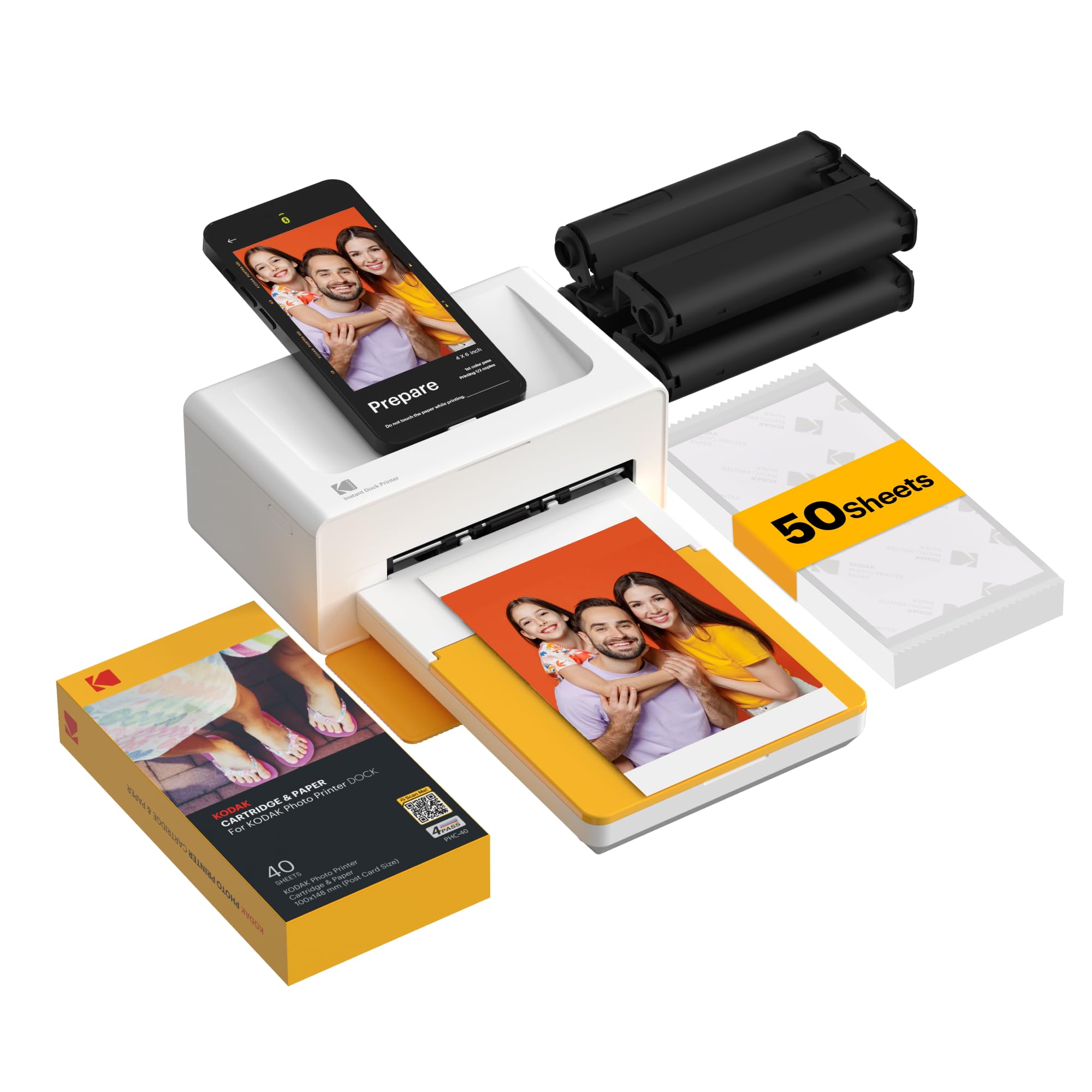
The phone goes in the dock, stands upright facing you, and prints. That's the whole idea, and it's a good one: the cradle holds the phone steady and charges it while the photo comes out, so a long session doesn't end with you hunting for a cable.

Each print takes three color passes and a clear laminate — the 4PASS process Kodak has used for years — and lands in about 55 seconds, dry and resistant to fingerprints. The 50 sheets in the box are a genuine starter supply rather than a demo, which is more than Canon gives you.

Endurance is where we hesitate. Some units print a handful of pictures, throw a cartridge error, and don't come back. Re-seating the ribbon fixes a few of those; not enough of them to call this a workhorse. It's a cheap way into docking, and it should be bought that way.

The other wrinkle is Bluetooth. The printer appears in your phone's Bluetooth list, and tapping it there gets you a message about needing an app. Open the Kodak app first and let it do the pairing, and the first print is a couple of minutes away.

Pros

  • Dock holds and charges the phone while printing
  • 50 sheets included to start
  • Laminated prints resist water and fingerprints
  • Quick, simple first setup

Cons

  • Some units quit within the first pack
Our verdict

We keep it around for the dock: your phone sits in the cradle and charges while it prints, and the first print comes out without a fuss.

Check Latest Price

How We Tested: Twelve Printers, Six Months, One Corkboard

The shortlist started as a spreadsheet of every 4x6 dye-sublimation printer I could find that was in stock and sold with refills you can reorder — anything locked to hard-to-find cartridges got cut. From there I narrowed to 12 units, mixing plug-in and battery-powered models and app-driven printers with dock-style ones, so the group reflected how people actually print: sometimes at the kitchen counter, sometimes on a hotel desk.

Testing happened where these machines actually live. Each one spent time on my kitchen counter, printing party photos the same night as the party, school pictures, and birthday cards; two of the battery models went into a tote for a weekend trip and got used at a hotel desk and, once, in a parked car. Setup was timed from unboxing to first print using only the quick-start card, and I noted whether pairing to an iPhone and an Android phone held or had to be redone every session.

For picture quality, I ran the same three images through every printer: a portrait with warm skin tones, a landscape with a graded blue sky, and a dim indoor shot. The results went side by side on the table, and I looked for banding, orange or green casts, and detail in the shadows — then checked whether each print was dry enough to write on with a marker straight out of the tray.

I also measured each printer's footprint against a narrow shelf, weighed it packed for a trip, and counted the sheets and ribbons in the box so cost per print was a real number rather than a sticker price. Prints sat on a corkboard for the full six months to see which ones faded.

How to Choose a 4X6 Photo Printer

What a Dye-Sub Print Actually Is

Three passes of color sink into the paper, and then a clear layer seals the surface. That's why these prints come out dry, why a thumbprint wipes off instead of smudging, and why you can stack them the second they land.

It's also why the resolution figure won't separate these machines — every one here prints at 300 x 300 dpi. Judge them on color and finish instead. What you trade for the durability is flexibility: a dye-sub printer prints the sizes its paper comes in and nothing else.

Count the Printing, Not the Features

The bundle varies more than anything else on this page: 108 sheets and two ribbons, 100 sheets and three cartridges, 50 sheets, 20 sheets. That gap is a month of printing, and it's the difference between a printer you use and one that sits waiting for an order to arrive.

Refills come as matched paper-and-ribbon packs, so the pack you buy sets your cost per photo. Look up the refill pack before you commit to the printer: a low-priced body fed by small packs is the expensive way to do this, and one that takes a big pack is only a bargain if you'll actually print through it.

Hotspot, Bluetooth, or Cable

Three ways in, and they behave differently. A hotspot printer makes its own Wi-Fi network, so it works with no router at all — and takes your phone off the internet for as long as you're connected to it. Bluetooth skips the network but still runs through the maker's app. USB and memory cards sidestep the phone entirely.

Whatever you pick, print one photo before you commit a stack. The handoff between your phone and the printer's network is where these machines stumble, not in the printing itself, and one test print tells you whether the link will hold.

Desk Machine or Bag Machine

Only one printer here has a battery built in, and that settles it if the machine is going to leave the house; the Canon can be made cordless with an optional pack, and the rest need an outlet. If it stays home, ignore the battery entirely.

Then shop on tray capacity and footprint. A dock-style machine like the Kodak wants desk space in front of you, a compact one can live beside the router, and the tray — around 20 sheets on most of these — decides how often you stop to reload.

What You Can Do Without the Phone

This is the most overlooked spec in the category. Most of these printers are bricks without their app: no screen worth using, no card slot, no buttons that do much. The Canon Selphy CP1500 is the exception here, with a 3.5-inch display, a memory card slot, and USB, so a card straight out of a camera can become a print on the spot.

If your photos come off a camera rather than a phone, or you'd rather not hand your unlocked phone around a dinner table, that capability is worth more than any other feature in this guide.

Frequently Asked Questions

Final Verdict

For most households, the Liene M100 is the printer to buy. It arrives with 100 sheets and three cartridges, it takes prints from five phones at once over its own network, and the color holds up next to a lab print — the least fuss in this group by a clear margin.

Two things change the answer. If you want to crop and print without touching a phone, the Canon Selphy CP1500's screen and card slot are worth the step up. If the printer is going to leave the house, the Liene M200's built-in battery is the only real option here.