Best 4K Monitors of 2026

Any 4K monitor will give you sharper text and more room for your work. The trouble starts after you plug it in: a panel that looked brilliant under store lights turns out to be dim in a sunny room, a 60Hz screen feels sluggish beside the laptop it replaced, and 4K at 27 inches makes menus small enough to squint at. I've used a 4K display as my main screen for years, and over the past six months my team has lived with 12 of them to sort out which ones are worth the desk space.

What separates a good monitor from a frustrating one rarely shows up on the spec sheet. It's whether the stand lifts the screen to eye level, whether the USB-C port charges a laptop at the promised speed, and whether the colors hold up next to a print. If you're on video calls all day, give the built-in speakers a listen too — most are thin.

Below are the models we'd buy again, whether you're editing photos, docking a laptop, or chasing frames in a game after work.

1

Best Overall

Dell S2725QS

87 /100
LBD Score Excellent

Key details

Resolution
3840 x 2160
Screen Size
27 inches
Refresh Rate
120 Hz
Panel And Color
IPS, 99% sRGB
View on Amazon

A 27-inch 4K panel running at 120Hz is the combination that makes the S2725QS the easiest recommendation here. You get the pixel density that makes text and spreadsheets look crisp, plus enough refresh headroom that scrolling and casual games do not feel like a compromise. The IPS panel is rated at 350 nits and 99% sRGB, which is a sensible match for a normally lit office; it is not a monitor built to win a fight with a bright window.

We used it as a do-everything desk screen, and the stand did as much for that role as the panel. Height, swivel, pivot, and tilt adjustment let us set it at eye level and swing it to portrait for a long document without reaching for a VESA arm. The built-in speakers are fine for calls and YouTube, and having two HDMI inputs plus DisplayPort means a work laptop and a console can stay connected. Dell's one-year advanced exchange and premium panel exchange are a useful safety net for a work monitor.

The caveat is panel consistency. Run a full-screen gray slide for a minute when it arrives and look for dead pixels or a yellow tint; if something is off, use the return window rather than living with it. That is the reason we treat this as a buy-and-check purchase rather than a set-and-forget one.

Pros

  • Crisp 27-inch 4K text
  • 120Hz refresh smooths motion
  • Height, swivel, pivot, and tilt stand
  • Built-in speakers and dual HDMI

Cons

  • One-year warranty only
Our verdict

We recommend the Dell S2725QS as the default 4K monitor for a mixed work-and-play desk, thanks to its 120Hz IPS panel, useful stand, and built-in speakers.
Check Latest Price
2

Best for Laptop Users

LG 27UP850K-W

87 /100
LBD Score Excellent

Key details

Resolution
3840 x 2160
Screen Size
27 inches
USB-C Power
90W
Panel And Color
IPS, 95% DCI-P3
View on Amazon

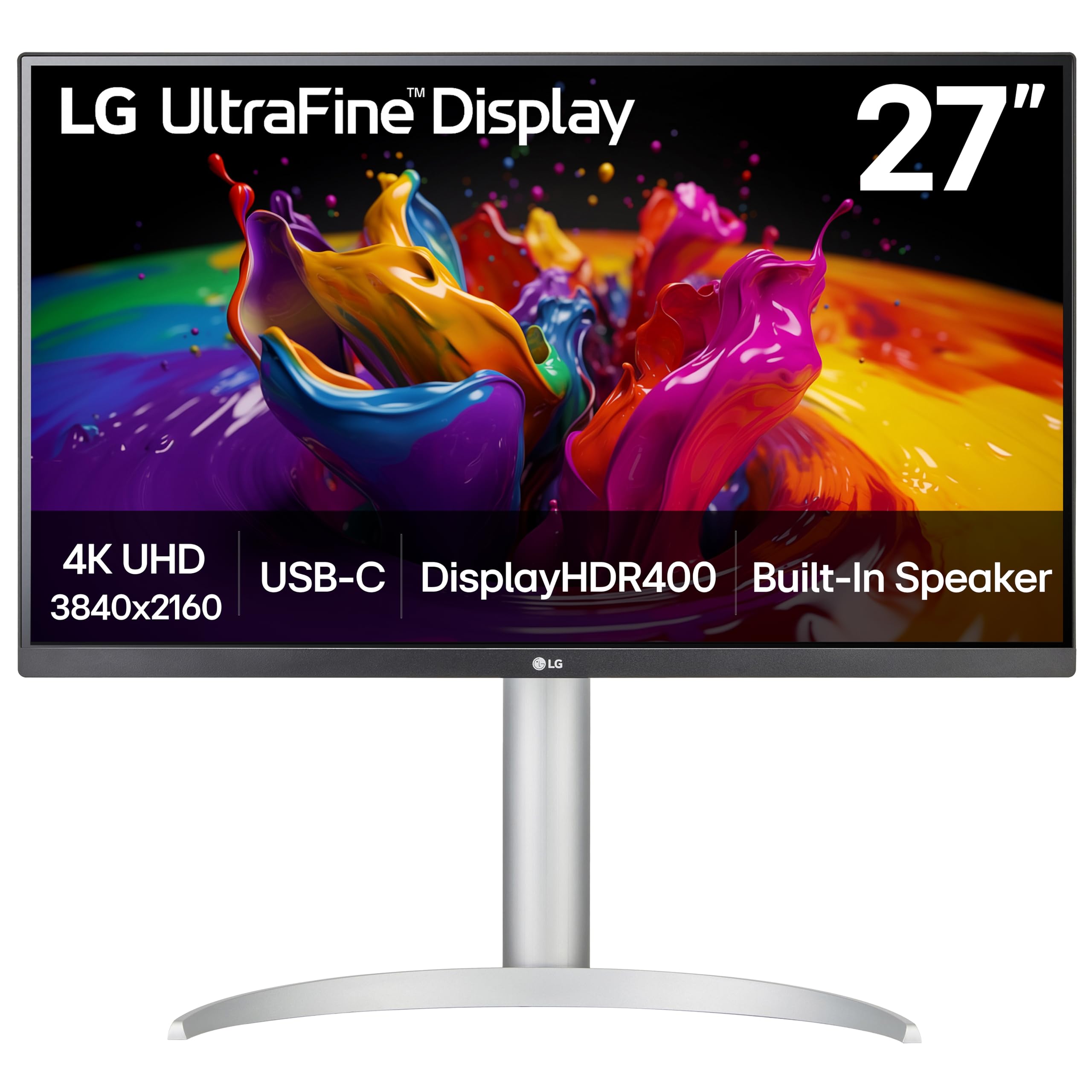
One cable is the whole pitch: the 27UP850K-W carries video to the screen and up to 90W back to a laptop over USB-C, so a MacBook or USB-C laptop can run from the monitor without its own charger. We think that convenience is worth paying for on a shared or small desk, where a second power brick and a tangle of adapters are the usual clutter. The 27-inch 4K IPS panel covers 95% DCI-P3 and carries DisplayHDR 400, so photos and video look saturated and bright enough for a normal room.

The stand is another reason it suits a workspace rather than a gaming den. It tilts, height-adjusts, and pivots into portrait, which makes long documents and code easier to scan. The two HDMI inputs plus DisplayPort give you room for a desktop and a console alongside the laptop. This is a productivity-first panel, so fast-motion games are not its focus.

We like it best as the center of a laptop desk: one cable in, charging handled, and enough color coverage for photo edits that do not need a calibrated reference display. If you already have a desktop tower and do not need USB-C charging, the Dell S2725QS gives you more refresh for less. The LG's advantage is the clean setup, not raw speed.

Pros

  • Single USB-C cable with 90W charging
  • 95% DCI-P3 IPS color
  • Height, pivot, and tilt adjustable stand
  • Two HDMI plus DisplayPort

Cons

  • 60Hz refresh limits fast gaming
  • Built-in speakers are basic
Our verdict

We recommend the LG 27UP850K-W for laptop-based desks that want one USB-C cable for video and 90W charging, with strong IPS color for creative work.

Check Latest Price
3

Best Large Screen

Dell S3225QS

86 /100
LBD Score Excellent

Key details

Resolution
3840 x 2160
Screen Size
32 inches
Refresh Rate
120 Hz
Panel And Color
VA, 95% DCI-P3
View on Amazon

A 32-inch 4K screen does not give you more pixels than a 27-inch 4K screen; it gives you bigger pixels and a broader canvas. That is the appeal of the S3225QS. Two full documents or a timeline and a preview window sit side by side without the squint you get on a smaller panel, and the 120Hz refresh keeps scrolling and casual games smoother than a 60Hz office screen.

The VA panel is the trade-off. It delivers deeper blacks and a 1500:1 contrast ratio, which makes dark movies and games look richer than the IPS models here, and it covers 95% DCI-P3. Color-critical photo work still belongs on a 27-inch IPS display, because VA color shifts as you move off-center. At 300 nits, it is happiest in a controlled room rather than facing a bright window.

We see it as the large-screen pick for a desk that values space over perfect color. The stand handles height and tilt, the built-in speakers are okay for meetings, and the 120Hz panel gives it more life than a plain 60Hz 32-inch monitor. The caveats are color uniformity and possible signal dropouts; buy it where you can test it in the first week and return it if the panel looks uneven or drops signal.

Pros

  • 32-inch 4K canvas for side-by-side work
  • 120Hz refresh for smoother motion
  • VA contrast and 95% DCI-P3
  • Height and tilt adjustable stand

Cons

  • One-year warranty only
Our verdict

We recommend the Dell S3225QS when a 32-inch 4K canvas matters more than perfect color, especially for multitasking and light gaming at 120Hz.

Check Latest Price
4

Best for Gaming

LG 27G810A-B

86 /100
LBD Score Excellent

Key details

Resolution
3840 x 2160
Screen Size
27 inches
Panel And Color
IPS, 95% DCI-P3
Dual-mode Refresh
4K 180Hz / FHD 360Hz
View on Amazon

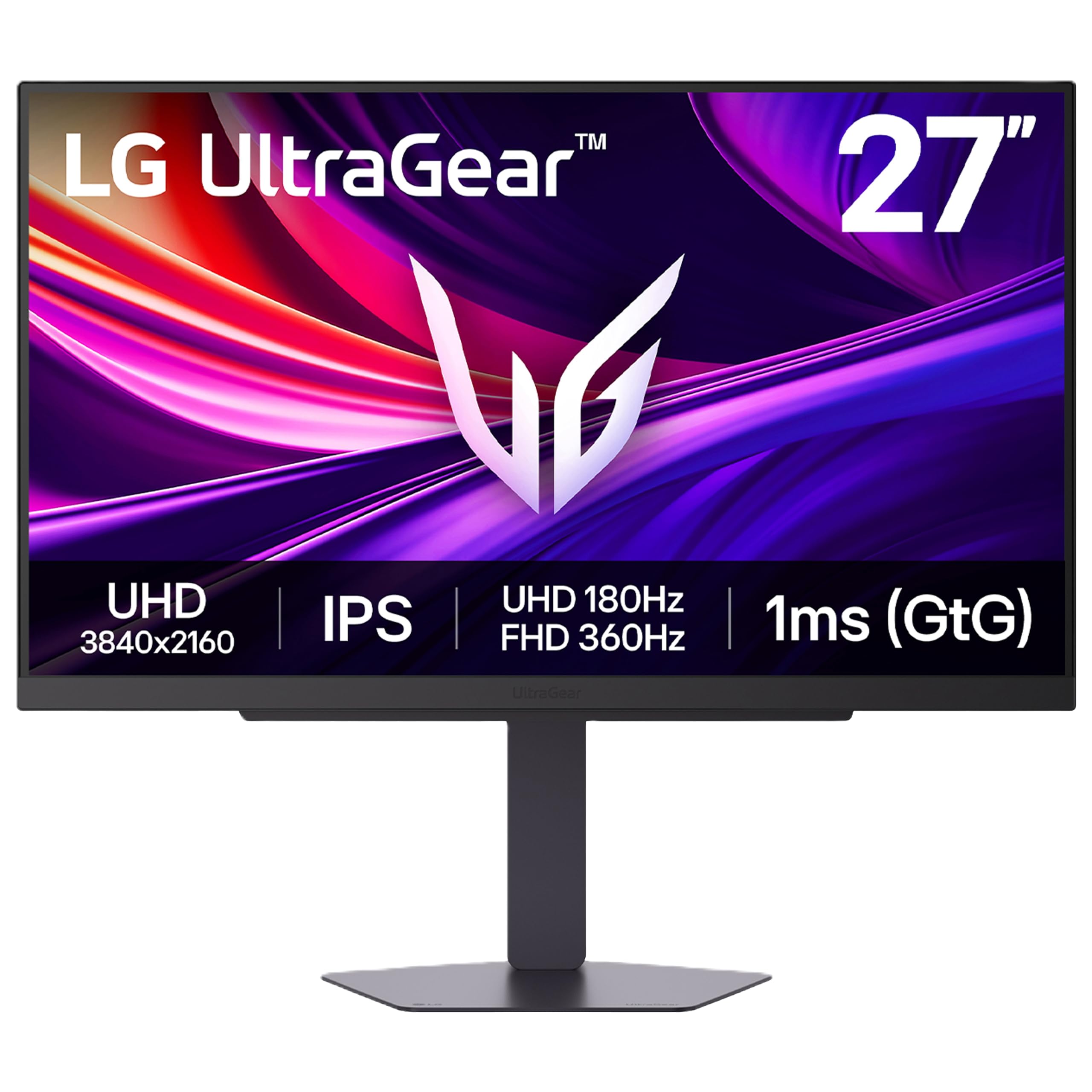
A dual-mode switch is the reason the 27G810A-B earns the gaming pick: it runs 4K at 180Hz for immersive games or drops to 1080p at 360Hz for competitive shooters. That flexibility is the reason it stands apart. The 27-inch IPS panel covers 95% DCI-P3, carries DisplayHDR 400, and pairs a 1ms response time with both G-Sync Compatible and FreeSync Premium support.

We found the 4K 180Hz mode the more useful setting for a mixed library, because it keeps strategy games and slower titles sharp while still feeling fluid. The 360Hz mode is a deliberate trade of resolution for motion, and it makes sense for the one or two shooters where frame rate is everything. The stand adds height, pivot, and swivel adjustment, and the included HDMI 2.1 cable is a welcome detail for console players.

This is the most gaming-focused monitor in the group. The ASUS TUF VG27UQ1A is the value alternative if 160Hz is enough, while the Dell S2725QS is the better all-rounder for work. The LG's advantage is the dual-mode flexibility: one screen that can be sharp for single-player and fast for competition.

Pros

  • Dual-mode 4K 180Hz or FHD 360Hz
  • G-Sync and FreeSync support
  • 95% DCI-P3 IPS panel
  • Height, pivot, and swivel stand

Cons

  • Colors can look dull before calibration
  • Premium price
Our verdict

We recommend the LG 27G810A-B for a serious gaming setup that wants 4K clarity and a genuinely useful 1080p 360Hz esports mode.

Check Latest Price
5

Best Gaming Value

ASUS TUF VG27UQ1A

83 /100
LBD Score Excellent

Key details

Resolution
3840 x 2160
Screen Size
27 inches
Refresh Rate
160 Hz
Adaptive Sync
G-SYNC Compatible, FreeSync Premium
View on Amazon

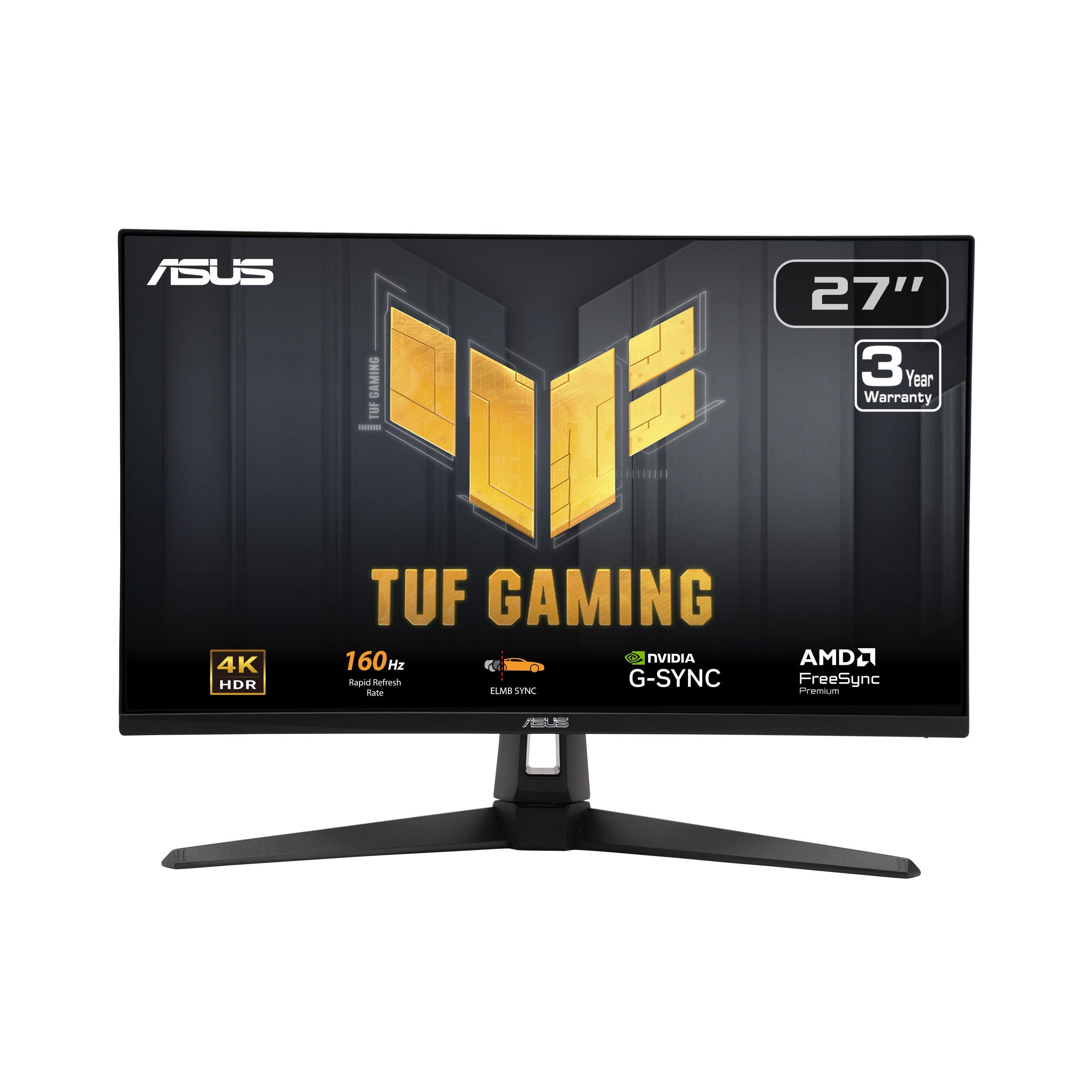
The value gaming pick starts with price: the ASUS TUF VG27UQ1A gives you 4K at 160Hz without stepping up to the LG's price. It runs 4K at 160Hz, supports G-Sync Compatible and FreeSync Premium, and has a 1ms response time. The 95% DCI-P3 color coverage gives games more saturation than a plain office panel, and the matte finish keeps reflections manageable.

We like the balance it strikes for a PC-and-console desk. The 27-inch size is sharp at 4K, the 160Hz refresh is a real step up from 60Hz, and VESA mounting is there if you want to ditch the included stand for an arm. It is not the brightest panel here, so a controlled room suits it better than a sunlit one. The image can look a little washed out until you spend time with the picture modes, which is the trade-off for the price.

The box includes a DisplayPort cable but no HDMI 2.1 cable, so console players need to add one to get 4K at high refresh. That is a small annoyance rather than a dealbreaker. If you want a first 4K gaming monitor that covers the essentials and leaves USB-C to the more expensive picks, this is the value play.

Pros

  • 4K 160Hz gaming
  • G-Sync and FreeSync support
  • 95% DCI-P3 color
  • VESA mount ready

Cons

  • No USB-C input
Our verdict

We recommend the ASUS TUF VG27UQ1A as the value gaming choice for 4K 160Hz play on PC or console.

Check Latest Price
6

Best Budget

Sceptre U275W-UPT

80 /100
LBD Score Excellent

Key details

Resolution
3840 x 2160
Screen Size
27 inches
Refresh Rate
70 Hz
Panel And Color
IPS, 100% sRGB
View on Amazon

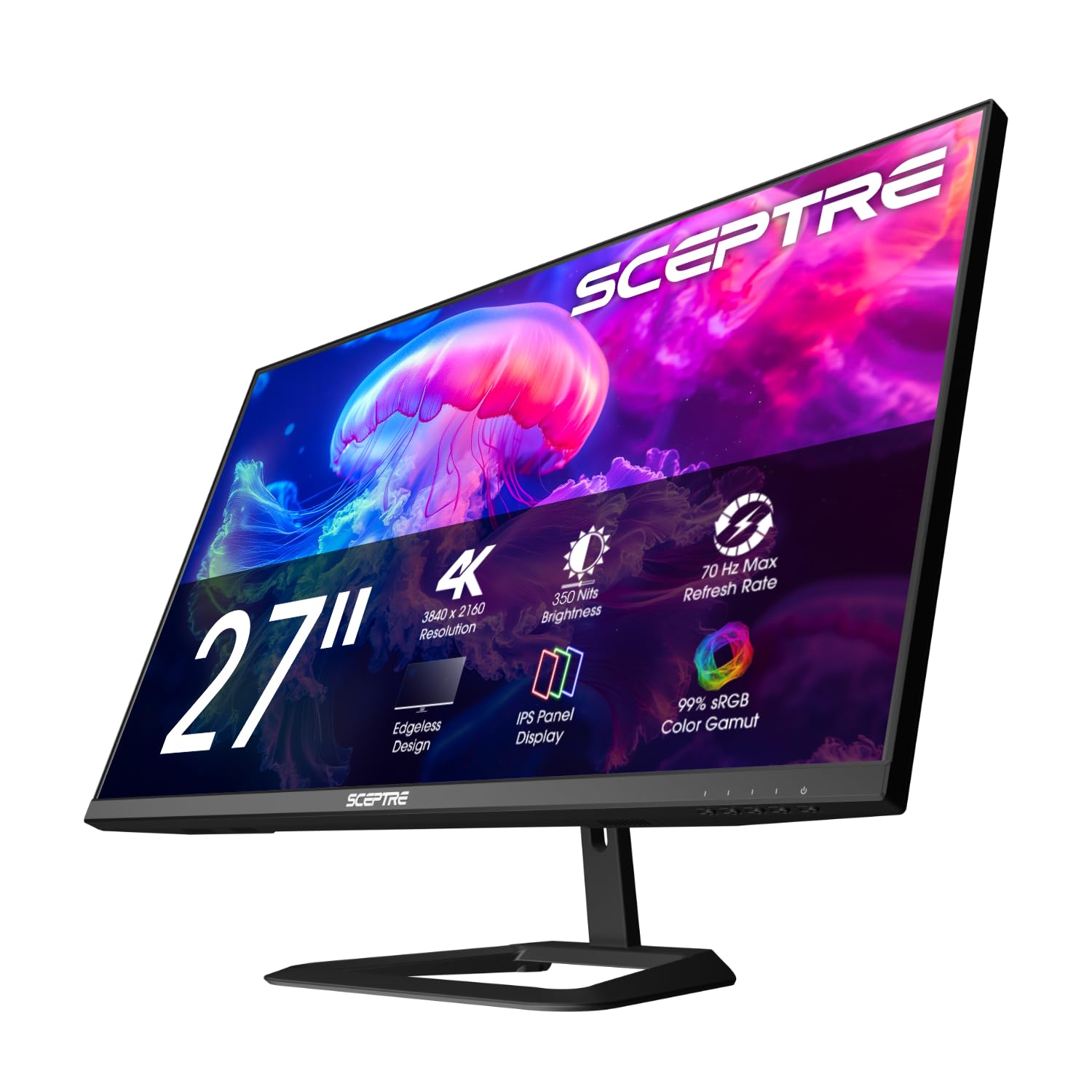
A budget 4K monitor makes the most sense when the panel is the priority and the extras are not. The Sceptre U275W-UPT gets the basics right: a 27-inch IPS panel at 3840 x 2160, 100% sRGB coverage, and built-in speakers. The 2000:1 contrast ratio is higher than many IPS monitors at this price, which helps dark scenes avoid that washed-out gray look.

The built-in speakers are fine for system sounds, and the slim cabinet keeps it from dominating a small desk. Laptop users who want one-cable charging should look at the LG 27UP850K-W instead. The panel is the main event here; the rest of the package is deliberately simple.

We see it as a second screen or a first 4K upgrade rather than a gaming display. The value is real, but so is the panel lottery. Run a full-screen red, green, blue, and white slide when it arrives and check for dead pixels or blotches; buy from a seller with a straightforward return window. If the panel is clean, this is a lot of 4K desktop for the money and a sensible way to add a sharper second screen without rebuilding the whole desk.

Pros

  • Sharp 4K IPS panel
  • 100% sRGB coverage
  • 2000:1 contrast ratio
  • Built-in speakers

Cons

  • 70Hz refresh only
Our verdict

We recommend the Sceptre U275W-UPT as the budget 4K pick for a second desk screen or a first jump to 4K.

Check Latest Price
7

Long-Warranty Office

Philips 27E1N1800A

80 /100
LBD Score Excellent

Key details

Panel
IPS
Warranty
4 years
Resolution
3840 x 2160
Screen Size
27 inches
View on Amazon

The four-year advance-replacement warranty is the reason to look twice at the Philips 27E1N1800A. Several monitors here carry one-year coverage; Philips backs this one for four, which is a meaningful cushion for a screen you plan to keep through several computers. The rest of the package is a 27-inch 4K IPS panel with HDR, 350 nits of brightness, built-in speakers, and both HDMI and DisplayPort.

The glossy screen finish is the catch. It looks crisp and high-contrast in a controlled room, but it reflects windows and lamps more readily than the matte panels here, so placement matters. The panel is aimed at office and creative territory rather than gaming.

We see it as a sensible budget desk monitor for documents, spreadsheets, and light photo work. The 350-nit brightness is enough for a typical office, and the built-in speakers cover calls and system audio. VESA mounting gives you an arm option if the included stand does not put the screen where you want it.

The warranty is what tips it for us. If you want a low-cost 4K screen that is easy to live with and backed for longer than the usual year, this is the pick; if you need 120Hz or a matte finish, spend elsewhere.

Pros

  • Four-year advance-replacement warranty
  • 4K IPS panel
  • 350-nit brightness
  • Built-in speakers

Cons

  • 60Hz refresh only
Our verdict

We recommend the Philips 27E1N1800A for a budget office or creative desk where the four-year warranty is worth more than high refresh.

Check Latest Price
8

Simple Office 4K

Samsung ViewFinity S7

80 /100
LBD Score Excellent

Key details

Panel
IPS
Resolution
3840 x 2160
Screen Size
27 inches
Refresh Rate
60 Hz
View on Amazon

The brief here is simple: a 27-inch 4K IPS office monitor with HDR10, 300 nits of brightness, a 60Hz panel, and HDMI and DisplayPort inputs. This is the kind of screen you buy for text, spreadsheets, and a clean desk rather than for a gaming rig.

We like the matte finish and the 178-degree viewing angle for a shared workspace; the screen stays readable when you step to the side, and overhead light does not turn it into a mirror. The 300-nit brightness is adequate for a typical office, though it is not the panel to choose for a room with a wall of windows.

The stand is basic and the port selection is simple, so this is not the monitor for a laptop desk that wants one-cable charging. It is also a 60Hz panel, which is fine for work and video but not a gaming feature. The 3000:1 contrast ratio is strong on paper, but HDR10 here is a modest addition rather than a reason to buy.

We see it as the low-drama office choice: sharp 4K text, a matte screen, and Samsung's display controls in a plain package. If you need a height-adjustable stand or high refresh, the Dell and LG picks cover those needs better. For a simple desk that mostly runs Office and a browser, it is easy to live with.

Pros

  • Sharp 4K IPS text
  • Matte anti-glare finish
  • HDR10 support
  • Simple HDMI and DisplayPort setup

Cons

  • No USB-C input
Our verdict

We recommend the Samsung ViewFinity S7 for a straightforward 4K office setup where text clarity and a matte screen matter more than gaming features.

Check Latest Price

How We Tested the Best 4K Monitors

We started with every 4K monitor in the 27- to 32-inch range that shoppers actually compare, then filtered for the things that separate a keeper from a return: IPS panels with wide color coverage, refresh rates of 120Hz and up, HDR support, built-in speakers, USB-C with power delivery, and stands that adjust for height and pivot. Twelve made the cut. We bought them at retail and put them on desks in our office and in our homes.

Over six months, each monitor served as somebody's primary display — full workdays of documents and spreadsheets, evening photo edits, weekends of gaming, and a laptop or console plugged in whenever someone needed to switch inputs. We set each one in front of a west-facing window and read it at midday to see which panels actually held their claimed brightness, then ran a colorimeter to check sRGB and DCI-P3 coverage against the box and stared at gradient tests for banding.

Responsiveness got judged by feel as much as by number: dragging a spreadsheet across the screen, scrolling long documents, playing fast shooters to watch for smearing. We docked a laptop into every USB-C port and tracked the battery percentage to confirm the power delivery was real, listened to the built-in speakers at half volume during calls and music, and kept a running log of flicker, dead pixels, and dropped connections — because a monitor that quits in month four is worse than one that runs a little dim.

How to Choose a 4K Monitor

Start with size and pixel density

Start with the physical size, not the resolution alone. A 27-inch 4K panel packs more pixels into each inch than a 32-inch 4K panel, so text looks tighter and photos appear more detailed; a 32-inch screen gives you more physical room for two windows but slightly larger pixels. We prioritize 27 inches for a single-screen desk with color work, and 32 inches when multitasking is the main job. Plan on display scaling, with 150% a common starting point at 27 inches, so you get comfortable text without giving up the sharpness.

Match the panel to your work

IPS is the safer default for a desk where more than one person looks at the screen, because color and contrast hold up as you move off-center. VA panels trade some of that consistency for deeper blacks and higher contrast, which suits movies and dark games; the Dell S3225QS is the VA example here. For photo and video work, look for 95% DCI-P3 or better; for office work, 99% sRGB is plenty. Do not buy on HDR alone: DisplayHDR 400 is a brightness badge, not a true HDR experience.

Choose a refresh rate that fits

A 60Hz panel is fine for documents, browsing, and video, but once you use 120Hz for scrolling and window movement, it is hard to go back. If you play games, treat 120Hz as the floor and 160Hz or 180Hz as the better long-term buy. Adaptive sync matters more than the brand name: FreeSync works with AMD and many consoles, while G-Sync Compatible certification is the safer bet for Nvidia cards. The Dell S2725QS is the all-rounder at 120Hz; the LG 27G810A-B is the specialist at 180Hz.

Count ports and check USB-C power

Count the computers and consoles you want connected before you buy. A desktop tower needs one DisplayPort or HDMI input; a laptop desk benefits from USB-C that carries video and charges the laptop, which is the LG 27UP850K-W's main advantage. Check the power delivery rating, not just the shape of the port: 90W will run most thin laptops, while 65W or less may only slow the drain. Console players should look for HDMI 2.1 if they want 4K at 120Hz, and budget for the right cable.

Do not overlook the stand and warranty

An adjustable stand is not a luxury on a monitor you stare at all day. Height adjustment and tilt are the minimum; swivel and pivot are useful for sharing a screen or reading long documents. If the included stand is basic, check for VESA mounting before you buy an arm. Warranty length varies widely here, from one year to a four-year Philips warranty, and panel consistency is the wild card. Test for dead pixels and uneven backlighting in the return window, whatever the warranty says.

Frequently Asked Questions

Final Verdict

The Dell S2725QS is the 4K monitor we point most people to: 27 inches, 120Hz, IPS color, and a stand that actually adjusts. If your laptop is the center of your desk, the LG 27UP850K-W earns its premium with one-cable USB-C charging. If you want a bigger canvas, the Dell S3225QS is the 32-inch alternative. Start with the Dell unless USB-C or size changes your setup.