Best 4K 240Hz Monitors of 2026

The first question almost everyone asks me about a 4K OLED monitor is whether it will burn in — a fair worry when you're spending laptop money on a screen that stays on all day. The second is whether 240Hz at 4K is worth chasing. After eight months with six of these panels, I can answer that one plainly: yes. What a good one fixes is the old either/or, where you picked resolution or speed and lived with gray blacks either way.

Nobody warns first-time buyers that OLED brightness is a moving target: a small HDR highlight can be blinding while a full white spreadsheet dims itself to protect the panel — that's the monitor working as intended. The other spec worth caring about is USB-C power delivery, which lets one cable carry video and charge a laptop, turning a gaming monitor into a work display.

Size is the last real decision. A 27-inch 4K panel is razor sharp and easy to pair with a second screen; a 32-inch gives you more room to spread out if your desk is deep enough. We tested both, and judged them on picture, color accuracy, build, and how they held up month after month. The picks below are the ones still plugged in.

1

Best Overall

ASUS ROG Swift PG32UCDM

90 /100
LBD Score Outstanding

Key details

Panel Size
32 inches
Resolution
3840 x 2160
Max Refresh
240Hz
USB-C Power
90W
View on Amazon

Thirty-two inches of 4K QD-OLED at 240Hz is the combination this category exists to sell, and the ROG Swift PG32UCDM is the version we point most people toward. The panel does the heavy lifting: 3840 x 2160 across 32 inches works out to roughly 138 pixels per inch, dense enough that distance detail resolves instead of smearing, and per-pixel dimming gives night scenes the kind of black that makes an LCD beside it look gray. What settles it for us is the track record. This is the longest-running model in the group, and it is still earning recommendations after months of daily use.

The finish is matte, which is the right call for a desk with a window or a lamp in your field of view. The coating knocks down reflections without costing you the 99% DCI-P3 coverage or the color accuracy under Delta E 2 that make this panel credible for photo and video work as well as games. There is also a uniform brightness setting for when you want the whole screen to hold one level instead of pumping along with the scene.

Desk practicality is where it separates from the cheaper picks. USB-C delivers 90W, so a laptop runs off a single cable with display, hub, and charging handled together, and the KVM switches between a work machine and a gaming PC without reaching behind the monitor. A custom heatsink, graphene film, and airflow manage heat behind the panel, and the OLED care routines are scheduled from desktop software rather than hunted down through a joystick menu. Presence detection blanks the screen when you stand up, which is the sort of small automation that quietly protects an OLED.

If you want the glassy, high-gloss look instead, the MSI below is the one to look at. Matte is a preference rather than a verdict, and ours runs toward it for a room that sees daylight.

Pros

  • 32-inch 4K QD-OLED at a true 240Hz
  • 90W USB-C plus KVM for one-cable desks
  • Three-year warranty covers burn-in
  • Uniform brightness setting and desktop OLED care

Cons

  • Needs a tuning pass before it looks its best
  • A dead panel on arrival is possible
Our verdict

For a single monitor that has to handle desktop work and 4K gaming, this is the one we recommend: 32 inches of QD-OLED at 240Hz, 90W USB-C, and a three-year warranty that covers burn-in.
Check Latest Price
2

Best for Competitive Play

LG UltraGear 32GX870A-B

83 /100
LBD Score Excellent

Key details

Warranty
2 years
Dual Mode
4K at 240Hz or FHD at 480Hz
Panel Size
32 inches
Built-in Speakers
Yes
View on Amazon

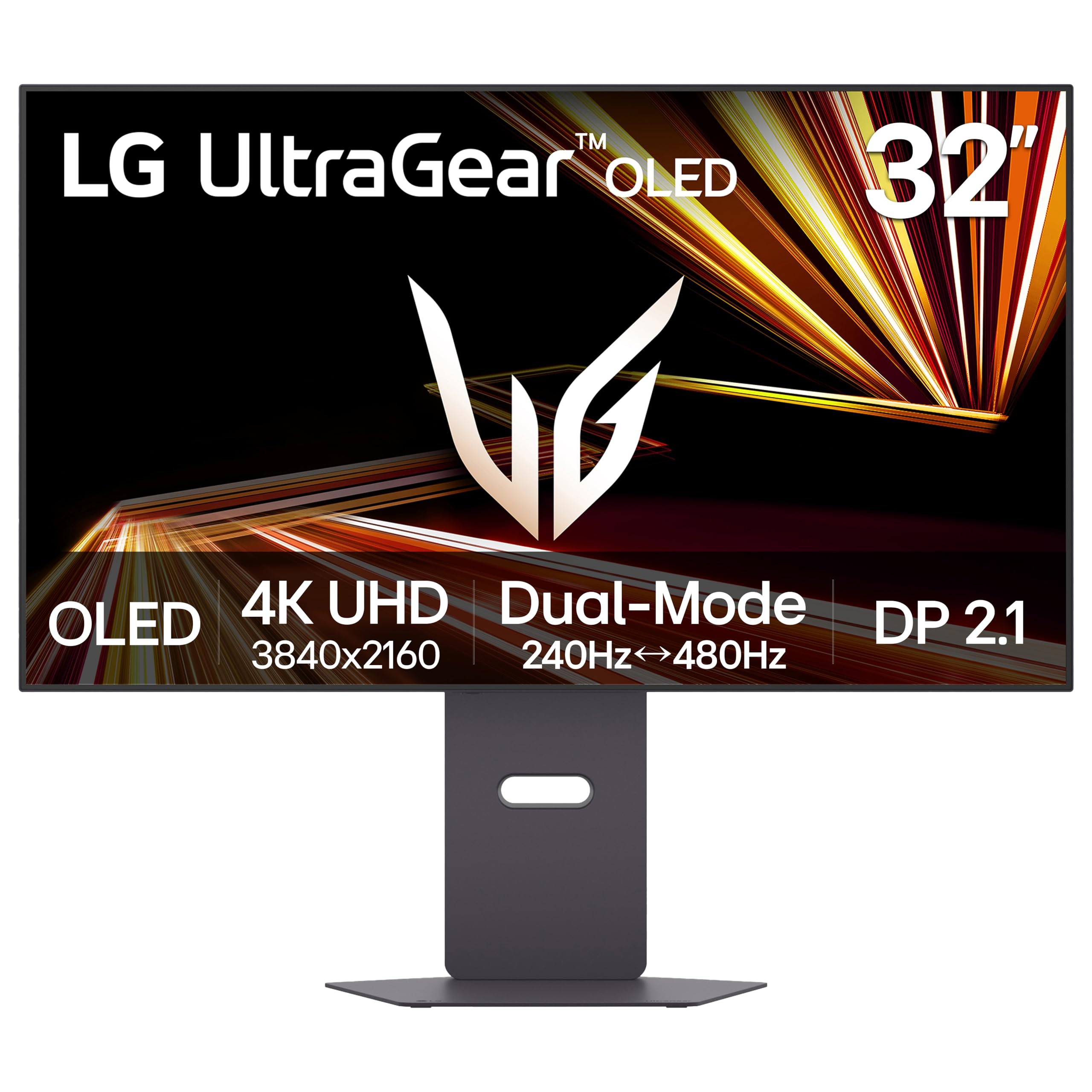
The UltraGear 32GX870A-B is the least expensive 32-inch OLED in this group, and the only one that drops to 1080p and doubles its refresh rate to 480Hz. That second mode is the interesting part. Nothing about running 1080p on a 32-inch panel is sharp, and you give up resolution to get there, but a refresh rate this high changes how a fast shooter reads, and no other 32-inch monitor here offers it.

The rest of the package is unusually complete. Two HDMI 2.1 ports, DisplayPort 2.1, three USB ports, and USB-C cover a PC and a console without a switch box, and LG is the only maker here listing built-in speakers, which is one less thing on the desk if the monitor doubles as a television. VESA DisplayHDR True Black 400 and a 1.5M:1 contrast ratio put the picture in the same league as the picks above it, and the matte anti-glare coating keeps a bright room from turning the screen into a mirror. For a desk serving both a PC and a console, it is the most complete package in the group.

Where it gives ground is the warranty: two years, against three on every other monitor here, and without the burn-in language ASUS and Samsung spell out. That matters when the panel technology's main long-term risk is exactly what a warranty is meant to cover. Register it the day it arrives and keep the receipt somewhere you can find it.

Pros

  • Dual mode drops to 1080p at 480Hz
  • Only built-in speakers in this group
  • USB-C and DisplayPort 2.1 cover PC and console
  • Matte anti-glare coating handles bright rooms

Cons

  • Full-screen brightness is modest in a sunlit room
Our verdict

Buy this one if your gaming splits between big cinematic titles and fast online shooters, because the 480Hz mode at 1080p is something no other 32-inch monitor here can do.

Check Latest Price
3

Best Budget

Samsung Odyssey G8 G81SF

78 /100
LBD Score Very Good

Key details

Panel Size
27 inches
Resolution
3840 x 2160
Max Refresh
240Hz
Screen Finish
Glare Free matte
View on Amazon

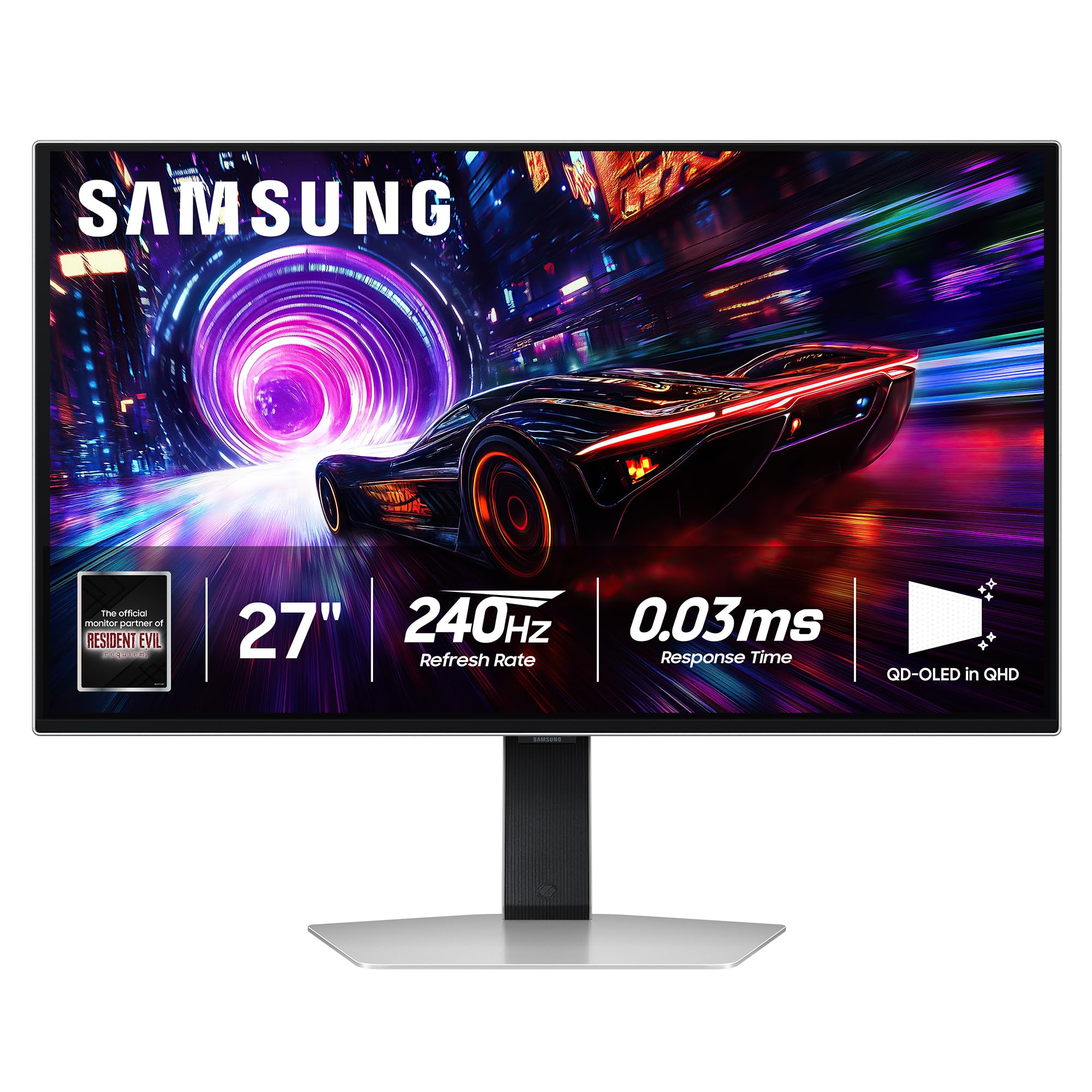
The Odyssey G8 is the cheapest way into 4K at 240Hz here, and Samsung kept the panel at 27 inches. That works out to about 163 pixels per inch, the second-densest screen in this group and the reason to consider it beyond price: small text resolves cleanly, interface elements stop looking soft, and you can run Windows at full resolution without scaling anything up.

The finish is the other half of the pitch. Samsung rates its Glare Free coating at 54% less glossy than a conventional anti-reflection film, and across a desk from a lamp that is the difference between watching a game and watching your living room inside it. It is the finish we pick for a room we cannot darken, and it holds the panel's blacks better at an angle than a glossy QD-OLED manages.

Power is the caveat. The failure that turns up is a unit that will not switch back on after a few months, sometimes at the power button, and that is a hard thing to discover on a display you have already mounted. Buy from a seller with easy returns, set it up the day it arrives, and lean on the three-year warranty if it happens. That coverage is longer than LG's and equal to the ASUS, which is why we still hand this one the budget slot.

Pros

  • Cheapest 4K 240Hz OLED in this group
  • About 163 pixels per inch at 27 inches
  • Glare Free coating cuts reflections
  • Three-year manufacturer warranty

Cons

  • 27-inch screen feels small for cinematic games
Our verdict

We recommend the Odyssey G8 to anyone buying a 4K 240Hz OLED on the tightest budget, as long as they order it somewhere the return process is painless.

Check Latest Price
4

Best Glossy Panel

MSI MPG 321URX

86 /100
LBD Score Excellent

Key details

Panel Size
31.5 inches
Resolution
3840 x 2160
USB-C Power
90W
Screen Finish
Glossy
View on Amazon

Glossy is the whole reason to look at the MPG 321URX. The ASUS panels above diffuse reflections; this one reflects, and in a room you can darken, that is what gives a QD-OLED its depth: blacks that read as absence rather than dark gray, and color that sits on the glass instead of behind it. On a 31.5-inch panel at 4K, the effect is closer to a window than a print.

Nothing on the spec sheet is cut down to get there. 4K at 240Hz with a 0.03ms response, 99% DCI-P3 with Delta E at or under 2, true 10-bit color, DisplayHDR True Black 400, a 90W USB-C port, two HDMI inputs, DisplayPort, and three USB ports. For a desk that mixes photo or video editing with games, that is the combination to beat, and the three-year warranty with burn-in coverage answers the question every OLED buyer eventually asks.

The habit to build is scheduling panel care. MSI's routines run on their own clock and will blank the screen in the middle of a session if you have not moved that window somewhere safe, so set it for the hours you are asleep and then forget about it. Handled once, the annoyance disappears entirely.

Pros

  • Glossy QD-OLED with deep, glassy blacks
  • 90W USB-C plus a three-port hub
  • 99% DCI-P3 with Delta E of 2 or less
  • Three-year warranty with burn-in coverage

Cons

  • Glossy finish shows every lamp and window
  • Some units stop displaying within months
Our verdict

Get the MPG 321URX if you can control the light in your room and want the deepest, glassiest QD-OLED picture here without giving up 90W USB-C.

Check Latest Price
5

Maximum Text Sharpness

ASUS ROG Strix XG27UCDMG

87 /100
LBD Score Excellent

Key details

Warranty
3 years with burn-in coverage
Panel Size
26.5 inches
Resolution
3840 x 2160
Max Refresh
240Hz
View on Amazon

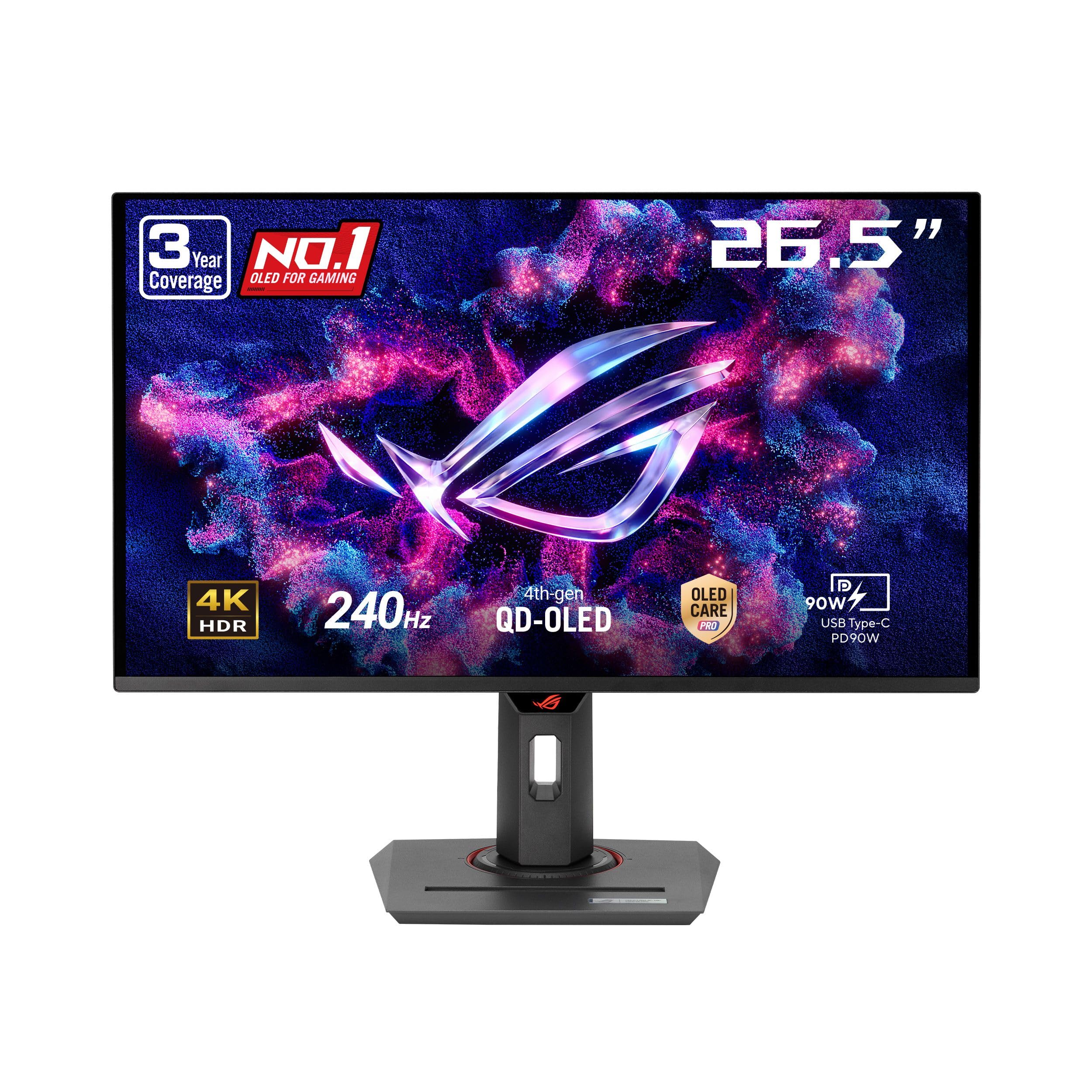
About 166 pixels per inch is what the XG27UCDMG puts on your desk: 4K packed into 26.5 inches, the densest screen in this group. Density is not a spec you admire in a showroom and forget. It shows up every day in a spreadsheet column, a code editor, or a target at the far end of a map, where edges stay edges instead of dissolving into shimmer.

Behind those pixels sits the newest panel design here, a fourth-generation tandem QD-OLED paired with an anti-flicker algorithm ASUS rates at 20% better than the previous generation. OLED Care Pro and a proximity sensor that blacks the screen when you leave your chair come along with it. We are fond of that last one. It protects the panel without asking you to remember anything, which is more than most screen savers manage.

The catch is fit rather than quality. On a shallow desk, where a 32-inch panel forces you to turn your head to read the corners, 26.5 inches is the better tool and the density is why. Sit further back with room to spare, and the extra diagonal of the PG32UCDM buys more than the tight pixel pitch here does.

Pros

  • Densest 4K panel here at 26.5 inches
  • Fourth-generation tandem QD-OLED panel
  • Proximity sensor blanks the screen automatically
  • Three-year warranty covers burn-in

Cons

  • Costs about the same as the 32-inch top pick
Our verdict

Worth buying if your desk is shallow or your day is mostly text, since this is the sharpest 4K panel in the group and the easiest to live with up close.

Check Latest Price

How We Tested (and Lived With) 4K 240Hz Monitors

We started with every 4K OLED monitor we could buy at retail, then cut anything that reached 240Hz only by dropping to a lower resolution, anything without an HDMI 2.1 port for a console, and anything whose stand looked like an afterthought. That left a shortlist spanning 27- and 32-inch panels, with and without USB-C power delivery — all bought outright, so nobody was testing a loaner. Six units went onto real desks and stayed there for eight months.

Each one spent a full workweek as a daily driver before it saw a game: documents, video calls, a browser with too many tabs. We ran a laptop over USB-C to confirm a single cable really carried picture and charge, and we sat with a window behind the desk to judge glare and whether bright scenes washed out. Evenings went to fast shooters for motion smear, dark games for black levels, and a 4K movie or two. A colorimeter checked color accuracy and peak brightness out of the box and again after calibration, and we noted how much a full white screen dimmed next to a small highlight.

Reliability got the least glamorous treatment. Static taskbars and pinned windows stayed put for weeks, the panel-care routines ran on schedule, and then we pulled up flat gray slides looking for ghosting. We raised and lowered each stand a dozen times, nudged the desks for wobble, and watched whether the auto-dimming and presence sensors fired when they should and stayed quiet when they shouldn't. At the end we weighed what each price tier actually bought you — a heatsink and a hub are worth more than a logo.

How to Choose a 4K 240Hz Monitor

Size Comes Before Specs

At 4K, size decides density. A 27-inch panel lands around 163 pixels per inch; a 32-inch panel lands near 138. The smaller screen looks sharper and needs no scaling, while the larger one fills more of your vision and makes distant targets easier to pick out of a busy frame.

Sitting 24 to 30 inches from the glass is the normal range for both. Measure your desk depth and how far back your chair actually rolls. If the monitor ends up at arm's length, 27 inches keeps the whole screen in view without turning your head to read the corners.

The Finish Changes More Than the Panel Does

QD-OLED and WOLED both switch off individual pixels for true black, and in a dark room the two designs look closer than the marketing suggests. What separates them on a real desk is the coating. A glossy panel is a mirror for a window, a lamp, or a pale wall behind you, and ambient light lifts the blacks it works so hard to produce. Matte finishes diffuse that light and give up a little punch in return.

If your desk faces a window or shares a room with overhead lighting, buy matte and stop thinking about it. Samsung's Glare Free coating on the Odyssey G8 is the most aggressively diffusing finish here; the MSI MPG 321URX is the opposite answer for a room you can darken.

What It Actually Takes to Drive 4K at 240Hz

240 frames per second at 3840 x 2160 is a very large number of pixels, and the monitor is the cheap half of the equation. In demanding single-player titles even a flagship graphics card lands well below the refresh ceiling. 240Hz at 4K is realistic in esports, older titles, and anything running aggressive upscaling.

That is why dual-mode panels earn their place. Dropping to 1080p for 480Hz, as the LG UltraGear does, gives a competitive player a second display inside the first one. If a GPU upgrade is not part of the plan this year, buy the dual-mode monitor rather than the biggest panel you can afford.

Burn-In, Care Routines, and the Warranty

OLED pixels dim unevenly with static content, and a desktop is nothing but static content: taskbar, dock, browser chrome, the same minimap in the same corner for a hundred hours. Every model here ships mitigations, including pixel shift, a brightness limiter, a refresh cycle that runs when the screen is idle, and in ASUS's case a proximity sensor that blanks the panel when you leave your chair.

The piece to check before you buy is the warranty, and specifically whether it names burn-in. Three years with burn-in coverage is the standard the best picks here hold themselves to; two years without it is a reason to keep looking. Schedule the care routine for hours you are asleep, and it never interrupts a session.

Ports, Stands, and the Rest of the Desk

USB-C with power delivery is the feature that changes daily life: one cable to a laptop with charging included, and a KVM to share the keyboard and mouse with a desktop. 90W covers most 14- and 16-inch laptops; 15W will not keep one charged under load. Count your sources, too, since a PC plus two consoles wants three video inputs.

Then look at the stand. Height and pivot adjustment matter more than tilt, and every monitor here can move to a VESA arm if you prefer a cleaner desk. Check the pattern and the panel weight before you order the arm, because a 32-inch OLED is a substantial object to hang.

Frequently Asked Questions

Final Verdict

Most people should buy the ASUS ROG Swift PG32UCDM. It is the only monitor here that combines a 32-inch 4K QD-OLED at 240Hz with 90W USB-C, a three-year warranty covering burn-in, and a record of daily use long enough to trust, and it does it in the middle of the price range instead of the top of it.

Two buyers should look elsewhere. If your library swings between cinematic games and competitive shooters, the LG UltraGear 32GX870A-B adds a 1080p 480Hz mode that nothing else at this size offers. If the number on the listing settles the decision, the Samsung Odyssey G8 is the budget pick: 4K at 240Hz, the second-densest panel here, and the lowest price in the group, as long as you buy it somewhere that takes returns.