Best 280Mm AIO Coolers of 2026

A 280mm AIO is the quiet middle path for many PC builds: two 140mm fans move more air at lower RPM than a 240mm unit, and the radiator can fit where a tall air cooler won't. The wrong one can still fight your case, your motherboard, or your patience. I've installed these in roomy mid-towers and tighter builds, and a smooth afternoon usually comes down to mounting hardware, clearances, and how the pump and fans behave once the side panel is on.

Over the past eight months, my team and I tested 12 280mm AIO coolers in working systems. We ran games, long renders, and ordinary workdays, listening for fan hum and pump whine, checking cooling performance under sustained load, and judging build quality and value by what came in the box. We also looked at each build through a glass panel. A few route the fans and pump through a single hub, which can tidy your cables but ties you to that maker's ecosystem. The picks below are ones we'd live with, balancing thermals, fit, reliability, and daily civility.

1

Best Overall

ARCTIC Liquid Freezer III Pro 280

82 /100
LBD Score Excellent

Key details

Fans
2 × 140 mm P14 Pro
Warranty
6 years
Fan Speed
Up to 2500 rpm
Radiator Thickness
1.5 in
View on Amazon

Nothing else here gives you this much cooling for the money. ARCTIC fits the Liquid Freezer III Pro 280 with two 140mm P14 Pro fans rated to 2500 rpm and 110 cfm, the highest fan speed and airflow of anything in this set, and then adds the parts other brands charge extra for: a small PWM fan that blows across the voltage converters around the socket, an Intel contact frame for LGA1851 and LGA1700 boards, and a 5mm offset mount that shifts the cold plate toward the hotspot on Ryzen chips. That combination is why it is our top pick.

The cable routing is the detail we kept coming back to. The radiator fan cables run inside the braid of the hoses, so one lead reaches the motherboard instead of two fan cables and a pump tether competing for the same grommet. Add the VRM fan, which quietly cools the socket area that every other kit here leaves to case airflow, and you have a cooler that solves problems instead of creating them.

What it will not solve is your case. The radiator is 1.5 inches thick before fans go on, and a 280mm mount needs to be a real one, so check the case's radiator clearance for depth as well as width rather than trusting the 280mm line in the spec table. ARCTIC also flags that oversized M.2_1 heatsinks can foul the pump block on some boards, which is worth a look at your motherboard before you order.

Six years of coverage matches the longest in this set. We also left the stock fans where they were rather than swapping them: the P14 Pros move 110 cfm at speeds where most 140mm fans are already audible, and that is the whole reason this thing wins.

Pros

  • Highest fan speed and airflow in this set
  • VRM fan cools the socket area too
  • Intel contact frame and AMD offset mount included
  • Six-year warranty

Cons

  • Fiddly AMD mounting, thin instructions
Our verdict

If you want the most cooling per dollar in this set and your case genuinely takes a 280mm radiator, buy this one; the VRM fan and offset mount are real advantages, not marketing.
Check Latest Price
2

Best for Quiet Builds

be quiet! Pure Loop 3 280

84 /100
LBD Score Excellent

Key details

Fans
2 × 140 mm Pure Wings 3
Fan Speed
1800 rpm
Refill Port
Yes
Noise Rating
36.6 dB
View on Amazon

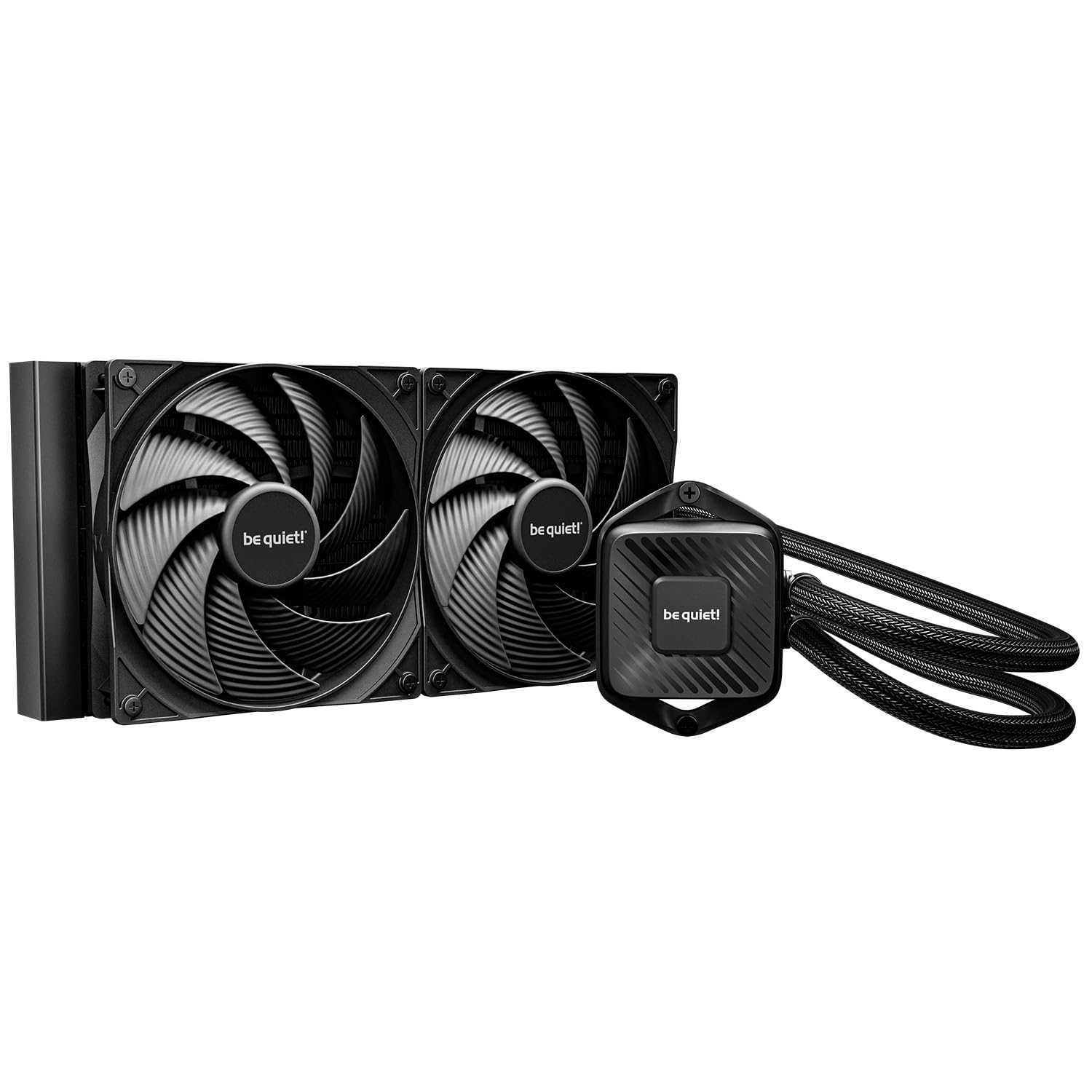
be quiet! designed this one around the pump rather than the fans. The Pure Loop 3 280 uses a 6-pole, 3-phase motor, and the result shows up where it matters most: the pump stays near-inaudible even at full speed, which is the noise most AIO kits cannot hide behind a fan curve. Two 140mm Pure Wings 3 fans, rated at 72.2 cfm and 1800 rpm, handle the air side.

The refill port is the feature that made us sit up. Almost nothing else here lets you top up coolant, and since the pump is the part that eventually gives out on any liquid cooler, a kit you can service is a kit that can stay in a build for years. The tubing is flexible enough to route around a top-mounted radiator without kinking, and there is no RGB and no software to install, which suits a dark, quiet build better than any light show would.

Where it gives ground is peak headroom. At 1800 rpm the fans will not chase the last few degrees the way ARCTIC's 2500 rpm pair does, so on a heavily overclocked i9 or a hard-driven Ryzen 9 you are trading thermal margin for a machine you forget is running. For a 9700X or a 7800X3D under a gaming load, that is the right trade, and it is the cooler we recommend when the PC lives in the same room as the person using it.

Pros

  • Whisper-quiet pump, even at full speed
  • Refill port for topping up coolant
  • No RGB, no software to configure
  • Daisy-chained fans use fewer headers

Cons

  • Less peak headroom than higher-rpm rivals
Our verdict

Buy the Pure Loop 3 280 if the machine sits beside you and you want a pump you never hear; it trades a little peak headroom for the calmest kit in this group.

Check Latest Price
3

Best for Cable-Light RGB Builds

Corsair iCUE Link H115i RGB

87 /100
LBD Score Excellent

Key details

Fans
2 × 140 mm QX140 RGB
Warranty
5 years
Fan Speed
Up to 2000 rpm
Radiator Thickness
1.06 in
View on Amazon

Corsair's pitch here is the wiring, and it holds up. iCUE Link moves the fan connections to the end of the radiator under a cover, then chains everything through a single cable to the included hub. Two QX140 RGB fans with magnetic dome bearings sit on the 280mm radiator and spin to 2000 rpm, and the lighting is genuinely good, the diffused-ring look that reads as designed rather than bolted on.

We noticed the install friendliness first. The cold plate arrives with paste applied, the brackets are tool-free on AM5 and LGA1851, and one breakout cable comes off the pump instead of a fan-and-RGB tangle. The catch is the hub: it is in the box, but it wants a free USB header and its own power lead, so plan for both before the side panel goes back on.

Cooling lands where a good 280 should, with real headroom over the 240mm kits most people are upgrading from, and Zero RPM mode stops the fans entirely at idle. The pump is the honest caveat: at higher speeds it is audible in a quiet room, and setting it to a fixed duty instead of letting it ramp is what settles it down. Five years of coverage is a year short of what ARCTIC and NZXT give you, which matters on a part that lives or dies by its pump.

Pros

  • One cable from pump to hub
  • QX140 lighting that looks designed
  • Tool-free brackets and pre-applied paste
  • Zero RPM mode for silent idle

Cons

  • Five years of warranty, a year behind the best here
  • iCUE software can drop fans from the list
Our verdict

Buy the H115i if you are building inside Corsair's ecosystem and want strong cooling with almost no visible cabling; it is the tidiest RGB kit here.

Check Latest Price
4

Best with a Display

NZXT Kraken Plus 280

82 /100
LBD Score Excellent

Key details

Fans
2 × 140 mm F140P
Display
1.54 in square LCD
Warranty
6 years
Noise Rating
30 dB
View on Amazon

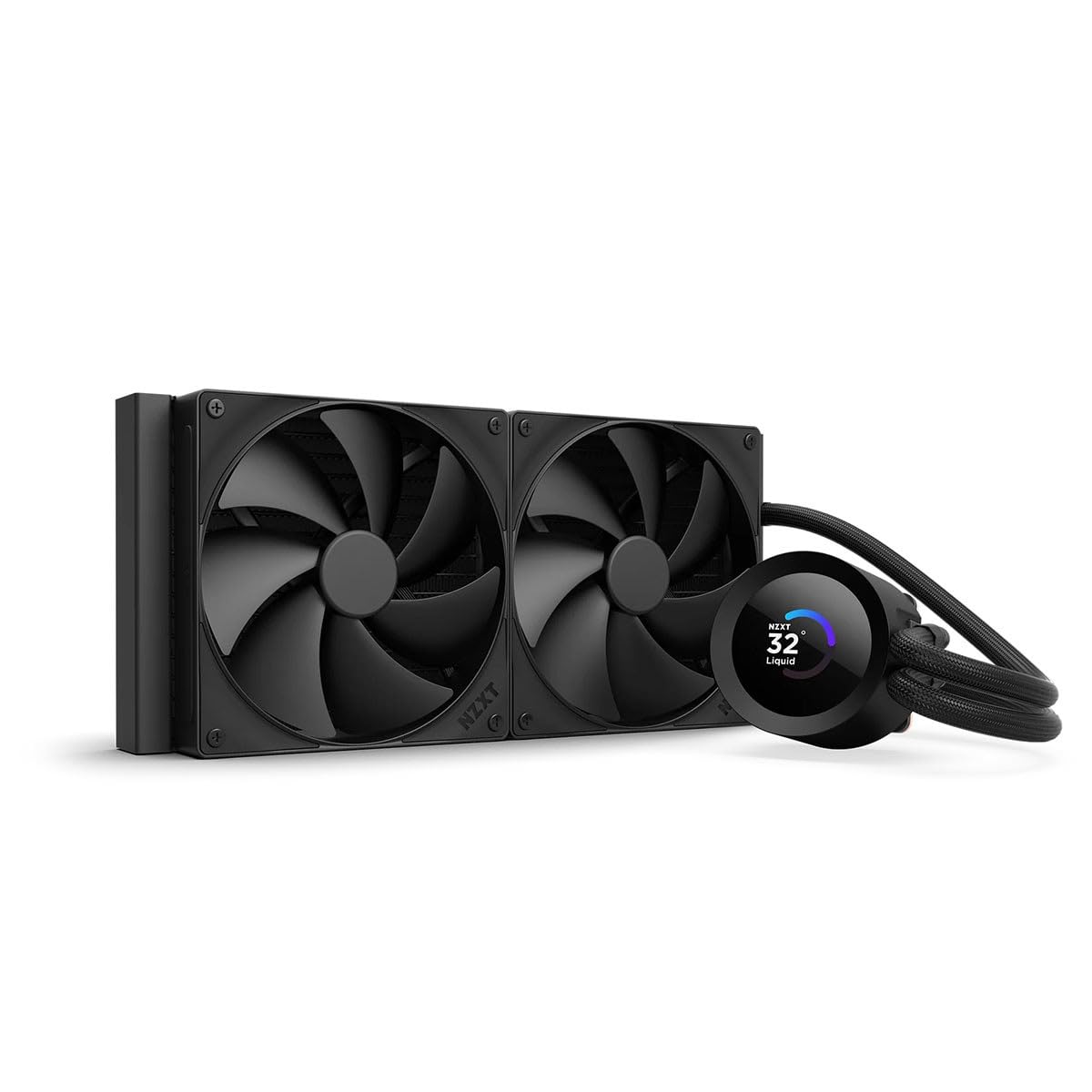
A screen on a CPU cooler sounds like a gimmick until you have lived with one. NZXT's 1.54-inch square LCD sits on the pump block and does three useful things: it shows real-time CPU and coolant temperatures, it holds a GIF or a photo, and through CAM it can pull in Spotify or YouTube artwork. That screen is the reason to choose this kit over coolers that cool just as well for less money.

The rest of the package is built for a first-time builder. Paste comes pre-applied, the brackets are tool-free for AM5 and LGA1851, and a single breakout cable leaves the pump cap instead of three. The F140P fans are high-static-pressure units, and Zero RPM mode shuts them off completely when the machine is idling.

Cooling is comfortable rather than spectacular. The Turbine pump and the F140P pair keep a mid-to-high-wattage chip well inside its limits, and the fans are the quiet half of the equation; the pump is the part you can hear at full speed, and CAM gives you the curve to fix that. Six years of coverage matches the best in this set.

What settles it for us is the shape. A 1.54-inch square reads a temperature at a glance from across a room, where a wide, short panel turns into a smudge at three feet, and the CAM integration means the thing you look at every day is the thing you configure once.

Pros

  • Square LCD reads temperatures at a glance
  • Pre-applied paste and tool-free brackets
  • Zero RPM mode for silent idle
  • Six-year warranty

Cons

  • Costs more without out-cooling the top pick
  • Screen features depend on CAM
Our verdict

For a build where the pump block is the centerpiece, the Kraken Plus 280 earns its price; if you only want cold and quiet, the top pick costs less and cools as well.

Check Latest Price
5

Best Budget

ID-COOLING FX 280 PRO SE

82 /100
LBD Score Excellent

Key details

Warranty
2 years
Pump Speed
2900 rpm
Cooling Capacity
350 W TDP
Radiator Thickness
27 mm
View on Amazon

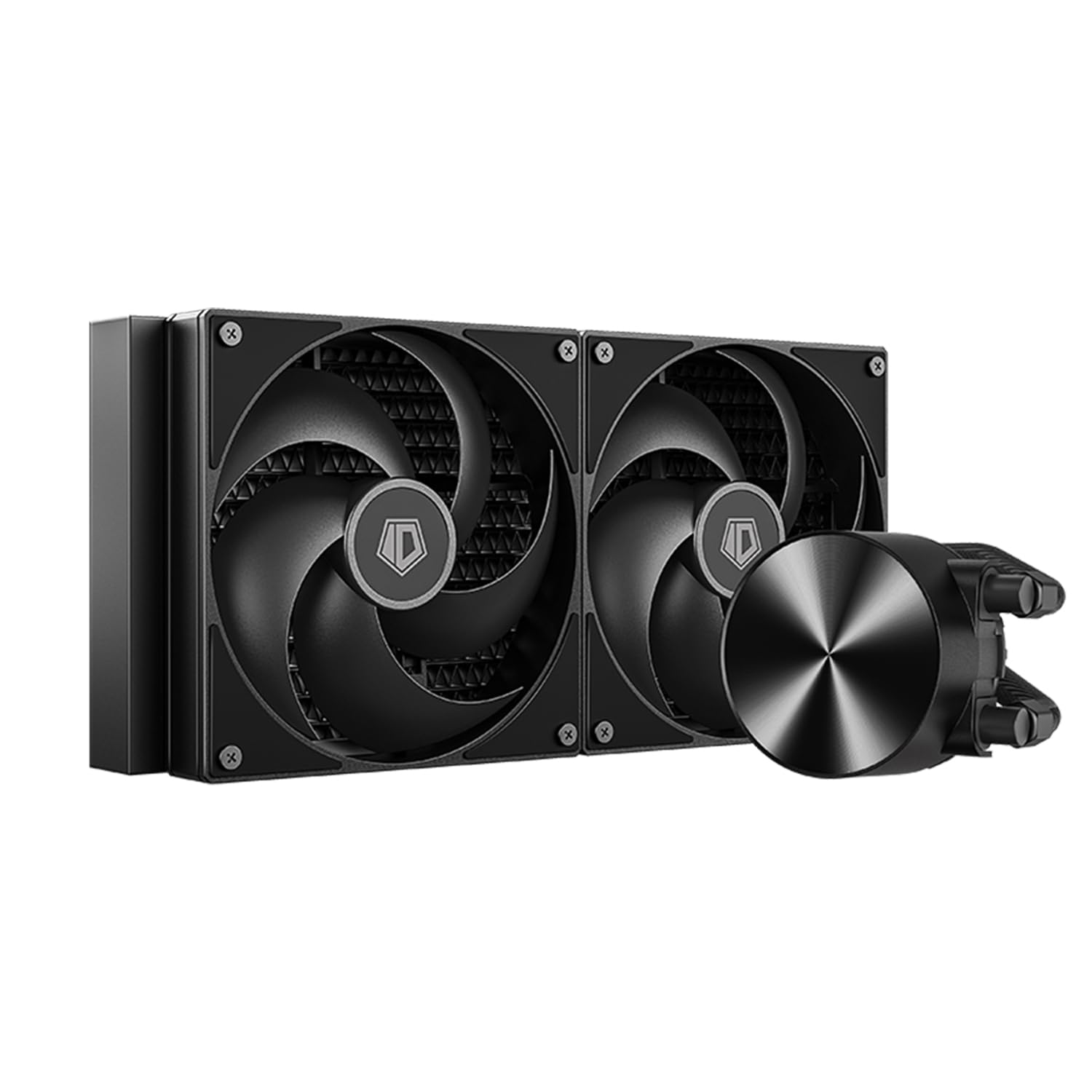
We looked at radiator thickness first, because that is the number that decides whether a 280 fits at all. The FX 280 PRO SE uses a 27mm radiator, noticeably slimmer than the 1.5-inch unit on our top pick, which makes it the easiest 280 in this set to work into a case that only just supports the size. ID-COOLING rates it for 350W, pairs it with a 2900 rpm hydraulic-bearing pump and two 140mm PWM fans running 300 to 1800 rpm at up to 72.2 cfm.

We think that is the right set of compromises for the money. Cooling holds up on high-core-count chips, and the pump speed gives it more headroom than the fan spec suggests. The trade is noise: the pump and fans can be picked out under load in a way the be quiet! and NZXT kits cannot be, and the fan curve is worth setting by hand rather than leaving on auto.

Two things to do before you start. Open the parts bag and count the standoffs, because the mounting kit is the plainest part of the package and the instructions run to a single sheet. Then look at the warranty: two years, where ARCTIC and NZXT give six, and on a part whose pump is the first thing to fail that is the real cost of the savings.

Pros

  • Slim 27mm radiator eases tight fits
  • Cooling holds up on high-core CPUs
  • Wide socket coverage out of the box

Cons

  • Two-year warranty, the shortest here
Our verdict

Buy the FX 280 PRO SE if the case is tight and the budget is tighter; it cools a serious CPU without asking you to spend on lighting or a screen.

Check Latest Price
6

Budget A-RGB

ARCTIC Liquid Freezer III 280 A-RGB

85 /100
LBD Score Excellent

Key details

Airflow
69.9 cfm
Lighting
A-RGB
Warranty
6 years
Fan Speed
200–1700 rpm
View on Amazon

This is the Liquid Freezer III that sits at the top of our list with two changes: the fans are A-RGB units that top out at 1700 rpm instead of 2500, and it undercuts most of the kits here. The Intel contact frame, the AMD offset mount, the VRM fan and the six-year warranty all carry over, so the cooling architecture you are buying is the same one.

What you give up is peak airflow, 69.9 cfm against 110, and what you get in return is a fan that is easier to live with at full tilt. ARCTIC is unusually candid about one compatibility catch: oversized M.2_1 heatsinks can foul the pump block on some boards, with a fix listed in the technical data, so look at that slot before you commit.

For a build with a glass side panel and a lit interior, this is the version we point to. The lighting is modest, hub-mounted LEDs rather than a light show, which suits a restrained build better than a showcase one, and the install asks more patience than the NZXT or be quiet! kits do.

Pros

  • Same frame, offset mount and VRM fan as the top pick
  • A-RGB fans are quieter at full tilt
  • Six-year warranty

Cons

  • Oversized M.2_1 heatsinks can foul the pump block
  • Mounting takes more patience than rival kits
Our verdict

Buy this A-RGB version if you want the top pick's cooling hardware and a lit build; it gives up fan speed, not the design that makes ARCTIC worth choosing.

Check Latest Price
7

Premium RGB Builds

be quiet! Pure Loop 2 FX 280

90 /100
LBD Score Outstanding

Key details

Fans
2 × 140 mm Light Wings ARGB
ARGB Hub
Up to 6 components
Warranty
1 year
Fan Speed
1800 rpm
View on Amazon

A one-year warranty is the number that decides this one. The Pure Loop 2 FX 280 is a quiet, striking kit with two 140mm Light Wings ARGB fans, a doubly decoupled pump and an ARGB-PWM hub that syncs up to six components off one header, and then be quiet! backs it with twelve months where ARCTIC and NZXT give six years. That gap is the part we could not get past on a part whose pump is the thing that fails.

Set the warranty aside and the rest is easy to like. The pump is decoupled from the block to cut vibration, the lighting is the most striking in this set outside NZXT's screens, and the fit works in a 4000D-class case as long as your VRM heat spreaders are not unusually tall. Availability is the other snag: it typically ships in four to five weeks, so it is not the kit for a build happening this weekend.

Pros

  • Decoupled pump cuts vibration and noise
  • ARGB hub syncs up to six components
  • Light Wings fans look the part

Cons

  • One-year warranty on a premium kit
  • Usually ships in four to five weeks
Our verdict

Buy the Pure Loop 2 FX 280 only if you love the lighting and accept a one-year warranty; that coverage is the reason it is not our quiet-build pick.

Check Latest Price

How We Tested 280mm AIO Coolers

We built the shortlist by researching current 280mm models, then filtering for socket support, radiator and fan dimensions, included mounting hardware, price, and the features that affect a real build: hub-based cabling, software control, and lighting. From that pool, we tested 12 coolers over eight months.

Each cooler went into at least one ATX mid-tower and, where it fit, a tighter case. I installed every one solo and timed the job, noting whether the backplate aligned, whether the manual matched the screws in the bag, and whether I needed to remove a fan or shift RAM to clear the radiator. We tried top and front mounting and checked clearances against motherboard heatsinks, graphics cards, and case panels.

For cooling performance, we logged CPU temperatures and clock speeds under a long sustained load and during short bursts, then compared results at similar fan speeds. We measured noise with a meter at one meter and listened for pump whine, fan hum, and rattles at idle and under load. We inspected fittings, tubing, and radiator fins for build quality, and noted how each cooler's lighting and cable routing looked through a side panel.

We lived with each cooler for weeks of daily use, including sleep-and-wake cycles and repeated reboots, watching for leaks, pump noise that developed over time, and software that forgot settings. For value, we weighed what came in the box against the cooling and noise results, since a cheap cooler with weak fans or a missing bracket is no bargain. Hub-based models got extra scrutiny: we routed every cable as directed and lived with the extra software and proprietary hub to see whether the cleaner wiring was worth the lock-in.

How to Choose a 280Mm Aio Cooler

Check the Case Before the Cooler

Two 140mm fans on a radiator is a stack an inch and a half to two and a half inches deep hanging off your top panel, and a case listing 280mm support does not always leave room for that depth. Look for the radiator-plus-fan clearance figure rather than the fan size, and check whether the top mount is offset away from the motherboard. The ID-COOLING's 27mm radiator goes into places the thicker ARCTIC units will not.

Then look down at the board. ARCTIC warns that oversized M.2_1 heatsinks can foul the pump block, and be quiet! flags tall VRM heat spreaders as a fit problem on some boards. Take the side panel off and look at the slot nearest the socket before you order anything.

How Much Radiator You Actually Need

Two 140mm fans cover more surface than two 120mm fans, which is why a 280 usually beats a 240 on temperature and noise at the same fan speed. Within this set, headroom comes mostly from fan speed and radiator thickness: ARCTIC's P14 Pro pair at 2500 rpm and 110 cfm pulls ahead of a 1700 rpm fan on a sustained all-core load, and that gap shows up on a 200W-class CPU rather than on a gaming chip.

If your processor peaks well under that, buy silence instead of headroom. A slower fan on a thick radiator is the better living arrangement for most people, and it is why the quieter kits here still make sense next to the top pick.

What a Noise Rating Hides

A single decibel figure rarely tells you whether the sound comes from the fans or the pump, and the pump is the harder one to fix. Pump ticking at low rpm is common enough that running the pump at a fixed duty instead of a ramping curve is the usual cure, and it is the first thing we try when a kit starts to whine. Fan noise you can tune with a curve in five minutes.

If the machine sits in a living space, favor kits whose fans stop entirely at idle, and read the pump's reputation rather than the fan spec. Zero RPM mode on the Corsair and NZXT kits is worth more day to day than another 100 rpm of top speed.

Mounting, Cables and Software

Mounting hardware separates these kits more than the spec sheets suggest. An Intel contact frame and an AMD offset mount, both of which ARCTIC includes, do measurable work on modern dies; pre-applied paste and tool-free brackets, which NZXT and Corsair use, do work on your patience. Cable routing matters too: ARCTIC runs fan cables inside the hose braid, and Corsair's iCUE Link pushes every connection to the radiator's end.

Software is the other lock-in. NZXT's screen only does what CAM allows, and Corsair's lighting runs through iCUE with its hub. If you already live in one of those ecosystems, staying inside it is worth more than a degree or two.

Warranty, Refills and the Long Game

Coverage across these kits runs from one year to six, and the pump, not the radiator, is what ends an AIO's life. That makes the warranty the most honest reliability spec on the box: six years from ARCTIC and NZXT is the best here, five from Corsair, one from be quiet! on the Pure Loop 2 FX.

A refill port changes the math further, and only the Pure Loop 3 has one. Register the kit when it arrives, keep the receipt, and set the pump to a fixed speed so it is not ramping all day.

Frequently Asked Questions

Final Verdict

The ARCTIC Liquid Freezer III Pro 280 is the cooler we point most people toward. It has the strongest cooling specification in this set, a VRM fan and an offset mount that do real work, and six years of coverage, provided your case takes a 280mm radiator with a thick fan stack.

If a near-silent pump matters more than the last few degrees, the be quiet! Pure Loop 3 280 is the better buy, and its refill port is the reason it can stay in a build long after a sealed kit would have been replaced.