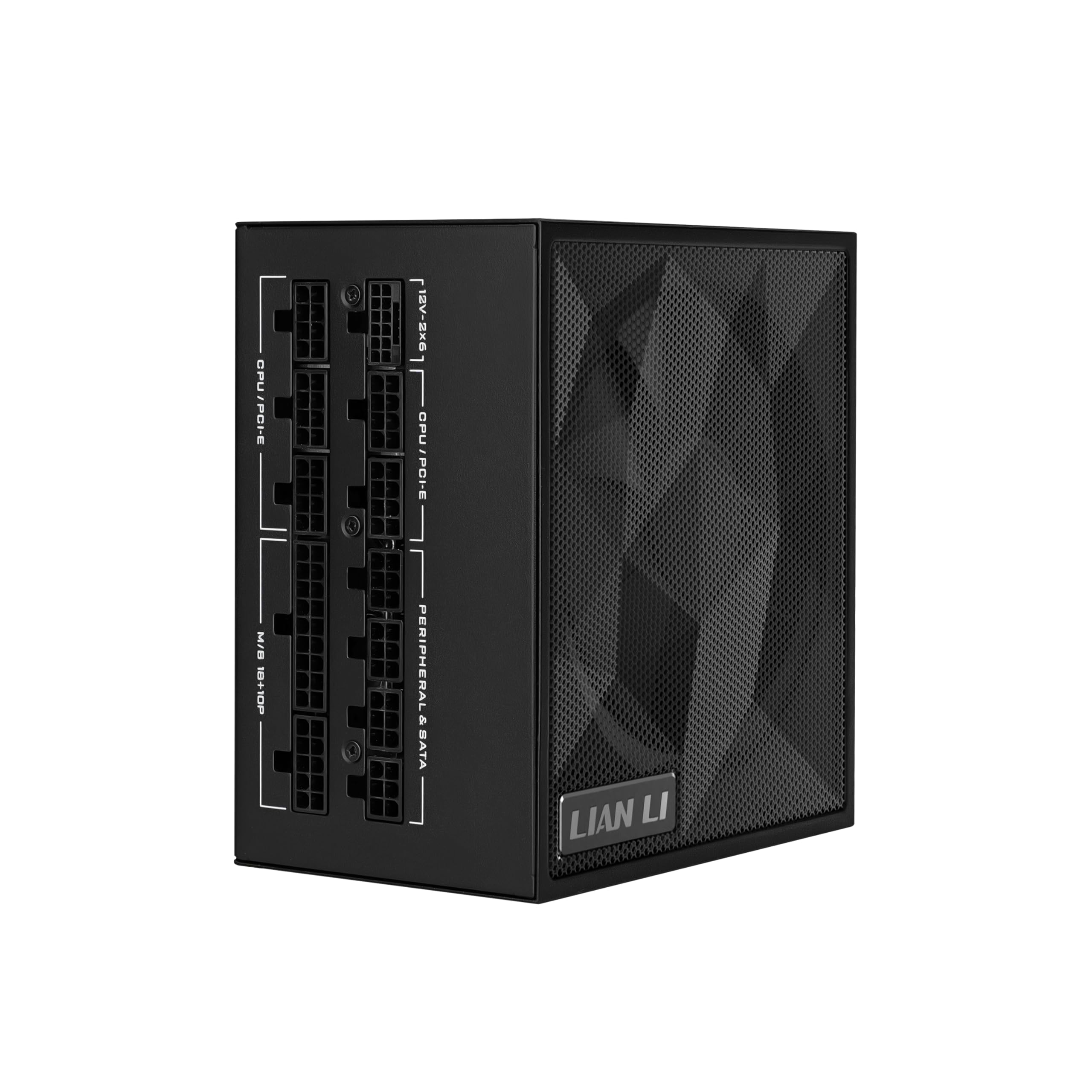
Best 1200W Power Supplies of 2026

A power supply is the one part of a PC that can take everything else down with it. When a graphics card spikes past its rated draw and the unit's protection trips, you don't lose a component — you lose the whole build. A 1200W unit is what people reach for when a GPU upgrade leaves their old 750W with no headroom, and the worry is always the same: will it hold steady under a spike, will the fan stay quiet when it does, and what the extra money actually buys.

My team spent the past eight months running 10 of these in real machines, from my desk rig to a bench that gets hammered daily. One thing buyers overrate is the efficiency badge — it describes performance at a few load points and says nothing about transient response. What separates a good 1200W unit is how tight it holds its 12V rail when the card spikes, whether the fan stays off at idle, whether the cables actually reach the top of a mid-tower, and how long the maker will stand behind it. The picks below are the ones that held up.

1

Best Overall

Corsair HX1200i

86 /100
LBD Score Excellent

Key details

Depth
7.87 in
Warranty
10 years
Efficiency
Cybenetics Platinum
ATX Standard
ATX 3.1 / PCIe 5.1
View on Amazon

Of everything in this group, the HX1200i is the only supply you can talk to. Its USB lead goes to a motherboard header, and Corsair's iCUE software then shows the live rails, lets you draw your own fan curve, and switches between single- and multi-rail overcurrent protection while the machine is running. That last switch is the one that matters to us: a big 12V-2x6 card on one rail is fine, but being able to split the rails for a storage-heavy or multi-GPU build without swapping hardware is a genuinely useful option to have.

The rest of the package is the most complete here. Cybenetics Platinum puts it in the top efficiency tier of this set alongside the Lian Li SX1200P, the 140mm fluid dynamic bearing fan sits at zero RPM at low and medium load, and the 10-year warranty matches the longest on offer. Even under a sustained gaming load the fan stays quiet enough to disappear under case noise, which is the behavior we want from a supply at this price.

Two things to know before you commit. The cable kit does not always stretch to a four-feed graphics card, so count the PCIe leads against the card's connectors before the build starts rather than halfway through it. And at 5.3 pounds with a 7.87-inch body, it wants a case with real clearance in front of the bay.

The part we did not expect to keep using is the software. Long after the build was finished, checking that the 12V rail sits flat under load became the first thing we do when a machine starts acting strangely. No other pick here gives you that window into the unit, and for a build this expensive that is worth something.

Pros

  • Platinum efficiency, tied for the top tier here
  • iCUE monitoring and switchable single/multi-rail OCP
  • Fan stops entirely at low and medium load
  • Native 12V-2x6 cable and a 10-year warranty

Cons

  • Cable kit may leave a four-feed card short
  • The most expensive of our picks
Our verdict

This is the 1200W supply we recommend for a high-end build: Platinum efficiency, switchable rails, and a fan that stays off until you need it.

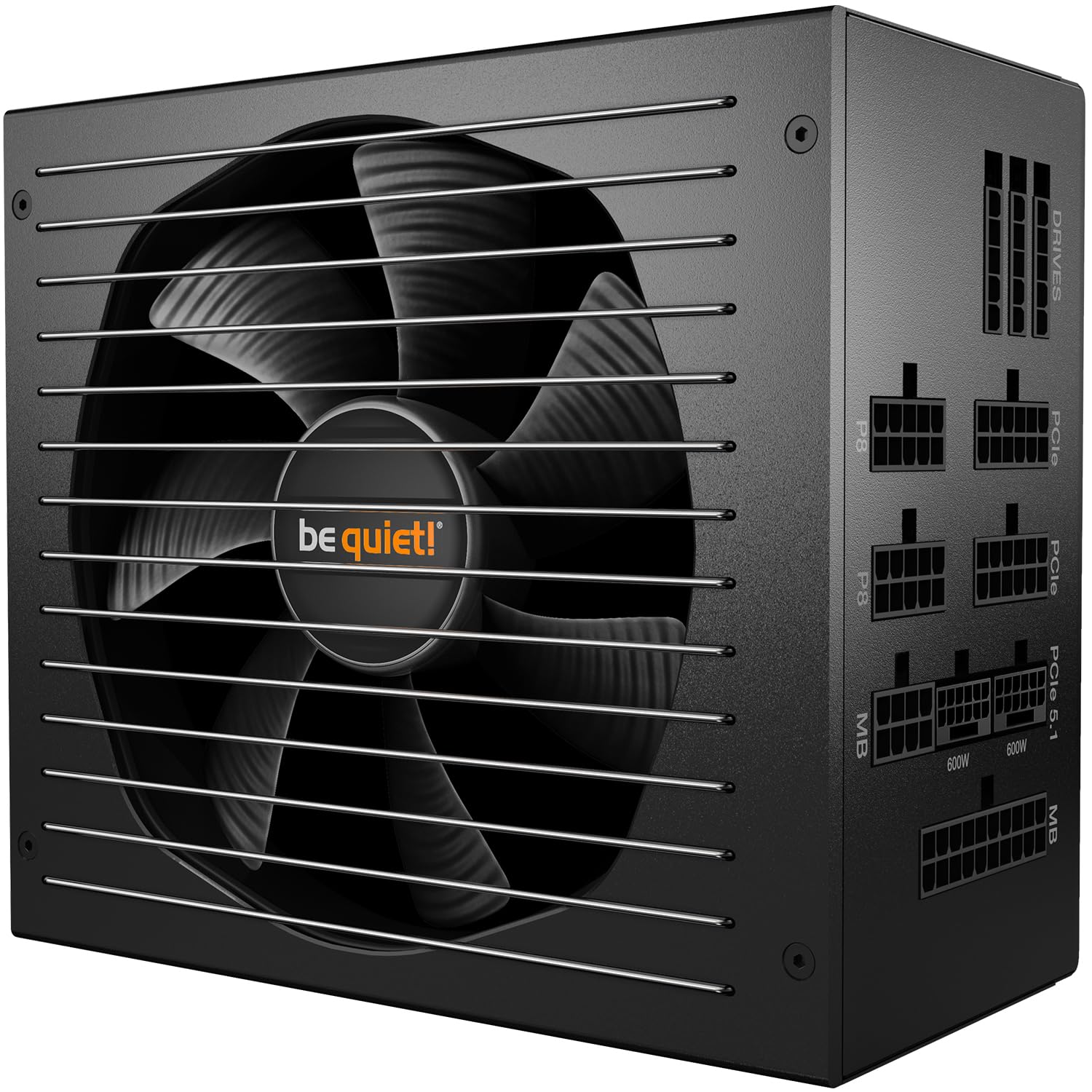
Check Latest Price
2

Best for Demanding Environments

ASUS TUF Gaming 1200W Gold

88 /100
LBD Score Excellent

Key details

Warranty
10 years
GPU Cable
16-pin, 600 W
Efficiency
80 Plus Gold
Board Protection
Moisture and dust coating
View on Amazon

Most power supplies are specified for a clean, climate-controlled case. The TUF assumes the opposite: a conformal coating over the board against moisture, dust, and temperature swings, plus a dual ball bearing fan that tolerates heat better than the fluid bearings almost everyone else uses. If your machine lives in a garage, a workshop, or a humid spare room, that matters more than a certificate tier, and it is the whole reason this one is on our list.

The rest is solid without being showy. 80 Plus Gold, fully modular, a 16-pin cable rated to 600W, Japanese capacitors, and the same 10-year warranty as the premium picks. In our build it carried a high-draw card and a 16-core processor without the fan ever becoming the loudest thing in the case, which is what we wanted from a supply with this much headroom.

The trade is efficiency. At this money you can have Platinum from Corsair or Lian Li; ASUS gives you Gold and spends the difference on the coating, the bearing, and the build itself. That is a fair swap for the buyer this unit is aimed at, and a strange one for a glass-box show build in a climate-controlled room.

One note on the language: military-grade is not a published standard you can look up, so weigh it as a claim rather than a specification. The coating and the ball bearing are the parts you can actually point at, and they are the ones we would look at anyway.

Pros

  • Coated board resists dust, moisture, and heat
  • Ball bearing fan tolerates hot cases
  • 600W 16-pin cable and a 10-year warranty
  • Quiet with a high-draw card installed

Cons

  • Gold efficiency at near-Platinum money
Our verdict

For a machine that lives somewhere dusty, humid, or hot, we think the TUF's coated board and ball-bearing fan justify Gold-level money.

Check Latest Price
3

Best Value

be quiet! Pure Power 12 M 1200W

88 /100
LBD Score Excellent

Key details

Depth
6.3 in
GPU Cable
12V-2x6, 600 W
Efficiency
80 Plus Gold
Transient Headroom
Up to 2,000 W
View on Amazon

Nothing else worth buying in this group costs as little as the Pure Power 12 M. What is surprising is how little you give up for it: 80 Plus Gold, fully modular, a native 12V-2x6 connector rated to 600W, and dual 12V rails that be quiet! rates for spikes up to 2000W. That last figure is the one that matters with a modern GPU, because the card's millisecond spikes rather than its average draw are what trip a supply.

The fan is why it is not just the cheap pick. A 120mm temperature-controlled unit that, in our build, disappeared under the case fans at idle and stayed there through a gaming session, with no coil whine to speak of. It is the only supply here that made us check whether the machine was actually switched on.

Here is where we land: if you are building a 5090-class machine and you do not need software monitoring or a Platinum badge, this is the pick that leaves the most money for the card itself. The cable set is what to plan around, because the 24-pin and the CPU leads run short in a full tower, so measure the run from the top of the board to the bay before you commit.

One thing to nail down before ordering: the ATX revision. The page says 3.1 while the unit's own paperwork has said 3.0, and the difference is documented headroom for GPU power spikes. If a 50-series card is going in, get that confirmed in writing first.

Pros

  • Quiet enough to vanish under case fans
  • Cheapest of our strong picks
  • Dual rails rated for 2,000W spikes
  • Native 600W 12V-2x6 cable included

Cons

  • Short 24-pin and CPU leads in full towers
Our verdict

The 1200W supply we point budget-conscious builders to: quiet, stable, cheaper than every other strong pick here, with cable reach the one thing to plan around.

Check Latest Price
4

Best for Dual-Chamber Builds

Lian Li Edge Gold 1200W

88 /100
LBD Score Excellent

Key details

Depth
7.17 in
Efficiency
80 Plus Gold
Included Hub
USB and PWM fan
Socket Layout
L-shaped vertical block
View on Amazon

The Edge solved a problem we did not know we had: where to put the cables. Lian Li moved every socket onto an L-shaped vertical face, so in a dual-chamber case the 24-pin and the GPU feeds drop straight down instead of doubling back behind the tray. It was the least fiddly install of the group by a wide margin, and white sleeving on white connectors means a white build does not need custom cables to look finished.

It also ships with hardware nobody else includes: a detachable hub with USB and PWM fan outputs that draws from the supply. For a case with six fans and a strip of addressable lighting it is genuinely useful. If your motherboard already handles all of that, leave it in the box.

Underneath it is a proper 1200W unit: ATX 3.1 with a native 12V-2x6, Cybenetics Gold efficiency, an A- noise rating, Japanese capacitors, and a magnetic mesh filter over the intake. Power delivery in our build was uneventful, which is the highest compliment you can pay a supply feeding a 5090.

The catch is length. At 7.17 inches it is a long body, and a mid-tower with a floor-mounted drive cage will make you measure twice before it slides home.

Pros

  • L-shaped socket block simplifies cable routing
  • Detachable USB and PWM fan hub included
  • White sleeved cables with white connectors
  • Quiet and ATX 3.1 with a native 12V-2x6

Cons

  • 7.17-inch body needs clearance in front of the bay
Our verdict

If your case has a second chamber and a window, we like the Edge's vertical socket block best, because it makes the cleanest cable run here.

Check Latest Price
5

Best Compact Option

Lian Li SX1200P

85 /100
LBD Score Excellent

Key details

Depth
5.51 in
Warranty
1 year
Efficiency
80 Plus Platinum
ATX Standard
ATX 3.1 / PCIe 5.1
View on Amazon

Compact cases are where 1200W gets awkward. You want the headroom, but the bay is short and the cables have nowhere to go. At 5.51 inches deep the SX1200P is one of the shortest bodies here, and it is Platinum-rated: 80 Plus Platinum, Cybenetics Platinum, 105°C Japanese capacitors, and a native 12V-2x6 cable.

That combination is the reason to buy it. Platinum efficiency in a body this small is rare at any price, and it costs less than most of the Gold units on this page. The fan is off entirely below 40 percent load, which covers idle, browsing, and most work, and the braided flat cables are flexible enough to fold into a tight bay.

The warranty is the one real gap: a single year, where nearly everything else here carries ten. For a part that can take a graphics card down with it, that is the widest spread in this comparison, and it is why we stop short of making this the default for a build you plan to keep a decade.

Pros

  • One of the shortest 1200W bodies here
  • Platinum efficiency at a modest price
  • Fan stops entirely below 40% load
  • Flexible braided flat cables

Cons

  • Warranty listed at only one year
Our verdict

We recommend the SX1200P for a compact case that cannot take a long unit: short, Platinum-rated, and let down only by a one-year warranty.

Check Latest Price
6

Best for Machines That Must Stay Up

Seasonic Vertex GX-1200

83 /100
LBD Score Excellent

Key details

GPU Cable
Native 12V-2x6
Capacitors
Japanese
Efficiency
80 Plus Gold
Fan Control
Hybrid silent mode
View on Amazon

The Vertex GX is the pick for someone who wants the Corsair's build quality without the software or the Platinum badge. What it keeps is the important part: a strong single 12V rail, Japanese capacitors, a native 12V-2x6 connector, and Seasonic's hybrid fan mode, which holds the 135mm fan still at low load and only spools it up when the card is working.

The reliability story is why it is here. This is a supply that 5090 builds and homelab machines run for months on end, and when something does surface with it, the subject is noise rather than power delivery, which is the right way round for a unit feeding a 5090.

That noise is the compromise. Hybrid mode is silent at idle, but under sustained load a coil whine shows up on some units, the kind of thing you either hear or do not, depending on your case and your ears. Buy it somewhere with an easy return and listen during the first week.

The cable set is generous and individually sleeved, the modular sockets come out for routing, and the AC cord is on the short side at around five feet, which is fine under a desk and irritating on a raised platform. A plain, well-built unit with no software and a short power cord: that is why we trust it in a machine that has to stay up.

Pros

  • Strong reliability with 5090-class cards
  • Hybrid fan mode stays off at low load
  • Individually sleeved modular cables
  • Japanese capacitors on a single strong 12V rail

Cons

  • Coil whine under load on some units
  • Short AC power cord
Our verdict

For a workstation or homelab that has to keep running, we pick the Vertex GX on the strength of its reliability record and hybrid fan.

Check Latest Price
7

Two-GPU Builds

Thermaltake Toughpower GF3 1200W

0 /100
LBD Score Fair

Key details

Depth
6.3 in
Warranty
10 years
Efficiency
80 Plus Gold
GPU Cables
Two native 12V-2x6
View on Amazon

Two native 12V-2x6 connectors on a single 1200W unit is unusual, and it is the reason the GF3 is on this list: one cable to a 5090 and a second to whatever comes next, with no splitter in between. The 135mm fan and the flat, color-matched cables round out a package that costs less than the premium picks.

It is a workhorse in the ordinary sense. The build is solid, it carries a 4090 and a 12900K without complaint, and the 10-year warranty matches the expensive units. For a machine where the supply sits behind a solid panel and nobody will ever look at it, that is the whole job.

The caveats are real but narrow. Some units arrive dead, coil whine under load turns up, and the PCIe lead count can run short of a card that wants four separate 8-pins rather than the two 12V-2x6 cables. None of that disqualifies it at this price. It is a reason to bench-test the unit on a table before it goes into a finished build, which is a habit worth having with any supply.

The detail we liked most is small: the connector housing is dual-colored, and the color disappears only when the plug is fully seated. With 12V-2x6, where a half-seated plug is the difference between a working card and a dead one, that is a better safety feature than any sticker on the box.

Pros

  • Two native 600W 12V-2x6 cables
  • Solid build with a 10-year warranty
  • Carries a 4090 and 12900K without complaint
  • Two-tone connector shows when it is fully seated

Cons

  • Some units arrive dead
  • Coil whine under load
Our verdict

We keep the GF3 on the list for two-GPU builds and cards that want two native 12V-2x6 leads, with a bench test before you build around it.

Check Latest Price

How We Tested the 1200W Power Supplies

We started with spec sheets, filtering out anything that wasn't ATX 3.1 compliant with a native 12V-2x6 cable and a fully modular harness, then cut the list by warranty length and price until 10 units remained for an eight-month run. Japanese capacitor builds and independent efficiency certifications earned a longer look; a 10-year-or-better warranty earned a longer one still.

Each unit went into a working build and stayed there. We logged the 12V rail at idle and again during a 30-minute combined CPU-and-GPU stress loop, then put it through cold boots, sleep and wake cycles, and repeated restarts to watch for drift or hiccups. A decibel meter a foot from the case told us how loud each one ran at idle, under load, and in the minute after load stopped — the ramp-down was often where coil whine gave itself away.

Cable length got measured against a mid-tower's routing channels, and we tried to close the side panel on every one; a short EPS or 12V-2x6 run knocked out a couple of otherwise solid units. We plugged and unplugged each 12V-2x6 connector repeatedly to see how the sense pins seated, then tugged every cable end looking for housing flex. At the end we weighed what each unit cost against what it delivered — efficiency, warranty, cable count, fan behavior — because a 1200W PSU that nails the electricals but whines at idle isn't a value at any price.

How to Choose a 1200W Power Supply

Efficiency Buys Quiet, Not Savings

The gap between Gold and Platinum at this wattage is a few percent, and on a normal electric bill you will never see it. What you will see is the heat: every wasted watt becomes case heat the graphics card cooler has to deal with, and a cooler-running supply keeps its fan parked longer. In a compact or quiet build that is worth paying for, which is why the two Platinum units here sit where they do. The trap is buying Platinum to save money on electricity. You won't. Buy it for the fan curve.

Count the Connectors Your Card Needs

A 1200W rating tells you nothing about what is in the box. Modern cards want either two or three 12V-2x6 leads or, on older designs, three or four separate 8-pin PCIe cables, and a supply can be entirely capable of 1200W while shipping one lead short. Count the connectors on the card before you order, then count what the supply includes. Thermaltake's GF3 ships two native 12V-2x6 leads, which is why it is the pick here for a two-GPU machine, and the be quiet! unit shows how much the bundle can vary at the same wattage.

Measure the Bay Before the Wattage

A power supply is the one part you cannot squeeze in later. Bodies here run from 5.51 inches to 7.87 inches deep, and the difference between those two numbers is a drive cage, a fan mount, or a build that will not close. In a dual-chamber case, socket orientation matters as much as length: Lian Li's Edge puts every connection on a vertical face so cables drop straight down instead of doubling back. Measure from the back panel to the first thing in front of the bay, then leave an inch for the cables to exit. The trap is the word compact in a listing, which usually describes the shape of the box rather than whether it clears your drive cage.

Noise Is a Fan Curve, Not a Decibel Rating

Two supplies with identical fan sizes can behave completely differently, because what you hear at midnight is whether the fan is spinning at all. Look for the fanless threshold and where it sits: 40 percent of 1200W is roughly 480W, which covers idle, browsing, and most work, so a unit that stays passive below that line is silent through a normal day. Above it, bearing type matters more than blade count. Fluid dynamic bearings are the quiet choice, and the ball-bearing fan in the ASUS TUF trades a little noise for heat tolerance. If silence is the goal, buy more capacity than you need and find out where the fan starts.

Warranty Is the Real Reliability Spec

Every unit worth buying here carries ten years except one, and that is not a coincidence: at this tier the maker is betting on capacitors and a fan bearing for a decade. A supply can also take a graphics card or a drive down with it, which is why the coverage matters more than the sticker on the box. Register the unit the day it arrives, keep the carton, and buy somewhere with an easy return, because the first weeks are when a bad one announces itself. A one-year figure on a 1200W Platinum unit, like the SX1200P's, is the exception here and worth weighing before you commit.

Frequently Asked Questions

Final Verdict

For most high-end builds this year, the Corsair HX1200i is the supply to buy. It is one of the two Platinum-rated units here, it is the only one you can monitor and reconfigure from Windows, and its fan stays parked until the card actually gets to work.

If money is the constraint, the be quiet! Pure Power 12 M does the same core job quietly for noticeably less. And if the machine lives in a garage or a humid room, the ASUS TUF's coated board is the better long-term bet than either.