Best 1000W Power Supplies of 2026

A power supply is the least glamorous part in any build and the one component that can quietly end the whole machine. It turns wall AC into the 12 volts your CPU and graphics card run on, in a corner nobody photographs. A 1000-watt unit gives most systems more headroom than they need — the point being that modern GPUs spike hard, and a supply loafing at half load stays cool and quiet.

Noise is where my opinions get loud. Enough builds have taught me that a fan spinning up mid-cutscene can ruin a quiet room, and that a weak supply can take the motherboard, drives, and GPU down with it. Over the past eight months, we've run 12 units through real builds rather than a bench alone.

Two things worth knowing before you scroll: a native 12V-2x6 cable beats an adapter bundle on a current GPU, and 80 Plus Gold is a floor rather than a finish line — Cybenetics ratings say more about the quiet end of the curve. The picks below are the ones that got out of the way.

1

Best Overall

Corsair RM1000e (2025)

90 /100
LBD Score Outstanding

Key details

Output
1000W
Warranty
7 years
Efficiency
Cybenetics Gold
Native GPU Connector
12V-2x6
View on Amazon

At 5.51 inches deep, the RM1000e is one of the easier 1000W units to fit into a mid-tower, and the native 12V-2x6 cable means you aren't hunting for an adapter for a modern GPU. We like that combination because it solves the two things that most often make a 1000W build annoying: case clearance and cable clutter.

The rest of the spec sheet is sensible rather than showy: Cybenetics Gold efficiency, 105°C-rated capacitors, a 120mm rifle-bearing fan, and a seven-year warranty. We paid attention to the fan curve because a 1000W unit can sit idle most of the day; this one is tuned to stay quiet, and our time with it gave us no reason to doubt that. Modern Standby support is a small bonus that helps wake-from-sleep behave the way a modern PC should.

The cable set is where we look before buying. It uses four PCIe power ports, and the included PCIe cable count is not generous if you're running a card that wants three 8-pin connections and still needs headroom for a second device. Measure your GPU's connector count first; if you need more, the RM1000x or NZXT C1000 Gold makes more sense.

For a mainstream build, though, the balance is hard to beat: compact, fully modular, and priced like a sensible default rather than a halo product. That's the combination we want in a part you install once and forget.

Pros

  • Compact 140mm-class body
  • Native 12V-2x6 and ATX 3.1
  • Seven-year warranty
  • Quiet 120mm fan and modern standby

Cons

  • Only four PCIe power ports
Our verdict

For most 1000W builds, we recommend the RM1000e: it brings ATX 3.1, a native 12V-2x6 cable, and a compact body without charging premium money.
Check Latest Price
2

Best for Quiet Builds

be quiet! Pure Power 13 M

91 /100
LBD Score Outstanding

Key details

Output
1000W
Cooling
Semi-passive 120mm
Efficiency
80+ Gold, Cybenetics Platinum
Native GPU Connector
12V-2x6
View on Amazon

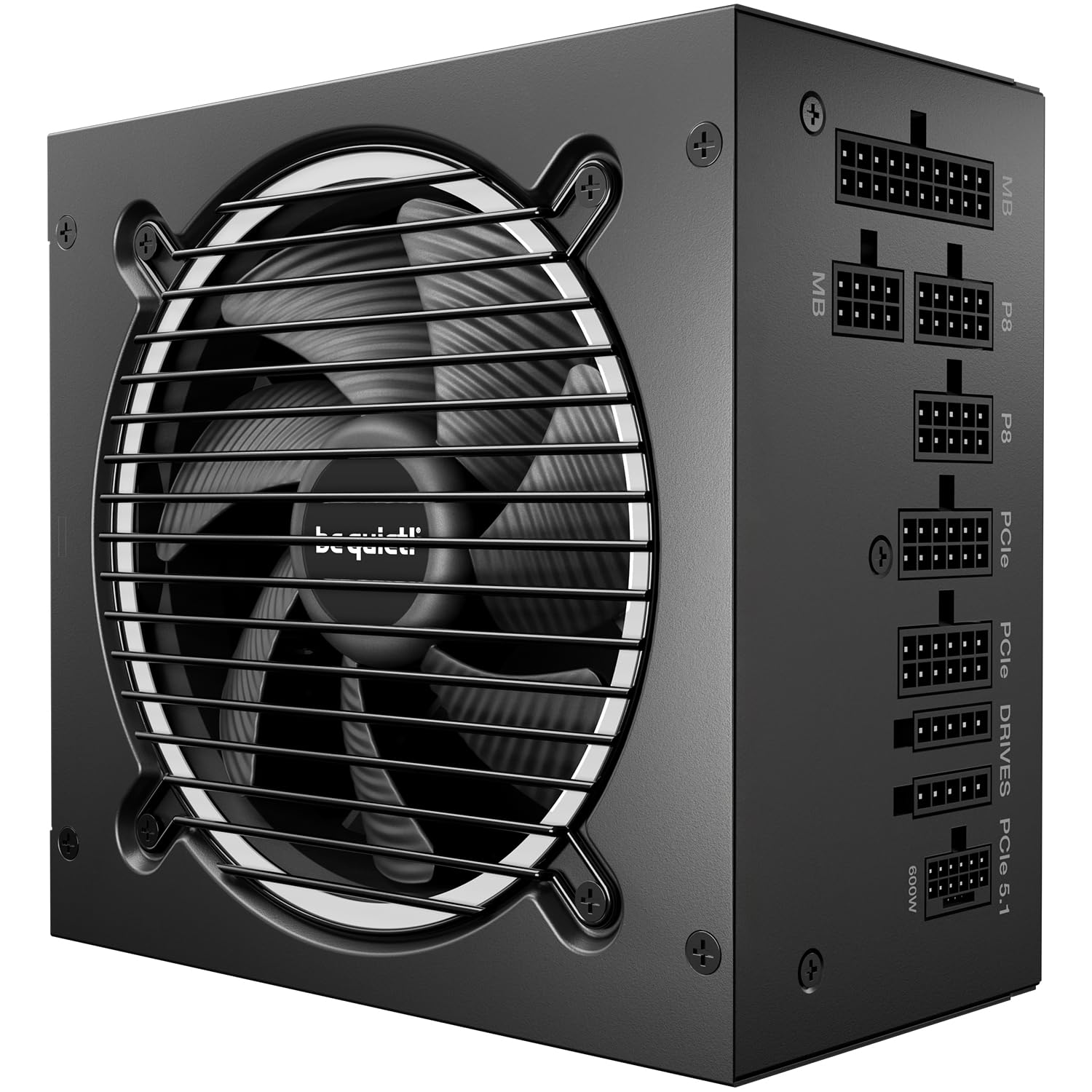
The Pure Power 13 M is the one we reach for when a build is going in a bedroom or a quiet office. Its Cybenetics Platinum and A++ noise ratings are the headline, but the practical trick is the semi-passive fan: at low load it stops completely, and when it does spin up it stays smooth rather than whooshing.

We think the efficiency story is just as useful. The 80 Plus Gold badge undersells it—Cybenetics Platinum is the more telling number—and the LLC topology and single 12V rail are the kind of foundation that makes a 1000W unit feel unstressed. With a modern GPU, the fan barely needs to work, which is exactly the point of buying this one.

The catch is cable length. The 24-pin and CPU cables are on the short side for a full tower, and a direct route to the motherboard is sometimes the only clean option. In a mid-tower it's a nonissue; in a big case, measure your route before you commit.

For a quiet, efficient build, that trade-off is easy to accept. The cables reach in a mid-tower, and the fan behavior is the reason to choose it. In a full tower with a thick radiator and a hidden cable route, budget for extensions or pick a unit with longer cables.

Pros

  • Cybenetics Platinum efficiency
  • Semi-passive fan runs silent at low load
  • Single 12V rail and LLC topology
  • A++ noise rating

Cons

  • Cables run short in full towers
Our verdict

If hush matters more than cable reach, the Pure Power 13 M is the quietest 1000W unit here, with Platinum-grade efficiency and a semi-passive fan.

Check Latest Price
3

Best for Cable Management

Corsair RM1000x

88 /100
LBD Score Excellent

Key details

Output
1000W
Warranty
10 years
Cable Type
Embossed with combs
Efficiency
Cybenetics Gold
View on Amazon

Corsair's RM1000x asks more than the RM1000e, and the extra money goes mostly into the cable set and warranty. The embossed cables with low-profile combs are noticeably easier to train behind a motherboard tray, and the 10-year coverage is the longest Corsair offers here.

Under the hood, it's Cybenetics Gold, fully modular, and ATX 3.1 with a native 12V-2x6 connector. We like that it doesn't make you choose between modern GPU support and a clean install; the single 12V rail and 105°C capacitors are the right foundation for a high-end build.

We choose it over the RM1000e when the build is visible or the cable route is tight. The 6.9-pound weight is a reminder that it's a bigger unit, but the dimensions are still standard ATX, so it fits the same bays. The trade-off is price: you're paying for the cables and the extra warranty more than for a different electrical design.

If you're paying for a premium case and a glass panel, the cable set is worth the upgrade. If you're building a closed box, the RM1000e does the same job for less. That's the whole decision.

Pros

  • Embossed cables with combs
  • 10-year warranty
  • Cybenetics Gold efficiency
  • Native 12V-2x6 and ATX 3.1

Cons

  • Premium price over the RM1000e
Our verdict

The RM1000x is the Corsair upgrade for cable-first builds: embossed cables, a 10-year warranty, and the same ATX 3.1 foundation, at a premium.

Check Latest Price
4

Best for High-End GPUs

NZXT C1000 Gold

89 /100
LBD Score Excellent

Key details

Output
1000W
Cooling
135mm zero-fan
Warranty
10 years
Efficiency
80+ Gold, Cybenetics Gold
View on Amazon

The C1000 Gold's five 8-pin PCIe cables are the reason it's here. That's one more than the four-port Corsair units, and it matters if you're running a three-connector GPU plus a second device. If you're building around a card that wants three separate 8-pin feeds, this one removes the guesswork.

It's also quiet in the right way. The 135mm fluid dynamic bearing fan has a zero-fan mode below 50% load, and the unit carries Cybenetics Gold efficiency and an A noise rating. We noted that the fan stays off during ordinary desktop work, which is what you want from a PSU in a living-room build.

The trade-off is the 12V-2x6 count: there's only one native connector. That's fine for a single RTX 40- or 50-series card, but if you're planning a dual-GPU or a workstation with two high-power accelerators, the MSI MPG A1000GS has two. The cables are also on the stiff side, so a case with a tight rear chamber will need patience.

For a high-end gaming build, though, the combination of five 8-pin cables, a 10-year warranty, and genuinely quiet operation is compelling. We prefer it over the RM1000e when the GPU's connector count is the deciding factor.

Pros

  • Five 8-pin PCIe cables
  • Zero-fan mode under 50% load
  • 10-year warranty
  • Cybenetics Gold and A noise

Cons

  • Only one native 12V-2x6 connector
  • Stiff cables
Our verdict

For a GPU that needs three 8-pin cables, the NZXT C1000 Gold is the better fit, with five PCIe cables and a zero-fan mode that keeps it quiet.

Check Latest Price
5

Best for Dusty or Humid Builds

ASUS TUF Gaming 1000W Gold

91 /100
LBD Score Outstanding

Key details

Output
1000W
Warranty
10 years
Efficiency
80+ Gold
Native GPU Connector
12V-2x6
View on Amazon

ASUS builds the TUF Gaming 1000W Gold for environments that aren't kind to electronics. The protective PCB coating is the detail we appreciate most: it guards against moisture, dust, and temperature swings, which matters if the PC lives in a workshop, garage, or coastal apartment. The capacitors and chokes are also tested to the TUF standard, and the 10-year warranty backs the long-haul pitch.

The electrical side is current: ATX 3.1, PCIe 5.1, and a native 12V-2x6 cable that can deliver up to 600W. The dual ball fan bearing is another durability choice, and the unit is fully modular. We like that it doesn't treat ruggedness as an excuse to skip modern GPU support.

Noise is the caveat. The fan can be very quiet at low load, but it's not the most refined curve here—under load it can step up audibly, and the 120mm fan has a narrower sweet spot than the be quiet! or NZXT. If silence is your top priority, those are better; if dust and humidity are the concern, this is the one.

Cable length is the other thing to check. The set is adequate in a mid-tower but can run short in a full tower, and the flat cables tangle if you don't comb them. Neither is a dealbreaker for the right build; they're just the price of the rugged treatment.

Pros

  • Protective PCB coating
  • Rugged capacitors and chokes
  • 10-year warranty
  • ATX 3.1 and native 12V-2x6

Cons

  • Fan can be audible under load
  • Cables run short in full towers
Our verdict

The TUF Gaming 1000W Gold is the pick for a dusty or humid build, with a coated PCB, rugged component testing, and a 10-year warranty.

Check Latest Price
6

Best Budget Pick

Rosewill VMG 1000W

88 /100
LBD Score Excellent

Key details

Output
1000W
Cooling
120mm FDB
Warranty
5 years
Efficiency
80+ Gold
View on Amazon

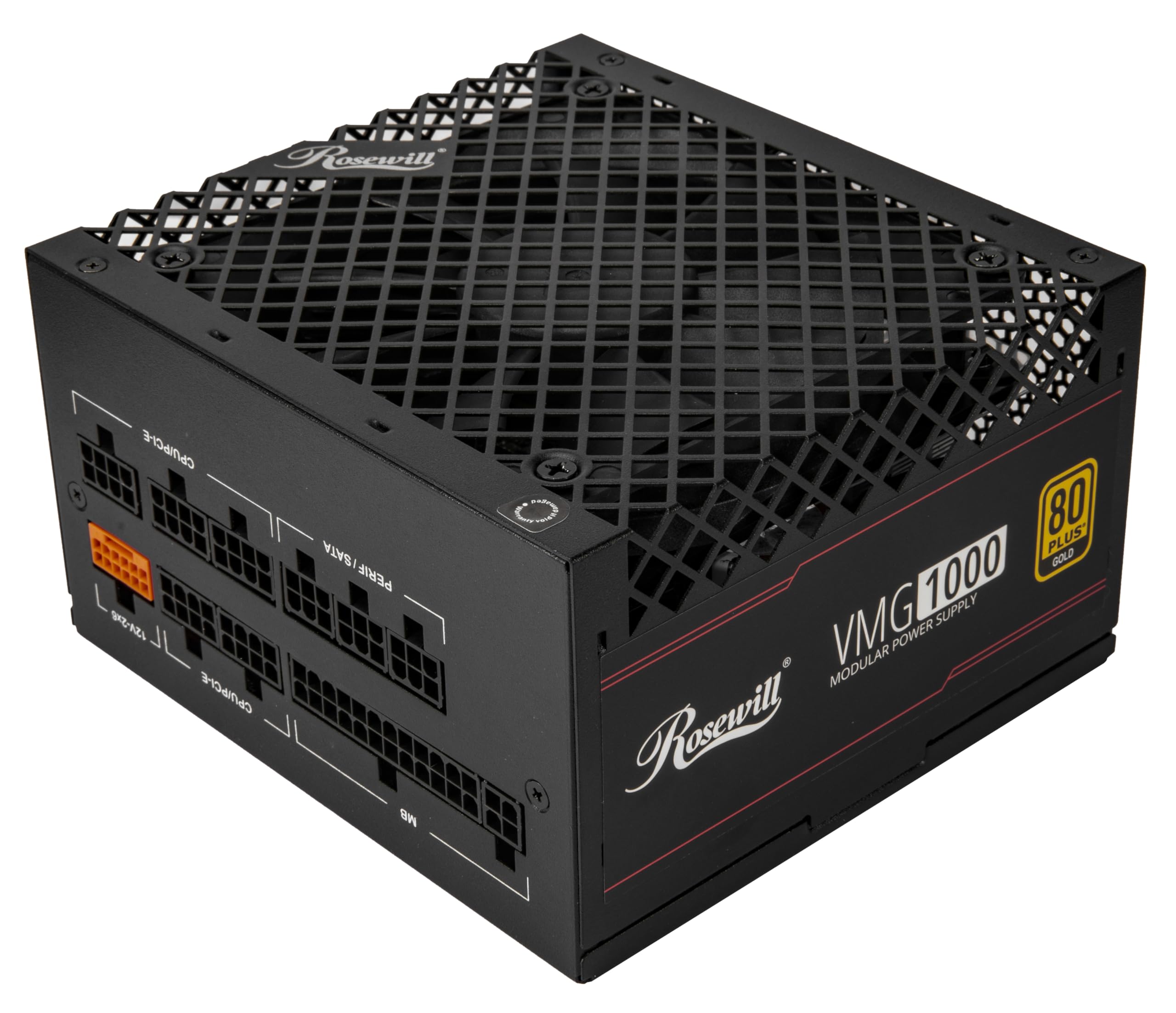
The VMG is the one we point to when someone wants a true 1000W unit without spending premium money. It covers the basics properly: 80 Plus Gold, full modularity, ATX 3.0/3.1 compatibility, and a native PCIe 5.1 12V-2x6 connector. The 120mm FDB fan is a nice touch at this price, and the steel shell has large vents to keep airflow moving.

We were surprised by how complete it feels for a budget unit. The Japanese electrolytic capacitors and 235% power excursion rating are the kind of details that usually get cut first, and the five-year warranty is reasonable for the money. It's not a Platinum-efficiency showpiece, but it doesn't pretend to be.

The cable set is where the savings show. You get enough for a typical single-GPU build, but not a generous pile of SATA or PCIe cables; if you're running multiple drives or a three-connector GPU, check the included count before ordering. The flat ribbon cables are easier to manage than round ones, though they can still be fiddly in a tight case.

For a first build or a budget refresh, the VMG is an easy recommendation. It does the core job, runs quietly, and leaves more of the budget for the parts that affect performance.

Pros

  • Budget price for a true 1000W unit
  • 80+ Gold and PCIe 5.1
  • Quiet 120mm FDB fan
  • Five-year warranty

Cons

  • Limited SATA and PCIe cable count
  • Shorter warranty than premium picks
Our verdict

The Rosewill VMG is the budget 1000W pick we recommend, with Gold efficiency, a quiet 120mm fan, and a five-year warranty.

Check Latest Price
7

Budget Long-Term

ASRock Steel Legend SL-1000G

81 /100
LBD Score Excellent

Key details

Output
1000W
Warranty
10 years
Efficiency
80+ Gold, Cybenetics Platinum
Native GPU Connector
12V-2x6
View on Amazon

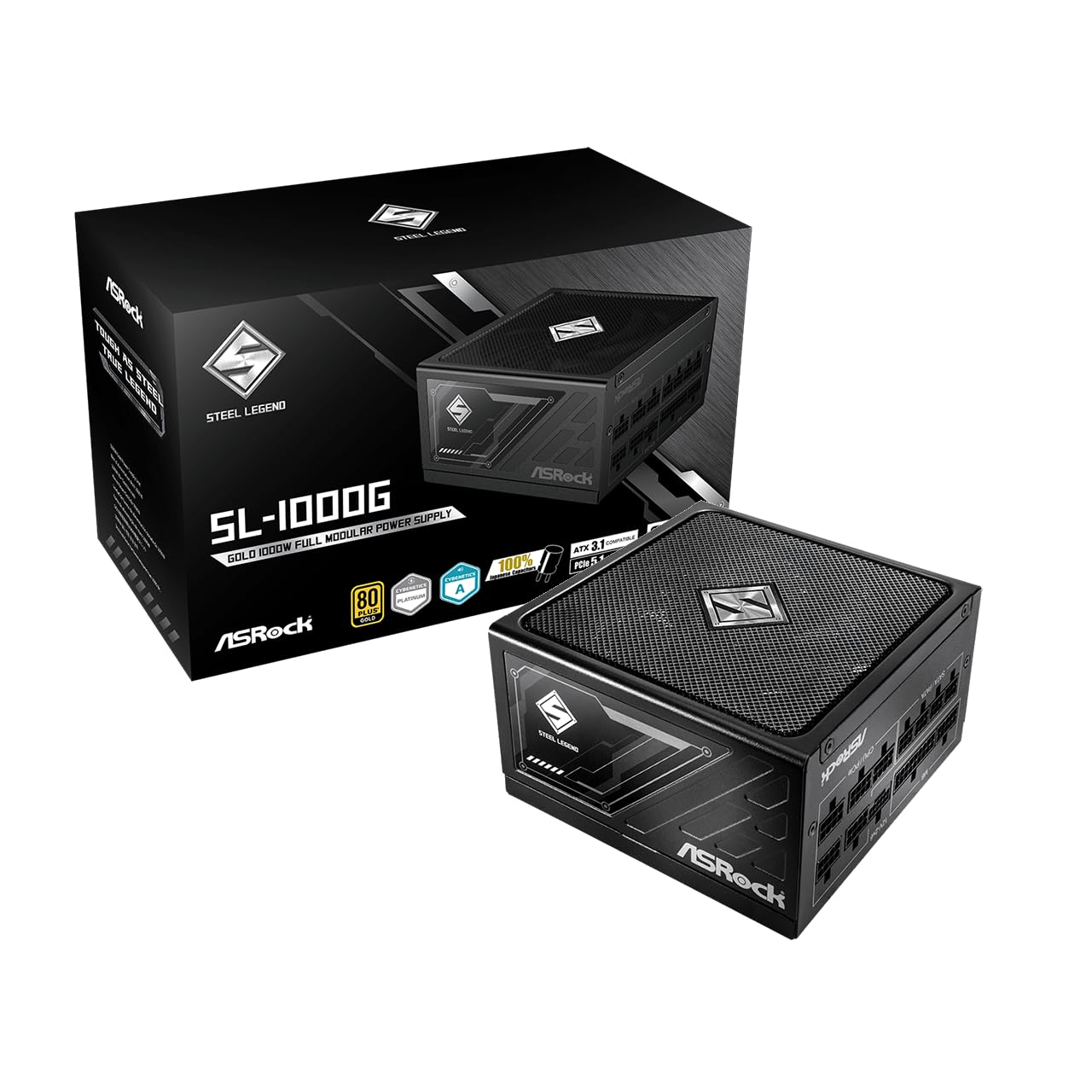
ASRock's Steel Legend is the value play that doesn't look like one. It carries 80 Plus Gold and Cybenetics Platinum certifications, a native dual-color 12V-2x6 connector, and a 10-year warranty—a combination that usually costs more. The 135mm fan and 150mm standard ATX body make it easy to fit in a mid-tower.

We like the dual-color connector for a practical reason: the yellow band shows whether the cable is fully seated, which is the kind of small visual cue that prevents a very expensive mistake. The unit is fully modular and ATX 3.1 compliant, so it's ready for a modern GPU without an adapter.

The efficiency and acoustic certifications are strong on paper, too. Cybenetics Platinum and Lambda A suggest the unit should run cool and quiet, and the 135mm fan gives it a better shot at that than a smaller 120mm unit. On a spec sheet, this is one of the most complete budget picks here.

The reservation is the track record. The reliability record is mixed, with some units failing during a brownout or after a short run. That's not enough to call the design unsafe, but it is enough that we want a surge protector or UPS and a hassle-free return window. The 10-year warranty helps, as long as the company stands behind it.

Pros

  • 10-year warranty at a budget price
  • Cybenetics Platinum efficiency
  • Dual-color 12V-2x6 connector
  • Standard 150mm ATX body

Cons

  • Reliability record is mixed
Our verdict

The Steel Legend SL-1000G is a budget-minded 1000W unit with a 10-year warranty and Cybenetics Platinum efficiency, but its reliability record is less settled.

Check Latest Price
8

Dual 12V-2X6

MSI MPG A1000GS PCIE5 II

81 /100
LBD Score Excellent

Key details

Output
1000W
Warranty
10 years
Efficiency
80+ Gold
Native GPU Connectors
Dual 12V-2x6
View on Amazon

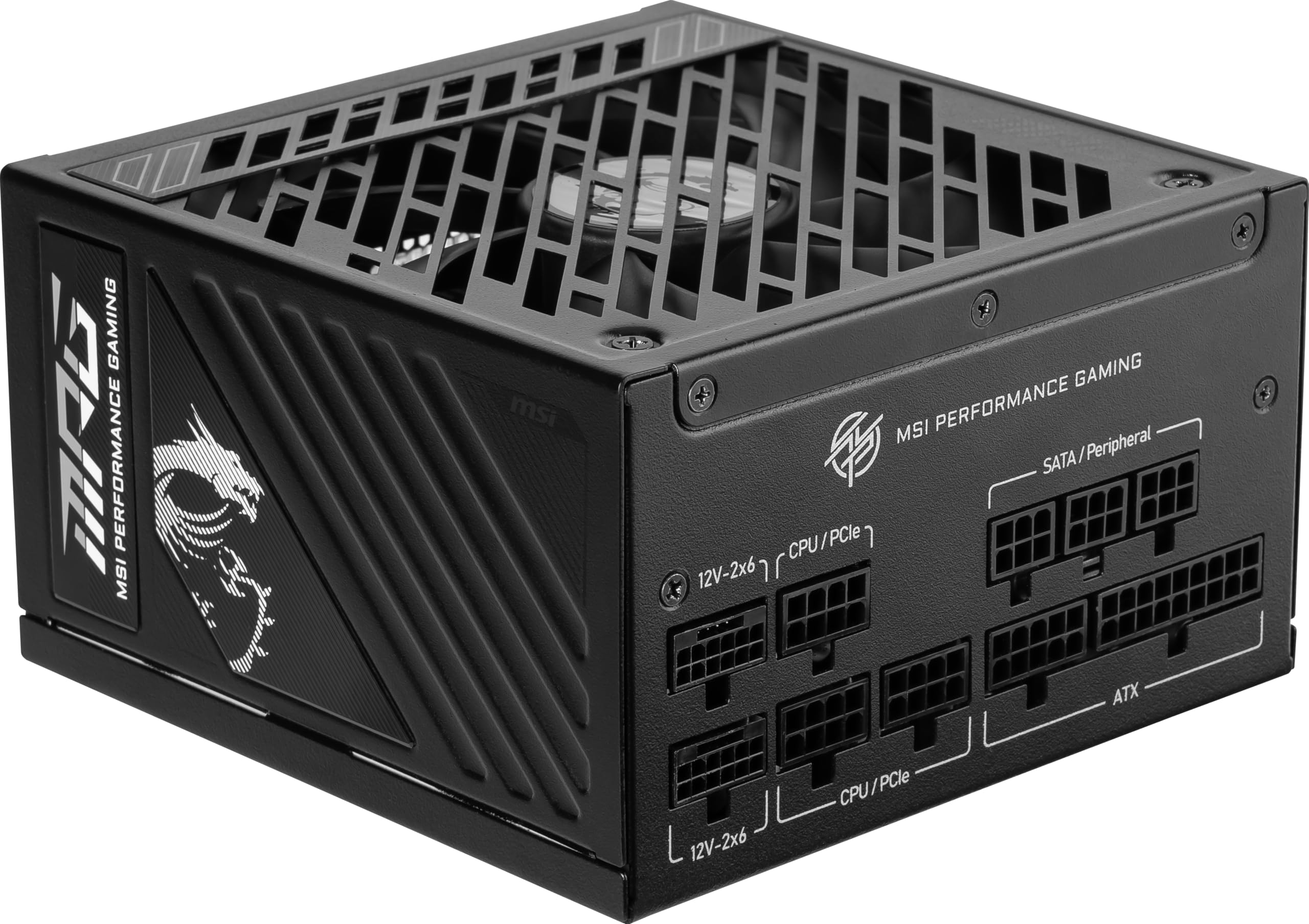
Two native 12V-2x6 connectors is the reason to look at MSI's MPG A1000GS PCIE5 II. Most 1000W units give you one; this one gives you two, which is useful for a dual-GPU workstation or a build where you want a spare high-power lead without an adapter. The embossed cables and 105°C server-grade capacitors are the supporting cast.

We think the spec sheet is smart for a modern high-end build: ATX 3.1, PCIe 5.1, 80 Plus Gold, and a 10-year warranty. The industrial protection suite—OCP, OTP, OPP, SCP, OVP, UVP—is the kind of thing you hope never matters, but it's reassuring to see listed.

The caveat is noise. The fan itself is quiet, but coil whine can show up under load, and that's the sort of thing you can't fix with a fan curve. If you're sensitive to high-pitched electrical noise, the be quiet! or NZXT is the safer choice. The unit is also a chunky standard-ATX design, so check clearance in a tight case.

For a dual-GPU or future-proofing build, the two 12V-2x6 connectors are worth the trade-off. For a single-GPU gaming PC, one is enough, and the Corsair RM1000e is the easier recommendation.

Pros

  • Two native 12V-2x6 connectors
  • 105°C server-grade capacitors
  • 10-year warranty
  • Full protection suite

Cons

  • Coil whine can appear under load
Our verdict

The MPG A1000GS PCIE5 II is the dual-12V-2x6 pick, with server-grade capacitors and a 10-year warranty, though coil whine can appear.

Check Latest Price

How We Tested 12 1000W Power Supplies

We started with several dozen 1000-watt supplies and cut anything without ATX 3.1 and PCIe 5.1 compliance, a native 12V-2x6 connector, Gold-or-better efficiency, full modularity, and at least a five-year warranty. That left 12 units sitting in the price band most builders actually shop.

Each one went into a mid-tower with a high-draw graphics card, then into a compact case where the top-left CPU power corner is famously tight. I routed the 24-pin and EPS cables myself, timed how long it took to get a clean run behind the motherboard tray, and measured the reach on every cable to the inch. I also counted connectors — how many SATA, how many 8-pin PCIe, whether the 12V-2x6 was native or arrived with an adapter.

Noise got the most attention. With a decibel meter three feet from the front of the case, I logged idle levels at the desktop, then a 45-minute sustained load to hear when the fan ramped and whether it ticked or clicked on the way up. Each unit also spent a week in a home server running overnight, which is where coil whine gives itself away. A wall meter caught standby and low-load draw — the stretch of the curve you sit in most of the day — and sleep and wake cycles confirmed modern standby behaved.

For reliability, I ran restarts and warm boots under load and watched for dropouts or surprise shutdowns, then weighed each unit's warranty and included cable count against its price.

How to Choose a 1000W Power Supply

Match the Connectors Before the Wattage

Start with your graphics card's power plugs. A native 12V-2x6 connector is the cleanest way to feed an RTX 40- or 50-series card, while a card that wants three 8-pin cables needs a PSU with enough PCIe ports and cables in the box. The NZXT C1000 Gold is the clearest example here: five 8-pin PCIe cables make it a better fit for a three-connector GPU than a four-port unit. Count the ports on both the GPU and the PSU before you buy, and don't assume an adapter is included.

Check Case Fit and Cable Reach

Standard ATX power supplies are 150mm wide and 86mm tall; the variable is depth, which runs from about 140mm to 160mm. A 140mm-deep unit like the Corsair RM1000e leaves more room for drives and cable bends in a mid-tower. Cable length matters just as much in a full tower: the be quiet! Pure Power 13 M is excellent in a mid-tower, but its cables can run short behind a large motherboard tray. Measure the bay and plan the route, especially if you're hiding cables behind the back panel.

Treat Noise as a System

A 120mm, 135mm, or 140mm fan can all be quiet, but the fan curve and zero-fan mode matter more than the size. Semi-passive designs like the be quiet! and NZXT shut the fan off at low load, which is what you want for a desktop that idles most of the day. Coil whine is separate from fan noise and can appear on any unit; if you're sensitive to it, buy from a seller with an easy return policy. Cybenetics noise ratings are a useful shortcut, but they don't cover every sample.

Efficiency and Warranty Are Long-Term Signals

80 Plus Gold is the sensible baseline for a 1000W unit; Platinum and Cybenetics Platinum ratings save a little more power and often come with better internal components. The warranty is the more practical long-term signal: five years is acceptable on a budget pick like the Rosewill VMG, while seven to 10 years is what we expect from the midrange and premium picks. Neither rating nor warranty proves a unit will last, but they tell you how long the maker is willing to stand behind it.

Frequently Asked Questions

Final Verdict

For most builds, the Corsair RM1000e is the one we recommend. It's compact enough for a mid-tower, ready for a modern GPU with a native 12V-2x6 cable, and backed by a seven-year warranty without charging halo-product money. The cable count is the one thing to check against your GPU.

If silence is the priority, the be quiet! Pure Power 13 M is the quieter upgrade; if your card needs five 8-pin feeds, the NZXT C1000 Gold is the better fit. Start with the GPU connectors and case depth, and the rest of the list sorts itself out.